Upgrade & Secure Your Future with DevOps, SRE, DevSecOps, MLOps!
We spend hours scrolling social media and waste money on things we forget, but won’t spend 30 minutes a day earning certifications that can change our lives.
Master in DevOps, SRE, DevSecOps & MLOps by DevOps School!
Learn from Guru Rajesh Kumar and double your salary in just one year.
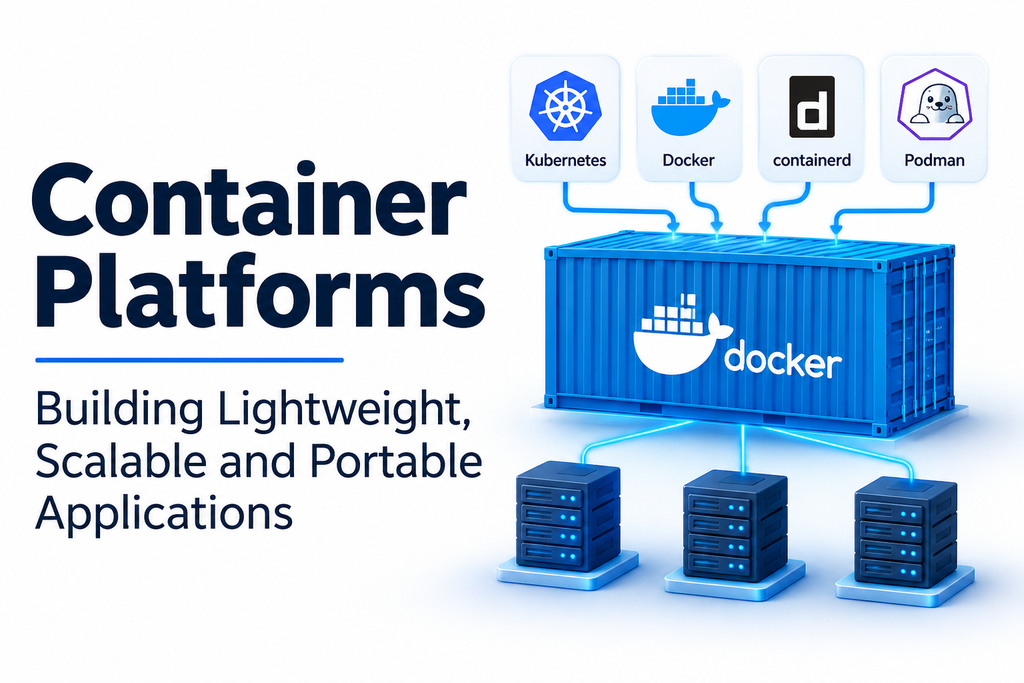
Container platforms have become an essential part of modern software development and IT infrastructure. They help organizations package, deploy, manage, and scale applications using lightweight, isolated environments known as containers.
Traditional application deployment often involves complex dependencies, operating system configurations, and infrastructure requirements. Container technology addresses many of these challenges by packaging applications with the libraries and dependencies they need to operate consistently across different environments.
From startups developing cloud-native applications to enterprises managing large distributed systems, container platforms simplify software deployment and improve infrastructure flexibility.
As businesses adopt microservices, DevOps practices, and cloud computing, container platforms provide an important foundation for building and operating modern applications.
What Are Container Platforms?
Container platforms are software environments that help developers and IT administrators create, run, manage, and deploy containers.
A container packages an application and its required dependencies into an isolated environment. Unlike traditional virtual machines, containers generally share the host operating system kernel, making them comparatively lightweight.
Container platforms provide tools for managing the complete container lifecycle, from image creation to deployment and monitoring.
Common capabilities include:
- Container creation: Build application containers using container images.
- Image management: Store, distribute, and maintain container images.
- Application deployment: Launch containerized applications across supported environments.
- Networking: Connect containers and manage communication.
- Storage management: Provide persistent storage for applications.
- Scaling: Increase or decrease application instances according to workload requirements.
- Monitoring: Track container health and resource utilization.
- Security: Manage permissions, image vulnerabilities, and runtime policies.
- Automation: Integrate container workflows into development and deployment pipelines.
These capabilities help organizations maintain consistent application environments while simplifying infrastructure operations.
Popular Container Platforms
Docker: Building and Running Containers
Docker is one of the most widely recognized container technologies. It provides tools for packaging applications into portable container images and running them in isolated environments.
Docker allows developers to create consistent application environments across development, testing, and production systems.
Its ecosystem includes Docker Engine, Docker Desktop, Docker Hub, and tools for building and managing container images.
Key capabilities:
- Container image creation.
- Container execution and management.
- Dockerfile-based application packaging.
- Image distribution through registries.
- Docker Compose for multi-container applications.
- Development environment integration.
Best suited for: Developers, DevOps engineers, software teams, and organizations adopting container-based application development.
Consideration: Docker provides container development and runtime tools, but large-scale orchestration generally requires additional infrastructure such as Kubernetes.
Podman: Daemonless Container Management
Podman is an open-source container management tool designed to build, run, and manage containers.
One of its distinguishing characteristics is its daemonless architecture. It also supports rootless containers, allowing users to run containers without requiring full root privileges in supported configurations.
Podman provides command-line compatibility with many Docker workflows, making it an attractive option for developers and Linux administrators.
Key capabilities:
- Container creation and management.
- Daemonless architecture.
- Rootless container execution.
- Image management.
- Pod management.
- Integration with Kubernetes-oriented workflows.
Best suited for: Linux administrators, security-conscious organizations, developers, and teams exploring alternatives to Docker.
Consideration: Users should evaluate compatibility with existing development tools and automation scripts before migrating container workflows.
Red Hat OpenShift: Enterprise Container Application Platform
Red Hat OpenShift is an enterprise application platform built around Kubernetes.
It provides an integrated environment for deploying, managing, and scaling containerized applications.
OpenShift includes capabilities for developer workflows, application delivery, security policies, cluster administration, and infrastructure management.
Organizations can use it to operate applications across supported on-premises, cloud, and hybrid environments.
Key capabilities:
- Kubernetes-based container orchestration.
- Application deployment and management.
- Integrated developer tools.
- Container image management.
- Security and access controls.
- CI/CD integration.
- Enterprise cluster administration.
Best suited for: Large enterprises, development teams, and organizations building cloud-native application environments.
Consideration: OpenShift is a broader enterprise platform rather than simply a container runtime. Its deployment and administration require appropriate infrastructure planning and technical expertise.
containerd: Lightweight Container Runtime
containerd is an industry-standard container runtime that manages container lifecycle operations.
It is responsible for important activities such as downloading container images, managing storage, and executing containers.
It is commonly used as part of larger container infrastructure and works with Kubernetes through the Container Runtime Interface.
Key capabilities:
- Container lifecycle management.
- Image downloading and storage.
- Container execution.
- Runtime management.
- Kubernetes integration.
- Container networking support through associated components.
Best suited for: Infrastructure engineers, Kubernetes environments, platform developers, and organizations building container infrastructure.
Consideration: containerd is primarily a runtime component rather than a complete graphical container management platform.
Rancher: Centralized Kubernetes and Container Management
Rancher is a container management platform focused on simplifying Kubernetes cluster administration.
It allows organizations to manage multiple Kubernetes clusters through a centralized interface.
Rancher provides tools for cluster provisioning, user access management, application deployment, and infrastructure monitoring through its broader ecosystem.
It is particularly useful for organizations operating Kubernetes environments across different infrastructure providers.
Key capabilities:
- Multi-cluster management.
- Kubernetes cluster provisioning.
- Centralized administration.
- User and access management.
- Application deployment.
- Cluster monitoring and governance.
Best suited for: Enterprises, DevOps teams, and organizations managing multiple Kubernetes clusters.
Consideration: Rancher focuses on Kubernetes management rather than replacing the underlying container runtime.
Kubernetes: Container Orchestration at Scale
Kubernetes is an open-source container orchestration platform designed to automate the deployment, scaling, and management of containerized applications.
It coordinates containers across clusters of machines and helps maintain the desired state of applications.
Kubernetes is widely used in cloud-native development, microservices architectures, and large-scale distributed application environments.
Key capabilities:
- Automated container deployment.
- Workload scheduling.
- Application scaling.
- Service discovery and load balancing.
- Self-healing capabilities.
- Configuration and secret management.
- Rolling updates and rollbacks.
Best suited for: Enterprises, DevOps teams, cloud engineers, and organizations operating distributed containerized applications.
Consideration: Kubernetes is an orchestration platform, not a container image builder or standalone container runtime.
LXC: System Containers for Linux Environments
LXC, or Linux Containers, provides operating-system-level virtualization on Linux systems.
Unlike application-focused containers that commonly package individual applications, LXC can provide environments that behave more like lightweight Linux systems.
It is useful for creating isolated Linux environments while sharing the host kernel.
Key capabilities:
- Linux system containers.
- Resource isolation.
- Process isolation.
- Network configuration.
- Container lifecycle management.
- Integration with Linux infrastructure.
Best suited for: Linux administrators, infrastructure engineers, developers, and users requiring lightweight isolated Linux environments.
Consideration: LXC has different use cases from Docker-style application containers, so the selection should depend on the workload requirements.
Comparing Popular Container Platforms
| Platform | Primary focus | Suitable environment |
|---|---|---|
| Docker | Container development and execution | Development and application deployment |
| Podman | Daemonless container management | Linux and security-focused environments |
| Red Hat OpenShift | Enterprise container application platform | Enterprise and hybrid cloud |
| containerd | Container runtime | Kubernetes infrastructure |
| Rancher | Kubernetes cluster management | Multi-cluster environments |
| Kubernetes | Container orchestration | Distributed applications |
| LXC | Linux system containers | Linux infrastructure |
These platforms serve different purposes. Some create and execute containers, others manage container runtimes, and orchestration platforms coordinate workloads across multiple machines.
Types of Container Platforms
Container technology includes several categories that support different stages of application development and deployment.
Container Runtimes
Container runtimes are responsible for executing containers and managing their lifecycle.
Examples include containerd and CRI-O.
They provide the functionality required to start, stop, and manage containerized workloads.
Container Development Platforms
These platforms help developers build, package, and test containerized applications.
Docker is a prominent example, offering tools for image creation, local execution, and development workflows.
Container Orchestration Platforms
Orchestration platforms automate the deployment and management of containers across multiple machines.
Kubernetes is the most widely recognized example in this category.
Enterprise Container Platforms
Enterprise platforms combine container orchestration with additional administration, security, developer tools, and infrastructure management capabilities.
Red Hat OpenShift and Rancher-based environments address many of these requirements.
System Container Platforms
System container technologies provide isolated environments that can behave more like lightweight operating systems.
LXC is an example of this approach.
Important Features to Consider When Choosing a Container Platform
Selecting a container platform requires evaluating application requirements, infrastructure compatibility, security, and operational complexity.
Container Lifecycle Management
The platform should provide reliable capabilities for creating, starting, stopping, restarting, and removing containers.
Lifecycle management becomes increasingly important when applications contain multiple services and dependencies.
Image Management
Container images are the foundation of containerized application deployment.
Look for support for image registries, version management, image scanning, and automated image-building workflows.
Organizations should also establish policies for trusted image sources and image updates.
Orchestration and Scaling
Applications with multiple containers may require automated deployment and scaling.
Kubernetes and enterprise platforms built around it provide orchestration capabilities for managing distributed workloads.
Evaluate how the platform handles workload scheduling, scaling, service discovery, and application recovery.
Networking and Service Communication
Containers often need to communicate with other containers, databases, external APIs, and internal services.
A suitable platform should provide appropriate networking capabilities and support secure communication between application components.
Persistent Storage
Many applications need storage that remains available even when containers restart or move between machines.
Evaluate support for persistent volumes, storage integrations, backup mechanisms, and data recovery.
Security and Access Control
Container environments can introduce security risks when images, permissions, and runtime configurations are not properly managed.
Important security capabilities include:
- Role-based access control.
- Image vulnerability scanning.
- Secure image registries.
- Runtime protection.
- Network policies.
- Secret management.
- Regular security updates.
- Least-privilege execution.
Monitoring and Logging
Container platforms should provide visibility into application health, container performance, resource consumption, and operational events.
Monitoring and logging integrations help administrators identify performance problems and investigate failures.
Integration with DevOps Workflows
Modern development teams frequently integrate container platforms with source code repositories, automated testing systems, and CI/CD pipelines.
Check whether the platform supports the organization’s existing development and deployment tools.
Common Business Applications of Container Platforms
Container platforms support a wide range of modern technology workflows.
Microservices development: Developers can package individual application services into separate containers and manage them independently.
Cloud-native applications: Organizations can deploy applications designed for distributed cloud infrastructure.
Software testing: Teams can create consistent testing environments without configuring separate physical servers.
Application modernization: Businesses can gradually move traditional applications toward container-based architectures.
Continuous deployment: Development teams can integrate container images into automated software delivery pipelines.
Hybrid cloud infrastructure: Containerized applications can run across supported on-premises and cloud environments.
Scalable web applications: Organizations can manage application instances according to changing traffic and resource requirements.
Containers vs. Virtual Machines
Containers and virtual machines both provide isolation, but they use different architectural approaches.
Virtual machines generally include their own guest operating systems, while containers share the host operating system kernel.
| Feature | Containers | Virtual Machines |
|---|---|---|
| Operating system | Shared host kernel | Separate guest operating system |
| Startup | Generally faster | Generally slower |
| Resource usage | Usually lighter | Usually higher |
| Isolation | Process and namespace-based | Virtual hardware-level |
| Portability | Portable container images | Portable virtual machine images, subject to compatibility |
| Common use | Application packaging | Full operating system virtualization |
Containers are useful for packaging and deploying applications efficiently, while virtual machines are valuable when workloads require separate operating systems.
Many organizations use both technologies together.
Common Challenges in Container Platform Adoption
Container platforms offer flexibility, but their implementation introduces several technical challenges.
- Security vulnerabilities: Untrusted images and excessive container privileges can expose systems.
- Networking complexity: Distributed containers require carefully designed communication and access policies.
- Persistent storage management: Stateful applications need reliable storage and recovery strategies.
- Monitoring difficulties: Large container environments can generate substantial logs and performance data.
- Orchestration complexity: Kubernetes and similar systems require specialized administration knowledge.
- Resource allocation: Poor CPU and memory limits can affect application performance.
- Configuration management: Inconsistent deployment settings can create problems between environments.
Organizations can address these challenges through standardized images, automated deployment pipelines, security policies, monitoring, and regular infrastructure reviews.
How to Choose the Right Container Platform
The best container platform depends on the organization’s development process, application architecture, technical expertise, and deployment requirements.
Docker is a practical choice for container development and local application execution. Podman is worth considering for daemonless and rootless workflows. Kubernetes supports large-scale orchestration, while OpenShift provides an integrated enterprise application platform.
Rancher is useful for managing multiple Kubernetes clusters, containerd provides runtime functionality, and LXC addresses Linux system-container requirements.
Before choosing a platform, evaluate:
- Number and complexity of applications.
- Development and production requirements.
- Container runtime compatibility.
- Orchestration requirements.
- Storage and networking capabilities.
- Security and access controls.
- Monitoring and automation integrations.
- Infrastructure and licensing costs.
A pilot deployment using actual application workloads can help identify technical limitations before organization-wide adoption.
Building a Reliable Container Infrastructure
Container platforms have transformed how applications are developed, packaged, deployed, and maintained.
They provide a consistent approach to application delivery while helping organizations improve resource utilization and support modern software architectures.
Docker, Podman, Red Hat OpenShift, containerd, Rancher, Kubernetes, and LXC each provide different capabilities within the container ecosystem.
The right platform should match the organization’s application requirements, infrastructure strategy, security policies, and operational expertise.
With appropriate image management, orchestration, monitoring, and security practices, container platforms can provide a strong foundation for scalable and reliable application infrastructure.
