Upgrade & Secure Your Future with DevOps, SRE, DevSecOps, MLOps!
We spend hours scrolling social media and waste money on things we forget, but won’t spend 30 minutes a day earning certifications that can change our lives.
Master in DevOps, SRE, DevSecOps & MLOps by DevOps School!
Learn from Guru Rajesh Kumar and double your salary in just one year.
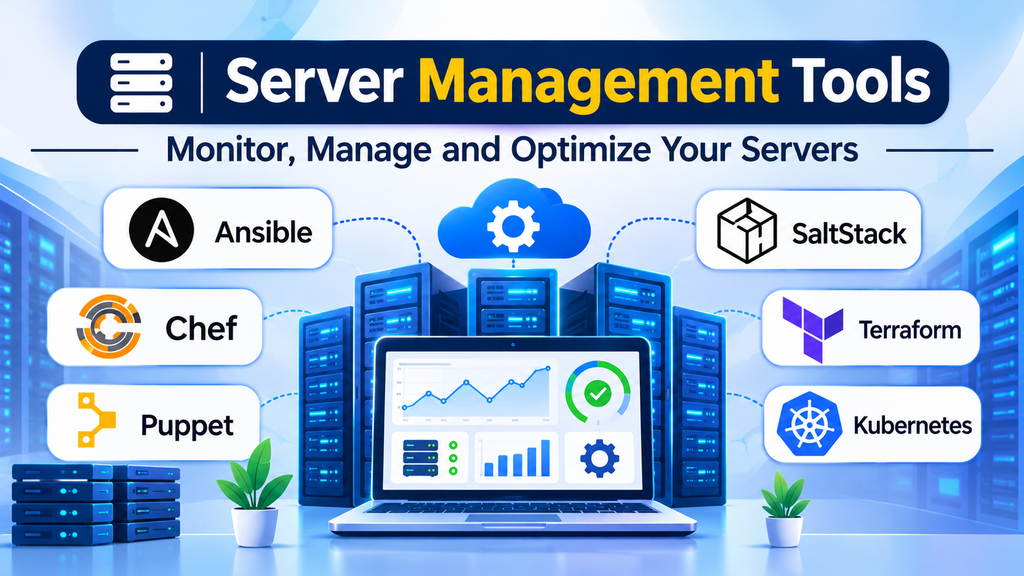
Managing servers across development, testing, and production environments becomes increasingly difficult as infrastructure grows. Teams must maintain consistent configurations, apply security updates, monitor resource usage, troubleshoot failures, and ensure that systems remain available without introducing unnecessary operational risk.
Server management tools help automate these responsibilities. Depending on the product, they can handle configuration management, remote administration, infrastructure provisioning, monitoring, patching, and workload orchestration. The important distinction is that these capabilities are related but not interchangeable.
Choosing the right tool begins with identifying which operational tasks consume the most time and which failures pose the greatest risk.
What Server Management Tools Actually Manage
Server management covers several layers of infrastructure operations:
- Configuration management: Keeps packages, services, users, files, and system settings consistent across servers.
- Remote administration: Provides centralized access to systems for routine maintenance and troubleshooting.
- Infrastructure provisioning: Creates and configures servers, networks, and related resources.
- Monitoring: Tracks availability, CPU, memory, storage, network behavior, and service health.
- Patch management: Coordinates operating-system and software updates.
- Orchestration: Coordinates deployments and operational tasks across multiple systems.
A single platform may cover several of these responsibilities, but it is rarely necessary to replace every existing tool with one product. A configuration management system, infrastructure provisioning tool, and monitoring platform may work together as part of a larger operational workflow.
Server Management Tools Worth Evaluating
1. Ansible
Ansible automates configuration management, software deployment, and operational tasks through readable playbooks. It commonly connects to Linux servers over SSH and can manage Windows systems through supported connection methods.
Its agentless approach can simplify adoption because managed machines generally do not need a continuously running Ansible agent. However, teams still need to manage credentials, connectivity, privilege escalation, and execution environments appropriately.
Where it fits: Organizations seeking repeatable server configuration, software installation, routine maintenance, and multi-server automation.
What to consider: Playbook quality, inventory management, secret handling, execution control, and testing before applying changes across production systems.
Official documentation: https://docs.ansible.com/
2. Puppet
Puppet focuses on configuration management and maintaining a defined system state. Administrators describe the desired configuration, and Puppet helps enforce consistency across managed infrastructure.
This approach is useful when servers must remain aligned with established configuration standards rather than merely receive one-time commands.
Where it fits: Large or long-running environments that require consistent configuration enforcement and controlled infrastructure changes.
What to consider: The effort required to develop and maintain configuration definitions, understand dependencies, and manage the platform’s architecture and operational components.
Official documentation: https://www.puppet.com/docs
3. Chef
Chef provides infrastructure automation and configuration management through code-based definitions. It is designed for environments where teams want to define system configuration, application dependencies, and operational requirements programmatically.
Its code-oriented approach can support repeatable deployments, but teams must account for the learning curve and ongoing maintenance of automation code.
Where it fits: Engineering organizations with established infrastructure-as-code practices and complex configuration requirements.
What to consider: Team familiarity, existing automation investments, platform support, and the maintenance requirements of the chosen Chef offering.
Official documentation: https://docs.chef.io/
4. Salt
Salt, also known as SaltStack, provides remote execution and configuration management. Its architecture supports centralized task execution and event-driven automation, making it relevant to environments where administrators need to coordinate operations across many systems.
It can be particularly useful when teams need both configuration enforcement and rapid execution of operational commands.
Where it fits: Distributed server environments requiring centralized administration, configuration management, and automation workflows.
What to consider: Deployment architecture, access controls, event-processing requirements, and the operational complexity of managing the infrastructure.
Official documentation: https://docs.saltproject.io/
5. Terraform
Terraform focuses on infrastructure provisioning rather than ongoing operating-system configuration. It allows teams to describe infrastructure resources declaratively and manage changes through a plan-and-apply workflow.
It is useful for creating and updating infrastructure across supported providers, but it should not automatically be treated as a replacement for a dedicated server configuration management system.
Where it fits: Teams managing cloud infrastructure, virtual machines, networking resources, and other infrastructure through version-controlled definitions.
What to consider: State management, access permissions, provider behavior, resource dependencies, and the risk of unintended changes when applying a plan.
Official documentation: https://developer.hashicorp.com/terraform/docs
6. Kubernetes
Kubernetes automates the deployment, scaling, and management of containerized applications. It manages workloads through a declarative model and continuously works to reconcile actual application state with the desired configuration.
However, Kubernetes is not a general-purpose replacement for operating-system administration tools. It primarily manages containerized workloads and the resources required to run them.
Where it fits: Organizations operating containerized applications that need workload scheduling, service discovery, scaling, and automated recovery behavior.
What to consider: Cluster administration, networking, storage, access control, upgrades, observability, and the additional expertise needed to operate the platform.
Official documentation: https://kubernetes.io/docs/
Comparing the Main Approaches
| Tool | Primary responsibility | Distinguishing approach |
|---|---|---|
| Ansible | Configuration and task automation | Playbooks and agentless management for common workflows |
| Puppet | Configuration management | Desired-state enforcement |
| Chef | Configuration management | Code-based infrastructure definitions |
| Salt | Remote execution and configuration management | Centralized execution and event-driven automation |
| Terraform | Infrastructure provisioning | Declarative resource management and planned changes |
| Kubernetes | Container orchestration | Desired-state management of containerized workloads |
These tools overlap in some areas, but their main purposes differ. The most effective combination depends on whether the challenge involves configuring existing machines, provisioning infrastructure, coordinating commands, or operating containerized applications.
How to Choose the Right Server Management Tool
Identify Your Infrastructure Environment
Start by documenting the systems you manage. Consider Linux and Windows servers, virtual machines, cloud instances, on-premises hardware, and container platforms.
Verify that the selected tool supports the operating systems, connection methods, infrastructure providers, and management workflows you actually use.
Decide Between Agentless and Agent-Based Management
Agentless tools can reduce software deployment and maintenance on managed systems, but still depend on reliable connectivity, authentication, and remote execution permissions.
Agent-based approaches can provide continuous communication and local enforcement, depending on the platform, but introduce additional software lifecycle and connectivity considerations.
Neither model is universally superior. Choose according to network restrictions, security requirements, operational reliability, and the desired frequency of configuration enforcement.
Evaluate Security and Access Controls
Server automation often has elevated privileges. A poorly controlled automation account can affect many systems at once.
Prioritize centralized credential management, least-privilege access, role separation, auditable changes, and controlled approval processes. Test automation against non-production systems before allowing it to modify critical infrastructure.
Secrets should not be embedded directly in scripts or committed to source repositories. Use appropriate secret-management facilities and restrict access to execution environments.
Estimate the Total Cost of Ownership
Licensing is only one part of server management cost. Account for implementation, training, maintenance, infrastructure consumption, integrations, support, and the time required to troubleshoot automation failures.
Open-source software can reduce licensing expenses, but it does not eliminate the need for skilled administrators. Commercial offerings may provide additional management interfaces, support, governance, or enterprise integrations depending on the product and plan.
Compare the operational effort required to achieve the same outcome rather than comparing subscription prices alone.
A Practical Implementation Strategy
A gradual rollout reduces the risk of widespread configuration errors.
- Inventory your servers: Record operating systems, application roles, ownership, dependencies, and criticality.
- Select a repeatable task: Start with a limited activity such as installing a package or checking a service configuration.
- Define the desired outcome: Specify what success looks like and how failures will be detected.
- Version-control automation: Keep configuration definitions and scripts in a controlled repository.
- Test in a safe environment: Validate normal operation, failure handling, and rollback procedures.
- Expand gradually: Apply the workflow to a small production group before extending it across the estate.
- Monitor results: Track failed tasks, configuration drift, deployment duration, and the effort required to recover from mistakes.
The goal is not to automate every administrative activity immediately. It is to create reliable, repeatable workflows that reduce avoidable manual work without increasing operational risk.
Common Server Management Mistakes
Using one tool for every responsibility: Provisioning, configuration enforcement, monitoring, and container orchestration solve different problems. Select tools based on the required outcome.
Applying changes to all servers at once: A faulty configuration can cause widespread outages. Use staged deployments, health checks, and rollback procedures.
Ignoring configuration drift: Systems can diverge from their intended configuration after manual changes. Establish an appropriate process for detecting and correcting drift.
Overlooking credentials and permissions: Automation frequently has privileged access. Restrict credentials, audit execution, and separate duties wherever practical.
Treating successful automation as proof of system health: A script can complete successfully while an application remains unhealthy. Validate service availability and application behavior independently.
Making the Right Decision
Ansible is a useful starting point for teams that want readable automation for routine server administration. Puppet and Chef are worth evaluating when configuration management is central to maintaining consistent systems. Salt is relevant when centralized remote execution and event-driven automation are important. Terraform is designed for infrastructure provisioning, while Kubernetes addresses the orchestration of containerized workloads.
The best approach is the one that matches your infrastructure, security requirements, and operational capabilities. Begin with a well-defined task, validate the automation carefully, and expand only after the workflow proves reliable.
A disciplined server management strategy combines appropriate tools with version control, least-privilege access, monitoring, and tested recovery procedures. Together, these practices make infrastructure easier to maintain, audit, and scale.
