Upgrade & Secure Your Future with DevOps, SRE, DevSecOps, MLOps!
We spend hours scrolling social media and waste money on things we forget, but won’t spend 30 minutes a day earning certifications that can change our lives.
Master in DevOps, SRE, DevSecOps & MLOps by DevOps School!
Learn from Guru Rajesh Kumar and double your salary in just one year.
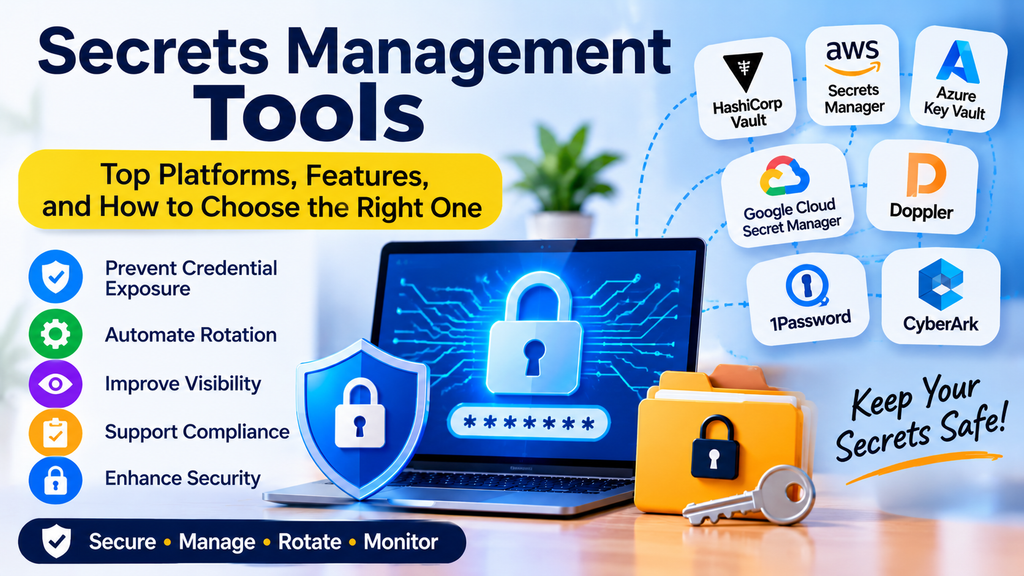
Certificate management tools help organizations create, deploy, monitor, renew, and revoke digital certificates used to secure websites, applications, devices, and network communications. Digital certificates establish trust between systems and support encrypted connections through technologies such as Transport Layer Security (TLS).
As organizations manage more domains, cloud workloads, APIs, devices, and microservices, tracking certificates manually becomes increasingly difficult. An expired certificate can cause website outages, application failures, and service interruptions. Poorly managed certificates can also introduce security risks.
Certificate management platforms automate certificate lifecycle tasks, improve visibility, and help teams maintain reliable and secure digital services.
What Is Certificate Management?
Certificate management is the process of handling digital certificates throughout their lifecycle, from creation and issuance to renewal, monitoring, and revocation.
A digital certificate typically contains information that connects a public key to an identity, such as a domain name or organization. Certificates are issued by trusted Certificate Authorities (CAs) and are used in systems that rely on public key infrastructure (PKI).
Certificate management commonly includes:
- Discovering certificates across systems and environments.
- Issuing certificates from trusted certificate authorities.
- Deploying certificates to websites, servers, applications, and devices.
- Monitoring expiration dates and certificate health.
- Automating certificate renewal and replacement.
- Revoking certificates when they are compromised or no longer trusted.
- Maintaining records for security reviews and compliance.
Why Are Certificate Management Tools Important?
Certificate management tools reduce the operational effort required to maintain secure communications.
Key benefits include:
- Prevent certificate expiration: Receive alerts and automate renewals to reduce avoidable outages.
- Improve security: Identify unknown, misconfigured, or weakly managed certificates.
- Automate deployment: Distribute certificates to supported servers and applications.
- Increase visibility: Maintain an inventory of certificates across environments.
- Support compliance: Record certificate activity and enforce organizational policies.
- Reduce manual work: Replace repetitive renewal and installation tasks with automation.
- Improve reliability: Maintain trusted encrypted connections between systems.
Certificate management is not limited to HTTPS websites. Organizations may also need to manage certificates for internal services, APIs, mutual TLS, devices, VPNs, and enterprise applications.
Top Certificate Management Tools
1. Let’s Encrypt
Let’s Encrypt is a free, automated Certificate Authority that issues TLS certificates. It is commonly used to secure websites and services with HTTPS. Certificate issuance and renewal are usually automated through an ACME-compatible client.
Key features:
- Free publicly trusted TLS certificates.
- Automated issuance and renewal through ACME.
- Integration with tools such as Certbot and compatible hosting platforms.
- Support for HTTPS adoption across websites and services.
- Broad ecosystem support.
Best for: Website owners, developers, and administrators who need publicly trusted TLS certificates with automated renewal.
2. Certbot
Certbot is an open-source ACME client that helps obtain and renew certificates from Let’s Encrypt and other compatible certificate authorities.
Key features:
- Automated certificate issuance through ACME.
- Renewal workflows for supported configurations.
- Integration with supported web servers.
- Command-line administration.
- Options for automating certificate installation and renewal.
Best for: Administrators who want a practical way to automate HTTPS certificate management on supported servers.
3. HashiCorp Vault PKI Secrets Engine
HashiCorp Vault’s PKI secrets engine supports certificate issuance and management workflows for internal infrastructure. It can act as a certificate authority within a configured PKI architecture.
Key features:
- Certificate issuance through configured roles and policies.
- Support for internal PKI workflows.
- Integration with Vault authentication and authorization.
- Short-lived certificate strategies.
- API-driven automation.
Best for: Platform engineering and security teams that need automated certificate issuance for internal services and dynamic infrastructure.
4. Microsoft Active Directory Certificate Services (AD CS)
Microsoft AD CS is a Windows Server role that enables organizations to establish and manage a private public key infrastructure. It is commonly used for certificates within enterprise Windows environments.
Key features:
- Internal certificate authority capabilities.
- Certificate templates and enrollment policies.
- Integration with Active Directory environments.
- Support for user, computer, and service certificates.
- Enterprise certificate issuance workflows.
Best for: Organizations that use Microsoft infrastructure and need an internal PKI for users, devices, and enterprise services.
5. AWS Certificate Manager (ACM)
AWS Certificate Manager helps provision, manage, and deploy TLS certificates for supported AWS services. It simplifies certificate handling for workloads integrated with the AWS ecosystem.
Key features:
- Certificate provisioning and lifecycle management for supported use cases.
- Integration with services such as Elastic Load Balancing and Amazon CloudFront.
- Managed renewal for eligible certificates.
- Centralized certificate administration within AWS.
- Integration with AWS identity and access controls.
Best for: Organizations running websites and applications on AWS that need managed certificates for supported services.
6. Azure Key Vault Certificates
Azure Key Vault supports certificate creation, storage, import, and management workflows. It can integrate with supported certificate authorities and Azure services to help protect certificate-related assets.
Key features:
- Centralized certificate storage and management.
- Certificate policy configuration.
- Integration with Azure services.
- Access control through Azure identity and authorization mechanisms.
- Support for associated key management workflows.
Best for: Azure-based organizations that want to manage certificates alongside secrets and cryptographic keys.
7. Google Cloud Certificate Manager
Google Cloud Certificate Manager helps manage certificates for supported Google Cloud services and load-balancing environments.
Key features:
- Centralized certificate administration.
- Integration with supported Google Cloud load balancers.
- Support for managed and customer-provided certificates in applicable configurations.
- Certificate mapping and deployment workflows.
- Integration with Google Cloud security and monitoring capabilities.
Best for: Teams deploying applications on Google Cloud that need certificate management for supported network and application delivery services.
8. DigiCert CertCentral
DigiCert CertCentral is a commercial certificate lifecycle management platform for organizations that purchase and manage certificates from DigiCert.
Key features:
- Centralized certificate ordering and administration.
- Certificate inventory and lifecycle visibility.
- Renewal reminders and workflow automation.
- Role-based administrative capabilities.
- Reporting and management features for organizational certificate programs.
Best for: Organizations that manage many publicly trusted certificates and require centralized administration and lifecycle workflows.
9. Keyfactor Command
Keyfactor Command is an enterprise certificate lifecycle management platform designed to help organizations discover, monitor, and manage certificates across distributed environments.
Key features:
- Certificate discovery and inventory.
- Expiration monitoring and alerts.
- Certificate lifecycle automation.
- Integration with certificate authorities and enterprise systems.
- Reporting and governance capabilities.
Best for: Enterprises that need centralized certificate lifecycle visibility and automation across complex environments.
10. EJBCA
EJBCA is a PKI and certificate authority platform available in community and commercial offerings. It supports organizations that need to build and operate certificate issuance infrastructure.
Key features:
- Certificate authority and PKI capabilities.
- Certificate issuance and management workflows.
- Support for enterprise and device identity use cases, depending on configuration.
- Automation interfaces and integrations.
- Options for different deployment and support models.
Best for: Organizations that need control over their own PKI infrastructure, including internal certificates and device identity use cases.
Certificate Management Tools Comparison
| Tool | Main strength | Typical use case |
|---|---|---|
| Let’s Encrypt | Free public TLS certificates | Website HTTPS |
| Certbot | ACME automation | Server certificate renewal |
| HashiCorp Vault PKI | Internal certificate automation | Dynamic infrastructure |
| Microsoft AD CS | Enterprise private PKI | Windows environments |
| AWS Certificate Manager | AWS integration | AWS-hosted applications |
| Azure Key Vault Certificates | Azure integration | Azure workloads |
| Google Cloud Certificate Manager | Google Cloud integration | Cloud load balancing |
| DigiCert CertCentral | Commercial certificate administration | Enterprise certificate programs |
| Keyfactor Command | Enterprise lifecycle automation | Large certificate inventories |
| EJBCA | Flexible PKI infrastructure | Private CA and device identity |
Capabilities, pricing, deployment models, and integrations differ across products and editions. Verify current documentation and supported use cases before making a decision.
How to Choose the Right Certificate Management Tool
1. Identify Your Certificate Types
Determine whether you need public TLS certificates, internal certificates, device certificates, code-signing certificates, or certificates for mutual TLS. Different tools serve different parts of the certificate lifecycle.
2. Understand Your Infrastructure
Review whether your systems run on AWS, Azure, Google Cloud, Kubernetes, Windows Server, Linux, or on-premises infrastructure. A cloud-native service may be sufficient for a single platform, while an enterprise tool may be better for mixed environments.
3. Evaluate Automation
Look for automatic discovery, issuance, deployment, renewal, and revocation where appropriate. Check whether automation works with your web servers, load balancers, applications, and certificate authorities.
4. Review Monitoring and Alerts
The platform should help identify expiring certificates, deployment failures, unexpected certificates, and other lifecycle issues. Alerts need clear ownership and actionable remediation steps.
5. Check Security Controls
Evaluate role-based access control, private key protection, audit logging, policy enforcement, and integration with enterprise identity systems. Private keys must be protected against unauthorized access.
6. Consider Scale and Availability
A small website may only need ACME-based renewal automation. An enterprise managing thousands of certificates may need centralized discovery, delegated administration, reporting, and integrations across many environments.
7. Compare Costs and Operational Effort
Consider subscription fees, certificate costs, infrastructure requirements, support, and maintenance. Free certificate issuance does not necessarily eliminate the work required to configure, deploy, and monitor certificates.
Best Practices for Certificate Management
Organizations should establish a consistent process for handling certificates.
- Maintain a certificate inventory: Discover certificates across public and internal environments.
- Automate renewals: Use supported automation to reduce expiration-related outages.
- Monitor expiration dates: Configure alerts well before renewal deadlines.
- Protect private keys: Restrict access and use secure storage or hardware-backed protection when required.
- Use appropriate lifetimes: Follow current CA requirements and internal security policies.
- Apply least privilege: Limit who can issue, export, deploy, or revoke certificates.
- Validate deployments: Confirm that renewed certificates are correctly installed and trusted.
- Revoke compromised certificates: Follow a documented response process when private keys or certificates are compromised.
- Maintain audit records: Track issuance, renewal, deployment, and revocation activities.
- Test recovery procedures: Confirm that certificate automation and service recovery work before a production incident occurs.
Integrating Certificate Management into DevOps and CI/CD
Certificate lifecycle tasks can be integrated into DevOps workflows to improve consistency and reduce manual operations.
- Identify the service: Determine which domain, application, device, or workload needs a certificate.
- Authenticate the requester: Use an approved identity and authorization mechanism.
- Request issuance: Obtain a certificate through a configured certificate authority or management platform.
- Validate the certificate: Check identity, validity dates, trust chain, and applicable policy requirements.
- Deploy securely: Deliver the certificate and protect its associated private key.
- Verify the service: Confirm that the application presents the correct certificate and establishes trusted connections.
- Monitor lifecycle events: Track expiration, renewal status, and deployment errors.
- Renew or revoke: Automate renewal where supported and revoke certificates when required.
Automation should include appropriate safeguards. Certificate issuance policies should prevent unauthorized identities from requesting certificates for domains or services they do not control.
Common Certificate Management Challenges
Certificate Expiration
Expired certificates can disrupt HTTPS websites, APIs, and internal services. Centralized inventories, renewal automation, and early alerts help reduce this risk.
Incomplete Visibility
Certificates may be spread across cloud accounts, servers, appliances, and application platforms. Discovery tools and clear ownership help organizations identify certificates that would otherwise be overlooked.
Private Key Exposure
A certificate’s private key must remain confidential. Restrict access, avoid embedding keys in source code, and use secure storage and rotation procedures appropriate to the environment.
Misconfiguration
Incorrect certificate chains, domain names, key usage, or deployment settings can prevent clients from trusting a service. Automated validation and post-deployment checks help detect these problems.
Complex Multi-Cloud Environments
Different platforms may have different issuance, deployment, and monitoring processes. Standardized policies and integrations can improve consistency across environments.
Conclusion
Certificate management tools help organizations maintain trusted and encrypted communications while reducing the risks associated with expired, misconfigured, or poorly controlled certificates. Options such as Let’s Encrypt and Certbot are useful for automated public TLS workflows, while cloud-native services such as AWS Certificate Manager, Azure Key Vault Certificates, and Google Cloud Certificate Manager integrate with their respective ecosystems. Enterprise platforms such as DigiCert CertCentral and Keyfactor Command can help manage larger certificate inventories.
The right choice depends on your certificate types, infrastructure, automation requirements, security policies, and operational scale. Begin by discovering existing certificates, assigning ownership, and automating the highest-risk renewal workflows.
A well-managed certificate lifecycle improves service availability, strengthens trust, and supports secure communication across modern applications and infrastructure.
