Upgrade & Secure Your Future with DevOps, SRE, DevSecOps, MLOps!
We spend hours scrolling social media and waste money on things we forget, but won’t spend 30 minutes a day earning certifications that can change our lives.
Master in DevOps, SRE, DevSecOps & MLOps by DevOps School!
Learn from Guru Rajesh Kumar and double your salary in just one year.
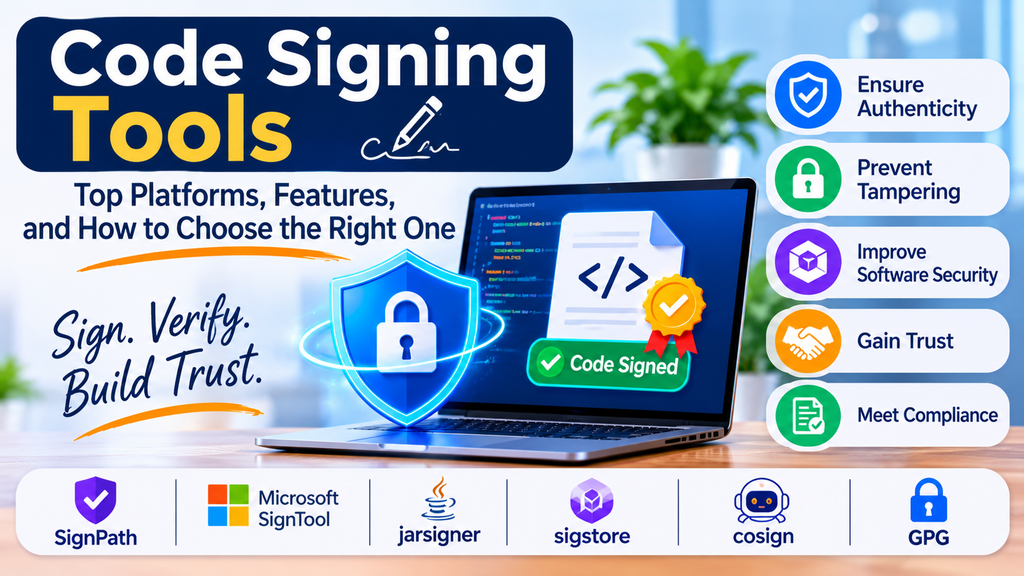
Code Signing Tools: Top Platforms, Features, and How to Choose the Right One
Introduction
Software security is essential for organizations that distribute applications, desktop software, mobile apps, scripts, drivers, and firmware. Users need confidence that the software they download comes from a trusted publisher and has not been modified by an unauthorized party. Code signing helps establish this trust by using digital signatures to verify the publisher’s identity and detect changes made after signing.
Code signing tools help developers and security teams sign software artifacts, manage signing certificates, protect private keys, and integrate signing into release workflows. They are especially important in environments where software is built and deployed frequently through automated CI/CD pipelines.
Choosing the right solution depends on the platforms you support, certificate requirements, key-protection standards, automation needs, and compliance obligations.
What Are Code Signing Tools?
Code signing tools are software utilities and platforms that apply digital signatures to executable files, application packages, scripts, drivers, containers, or other supported artifacts. The signing process typically uses a private key associated with a code-signing certificate. A recipient or operating system can then verify the signature using the corresponding public key and certificate chain.
Depending on the product and workflow, a solution may support signing, timestamping, certificate management, approval workflows, audit logging, hardware security modules (HSMs), and automated release integration.
Code signing does not prove that software is harmless. It helps establish publisher authenticity and artifact integrity, but security testing and supply-chain controls are still necessary.
Why Code Signing Matters
1. Verify publisher identity
A valid signature can help users and systems identify the publisher associated with a signed artifact, subject to certificate trust and validation.
2. Detect unauthorized changes
Signature verification can detect whether a signed artifact has been modified since it was signed.
3. Reduce release friction
Correctly signed software is more likely to meet platform distribution and organizational trust requirements, although specific platform policies vary.
4. Protect release credentials
Secure signing systems can restrict access to private keys and require approvals for sensitive releases.
5. Support governance and auditing
Centralized signing workflows can record who requested, approved, and performed signing operations.
Key Features to Look For
- Certificate support: Support for the certificate types and trust requirements used by your target platforms.
- Strong private-key protection: Secure storage using HSMs, cloud key services, or other approved key-protection mechanisms.
- Timestamping: Trusted timestamps can help signatures remain verifiable after a signing certificate expires, depending on the signature format, timestamp validity, and platform rules.
- Automation and APIs: CLI tools, APIs, and integrations for build servers and CI/CD pipelines.
- Access controls: Role-based access, approval workflows, and separation of duties.
- Audit logs: Traceable records of signing requests, approvals, and key usage.
- Artifact coverage: Support for the file formats, operating systems, and application types your organization distributes.
- Policy enforcement: Controls over which identities, builds, and environments are permitted to sign.
Popular Code Signing Tools and Platforms
1. Microsoft SignTool
SignTool is a Microsoft command-line utility used to sign and verify supported Windows files. It is commonly used for Windows executables, installers, and drivers within Windows development and release workflows.
Best for: Teams building and distributing Windows software.
Strengths: Familiar Windows tooling, command-line workflows, and integration with Windows software development processes.
Considerations: Teams must separately plan certificate provisioning, secure private-key storage, access controls, and pipeline security.
2. SignPath
SignPath provides managed code-signing workflows designed for software development teams. Depending on the plan and setup, it can support controlled signing processes, build-system integrations, and approval policies.
Best for: Teams that want centralized signing governance integrated with software delivery.
Strengths: Signing workflow controls and automation-oriented integrations.
Considerations: Confirm support for your artifact types, deployment model, identity provider, and required certificate arrangements.
3. DigiCert Code Signing
DigiCert offers code-signing certificates and related trust services for organizations that need to sign software for supported platforms.
Best for: Organizations that need commercial code-signing certificates and established certificate-management services.
Strengths: Certificate issuance options, publisher identity validation, and enterprise-oriented services.
Considerations: Certificate products, validation requirements, key-storage rules, and pricing depend on the selected offering and current policies.
4. GlobalSign Code Signing
GlobalSign provides digital certificate services, including code-signing certificates for supported use cases.
Best for: Organizations seeking a commercial certificate provider for software distribution.
Strengths: Established certificate services and business-oriented identity validation.
Considerations: Review supported platforms, certificate lifecycle processes, and private-key protection requirements before selecting a certificate.
5. Azure Trusted Signing
Azure Trusted Signing is Microsoft’s cloud-based signing service for supported software-signing scenarios. It can be useful for teams that want a managed signing workflow integrated with Azure-based development environments.
Best for: Eligible teams building supported Windows applications and looking for a cloud-managed approach.
Strengths: Managed service model and integration with Microsoft development workflows.
Considerations: Availability, eligibility, supported file formats, and regional or policy requirements should be checked against current Microsoft documentation.
6. AWS Signer
AWS Signer is a managed code-signing service designed for supported signing workflows within AWS environments, including specific artifact types and use cases.
Best for: Teams already using AWS and signing artifacts supported by the service.
Strengths: Managed signing operations and integration with selected AWS services.
Considerations: It is not a universal signing tool for every executable or package type. Verify current supported platforms and artifact formats.
7. GPG
GnuPG (GPG) supports cryptographic signing and verification, often for source releases, packages, and files. It is widely used in open-source distribution and developer workflows.
Best for: Open-source maintainers and teams that need flexible file-signing and verification workflows.
Strengths: Broad availability, command-line operation, and support for established public-key cryptography workflows.
Considerations: Teams are responsible for key generation, secure storage, distribution of trusted public keys, revocation, and user-facing verification instructions.
8. cosign
cosign is a tool from the Sigstore ecosystem for signing and verifying software artifacts, especially container images and related supply-chain artifacts. Its workflows can use key-based signing or supported keyless approaches.
Best for: Cloud-native teams securing container and software supply chains.
Strengths: Container-oriented workflows, verification capabilities, and integration with modern supply-chain security practices.
Considerations: Identity, trust roots, transparency, policy configuration, and verification procedures must be designed correctly.
Comparison of Code Signing Options
| Tool or platform | Common use case | Main strength |
|---|---|---|
| Microsoft SignTool | Windows software | Native Windows signing workflows |
| SignPath | Managed signing governance | Controlled signing and automation |
| DigiCert Code Signing | Commercial software publishing | Certificate and trust services |
| GlobalSign Code Signing | Commercial software publishing | Certificate services |
| Azure Trusted Signing | Supported Windows signing scenarios | Cloud-managed signing |
| AWS Signer | Supported AWS-related artifacts | Managed service integration |
| GPG | Files and open-source releases | Flexible cryptographic signing |
| cosign | Containers and supply-chain artifacts | Cloud-native artifact verification |
This comparison is a starting point rather than a feature-for-feature benchmark. Products differ in certificate models, supported artifact formats, deployment options, and pricing.
How to Choose the Right Code Signing Tool
Step 1: Identify what you need to sign
List the artifacts you distribute: Windows executables, installers, drivers, mobile packages, scripts, container images, firmware, or open-source releases. Confirm that the candidate solution supports them.
Step 2: Define certificate and trust requirements
Identify the certificate type, publisher-validation requirements, target operating systems, app stores, and customer policies that apply to your software.
Step 3: Assess key protection
Determine where private keys will live and who can use them. Consider HSM-backed or managed key protection, access restrictions, key rotation, and recovery procedures.
Step 4: Evaluate automation
Check whether the tool supports your build environment, command-line workflows, APIs, and CI/CD platform. Signing should be repeatable without exposing private keys in source code or build logs.
Step 5: Establish approvals and auditing
For production releases, consider approval gates, separation of duties, identity-based permissions, and immutable or centrally retained audit records.
Step 6: Test verification and recovery
Test signature verification on target systems, timestamp behavior, certificate renewal, revocation procedures, and recovery from compromised signing credentials.
Step 7: Compare total cost
Consider certificate costs, service subscriptions, HSM or cloud usage, engineering time, compliance requirements, and ongoing operations.
Code Signing in CI/CD Pipelines
A secure signing pipeline should sign the intended release artifact only after the required build and validation steps have passed.
A typical workflow includes:
- Retrieve source code from a controlled repository.
- Build the artifact in a trusted, isolated environment.
- Run automated tests, vulnerability checks, and policy validations.
- Request signing through a restricted signing service or protected signing environment.
- Apply a trusted timestamp when appropriate and supported.
- Verify the signature and record the artifact’s digest and signing metadata.
- Publish the signed artifact to an approved distribution channel.
- Retain logs and evidence needed for incident response and audits.
Avoid storing signing private keys directly in source repositories, plain-text configuration files, or unprotected CI variables. Prefer short-lived credentials, managed identities, restricted signing services, and narrowly scoped permissions wherever supported.
Best Practices for Secure Code Signing
- Protect private keys using an appropriate secure storage mechanism.
- Restrict signing permissions to authorized users and workloads.
- Require additional approval for high-impact production releases.
- Sign only artifacts that have passed required build and security checks.
- Verify signatures before distributing or deploying artifacts.
- Use timestamping where supported and appropriate.
- Monitor certificate expiry and plan renewals before deadlines.
- Maintain a tested process for revoking compromised certificates and replacing signing keys.
- Separate development, testing, and production signing identities.
- Keep signing tools and build agents updated.
- Record artifact hashes, signing identities, approvals, and release details.
- Document how customers or downstream systems can verify signatures.
Common Challenges
Private-key exposure
A stolen signing key can be abused to sign malicious software. Strong key protection, limited permissions, and monitoring reduce this risk.
Expired or revoked certificates
Certificate lifecycle problems can interrupt releases or affect verification. Maintain an inventory, alerts, renewal procedures, and incident-response plans.
Inconsistent signing workflows
Different teams may use different tools and policies. Centralized standards and reusable pipeline templates improve consistency.
Platform compatibility
A signature accepted in one environment may not satisfy another platform’s requirements. Test against every intended target.
Balancing security and release speed
Manual controls can slow delivery, while unrestricted automation can create risk. Use risk-based approvals and automated policy checks to balance both needs.
Conclusion
Code signing is an important part of software distribution security because it helps establish publisher identity and artifact integrity. The right tool depends on the software formats you distribute, your certificate and trust requirements, private-key protection strategy, and the level of automation and governance your organization needs.
Microsoft SignTool is a practical option for Windows-focused workflows, commercial certificate providers such as DigiCert and GlobalSign can meet certificate needs, managed services may suit cloud-oriented teams, and GPG or cosign can support different file-signing and cloud-native supply-chain scenarios.
Whichever solution you choose, combine code signing with secure builds, protected keys, signature verification, access controls, monitoring, and a documented incident-response process. A signature is one important layer of trust—not a replacement for comprehensive software security.
