Upgrade & Secure Your Future with DevOps, SRE, DevSecOps, MLOps!
We spend hours scrolling social media and waste money on things we forget, but won’t spend 30 minutes a day earning certifications that can change our lives.
Master in DevOps, SRE, DevSecOps & MLOps by DevOps School!
Learn from Guru Rajesh Kumar and double your salary in just one year.
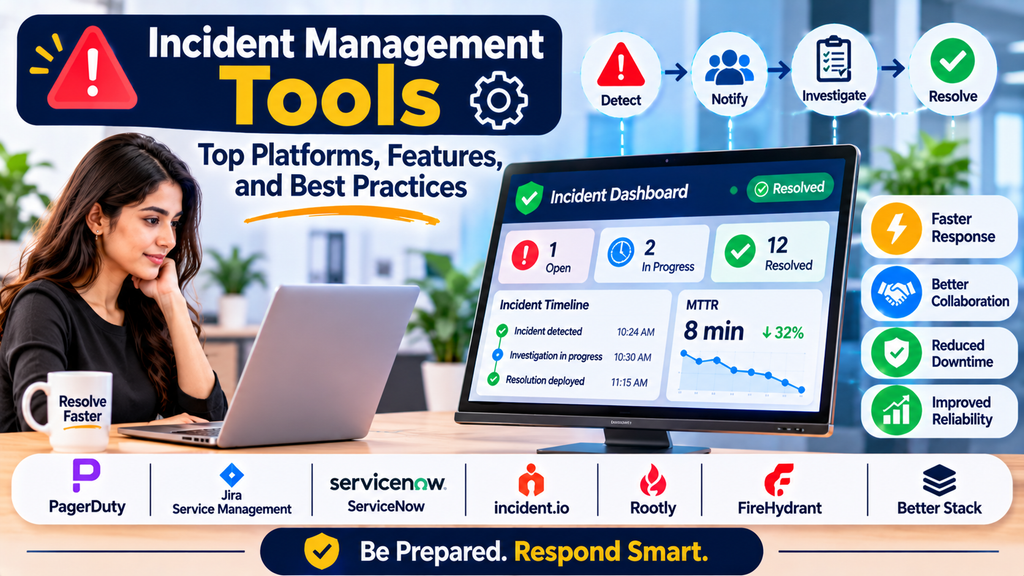
Unexpected outages, application failures, security incidents, and infrastructure problems can disrupt business operations and affect customers. When an incident occurs, teams need a structured way to detect the issue, notify the right people, coordinate investigation, and restore normal service as quickly as possible.
Incident management tools help organizations organize this process. They bring alerts, communication, response workflows, escalation policies, and incident records into a coordinated system. These tools are essential for DevOps teams, IT operations, cybersecurity teams, and site reliability engineering (SRE).
What Are Incident Management Tools?
Incident management tools are software platforms that help teams record, prioritize, assign, investigate, communicate about, and resolve incidents.
Depending on the product, they may support automated alert grouping, on-call notifications, escalation policies, status updates, collaboration channels, incident timelines, and post-incident reviews.
For example, if a production API becomes unavailable, an incident management platform can notify the responsible engineer, escalate the alert if it is not acknowledged, coordinate responders, and maintain a record of actions taken during recovery.
Incident management is broader than simply receiving alerts. It includes the complete response process, from detection and triage through resolution and learning.
Why Are Incident Management Tools Important?
A structured incident response process helps organizations reduce disruption and improve operational reliability.
- Faster response: Route incidents to the appropriate team without unnecessary delays.
- Clear ownership: Assign responsibility for investigation and resolution.
- Automated escalation: Notify backup responders when an incident remains unacknowledged.
- Better collaboration: Keep responders aligned through shared timelines and communication workflows.
- Reduced downtime: Coordinate actions to restore affected services efficiently.
- Consistent processes: Apply repeatable procedures to common incident types.
- Improved accountability: Maintain records of decisions, notifications, and resolution activities.
- Continuous improvement: Use post-incident reviews to prevent similar failures.
How Does Incident Management Work?
1. Incident Detection
An incident may be detected through monitoring alerts, automated tests, customer reports, security systems, or manual observation.
2. Triage and Classification
The team assesses the incident’s severity, impact, urgency, and affected services. This helps determine which responders and procedures are needed.
3. Notification and Assignment
The tool routes the incident to the appropriate person or team based on ownership, schedules, service dependencies, or escalation rules.
4. Investigation and Coordination
Responders examine logs, metrics, traces, recent deployments, and other evidence. Collaboration tools help teams share findings and coordinate recovery actions.
5. Mitigation and Resolution
The team works to restore service, which may involve rolling back a deployment, restarting a component, applying a configuration change, or activating a recovery procedure.
6. Communication and Documentation
The incident timeline records important events, updates, decisions, and actions. Customer-facing status communications may be published when appropriate.
7. Post-Incident Review
After recovery, the team reviews the incident to understand contributing factors, identify improvement opportunities, and assign follow-up actions.
Popular Incident Management Tools
1. PagerDuty
PagerDuty provides incident response, alert orchestration, on-call scheduling, escalation policies, and integrations with monitoring and operational systems.
Best suited for: Organizations that need structured alert routing and coordinated response across technical teams.
2. Atlassian Jira Service Management
Jira Service Management supports IT service management workflows, incident tracking, service requests, and major incident coordination. It can integrate with other Atlassian products and operational tools.
Best suited for: Organizations that want incident management connected to service desk and IT service management processes.
3. ServiceNow IT Service Management
ServiceNow provides enterprise IT service management capabilities, including incident records, assignment workflows, prioritization, and service operations integration.
Best suited for: Enterprises managing complex IT services and formal operational processes.
4. incident.io
incident.io helps teams coordinate incidents through workflows, collaboration integrations, incident roles, timelines, and follow-up actions.
Best suited for: Engineering teams that want a structured incident response process integrated with their collaboration tools.
5. Rootly
Rootly provides incident management workflows, automation, communication support, and post-incident review capabilities.
Best suited for: Engineering organizations looking to automate repeatable incident response tasks.
6. FireHydrant
FireHydrant supports incident response workflows, service ownership, coordination, and post-incident learning.
Best suited for: Teams that want to standardize incident processes and improve operational readiness.
7. Splunk On-Call
Splunk On-Call, formerly known as VictorOps, has provided on-call alerting and incident response capabilities. Product availability, packaging, and support should be verified against Splunk’s current offerings before selecting it for a new deployment.
Best suited for: Organizations evaluating Splunk-related operational alerting and response workflows.
8. Better Stack
Better Stack offers monitoring and incident response capabilities, including alerting, on-call workflows, and status-page features depending on the selected product and plan.
Best suited for: Teams looking for a connected approach to uptime monitoring and incident communication.
Incident Management Tool Comparison
| Tool | Key Strength | Common Use Case |
|---|---|---|
| PagerDuty | Alert routing and escalation | On-call incident response |
| Jira Service Management | IT service management integration | Enterprise service operations |
| ServiceNow ITSM | Enterprise incident workflows | Large IT organizations |
| incident.io | Structured response and collaboration | Engineering teams |
| Rootly | Incident automation | DevOps and SRE teams |
| FireHydrant | Incident coordination and learning | Reliability-focused teams |
| Splunk On-Call | On-call alerting and response | Teams evaluating Splunk operational tools |
| Better Stack | Monitoring and incident workflows | Small and growing technical teams |
These tools overlap in some areas but are not identical. Some focus on IT service management, while others emphasize engineering incident response, alert routing, or collaboration. Verify current features, integrations, availability, and pricing before making a decision.
Essential Features to Look For
When choosing an incident management platform, evaluate the following capabilities:
- Incident tracking: Create, assign, prioritize, and update incident records.
- Alert integration: Receive events from monitoring, observability, and security systems.
- On-call routing: Notify responders according to team ownership and schedules.
- Escalation policies: Contact additional responders when alerts are not acknowledged.
- Collaboration workflows: Coordinate technical investigation and communication.
- Incident timelines: Maintain a chronological record of important actions and updates.
- Automation: Reduce repetitive work through predefined workflows and integrations.
- Status pages: Communicate service disruptions and recovery progress to relevant audiences.
- Post-incident reviews: Document contributing factors, lessons learned, and follow-up actions.
- Reporting and analytics: Track response times, incident volume, recurring issues, and resolution trends.
- Access controls: Protect incident records and sensitive operational information.
How to Choose the Right Incident Management Tool
Step 1: Define Your Incident Types
Identify whether you primarily manage production outages, IT service requests, security incidents, customer-impacting failures, or a combination of these categories.
Step 2: Map Your Existing Tools
List your monitoring platforms, ticketing systems, chat applications, cloud services, and deployment tools. Check how well each candidate integrates with your existing environment.
Step 3: Evaluate Alert Routing
Test whether alerts reach the correct team and whether escalation rules work when the primary responder is unavailable.
Step 4: Review Collaboration Features
Determine whether responders can coordinate investigations, record decisions, and communicate updates without losing important context.
Step 5: Assess Automation
Identify repetitive activities that could be automated, such as incident creation, responder notification, timeline updates, and post-incident task creation.
Step 6: Compare Cost and Complexity
Consider licensing, responder counts, integrations, automation limits, training, and ongoing administration.
Step 7: Run an Incident Simulation
Simulate a realistic service failure in a controlled environment. Evaluate detection, assignment, acknowledgment, escalation, communication, and documentation.
Incident Management Best Practices
- Define severity levels: Establish clear criteria for incident priority based on impact and urgency.
- Assign service ownership: Make it clear which team is responsible for each critical service.
- Create escalation policies: Ensure unacknowledged incidents reach the appropriate backup responders.
- Use runbooks: Document investigation and recovery steps for recurring incidents.
- Establish communication roles: Assign responsibility for technical coordination and stakeholder updates.
- Automate repetitive tasks: Reduce manual work while keeping important decisions under appropriate human control.
- Track meaningful metrics: Monitor acknowledgment time, time to mitigate, time to resolve, and incident recurrence.
- Practice incident scenarios: Conduct simulations to test response procedures before real emergencies.
- Conduct blameless reviews: Focus on system conditions and process improvements rather than individual blame.
- Track follow-up actions: Assign owners and deadlines to corrective measures identified during reviews.
Common Incident Management Challenges
Organizations may experience alert fatigue, unclear ownership, slow escalation, fragmented communication, or inconsistent incident documentation. These problems can make recovery more difficult even when monitoring systems successfully detect failures.
Over-automation can also create risk if workflows execute recovery actions without sufficient safeguards. Poorly designed incident classifications may lead to incorrect prioritization, while incomplete post-incident reviews can allow recurring problems to continue.
Teams can address these challenges by defining clear responsibilities, reducing noisy alerts, documenting runbooks, testing escalation policies, and reviewing incident outcomes regularly.
Conclusion
Incident management tools help organizations coordinate the response to operational disruptions, assign responsibility, communicate with stakeholders, and learn from failures. Platforms such as PagerDuty, Jira Service Management, ServiceNow, incident.io, Rootly, FireHydrant, and Better Stack offer different approaches to incident response and service operations.
The best tool depends on your incident types, team structure, existing technology stack, automation requirements, and budget. Combined with reliable monitoring, clear ownership, effective escalation, and continuous learning, incident management can help organizations restore services faster and improve long-term reliability.
