Upgrade & Secure Your Future with DevOps, SRE, DevSecOps, MLOps!
We spend hours scrolling social media and waste money on things we forget, but won’t spend 30 minutes a day earning certifications that can change our lives.
Master in DevOps, SRE, DevSecOps & MLOps by DevOps School!
Learn from Guru Rajesh Kumar and double your salary in just one year.
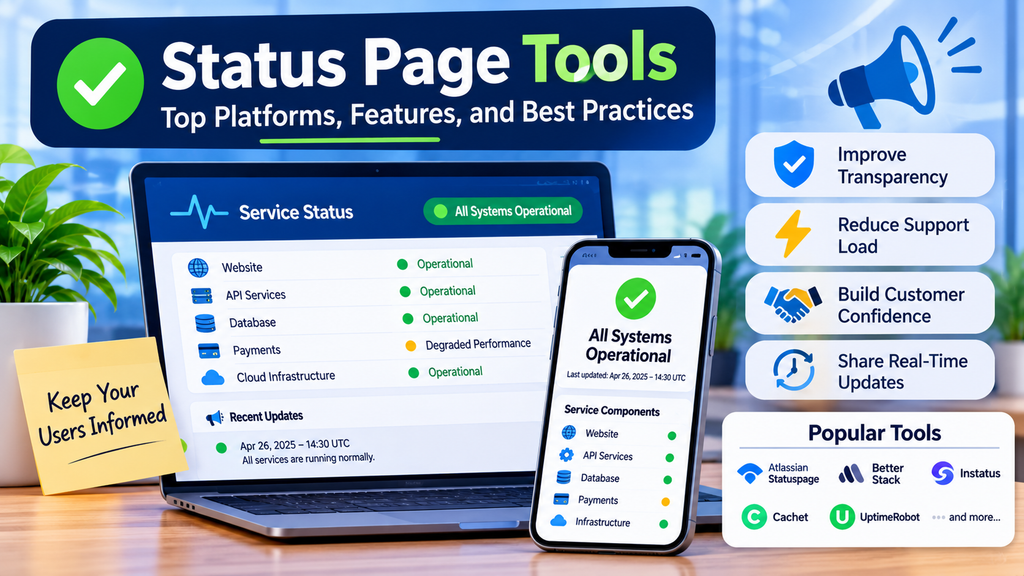
When a website, application, or API experiences an outage, users need reliable information about what is happening. Status page tools help organizations communicate service availability, ongoing incidents, planned maintenance, and recovery updates from one centralized location. They improve transparency, reduce support requests, and help customers make informed decisions during disruptions.
What Are Status Page Tools?
Status page tools are platforms that display the health of digital services, including websites, APIs, databases, payment systems, and cloud infrastructure. They allow teams to publish service states such as operational, degraded performance, partial outage, or major outage.
Organizations can create public status pages for customers or private pages for employees, partners, and selected users. Many tools also support incident history, maintenance announcements, subscriber notifications, and integrations with monitoring systems.
Why Are Status Page Tools Important?
Status pages provide a consistent source of information during service interruptions. Instead of contacting support repeatedly, users can check the current situation and receive updates as the incident progresses.
Key benefits include:
- Greater transparency: Communicate service health clearly and consistently.
- Reduced support workload: Help users find outage information independently.
- Faster updates: Publish incident progress from one central location.
- Better customer confidence: Demonstrate accountability during disruptions.
- Maintenance planning: Inform users about scheduled changes in advance.
- Incident history: Keep a record of previous service disruptions and resolutions.
How Do Status Page Tools Work?
- Define the services and components that need to be displayed.
- Connect monitoring or incident-management systems where supported.
- Detect or declare an incident and identify the affected components.
- Publish an initial update explaining the known impact.
- Share investigation and mitigation progress at regular intervals.
- Mark the incident as resolved after confirming service recovery.
- Review the incident and improve future communication.
Automation can speed up publishing, but teams should validate important public updates to prevent false or misleading information.
Popular Status Page Tools
1. Atlassian Statuspage
Atlassian Statuspage supports public and private status pages, service components, incident updates, and scheduled maintenance announcements. It is suitable for organizations that need a dedicated way to communicate service health to customers.
2. Better Stack
Better Stack combines operational monitoring and incident-management capabilities with status page functionality. It can suit teams seeking a connected workflow for observing services and communicating disruptions.
3. Instatus
Instatus focuses on customizable status pages for websites, applications, and APIs. It is worth evaluating for organizations that prioritize a straightforward setup and branded presentation.
4. Cachet
Cachet is an open-source status page system that can be self-hosted. It offers greater deployment control, but the organization is responsible for infrastructure, maintenance, security, and availability.
5. UptimeRobot
UptimeRobot is known for uptime monitoring and also provides status page capabilities. It can be useful for website owners and small businesses that want to communicate service availability alongside monitoring results.
6. Pulsetic
Pulsetic provides website monitoring and status page functionality. Evaluate its current features and plan limits to determine whether it matches your monitoring and communication requirements.
7. Oh Dear
Oh Dear offers website and application monitoring, with status page capabilities in its product offering. It may suit teams that want to connect website health monitoring with service communication.
8. Status.io
Status.io is a dedicated status page platform for communicating service health and incidents. Before selecting it, confirm current availability, integrations, pricing, and support arrangements.
Comparison of Status Page Tools
| Tool | Key strength | Suitable use case |
|---|---|---|
| Atlassian Statuspage | Dedicated status communication | SaaS and enterprise services |
| Better Stack | Monitoring and incident workflows | Connected operations teams |
| Instatus | Customizable status pages | Startups and digital businesses |
| Cachet | Open-source, self-hosted option | Teams wanting deployment control |
| UptimeRobot | Uptime monitoring and status pages | Websites and small businesses |
| Pulsetic | Monitoring and service communication | Online businesses |
| Oh Dear | Website-focused monitoring | Web teams |
| Status.io | Dedicated status communication | Organizations comparing status page services |
Features, pricing, and availability can change. Verify current vendor documentation before making a purchasing decision.
Essential Features to Look For
Component-level status: Display separate services such as websites, APIs, authentication, and payments so users can identify the affected area.
Incident management: Support clear incident stages, regular updates, and resolution announcements.
Scheduled maintenance: Announce planned work with expected timing, affected services, and potential impact.
Subscriber notifications: Provide supported channels such as email or webhooks so users can receive updates automatically.
Customization: Support appropriate branding, accessible layouts, and a clear page structure.
Integrations: Connect monitoring, alerting, ticketing, and incident-management systems to reduce manual work.
Security and access controls: Protect private status pages and restrict publishing permissions to authorized team members.
Incident history: Preserve previous incidents and updates to improve visibility and reliability reporting.
How to Choose the Right Tool
Start by identifying the intended audience. A public customer-facing page has different requirements from an internal operations page.
Consider the number of services you need to display, available integrations, notification options, branding, access controls, reporting requirements, and total cost. Review whether the tool supports automation and whether your team can publish updates quickly during an outage.
Also assess independence and resilience. A status page should remain accessible even when the primary application or infrastructure is unavailable. Independent hosting and tested publishing access can be particularly important.
Best Practices
- Use plain language: Explain how the incident affects users rather than publishing only internal error codes.
- Assign ownership: Make one team or role responsible for publishing updates.
- Set an update cadence: Tell users when to expect another update, even if the investigation is still ongoing.
- Automate carefully: Use monitoring integrations with suitable thresholds and safeguards.
- Protect sensitive information: Avoid exposing credentials, personal data, or unverified technical details.
- Announce maintenance early: Include the expected window and anticipated impact.
- Test availability: Confirm that the status page and publishing process work during outages.
- Review communications: After an incident, assess whether updates were timely, accurate, and understandable.
Common Challenges
Outdated information can reduce customer confidence, while technical language may confuse users. False-positive alerts can also create unnecessary concern. These problems can be reduced through clear ownership, sensible alert thresholds, regular updates, and human review of important announcements.
Another risk is relying on the affected service to host its own status page. If the application and its status page fail together, users may lose access to critical information. Independent hosting can help mitigate this risk.
Conclusion
Status page tools help organizations communicate service availability, planned maintenance, and incident progress in a clear and consistent way. The right platform can reduce support pressure, improve customer confidence, and strengthen incident communication.
Choose a solution that fits your audience, technology stack, security requirements, and budget. Combine it with accurate updates, tested integrations, clear ownership, and resilient hosting to keep users informed when it matters most.
