Upgrade & Secure Your Future with DevOps, SRE, DevSecOps, MLOps!
We spend hours scrolling social media and waste money on things we forget, but won’t spend 30 minutes a day earning certifications that can change our lives.
Master in DevOps, SRE, DevSecOps & MLOps by DevOps School!
Learn from Guru Rajesh Kumar and double your salary in just one year.
Introduction
Computational Fluid Dynamics, or CFD, is a simulation method used to study how fluids and gases move around or through products, buildings, machines, vehicles, electronics, and industrial systems. In simple terms, CFD software helps engineers test airflow, water flow, pressure, heat transfer, turbulence, cooling, drag, and fluid behavior before building a physical prototype.
CFD matters in 2026+ because engineering teams are under pressure to design faster, reduce prototype cost, improve energy efficiency, and create safer products. CFD is now used not only by aerospace and automotive experts but also by HVAC teams, electronics designers, manufacturing companies, energy firms, architecture teams, and product engineers.
Common real-world use cases include:
- Aerodynamics for vehicles, aircraft, drones, and sports equipment
- HVAC airflow and ventilation analysis
- Electronics cooling and thermal management
- Pump, valve, turbine, and pipe flow simulation
- Marine, offshore, and water flow analysis
- Combustion, multiphase flow, and industrial process simulation
Buyers should evaluate:
- Solver accuracy and physics coverage
- Turbulence model options
- Meshing quality and automation
- CAD geometry import and cleanup
- Multiphase, thermal, and compressible flow support
- High-performance computing and cloud support
- Ease of setup and result interpretation
- Post-processing and visualization quality
- Licensing, credits, and total cost
- Security, access control, and data governance
Best for: CFD analysts, mechanical engineers, aerospace engineers, automotive engineers, HVAC designers, electronics cooling engineers, energy companies, R&D teams, manufacturing firms, and enterprises that need reliable fluid flow simulation.
Not ideal for: teams that only need simple design drawings, basic 3D modeling, rough airflow estimates, or non-engineering visualizations. For simple early checks, built-in CAD simulation, basic calculators, or outsourced CFD consulting may be enough.
Key Trends in Computational Fluid Dynamics (CFD) Software
- Cloud CFD is becoming more practical: Teams can now run larger simulations without always maintaining expensive local hardware or HPC clusters.
- AI-assisted meshing is improving productivity: CFD tools are becoming better at geometry cleanup, mesh generation, model setup, and result interpretation.
- Design exploration is becoming standard: Engineers increasingly run many design variants instead of testing only one or two final models.
- Thermal management is a major growth area: Electronics, EV batteries, data centers, and industrial equipment need better cooling simulation.
- Multiphase and multiphysics workflows are expanding: Real products often involve air, liquid, heat, particles, structures, and motion together.
- GPU and HPC acceleration are becoming more important: Large CFD models require faster compute, parallel processing, and scalable solver performance.
- CAD-to-CFD workflow quality matters more: Buyers want fewer geometry repair problems and faster transitions from design to simulation.
- Open-source CFD remains important: Technical teams continue using open-source frameworks when flexibility, cost control, or solver customization matters.
- Security review is becoming common: CFD models often include product IP, aerospace parts, industrial systems, or customer designs, so access control and data storage must be checked.
- Flexible pricing is now a buying factor: Teams compare subscriptions, token licensing, cloud credits, solver modules, HPC cost, and support plans before making a decision.
How We Selected These Tools
The tools below were selected using a practical engineering software evaluation method:
- Strong recognition in CFD, thermal simulation, fluid analysis, or engineering simulation
- Adoption across industries such as aerospace, automotive, electronics, energy, HVAC, manufacturing, and research
- Feature completeness for steady, transient, compressible, incompressible, thermal, turbulent, and multiphase flows
- Solver maturity and reliability for professional engineering workflows
- CAD, meshing, post-processing, HPC, and cloud integration strength
- Fit for different customer types, including freelancers, SMBs, mid-market firms, enterprises, and researchers
- Availability of documentation, training, support, and community resources
- Flexibility across desktop, cloud, hybrid, and open-source deployment models
- Practical value for both design engineers and specialist CFD analysts
- Conservative treatment of security, compliance, and public rating information
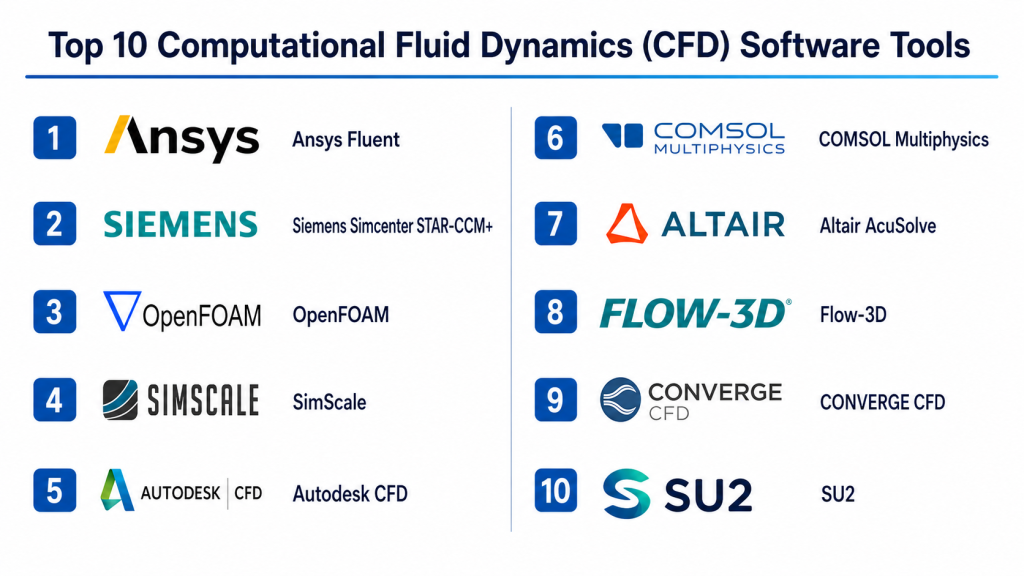
Top 10 Computational Fluid Dynamics (CFD) Software Tools
#1 — Ansys Fluent
Short description: Ansys Fluent is a widely used CFD solver for fluid flow, heat transfer, turbulence, multiphase flow, combustion, and advanced engineering simulation. It is used by aerospace, automotive, energy, electronics, manufacturing, and research teams that need deep CFD capability.
Key Features
- Incompressible and compressible flow simulation
- Turbulence, heat transfer, and multiphase flow modeling
- Combustion and reacting flow support
- Advanced meshing and solver controls
- High-performance computing support
- Strong post-processing and visualization workflows
- Integration with the broader Ansys simulation ecosystem
Pros
- Very strong CFD physics coverage
- Suitable for complex industrial and enterprise simulation
- Mature solver ecosystem with strong professional adoption
Cons
- Learning curve can be high for beginners
- Licensing and HPC usage can be expensive
- Requires skilled setup for accurate results
Platforms / Deployment
Windows / Linux
Deployment: Desktop / Cloud-connected / Hybrid depending on setup
Security & Compliance
Security and compliance details such as SSO, SAML, MFA, RBAC, audit logs, encryption, SOC 2, ISO 27001, GDPR, and HIPAA should be verified for the selected Ansys product and deployment. If not confirmed for the specific plan, write Not publicly stated.
Integrations & Ecosystem
Ansys Fluent works well in mature simulation environments where CFD connects with CAD, meshing, structural simulation, thermal workflows, and design optimization.
- Ansys Workbench ecosystem
- CAD geometry workflows
- HPC and cluster workflows
- Thermal and structural simulation workflows
- Design exploration workflows
- Automation and scripting options
Support & Community
Ansys Fluent has extensive documentation, training content, professional support, partner services, and a large global user community. Support depth depends on license type, region, and enterprise agreement.
#2 — Siemens Simcenter STAR-CCM+
Short description: Simcenter STAR-CCM+ is a professional CFD and multiphysics simulation platform used for fluid flow, thermal analysis, multiphase flow, reacting flow, motion, and design exploration. It is common in automotive, aerospace, marine, energy, and industrial engineering workflows.
Key Features
- Integrated CFD workflow from geometry to post-processing
- Automated meshing and simulation setup options
- Multiphase, thermal, reacting flow, and turbulence modeling
- Design exploration and optimization workflows
- Motion and fluid-structure interaction capabilities depending on setup
- HPC and scalable solver support
- Integration with Siemens engineering ecosystem
Pros
- Strong end-to-end CFD workflow
- Good fit for design exploration and complex engineering analysis
- Mature platform for enterprise simulation teams
Cons
- Can be costly for small teams
- Advanced capabilities require training
- Best value often comes in structured enterprise workflows
Platforms / Deployment
Windows / Linux
Deployment: Desktop / Enterprise / Hybrid
Security & Compliance
Security and compliance details such as SSO, SAML, MFA, RBAC, audit logs, encryption, SOC 2, ISO 27001, GDPR, and HIPAA should be verified directly for the selected Siemens deployment. If not confirmed, write Not publicly stated.
Integrations & Ecosystem
Simcenter STAR-CCM+ is useful for teams that want CFD connected with broader simulation, testing, and lifecycle workflows.
- Siemens NX workflows
- Teamcenter PLM workflows
- CAD import workflows
- HPC workflows
- Design exploration workflows
- Multiphysics simulation workflows
Support & Community
Siemens provides documentation, professional support, training, implementation services, and partner resources. Support depth depends on product package and enterprise agreement.
#3 — OpenFOAM
Short description: OpenFOAM is an open-source CFD framework used for fluid flow, heat transfer, turbulence, multiphase flow, and custom solver development. It is popular with researchers, CFD specialists, and technical teams that need flexibility and cost control.
Key Features
- Open-source CFD framework
- Incompressible and compressible flow support
- Turbulence, heat transfer, and multiphase flow modeling
- Custom solver development
- Strong scripting and automation potential
- HPC and Linux-based workflows
- Large technical and academic community
Pros
- Free and highly flexible
- Strong for research and custom CFD workflows
- Good fit for technical teams with internal CFD expertise
Cons
- Steep learning curve for beginners
- Requires command-line and CFD knowledge
- Commercial support depends on third-party providers
Platforms / Deployment
Linux / Windows options may vary / macOS options may vary
Deployment: Self-hosted / Open-source / HPC
Security & Compliance
As an open-source framework, built-in enterprise features such as SSO, SAML, MFA, RBAC, audit logs, SOC 2, ISO 27001, GDPR, and HIPAA are Not publicly stated for the core software. Security depends on the user’s infrastructure and deployment practices.
Integrations & Ecosystem
OpenFOAM is best for teams that want deep solver control and are comfortable building technical workflows around an open framework.
- Linux and HPC workflows
- Mesh generation tools
- ParaView-style post-processing workflows
- Custom solver development
- Automation scripts
- Research and academic workflows
Support & Community
OpenFOAM has a strong technical community, documentation resources, tutorials, and third-party support providers. It is not ideal for teams that need simple vendor-led onboarding.
#4 — SimScale
Short description: SimScale is a cloud-native simulation platform that supports CFD, structural, and thermal simulation through a browser-based workflow. It is useful for distributed teams, SMBs, startups, and design engineers who want access to simulation without heavy local hardware.
Key Features
- Browser-based CFD workflow
- Cloud compute resources
- Fluid flow and thermal simulation
- CAD import and geometry preparation
- Meshing and result visualization in the cloud
- Project sharing and collaboration features
- Useful for HVAC, electronics cooling, and product design cases
Pros
- No need for heavy local workstation setup
- Easier collaboration for distributed teams
- Good entry point for cloud-based simulation
Cons
- Cloud workflow may not fit every security policy
- Advanced CFD experts may need deeper solver control
- Cost depends on plan, usage, and project complexity
Platforms / Deployment
Web
Deployment: Cloud
Security & Compliance
Security features may vary by plan. Details such as SSO, SAML, MFA, RBAC, audit logs, encryption, SOC 2, ISO 27001, GDPR, and HIPAA should be verified directly for the selected plan. If not confirmed, write Not publicly stated.
Integrations & Ecosystem
SimScale is practical for engineering teams that need accessible CFD with cloud collaboration.
- CAD import workflows
- Web-based collaboration
- Cloud compute
- Thermal simulation workflows
- CFD result sharing
- API or automation options may vary by plan
Support & Community
SimScale has documentation, tutorials, learning resources, user support, and community content. Support depth may vary between free, professional, and enterprise plans.
#5 — Autodesk CFD
Short description: Autodesk CFD is focused on fluid flow and thermal simulation for design-stage engineering. It is used for electronics cooling, product airflow, HVAC-related analysis, and fluid system validation, especially by teams already using Autodesk tools.
Key Features
- Fluid flow simulation
- Thermal analysis and heat transfer
- Electronics cooling workflows
- HVAC and building airflow analysis
- CAD geometry import and preparation
- Result visualization and reporting
- Design comparison workflows
Pros
- Useful for early design-stage CFD analysis
- Fits well with Autodesk-centered workflows
- Good for product and thermal validation use cases
Cons
- Not as broad as full enterprise CFD platforms
- Advanced CFD specialists may require deeper tools
- Best value depends on Autodesk ecosystem fit
Platforms / Deployment
Windows
Deployment: Desktop / Autodesk-connected workflow
Security & Compliance
Autodesk account and admin features may vary by plan. Product-specific details such as SSO, SAML, MFA, RBAC, audit logs, encryption, SOC 2, ISO 27001, GDPR, and HIPAA should be verified directly. If not confirmed, write Not publicly stated.
Integrations & Ecosystem
Autodesk CFD works well for teams that already use Autodesk design and engineering tools.
- Autodesk CAD workflows
- Geometry import
- Thermal simulation workflows
- Fluid flow workflows
- Design comparison
- Engineering reporting workflows
Support & Community
Autodesk CFD has documentation, training resources, support options, and Autodesk ecosystem learning materials. Support depth depends on subscription, region, and plan.
#6 — COMSOL Multiphysics
Short description: COMSOL Multiphysics is a flexible simulation platform used for coupled physics problems, including fluid flow, heat transfer, chemical reactions, electromagnetics, acoustics, and structural effects. It is popular with R&D teams, researchers, and advanced engineering groups.
Key Features
- CFD and multiphysics modeling
- Laminar, turbulent, non-isothermal, and multiphase flow options depending on modules
- Heat transfer and chemical species transport
- Equation-based modeling flexibility
- Parametric studies and optimization
- Application Builder for simulation apps
- CAD import and geometry tools
Pros
- Excellent for coupled physics and R&D workflows
- Flexible modeling environment for advanced users
- Strong for custom simulation applications
Cons
- Requires strong technical understanding
- Module selection and licensing need careful review
- May be more complex than needed for routine CFD
Platforms / Deployment
Windows / macOS / Linux
Deployment: Desktop / Server / Hybrid depending on setup
Security & Compliance
Security and compliance details such as SSO, SAML, MFA, RBAC, audit logs, encryption, SOC 2, ISO 27001, GDPR, and HIPAA are Not publicly stated unless confirmed for the exact product and server deployment.
Integrations & Ecosystem
COMSOL is strong for teams that need CFD connected with other physics and custom engineering calculations.
- CAD import workflows
- MATLAB integration options depending on setup
- Application Builder
- Server deployment options
- Optimization workflows
- Custom equation-based modeling
Support & Community
COMSOL provides documentation, example models, training content, webinars, and professional support. It also has a strong academic and research user base.
#7 — Altair AcuSolve
Short description: Altair AcuSolve is a CFD solver used for fluid flow, thermal analysis, and multiphysics simulation. It is part of the broader Altair engineering and optimization ecosystem and is used in automotive, aerospace, energy, electronics, and industrial applications.
Key Features
- General-purpose CFD solver
- Steady and transient flow simulation
- Thermal and heat transfer analysis
- Turbulence modeling
- Multiphysics workflows with Altair ecosystem
- Optimization and design exploration support
- HPC and scalable solver workflows
Pros
- Strong fit for simulation-driven design
- Works well with Altair optimization workflows
- Useful for industrial CFD and thermal problems
Cons
- Best value comes with Altair ecosystem knowledge
- Learning curve exists for advanced workflows
- Licensing and modules should be reviewed carefully
Platforms / Deployment
Windows / Linux
Deployment: Desktop / Hybrid depending on setup
Security & Compliance
Security and compliance details such as SSO, SAML, MFA, RBAC, audit logs, encryption, SOC 2, ISO 27001, GDPR, and HIPAA are Not publicly stated unless confirmed directly for the selected Altair environment.
Integrations & Ecosystem
AcuSolve fits well in engineering teams using Altair for simulation, optimization, and design exploration.
- Altair HyperWorks workflows
- CAD import workflows
- Optimization workflows
- HPC workflows
- Thermal simulation workflows
- Multiphysics workflows
Support & Community
Altair provides documentation, learning resources, professional support, and enterprise services. Support depth depends on product package, region, and agreement.
#8 — Flow-3D
Short description: Flow-3D is CFD software known for free-surface flow, water, casting, hydraulic, coastal, environmental, and industrial flow applications. It is useful for teams that need specialized simulation of moving fluids and complex interfaces.
Key Features
- Free-surface flow simulation
- Hydraulic and water flow modeling
- Casting and manufacturing flow applications
- Multiphase and interface tracking workflows
- Sediment, wave, and environmental flow options depending on setup
- Advanced fluid behavior visualization
- Specialized solver capabilities for complex fluid surfaces
Pros
- Strong for free-surface and hydraulic flow problems
- Useful for casting, water, and environmental applications
- Specialized workflows for complex fluid interface behavior
Cons
- Less general-purpose than broad CFD suites
- May not be ideal for standard product aerodynamics
- Specialized use cases require skilled setup
Platforms / Deployment
Windows / Linux support may vary
Deployment: Desktop / HPC / Hybrid depending on setup
Security & Compliance
Security and compliance information such as SSO, SAML, MFA, RBAC, audit logs, encryption, SOC 2, ISO 27001, GDPR, and HIPAA is Not publicly stated unless confirmed directly with the vendor.
Integrations & Ecosystem
Flow-3D is valuable for teams that need specialized CFD rather than a broad all-purpose platform.
- CAD geometry workflows
- Hydraulic analysis workflows
- Casting simulation workflows
- Environmental flow applications
- HPC workflows
- Post-processing and visualization
Support & Community
Flow-3D has professional documentation, support resources, training options, and a specialized user community. Support depth may depend on product package and region.
#9 — CONVERGE CFD
Short description: CONVERGE CFD is a CFD software platform used for combustion, engines, sprays, reacting flow, turbulence, and advanced fluid simulation. It is especially relevant for automotive, energy, propulsion, and combustion-focused engineering teams.
Key Features
- Automated meshing approach
- Combustion and reacting flow simulation
- Spray and multiphase modeling
- Internal combustion engine workflows
- Turbulence and transient flow analysis
- HPC support for large simulations
- Useful for propulsion and energy applications
Pros
- Strong for combustion and engine simulation
- Automated meshing can reduce setup effort
- Useful for complex transient fluid problems
Cons
- More specialized than broad CFD tools
- Requires domain expertise for combustion workflows
- May be unnecessary for simple flow analysis
Platforms / Deployment
Windows / Linux support may vary
Deployment: Desktop / HPC / Hybrid depending on setup
Security & Compliance
Security and compliance details such as SSO, SAML, MFA, RBAC, audit logs, encryption, SOC 2, ISO 27001, GDPR, and HIPAA are Not publicly stated unless confirmed by the vendor for the selected deployment.
Integrations & Ecosystem
CONVERGE CFD fits technical teams working on combustion, engine, and reacting flow simulation.
- CAD geometry workflows
- HPC workflows
- Combustion modeling
- Spray modeling
- Engine simulation workflows
- Post-processing integrations
Support & Community
CONVERGE CFD has professional documentation, training, technical support, and a specialized simulation user community. Support depth depends on license and region.
#10 — SU2
Short description: SU2 is an open-source CFD and design optimization software suite used for aerodynamic analysis, compressible flows, adjoint-based optimization, and research workflows. It is popular in academic, aerospace, and technical optimization environments.
Key Features
- Open-source CFD solver suite
- Compressible and incompressible flow simulation
- Aerodynamic shape optimization
- Adjoint-based design optimization
- Turbulence modeling
- HPC and scripting workflows
- Strong research and education use cases
Pros
- Free and open-source
- Strong for aerodynamic optimization and research
- Good fit for technical teams comfortable with open workflows
Cons
- Requires CFD and command-line expertise
- Less beginner-friendly than commercial platforms
- Support depends mainly on community and internal expertise
Platforms / Deployment
Linux / Windows options may vary / macOS options may vary
Deployment: Self-hosted / Open-source / HPC
Security & Compliance
As an open-source project, built-in enterprise security features such as SSO, SAML, MFA, RBAC, audit logs, SOC 2, ISO 27001, GDPR, and HIPAA are Not publicly stated. Security depends on the user’s infrastructure and deployment controls.
Integrations & Ecosystem
SU2 is useful for teams focused on aerodynamics, optimization, and research-oriented CFD workflows.
- HPC workflows
- Python and scripting workflows
- Mesh and post-processing tools
- Aerodynamic optimization
- Academic research workflows
- Custom solver and development workflows
Support & Community
SU2 has an active technical and academic community, documentation, examples, and open-source contributions. It is best for teams with internal CFD capability.
Comparison Table
| Tool Name | Best For | Platform(s) Supported | Deployment | Standout Feature | Public Rating |
|---|---|---|---|---|---|
| Ansys Fluent | Enterprise CFD, thermal, multiphase, combustion | Windows, Linux | Desktop / Hybrid | Broad industrial CFD solver capability | N/A |
| Siemens Simcenter STAR-CCM+ | Multiphysics CFD and design exploration | Windows, Linux | Desktop / Enterprise / Hybrid | Integrated CFD workflow and automation | N/A |
| OpenFOAM | Open-source CFD and custom solver development | Linux, Windows/macOS options vary | Self-hosted / Open-source | Flexible open-source CFD framework | N/A |
| SimScale | Cloud CFD for distributed teams | Web | Cloud | Browser-based cloud simulation | N/A |
| Autodesk CFD | Design-stage fluid and thermal analysis | Windows | Desktop | Autodesk-connected CFD workflow | N/A |
| COMSOL Multiphysics | Coupled physics and R&D CFD | Windows, macOS, Linux | Desktop / Server / Hybrid | Multiphysics modeling flexibility | N/A |
| Altair AcuSolve | Industrial CFD and optimization workflows | Windows, Linux | Desktop / Hybrid | CFD connected with Altair optimization ecosystem | N/A |
| Flow-3D | Free-surface, hydraulic, casting, and water flow | Windows, Linux support may vary | Desktop / HPC / Hybrid | Specialized free-surface flow simulation | N/A |
| CONVERGE CFD | Combustion, engines, sprays, reacting flows | Windows, Linux support may vary | Desktop / HPC / Hybrid | Automated meshing for complex transient CFD | N/A |
| SU2 | Aerodynamics and open-source design optimization | Linux, Windows/macOS options vary | Self-hosted / Open-source | Open-source aerodynamic optimization | N/A |
Evaluation & Scoring of Computational Fluid Dynamics (CFD) Software
| Tool Name | Core (25%) | Ease (15%) | Integrations (15%) | Security (10%) | Performance (10%) | Support (10%) | Value (15%) | Weighted Total (0–10) |
|---|---|---|---|---|---|---|---|---|
| Ansys Fluent | 10 | 6 | 10 | 8 | 9 | 9 | 6 | 8.45 |
| Siemens Simcenter STAR-CCM+ | 10 | 7 | 9 | 8 | 9 | 9 | 6 | 8.50 |
| OpenFOAM | 8 | 4 | 7 | 5 | 8 | 7 | 10 | 7.15 |
| SimScale | 7 | 8 | 7 | 7 | 8 | 7 | 8 | 7.40 |
| Autodesk CFD | 7 | 7 | 8 | 7 | 7 | 8 | 7 | 7.30 |
| COMSOL Multiphysics | 8 | 6 | 8 | 6 | 8 | 8 | 7 | 7.40 |
| Altair AcuSolve | 8 | 6 | 8 | 7 | 8 | 8 | 7 | 7.55 |
| Flow-3D | 8 | 6 | 7 | 6 | 8 | 8 | 6 | 7.25 |
| CONVERGE CFD | 8 | 6 | 7 | 6 | 8 | 8 | 6 | 7.25 |
| SU2 | 7 | 4 | 6 | 5 | 8 | 6 | 10 | 6.65 |
These scores are comparative and should be used as a decision guide, not a universal ranking. An aerospace team may value Ansys Fluent, STAR-CCM+, or SU2 more for aerodynamic workflows. A cloud-first SMB may prefer SimScale. A combustion team may rank CONVERGE CFD higher. A water or casting specialist may prefer Flow-3D. Always test tools with your real geometry, mesh needs, turbulence models, validation data, compute environment, and reporting requirements.
Which Computational Fluid Dynamics (CFD) Software Tool Is Right for You?
Solo / Freelancer
Solo CFD consultants and independent engineers usually need cost control, flexible modeling, and enough solver power to complete client work.
Good choices:
- OpenFOAM for expert users who want open-source control
- SimScale for browser-based CFD without local infrastructure
- Autodesk CFD for Autodesk-centered fluid and thermal projects
- COMSOL Multiphysics for advanced multiphysics consulting
- SU2 for aerodynamic research and optimization work
Freelancers should choose based on client deliverables and project complexity. A simple product airflow study may not need a full enterprise CFD suite, but a validated aerospace workflow may require a more advanced tool.
SMB
Small and mid-sized engineering companies need practical simulation tools that improve design decisions without adding too much IT or training burden.
Good choices:
- SimScale for cloud-based collaboration and easier access
- Autodesk CFD for design-stage thermal and airflow studies
- Ansys Fluent for broader and deeper CFD capability
- Altair AcuSolve for industrial CFD and optimization workflows
- COMSOL Multiphysics for coupled physics and R&D projects
SMBs should avoid starting with overly complex workflows. A focused CFD implementation with clear templates, training, and validation practices usually delivers better value.
Mid-Market
Mid-market teams often need repeatable simulation standards, better compute management, and integration with design processes.
Recommended options:
- Ansys Fluent for broad CFD coverage
- Siemens Simcenter STAR-CCM+ for integrated CFD workflows and design exploration
- Altair AcuSolve for optimization-centered simulation
- COMSOL Multiphysics for multiphysics workflows
- Flow-3D or CONVERGE CFD for specialized use cases
At this level, teams should standardize mesh settings, turbulence models, reporting templates, validation methods, and result review processes.
Enterprise
Enterprise CFD teams need validated solvers, scalable compute, strong support, integration with PLM, and clear governance.
Strong enterprise-fit options:
- Ansys Fluent for broad industrial CFD
- Siemens Simcenter STAR-CCM+ for integrated CFD and design exploration
- Altair AcuSolve for simulation-driven design and optimization
- COMSOL Multiphysics for advanced coupled physics
- CONVERGE CFD for combustion and engine simulation
- Flow-3D for specialized hydraulic, casting, and free-surface simulation
Enterprise buyers should validate solver credibility, HPC support, automation, user access controls, support agreements, data security, and long-term integration with CAD, PLM, and engineering workflows.
Budget vs Premium
Budget-sensitive users may consider OpenFOAM or SU2 because they are open-source options. However, these tools require internal expertise, setup discipline, and technical confidence.
Premium tools such as Ansys Fluent, STAR-CCM+, COMSOL Multiphysics, Altair AcuSolve, Flow-3D, and CONVERGE CFD may justify their cost when accuracy, support, solver depth, productivity, and enterprise reliability matter.
Feature Depth vs Ease of Use
If feature depth is the priority, Ansys Fluent, STAR-CCM+, COMSOL Multiphysics, Altair AcuSolve, Flow-3D, and CONVERGE CFD are strong options. These platforms support advanced workflows but usually require trained analysts.
If ease of access matters more, SimScale and Autodesk CFD may be easier starting points. They can help design teams run useful simulations without building a full CFD infrastructure from day one.
Integrations & Scalability
Integration needs depend on your engineering environment.
- CAD-heavy teams should check geometry import and cleanup.
- Enterprise teams should check PLM, HPC, license server, and automation options.
- CFD specialists should check mesh control, turbulence models, solver settings, and post-processing.
- Product teams should check thermal, airflow, and design comparison workflows.
- Research teams should check scripting, solver customization, and open data workflows.
Scalability depends on more than software. It also depends on compute resources, simulation standards, validation data, trained users, internal review processes, and model governance.
Security & Compliance Needs
CFD models often include sensitive product designs, aerospace parts, industrial systems, customer IP, defense-related geometry, electronics layouts, or facility information.
Important security questions include:
- Does the tool support MFA?
- Is SSO or SAML available?
- Are role-based permissions available?
- Are audit logs available?
- Is data encrypted in transit and at rest?
- Where is cloud simulation data stored?
- Can projects be restricted by team or client?
- Are SOC 2, ISO 27001, GDPR, or HIPAA details clearly documented?
- Can the tool support internal IT and customer security reviews?
- Is local or self-hosted processing possible for sensitive work?
If security details are unclear, mark them as Not publicly stated and verify with the vendor before deployment.
Frequently Asked Questions
What is Computational Fluid Dynamics software?
Computational Fluid Dynamics software helps engineers simulate how liquids and gases move. It is used to study airflow, water flow, pressure, turbulence, heat transfer, and related fluid behavior.
What is CFD used for?
CFD is used for aerodynamics, HVAC design, electronics cooling, pumps, valves, turbines, combustion, water flow, marine design, and industrial process optimization.
Which CFD software is best for beginners?
SimScale and Autodesk CFD may be easier for beginners because they provide more guided workflows. However, beginners still need basic knowledge of boundary conditions, meshing, and result validation.
Which CFD software is best for enterprise teams?
Ansys Fluent and Siemens Simcenter STAR-CCM+ are strong enterprise options. Altair AcuSolve, COMSOL Multiphysics, Flow-3D, and CONVERGE CFD may also fit depending on industry needs.
Which CFD software is best for open-source users?
OpenFOAM and SU2 are strong open-source options. OpenFOAM is broader for many CFD workflows, while SU2 is especially useful for aerodynamics and optimization research.
Is cloud CFD reliable?
Cloud CFD can be reliable when used correctly. Buyers should test solver accuracy, compute performance, data security, cost structure, and collaboration features before committing.
What is the biggest mistake in CFD simulation?
One major mistake is trusting colorful results without validation. Poor mesh quality, wrong boundary conditions, incorrect turbulence models, and unrealistic assumptions can lead to misleading results.
Is CFD software expensive?
Pricing varies widely. Some tools are open-source, while enterprise platforms can involve subscriptions, modules, cloud credits, HPC cost, and support agreements.
Can CFD replace physical testing?
CFD can reduce physical testing and improve design confidence, but it usually does not replace all physical validation. Critical products still need lab testing, certification, and real-world checks.
What is meshing in CFD?
Meshing divides a fluid domain into small cells so the solver can calculate flow behavior. Mesh quality is very important because poor meshes can produce inaccurate or unstable results.
What are turbulence models?
Turbulence models help simulate chaotic and complex fluid motion. Choosing the right model depends on the flow type, accuracy needs, available compute power, and validation requirements.
Can non-experts use CFD software?
Some CFD tools are becoming easier for design engineers, but CFD still requires engineering judgment. Non-experts should use templates, training, and expert review for important decisions.
What file formats should CFD tools support?
Common needs include CAD imports, mesh formats, result exports, and integration with post-processing tools. Exact formats depend on the user’s CAD, solver, and reporting workflow.
What alternatives exist to CFD software?
Alternatives include physical testing, wind tunnel testing, water tunnel testing, empirical formulas, simplified calculators, built-in CAD simulation, and outsourced CFD consulting.
Conclusion
Computational Fluid Dynamics software helps teams understand fluid behavior before building expensive prototypes or making risky design decisions. The best CFD tool depends on your industry, simulation complexity, team skill, compute needs, budget, and security requirements. Ansys Fluent and Siemens Simcenter STAR-CCM+ are strong choices for broad enterprise CFD. OpenFOAM and SU2 are valuable for open-source and research-driven teams. SimScale supports cloud-first simulation, while Autodesk CFD is useful for design-stage fluid and thermal analysis. COMSOL Multiphysics is strong for coupled physics, Altair AcuSolve supports optimization-driven engineering, and specialized tools like Flow-3D and CONVERGE CFD serve demanding fluid flow niches.
