Upgrade & Secure Your Future with DevOps, SRE, DevSecOps, MLOps!
We spend hours scrolling social media and waste money on things we forget, but won’t spend 30 minutes a day earning certifications that can change our lives.
Master in DevOps, SRE, DevSecOps & MLOps by DevOps School!
Learn from Guru Rajesh Kumar and double your salary in just one year.
Introduction
eSignature Software helps individuals and businesses sign documents digitally without printing, scanning, mailing, or physically meeting. In simple terms, it allows people to review, approve, and sign agreements online in a secure and trackable way.
This matters in 2026 and beyond because business agreements now move across remote teams, global clients, digital sales processes, HR onboarding, finance approvals, procurement workflows, and legal operations. Paper-based signing slows everything down and creates unnecessary risk. eSignature tools help teams close contracts faster, reduce manual work, improve audit visibility, and create smoother customer experiences.
Common use cases include sales contracts, offer letters, vendor agreements, NDAs, loan documents, healthcare forms, procurement approvals, real estate paperwork, and customer onboarding documents.
Buyers should evaluate signing experience, legal validity, authentication options, audit trails, templates, workflow automation, integrations, mobile experience, security controls, and pricing flexibility.
Best for: sales teams, HR teams, legal teams, finance teams, procurement teams, real estate professionals, healthcare teams, SMBs, enterprises, and remote-first organizations.
Not ideal for: users who sign documents only once or twice a year, teams with no formal approval process, or businesses that need full contract lifecycle management rather than only signing.
Key Trends in eSignature Software
AI-assisted agreement review is becoming more common, helping users summarize contracts, detect missing fields, and understand key terms before signing.
- Identity verification is becoming more important for regulated sectors such as finance, healthcare, legal, real estate, and government.
- Mobile-first signing is now expected because customers often sign from phones, tablets, and email links.
- Embedded signing APIs are growing as SaaS platforms, banks, HR portals, and marketplaces add signing directly into their applications.
- Workflow automation is expanding beyond simple signing into routing, approvals, reminders, notifications, and document storage.
- Template governance is becoming important so teams can reuse approved documents and avoid outdated legal language.
- Stronger audit trails are now a major buying factor because organizations need proof of signer actions, timestamps, and document history.
- Integration with CRM, HR, ERP, and cloud storage is becoming essential for reducing manual document handling.
- Global compliance expectations are increasing as businesses sign agreements across countries, regions, and legal frameworks.
- Usage-based and team-based pricing models are becoming more common, so buyers must compare cost against document volume.
How We Selected These Tools
- Market adoption and recognition across eSignature, digital agreement, contract signing, and workflow automation use cases.
- Feature completeness for signing, templates, audit trails, authentication, reminders, and routing.
- Fit across solo users, SMBs, mid-market companies, and large enterprises.
- Integration ecosystem with CRM, HR, cloud storage, productivity tools, and APIs.
- Security posture signals such as encryption, access controls, audit trails, SSO, MFA, and role-based permissions.
- Ease of use for both senders and signers.
- Mobile signing experience and cross-device usability.
- Scalability for high document volumes and multi-team workflows.
- Support quality, documentation, onboarding resources, and enterprise service options.
- Practical value compared with cost, complexity, and implementation effort.
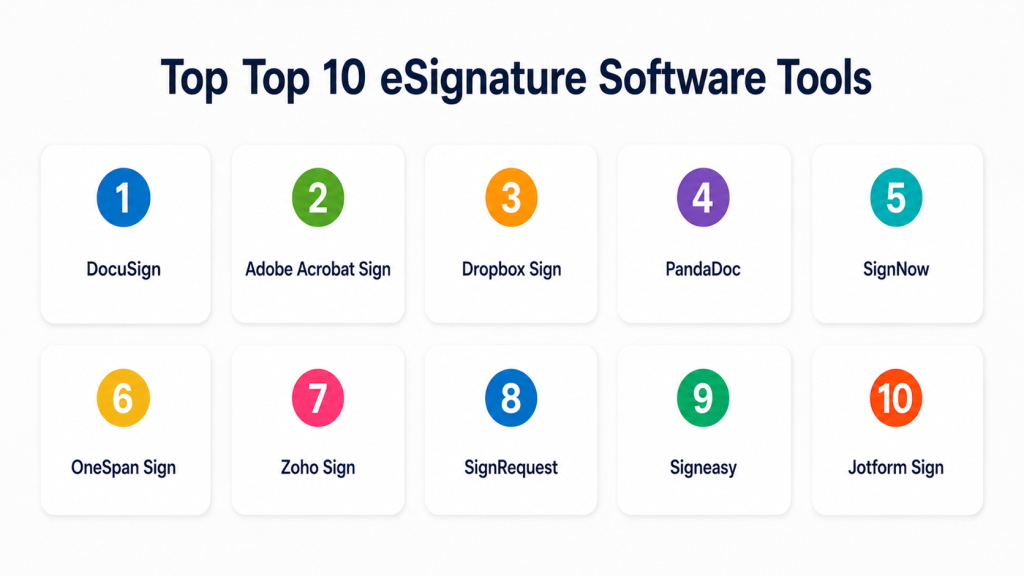
Top 10 eSignature Software Tools
#1 — DocuSign
Short description (2–3 lines): DocuSign is one of the most widely recognized eSignature platforms for sending, signing, tracking, and managing digital agreements. It is suitable for individuals, SMBs, mid-market teams, and large enterprises that need reliable signing workflows.
Key Features
- Electronic signature workflows.
- Templates and reusable document fields.
- Signing order and routing.
- Audit trails and completion certificates.
- Mobile signing experience.
- Integrations with CRM, productivity, and storage tools.
- API support for embedded signing.
Pros
- Strong market adoption and broad ecosystem.
- Good fit for both simple and advanced signing workflows.
- Reliable experience for business and enterprise use cases.
Cons
- Pricing can become costly at higher usage levels.
- Advanced features may require higher plans.
- Some workflows may need configuration support.
Platforms / Deployment
Web / Windows / macOS / iOS / Android
Cloud
Security & Compliance
Supports encryption, audit trails, access controls, SSO/SAML, MFA, and role-based permissions. Specific certifications vary by product, plan, and region, so buyers should validate directly.
Integrations & Ecosystem
DocuSign has a strong ecosystem for business agreements and digital workflows.
- CRM systems
- Microsoft 365
- Google Workspace
- Cloud storage platforms
- HR systems
- APIs and developer tools
Support & Community
DocuSign offers documentation, customer support, enterprise support plans, training resources, and a large user community. It is one of the stronger options for teams that need mature support and ecosystem depth.
#2 — Adobe Acrobat Sign
Short description (2–3 lines): Adobe Acrobat Sign is an eSignature solution connected to Adobe’s PDF and document workflow ecosystem. It is best for teams that work heavily with PDFs and want signing, tracking, and document preparation in one environment.
Key Features
- Electronic and digital signature workflows.
- PDF preparation and signing fields.
- Document tracking and reminders.
- Template support.
- Mobile signing.
- Microsoft and Adobe ecosystem integrations.
- API support for embedded workflows.
Pros
- Strong fit for PDF-heavy teams.
- Familiar experience for Adobe users.
- Good signing and document workflow capabilities.
Cons
- Best value is often tied to Adobe ecosystem usage.
- Some advanced features may require business or enterprise plans.
- May be more than needed for simple occasional signing.
Platforms / Deployment
Web / Windows / macOS / iOS / Android
Cloud
Security & Compliance
Supports encryption, audit trails, access controls, authentication options, and enterprise security features. Specific certifications vary by service and plan.
Integrations & Ecosystem
Adobe Acrobat Sign works well where signing is part of broader PDF creation, editing, and approval workflows.
- Microsoft 365
- Salesforce
- Workday
- ServiceNow
- Adobe Acrobat
- APIs and workflow tools
Support & Community
Adobe provides documentation, enterprise support, learning resources, community forums, and customer success options. It is strong for organizations already standardized on Adobe tools.
#3 — Dropbox Sign
Short description (2–3 lines): Dropbox Sign, formerly HelloSign, is an easy-to-use eSignature platform for individuals, startups, SMBs, and teams that need simple signing workflows. It is useful for contracts, NDAs, HR forms, and customer agreements.
Key Features
- Simple eSignature sending and signing.
- Reusable templates.
- Audit trails.
- Signing order.
- Team management.
- Dropbox ecosystem alignment.
- API support for embedded signing.
Pros
- Clean and simple user experience.
- Good for SMBs and growing teams.
- Useful API options for product teams.
Cons
- May not match the depth of enterprise CLM platforms.
- Advanced governance needs may require other tools.
- Best suited for straightforward signing workflows.
Platforms / Deployment
Web / iOS / Android
Cloud
Security & Compliance
Supports encryption, audit trails, access controls, and authentication features. Specific certifications should be validated directly.
Integrations & Ecosystem
Dropbox Sign works well for teams that need lightweight signing inside document and cloud storage workflows.
- Dropbox
- Google Workspace
- Microsoft tools
- CRM tools
- APIs
- Workflow automation platforms
Support & Community
Dropbox Sign provides documentation, support resources, developer guides, and onboarding materials. It is approachable for small and mid-sized teams.
#4 — PandaDoc
Short description (2–3 lines): PandaDoc combines document creation, proposal management, quoting, approval, tracking, and eSignature. It is best for sales and revenue teams that want signing connected with proposal and contract workflows.
Key Features
- eSignature workflows.
- Proposal and quote creation.
- Template and content library.
- CRM integrations.
- Approval workflows.
- Document analytics.
- Payment collection support in selected workflows.
Pros
- Strong for sales and customer-facing documents.
- Combines document generation and signing.
- Good visibility into document engagement.
Cons
- Not only an eSignature tool, so it may feel broader than needed.
- Complex legal workflows may need CLM software.
- Some advanced capabilities depend on plan level.
Platforms / Deployment
Web / iOS / Android
Cloud
Security & Compliance
Supports access controls, audit trails, encryption, and secure signing workflows. Specific certifications should be validated during procurement.
Integrations & Ecosystem
PandaDoc is strongest where signing connects with sales documents, quotes, proposals, and customer approvals.
- CRM systems
- Payment tools
- Cloud storage
- Productivity tools
- APIs and webhooks
- Workflow automation tools
Support & Community
PandaDoc provides documentation, support, onboarding resources, templates, and sales-focused learning materials. It is strong for revenue teams.
#5 — SignNow
Short description (2–3 lines): SignNow is an eSignature platform focused on document signing, templates, team workflows, and API-driven signing. It is suitable for SMBs, mid-market companies, and teams that need practical signing at scale.
Key Features
- eSignature sending and signing.
- Document templates.
- Team management.
- Signing links and routing.
- Audit trails.
- Mobile apps.
- API support.
Pros
- Practical for teams needing frequent signing.
- Offers business-friendly workflow features.
- Useful for both simple and API-based signing.
Cons
- May not offer the same brand recognition as larger platforms.
- Complex enterprise workflows may need additional configuration.
- Advanced integrations may depend on plan selection.
Platforms / Deployment
Web / iOS / Android
Cloud
Security & Compliance
Supports encryption, audit trails, access controls, and authentication features. Specific certifications should be confirmed directly.
Integrations & Ecosystem
SignNow supports common business signing workflows and developer-led integrations.
- Cloud storage
- CRM tools
- Productivity tools
- APIs
- Workflow automation tools
- Mobile document workflows
Support & Community
SignNow provides documentation, support resources, onboarding help, and developer documentation. It is practical for teams that need signing without heavy complexity.
#6 — OneSpan Sign
Short description (2–3 lines): OneSpan Sign is an eSignature solution often used by regulated industries such as banking, insurance, government, and financial services. It is best for organizations that need strong authentication, auditability, and enterprise-grade signing workflows.
Key Features
- Secure eSignature workflows.
- Advanced authentication options.
- Audit trails and evidence capture.
- Enterprise workflow support.
- API-based signing.
- Mobile and remote signing.
- Compliance-focused signing processes.
Pros
- Strong fit for regulated industries.
- Good security and authentication focus.
- Suitable for high-trust signing workflows.
Cons
- May be more complex than simple SMB tools.
- Best suited for teams with formal security needs.
- Implementation may require planning.
Platforms / Deployment
Web / iOS / Android
Cloud / Hybrid
Security & Compliance
Supports encryption, audit trails, access controls, strong authentication options, and enterprise security features. Specific certifications and regulatory fit should be validated directly.
Integrations & Ecosystem
OneSpan Sign is useful where signing must be embedded into secure customer, financial, or regulated workflows.
- Banking systems
- Insurance platforms
- APIs
- Enterprise portals
- Workflow systems
- Identity verification tools
Support & Community
OneSpan provides enterprise support, documentation, implementation guidance, and customer success resources. It is best for organizations with security-sensitive workflows.
#7 — Zoho Sign
Short description (2–3 lines): Zoho Sign is an eSignature platform for businesses that need document signing, templates, reminders, and workflow integration. It is especially useful for teams already using the Zoho business application ecosystem.
Key Features
- eSignature workflows.
- Templates and reusable fields.
- Signing order and reminders.
- Audit trails.
- Team management.
- Zoho app integrations.
- Mobile signing support.
Pros
- Good value for Zoho ecosystem users.
- Simple for small and mid-sized teams.
- Useful for daily business agreements.
Cons
- Best value comes when used with Zoho apps.
- May not fit complex enterprise CLM requirements.
- Some advanced features may require higher plans.
Platforms / Deployment
Web / iOS / Android
Cloud
Security & Compliance
Supports audit trails, encryption, access controls, and authentication options. Specific certifications should be validated directly.
Integrations & Ecosystem
Zoho Sign works well when signing connects with CRM, HR, finance, and productivity workflows inside the Zoho ecosystem.
- Zoho CRM
- Zoho People
- Zoho Books
- Cloud storage
- Productivity tools
- APIs
Support & Community
Zoho provides documentation, support resources, user community, and product guides. It is especially practical for businesses already using Zoho applications.
#8 — SignRequest
Short description (2–3 lines): SignRequest is an eSignature tool focused on simple, affordable, and easy document signing. It is suitable for freelancers, small businesses, and teams that need straightforward signing workflows.
Key Features
- Electronic signature sending.
- Document templates.
- Audit trail support.
- Signing order.
- Team management.
- Cloud document workflows.
- Simple signer experience.
Pros
- Easy to use.
- Good fit for small businesses.
- Practical for basic signing needs.
Cons
- May not support very advanced enterprise workflows.
- Integration depth may be limited compared with larger platforms.
- Best suited for straightforward use cases.
Platforms / Deployment
Web
Cloud
Security & Compliance
Supports audit trails and secure signing features. Specific certifications are not publicly stated here and should be validated directly.
Integrations & Ecosystem
SignRequest is best for simple signing workflows connected to basic business tools.
- Cloud storage
- Productivity tools
- CRM workflows
- Email workflows
- Templates
- Basic automation tools
Support & Community
Support resources and documentation are available. It is simple enough for small teams to adopt without heavy onboarding.
#9 — Signeasy
Short description (2–3 lines): Signeasy is an eSignature platform designed for simple, mobile-friendly signing workflows. It is useful for individuals, SMBs, sales teams, HR teams, and field teams that need fast document signing.
Key Features
- Electronic signature workflows.
- Mobile signing experience.
- Templates and reusable documents.
- Signing order.
- Audit trails.
- Reminders and notifications.
- Cloud storage integrations.
Pros
- Strong mobile-friendly experience.
- Easy for non-technical users.
- Good for small teams and field workflows.
Cons
- May not fit complex enterprise agreement workflows.
- Advanced automation may be limited compared with larger platforms.
- Best suited for lightweight signing.
Platforms / Deployment
Web / iOS / Android
Cloud
Security & Compliance
Supports secure signing, audit trails, access controls, and encryption-related features. Specific certifications should be validated directly.
Integrations & Ecosystem
Signeasy works well for simple signing across cloud storage and productivity workflows.
- Google Workspace
- Microsoft tools
- Cloud storage
- Mobile workflows
- Email-based document flows
- Business productivity apps
Support & Community
Signeasy provides support resources, documentation, onboarding guidance, and user help materials. It is friendly for smaller teams and mobile users.
#10 — Jotform Sign
Short description (2–3 lines): Jotform Sign helps users create signable documents and collect signatures through forms and automated flows. It is useful for teams that already use forms for applications, approvals, onboarding, or customer intake.
Key Features
- Signable document creation.
- Form-based signing workflows.
- Templates.
- Automated document routing.
- Notifications and reminders.
- Cloud-based access.
- Integration with Jotform form workflows.
Pros
- Strong for form-to-signature workflows.
- Easy for non-technical users.
- Useful for onboarding, consent forms, and approvals.
Cons
- Not a full enterprise contract lifecycle tool.
- Best value comes when forms are part of the process.
- Advanced legal workflows may need more specialized tools.
Platforms / Deployment
Web / iOS / Android
Cloud
Security & Compliance
Supports secure form and signing workflows, access controls, and document handling features. Specific certifications should be validated directly.
Integrations & Ecosystem
Jotform Sign is useful when signature collection is connected with online forms, intake, and data collection.
- Online forms
- Cloud storage
- Payment tools
- Email workflows
- Automation platforms
- Business apps
Support & Community
Jotform provides documentation, templates, help resources, and support. It is easy for small teams and operations users to start quickly.
Comparison Table
| Tool Name | Best For | Platform(s) Supported | Deployment | Standout Feature | Public Rating |
|---|---|---|---|---|---|
| DocuSign | Broad business and enterprise signing | Web, Windows, macOS, iOS, Android | Cloud | Mature digital agreement ecosystem | N/A |
| Adobe Acrobat Sign | PDF-heavy signing workflows | Web, Windows, macOS, iOS, Android | Cloud | Strong PDF and signing integration | N/A |
| Dropbox Sign | Simple SMB and API signing | Web, iOS, Android | Cloud | Clean signing experience and API support | N/A |
| PandaDoc | Sales proposals and signed agreements | Web, iOS, Android | Cloud | Proposal creation with eSignature | N/A |
| SignNow | Team and API-based signing | Web, iOS, Android | Cloud | Practical signing workflows at scale | N/A |
| OneSpan Sign | Regulated and high-trust signing | Web, iOS, Android | Cloud, Hybrid | Security-focused signing and authentication | N/A |
| Zoho Sign | Zoho ecosystem users | Web, iOS, Android | Cloud | eSignature inside Zoho workflows | N/A |
| SignRequest | Small business signing | Web | Cloud | Simple and affordable signing workflows | N/A |
| Signeasy | Mobile-friendly signing | Web, iOS, Android | Cloud | Easy signing for mobile and field users | N/A |
| Jotform Sign | Form-based signature workflows | Web, iOS, Android | Cloud | Signable documents connected with forms | N/A |
Evaluation & Scoring of eSignature Software
| Tool Name | Core (25%) | Ease (15%) | Integrations (15%) | Security (10%) | Performance (10%) | Support (10%) | Value (15%) | Weighted Total |
|---|---|---|---|---|---|---|---|---|
| DocuSign | 9 | 8 | 9 | 9 | 9 | 9 | 7 | 8.55 |
| Adobe Acrobat Sign | 9 | 8 | 9 | 9 | 9 | 8 | 7 | 8.45 |
| Dropbox Sign | 8 | 9 | 8 | 8 | 8 | 8 | 8 | 8.15 |
| PandaDoc | 8 | 8 | 8 | 8 | 8 | 8 | 8 | 8.00 |
| SignNow | 8 | 8 | 8 | 8 | 8 | 7 | 8 | 7.90 |
| OneSpan Sign | 9 | 7 | 8 | 9 | 9 | 8 | 7 | 8.15 |
| Zoho Sign | 8 | 8 | 8 | 8 | 8 | 7 | 8 | 7.90 |
| SignRequest | 7 | 9 | 7 | 7 | 8 | 7 | 8 | 7.55 |
| Signeasy | 7 | 9 | 7 | 7 | 8 | 7 | 8 | 7.55 |
| Jotform Sign | 7 | 8 | 7 | 7 | 8 | 7 | 8 | 7.40 |
These scores are comparative and should be used as a practical buying guide, not as a universal ranking. DocuSign and Adobe Acrobat Sign are strong broad-market options, while OneSpan Sign is stronger for regulated workflows. PandaDoc is better when signing is connected to sales proposals, and Jotform Sign is useful when forms and signatures work together. The best choice depends on your document volume, security needs, integrations, and budget.
Which eSignature Software Tool Is Right for You?
Solo / Freelancer
Solo users usually need fast signing, simple templates, low cost, and a clean signer experience. They may not need enterprise controls, complex routing, or advanced APIs.
Good options:
- Signeasy for mobile signing.
- SignRequest for simple signing workflows.
- Dropbox Sign for clean and easy signing.
- Jotform Sign for form-based documents.
SMB
SMBs need easy setup, reusable templates, reminders, basic team management, and integrations with cloud storage or CRM tools. Cost control is also important.
Good options:
- Dropbox Sign for simple team signing.
- Zoho Sign for Zoho users.
- SignNow for practical team workflows.
- PandaDoc for sales documents and proposals.
Mid-Market
Mid-market companies usually need signing workflows across sales, HR, legal, finance, and operations. They should prioritize integrations, audit trails, workflow routing, and admin controls.
Good options:
- DocuSign for broad agreement workflows.
- Adobe Acrobat Sign for PDF-heavy teams.
- PandaDoc for proposal and contract workflows.
- SignNow for team-based signing.
- Zoho Sign for businesses already using Zoho apps.
Enterprise
Enterprises need scalability, security, auditability, advanced workflows, identity controls, integrations, API support, and vendor support.
Good options:
- DocuSign for enterprise digital agreements.
- Adobe Acrobat Sign for enterprise PDF and signing workflows.
- OneSpan Sign for regulated and high-trust signing.
- PandaDoc for revenue teams.
- SignNow for scalable signing workflows.
Budget vs Premium
Budget-focused users should choose tools that provide simple signing and templates without unnecessary enterprise complexity. Premium tools are better when signing affects revenue, compliance, customer onboarding, or regulated business processes.
Budget-friendly scenarios:
- Occasional signing.
- Freelancer agreements.
- Small business forms.
- Basic HR documents.
- Simple client approvals.
Premium scenarios:
- High-volume contracts.
- Regulated signing.
- Identity verification.
- CRM-driven agreements.
- Enterprise workflows.
- API-based embedded signing.
Feature Depth vs Ease of Use
Some tools are very easy but limited. Others are feature-rich but require more setup. The best choice depends on whether your team values speed, governance, or workflow depth.
Choose ease of use when:
- You need simple signing.
- Users are non-technical.
- Signers are customers or external partners.
- Workflows are short and repetitive.
Choose feature depth when:
- You need approval routing.
- You need strong audit evidence.
- You need identity verification.
- You process many document types.
- You need CRM, HR, or ERP integration.
Integrations & Scalability
eSignature tools become more valuable when connected to the systems where documents are created and stored. Buyers should check integrations before purchase.
Important integrations include:
- CRM systems
- HR platforms
- ERP systems
- Cloud storage
- Contract management tools
- Document generation tools
- Workflow automation platforms
- APIs and embedded signing
Security & Compliance Needs
Security should be a major factor because signed documents often include contracts, financial records, employment information, healthcare forms, legal agreements, and customer data.
Important security checks include:
- Encryption
- Audit trails
- SSO/SAML
- MFA
- Role-based access control
- Signer authentication
- Document tamper evidence
- Admin controls
- Data retention options
- Vendor compliance documentation
Frequently Asked Questions
What is eSignature Software?
eSignature Software allows people to sign documents electronically without printing or scanning. It helps teams send, track, sign, and store agreements digitally.
Is an electronic signature legally valid?
Electronic signatures are commonly accepted in many business contexts, but legal validity depends on country, region, document type, signer authentication, consent, and audit evidence. Businesses should review local legal requirements.
What is the difference between electronic signature and digital signature?
An electronic signature is a broad method of signing electronically. A digital signature usually uses stronger certificate-based technology to verify signer identity and document integrity.
Which teams use eSignature tools most?
Sales, HR, legal, finance, procurement, real estate, healthcare, education, and operations teams use eSignature tools frequently. Any team that manages approvals or agreements can benefit.
What pricing models are common?
Pricing may be based on users, envelopes, documents, templates, API calls, features, or enterprise plans. Pricing varies, so buyers should confirm directly with each vendor.
How long does eSignature onboarding take?
Simple tools can be adopted quickly, while enterprise rollouts may require templates, integrations, admin policies, security reviews, and user training.
What is the biggest mistake when choosing eSignature Software?
The biggest mistake is choosing only by price. Buyers should also evaluate signer experience, audit trails, authentication, integrations, security, and workflow scalability.
Can eSignature tools integrate with CRM systems?
Yes, many eSignature tools integrate with CRM systems so teams can send contracts, proposals, quotes, and agreements directly from customer records.
Are eSignature tools secure?
Many eSignature tools support encryption, audit trails, authentication, and access controls. However, security varies by vendor and plan, so buyers should validate details during procurement.
Can customers sign from mobile phones?
Yes, most modern eSignature platforms support mobile signing through browsers or mobile apps. Mobile experience should still be tested before rollout.
What are alternatives to eSignature Software?
Alternatives include printed signatures, scanned PDFs, document automation platforms, contract lifecycle management tools, workflow approval tools, and built-in signing features in some productivity suites.
How should a company switch from paper signing to eSignature?
Start with one high-volume document type, create approved templates, test signing flows, train users, review legal and security requirements, then expand to more departments.
Conclusion
eSignature Software has become a practical foundation for modern digital business because it helps teams sign agreements faster, reduce paper work, improve visibility, and support remote collaboration. The best tool depends on context. DocuSign and Adobe Acrobat Sign are strong broad-market options. Dropbox Sign, SignNow, Signeasy, and SignRequest are practical for simple team workflows. PandaDoc is strong for sales documents. OneSpan Sign is useful for regulated and high-trust workflows. Zoho Sign works well for Zoho users, while Jotform Sign is practical for form-based signing.
