Upgrade & Secure Your Future with DevOps, SRE, DevSecOps, MLOps!
We spend hours scrolling social media and waste money on things we forget, but won’t spend 30 minutes a day earning certifications that can change our lives.
Master in DevOps, SRE, DevSecOps & MLOps by DevOps School!
Learn from Guru Rajesh Kumar and double your salary in just one year.
Introduction
Event management software helps teams plan, promote, manage, and measure events from one place. It can support in-person conferences, virtual events, hybrid summits, webinars, trade shows, networking events, training programs, product launches, community meetups, corporate events, and large-scale exhibitions.
Instead of using separate tools for registration, ticketing, email updates, attendee tracking, agenda planning, check-in, networking, sponsor management, and reporting, event management platforms bring these workflows together. This makes planning easier, reduces manual work, and gives organizers better visibility into attendee engagement and event performance.
Event teams now need more than basic ticketing. They need automation, personalization, data privacy, flexible integrations, mobile attendee experiences, hybrid event support, and clear reporting. Buyers should evaluate ease of use, event format support, registration workflows, ticketing flexibility, branding options, engagement tools, analytics, integrations, security, scalability, and support quality.
Best for: Event marketers, corporate event teams, associations, agencies, universities, training companies, community teams, HR teams, and enterprises that manage recurring or large events.
Not ideal for: Very small one-time gatherings where a simple form, calendar invite, or payment link is enough. Some teams may also prefer dedicated webinar platforms, CRM campaign tools, or basic ticketing apps if they do not need full event lifecycle management.
Key Trends in Event Management Software
- AI-assisted event planning: Event platforms are adding AI features for agenda suggestions, attendee segmentation, email drafting, session recommendations, and post-event insights.
- Hybrid event maturity: Buyers now expect smooth support for in-person, virtual, and hybrid events instead of treating virtual events as an add-on.
- Personalized attendee journeys: Modern tools are focusing on personalized agendas, recommended sessions, networking matches, and targeted reminders.
- Stronger event data analytics: Teams want more than attendance numbers. They need engagement scores, session popularity, lead quality, sponsor performance, and conversion tracking.
- CRM and marketing automation integration: Event data is becoming a core part of revenue operations, so integrations with CRM, email marketing, and sales tools matter more.
- Mobile-first attendee experience: Event apps, QR check-in, push notifications, live polling, maps, and networking features are becoming standard expectations.
- Compliance and privacy awareness: Organizers handling attendee data need better control over permissions, consent, data exports, audit trails, and regional privacy requirements.
- Self-service event creation: Marketing teams and departments want templates, reusable workflows, and brand controls so they can launch events faster without heavy admin support.
- Sponsor and exhibitor ROI tracking: Events are expected to show measurable business value, so sponsor dashboards, lead capture, and booth analytics are becoming more important.
- Flexible pricing models: Buyers are comparing per-event, per-attendee, annual, and enterprise pricing models carefully to avoid cost surprises as events scale.
How We Selected These Tools
The tools in this list were selected using a practical SaaS evaluation approach focused on real-world event planning needs. The goal is not to declare one universal winner, but to compare strong options across different company sizes and event types.
- Market adoption and mindshare: Preference was given to platforms widely recognized by event marketers, enterprises, agencies, associations, and event teams.
- Feature completeness: Tools were evaluated for registration, ticketing, event websites, agenda management, attendee engagement, check-in, virtual event support, mobile apps, and analytics.
- Reliability and performance signals: Platforms with stronger suitability for high-volume registrations, complex agendas, and large attendee bases were prioritized.
- Security posture signals: Enterprise-ready access controls, role permissions, privacy options, and compliance transparency were considered where known.
- Integrations and ecosystem: Preference was given to tools that connect with CRM, marketing automation, payment systems, video platforms, analytics, and attendee apps.
- Customer fit across segments: The list includes tools for solo organizers, SMBs, mid-market teams, enterprises, associations, and virtual-first event programs.
- Usability and setup speed: Tools that balance power with practical usability were ranked higher for smaller teams.
- Branding and customization: Event website design, registration form flexibility, branded communication, and attendee experience control were considered.
- Reporting and ROI measurement: Analytics depth, lead tracking, sponsor reporting, session insights, and export flexibility were included in the evaluation.
- Support and onboarding: Documentation, onboarding assistance, customer success, and event-day support options were considered important for larger programs.
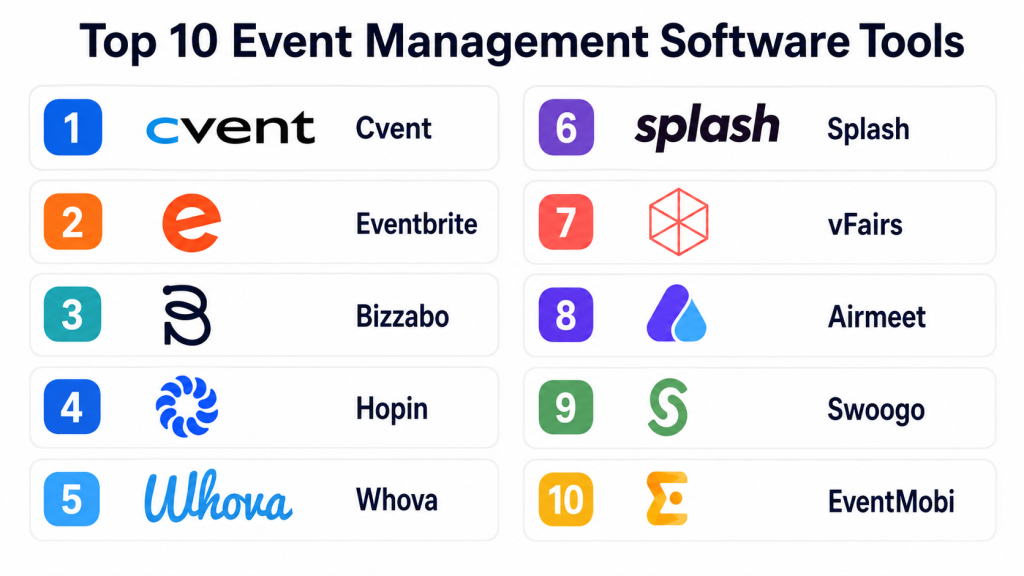
Top 10 Event Management Software Tools
#1 — Cvent
Short description: Cvent is one of the most recognized event management platforms for enterprise and large-scale event programs. It supports event registration, venue sourcing, attendee management, event marketing, mobile event apps, reporting, and onsite solutions. It is especially useful for corporate event teams, associations, large conferences, trade shows, and complex multi-event programs. Cvent is designed for teams that need depth, governance, scalability, and strong operational control. It may feel more advanced than necessary for very small or simple events.
Key Features
- Event registration and attendee management
- Event website creation and branded registration experiences
- Venue sourcing and supplier management capabilities
- Mobile event app and onsite check-in options
- Reporting, analytics, and attendee tracking
- Tools for virtual, hybrid, and in-person event formats
- Enterprise-style controls for larger event teams
Pros
- Strong fit for large, complex, and recurring event programs
- Broad feature set across the full event lifecycle
- Suitable for enterprise teams that need governance and reporting
Cons
- Can require onboarding and process planning to use fully
- May be expensive or complex for small teams
- Some users may not need the full feature depth
Platforms / Deployment
Web, iOS, Android
Cloud
Security & Compliance
Enterprise-grade access controls and security features are available in many Cvent environments. Specific certifications, compliance coverage, SSO/SAML availability, MFA, audit logs, and RBAC may vary by plan and agreement. Buyers should confirm directly during procurement.
Integrations & Ecosystem
Cvent is built for larger event ecosystems where event data needs to connect with marketing, sales, finance, and onsite operations.
- CRM integrations
- Marketing automation integrations
- Payment and registration workflows
- Event mobile app ecosystem
- Reporting and data export options
- Onsite event technology connections
Support & Community
Cvent generally offers strong onboarding, training resources, documentation, and customer success options for enterprise customers. Support depth may depend on plan, contract size, and event complexity.
#2 — Eventbrite
Short description: Eventbrite is a popular event management and ticketing platform used by creators, small businesses, community organizers, educators, nonprofits, and event promoters. It is best known for fast event setup, ticket sales, attendee registration, event discovery, and simple promotion workflows. It works well for public events, workshops, classes, concerts, networking events, and local community programs. Eventbrite is easier to start with than many enterprise event platforms. However, it may not provide the same depth for complex corporate event operations.
Key Features
- Event listing and registration pages
- Ticketing and payment collection
- Attendee management tools
- Promotional and email communication options
- Mobile check-in support
- Public event discovery features
- Basic reporting and sales tracking
Pros
- Easy to use for simple and public events
- Strong brand recognition among event attendees
- Useful for quick ticketing and registration setup
Cons
- Less suitable for highly complex enterprise event programs
- Customization can be limited compared with advanced platforms
- Fees and pricing should be reviewed carefully
Platforms / Deployment
Web, iOS, Android
Cloud
Security & Compliance
Basic account security and payment-related controls are available. Advanced security details such as SSO/SAML, audit logs, RBAC, SOC 2, ISO 27001, HIPAA, and other certifications should be verified directly. Not publicly stated for all use cases.
Integrations & Ecosystem
Eventbrite connects well with common marketing, communication, payment, and productivity workflows.
- Email marketing integrations
- Social media promotion options
- Payment processing workflows
- Calendar integrations
- Data exports
- API and app ecosystem availability may vary
Support & Community
Eventbrite offers help documentation and support resources. Support levels may vary depending on plan, event size, and account type. Its large user base makes it easier to find general usage guidance.
#3 — Bizzabo
Short description: Bizzabo is an event experience platform designed for corporate events, conferences, field marketing programs, and hybrid experiences. It focuses on registration, event websites, attendee engagement, event apps, sponsor value, networking, and analytics. Bizzabo is strong for teams that care about branded event experiences and measurable event outcomes. It is commonly considered by mid-market and enterprise marketing teams. It may be more advanced than needed for basic local events or simple ticketing.
Key Features
- Event website and registration management
- Hybrid, virtual, and in-person event support
- Attendee engagement and networking tools
- Sponsor and exhibitor experience options
- Event analytics and engagement reporting
- Mobile app capabilities
- Marketing and CRM integration support
Pros
- Strong focus on branded event experiences
- Good fit for marketing-led and revenue-focused events
- Useful analytics for event performance measurement
Cons
- May require planning for setup and implementation
- Not the simplest option for one-off small events
- Pricing and packaging may vary by event needs
Platforms / Deployment
Web, iOS, Android
Cloud
Security & Compliance
Enterprise security features may be available depending on plan and agreement. Specific details around SSO/SAML, MFA, RBAC, audit logs, SOC 2, ISO 27001, GDPR, or HIPAA should be confirmed directly. Not publicly stated for all details.
Integrations & Ecosystem
Bizzabo fits well into marketing and revenue technology stacks where event engagement data is valuable.
- CRM integrations
- Marketing automation integrations
- Analytics and reporting exports
- Event app ecosystem
- Sponsor and exhibitor workflows
- APIs or custom integrations may vary by plan
Support & Community
Bizzabo provides onboarding, documentation, and support resources. Larger customers may receive stronger customer success assistance. Community depth is stronger in marketing and event professional circles.
#4 — Hopin
Short description: Hopin is known for virtual and hybrid event experiences, including online stages, sessions, networking, exhibitor areas, and attendee engagement. It is useful for webinars, virtual conferences, product launches, community events, and digital-first event programs. Hopin is especially relevant for teams that need interactive online event experiences rather than only registration pages. It can support different event formats, but buyers should evaluate current feature packaging carefully. Some teams may prefer dedicated webinar tools for simpler needs.
Key Features
- Virtual event rooms and stages
- Attendee networking features
- Expo and sponsor area support
- Registration and event access management
- Live chat and engagement tools
- Analytics for online event behavior
- Hybrid event support depending on configuration
Pros
- Strong virtual event experience capabilities
- Useful for interactive online conferences and communities
- Good fit for remote-first events and digital programs
Cons
- May be more than needed for simple webinars
- Feature availability and packaging should be checked
- Requires good event design to create strong engagement
Platforms / Deployment
Web
Cloud
Security & Compliance
Security controls are available for online event access and attendee management. Specific enterprise security details such as SSO/SAML, MFA, RBAC, audit logs, SOC 2, ISO 27001, GDPR, or HIPAA should be confirmed directly. Not publicly stated for every item.
Integrations & Ecosystem
Hopin is useful when virtual event engagement data needs to flow into marketing and community systems.
- CRM and marketing integrations may vary
- Streaming and video workflows
- Registration and attendee data exports
- Analytics integrations
- Event access controls
- API availability may depend on plan
Support & Community
Hopin offers documentation and support resources. Support depth can vary by plan and event size. Teams running large virtual events should confirm event-day support options.
#5 — Whova
Short description: Whova is an event management and attendee engagement platform used for conferences, academic events, associations, expos, and professional gatherings. It is well known for its mobile event app, agenda management, networking features, attendee interaction, and exhibitor tools. Whova works well for organizers that want a strong attendee experience without building everything from scratch. It can support in-person, hybrid, and virtual event formats. It is especially practical for conferences where engagement and networking matter.
Key Features
- Mobile event app
- Agenda and session management
- Attendee networking and messaging
- Event registration and check-in support
- Exhibitor and sponsor tools
- Live polling, Q&A, and engagement features
- Event analytics and attendee insights
Pros
- Strong attendee engagement and networking tools
- Good mobile app experience for conferences
- Practical for associations, education events, and expos
Cons
- Advanced customization may be limited compared with enterprise platforms
- Some workflows may require organizer training
- Pricing and feature availability should be reviewed
Platforms / Deployment
Web, iOS, Android
Cloud
Security & Compliance
Whova includes account and attendee management controls. Specific details on SSO/SAML, MFA, audit logs, RBAC, SOC 2, ISO 27001, GDPR, or HIPAA should be verified directly. Not publicly stated for all details.
Integrations & Ecosystem
Whova supports common event workflows and can connect with external systems depending on use case and plan.
- Registration workflows
- Video and virtual event support
- Attendee data exports
- Event app ecosystem
- Sponsor and exhibitor tools
- Third-party integrations may vary
Support & Community
Whova provides help resources, onboarding guidance, and customer support. It has strong recognition among conference organizers and association event teams.
#6 — Splash
Short description: Splash is an event marketing platform focused on branded event pages, registration, guest management, email communication, and scalable event programs. It is especially useful for marketing teams running field events, customer events, executive events, product launches, roadshows, and internal brand experiences. Splash stands out for design control and repeatable event templates. It helps teams keep brand consistency while allowing event creation across departments. It may not be the best choice for teams needing heavy onsite conference operations.
Key Features
- Branded event page creation
- Registration and RSVP management
- Guest list and attendee workflows
- Email invitations and event communications
- Templates for repeatable event programs
- Event analytics and reporting
- Marketing and CRM integration support
Pros
- Strong branding and design control
- Good fit for marketing-led event programs
- Useful for repeatable field and customer events
Cons
- May not cover every deep conference management need
- Enterprise features may require higher plans
- Less suitable for simple public ticketing-only events
Platforms / Deployment
Web
Cloud
Security & Compliance
Enterprise security features may be available depending on plan. Specific details about SSO/SAML, MFA, RBAC, audit logs, SOC 2, ISO 27001, GDPR, or HIPAA should be confirmed directly. Not publicly stated for all items.
Integrations & Ecosystem
Splash fits well into marketing technology stacks and supports event data movement into sales and marketing systems.
- CRM integrations
- Marketing automation integrations
- Email communication workflows
- Analytics and reporting exports
- Event templates and brand governance
- APIs or advanced integrations may vary
Support & Community
Splash offers documentation, onboarding, and customer support resources. Larger teams may receive stronger customer success support depending on contract and plan.
#7 — vFairs
Short description: vFairs is an event platform known for virtual events, hybrid events, trade shows, career fairs, expos, conferences, and online exhibitions. It provides registration, virtual booths, networking, live sessions, gamification, event apps, and analytics. vFairs is a strong option for organizations that need immersive virtual or hybrid environments. It is useful for universities, enterprises, associations, recruitment teams, and expo organizers. Teams should evaluate whether they need its advanced virtual environment features before choosing it.
Key Features
- Virtual event environments and booths
- Registration and attendee management
- Live and on-demand session support
- Networking, chat, and engagement tools
- Mobile event app options
- Exhibitor and sponsor management
- Analytics and event reporting
Pros
- Strong for virtual expos and hybrid conferences
- Useful exhibitor and sponsor experience features
- Good fit for career fairs, education, and enterprise events
Cons
- May feel too advanced for simple events
- Setup may require planning and content preparation
- Pricing and feature packaging should be reviewed carefully
Platforms / Deployment
Web, iOS, Android
Cloud
Security & Compliance
vFairs offers security and access-related features for event environments. Specific compliance details such as SSO/SAML, MFA, RBAC, audit logs, SOC 2, ISO 27001, GDPR, or HIPAA should be verified directly. Not publicly stated for every item.
Integrations & Ecosystem
vFairs supports event ecosystems where virtual booths, sessions, attendee engagement, and lead data need to connect with external tools.
- CRM integrations may vary
- Marketing automation workflows
- Video and live streaming support
- Lead capture and exhibitor data exports
- Event app ecosystem
- Analytics and reporting exports
Support & Community
vFairs typically provides onboarding and support resources for event setup. Teams planning complex virtual or hybrid events should confirm event-day support and project management options.
#8 — Airmeet
Short description: Airmeet is a virtual and hybrid event platform built for webinars, summits, community events, workshops, networking programs, and online conferences. It focuses on interactive event experiences with features such as sessions, lounges, networking tables, attendee engagement, and analytics. Airmeet is useful for teams that want more interaction than a basic webinar tool. It works well for communities, SaaS companies, education teams, and event marketers. It may not replace full enterprise event suites for complex in-person operations.
Key Features
- Virtual event stages and sessions
- Networking lounges and attendee interaction
- Webinar and conference workflows
- Registration and attendee access management
- Engagement features such as polls and Q&A
- Analytics and reporting
- Hybrid event support depending on setup
Pros
- Strong for interactive virtual and community events
- Easier to use than some enterprise platforms
- Good engagement features for online audiences
Cons
- May not be ideal for heavy onsite event operations
- Some advanced features may depend on plan
- Requires audience engagement planning for best results
Platforms / Deployment
Web
Cloud
Security & Compliance
Airmeet provides access control and event security features. Specific details around SSO/SAML, MFA, RBAC, audit logs, SOC 2, ISO 27001, GDPR, or HIPAA should be confirmed directly. Not publicly stated for all details.
Integrations & Ecosystem
Airmeet can connect virtual event engagement with marketing, CRM, and communication systems depending on plan and setup.
- CRM integrations may vary
- Marketing automation integrations
- Webinar and video workflows
- Attendee data exports
- Analytics integrations
- API availability may depend on plan
Support & Community
Airmeet offers documentation, onboarding resources, and customer support. Support levels may vary by plan, event size, and customer type.
#9 — Swoogo
Short description: Swoogo is an event management platform focused on flexibility, registration, event websites, attendee management, agenda workflows, and reporting. It is commonly considered by teams that want a configurable platform without unnecessary complexity. Swoogo can support corporate events, conferences, meetings, virtual events, and multi-event programs. It is useful for event teams that value customization and operational control. It may require setup knowledge to make the most of its flexibility.
Key Features
- Event registration management
- Event website builder
- Agenda and session workflows
- Attendee management and reporting
- Multi-event program support
- Virtual and hybrid event support options
- Customization and configuration flexibility
Pros
- Flexible platform for different event formats
- Good fit for professional event teams
- Useful registration and event website capabilities
Cons
- May require configuration time
- Less suitable for very small one-time events
- Some advanced needs may require technical setup or support
Platforms / Deployment
Web
Cloud
Security & Compliance
Enterprise security features may be available depending on plan and agreement. Details such as SSO/SAML, MFA, RBAC, audit logs, SOC 2, ISO 27001, GDPR, or HIPAA should be verified directly. Not publicly stated for all items.
Integrations & Ecosystem
Swoogo is designed to fit into broader event and marketing operations.
- CRM integrations
- Marketing automation integrations
- Data exports and reporting workflows
- Virtual event integrations
- Payment and registration workflows
- API or custom integration options may vary
Support & Community
Swoogo offers documentation, support resources, and onboarding assistance. It is often suited for event professionals who want flexible workflows and reliable guidance.
#10 — EventMobi
Short description: EventMobi is an event management and mobile event app platform used for conferences, associations, corporate meetings, trade shows, and hybrid events. It focuses on attendee experience, event apps, registration, engagement, session management, sponsor tools, and event analytics. EventMobi is useful for teams that want a branded event app and strong attendee engagement features. It works well for events where mobile access, schedules, maps, and networking are important. Buyers should check whether its registration and backend workflows match their event complexity.
Key Features
- Mobile event app
- Event registration and attendee management
- Agenda and session management
- Networking and engagement tools
- Sponsor and exhibitor features
- Event website support
- Analytics and reporting
Pros
- Strong mobile event experience
- Good fit for conferences and association events
- Useful engagement and sponsor tools
Cons
- May not be the cheapest option for small events
- Advanced customization may require planning
- Feature availability can vary by package
Platforms / Deployment
Web, iOS, Android
Cloud
Security & Compliance
EventMobi provides attendee management and access-related controls. Specific details about SSO/SAML, MFA, audit logs, RBAC, SOC 2, ISO 27001, GDPR, or HIPAA should be confirmed directly. Not publicly stated for all details.
Integrations & Ecosystem
EventMobi works well when organizers need event app data, attendee engagement, and sponsor activity connected with other event systems.
- CRM integrations may vary
- Registration and attendee data workflows
- Event app ecosystem
- Sponsor and exhibitor tools
- Analytics and data exports
- API availability may depend on plan
Support & Community
EventMobi offers event support, documentation, onboarding resources, and customer assistance. Support quality may depend on event size, package, and service requirements.
Comparison Table
| Tool Name | Best For | Platform(s) Supported | Deployment | Standout Feature | Public Rating |
|---|---|---|---|---|---|
| Cvent | Enterprise events, conferences, trade shows | Web, iOS, Android | Cloud | Full event lifecycle management | N/A |
| Eventbrite | Public events, ticketing, local events | Web, iOS, Android | Cloud | Fast ticketing and event discovery | N/A |
| Bizzabo | Corporate events and event marketing | Web, iOS, Android | Cloud | Branded event experience and analytics | N/A |
| Hopin | Virtual and hybrid events | Web | Cloud | Interactive virtual event environments | N/A |
| Whova | Conferences, associations, academic events | Web, iOS, Android | Cloud | Mobile app and attendee engagement | N/A |
| Splash | Branded marketing events | Web | Cloud | Design-led event pages and templates | N/A |
| vFairs | Virtual expos, career fairs, hybrid events | Web, iOS, Android | Cloud | Virtual booths and exhibitor experience | N/A |
| Airmeet | Webinars, summits, community events | Web | Cloud | Networking lounges and interactive sessions | N/A |
| Swoogo | Flexible event registration and websites | Web | Cloud | Configurable event workflows | N/A |
| EventMobi | Mobile-first conferences and meetings | Web, iOS, Android | Cloud | Branded mobile event app | N/A |
Evaluation & Scoring of Event Management Software
| Tool Name | Core (25%) | Ease (15%) | Integrations (15%) | Security (10%) | Performance (10%) | Support (10%) | Value (15%) | Weighted Total (0–10) |
|---|---|---|---|---|---|---|---|---|
| Cvent | 10 | 7 | 9 | 8 | 9 | 9 | 7 | 8.55 |
| Eventbrite | 7 | 9 | 7 | 6 | 8 | 7 | 8 | 7.55 |
| Bizzabo | 9 | 8 | 8 | 7 | 8 | 8 | 7 | 8.00 |
| Hopin | 8 | 8 | 7 | 7 | 8 | 7 | 7 | 7.55 |
| Whova | 8 | 8 | 7 | 7 | 8 | 8 | 8 | 7.80 |
| Splash | 8 | 8 | 8 | 7 | 8 | 8 | 7 | 7.75 |
| vFairs | 9 | 7 | 7 | 7 | 8 | 8 | 7 | 7.75 |
| Airmeet | 8 | 8 | 7 | 7 | 8 | 7 | 8 | 7.70 |
| Swoogo | 8 | 8 | 8 | 7 | 8 | 8 | 8 | 7.90 |
| EventMobi | 8 | 8 | 7 | 7 | 8 | 8 | 7 | 7.65 |
These scores are comparative and should be used as a starting point, not as a final buying decision. A higher total does not always mean the tool is best for every team. For example, Cvent scores highly for enterprise depth, while Eventbrite may be better for a small public event because it is simpler to launch. Always test your top choices against your event format, budget, attendee volume, integration needs, and internal team skills.
Which Event Management Software Tool Is Right for You?
Solo / Freelancer
Solo organizers, consultants, trainers, creators, and independent event hosts usually need speed, simplicity, and low operational overhead. They may not need deep enterprise features, complex role permissions, or advanced sponsor reporting.
Best-fit options include:
- Eventbrite for public ticketed events, workshops, classes, and community programs
- Airmeet for interactive webinars, online communities, and virtual sessions
- Whova for smaller conferences where attendee engagement matters
For solo users, ease of setup is often more important than advanced customization. Choose a platform that lets you create a registration page, communicate with attendees, manage payments if needed, and track attendance without a long setup process.
SMB
Small and growing businesses usually need a balance of professional branding, automation, attendee management, and reporting. They may run product webinars, customer meetups, training sessions, user groups, and partner events.
Best-fit options include:
- Splash for branded marketing events
- Swoogo for flexible registration and event pages
- Airmeet for webinars and digital community events
- EventMobi for mobile-friendly conferences
SMBs should focus on repeatability. A good event platform should help create templates, reuse registration forms, standardize branding, and reduce manual follow-up work.
Mid-Market
Mid-market companies often run multiple event types across departments. They need stronger integrations, better analytics, more customization, and reliable support. Marketing, sales, HR, customer success, and partner teams may all use event data differently.
Best-fit options include:
- Bizzabo for event marketing and attendee engagement
- Swoogo for flexible event operations
- Splash for scalable branded events
- Whova for conference-style events and networking
Mid-market teams should evaluate CRM integration, reporting depth, attendee segmentation, event templates, and governance. The platform should help teams move from manual planning to repeatable event operations.
Enterprise
Enterprise buyers usually need security, scalability, role controls, advanced reporting, compliance review, vendor support, and the ability to manage many events across regions or departments. Procurement and IT review are often part of the buying process.
Best-fit options include:
- Cvent for large-scale event programs and enterprise governance
- Bizzabo for corporate event experience and marketing analytics
- vFairs for large virtual expos, recruitment fairs, and hybrid events
- EventMobi for enterprise conferences needing mobile attendee engagement
Enterprises should not choose only by feature lists. They should evaluate implementation support, service-level expectations, data handling, integrations, admin controls, contract terms, and long-term scalability.
Budget vs Premium
Budget-focused buyers should consider Eventbrite, Airmeet, or simpler event workflows if their needs are basic. These tools can be practical for ticketing, webinars, and smaller events.
Premium buyers should look at Cvent, Bizzabo, vFairs, Splash, or Swoogo if they need advanced branding, reporting, sponsor workflows, multi-event management, and enterprise controls.
The key is to avoid paying for features your team will not use. A premium platform is valuable only when its depth supports real operational needs.
Feature Depth vs Ease of Use
If you need maximum depth, Cvent, Bizzabo, vFairs, and Swoogo are strong options. They can support more complex workflows, but they may require planning and onboarding.
If ease of use matters more, Eventbrite, Airmeet, Whova, and Splash may be easier for teams to adopt. These tools are often better for fast-moving teams that want practical event execution without heavy configuration.
The best choice depends on whether your main challenge is complexity management or speed of execution.
Integrations & Scalability
For teams that rely heavily on CRM, marketing automation, analytics, or sales follow-up, integrations are critical. Event data should move cleanly into the systems your team already uses.
Cvent, Bizzabo, Splash, and Swoogo are strong candidates for integration-heavy environments. Eventbrite and Airmeet can also fit well for simpler workflows, depending on available integrations and plan level.
Before buying, list your required systems and confirm whether each integration is native, API-based, third-party, or manual export.
Security & Compliance Needs
If your events collect sensitive attendee information, handle enterprise customers, involve healthcare or financial audiences, or require strict privacy controls, security review is essential.
Enterprise buyers should confirm:
- SSO/SAML support
- MFA options
- Role-based access control
- Audit logs
- Data retention options
- Encryption details
- Privacy and compliance documentation
- Regional data handling requirements
Do not assume compliance from brand reputation alone. Ask vendors for current security documentation and confirm what is included in your specific plan.
Frequently Asked Questions
1. What is event management software?
Event management software is a platform that helps teams plan, promote, run, and measure events. It can include registration, ticketing, attendee management, agenda planning, check-in, engagement tools, mobile apps, and analytics.
2. How much does event management software usually cost?
Pricing varies widely by platform, attendee volume, number of events, feature set, and support level. Some tools use per-ticket or per-event pricing, while enterprise platforms usually offer custom pricing.
3. What is the biggest mistake buyers make when choosing event software?
The biggest mistake is choosing based only on feature lists without mapping the tool to real event workflows. Teams should first define event types, attendee volume, integrations, reporting needs, and internal ownership.
4. Is Eventbrite enough for professional events?
Eventbrite can be enough for simple public events, workshops, classes, and ticketed gatherings. However, larger corporate events may need stronger branding, CRM integrations, sponsor tools, mobile apps, and enterprise reporting.
5. Which event management software is best for enterprise teams?
Cvent, Bizzabo, vFairs, Swoogo, and EventMobi are commonly considered for larger or more complex event programs. The best choice depends on event format, security needs, integrations, attendee volume, and support expectations.
6. Do event platforms support virtual and hybrid events?
Many modern event platforms support virtual and hybrid formats. Tools like Hopin, Airmeet, vFairs, Bizzabo, Whova, and Cvent offer different levels of virtual sessions, networking, live streaming, and attendee engagement.
7. How important are integrations in event management software?
Integrations are very important if event data supports marketing, sales, customer success, or reporting workflows. CRM, marketing automation, payment, analytics, video, and communication integrations can reduce manual work and improve follow-up.
8. Can event management software improve attendee engagement?
Yes, many tools include mobile apps, live polls, Q&A, networking, personalized agendas, push notifications, chat, sponsor booths, and session recommendations. Engagement depends on both the software and the event design.
9. What security features should I look for?
Look for SSO/SAML, MFA, RBAC, audit logs, encryption, privacy controls, consent management, and clear data handling documentation. For regulated industries, confirm compliance requirements directly with the vendor.
10. How long does implementation usually take?
Implementation can range from a few hours for simple tools to several weeks for enterprise platforms. Setup time depends on branding, registration logic, integrations, attendee volume, agenda complexity, and support needs.
Conclusion
Event management software is no longer just a tool for registration or ticketing. It has become a central platform for managing attendee journeys, event marketing, engagement, sponsor value, analytics, and post-event follow-up. The best platform depends on your event type, team size, budget, integration needs, security expectations, and growth plans.For enterprise event programs, Cvent, Bizzabo, vFairs, and Swoogo offer strong depth. For smaller public events and quick ticketing, Eventbrite remains practical. For virtual and community-led events, Airmeet and Hopin are worth considering. For conference engagement and mobile event experiences, Whova and EventMobi are strong options. For branded marketing events, Splash can be a smart fit.
