Upgrade & Secure Your Future with DevOps, SRE, DevSecOps, MLOps!
We spend hours scrolling social media and waste money on things we forget, but won’t spend 30 minutes a day earning certifications that can change our lives.
Master in DevOps, SRE, DevSecOps & MLOps by DevOps School!
Learn from Guru Rajesh Kumar and double your salary in just one year.
Introduction
Facility management software helps organizations manage buildings, assets, maintenance work, service requests, inspections, space usage, vendors, safety tasks, and workplace operations from one central system. Instead of tracking repairs, equipment, cleaning schedules, compliance tasks, and work orders through spreadsheets or emails, facility teams can use a structured platform to improve visibility and response time.
Facility management software matters because modern workplaces, commercial buildings, hospitals, schools, factories, and multi-site offices are becoming more complex. Teams need better control over preventive maintenance, asset life cycles, energy usage, workplace safety, compliance records, vendor coordination, and real-time reporting.
Common use cases include work order management, preventive maintenance, asset tracking, space management, vendor management, inspections, cleaning schedules, and facility performance reporting. Buyers should evaluate ease of use, mobile access, asset tracking, maintenance automation, reporting, integrations, compliance support, scalability, security, and support quality.
Best for: Facility managers, operations teams, maintenance teams, property managers, real estate teams, hospitals, schools, manufacturers, retailers, and enterprises managing physical assets or buildings.
Not ideal for: Very small offices with only basic repair requests, teams that only need a simple task list, or organizations without recurring maintenance, asset tracking, compliance, or space management needs.
Key Trends in Facility Management Software
- AI-assisted maintenance planning: Facility platforms are adding AI features to help predict maintenance needs, prioritize work orders, detect asset risk, and recommend preventive actions.
- IoT and sensor-based facilities: More organizations are connecting facility software with sensors, smart meters, HVAC systems, occupancy tools, and building automation systems.
- Mobile-first field operations: Maintenance technicians expect mobile apps for work orders, photos, notes, checklists, barcode scanning, and real-time status updates.
- Predictive maintenance growth: Companies are moving away from reactive repairs and toward scheduled, condition-based, and predictive maintenance strategies.
- Energy and sustainability tracking: Facility leaders are paying more attention to energy usage, emissions reporting, utility costs, and sustainable building operations.
- Stronger compliance documentation: Regulated industries need clear records for inspections, safety tasks, audits, service history, and maintenance accountability.
- Integrated workplace management: Facility management is becoming connected with space planning, employee experience, visitor management, room booking, and hybrid workplace tools.
- Vendor and contractor visibility: Organizations want better control over vendor tasks, service-level agreements, approvals, invoices, and contractor performance.
- Cloud-based deployment: Cloud platforms are becoming more common because they support remote teams, mobile workers, multi-site operations, and faster updates.
- Data-driven facility decisions: Leaders want dashboards that show asset health, work order trends, downtime, maintenance costs, and space utilization.
How We Selected These Tools
The tools in this list were selected using a practical SaaS evaluation approach focused on real-world facility operations, maintenance management, workplace needs, and asset-heavy environments.
- Market adoption and mindshare: Tools widely recognized by facility managers, maintenance teams, property managers, and enterprise operations teams were prioritized.
- Feature completeness: Platforms were evaluated for work orders, preventive maintenance, asset management, inspections, reporting, mobile access, and vendor workflows.
- Reliability and performance signals: Tools suitable for multi-site operations, large asset databases, and field service workflows were given stronger consideration.
- Security posture signals: Access controls, admin permissions, identity integrations, data protection, and enterprise readiness were considered where clearly known.
- Integrations and ecosystem: Tools with ERP, accounting, IoT, building systems, HR, procurement, and analytics integrations were evaluated favorably.
- Customer fit across segments: The list includes options for SMBs, mid-market companies, enterprises, public sector teams, education, healthcare, retail, and manufacturing.
- Ease of use: Facility software must be practical for technicians, managers, admins, and contractors, not just office-based users.
- Mobile capability: Mobile work order management, photo capture, barcode scanning, and field updates were treated as important capabilities.
- Reporting and analytics: Dashboards, maintenance history, asset performance, compliance reporting, and cost visibility were included in the evaluation.
- Support and onboarding: Implementation help, documentation, training, customer success, and support options were considered important for successful rollout.
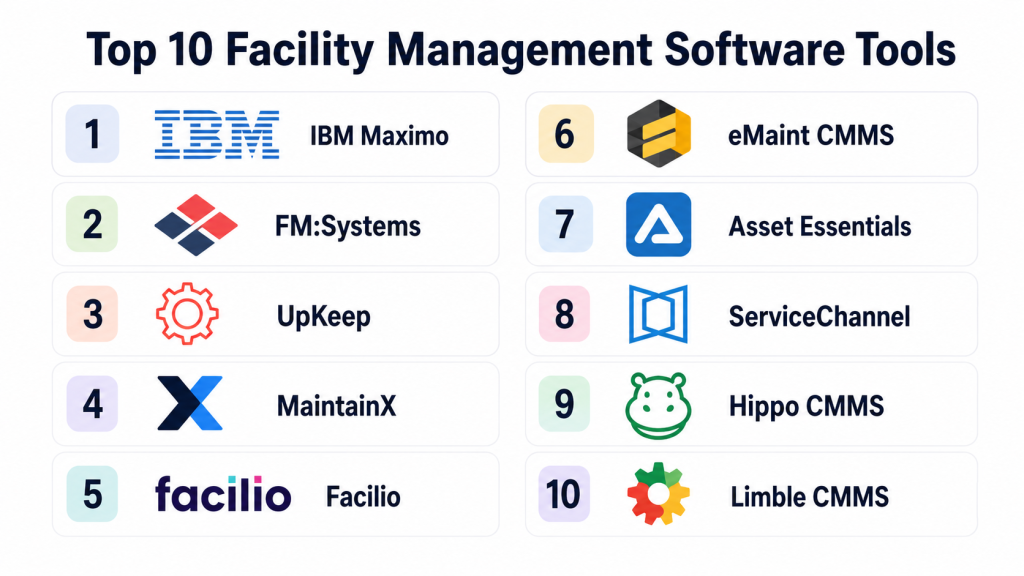
Top 10 Facility Management Software Tools
#1 — IBM Maximo
Short description: IBM Maximo is an enterprise asset management and facility operations platform used by large organizations with complex assets, infrastructure, and maintenance needs. It supports asset tracking, work orders, preventive maintenance, inspections, reliability management, and analytics. Maximo is especially useful for asset-heavy industries such as utilities, transportation, manufacturing, energy, healthcare, and public infrastructure. It is designed for organizations that need deep control over asset performance and maintenance processes. Smaller teams may find it more advanced than necessary.
Key Features
- Enterprise asset management
- Preventive and predictive maintenance workflows
- Work order and service request management
- Asset life cycle tracking
- Inspection and compliance support
- Analytics and reporting dashboards
- Support for complex multi-site operations
Pros
- Strong fit for large asset-heavy organizations
- Deep maintenance and asset management capabilities
- Suitable for complex enterprise operations
Cons
- Can require significant implementation planning
- May be too complex for small teams
- Cost and configuration effort can be high
Platforms / Deployment
Web / Mobile access may vary
Cloud / Hybrid / Deployment options may vary
Security & Compliance
IBM Maximo supports enterprise-grade security and administrative controls. Details such as SSO/SAML, MFA, audit logs, RBAC, encryption, SOC 2, ISO 27001, GDPR, or HIPAA should be confirmed directly based on deployment and agreement.
Integrations & Ecosystem
IBM Maximo is designed for enterprise environments where asset, maintenance, finance, and operational data must connect.
- ERP integrations
- IoT and sensor integrations
- Analytics and reporting tools
- Procurement and inventory workflows
- Building and operational systems
- API and enterprise integration options
Support & Community
IBM provides enterprise documentation, implementation support, partner ecosystem support, training resources, and customer assistance. Support depth depends on contract and deployment model.
#2 — FM:Systems
Short description: FM:Systems is a workplace and facility management platform focused on space planning, occupancy management, employee experience, facilities data, and workplace analytics. It helps organizations understand how buildings and spaces are used and supports better planning for hybrid work, real estate, and workplace operations. FM:Systems is useful for enterprises, universities, corporate real estate teams, and large facilities departments. It is especially strong where space management and workplace planning matter. It may not be the first choice for teams needing only simple maintenance tickets.
Key Features
- Space planning and occupancy management
- Workplace analytics and reporting
- Facility data management
- Employee workplace experience tools
- Real estate and portfolio visibility
- Floor plan and space visualization
- Support for hybrid workplace planning
Pros
- Strong space and workplace planning capabilities
- Useful for corporate real estate teams
- Good fit for large facilities portfolios
Cons
- May not be ideal for maintenance-only use cases
- Setup may require accurate floor plan and space data
- Advanced modules may depend on package
Platforms / Deployment
Web / Mobile access may vary
Cloud / Deployment options may vary
Security & Compliance
FM:Systems provides business and enterprise security controls. Specific details around SSO/SAML, MFA, audit logs, RBAC, SOC 2, ISO 27001, GDPR, or HIPAA should be verified directly.
Integrations & Ecosystem
FM:Systems connects workplace, facilities, and space data across broader enterprise systems.
- Space planning tools
- Workplace experience integrations
- Occupancy and sensor systems may vary
- Real estate and portfolio systems
- Reporting and analytics exports
- Enterprise integration options may vary
Support & Community
FM:Systems provides documentation, implementation assistance, and customer support. Larger organizations may benefit from structured onboarding and professional services.
#3 — UpKeep
Short description: UpKeep is a modern maintenance management platform built for work orders, preventive maintenance, asset tracking, inventory, inspections, and mobile technician workflows. It is widely used by maintenance teams in manufacturing, facilities, property management, restaurants, schools, and field operations. UpKeep is known for its approachable mobile-first experience. It helps teams move away from paper, spreadsheets, and reactive maintenance. It is a strong option for SMB and mid-market teams that need practical facility and maintenance control.
Key Features
- Work order management
- Preventive maintenance scheduling
- Asset and equipment tracking
- Mobile technician app
- Inventory and parts management
- Inspection checklists
- Reporting and maintenance analytics
Pros
- Easy to use for maintenance teams
- Strong mobile experience for technicians
- Good fit for SMB and mid-market facilities
Cons
- May not match the depth of large enterprise EAM platforms
- Advanced analytics may depend on plan
- Complex enterprise workflows may need configuration
Platforms / Deployment
Web / iOS / Android
Cloud
Security & Compliance
UpKeep provides business security and access controls. Details such as SSO/SAML, MFA, audit logs, RBAC, SOC 2, ISO 27001, GDPR, or HIPAA should be confirmed directly based on plan and agreement.
Integrations & Ecosystem
UpKeep supports maintenance teams that need to connect work orders, assets, inventory, and business systems.
- Accounting integrations may vary
- ERP integrations may vary
- Inventory and procurement workflows
- IoT integrations may vary
- Data exports and reporting
- API options may depend on plan
Support & Community
UpKeep offers documentation, onboarding resources, training materials, and customer support. It is generally friendly for teams adopting facility software for the first time.
#4 — MaintainX
Short description: MaintainX is a maintenance and operations platform used for work orders, preventive maintenance, inspections, procedures, asset management, and frontline team communication. It is popular among facility, manufacturing, restaurant, property, and operations teams that need a simple but capable system. MaintainX is especially strong for mobile work, digital checklists, and team communication. It helps technicians complete tasks, upload photos, follow procedures, and report issues quickly. It is a strong fit for teams that want fast adoption.
Key Features
- Work order management
- Preventive maintenance scheduling
- Digital procedures and checklists
- Asset tracking
- Mobile app for frontline teams
- Team communication features
- Reporting and operational visibility
Pros
- Very practical for frontline maintenance teams
- Strong mobile and checklist experience
- Faster adoption compared with heavier systems
Cons
- May not offer the same enterprise depth as large EAM platforms
- Advanced reporting may depend on plan
- Complex facilities portfolios may require extra setup
Platforms / Deployment
Web / iOS / Android
Cloud
Security & Compliance
MaintainX provides access and administrative controls for business users. Specific details such as SSO/SAML, MFA, audit logs, RBAC, SOC 2, ISO 27001, GDPR, or HIPAA should be confirmed directly.
Integrations & Ecosystem
MaintainX fits well into operations and maintenance environments where technicians need simple digital workflows.
- ERP integrations may vary
- IoT integrations may vary
- Reporting exports
- Inventory workflows
- Communication workflows
- API options may depend on plan
Support & Community
MaintainX provides help resources, onboarding content, and support options. Its usability makes it practical for teams that want to digitize maintenance quickly.
#5 — Facilio
Short description: Facilio is a connected facility management platform focused on building operations, maintenance, asset performance, energy management, tenant experience, and multi-site facilities. It is built for organizations managing commercial real estate, property portfolios, retail facilities, and complex building operations. Facilio helps teams centralize maintenance, automate workflows, monitor building performance, and improve operational visibility. It is useful for teams that need connected building intelligence rather than only work order tracking. It may require careful implementation for best results.
Key Features
- Facility operations management
- Work order and maintenance workflows
- Asset performance monitoring
- Energy and sustainability insights
- Tenant and service request management
- Multi-site building operations
- Integration with building systems
Pros
- Strong fit for connected building operations
- Useful for real estate and multi-site portfolios
- Good focus on energy, assets, and operational visibility
Cons
- May be more advanced than small teams need
- Implementation may require data and system planning
- Best value appears in complex facility environments
Platforms / Deployment
Web / Mobile access may vary
Cloud
Security & Compliance
Facilio provides business and enterprise security controls. Specific details such as SSO/SAML, MFA, audit logs, RBAC, SOC 2, ISO 27001, GDPR, or HIPAA should be confirmed directly.
Integrations & Ecosystem
Facilio is designed to connect facility workflows with building systems and operational data.
- Building management systems
- IoT and sensor integrations
- Energy management systems
- Tenant experience workflows
- ERP or finance integrations may vary
- Reporting and analytics exports
Support & Community
Facilio offers onboarding, implementation guidance, documentation, and customer support. Support depth may vary by contract and portfolio complexity.
#6 — eMaint CMMS
Short description: eMaint CMMS is a computerized maintenance management system used for work orders, preventive maintenance, asset management, inventory, reporting, and maintenance planning. It is commonly used by manufacturing, facilities, healthcare, education, and operations teams. eMaint is suitable for organizations that need structured maintenance workflows and asset history. It helps teams improve uptime, reduce reactive maintenance, and keep better records. It is a strong choice for organizations that want a mature CMMS with configurable workflows.
Key Features
- Work order management
- Preventive maintenance scheduling
- Asset and equipment tracking
- Inventory and parts management
- Reporting and dashboards
- Maintenance history and audit trails
- Configurable workflows
Pros
- Mature CMMS functionality
- Good for structured maintenance operations
- Useful asset and work order tracking
Cons
- May require setup and process discipline
- Interface experience may vary by user expectations
- Advanced configuration may need training
Platforms / Deployment
Web / Mobile access may vary
Cloud / Deployment options may vary
Security & Compliance
eMaint provides business security and administrative controls. Specific details about SSO/SAML, MFA, encryption, audit logs, RBAC, SOC 2, ISO 27001, GDPR, or HIPAA should be verified directly.
Integrations & Ecosystem
eMaint supports maintenance teams that need to connect work orders, assets, inventory, and operational systems.
- ERP integrations may vary
- Inventory and procurement workflows
- Reporting and analytics exports
- Asset and equipment data workflows
- Mobile maintenance workflows
- API options may vary
Support & Community
eMaint provides documentation, training, support, and implementation resources. Teams with structured maintenance programs may benefit from onboarding assistance.
#7 — Asset Essentials
Short description: Asset Essentials is a facility and maintenance management platform used by public sector teams, education, healthcare, manufacturing, and facility operations groups. It supports work orders, preventive maintenance, asset management, inspections, inventory, and reporting. The platform is useful for teams that need better maintenance visibility and operational accountability. It helps organizations manage service requests, equipment history, and compliance-related tasks. It is a practical option for organizations that want structured facility management workflows.
Key Features
- Work order and service request management
- Preventive maintenance planning
- Asset tracking and history
- Inspection workflows
- Inventory and parts management
- Reporting and dashboards
- Mobile maintenance access
Pros
- Good fit for facilities and public sector teams
- Useful work order and asset tracking capabilities
- Supports structured maintenance operations
Cons
- Implementation may require clean asset data
- Some advanced features may depend on package
- Interface and workflows should be tested before purchase
Platforms / Deployment
Web / Mobile access may vary
Cloud
Security & Compliance
Asset Essentials provides business security and access control features. Specific details such as SSO/SAML, MFA, audit logs, RBAC, SOC 2, ISO 27001, GDPR, or HIPAA should be confirmed directly.
Integrations & Ecosystem
Asset Essentials supports facility teams that need work order and asset data connected to broader operational workflows.
- Asset and maintenance workflows
- Inventory and parts tracking
- Reporting exports
- Mobile work order updates
- Finance or ERP integrations may vary
- API options may depend on plan
Support & Community
Asset Essentials provides customer support, documentation, and implementation resources. It is suitable for teams that need structured onboarding for facilities and maintenance operations.
#8 — ServiceChannel
Short description: ServiceChannel is a facilities management platform focused on repair and maintenance operations, vendor management, contractor workflows, work orders, invoicing, and multi-site facilities. It is often used by retail chains, restaurants, commercial facilities, and organizations managing many locations. ServiceChannel helps teams dispatch work, manage service providers, track performance, and control facility spend. It is especially strong where vendor networks and service accountability matter. It may be more than a small single-location office needs.
Key Features
- Work order management
- Vendor and contractor management
- Multi-site facilities support
- Service request tracking
- Invoice and spend visibility
- Compliance and performance tracking
- Reporting and operational dashboards
Pros
- Strong vendor management capabilities
- Good fit for multi-location operations
- Useful for controlling repair and maintenance spend
Cons
- May be complex for small teams
- Best value appears in vendor-heavy operations
- Implementation may require process alignment
Platforms / Deployment
Web / Mobile access may vary
Cloud
Security & Compliance
ServiceChannel provides business and enterprise controls for facilities workflows. Details such as SSO/SAML, MFA, encryption, audit logs, RBAC, SOC 2, ISO 27001, GDPR, or HIPAA should be confirmed directly.
Integrations & Ecosystem
ServiceChannel supports multi-site repair and maintenance ecosystems where internal teams and external vendors must coordinate.
- Vendor networks and contractor workflows
- Invoice and finance integrations may vary
- Work order integrations
- Reporting exports
- Procurement workflows may vary
- API options may depend on agreement
Support & Community
ServiceChannel provides support, onboarding resources, and customer assistance. Organizations with large vendor networks may benefit from implementation planning.
#9 — Hippo CMMS
Short description: Hippo CMMS is a maintenance management platform designed to help teams manage work orders, preventive maintenance, equipment, parts, and facility tasks. It is often used by small and mid-sized organizations that want a simpler CMMS experience. Hippo helps users centralize maintenance requests, assign work, track asset history, and improve maintenance visibility. It can be useful for facilities, healthcare, education, manufacturing, and property operations. It is a good option for teams moving away from spreadsheets or paper-based maintenance tracking.
Key Features
- Work order management
- Preventive maintenance scheduling
- Equipment and asset tracking
- Parts and inventory support
- Maintenance request portal
- Reporting and maintenance history
- User-friendly maintenance workflows
Pros
- Suitable for teams new to CMMS
- Practical work order and preventive maintenance features
- Easier to understand than some complex platforms
Cons
- May not provide deep enterprise EAM functionality
- Advanced integrations may vary
- Larger organizations may need more customization
Platforms / Deployment
Web / Mobile access may vary
Cloud
Security & Compliance
Hippo CMMS provides account and administrative controls. Specific details such as SSO/SAML, MFA, audit logs, RBAC, SOC 2, ISO 27001, GDPR, or HIPAA should be verified directly. Not publicly stated for all items.
Integrations & Ecosystem
Hippo CMMS supports basic and structured maintenance workflows for facilities teams.
- Work order workflows
- Asset and equipment tracking
- Inventory management
- Reporting exports
- Request portal workflows
- Integration options may vary
Support & Community
Hippo CMMS provides customer support, training resources, and documentation. It is especially helpful for smaller teams starting with maintenance software.
#10 — Limble CMMS
Short description: Limble CMMS is a maintenance management platform focused on work orders, preventive maintenance, asset tracking, parts inventory, mobile workflows, and maintenance reporting. It is designed for teams that want a practical, technician-friendly system with strong usability. Limble is used across manufacturing, facilities, property management, healthcare, and operations environments. It helps teams reduce downtime, manage requests, track history, and improve maintenance planning. It is a strong choice for teams that value ease of use and quick adoption.
Key Features
- Work order management
- Preventive maintenance scheduling
- Asset and equipment tracking
- Parts and inventory management
- Mobile technician workflows
- Maintenance dashboards and reports
- Request management features
Pros
- Strong usability for maintenance teams
- Good mobile experience
- Practical for SMB and mid-market operations
Cons
- May not match deep enterprise EAM platforms
- Advanced enterprise features may depend on plan
- Complex integrations should be confirmed before purchase
Platforms / Deployment
Web / iOS / Android
Cloud
Security & Compliance
Limble CMMS provides business security and administrative controls. Specific details around SSO/SAML, MFA, audit logs, RBAC, SOC 2, ISO 27001, GDPR, or HIPAA should be confirmed directly.
Integrations & Ecosystem
Limble supports maintenance teams that need simple workflows with useful integrations and reporting.
- ERP integrations may vary
- Inventory workflows
- Asset and maintenance data exports
- Mobile work order updates
- Reporting dashboards
- API options may depend on plan
Support & Community
Limble provides documentation, onboarding resources, training, and customer support. It is suitable for teams that want fast rollout and clear maintenance workflows.
Comparison Table
| Tool Name | Best For | Platform(s) Supported | Deployment | Standout Feature | Public Rating |
|---|---|---|---|---|---|
| IBM Maximo | Enterprise asset-heavy operations | Web, Mobile varies | Cloud, Hybrid, Varies | Deep enterprise asset management | N/A |
| FM:Systems | Space planning and workplace management | Web, Mobile varies | Cloud, Varies | Space and occupancy analytics | N/A |
| UpKeep | SMB and mid-market maintenance teams | Web, iOS, Android | Cloud | Mobile-first maintenance management | N/A |
| MaintainX | Frontline maintenance and operations | Web, iOS, Android | Cloud | Digital procedures and team communication | N/A |
| Facilio | Connected building operations | Web, Mobile varies | Cloud | Building operations and energy insights | N/A |
| eMaint CMMS | Structured maintenance programs | Web, Mobile varies | Cloud, Varies | Configurable CMMS workflows | N/A |
| Asset Essentials | Public sector and facility teams | Web, Mobile varies | Cloud | Work orders plus asset tracking | N/A |
| ServiceChannel | Multi-site vendor-heavy facilities | Web, Mobile varies | Cloud | Vendor and contractor management | N/A |
| Hippo CMMS | Small and mid-sized facilities | Web, Mobile varies | Cloud | Simple CMMS for maintenance teams | N/A |
| Limble CMMS | Technician-friendly maintenance operations | Web, iOS, Android | Cloud | Easy mobile work order management | N/A |
Evaluation & Scoring of Facility Management Software
| Tool Name | Core (25%) | Ease (15%) | Integrations (15%) | Security (10%) | Performance (10%) | Support (10%) | Value (15%) | Weighted Total (0–10) |
|---|---|---|---|---|---|---|---|---|
| IBM Maximo | 10 | 6 | 9 | 9 | 9 | 9 | 7 | 8.50 |
| FM:Systems | 9 | 7 | 8 | 8 | 8 | 8 | 7 | 7.95 |
| UpKeep | 8 | 9 | 7 | 7 | 8 | 8 | 8 | 7.90 |
| MaintainX | 8 | 9 | 7 | 7 | 8 | 8 | 8 | 7.90 |
| Facilio | 9 | 7 | 8 | 8 | 8 | 8 | 7 | 7.95 |
| eMaint CMMS | 9 | 7 | 8 | 8 | 8 | 8 | 7 | 7.95 |
| Asset Essentials | 8 | 7 | 7 | 7 | 8 | 8 | 8 | 7.55 |
| ServiceChannel | 9 | 7 | 8 | 8 | 8 | 8 | 7 | 7.95 |
| Hippo CMMS | 7 | 8 | 6 | 6 | 7 | 7 | 8 | 7.05 |
| Limble CMMS | 8 | 9 | 7 | 7 | 8 | 8 | 8 | 7.90 |
These scores are comparative and should be used as a shortlist guide, not as a final buying decision. A higher score does not always mean a tool is best for every organization. IBM Maximo may be best for complex enterprise asset management, while MaintainX, UpKeep, or Limble may be better for teams that need faster technician adoption. Buyers should validate tools through demos, workflow testing, security review, integration checks, and cost comparison.
Which Facility Management Software Tool Is Right for You?
Solo / Freelancer
Solo facility consultants, small property managers, or independent maintenance professionals may not need a large facility management platform. They usually need simple work order tracking, task reminders, equipment history, and mobile access.
Good options include:
- Hippo CMMS for simple maintenance management
- Limble CMMS for easy mobile work orders
- UpKeep for practical maintenance tracking
The key is to avoid overbuying. A lightweight CMMS can be enough if there are only a few assets, locations, or technicians.
SMB
Small and growing businesses need software that is easy to adopt, practical for technicians, and affordable. They may need preventive maintenance, asset records, work orders, and simple reporting without enterprise complexity.
Good options include:
- UpKeep for mobile-first maintenance teams
- MaintainX for frontline operations and checklists
- Limble CMMS for technician-friendly maintenance
- Hippo CMMS for simpler facility workflows
SMBs should focus on ease of use, mobile access, support quality, and whether technicians will actually use the system daily.
Mid-Market
Mid-market organizations usually manage more assets, more locations, larger teams, and more complex maintenance processes. They need better reporting, more integrations, stronger workflows, and clearer accountability.
Good options include:
- eMaint CMMS for structured maintenance programs
- Facilio for connected building operations
- ServiceChannel for vendor-heavy multi-site facilities
- FM:Systems for workplace and space planning
- Asset Essentials for facility and public-sector operations
Mid-market buyers should evaluate workflow flexibility, asset hierarchy, reporting depth, vendor workflows, and integration with finance or operations systems.
Enterprise
Enterprise organizations need scale, governance, security, asset depth, compliance reporting, multi-site support, and formal implementation. They may also need integration with ERP, IoT, building systems, procurement, and real estate platforms.
Good options include:
- IBM Maximo for enterprise asset management
- FM:Systems for space and workplace planning
- Facilio for connected facilities and building operations
- ServiceChannel for vendor and contractor management
- eMaint CMMS for structured maintenance at scale
Enterprise buyers should involve facilities, IT, security, finance, procurement, compliance, and operations teams before final selection.
Budget vs Premium
Budget-focused teams should consider tools that solve their core maintenance problems without unnecessary enterprise modules. Hippo CMMS, UpKeep, MaintainX, and Limble CMMS can be practical options depending on the use case.
Premium buyers should consider IBM Maximo, FM:Systems, Facilio, ServiceChannel, and eMaint CMMS if they need advanced workflows, multi-site support, analytics, asset depth, integrations, and enterprise governance.
The best value is not the lowest subscription cost. It is the software that reduces downtime, improves accountability, saves technician time, and supports better facility decisions.
Feature Depth vs Ease of Use
If ease of use is the top priority, MaintainX, UpKeep, Limble CMMS, and Hippo CMMS are strong options. These tools are practical for teams that need quick adoption and mobile workflows.
If feature depth is more important, IBM Maximo, eMaint CMMS, Facilio, FM:Systems, and ServiceChannel are better suited for complex environments. These platforms can handle broader processes but may require more planning.
The right balance depends on the size of your team, number of assets, number of locations, and process maturity.
Integrations & Scalability
Facility management software often needs to connect with ERP, accounting, HR, procurement, IoT, building automation, inventory, and analytics tools. Without integrations, facility data can become disconnected from business operations.
Strong options for integration-heavy teams include:
- IBM Maximo for enterprise asset and operations systems
- Facilio for building systems and connected operations
- ServiceChannel for vendor and finance workflows
- eMaint CMMS for maintenance and asset integrations
- FM:Systems for workplace and space planning ecosystems
Before buying, confirm whether integrations are native, API-based, custom-built, or available only in higher plans.
Security & Compliance Needs
Facility management software may store asset records, employee task data, vendor information, building details, inspection logs, and compliance documentation. Security is especially important for enterprises, healthcare, government, education, and critical infrastructure.
Buyers should check:
- SSO/SAML support
- MFA availability
- Role-based access control
- Audit logs
- Data encryption
- Admin permission levels
- Data retention policies
- Compliance documentation
- Vendor access controls
- Regional data privacy requirements
Do not assume a tool meets compliance needs automatically. Ask vendors for current security documentation and confirm which controls apply to your selected plan.
Frequently Asked Questions
1. What is facility management software?
Facility management software helps teams manage buildings, assets, maintenance tasks, service requests, inspections, vendors, and facility data. It improves visibility, reduces manual tracking, and supports better maintenance planning.
2. How is facility management software different from CMMS?
A CMMS mainly focuses on maintenance tasks, work orders, assets, and preventive maintenance. Facility management software can be broader and may include space management, vendor management, workplace planning, compliance, and building operations.
3. What pricing model do facility management tools usually follow?
Pricing varies by vendor and product type. Common models include per-user pricing, per-technician pricing, per-location pricing, asset-based pricing, module-based pricing, and custom enterprise pricing.
4. What is the biggest mistake when choosing facility management software?
The biggest mistake is buying a platform before defining workflows, asset data, user roles, reporting needs, and integration requirements. Poor planning can lead to low adoption and messy facility data.
5. Can facility management software reduce maintenance costs?
Yes, it can reduce costs by improving preventive maintenance, reducing emergency repairs, tracking asset history, managing parts, improving technician productivity, and identifying recurring issues.
6. Do these tools support mobile maintenance teams?
Many modern facility management platforms offer mobile apps or mobile-friendly access. Technicians can receive work orders, update status, add photos, complete checklists, and close tasks from the field.
7. Is facility management software secure?
Most business-grade tools provide access controls and data protection features, but security depth varies. Buyers should confirm SSO, MFA, RBAC, audit logs, encryption, and compliance documentation before purchase.
8. How long does implementation usually take?
Implementation can be quick for simple CMMS tools but longer for enterprise platforms. Setup may include asset imports, location mapping, user roles, workflows, integrations, preventive maintenance schedules, and training.
9. Can facility software integrate with ERP or accounting systems?
Many platforms support ERP, accounting, procurement, inventory, and finance integrations, but availability varies. Buyers should confirm whether integrations are native, API-based, custom, or plan-dependent.
10. What alternatives exist if we do not need full facility management software?
Alternatives include spreadsheets, task management tools, shared inboxes, simple ticketing tools, or basic maintenance apps. These may work for small teams but often become difficult as assets, locations, and compliance needs grow.
Conclusion
Facility management software helps organizations move from reactive, manual, and scattered operations toward structured, data-driven, and accountable facility management. The best platform depends on your asset complexity, team size, number of locations, maintenance maturity, compliance needs, integration requirements, and budget.IBM Maximo is strong for enterprise asset-heavy operations. FM:Systems is useful for space and workplace planning. UpKeep, MaintainX, Hippo CMMS, and Limble CMMS are practical for maintenance teams that need easier adoption. Facilio is strong for connected building operations. eMaint CMMS is useful for structured maintenance programs. Asset Essentials fits facility teams that need work order and asset control. ServiceChannel is valuable for multi-site organizations with vendor-heavy repair operations.
