Upgrade & Secure Your Future with DevOps, SRE, DevSecOps, MLOps!
We spend hours scrolling social media and waste money on things we forget, but won’t spend 30 minutes a day earning certifications that can change our lives.
Master in DevOps, SRE, DevSecOps & MLOps by DevOps School!
Learn from Guru Rajesh Kumar and double your salary in just one year.
Introduction
Kitchen Display Systems, commonly called KDS, are digital screens used in restaurant kitchens to replace paper tickets. They show incoming orders from POS systems, online ordering platforms, delivery apps, and self-ordering kiosks. In simple terms, a KDS helps kitchen teams see what to prepare, in what order, and how quickly.
KDS tools matter now because restaurants need faster service, fewer order mistakes, better kitchen coordination, and stronger visibility across dine-in, takeaway, delivery, and online orders.
Common use cases include:
- Sending POS orders directly to kitchen screens.
- Routing food items to different prep stations.
- Tracking order preparation time.
- Managing dine-in, pickup, and delivery orders.
- Improving communication between front-of-house and kitchen teams.
Buyers should evaluate:
- POS compatibility
- Order routing
- Kitchen station support
- Offline reliability
- Screen and hardware options
- Reporting and prep-time analytics
- Ease of use for kitchen staff
- Online ordering integrations
- Multi-location support
- Support and implementation quality
Best for: restaurants, cafes, cloud kitchens, QSR chains, bars, food trucks, hotel kitchens, delivery-first restaurants, and multi-location food businesses.
Not ideal for: very small food stalls with low order volume, restaurants that only need simple paper tickets, or businesses without POS or digital ordering workflows.
Key Trends in Kitchen Display Systems
- Smarter order routing: KDS tools are improving how items are routed to grill, bar, prep, dessert, expo, and packing stations.
- AI-assisted kitchen forecasting: Restaurants are starting to use sales and order data to predict rush periods, prep needs, and staffing pressure.
- Delivery and pickup coordination: KDS platforms now need to handle dine-in, takeaway, delivery, curbside, and aggregator orders together.
- Cloud-connected kitchen operations: Cloud dashboards help managers track prep times, delays, station load, and location-level performance.
- Expo screen optimization: More restaurants are using dedicated expo screens to coordinate final order assembly.
- Kitchen performance analytics: Prep time, ticket time, bottlenecks, and delayed orders are becoming key operational metrics.
- Hardware flexibility: Restaurants want KDS tools that work on tablets, commercial screens, bump bars, and rugged kitchen hardware.
- POS ecosystem dependence: Many KDS tools work best inside specific POS systems, so integration fit is now a major buying factor.
- Multi-location standardization: Restaurant groups want consistent kitchen workflows, menu routing, and reporting across locations.
- Reduced paper waste: Digital tickets help reduce paper use, printing costs, and ticket confusion during busy service.
How We Selected These Tools
The tools below were selected using practical restaurant operations criteria:
- Recognition in restaurant POS and kitchen technology markets.
- Strength of KDS features such as order routing, bump screens, timers, and station views.
- Fit for independent restaurants, QSRs, cloud kitchens, and enterprise chains.
- POS and online ordering integration capabilities.
- Hardware flexibility and kitchen usability.
- Support for multi-station and multi-location operations.
- Reporting depth for ticket timing and kitchen performance.
- Reliability during high-volume service.
- Ease of use for chefs, cooks, expos, and managers.
- Overall value for improving kitchen speed and accuracy.
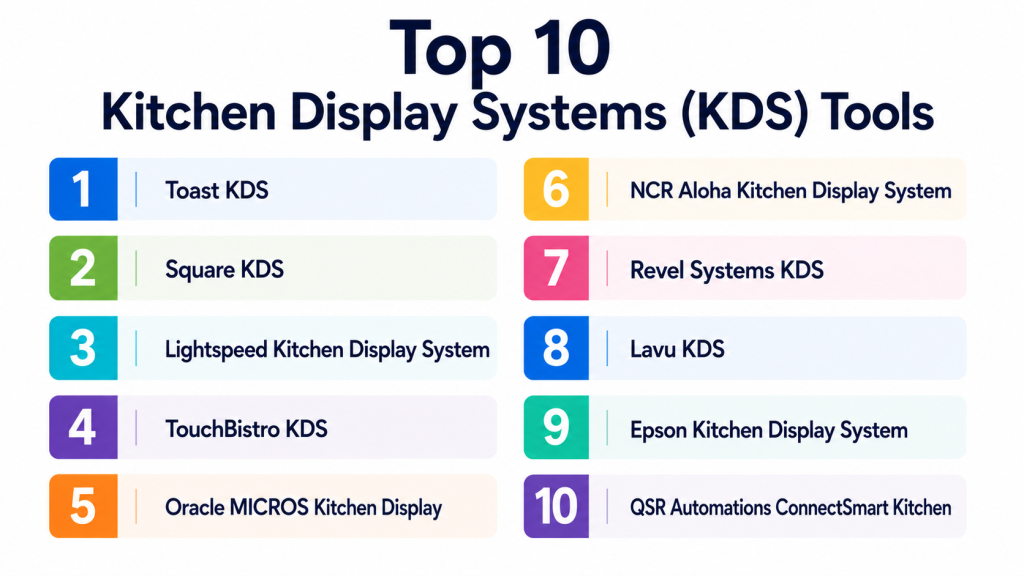
Top 10 Kitchen Display Systems (KDS) Tools
#1 — Toast KDS
Short description:
Toast KDS is a kitchen display system built for restaurants using the Toast ecosystem. It helps kitchen teams receive orders directly from Toast POS, organize items by station, track prep time, and improve communication between front-of-house and back-of-house teams. It is especially useful for restaurants that already use Toast for POS, payments, online ordering, and delivery workflows. Toast KDS is well suited for quick-service restaurants, full-service restaurants, cafes, and multi-location food businesses. Its strength is the tight connection between POS, ordering, and kitchen operations.
Key Features
- Direct Toast POS order flow.
- Kitchen station routing.
- Order timers and status tracking.
- Expo screen support.
- Online ordering integration.
- Real-time kitchen updates.
- Restaurant performance reporting.
Pros
- Strong fit for Toast users.
- Helps reduce paper tickets and kitchen confusion.
- Good for restaurants that want connected POS and kitchen workflows.
Cons
- Best suited inside the Toast ecosystem.
- May not be ideal for restaurants using another POS.
- Hardware and module costs should be reviewed carefully.
Platforms / Deployment
Web / Android-based restaurant hardware; Cloud deployment.
Security & Compliance
SSO/SAML, MFA, encryption, audit logs, RBAC, SOC 2, ISO 27001, GDPR, HIPAA: Not publicly stated.
Integrations & Ecosystem
Toast KDS works best within the Toast restaurant platform.
- Toast POS
- Toast Online Ordering
- Toast delivery workflows
- Kitchen station screens
- Restaurant reporting
- Guest and order management tools
Support & Community
Toast provides restaurant-focused onboarding, documentation, and support. Community strength is high among restaurant operators using Toast.
#2 — Square KDS
Short description:
Square KDS is a kitchen display solution for restaurants using Square for Restaurants or Square ordering tools. It helps kitchens receive orders, organize tickets, mark items as complete, and manage order preparation from digital screens. It is a practical option for small and mid-sized restaurants, cafes, food trucks, and quick-service businesses already using Square. Square KDS is easy to understand and works well for restaurants that want a simpler digital kitchen workflow. It is especially useful when restaurants want POS, payments, online ordering, and KDS in one ecosystem.
Key Features
- Digital kitchen ticket display.
- Order status tracking.
- Item and ticket completion.
- Integration with Square POS.
- Online order visibility.
- Prep-time tracking.
- Simple kitchen workflow.
Pros
- Easy to use for small restaurant teams.
- Good fit for Square-based restaurants.
- Helps replace paper tickets quickly.
Cons
- Best value is inside the Square ecosystem.
- May not fit complex enterprise kitchen workflows.
- Advanced routing needs should be validated.
Platforms / Deployment
iOS / Web-supported Square ecosystem; Cloud deployment.
Security & Compliance
SSO/SAML, MFA, encryption, audit logs, RBAC, SOC 2, ISO 27001, GDPR, HIPAA: Not publicly stated.
Integrations & Ecosystem
Square KDS connects with Square’s restaurant and payment tools.
- Square for Restaurants
- Square Online
- Square payments
- Order management
- Menu tools
- Customer and sales reporting
Support & Community
Square provides documentation, support resources, and a broad small-business community. It is well suited for teams that want simple setup and ongoing support.
#3 — Lightspeed Kitchen Display System
Short description:
Lightspeed Kitchen Display System supports restaurants using Lightspeed Restaurant for order management and kitchen coordination. It helps kitchen teams view orders by station, manage tickets, track preparation progress, and improve service timing. It is useful for restaurants, cafes, bars, and hospitality businesses that already use Lightspeed as their POS platform. Lightspeed KDS is especially relevant for cloud-based restaurant operations that need menu, table, order, and kitchen workflows connected. It can support both front-of-house and back-of-house visibility.
Key Features
- Kitchen order display.
- Station-based routing.
- Order status management.
- Ticket timing visibility.
- Integration with Lightspeed Restaurant.
- Cloud-based kitchen workflow.
- Multi-location reporting support.
Pros
- Good fit for Lightspeed Restaurant users.
- Helpful for table-service and hospitality environments.
- Cloud-based management improves visibility.
Cons
- Works best with Lightspeed ecosystem.
- May require setup for station routing.
- Hardware compatibility should be checked in advance.
Platforms / Deployment
Web / iOS-supported environment; Cloud deployment.
Security & Compliance
SSO/SAML, MFA, encryption, audit logs, RBAC, SOC 2, ISO 27001, GDPR, HIPAA: Not publicly stated.
Integrations & Ecosystem
Lightspeed KDS connects with restaurant and hospitality workflows.
- Lightspeed Restaurant POS
- Menu management
- Table service workflows
- Payments
- Reporting tools
- Online ordering integrations
Support & Community
Lightspeed provides onboarding, support, and documentation. Community strength is good among restaurants, hospitality businesses, and multi-location operators.
#4 — TouchBistro KDS
Short description:
TouchBistro KDS is designed for restaurants using TouchBistro POS. It helps kitchen teams receive digital orders, manage preparation, route items, and reduce paper ticket reliance. It is suitable for independent restaurants, cafes, bars, breweries, and food-service businesses that need a restaurant-focused system. TouchBistro KDS works well for table-service operations where staff take orders and send them directly to the kitchen. It is useful for improving order accuracy, prep flow, and communication between servers and kitchen staff.
Key Features
- Digital kitchen ticketing.
- Item and order routing.
- Order status updates.
- TouchBistro POS integration.
- Kitchen screen organization.
- Prep timing visibility.
- Support for restaurant workflows.
Pros
- Restaurant-specific and easy for staff to understand.
- Good for independent restaurants using TouchBistro.
- Helps reduce communication gaps between service and kitchen.
Cons
- Best suited for TouchBistro users.
- Advanced enterprise needs may require another system.
- Integration flexibility may be limited outside its ecosystem.
Platforms / Deployment
iOS-supported restaurant environment; Cloud-supported deployment.
Security & Compliance
SSO/SAML, MFA, encryption, audit logs, RBAC, SOC 2, ISO 27001, GDPR, HIPAA: Not publicly stated.
Integrations & Ecosystem
TouchBistro KDS works with restaurant operations tools.
- TouchBistro POS
- Menu management
- Table service workflows
- Payment tools
- Reporting
- Online ordering add-ons
Support & Community
TouchBistro offers restaurant-focused support and onboarding resources. Community strength is solid among independent restaurants.
#5 — Oracle MICROS Kitchen Display
Short description:
Oracle MICROS Kitchen Display solutions are designed for enterprise restaurants, hotels, casinos, stadiums, and large hospitality operations using Oracle MICROS systems. They help manage high-volume kitchen workflows, station routing, order timing, and operational consistency. This type of KDS is best suited for large organizations where kitchen performance, reliability, and integration with enterprise restaurant systems are critical. It can support complex menus, multi-station kitchens, and large hospitality environments. Oracle MICROS is generally more appropriate for enterprise operators than small independent restaurants.
Key Features
- Enterprise kitchen display workflows.
- Station and production routing.
- Order timing and status visibility.
- Integration with Oracle MICROS POS.
- Multi-location operational support.
- Hospitality and enterprise reporting.
- Kitchen production control.
Pros
- Strong fit for enterprise hospitality.
- Supports complex and high-volume kitchen environments.
- Good for centralized control across locations.
Cons
- Too complex for many small restaurants.
- Implementation may require specialist support.
- Cost and configuration should be reviewed carefully.
Platforms / Deployment
Windows / POS hardware / Web-supported tools; Cloud / Hybrid deployment may vary.
Security & Compliance
SSO/SAML, MFA, encryption, audit logs, RBAC, SOC 2, ISO 27001, GDPR, HIPAA: Not publicly stated.
Integrations & Ecosystem
Oracle MICROS KDS fits enterprise restaurant and hospitality systems.
- Oracle MICROS POS
- Hotel systems
- Payments
- Enterprise reporting
- Kitchen production tools
- Inventory and operational systems
Support & Community
Oracle provides enterprise support, implementation resources, and partner-led services. Community strength is high in enterprise hospitality and food-service operations.
#6 — NCR Aloha Kitchen Display System
Short description:
NCR Aloha Kitchen Display System is used by restaurants and food-service businesses that rely on NCR Aloha POS. It helps kitchens receive, route, and manage orders digitally. It is useful for quick-service restaurants, casual dining brands, bars, and multi-location chains that need reliable kitchen communication. NCR Aloha KDS is designed for high-volume restaurant environments where speed and consistency matter. It is a strong option for established restaurant operators already using NCR Aloha.
Key Features
- Kitchen order display.
- Station routing.
- Order timing and production tracking.
- Integration with NCR Aloha POS.
- High-volume restaurant support.
- Multi-location workflows.
- Operational reporting support.
Pros
- Good for established restaurant operations.
- Strong fit for NCR Aloha users.
- Supports high-volume kitchen workflows.
Cons
- May feel complex compared with newer tablet-based systems.
- Best suited inside NCR ecosystem.
- Implementation and support needs should be evaluated.
Platforms / Deployment
Windows / POS hardware / Web-supported tools; Cloud / Hybrid deployment may vary.
Security & Compliance
SSO/SAML, MFA, encryption, audit logs, RBAC, SOC 2, ISO 27001, GDPR, HIPAA: Not publicly stated.
Integrations & Ecosystem
NCR Aloha KDS connects with restaurant operations and POS workflows.
- NCR Aloha POS
- Payment systems
- Kitchen production tools
- Reporting systems
- Labor workflows
- Enterprise restaurant systems
Support & Community
NCR provides enterprise and restaurant-focused support resources. Community strength is strong among established restaurant operators.
#7 — Revel Systems KDS
Short description:
Revel Systems KDS works with Revel’s cloud POS platform to help restaurants manage kitchen orders, station routing, and preparation workflows. It is suitable for quick-service restaurants, cafes, pizza shops, and multi-location food businesses. Revel KDS helps improve kitchen speed by giving cooks and expos clear digital tickets. It is useful for operators that want cloud POS and kitchen management connected in one system. Revel is a good fit for restaurants that need more operational control than a basic POS setup.
Key Features
- Digital kitchen tickets.
- Station-based routing.
- Order progress tracking.
- Integration with Revel POS.
- Prep-time visibility.
- Multi-location support.
- Cloud reporting.
Pros
- Good for growing and multi-location restaurants.
- Cloud POS and KDS work together.
- Useful for high-volume quick-service workflows.
Cons
- Setup may require planning for routing and stations.
- Best suited for Revel POS users.
- Small restaurants may find it more than they need.
Platforms / Deployment
iOS / Web dashboard; Cloud deployment.
Security & Compliance
SSO/SAML, MFA, encryption, audit logs, RBAC, SOC 2, ISO 27001, GDPR, HIPAA: Not publicly stated.
Integrations & Ecosystem
Revel KDS connects with restaurant operational tools.
- Revel POS
- Online ordering
- Inventory tools
- Customer management
- Reporting
- Payment workflows
Support & Community
Revel offers onboarding and support resources. Community strength is moderate to strong among cloud POS restaurant users.
#8 — Lavu KDS
Short description:
Lavu KDS is a kitchen display solution for restaurants using Lavu POS. It helps kitchen teams receive orders, organize tickets, and improve communication from servers to cooks. It is practical for small and mid-sized restaurants, bars, cafes, and food trucks that want to move away from paper tickets. Lavu KDS is especially useful for iPad-based restaurant environments. It provides a straightforward kitchen workflow for businesses that need digital ticket management without heavy enterprise complexity.
Key Features
- Digital ticket display.
- Lavu POS integration.
- Order status management.
- Kitchen station support.
- Prep-time tracking.
- Paperless kitchen workflow.
- Simple screen-based interface.
Pros
- Good for small and mid-sized restaurants.
- Useful for iPad-based restaurant workflows.
- Helps reduce order communication errors.
Cons
- Best fit is inside the Lavu ecosystem.
- May not support advanced enterprise routing needs.
- Integration depth should be checked before purchase.
Platforms / Deployment
iOS / Web-supported environment; Cloud deployment.
Security & Compliance
SSO/SAML, MFA, encryption, audit logs, RBAC, SOC 2, ISO 27001, GDPR, HIPAA: Not publicly stated.
Integrations & Ecosystem
Lavu KDS supports common restaurant workflows.
- Lavu POS
- Menu management
- Payment tools
- Kitchen display workflows
- Reporting
- Online ordering where available
Support & Community
Lavu provides support and help resources. Community strength is moderate among small restaurant operators.
#9 — Epson Kitchen Display System
Short description:
Epson Kitchen Display System is a kitchen workflow solution often used with Epson’s restaurant printing and display ecosystem. It is useful for restaurants that want reliable kitchen hardware, order routing, and production visibility. Epson is well known in restaurant printing, and its KDS tools can support operations moving from printers to digital displays. The solution is relevant for restaurants that need robust kitchen hardware and flexible integration with POS environments. It can fit quick-service, casual dining, and multi-station kitchens.
Key Features
- Kitchen order display.
- Production station routing.
- Hardware-focused kitchen workflow.
- Integration with compatible POS systems.
- Order status visibility.
- Kitchen timing support.
- Paperless or hybrid kitchen operations.
Pros
- Strong hardware reputation in restaurant environments.
- Useful for printer-to-display transition.
- Can support durable kitchen operations.
Cons
- Integration depends on POS compatibility.
- Setup may require hardware and configuration planning.
- Software experience may vary by implementation.
Platforms / Deployment
Hardware-based / POS-integrated environment; Cloud / Hybrid deployment may vary.
Security & Compliance
SSO/SAML, MFA, encryption, audit logs, RBAC, SOC 2, ISO 27001, GDPR, HIPAA: Not publicly stated.
Integrations & Ecosystem
Epson KDS works best in hardware-integrated restaurant environments.
- POS systems
- Kitchen printers
- Display controllers
- Order routing workflows
- Restaurant hardware networks
- Production stations
Support & Community
Support depends on reseller, POS partner, and implementation model. Community strength is strong around Epson restaurant hardware.
#10 — QSR Automations ConnectSmart Kitchen
Short description:
QSR Automations ConnectSmart Kitchen is a kitchen automation and display solution designed for restaurants that need advanced kitchen coordination. It supports order routing, quote times, kitchen timing, production management, and operational visibility. It is especially useful for high-volume restaurants, casual dining chains, and businesses with complex kitchen workflows. ConnectSmart Kitchen is more advanced than basic KDS tools and focuses on improving speed, consistency, and kitchen intelligence. It is a strong fit for restaurants that view kitchen performance as a major operational priority.
Key Features
- Advanced kitchen display workflows.
- Order routing and production logic.
- Quote time management.
- Kitchen timing analytics.
- Expo and station coordination.
- Integration with restaurant systems.
- High-volume kitchen support.
Pros
- Strong for complex kitchen operations.
- Useful for high-volume and chain restaurants.
- Focuses deeply on kitchen performance and timing.
Cons
- May be too advanced for small restaurants.
- Implementation may require careful workflow mapping.
- Pricing and integration needs should be reviewed.
Platforms / Deployment
Windows / Web-supported restaurant environment; Cloud / Hybrid deployment may vary.
Security & Compliance
SSO/SAML, MFA, encryption, audit logs, RBAC, SOC 2, ISO 27001, GDPR, HIPAA: Not publicly stated.
Integrations & Ecosystem
ConnectSmart Kitchen connects with restaurant operations and POS workflows.
- POS systems
- Kitchen automation tools
- Restaurant reporting
- Expo workflows
- Order timing systems
- Multi-location operations
Support & Community
QSR Automations provides restaurant-focused support and implementation resources. Community strength is strong among operators with advanced kitchen workflow needs.
Comparison Table
| Tool Name | Best For | Platform(s) Supported | Deployment | Standout Feature | Public Rating |
|---|---|---|---|---|---|
| Toast KDS | Toast-based restaurants | Web / Android hardware | Cloud | POS-connected kitchen workflow | N/A |
| Square KDS | Small restaurants using Square | iOS / Web-supported | Cloud | Simple kitchen ticket display | N/A |
| Lightspeed Kitchen Display System | Hospitality and cloud POS users | Web / iOS | Cloud | Cloud-connected kitchen visibility | N/A |
| TouchBistro KDS | Independent restaurants | iOS | Cloud-supported | Restaurant-focused digital tickets | N/A |
| Oracle MICROS Kitchen Display | Enterprise hospitality | Windows / POS hardware / Web tools | Cloud / Hybrid varies | Enterprise kitchen production control | N/A |
| NCR Aloha KDS | Established restaurant operations | Windows / POS hardware / Web tools | Cloud / Hybrid varies | High-volume restaurant KDS | N/A |
| Revel Systems KDS | Multi-location restaurants | iOS / Web | Cloud | Cloud POS kitchen routing | N/A |
| Lavu KDS | Small and mid-sized restaurants | iOS / Web | Cloud | iPad-based kitchen workflow | N/A |
| Epson KDS | Hardware-focused kitchen operations | POS-integrated hardware | Cloud / Hybrid varies | Durable kitchen hardware ecosystem | N/A |
| ConnectSmart Kitchen | Complex high-volume kitchens | Windows / Web-supported | Cloud / Hybrid varies | Advanced kitchen automation | N/A |
Evaluation & Scoring of Kitchen Display Systems
| Tool Name | Core (25%) | Ease (15%) | Integrations (15%) | Security (10%) | Performance (10%) | Support (10%) | Value (15%) | Weighted Total (0–10) |
|---|---|---|---|---|---|---|---|---|
| Toast KDS | 9 | 8 | 9 | 7 | 8 | 8 | 8 | 8.25 |
| Square KDS | 7 | 9 | 8 | 7 | 8 | 8 | 9 | 8.00 |
| Lightspeed Kitchen Display System | 8 | 8 | 8 | 7 | 8 | 8 | 7 | 7.85 |
| TouchBistro KDS | 8 | 8 | 7 | 7 | 8 | 8 | 8 | 7.75 |
| Oracle MICROS Kitchen Display | 10 | 6 | 9 | 8 | 9 | 8 | 6 | 8.15 |
| NCR Aloha KDS | 9 | 6 | 8 | 8 | 9 | 8 | 7 | 7.95 |
| Revel Systems KDS | 8 | 7 | 8 | 7 | 8 | 8 | 7 | 7.65 |
| Lavu KDS | 7 | 8 | 7 | 7 | 7 | 7 | 8 | 7.35 |
| Epson KDS | 8 | 7 | 7 | 7 | 8 | 7 | 7 | 7.45 |
| ConnectSmart Kitchen | 9 | 6 | 8 | 8 | 9 | 8 | 7 | 7.95 |
These scores are comparative and should not be treated as universal rankings. A small cafe may prefer Square KDS or Lavu KDS because simplicity matters most. A restaurant already using Toast may get more value from Toast KDS than a standalone option. Enterprise kitchens may need Oracle MICROS, NCR Aloha, or ConnectSmart Kitchen because kitchen complexity is higher. Always test tools against real order volume, station routing, staff workflow, and POS compatibility.
Which Kitchen Display System Tool Is Right for You?
Solo / Freelancer
Solo food operators, food trucks, home chefs, and pop-up kitchens should keep the kitchen workflow simple. Square KDS, Lavu KDS, or a basic POS-connected display may be enough if order volume is manageable.
The main goal is to avoid missed orders, improve visibility, and keep prep organized. Complex routing, expo screens, and enterprise reporting may not be necessary at this stage.
SMB
Small and mid-sized restaurants should look for a KDS that works smoothly with their POS. Toast KDS, Square KDS, TouchBistro KDS, Lightspeed KDS, and Lavu KDS can be practical depending on the existing system.
SMBs should focus on order clarity, kitchen speed, staff training, station routing, screen durability, and online order visibility.
Mid-Market
Mid-market restaurant groups need stronger station routing, prep-time reporting, multi-location visibility, and better integration with online ordering. Toast KDS, Lightspeed KDS, Revel Systems KDS, Epson KDS, and ConnectSmart Kitchen are worth evaluating.
At this stage, the KDS should support consistency across kitchens, reduce delays, and give managers useful performance data.
Enterprise
Enterprise restaurants, hotels, stadiums, casinos, and large chains need reliable, scalable, and configurable kitchen display workflows. Oracle MICROS Kitchen Display, NCR Aloha KDS, and ConnectSmart Kitchen are stronger candidates for complex operations.
Enterprises should evaluate deployment model, hardware lifecycle, integration partners, reporting depth, support model, and the ability to standardize workflows across many locations.
Budget vs Premium
Budget-friendly systems are better for small restaurants that need basic digital tickets and simple kitchen visibility. Premium tools are better when kitchen speed, multi-station routing, analytics, and high-volume reliability directly affect revenue.
Do not compare only software cost. Also review screens, bump bars, mounts, kitchen hardware, network setup, POS compatibility, support, and replacement costs.
Feature Depth vs Ease of Use
Simple KDS tools are faster to train staff on and easier to operate during busy service. Advanced tools provide deeper routing, timing analytics, quote time logic, and production control but require more setup.
Choose ease of use when your kitchen is small. Choose feature depth when your kitchen has multiple stations, high order volume, and complex prep timing.
Integrations & Scalability
A KDS must connect properly with POS, online ordering, delivery channels, menu management, and reporting systems. Poor integration can create missing tickets, duplicate orders, and kitchen confusion.
Before buying, confirm whether the KDS works with your current POS and future ordering channels.
Security & Compliance Needs
KDS tools may not always handle sensitive payment data directly, but they still process operational, employee, and order information. Security matters because kitchen systems are part of the restaurant’s connected technology stack.
Ask vendors about user permissions, device security, network requirements, encryption, admin controls, and data retention. If details are not clearly confirmed, treat them as not publicly stated.
Frequently Asked Questions
1. What is a Kitchen Display System?
A Kitchen Display System is a digital screen system that shows restaurant orders in the kitchen. It replaces paper tickets and helps cooks, prep teams, and expos manage orders more clearly.
2. How does a KDS work with a POS system?
When staff enter an order into the POS, the KDS receives it and displays it on the correct kitchen screen. Items can be routed to stations such as grill, fryer, bar, dessert, or expo.
3. What pricing models are common for KDS tools?
Common pricing models include monthly software subscriptions, hardware costs, add-on fees, POS package pricing, implementation fees, and support costs. Restaurants should calculate total cost, not only the monthly software fee.
4. How long does KDS implementation take?
A small restaurant with one or two screens can often set up quickly. Larger restaurants with multiple stations, routing rules, online orders, and expo workflows may need more planning and testing.
5. What are common mistakes when choosing a KDS?
Common mistakes include ignoring POS compatibility, buying weak kitchen hardware, skipping staff training, failing to map kitchen stations, and not testing during real service conditions.
6. Can a KDS reduce order mistakes?
Yes, a KDS can reduce mistakes by showing clear tickets, routing items to correct stations, tracking order progress, and improving communication between servers and kitchen staff.
7. Does every restaurant need a KDS?
No. Very small restaurants with low order volume may work fine with paper tickets. A KDS becomes more useful when order volume grows, online orders increase, or the kitchen has multiple prep stations.
8. Can a KDS manage delivery and online orders?
Many modern KDS tools can show online, pickup, and delivery orders when connected to the right POS or ordering system. Restaurants should test whether all order channels appear correctly.
9. Is kitchen display hardware important?
Yes. Kitchen environments are hot, busy, and sometimes greasy or humid. Restaurants should choose reliable screens, mounts, bump bars, and network equipment suitable for kitchen use.
10. What are alternatives to Kitchen Display Systems?
Alternatives include paper tickets, kitchen printers, verbal order calls, POS order screens, or manual order boards. However, dedicated KDS tools are better for busy kitchens that need speed, tracking, and order visibility.
Conclusion
Kitchen Display Systems help restaurants improve kitchen communication, reduce order errors, increase prep visibility, and manage dine-in, takeaway, delivery, and online orders more efficiently. The best KDS depends on your restaurant type, POS system, order volume, kitchen layout, staff workflow, and budget. Small restaurants may prefer Square KDS, Lavu KDS, or TouchBistro KDS for simplicity. Toast users may benefit most from Toast KDS. Multi-location and enterprise restaurants may need Oracle MICROS Kitchen Display, NCR Aloha KDS, Revel Systems KDS, Epson KDS, or ConnectSmart Kitchen.
