Upgrade & Secure Your Future with DevOps, SRE, DevSecOps, MLOps!
We spend hours scrolling social media and waste money on things we forget, but won’t spend 30 minutes a day earning certifications that can change our lives.
Master in DevOps, SRE, DevSecOps & MLOps by DevOps School!
Learn from Guru Rajesh Kumar and double your salary in just one year.
Introduction
Outbound Dialer Software helps sales, support, collections, fundraising, appointment-setting, and contact center teams make outgoing calls faster and more efficiently. Instead of manually dialing every number, teams can use dialers to automate calling workflows, manage call queues, connect agents with live contacts, record calls, track outcomes, and sync conversation data with CRM or helpdesk systems.
In simple words, outbound dialer software helps teams reach more people in less time while keeping calling activity organized, measurable, and compliant. It is especially useful when teams need to contact leads, customers, prospects, patients, donors, or account holders at scale.
Common use cases include sales prospecting, lead follow-up, debt collection, customer reminders, appointment confirmation, renewal calls, political outreach, fundraising calls, and customer reactivation campaigns.
Buyers should evaluate:
- Dialing modes such as preview, power, progressive, and predictive dialing
- Call quality and regional coverage
- CRM and helpdesk integrations
- Call recording and monitoring
- Compliance and consent controls
- Agent productivity features
- Campaign and list management
- Reporting and analytics
- AI call summaries and coaching features
- Pricing, scalability, and support quality
Best for: sales teams, call centers, BPOs, customer support teams, collections teams, appointment-setting teams, fundraising teams, insurance teams, healthcare outreach teams, and businesses that run structured outbound calling campaigns.
Not ideal for: very small teams making only a few calls per day. In such cases, a basic business phone system, CRM calling feature, or manual calling workflow may be enough.
Key Trends in Outbound Dialer Software
- AI-assisted calling workflows: Outbound dialers are increasingly adding AI features for call summaries, disposition suggestions, sentiment analysis, coaching notes, and conversation insights.
- Compliance-aware dialing: Businesses are paying closer attention to consent, call recording laws, opt-outs, local calling rules, and do-not-call controls.
- CRM-first calling: Sales and service teams want outbound dialers tightly connected with CRM records, lead status, customer history, and follow-up tasks.
- Predictive and progressive dialing optimization: Teams are using smarter dialing modes to balance agent productivity with customer experience and compliance expectations.
- Remote outbound teams: Cloud-based dialers make it easier for distributed agents to work from anywhere with browser-based calling, dashboards, and supervisor monitoring.
- Omnichannel outreach: Outbound calling is increasingly combined with SMS, email, voicemail drops, WhatsApp-style messaging, and sales engagement sequences.
- Quality management and coaching: Call recording, live monitoring, call scoring, and coaching workflows are becoming important for improving agent performance.
- Real-time campaign analytics: Managers want dashboards showing connect rates, answer rates, conversion rates, call outcomes, agent activity, and campaign performance.
- Local presence and number management: Many outbound teams use local numbers, number rotation, and caller ID management to improve answer rates while staying compliant.
- Workflow automation: Outbound dialers are connecting with sales engagement, ticketing, billing, and customer success systems to automate follow-ups and reduce manual work.
How We Selected These Tools
The top Outbound Dialer Software platforms in this guide were selected using a practical evaluation model focused on calling efficiency, compliance readiness, usability, and business fit. The selection considered:
- Market adoption and recognition among sales, support, BPO, and contact center teams
- Feature completeness across dialing modes, campaign management, recording, monitoring, and analytics
- Fit for SMBs, mid-market teams, enterprises, and high-volume outbound operations
- Ease of use for agents, managers, supervisors, and administrators
- Integration ecosystem with CRM, helpdesk, sales engagement, and productivity tools
- Security posture signals such as access controls, permissions, auditability, and data protection
- Call reliability, regional calling support, and performance visibility
- AI, automation, voicemail, disposition, and coaching capabilities
- Compliance-related features such as opt-out management and call recording controls
- Practical trade-offs such as pricing, implementation effort, training, and dialing governance
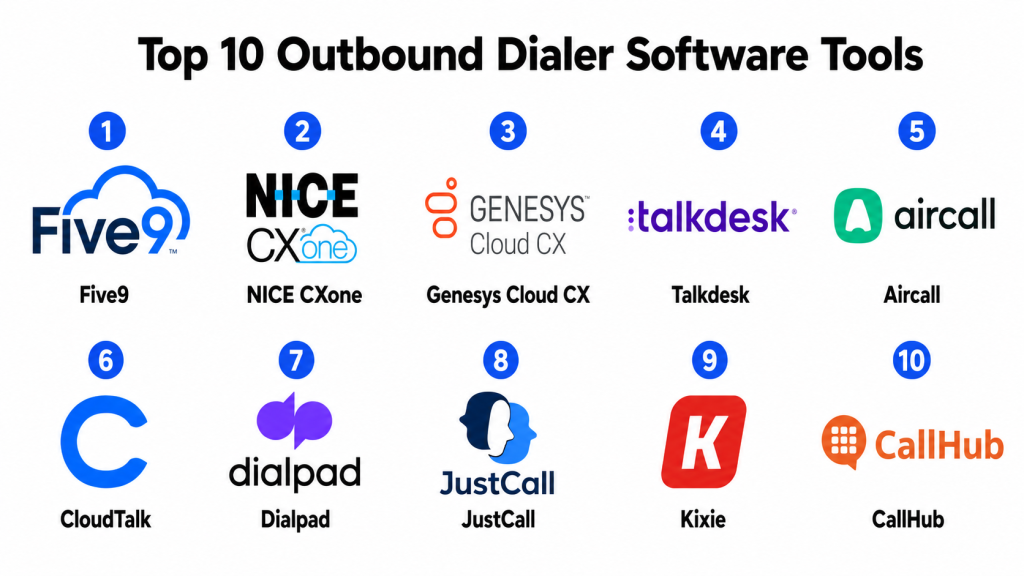
Top 10 Outbound Dialer Software Tools
#1 — Five9
Short description: Five9 is a cloud contact center platform with strong outbound dialing capabilities for sales, collections, customer service, and enterprise contact centers. It supports multiple dialing modes, campaign management, analytics, and workforce supervision.
Key Features
- Predictive, progressive, preview, and power dialing options
- Outbound campaign management
- Call recording and monitoring
- IVR and call routing
- Agent desktop and supervisor tools
- CRM and contact center integrations
- Analytics and performance dashboards
Pros
- Strong fit for enterprise and high-volume outbound calling.
- Supports multiple dialing strategies for different campaign types.
- Good contact center depth beyond outbound calls.
Cons
- May be more complex than small teams need.
- Implementation requires planning and dialing policy setup.
- Pricing and packaging should be reviewed carefully.
Platforms / Deployment
Web
Cloud
Security & Compliance
Supports common enterprise security expectations such as role-based access, user permissions, data protection, audit-related controls, and identity options. Specific compliance details should be validated during procurement.
Integrations & Ecosystem
Five9 integrates with CRM, workforce management, customer service, and analytics platforms to support structured outbound operations.
- CRM platforms
- Helpdesk systems
- Workforce management tools
- Quality management systems
- Analytics dashboards
- Customer data workflows
Support & Community
Five9 provides documentation, customer support, onboarding resources, implementation services, and enterprise contact center guidance. It is widely recognized in the contact center market.
#2 — NICE CXone
Short description: NICE CXone is a cloud contact center platform with outbound dialing, workforce management, quality management, omnichannel engagement, analytics, and automation. It is best suited for larger organizations with complex outbound and inbound operations.
Key Features
- Predictive and progressive dialing capabilities
- Outbound campaign management
- Workforce management and forecasting
- Call recording and quality monitoring
- Omnichannel engagement support
- AI and analytics capabilities
- Supervisor dashboards and reporting
Pros
- Strong enterprise contact center and workforce capabilities.
- Good fit for large outbound teams with quality and compliance needs.
- Useful for organizations combining inbound and outbound operations.
Cons
- May be too advanced for small outbound teams.
- Setup can require expert configuration and process planning.
- Buyers should carefully evaluate package complexity and cost.
Platforms / Deployment
Web
Cloud
Security & Compliance
Supports common enterprise security controls such as permissions, access management, data protection, auditability, and identity-related options. Specific compliance details should be confirmed during procurement.
Integrations & Ecosystem
NICE CXone connects with contact center, CRM, workforce, quality management, and customer experience systems.
- CRM platforms
- Workforce optimization tools
- Helpdesk systems
- Analytics platforms
- Quality management workflows
- Customer engagement channels
Support & Community
NICE provides documentation, customer support, enterprise services, training, and implementation resources. It is well suited for mature contact center operations.
#3 — Genesys Cloud CX
Short description: Genesys Cloud CX is a cloud-based customer experience and contact center platform with outbound dialing, routing, workforce engagement, analytics, AI, and omnichannel workflows. It is suitable for enterprises and complex customer engagement operations.
Key Features
- Outbound dialing and campaign management
- Intelligent routing
- Voice and digital engagement
- IVR and self-service workflows
- Workforce engagement tools
- Customer journey analytics
- Supervisor reporting and dashboards
Pros
- Strong fit for enterprise customer experience operations.
- Useful for blended inbound and outbound contact centers.
- Good analytics and customer journey visibility.
Cons
- May require careful implementation planning.
- Can be more complex than simpler dialer tools.
- Full value depends on strong data and process maturity.
Platforms / Deployment
Web
Cloud
Security & Compliance
Supports enterprise security expectations such as access controls, identity integrations, encryption, permissions, and audit-related features. Specific compliance details should be verified during vendor review.
Integrations & Ecosystem
Genesys Cloud CX integrates with CRM, workforce, analytics, customer data, and service systems.
- CRM systems
- Workforce management tools
- Customer data platforms
- Helpdesk systems
- Analytics tools
- Digital engagement channels
Support & Community
Genesys provides enterprise support, documentation, implementation resources, training, and partner services. It is strong for organizations with large-scale contact center needs.
#4 — Talkdesk
Short description: Talkdesk is a cloud contact center platform with outbound calling, routing, AI-assisted workflows, analytics, and CRM integrations. It is useful for mid-market and enterprise teams that want a modern cloud-based outbound and customer service solution.
Key Features
- Outbound calling and campaign workflows
- Intelligent routing and IVR
- Call recording and monitoring
- AI-assisted agent productivity features
- CRM and helpdesk integrations
- Analytics and dashboards
- Omnichannel customer engagement options
Pros
- Modern cloud-first interface.
- Good fit for growing support and sales teams.
- Strong integration options with customer service systems.
Cons
- Advanced capabilities may require higher packages.
- Setup quality affects automation and reporting value.
- Buyers should validate dialing modes and campaign needs.
Platforms / Deployment
Web
Cloud
Security & Compliance
Supports common business security features such as role-based permissions, identity options, data protection, and admin controls. Specific compliance details should be validated with the vendor.
Integrations & Ecosystem
Talkdesk integrates with CRM, support, productivity, and customer engagement tools.
- CRM systems
- Helpdesk platforms
- Workforce tools
- Analytics systems
- Customer data workflows
- Productivity apps
Support & Community
Talkdesk provides support resources, documentation, onboarding services, customer success guidance, and contact center best-practice content.
#5 — Aircall
Short description: Aircall is a cloud-based phone and outbound calling platform for sales and support teams. It is especially useful for SMB and mid-market teams that need quick setup, CRM-connected calling, call recording, and team analytics.
Key Features
- Outbound calling and power dialing workflows
- Call routing and queues
- Call recording
- Shared call inbox
- CRM and helpdesk integrations
- Team analytics
- Call tagging and notes
Pros
- Easy to set up and use.
- Strong CRM and sales tool integrations.
- Good for SMB sales and support teams.
Cons
- May not match enterprise predictive dialer depth.
- Advanced workforce management may require other tools.
- High-volume outbound teams should validate dialing limits and performance.
Platforms / Deployment
Web / Windows / macOS / iOS / Android
Cloud
Security & Compliance
Supports common business security features such as account controls, user permissions, and data protection options. Specific compliance details should be verified during vendor review.
Integrations & Ecosystem
Aircall integrates with many CRM, sales, helpdesk, and productivity platforms to support outbound calling workflows.
- CRM platforms
- Helpdesk systems
- Sales engagement tools
- Productivity apps
- Reporting workflows
- Customer support tools
Support & Community
Aircall provides documentation, onboarding resources, support options, and practical guidance for sales and support calling teams.
#6 — CloudTalk
Short description: CloudTalk is a cloud call center software platform for sales and support teams. It provides outbound calling, routing, call recording, analytics, CRM integrations, and international calling support.
Key Features
- Outbound calling and call campaigns
- Power dialing capabilities
- Call routing and IVR
- Call recording and monitoring
- Agent analytics
- CRM integrations
- International number support
Pros
- Practical option for SMB and mid-market outbound teams.
- Good call routing and analytics features.
- Useful for sales and support operations across regions.
Cons
- May not fit very complex enterprise dialing operations.
- Advanced features may depend on selected plan.
- Call quality and coverage should be tested in target regions.
Platforms / Deployment
Web / Windows / macOS / iOS / Android
Cloud
Security & Compliance
Supports common security controls such as account permissions, access management, and data protection features. Specific compliance details should be validated during procurement.
Integrations & Ecosystem
CloudTalk connects with CRM, helpdesk, sales, and business productivity tools.
- CRM tools
- Helpdesk platforms
- Sales platforms
- Productivity apps
- Reporting tools
- Customer communication workflows
Support & Community
CloudTalk provides support resources, documentation, onboarding help, and guidance for cloud calling and outbound call center setup.
#7 — Dialpad
Short description: Dialpad is a cloud communication and contact center platform with outbound calling, AI transcription, call summaries, coaching, analytics, and CRM integrations. It is useful for sales, support, and remote teams that want AI-assisted calling workflows.
Key Features
- Outbound calling and contact center workflows
- AI-powered call transcription
- Call summaries and action items
- Call routing and queues
- Agent coaching features
- CRM integrations
- Analytics and reporting
Pros
- Strong AI-assisted call insights.
- Useful for distributed sales and support teams.
- Combines calling, messaging, meetings, and contact center workflows.
Cons
- Buyers should validate dialing depth for high-volume campaigns.
- Best value depends on communication workflow needs.
- Call quality should be tested in target regions.
Platforms / Deployment
Web / Windows / macOS / iOS / Android
Cloud
Security & Compliance
Supports common security expectations such as access controls, encryption options, permissions, admin settings, and identity-related features depending on plan and configuration.
Integrations & Ecosystem
Dialpad integrates with CRM, support, productivity, and communication workflows.
- CRM platforms
- Helpdesk systems
- Productivity tools
- Calendar apps
- Sales workflows
- Customer support workflows
Support & Community
Dialpad provides documentation, support resources, onboarding guidance, and customer success materials. It is suitable for teams wanting AI-assisted business communication.
#8 — JustCall
Short description: JustCall is a cloud phone and sales dialer platform for sales, support, and customer-facing teams. It supports outbound calling, SMS, call recording, CRM integrations, and sales productivity workflows.
Key Features
- Outbound calling and dialer workflows
- SMS and messaging support
- Call recording and monitoring
- CRM integrations
- Call tracking and analytics
- Team collaboration features
- Automation workflows
Pros
- Good for SMB sales and support outreach.
- Combines calling and SMS workflows.
- Strong fit for teams needing CRM-connected communication.
Cons
- May not match deep enterprise contact center suites.
- Advanced dialing and compliance needs should be validated.
- Setup quality affects reporting and automation results.
Platforms / Deployment
Web / Windows / macOS / iOS / Android
Cloud
Security & Compliance
Supports common account security, permissions, and data protection features. Specific compliance details should be verified during procurement.
Integrations & Ecosystem
JustCall integrates with CRM, helpdesk, sales, and productivity systems to support outbound outreach.
- CRM platforms
- Helpdesk systems
- Sales engagement tools
- Productivity apps
- SMS workflows
- Reporting dashboards
Support & Community
JustCall provides support resources, documentation, onboarding materials, and guidance for sales and support communication workflows.
#9 — Kixie
Short description: Kixie is a sales engagement and outbound calling platform focused on power dialing, click-to-call, call tracking, voicemail drops, SMS, and CRM-based sales workflows. It is useful for sales teams that need high-activity outbound calling.
Key Features
- Power dialing
- Click-to-call
- Voicemail drop
- SMS and call workflows
- CRM integration
- Call recording and tracking
- Sales performance analytics
Pros
- Strong for sales teams focused on outbound productivity.
- Useful CRM-connected calling workflows.
- Helps reduce manual dialing and repetitive call tasks.
Cons
- May be more sales-focused than support-focused.
- Enterprise contact center depth may be limited.
- Buyers should validate compliance and regional calling needs.
Platforms / Deployment
Web / browser-based workflows
Cloud
Security & Compliance
Supports common user access and account security features. Specific compliance details should be validated with the vendor based on calling region and use case.
Integrations & Ecosystem
Kixie is designed to work closely with CRM and sales engagement workflows.
- CRM platforms
- Sales tools
- SMS workflows
- Call tracking systems
- Reporting dashboards
- Productivity workflows
Support & Community
Kixie provides documentation, support resources, onboarding guidance, and sales calling enablement materials.
#10 — CallHub
Short description: CallHub is an outbound calling and texting platform often used for campaigns, nonprofits, advocacy, political outreach, volunteer calling, and high-volume communication. It supports calling campaigns, phone banking, SMS, and outreach workflows.
Key Features
- Outbound calling campaigns
- Predictive and power dialing options
- Phone banking workflows
- SMS outreach
- Volunteer and agent management
- Call scripts and surveys
- Campaign analytics
Pros
- Strong fit for nonprofit, advocacy, and campaign outreach.
- Supports calling and texting together.
- Useful for volunteer-based outbound programs.
Cons
- May not fit traditional enterprise contact center needs.
- CRM and workflow depth should be validated.
- Compliance requirements depend heavily on campaign type and region.
Platforms / Deployment
Web
Cloud
Security & Compliance
Supports common campaign access and communication controls. Specific compliance details should be reviewed carefully based on calling region, consent rules, and outreach type.
Integrations & Ecosystem
CallHub supports campaign, nonprofit, advocacy, and outreach workflows.
- CRM and donor systems
- Campaign management tools
- SMS workflows
- Volunteer management processes
- Reporting dashboards
- Outreach automation workflows
Support & Community
CallHub provides documentation, support resources, onboarding guidance, and campaign outreach materials. It is useful for organizations running structured calling and texting campaigns.
Comparison Table
| Tool Name | Best For | Platform(s) Supported | Deployment | Standout Feature | Public Rating |
|---|---|---|---|---|---|
| Five9 | Enterprise outbound and blended contact centers | Web | Cloud | Predictive dialing and contact center depth | N/A |
| NICE CXone | Large outbound teams with workforce needs | Web | Cloud | Workforce, quality, and outbound campaign management | N/A |
| Genesys Cloud CX | Enterprise customer engagement operations | Web | Cloud | Outbound dialing with omnichannel journey management | N/A |
| Talkdesk | Modern cloud contact center teams | Web | Cloud | Cloud-first outbound calling with AI and integrations | N/A |
| Aircall | SMB sales and support outbound calling | Web, Windows, macOS, iOS, Android | Cloud | Easy CRM-connected calling | N/A |
| CloudTalk | SMB and mid-market outbound operations | Web, Windows, macOS, iOS, Android | Cloud | Power dialing and regional calling support | N/A |
| Dialpad | AI-assisted sales and support calling | Web, Windows, macOS, iOS, Android | Cloud | AI call summaries and coaching | N/A |
| JustCall | Sales outreach with calling and SMS | Web, Windows, macOS, iOS, Android | Cloud | Call and SMS workflows for sales teams | N/A |
| Kixie | High-activity sales dialing | Web / browser-based workflows | Cloud | Power dialing and voicemail drops | N/A |
| CallHub | Campaign, nonprofit, and advocacy outreach | Web | Cloud | Phone banking, SMS, and campaign calling | N/A |
Evaluation & Scoring of Outbound Dialer Software
| Tool Name | Core (25%) | Ease (15%) | Integrations (15%) | Security (10%) | Performance (10%) | Support (10%) | Value (15%) | Weighted Total (0–10) |
|---|---|---|---|---|---|---|---|---|
| Five9 | 9.4 | 7.7 | 9.0 | 8.8 | 9.0 | 8.7 | 7.8 | 8.67 |
| NICE CXone | 9.3 | 7.4 | 8.8 | 9.0 | 9.0 | 8.7 | 7.5 | 8.56 |
| Genesys Cloud CX | 9.2 | 7.5 | 9.0 | 9.0 | 8.8 | 8.7 | 7.5 | 8.55 |
| Talkdesk | 8.7 | 8.3 | 8.7 | 8.5 | 8.6 | 8.4 | 8.0 | 8.49 |
| Aircall | 8.2 | 9.0 | 8.8 | 8.0 | 8.4 | 8.2 | 8.5 | 8.47 |
| CloudTalk | 8.2 | 8.7 | 8.5 | 8.0 | 8.3 | 8.0 | 8.5 | 8.36 |
| Dialpad | 8.5 | 8.5 | 8.5 | 8.4 | 8.6 | 8.3 | 8.2 | 8.45 |
| JustCall | 8.0 | 8.8 | 8.6 | 8.0 | 8.3 | 8.0 | 8.5 | 8.34 |
| Kixie | 8.0 | 8.6 | 8.5 | 7.8 | 8.2 | 7.8 | 8.4 | 8.25 |
| CallHub | 8.0 | 8.2 | 7.8 | 7.8 | 8.0 | 8.0 | 8.6 | 8.10 |
These scores are comparative and should be used as a shortlisting guide. A higher score does not mean the tool is best for every outbound team. Five9, NICE CXone, and Genesys Cloud CX are better suited for large contact centers, while Aircall, CloudTalk, JustCall, and Kixie may be more practical for SMB sales teams. Buyers should validate dialing modes, call quality, regional rules, CRM integrations, compliance controls, and pricing before making a final decision.
Which Outbound Dialer Software Tool Is Right for You?
Solo / Freelancer
Solo professionals usually do not need full outbound dialer software unless they make frequent sales, follow-up, or appointment-setting calls. A CRM calling feature, mobile phone, or simple business phone system may be enough.
If a solo consultant or small agency handles structured outbound outreach, Aircall, JustCall, CloudTalk, or Kixie may be useful because they are easier to adopt than enterprise contact center platforms.
SMB
Small and medium businesses should focus on easy setup, CRM integration, call recording, power dialing, basic analytics, and affordable pricing. Aircall, CloudTalk, JustCall, Kixie, and Dialpad are strong options.
If the team needs calling plus SMS, JustCall can be practical. If the team needs simple CRM-connected calling, Aircall is a strong choice. If sales productivity is the main goal, Kixie may fit well.
Mid-Market
Mid-market companies usually need stronger campaign management, supervisor dashboards, call monitoring, reporting, automation, and CRM synchronization. Talkdesk, Dialpad, CloudTalk, Aircall, and JustCall can be good options depending on call volume.
If AI call summaries and coaching are important, Dialpad is worth evaluating. If the team needs modern contact center workflows, Talkdesk may be more suitable.
Enterprise
Enterprise outbound operations need predictive dialing, workforce tools, quality management, advanced reporting, compliance controls, identity management, and scalable calling infrastructure. Five9, NICE CXone, Genesys Cloud CX, and Talkdesk are strong starting points.
Five9 is strong for enterprise outbound and blended contact centers. NICE CXone is useful when workforce management and quality controls matter. Genesys Cloud CX is strong for complex customer engagement operations.
Budget vs Premium
Budget-conscious teams should consider Aircall, CloudTalk, JustCall, Kixie, or CallHub depending on the use case. These tools can be practical for sales outreach, support follow-up, or campaign calling without heavy enterprise complexity.
Premium buyers should evaluate Five9, NICE CXone, Genesys Cloud CX, and Talkdesk if they need advanced dialing modes, compliance controls, workforce management, and enterprise support.
Feature Depth vs Ease of Use
Enterprise platforms such as Five9, NICE CXone, and Genesys Cloud CX offer deeper outbound and contact center capabilities, but they require more planning and administration. Tools like Aircall, CloudTalk, JustCall, and Kixie are easier to adopt but may not support every complex enterprise requirement.
The right choice depends on whether your team needs simple outbound calling, structured sales outreach, high-volume campaign dialing, or full contact center operations.
Integrations & Scalability
Outbound dialer software becomes more valuable when connected with CRM, sales engagement tools, helpdesk platforms, billing systems, customer data tools, and analytics dashboards. Integrations reduce manual data entry and help agents see customer context before making calls.
Before choosing a platform, map your outbound workflow. Sales teams may need CRM task automation, while collections or campaign teams may need list management, disposition tracking, and reporting controls.
Security & Compliance Needs
Outbound dialers may store customer phone numbers, call recordings, notes, scripts, account details, payment discussions, and sales conversations. Buyers should review access controls, encryption, call recording permissions, audit logs, retention policies, and admin controls.
Compliance is especially important for outbound calling because rules vary by region and use case. Teams should review consent, opt-outs, caller ID rules, do-not-call practices, call recording notices, and campaign governance before launch.
Frequently Asked Questions
1. What is outbound dialer software?
Outbound dialer software helps teams make outgoing calls more efficiently. It can automate dialing, manage call lists, route live answers to agents, record calls, track outcomes, and sync activity with CRM systems.
2. What is the difference between a power dialer and a predictive dialer?
A power dialer calls one number after another for an agent. A predictive dialer uses algorithms to dial multiple numbers and connect agents only when someone answers. Predictive dialing is better for high-volume teams but requires stronger compliance controls.
3. Who uses outbound dialer software?
Sales teams, contact centers, BPOs, collections teams, customer support teams, appointment-setting teams, fundraising teams, advocacy groups, healthcare outreach teams, and renewal teams use outbound dialers.
4. How much does outbound dialer software cost?
Pricing varies by vendor, number of users, calling volume, phone numbers, regions, dialing modes, integrations, and support level. Enterprise platforms often use custom pricing.
5. What features should I look for first?
Start with dialing modes, call recording, CRM integration, call quality, campaign management, reporting, call dispositions, compliance controls, and supervisor monitoring.
6. Can outbound dialers integrate with CRM tools?
Yes, many outbound dialers integrate with CRM platforms. This helps agents see lead history, log calls automatically, update records, create tasks, and track sales or support outcomes.
7. What are common outbound dialer implementation mistakes?
Common mistakes include poor list quality, unclear call scripts, weak CRM integration, ignoring compliance rules, using the wrong dialing mode, and not training agents on call outcomes and dispositions.
8. Is predictive dialing suitable for every team?
No. Predictive dialing is best for high-volume calling environments with enough agents and proper compliance controls. Smaller teams may be better served by preview, power, or progressive dialing.
9. Which outbound dialer is best for small businesses?
Aircall, CloudTalk, JustCall, Kixie, and Dialpad are practical options for small businesses. The best choice depends on CRM needs, sales process, calling volume, and budget.
10. Which outbound dialer is best for enterprises?
Five9, NICE CXone, Genesys Cloud CX, and Talkdesk are strong enterprise options. Enterprise buyers should validate predictive dialing, compliance tools, reporting, workforce management, and integration dept
Conclusion
Outbound Dialer Software helps teams improve calling productivity, reduce manual dialing, manage campaigns, track outcomes, and connect conversations with CRM or customer systems. The right platform depends on call volume, team size, compliance needs, dialing mode, CRM stack, regional coverage, and whether the business needs simple sales dialing or full enterprise contact center operations.
