Upgrade & Secure Your Future with DevOps, SRE, DevSecOps, MLOps!
We spend hours scrolling social media and waste money on things we forget, but won’t spend 30 minutes a day earning certifications that can change our lives.
Master in DevOps, SRE, DevSecOps & MLOps by DevOps School!
Learn from Guru Rajesh Kumar and double your salary in just one year.
Introduction
Restaurant Management Systems help restaurants manage daily operations from one place. In simple terms, these tools combine POS, order taking, payments, table management, inventory, staff management, online ordering, reporting, customer data, and sometimes marketing or loyalty features.
They matter now because restaurants need faster service, better cost control, smoother online ordering, stronger guest experience, and real-time visibility across dine-in, takeaway, delivery, and multi-location operations.
Common use cases include:
- Managing dine-in, takeaway, and delivery orders.
- Tracking sales, inventory, and staff performance.
- Accepting payments and splitting bills.
- Managing menus, tables, reservations, and kitchen workflows.
- Connecting loyalty, marketing, accounting, and delivery systems.
Buyers should evaluate:
- POS reliability
- Ease of use for staff
- Inventory and menu management
- Online ordering support
- Reporting and analytics
- Payment flexibility
- Integrations
- Multi-location support
- Security controls
- Pricing and hardware costs
Best for: restaurants, cafes, bars, cloud kitchens, food trucks, QSR chains, fine-dining restaurants, franchise operators, and hospitality businesses.
Not ideal for: very small food businesses that only need a basic payment app, restaurants with no digital ordering needs, or businesses that prefer manual billing and simple accounting only.
Key Trends in Restaurant Management Systems
- AI-assisted restaurant operations: More platforms are adding forecasting, smart reports, demand prediction, and labor planning support.
- Cloud POS adoption: Restaurants are moving away from heavy legacy systems toward cloud-based POS and centralized dashboards.
- Integrated online ordering: Restaurants want online ordering, delivery, pickup, and dine-in orders managed from one system.
- Kitchen automation: KDS, order routing, prep timing, and production visibility are becoming more important.
- Omnichannel guest profiles: Restaurants want to connect in-store, app, delivery, loyalty, and reservation data.
- Mobile-first staff workflows: Tableside ordering, handheld POS, and mobile payments are becoming standard.
- Inventory and cost control: Food cost visibility, recipe tracking, and waste reduction are key priorities.
- Loyalty and guest retention: Restaurants are using rewards, gift cards, SMS, email, and CRM tools to increase repeat visits.
- Security and payment compliance: Payment security, user permissions, and audit controls are becoming more important.
- Multi-location visibility: Restaurant groups need centralized menus, pricing, reporting, and performance dashboards.
How We Selected These Tools
The tools below were selected using practical restaurant technology evaluation criteria:
- Market adoption and recognition in restaurant operations.
- POS reliability and order management depth.
- Support for dine-in, takeaway, delivery, and online ordering.
- Inventory, staff, menu, and reporting capabilities.
- Fit for small restaurants, growing brands, and enterprise chains.
- Payment processing and hardware ecosystem strength.
- Integration ecosystem with accounting, delivery, loyalty, and marketing tools.
- Support and onboarding resources.
- Multi-location and franchise management capability.
- Overall value for restaurant operators.
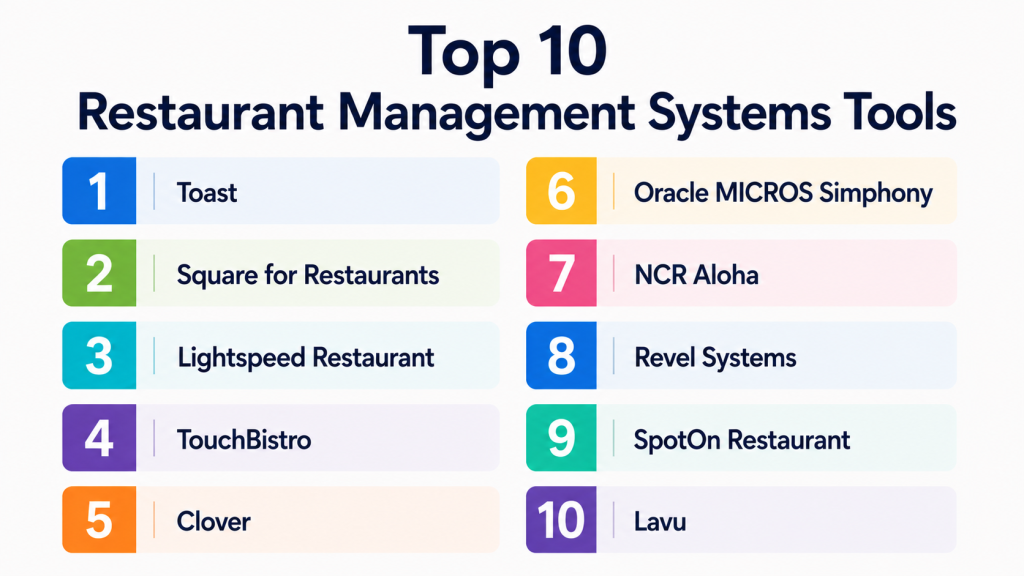
Top 10 Restaurant Management Systems Tools
#1 — Toast
Short description:
Toast is a restaurant management platform built specifically for food-service businesses. It supports POS, payments, online ordering, delivery, payroll-related workflows, inventory, reporting, loyalty, and guest engagement. Toast is widely used by restaurants, cafes, bars, and multi-location food businesses. It is especially useful for operators that want one connected system for front-of-house and back-of-house operations. Toast is a strong fit for restaurants that want restaurant-specific hardware, software, and payment workflows together.
Key Features
- Restaurant POS system.
- Online ordering and delivery tools.
- Kitchen display system support.
- Menu and order management.
- Payments and tipping workflows.
- Reporting and analytics.
- Loyalty and gift card options.
Pros
- Built specifically for restaurants.
- Strong ecosystem for POS, payments, and operations.
- Good fit for multi-location food businesses.
Cons
- Businesses should review hardware and payment costs carefully.
- May be more system than very small restaurants need.
- Some advanced features may require add-ons.
Platforms / Deployment
Web / Android-based POS hardware; Cloud deployment.
Security & Compliance
Payment security controls vary by setup. SSO/SAML, MFA, encryption, audit logs, RBAC, SOC 2, ISO 27001, GDPR, HIPAA: Not publicly stated.
Integrations & Ecosystem
Toast has a strong restaurant ecosystem.
- Accounting tools
- Online ordering
- Delivery workflows
- Loyalty programs
- Payroll-related tools
- Restaurant reporting systems
Support & Community
Toast provides onboarding, support, documentation, and restaurant-focused resources. Community strength is high among restaurant operators.
#2 — Square for Restaurants
Short description:
Square for Restaurants is a restaurant POS and management system designed for cafes, quick-service restaurants, bars, food trucks, and small to mid-sized restaurants. It helps businesses manage orders, payments, menus, tables, staff, and reporting. Square is especially useful for restaurants already using Square payments or Square hardware. It provides a relatively simple and accessible option for restaurant owners who want fast setup and a clean interface. It works well for businesses that want payments and POS tightly connected.
Key Features
- Restaurant POS.
- Table and menu management.
- Payment processing.
- Online ordering options.
- Staff and shift tools.
- Sales reporting.
- Customer and loyalty tools.
Pros
- Easy to use and quick to set up.
- Strong fit for small and growing restaurants.
- Works well inside the Square ecosystem.
Cons
- May be less flexible for complex enterprise restaurants.
- Best value often comes when using Square payments.
- Some advanced features may require paid plans or add-ons.
Platforms / Deployment
Web / iOS / Android; Cloud deployment.
Security & Compliance
Payment security controls vary by setup. SSO/SAML, MFA, encryption, audit logs, RBAC, SOC 2, ISO 27001, GDPR, HIPAA: Not publicly stated.
Integrations & Ecosystem
Square has a broad small-business ecosystem.
- Square Payments
- Square Online
- Accounting tools
- Loyalty tools
- Gift cards
- Delivery and ordering integrations
Support & Community
Square offers documentation, help resources, and support options. Community strength is high among small businesses and restaurants.
#3 — Lightspeed Restaurant
Short description:
Lightspeed Restaurant is a cloud-based restaurant management and POS platform for restaurants, cafes, hotels, bars, and hospitality businesses. It supports table service, ordering, payments, inventory, reporting, and integrations. Lightspeed is useful for restaurants that need flexible operations across dine-in, takeaway, and delivery. It is also a good fit for businesses that want stronger reporting and multi-location visibility. The platform works well for modern restaurants looking for a cloud POS with hospitality-focused workflows.
Key Features
- Cloud restaurant POS.
- Tableside ordering.
- Menu management.
- Inventory support.
- Payments integration.
- Reporting and analytics.
- Multi-location management.
Pros
- Strong cloud POS experience.
- Good for hospitality and multi-location restaurants.
- Useful reporting and operational visibility.
Cons
- Setup may require planning for larger restaurants.
- Pricing can vary depending on modules and needs.
- Hardware and payment compatibility should be checked.
Platforms / Deployment
Web / iOS; Cloud deployment.
Security & Compliance
Payment security controls vary by implementation. SSO/SAML, MFA, encryption, audit logs, RBAC, SOC 2, ISO 27001, GDPR, HIPAA: Not publicly stated.
Integrations & Ecosystem
Lightspeed connects with restaurant and business tools.
- Accounting platforms
- Payment providers
- Online ordering tools
- Delivery integrations
- Inventory tools
- Reporting systems
Support & Community
Lightspeed provides onboarding, documentation, and customer support. Community strength is solid across retail and hospitality users.
#4 — TouchBistro
Short description:
TouchBistro is a restaurant POS and management system designed for restaurants, cafes, bars, breweries, food trucks, and quick-service businesses. It focuses on order taking, tableside service, payments, menu management, reporting, and customer engagement. TouchBistro is often used by independent restaurants and smaller chains that want an easy restaurant-focused POS. It is useful for operators who need reliable floor service and staff-friendly workflows. The platform supports add-ons for loyalty, reservations, online ordering, and gift cards.
Key Features
- Restaurant POS.
- Tableside ordering.
- Menu and table management.
- Payment processing.
- Reporting and analytics.
- Loyalty and gift card options.
- Online ordering add-ons.
Pros
- Restaurant-specific and user-friendly.
- Good for independent restaurants.
- Helpful tableside ordering experience.
Cons
- Some features may require extra modules.
- Not always ideal for very large enterprise chains.
- Integration depth should be reviewed before purchase.
Platforms / Deployment
iOS-based POS; Cloud-supported deployment.
Security & Compliance
Payment security controls vary by setup. SSO/SAML, MFA, encryption, audit logs, RBAC, SOC 2, ISO 27001, GDPR, HIPAA: Not publicly stated.
Integrations & Ecosystem
TouchBistro integrates with restaurant business tools.
- Payment systems
- Accounting tools
- Online ordering
- Reservations
- Loyalty programs
- Reporting workflows
Support & Community
TouchBistro offers onboarding, help resources, and support. Community strength is good among independent restaurant operators.
#5 — Clover
Short description:
Clover is a POS and business management platform used by restaurants, cafes, quick-service businesses, food trucks, and retail businesses. For restaurants, it provides order management, payments, menu setup, employee tools, reporting, and customer engagement options. Clover is useful for restaurants that want hardware, payments, and POS features in one ecosystem. It is especially practical for small and mid-sized businesses that need flexible payment-first operations. Clover also has an app marketplace that extends functionality.
Key Features
- POS and payment processing.
- Menu and order management.
- Employee management.
- Customer engagement tools.
- Reporting dashboard.
- Hardware options.
- App marketplace.
Pros
- Strong payment and POS ecosystem.
- Good for small restaurants and cafes.
- App marketplace adds flexibility.
Cons
- Restaurant-specific depth may vary by setup.
- Payment provider relationship should be reviewed.
- Advanced restaurant operations may need add-ons.
Platforms / Deployment
Web / Android-based hardware; Cloud deployment.
Security & Compliance
Payment security controls vary by implementation. SSO/SAML, MFA, encryption, audit logs, RBAC, SOC 2, ISO 27001, GDPR, HIPAA: Not publicly stated.
Integrations & Ecosystem
Clover supports many small-business integrations.
- Payment tools
- Accounting apps
- Loyalty apps
- Employee tools
- Online ordering apps
- Reporting extensions
Support & Community
Clover provides help resources and support through its ecosystem. Community strength is high among small-business POS users.
#6 — Oracle MICROS Simphony
Short description:
Oracle MICROS Simphony is an enterprise restaurant POS and management platform for large restaurants, hotels, resorts, stadiums, casinos, and global food-service chains. It supports complex restaurant operations, menu management, payments, reporting, kitchen workflows, and enterprise controls. Simphony is best suited for large operators with multi-location, multi-brand, or hospitality-heavy requirements. It is designed for scale, governance, and operational consistency. The platform is powerful but usually requires careful implementation planning.
Key Features
- Enterprise restaurant POS.
- Multi-location management.
- Menu and pricing control.
- Kitchen workflow support.
- Reporting and analytics.
- Hospitality integrations.
- Enterprise-grade configuration options.
Pros
- Strong fit for large and complex restaurant groups.
- Good for hospitality and enterprise food service.
- Supports centralized controls and scale.
Cons
- May be too complex for small restaurants.
- Implementation can require expert support.
- Costs and configuration should be reviewed carefully.
Platforms / Deployment
Web / Windows / POS hardware; Cloud / Hybrid deployment options may vary.
Security & Compliance
Enterprise security controls may vary by deployment. SSO/SAML, MFA, encryption, audit logs, RBAC, SOC 2, ISO 27001, GDPR, HIPAA: Not publicly stated.
Integrations & Ecosystem
Oracle MICROS connects with broader hospitality and enterprise systems.
- Hotel management systems
- Payment systems
- Inventory tools
- Enterprise reporting
- Kitchen systems
- Loyalty and CRM platforms
Support & Community
Oracle provides enterprise support, implementation partners, and documentation. Community strength is high in enterprise hospitality and food service.
#7 — NCR Aloha
Short description:
NCR Aloha is a long-established restaurant POS and management system used by restaurants, quick-service chains, bars, and hospitality businesses. It supports order management, payments, kitchen workflows, labor tools, reporting, and multi-location restaurant operations. NCR Aloha is especially known in traditional restaurant environments and larger food-service operations. It is useful for businesses that need proven POS workflows and strong restaurant operation support. The platform can fit both single locations and larger chains depending on implementation.
Key Features
- Restaurant POS.
- Order and table management.
- Kitchen workflow tools.
- Payments support.
- Reporting and analytics.
- Labor management features.
- Multi-location support.
Pros
- Established restaurant POS presence.
- Strong fit for operational restaurant environments.
- Suitable for larger and more complex deployments.
Cons
- May feel less simple than newer cloud-native systems.
- Implementation and maintenance should be reviewed.
- Cost structure can vary by setup.
Platforms / Deployment
Windows / POS hardware / Web-supported tools; Cloud / Hybrid deployment may vary.
Security & Compliance
Payment security controls vary by deployment. SSO/SAML, MFA, encryption, audit logs, RBAC, SOC 2, ISO 27001, GDPR, HIPAA: Not publicly stated.
Integrations & Ecosystem
NCR Aloha supports restaurant and hospitality workflows.
- Payment systems
- Kitchen systems
- Labor tools
- Reporting platforms
- Loyalty tools
- Enterprise restaurant systems
Support & Community
NCR provides enterprise support and implementation resources. Community strength is strong among established restaurant operators.
#8 — Revel Systems
Short description:
Revel Systems is a cloud-based POS and restaurant management platform for quick-service restaurants, cafes, chains, and multi-location businesses. It supports order management, payments, inventory, employee management, reporting, and customer engagement. Revel is useful for businesses that need restaurant POS functionality with stronger operational controls. It fits restaurants that want cloud-based access with more advanced management features. Revel can also support businesses that operate across multiple locations.
Key Features
- Cloud POS.
- Order and menu management.
- Inventory tracking.
- Employee management.
- Customer management.
- Reporting and analytics.
- Multi-location support.
Pros
- Good for multi-location restaurant operations.
- Cloud-based management visibility.
- Stronger operational controls than basic POS tools.
Cons
- May require setup time for best results.
- Pricing and implementation should be reviewed carefully.
- Could be more complex than needed for very small cafes.
Platforms / Deployment
iOS-based POS / Web dashboard; Cloud deployment.
Security & Compliance
Payment security controls vary by implementation. SSO/SAML, MFA, encryption, audit logs, RBAC, SOC 2, ISO 27001, GDPR, HIPAA: Not publicly stated.
Integrations & Ecosystem
Revel connects with business and restaurant systems.
- Accounting tools
- Payment systems
- Inventory tools
- Online ordering
- Customer engagement tools
- Reporting systems
Support & Community
Revel offers onboarding and support resources. Community strength is solid among cloud POS and restaurant operators.
#9 — SpotOn Restaurant
Short description:
SpotOn Restaurant is a restaurant POS and management platform designed for restaurants, bars, cafes, and food-service businesses. It supports POS, payments, online ordering, reservations, labor tools, marketing, loyalty, and reporting. SpotOn is useful for restaurants that want a combined operations and customer engagement system. It is particularly relevant for operators that want POS and guest experience tools in one platform. The system can support independent restaurants and growing restaurant groups.
Key Features
- Restaurant POS.
- Payment processing.
- Online ordering.
- Reservation support.
- Labor and staff tools.
- Marketing and loyalty options.
- Reporting dashboard.
Pros
- Combines POS with customer engagement tools.
- Good fit for restaurants focused on guest experience.
- Useful for independent and growing operators.
Cons
- Feature depth may vary by package.
- Businesses should review payment and contract terms.
- Larger enterprises may need deeper customization.
Platforms / Deployment
Web / POS hardware; Cloud deployment.
Security & Compliance
Payment security controls vary by setup. SSO/SAML, MFA, encryption, audit logs, RBAC, SOC 2, ISO 27001, GDPR, HIPAA: Not publicly stated.
Integrations & Ecosystem
SpotOn connects restaurant operations with guest engagement.
- Payments
- Online ordering
- Reservations
- Loyalty
- Marketing tools
- Reporting workflows
Support & Community
SpotOn provides onboarding and support resources. Community awareness is growing among restaurant technology users.
#10 — Lavu
Short description:
Lavu is a restaurant POS and management system designed for restaurants, bars, cafes, food trucks, and quick-service businesses. It provides order management, menu control, payments, reporting, employee tools, and operational workflows. Lavu is suitable for small and mid-sized restaurants that want an iPad-based POS system. It is practical for operators who want a restaurant-focused platform without heavy enterprise complexity. Lavu can support flexible restaurant setups, including counter service and table service.
Key Features
- Restaurant POS.
- Menu and order management.
- Tableside ordering.
- Payment processing.
- Reporting tools.
- Employee management.
- Kitchen display support.
Pros
- Good fit for small and mid-sized restaurants.
- iPad-based workflow can be easy for staff.
- Supports common restaurant operations.
Cons
- Enterprise depth may be limited.
- Integration needs should be checked before purchase.
- Advanced modules may affect total cost.
Platforms / Deployment
iOS-based POS / Web dashboard; Cloud deployment.
Security & Compliance
Payment security controls vary by setup. SSO/SAML, MFA, encryption, audit logs, RBAC, SOC 2, ISO 27001, GDPR, HIPAA: Not publicly stated.
Integrations & Ecosystem
Lavu supports restaurant workflows and integrations.
- Payment systems
- Accounting tools
- Online ordering
- Kitchen display systems
- Loyalty tools
- Reporting workflows
Support & Community
Lavu provides support and help resources. Community strength is moderate among small and mid-sized restaurant operators.
Comparison Table
| Tool Name | Best For | Platform(s) Supported | Deployment | Standout Feature | Public Rating |
|---|---|---|---|---|---|
| Toast | Restaurant-first POS and operations | Web / Android POS | Cloud | Restaurant-specific ecosystem | N/A |
| Square for Restaurants | Small restaurants and cafes | Web / iOS / Android | Cloud | Easy setup with payments | N/A |
| Lightspeed Restaurant | Hospitality and multi-location restaurants | Web / iOS | Cloud | Cloud POS with reporting | N/A |
| TouchBistro | Independent restaurants | iOS | Cloud-supported | Tableside restaurant POS | N/A |
| Clover | Payment-first small restaurants | Web / Android hardware | Cloud | POS plus app marketplace | N/A |
| Oracle MICROS Simphony | Enterprise restaurants and hospitality | Web / Windows / POS hardware | Cloud / Hybrid varies | Enterprise restaurant control | N/A |
| NCR Aloha | Established restaurant operations | Windows / POS hardware / Web tools | Cloud / Hybrid varies | Mature restaurant POS workflows | N/A |
| Revel Systems | Multi-location restaurants | iOS / Web | Cloud | Cloud POS with operational controls | N/A |
| SpotOn Restaurant | Guest-focused restaurants | Web / POS hardware | Cloud | POS plus marketing and loyalty | N/A |
| Lavu | Small and mid-sized restaurants | iOS / Web | Cloud | iPad-based restaurant POS | N/A |
Evaluation & Scoring of Restaurant Management Systems
| Tool Name | Core (25%) | Ease (15%) | Integrations (15%) | Security (10%) | Performance (10%) | Support (10%) | Value (15%) | Weighted Total (0–10) |
|---|---|---|---|---|---|---|---|---|
| Toast | 9 | 8 | 9 | 7 | 8 | 8 | 8 | 8.25 |
| Square for Restaurants | 7 | 9 | 8 | 7 | 8 | 8 | 9 | 8.00 |
| Lightspeed Restaurant | 8 | 8 | 8 | 7 | 8 | 8 | 7 | 7.85 |
| TouchBistro | 8 | 8 | 7 | 7 | 8 | 8 | 8 | 7.75 |
| Clover | 7 | 8 | 8 | 7 | 8 | 7 | 8 | 7.60 |
| Oracle MICROS Simphony | 10 | 6 | 9 | 8 | 9 | 8 | 6 | 8.15 |
| NCR Aloha | 9 | 6 | 8 | 8 | 9 | 8 | 7 | 7.95 |
| Revel Systems | 8 | 7 | 8 | 7 | 8 | 8 | 7 | 7.65 |
| SpotOn Restaurant | 8 | 8 | 7 | 7 | 8 | 8 | 7 | 7.65 |
| Lavu | 7 | 8 | 7 | 7 | 7 | 7 | 8 | 7.35 |
These scores are comparative and should not be treated as universal rankings. A small cafe may prefer Square or Lavu because of simplicity, while a restaurant chain may need Oracle MICROS Simphony or NCR Aloha. Toast and Lightspeed are strong balanced options for many modern restaurants. Always compare tools against your own service style, order volume, hardware needs, payment preferences, and integrations.
Which Restaurant Management System Tool Is Right for You?
Solo / Freelancer
Solo food entrepreneurs, small food trucks, pop-up kitchens, and single-counter businesses should prioritize simplicity, easy payment setup, and low training effort. Square for Restaurants, Clover, and Lavu can be practical options.
The goal should be to accept orders, process payments, track daily sales, and avoid complicated setup. Advanced inventory, franchise controls, and enterprise reporting may not be needed at this stage.
SMB
Small and mid-sized restaurants need a system that balances usability, restaurant workflows, and cost. Toast, Square for Restaurants, TouchBistro, Lightspeed Restaurant, and SpotOn Restaurant are strong options depending on the restaurant model.
SMBs should focus on menu control, staff permissions, table service, kitchen routing, online ordering, basic reporting, and payment reliability.
Mid-Market
Mid-market restaurant groups need stronger reporting, multi-location controls, inventory visibility, loyalty, and integration flexibility. Toast, Lightspeed Restaurant, Revel Systems, and SpotOn Restaurant are good candidates.
At this stage, owners should evaluate centralized reporting, customer profiles, online ordering, gift cards, labor tools, and menu consistency across locations.
Enterprise
Enterprise restaurant chains, hotel groups, casinos, stadium food-service teams, and franchise operators need scale, governance, enterprise integrations, and reliable support. Oracle MICROS Simphony, NCR Aloha, Toast, and Revel Systems may be suitable depending on complexity.
Enterprises should evaluate role-based controls, payment architecture, deployment model, hardware lifecycle, API availability, integration partners, and multi-location reporting.
Budget vs Premium
Budget-friendly tools are usually better for small restaurants, cafes, food trucks, and new businesses. Premium tools are better when the restaurant needs advanced reporting, multi-location control, inventory management, kitchen automation, and enterprise support.
Do not compare only monthly software cost. Also review hardware, payment processing, add-ons, installation, training, support, and long-term contract terms.
Feature Depth vs Ease of Use
Easy tools reduce staff training time and speed up launch. Feature-rich systems provide deeper control but require stronger setup and management.
Choose ease of use if your restaurant has simple workflows. Choose deeper features if you manage complex menus, multiple revenue channels, delivery operations, staff roles, and multiple locations.
Integrations & Scalability
Restaurant systems should connect with accounting, payroll, inventory, delivery apps, reservations, loyalty, gift cards, online ordering, and reporting tools. Poor integration can create manual work and reporting gaps.
Before choosing a platform, list your current tools and future needs. Make sure the system can grow with your restaurant.
Security & Compliance Needs
Restaurant systems handle payments, employee access, customer records, and operational data. Security matters because weak controls can lead to financial loss, privacy issues, and operational disruption.
Ask vendors about payment security, MFA, user permissions, audit logs, encryption, admin controls, data export, and compliance documentation. If a security detail is not clearly confirmed, treat it as not publicly stated.
Frequently Asked Questions
1. What is a Restaurant Management System?
A Restaurant Management System is software that helps restaurants manage POS, orders, payments, menus, staff, inventory, reporting, online ordering, and customer engagement. It gives owners better control over daily operations.
2. How is a restaurant POS different from a full restaurant management system?
A restaurant POS mainly handles order taking and payments. A full restaurant management system can also include inventory, staff management, reporting, online ordering, loyalty, kitchen workflows, and multi-location controls.
3. What pricing models are common?
Common pricing models include monthly subscriptions, hardware costs, payment processing fees, add-on module fees, installation charges, and enterprise custom pricing. Restaurants should calculate total cost, not only the base software price.
4. How long does implementation take?
A small restaurant can often start quickly if the menu and payment setup are simple. Larger restaurants with multiple locations, custom menus, integrations, kitchen displays, and training needs may require more planning.
5. What are common mistakes when choosing a restaurant system?
Common mistakes include choosing only by price, ignoring staff training, underestimating hardware costs, skipping integration checks, and not testing kitchen workflows. Restaurants should always test the system with real order scenarios.
6. Do restaurant systems support online ordering?
Many modern systems support online ordering directly or through integrations. Restaurants should check whether online ordering works with their menu, pickup flow, delivery process, payment setup, and reporting needs.
7. Are restaurant management systems secure?
Security varies by vendor and setup. Restaurants should ask about payment security, encryption, role-based access, MFA, audit logs, employee permissions, and data backup. Sensitive payment and customer data should be handled carefully.
8. Can restaurant systems manage inventory?
Some systems include inventory tools, while others require add-ons or integrations. Inventory features may include ingredient tracking, stock alerts, recipe costing, purchase orders, and food cost reporting.
9. Can I switch restaurant systems later?
Yes, but switching requires planning. You may need to migrate menus, staff records, customer data, gift cards, loyalty information, reporting history, and integrations. It is better to test the new system before a full switch.
10. What are alternatives to Restaurant Management Systems?
Alternatives include basic payment apps, spreadsheet-based tracking, standalone accounting software, manual order books, delivery app dashboards, or simple POS systems. However, dedicated restaurant systems are better when operations become complex.
Conclusion
Restaurant Management Systems help restaurants run smoother operations, reduce manual work, improve guest experience, and gain better control over sales, staff, payments, inventory, and reporting. The best platform depends on restaurant size, service style, order volume, budget, hardware preference, and integration needs. Small cafes and food trucks may prefer Square, Clover, or Lavu. Independent restaurants may choose Toast, TouchBistro, Lightspeed, or SpotOn. Multi-location and enterprise operators may need Revel Systems, Oracle MICROS Simphony, or NCR Aloha. There is no single best tool for every restaurant. .
