Upgrade & Secure Your Future with DevOps, SRE, DevSecOps, MLOps!
We spend hours scrolling social media and waste money on things we forget, but won’t spend 30 minutes a day earning certifications that can change our lives.
Master in DevOps, SRE, DevSecOps & MLOps by DevOps School!
Learn from Guru Rajesh Kumar and double your salary in just one year.
Introduction
Smart Home Platforms are software ecosystems that help users connect, control, automate, and monitor smart devices such as lights, locks, cameras, thermostats, speakers, sensors, appliances, plugs, and home security systems. In simple language, a smart home platform acts like the central brain of a connected home. It allows different devices to work together through mobile apps, voice assistants, routines, scenes, automations, and integrations.
Smart home platforms matter more in the current connected living environment because homes are becoming more digital, energy-aware, security-focused, and automation-driven. Users want devices from different brands to work together smoothly instead of managing every device from a separate app.
Common use cases include lighting automation, voice-controlled devices, smart security, energy monitoring, climate control, elderly care, home entertainment, and remote access.
Buyers should evaluate device compatibility, Matter support, automation depth, privacy controls, mobile app quality, voice assistant support, local control, reliability, security settings, ecosystem lock-in, and long-term scalability.
Best for: Homeowners, renters, smart home installers, property managers, security-focused users, home automation enthusiasts, elderly care setups, energy-conscious families, and premium residential automation projects.
Not ideal for: Users who only own one or two simple smart devices, people who do not want connected devices in the home, or users who prefer manual control over automation and voice-based systems.
Key Trends in Smart Home Platforms
- Matter-based interoperability is becoming more important: Buyers now expect smart devices from different brands to work together more easily through common smart home standards.
- Local control is gaining attention: Users want faster automations and better privacy, so platforms with local processing and reduced cloud dependency are becoming more attractive.
- AI-assisted automation is expanding: Smart platforms are moving beyond simple “if this, then that” rules toward predictive routines, energy suggestions, and behavior-based automation.
- Privacy-first smart homes are a priority: Consumers are paying more attention to camera access, voice recordings, location data, cloud storage, and device permissions.
- Voice assistants are becoming multi-modal: Voice control is still important, but users also want mobile apps, wall panels, sensors, dashboards, and contextual automation.
- Energy management is becoming a key use case: Smart thermostats, plugs, solar systems, EV chargers, and energy dashboards are becoming part of smart home decision-making.
- Security automation is expanding: Door locks, cameras, motion sensors, sirens, doorbells, presence detection, and smart lighting are becoming tightly connected.
- Professional and DIY ecosystems are separating clearly: Some users prefer simple consumer platforms, while high-end homes need installer-led systems like Control4 or Crestron Home.
- Subscription-based services are increasing: Some platforms and device makers use paid plans for video recording, advanced automations, cloud storage, professional monitoring, or remote access.
- Hybrid homes are becoming common: Many users now combine multiple ecosystems, such as Apple Home, Alexa, Google Home, SmartThings, and Home Assistant, depending on device compatibility.
How We Selected These Tools
The following smart home platforms were selected using a practical SaaS and ecosystem evaluation approach:
- Market adoption and recognition in the smart home ecosystem
- Device compatibility across lights, locks, cameras, thermostats, sensors, plugs, and appliances
- Strength of automation, routines, scenes, dashboards, and voice control
- Support for smart home standards such as Matter, Thread, Zigbee, Z-Wave, Wi-Fi, or Bluetooth where applicable
- Fit for different user types, including beginners, enthusiasts, installers, and enterprise-style residential projects
- Reliability signals such as ecosystem maturity, hardware support, and long-term platform presence
- Security and privacy posture signals such as account protection, device permissions, encryption, and local control
- Integration options with third-party devices, voice assistants, APIs, hubs, and developer communities
- Support resources, documentation, onboarding experience, and community strength
- Practical value for users building simple, advanced, or professionally installed smart homes
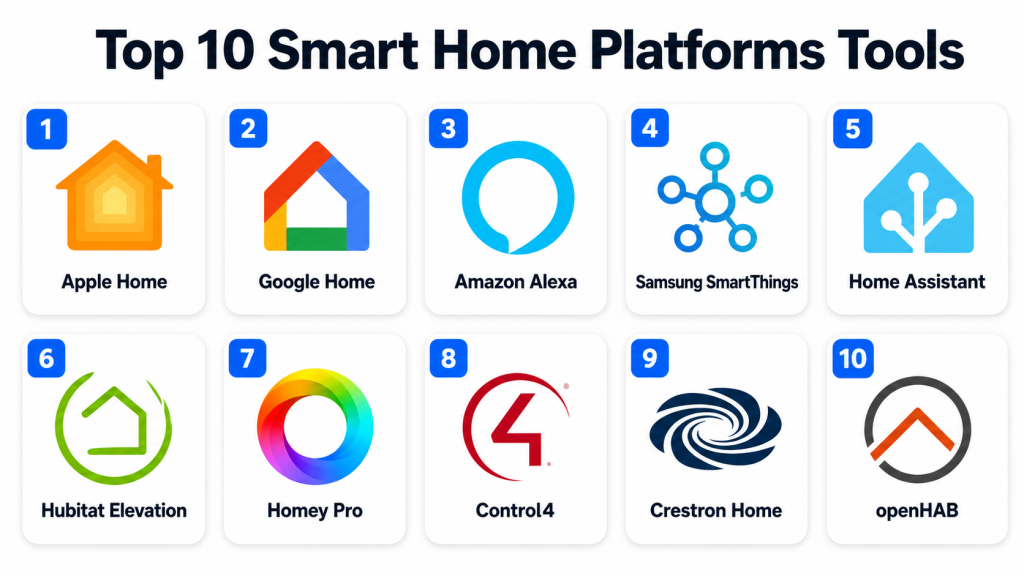
Top 10 Smart Home Platforms Tools
#1 — Apple Home
Short description:
Apple Home is Apple’s smart home platform for controlling compatible lights, locks, cameras, thermostats, sensors, plugs, and other connected devices. It is best suited for users who already use iPhone, iPad, Apple Watch, Apple TV, or HomePod. The platform focuses on privacy, simple controls, automations, and a polished user experience. Apple Home works well for households that want secure access, voice control through Siri, and tight integration with Apple devices. It is a strong option for users who prefer a clean ecosystem and do not want a complex setup process.
Key Features
- Central control through the Apple Home app
- Siri voice control
- Automation based on time, location, sensors, and device status
- Support for compatible Matter and HomeKit devices
- Secure camera and accessory control options
- Remote access through Apple home hubs
- Strong integration with Apple devices
Pros
- Clean and simple user experience
- Strong fit for Apple device users
- Good privacy-focused ecosystem design
Cons
- Best experience requires Apple hardware
- Device compatibility may be narrower than some open ecosystems
- Advanced automation depth may not satisfy power users
Platforms / Deployment
iOS / iPadOS / macOS / watchOS
Cloud / Local and hub-based control may vary by device
Security & Compliance
Apple Home uses Apple account security and device-level privacy controls. Specific enterprise certifications such as SOC 2, ISO 27001, GDPR, or HIPAA for the smart home platform should be treated as Not publicly stated unless verified directly.
Integrations & Ecosystem
Apple Home works best with compatible HomeKit and Matter-enabled devices. It is suitable for users who want controlled compatibility rather than unlimited integration flexibility.
- Apple Home app
- Siri voice assistant
- HomePod and Apple TV as home hubs
- Matter-compatible devices
- HomeKit-compatible accessories
- Automation with Apple ecosystem features
Support & Community
Apple provides official product documentation, customer support, device setup guidance, and a large user community. Support for third-party devices depends on the accessory manufacturer.
#2 — Google Home
Short description:
Google Home is Google’s smart home platform for controlling connected devices through the Google Home app, Google Assistant, Nest devices, and compatible smart home products. It is a strong choice for users who want voice control, smart displays, speakers, thermostats, cameras, and connected home automation. Google Home is especially useful for households already using Android, Google Assistant, Chromecast, Nest, or Google services. It offers a user-friendly experience for common smart home tasks. The platform is suitable for everyday users who want broad device support and simple routines.
Key Features
- Google Home app for device control
- Google Assistant voice control
- Routines and automation support
- Compatibility with many smart home brands
- Nest device integration
- Smart speaker and display support
- Matter-compatible device support where available
Pros
- Easy to use for Android and Google ecosystem users
- Strong voice assistant experience
- Broad smart device compatibility
Cons
- Some advanced automations may feel limited
- Cloud dependency can affect some workflows
- Privacy-conscious users should review data settings carefully
Platforms / Deployment
Web support may vary / Android / iOS
Cloud / Local support may vary by device
Security & Compliance
Google account security features such as MFA may be available. Specific compliance certifications for the smart home platform should be verified directly. If not confirmed, use Not publicly stated.
Integrations & Ecosystem
Google Home works with many smart home brands and Google ecosystem devices. It is a good fit for users who want voice-first control and simple device management.
- Google Assistant
- Nest cameras, thermostats, speakers, and displays
- Matter-compatible devices
- Chromecast and entertainment devices
- Third-party smart lights, plugs, locks, and sensors
- Routine-based automation
Support & Community
Google provides help documentation, app guidance, device support resources, and community forums. Support quality may vary depending on whether the issue is with Google hardware or third-party devices.
#3 — Amazon Alexa
Short description:
Amazon Alexa is a widely used smart home platform built around Echo devices, Alexa voice control, routines, skills, and compatible smart home products. It is well suited for users who want voice-first home automation and broad device support. Alexa can control lights, plugs, locks, cameras, thermostats, speakers, appliances, and entertainment systems. It works well for households that already use Amazon services or Echo speakers. The platform is practical for users who want simple routines, device groups, voice commands, and smart home convenience.
Key Features
- Alexa voice assistant
- Echo speaker and display ecosystem
- Routines and automation support
- Broad third-party device compatibility
- Smart home groups and scenes
- Skills ecosystem for extended functionality
- Support for many Wi-Fi, Zigbee, and Matter devices depending on hardware
Pros
- Very strong voice control experience
- Wide device compatibility
- Good option for simple and affordable smart homes
Cons
- Advanced automation may be limited for expert users
- Privacy settings should be reviewed carefully
- Some features may depend on specific Echo hardware or subscriptions
Platforms / Deployment
Web support may vary / iOS / Android
Cloud / Local support may vary by device and hub
Security & Compliance
Amazon account security features may include MFA and device-level controls. Specific certifications for Alexa as a smart home platform should be treated as Not publicly stated unless verified directly.
Integrations & Ecosystem
Alexa has a broad consumer smart home ecosystem and works well for users who want device control through voice and routines.
- Echo smart speakers and displays
- Alexa Skills
- Smart lights, plugs, locks, and cameras
- Matter-compatible devices
- Zigbee support on selected Echo hardware
- Entertainment and shopping ecosystem integrations
Support & Community
Amazon provides help documentation, device setup guidance, customer support, and a large user community. Third-party device support depends on the manufacturer.
#4 — Samsung SmartThings
Short description:
Samsung SmartThings is a smart home platform that helps users connect and automate devices across different brands and protocols. It is popular among users who want more flexibility than basic voice assistant ecosystems while still keeping a consumer-friendly app experience. SmartThings works with smart lights, sensors, locks, plugs, appliances, thermostats, cameras, and compatible hubs. It is useful for Samsung device users, connected appliance owners, and smart home users who want multi-brand support. The platform offers a balanced mix of ease of use, automation, and ecosystem compatibility.
Key Features
- SmartThings app for device management
- Automation and scene creation
- Support for many third-party devices
- Samsung appliance and device integration
- Compatibility with Matter and other smart home standards where supported
- Hub-based control options
- Multi-device routines and monitoring
Pros
- Good balance between usability and flexibility
- Strong fit for Samsung ecosystem users
- Useful for multi-brand smart homes
Cons
- Some functionality may depend on hub or device support
- Advanced users may still prefer open-source platforms
- Migration and compatibility can vary by device generation
Platforms / Deployment
iOS / Android
Cloud / Hub-based / Local support may vary
Security & Compliance
Samsung account security and device permission controls may be available. Specific certifications for SmartThings as a smart home platform should be verified directly. If not confirmed, use Not publicly stated.
Integrations & Ecosystem
SmartThings supports a broad smart home ecosystem and is especially useful where Samsung devices and third-party accessories need to work together.
- Samsung appliances and devices
- Matter-compatible devices
- Smart lights, locks, sensors, and plugs
- Hub-based device support
- Voice assistant integrations
- Automation and scene workflows
Support & Community
Samsung provides documentation, app support, and customer service resources. SmartThings also has an active user and developer community, especially among automation-focused users.
#5 — Home Assistant
Short description:
Home Assistant is an open-source smart home platform designed for users who want powerful automation, deep integrations, local control, and high customization. It is best suited for smart home enthusiasts, technical users, privacy-focused households, and advanced automation builders. Home Assistant can connect with a very wide range of devices, services, protocols, sensors, and hubs. It gives users detailed control over dashboards, automations, scripts, and device logic. It is one of the strongest options for users who want flexibility and are comfortable with some technical setup.
Key Features
- Open-source smart home automation platform
- Strong local control options
- Large integration ecosystem
- Advanced automations and scripts
- Custom dashboards and user interfaces
- Support for many devices, protocols, and services
- Active community-driven development
Pros
- Very powerful and flexible
- Strong privacy and local-control appeal
- Large community and integration ecosystem
Cons
- Requires more technical knowledge than consumer platforms
- Setup and maintenance can take time
- Some integrations may require troubleshooting
Platforms / Deployment
Web / iOS / Android / Linux-based deployment options
Self-hosted / Local / Cloud features may vary
Security & Compliance
Security depends heavily on deployment, configuration, remote access method, and user setup. Specific enterprise certifications such as SOC 2, ISO 27001, GDPR, or HIPAA should be treated as Not publicly stated.
Integrations & Ecosystem
Home Assistant has one of the broadest integration ecosystems in the smart home category. It is highly suitable for users who want cross-brand automation and local control.
- Smart lights, sensors, plugs, cameras, and locks
- Zigbee, Z-Wave, Matter, Thread, Wi-Fi, Bluetooth support depending on hardware
- Custom dashboards
- Community integrations
- APIs and automation scripts
- Voice assistant integrations
Support & Community
Home Assistant has strong documentation and a very active community. Formal support depends on the chosen hardware, cloud service, or community resources, so businesses should evaluate support expectations carefully.
#6 — Hubitat Elevation
Short description:
Hubitat Elevation is a smart home hub and platform focused on local automation, privacy, reliability, and compatibility with many smart devices. It is suitable for users who want more control than basic consumer platforms but do not want to manage a fully self-hosted open-source system. Hubitat is popular among smart home enthusiasts who value local processing and fast automations. It can support complex rules, dashboards, scenes, and integrations. It is a strong option for users who want local-first control with a dedicated hub.
Key Features
- Local smart home automation
- Hub-based device management
- Rule-based automation engine
- Support for Zigbee and Z-Wave devices depending on hub model
- Dashboards and device control
- Integration with voice assistants
- Privacy-focused local processing
Pros
- Strong local automation performance
- Good privacy-focused design
- Useful for advanced home automation without full self-hosting complexity
Cons
- Interface may feel less polished than large consumer platforms
- Learning curve for advanced rules
- Device compatibility should be checked before purchase
Platforms / Deployment
Web / Mobile app support may vary
Local hub / Cloud features may vary
Security & Compliance
Security depends on hub configuration, remote access settings, and device setup. Specific certifications such as SOC 2, ISO 27001, GDPR, or HIPAA should be treated as Not publicly stated.
Integrations & Ecosystem
Hubitat supports many smart home devices and is especially useful for users who want local automation with common home automation protocols.
- Zigbee and Z-Wave devices
- Voice assistant integrations
- Rule-based automation
- Dashboards and scenes
- Community apps and drivers
- Local device control
Support & Community
Hubitat has documentation, user forums, community drivers, and support resources. Community knowledge is important for advanced use cases and custom integrations.
#7 — Homey Pro
Short description:
Homey Pro is a smart home hub and platform designed to connect many smart home devices and protocols in one ecosystem. It is suitable for users who want a polished smart home control experience with support for multiple brands and technologies. Homey Pro can manage devices such as lights, sensors, thermostats, plugs, speakers, locks, and other connected products. It is useful for users who want visual automations and multi-protocol compatibility without building everything manually. The platform is a good option for homes that include devices from different manufacturers.
Key Features
- Multi-protocol smart home hub
- App-based device control
- Visual automation flows
- Support for many smart home brands
- Voice assistant integrations
- Energy and device monitoring features may vary
- Remote access and smart home dashboard features
Pros
- Good multi-brand smart home compatibility
- User-friendly automation flow builder
- Strong fit for mixed-device smart homes
Cons
- Hardware cost may be higher than basic hubs
- Some device support may depend on apps or community integrations
- Advanced enterprise use cases may not be the target fit
Platforms / Deployment
Web / iOS / Android
Hub-based / Cloud features may vary
Security & Compliance
Security features depend on account controls, hub configuration, and connected services. Specific compliance certifications should be verified directly. If not confirmed, use Not publicly stated.
Integrations & Ecosystem
Homey Pro is designed for broad device compatibility and visual automation across many smart home brands.
- Smart lights, sensors, locks, plugs, and thermostats
- Zigbee, Z-Wave, Wi-Fi, Bluetooth, infrared, and other support may vary by model
- Voice assistant integrations
- App-based ecosystem
- Visual automation flows
- Energy monitoring use cases
Support & Community
Homey provides documentation, setup resources, and customer support options. Community apps and device support may play an important role in advanced integrations.
#8 — Control4
Short description:
Control4 is a professional smart home automation platform designed for high-end residential automation, entertainment, lighting, climate, security, networking, and whole-home control. It is best suited for homeowners who want an installer-led premium smart home experience. Control4 is commonly used in larger homes, luxury apartments, villas, and professional automation projects. It supports centralized control through touchscreens, remotes, mobile apps, voice assistants, and wall controls. It is a strong choice when reliability, professional design, and integrated home experiences are more important than DIY flexibility.
Key Features
- Professional whole-home automation
- Lighting, climate, security, and entertainment control
- Centralized control interfaces
- Installer-led configuration
- Multi-room audio and video support
- Scene and automation capabilities
- Integration with premium smart home hardware
Pros
- Strong fit for premium residential automation
- Professional installation and design support
- Good for complex whole-home projects
Cons
- Not ideal for low-budget DIY users
- Requires certified installer involvement
- Customization may depend on dealer support
Platforms / Deployment
Web / iOS / Android / Dedicated controllers and touchscreens
Hybrid / Professionally installed system
Security & Compliance
Security features may include user access controls and professionally managed configuration depending on setup. Specific certifications such as SOC 2, ISO 27001, GDPR, or HIPAA should be verified directly. If not confirmed, use Not publicly stated.
Integrations & Ecosystem
Control4 is built for professionally integrated smart homes and can connect many systems into one experience.
- Lighting and climate systems
- Home theater and audio systems
- Security and access control devices
- Network and controller hardware
- Voice assistant integrations may vary
- Professional installer ecosystem
Support & Community
Support is commonly delivered through authorized dealers and professional installers. Documentation and troubleshooting may depend heavily on the installation partner and system design.
#9 — Crestron Home
Short description:
Crestron Home is a premium smart home platform designed for luxury residential automation, whole-home control, lighting, shades, climate, security, entertainment, and professional AV environments. It is best suited for high-end homes and professionally managed smart living projects. Crestron Home focuses on reliability, design quality, scalability, and integration depth. It is commonly used where homeowners want a polished, professionally installed system rather than a DIY smart home setup. The platform is a strong fit for large homes, luxury properties, and advanced residential automation needs.
Key Features
- Premium whole-home automation
- Lighting, shading, climate, AV, and security control
- Professional installation and configuration
- Centralized control interfaces
- Scalable automation architecture
- Integration with Crestron hardware ecosystem
- Support for complex residential projects
Pros
- Strong fit for luxury and complex smart homes
- Professional-grade control and design
- Good option for advanced AV and automation projects
Cons
- Higher cost than consumer smart home platforms
- Requires professional design and installation
- Not suitable for simple DIY setups
Platforms / Deployment
Web / iOS / Android / Dedicated controllers and touch panels
Hybrid / Professionally installed system
Security & Compliance
Security features depend on system design, user access, network configuration, and installer setup. Specific certifications for the smart home platform should be verified directly. If not confirmed, use Not publicly stated.
Integrations & Ecosystem
Crestron Home works best in premium smart home environments where many home systems need centralized control.
- Crestron lighting, AV, and control hardware
- Climate and shading systems
- Security and access devices
- Professional AV environments
- Voice assistant support may vary
- Dealer and integrator ecosystem
Support & Community
Support is mainly provided through professional dealers, installers, and Crestron support channels. The quality of support depends on the integrator, system complexity, and service agreement.
#10 — openHAB
Short description:
openHAB is an open-source smart home automation platform designed for users who want vendor-neutral control, local deployment, and broad integration support. It is suitable for technical users, developers, automation enthusiasts, and privacy-focused households. openHAB can connect many smart devices, services, and protocols through bindings and rules. It gives users control over automation logic, dashboards, and device behavior without depending entirely on one commercial ecosystem. It is a strong option for users who prefer open standards and long-term flexibility.
Key Features
- Open-source smart home automation
- Vendor-neutral platform design
- Local deployment options
- Broad device and protocol integrations
- Rules and automation engine
- Custom dashboards and interfaces
- Active community and extension ecosystem
Pros
- Strong flexibility and vendor independence
- Good local-control and privacy appeal
- Useful for technical users and custom automation
Cons
- Requires technical setup and maintenance
- Less beginner-friendly than consumer platforms
- Support depends heavily on documentation and community
Platforms / Deployment
Web / Linux / Windows / macOS / iOS / Android support may vary
Self-hosted / Local / Cloud features may vary
Security & Compliance
Security depends on deployment, configuration, remote access method, and user management. Specific certifications such as SOC 2, ISO 27001, GDPR, or HIPAA should be treated as Not publicly stated.
Integrations & Ecosystem
openHAB supports many devices and services through its binding ecosystem. It is suitable for users who want long-term flexibility and open automation.
- Smart lights, sensors, plugs, thermostats, and locks
- Zigbee, Z-Wave, Matter, Wi-Fi, and other support may depend on hardware
- Rules and automation scripting
- Community bindings
- Custom dashboards
- Voice assistant integrations
Support & Community
openHAB has documentation and an active community. Formal commercial-style support is limited compared with paid platforms, so users should be comfortable relying on community resources.
Comparison Table
| Tool Name | Best For | Platform(s) Supported | Deployment | Standout Feature | Public Rating |
|---|---|---|---|---|---|
| Apple Home | Apple ecosystem users | iOS, iPadOS, macOS, watchOS | Cloud / Local varies | Privacy-focused smart home control | N/A |
| Google Home | Google and Android users | Android, iOS | Cloud / Local varies | Voice-first smart home control | N/A |
| Amazon Alexa | Voice-first smart homes | iOS, Android | Cloud / Local varies | Broad voice assistant ecosystem | N/A |
| Samsung SmartThings | Multi-brand smart homes | iOS, Android | Cloud / Hub-based / Local varies | Flexible multi-device automation | N/A |
| Home Assistant | Advanced DIY automation | Web, iOS, Android, Linux-based options | Self-hosted / Local / Hybrid | Deep customization and local control | N/A |
| Hubitat Elevation | Local automation users | Web, mobile support varies | Local hub / Cloud varies | Local-first automation hub | N/A |
| Homey Pro | Mixed-device homes | Web, iOS, Android | Hub-based / Cloud varies | Visual automation flows | N/A |
| Control4 | Premium installed smart homes | iOS, Android, dedicated controllers | Hybrid / Professional installation | Whole-home professional automation | N/A |
| Crestron Home | Luxury residential automation | iOS, Android, touch panels | Hybrid / Professional installation | Premium AV and automation control | N/A |
| openHAB | Open-source smart home users | Web, Linux, Windows, macOS, mobile support varies | Self-hosted / Local | Vendor-neutral open automation | N/A |
Evaluation & Scoring of Smart Home Platforms
| Tool Name | Core (25%) | Ease (15%) | Integrations (15%) | Security (10%) | Performance (10%) | Support (10%) | Value (15%) | Weighted Total (0–10) |
|---|---|---|---|---|---|---|---|---|
| Apple Home | 8.2 | 9.0 | 7.5 | 8.8 | 8.5 | 8.5 | 8.0 | 8.31 |
| Google Home | 8.0 | 8.8 | 8.2 | 7.8 | 8.2 | 8.0 | 8.5 | 8.25 |
| Amazon Alexa | 8.3 | 8.7 | 8.8 | 7.5 | 8.2 | 8.0 | 8.5 | 8.35 |
| Samsung SmartThings | 8.5 | 8.2 | 8.7 | 7.8 | 8.2 | 8.0 | 8.2 | 8.30 |
| Home Assistant | 9.5 | 6.8 | 9.5 | 8.0 | 8.8 | 8.8 | 9.0 | 8.75 |
| Hubitat Elevation | 8.7 | 7.5 | 8.4 | 8.0 | 8.8 | 8.0 | 8.3 | 8.31 |
| Homey Pro | 8.4 | 8.3 | 8.5 | 7.8 | 8.3 | 7.8 | 7.8 | 8.18 |
| Control4 | 9.0 | 7.8 | 8.8 | 8.0 | 9.0 | 8.5 | 7.0 | 8.37 |
| Crestron Home | 9.2 | 7.5 | 9.0 | 8.0 | 9.2 | 8.5 | 6.8 | 8.40 |
| openHAB | 8.8 | 6.5 | 9.0 | 7.8 | 8.2 | 8.5 | 9.0 | 8.22 |
These scores are comparative and should not be treated as public ratings. They are designed to compare smart home platforms across automation depth, usability, integrations, security, reliability, support, and value. A higher score does not mean the platform is best for every household. For example, Home Assistant may be excellent for technical users, while Apple Home, Google Home, or Alexa may be better for everyday users who want simple control.
Which Smart Home Platform Tool Is Right for You?
Solo / Freelancer
Solo users, renters, and individuals living in small apartments usually need simple setup, affordable devices, mobile control, and voice assistant support. They may not need advanced dashboards or professional installation.
Good options include:
- Apple Home for iPhone users
- Google Home for Android and Google Assistant users
- Amazon Alexa for voice-first control
- SmartThings for users with mixed smart devices
For this segment, the best platform is usually the one that works with the devices already owned.
SMB
Small property managers, boutique hotels, small offices, coworking spaces, and service apartments may need basic automation, access control, cameras, lighting, climate control, and remote monitoring.
Good options include:
- SmartThings for multi-device management
- Google Home for simple controls and displays
- Amazon Alexa for voice-enabled common areas
- Home Assistant for more customized control
- Hubitat Elevation for local automation
SMBs should focus on device compatibility, user permissions, reliability, and support availability.
Mid-Market
Mid-market residential projects, managed properties, smart villas, multi-unit rentals, and professional service providers need better automation planning, multi-room control, device standardization, and reliable remote access.
Good options include:
- Home Assistant for advanced customization
- Hubitat Elevation for local automation
- Homey Pro for multi-protocol smart homes
- Control4 for professionally installed smart homes
Mid-market buyers should avoid random device combinations and instead create a clear ecosystem strategy.
Enterprise
Enterprise-style smart home requirements appear in luxury real estate, senior living, hospitality, serviced apartments, premium residential developers, and high-end property management.
Good options include:
- Control4 for professional whole-home automation
- Crestron Home for luxury residential and AV-heavy environments
- Home Assistant for technical custom deployments
- SmartThings for scalable consumer-style environments
Enterprise buyers should consider long-term maintenance, installer availability, network design, security, privacy, and service agreements.
Budget vs Premium
Budget-focused users should start with platforms that work with affordable smart bulbs, plugs, speakers, cameras, and sensors.
Budget-friendly options include:
- Amazon Alexa
- Google Home
- Apple Home
- Samsung SmartThings
- openHAB, if the user is technical
Premium buyers should consider:
- Control4
- Crestron Home
- Homey Pro
- Professionally configured Home Assistant
- Larger SmartThings or Hubitat setups
Budget users should avoid overbuying hardware before finalizing device compatibility.
Feature Depth vs Ease of Use
If ease of use is most important, choose a platform with a simple app, strong voice control, and easy device setup.
Best for ease of use:
- Apple Home
- Google Home
- Amazon Alexa
- Samsung SmartThings
Best for feature depth:
- Home Assistant
- openHAB
- Hubitat Elevation
- Control4
- Crestron Home
Advanced platforms offer more control, but they also require more setup, testing, and maintenance.
Integrations & Scalability
Integration matters when a home includes devices from many brands or when automation must connect lighting, HVAC, cameras, speakers, locks, sensors, and energy systems.
Strong integration-focused options include:
- Home Assistant
- openHAB
- Samsung SmartThings
- Homey Pro
- Control4
- Crestron Home
Before choosing, buyers should list all devices they already own and confirm support for Matter, Thread, Zigbee, Z-Wave, Wi-Fi, and Bluetooth where needed.
Security & Compliance Needs
Smart home platforms can control locks, cameras, microphones, alarms, presence detection, and personal routines. Security and privacy should not be treated as an afterthought.
Buyers should check:
- MFA availability
- Account recovery controls
- Device permission settings
- Camera and microphone controls
- Local control options
- Guest access management
- Activity history
- Encryption details
- Cloud storage policies
- Admin and household roles
Privacy-focused users may prefer Apple Home, Home Assistant, Hubitat Elevation, or openHAB depending on their technical comfort level.
Frequently Asked Questions (FAQs)
1. What is a smart home platform?
A smart home platform is a system that connects and controls smart devices such as lights, locks, cameras, sensors, speakers, thermostats, and appliances. It helps users manage devices through an app, voice assistant, automation, or central dashboard.
2. Which smart home platform is best for beginners?
Apple Home, Google Home, Amazon Alexa, and Samsung SmartThings are usually easier for beginners because they have simple apps and broad consumer device support. The best choice depends on the phone, voice assistant, and smart devices the user already owns.
3. What is Matter in smart home platforms?
Matter is a smart home connectivity standard designed to improve compatibility between devices and platforms. It helps reduce ecosystem lock-in, but buyers should still confirm device-level support before purchasing hardware.
4. Do smart home platforms require monthly fees?
Many basic smart home controls do not require monthly fees, but some features may require subscriptions. Common paid features include cloud video recording, professional monitoring, advanced security, remote access, or premium support.
5. Is a smart home platform secure?
Smart home security depends on the platform, device quality, network setup, password hygiene, MFA, and privacy settings. Users should update devices, use strong passwords, enable account protection, and avoid unknown low-quality devices.
6. Can I use multiple smart home platforms together?
Yes, many users combine platforms like Alexa, Google Home, Apple Home, SmartThings, and Home Assistant. However, managing multiple ecosystems can increase complexity, so it is better to plan device compatibility in advance.
7. What is the difference between local control and cloud control?
Local control means automations can run inside the home without depending fully on internet connectivity. Cloud control depends more on external servers and may offer easier setup, but it can be affected by outages or service changes.
8. Which platform is best for advanced automation?
Home Assistant, openHAB, Hubitat Elevation, Control4, and Crestron Home are strong choices for advanced automation. Home Assistant and openHAB are more DIY and technical, while Control4 and Crestron are professional installation platforms.
9. What are common mistakes when choosing a smart home platform?
Common mistakes include buying devices before checking compatibility, ignoring Wi-Fi quality, mixing too many ecosystems, skipping privacy settings, and choosing a platform that is either too basic or too complex for the household.
10. Can smart home platforms help save energy?
Yes, smart thermostats, plugs, lights, sensors, and energy dashboards can help reduce wasted energy when configured properly. The savings depend on device quality, automation rules, user habits, and local energy costs.
Conclusion
Smart Home Platforms help users connect devices, automate daily routines, improve convenience, strengthen home security, manage energy use, and create a more connected living experience. However, the best platform depends on the user’s devices, technical comfort, privacy needs, budget, and automation goals. Apple Home, Google Home, Amazon Alexa, and Samsung SmartThings are strong choices for everyday users who want simple control. Home Assistant, openHAB, Hubitat Elevation, and Homey Pro are better for advanced users who want flexibility and deeper automation. Control4 and Crestron Home are more suitable for premium professionally installed homes.
