Upgrade & Secure Your Future with DevOps, SRE, DevSecOps, MLOps!
We spend hours scrolling social media and waste money on things we forget, but won’t spend 30 minutes a day earning certifications that can change our lives.
Master in DevOps, SRE, DevSecOps & MLOps by DevOps School!
Learn from Guru Rajesh Kumar and double your salary in just one year.
Introduction
Virtual Event Platforms help businesses host online events such as webinars, conferences, product launches, workshops, training sessions, trade shows, networking events, and hybrid programs. In simple terms, these platforms provide the digital venue where attendees join sessions, watch speakers, chat, network, visit sponsor booths, and engage with event content.
They matter now because audiences are global, teams are distributed, and companies need flexible ways to run events without depending only on physical venues. Modern virtual events also need stronger engagement, analytics, automation, CRM integrations, and secure attendee access.
Common use cases include:
- Hosting webinars and online conferences.
- Running virtual trade shows and expos.
- Managing hybrid events with both online and in-person attendees.
- Creating networking lounges and breakout sessions.
- Tracking attendee engagement and lead activity.
Buyers should evaluate:
- Streaming quality
- Attendee engagement tools
- Registration and ticketing
- Sponsor and exhibitor features
- Networking options
- CRM and marketing integrations
- Analytics and reporting
- Security controls
- Branding flexibility
- Pricing and scalability
Best for: marketing teams, event managers, HR teams, training providers, associations, SaaS companies, universities, communities, agencies, and enterprises running online or hybrid events.
Not ideal for: teams that only need basic video meetings, small one-time calls, or businesses that do not need registration, engagement, branding, analytics, or event workflows.
Key Trends in Virtual Event Platforms
- AI-assisted event engagement: Platforms are adding AI summaries, session recommendations, matchmaking, chatbot support, and content repurposing.
- Hybrid-first event design: Many teams now plan events for both in-person and online audiences from the start.
- Stronger attendee analytics: Organizers want session attendance, engagement scores, sponsor leads, poll activity, and content performance.
- Better networking tools: Speed networking, AI matchmaking, breakout rooms, and attendee profiles are becoming more important.
- Sponsor ROI tracking: Exhibitors expect lead capture, booth analytics, downloadable content tracking, and meeting scheduling.
- Integrated event marketing: Virtual platforms are connecting with CRM, email, marketing automation, ticketing, and sales tools.
- On-demand content hubs: Events are becoming long-term content libraries instead of one-time livestreams.
- Security and access control: Private events need SSO, registration approval, domain restrictions, password protection, and attendee permissions.
- Localization and accessibility: Captions, translations, replay access, and mobile-friendly experiences are increasingly expected.
- Flexible pricing models: Buyers want scalable plans based on attendee count, event volume, host seats, or enterprise needs.
How We Selected These Tools
The following tools were selected using practical virtual event evaluation criteria:
- Market adoption and recognition across webinars, conferences, hybrid events, and enterprise events.
- Strength of event registration, streaming, agenda, and attendee engagement features.
- Support for webinars, conferences, expos, networking, and sponsor workflows.
- Fit for SMBs, mid-market teams, agencies, associations, and enterprises.
- Integration ecosystem with CRM, marketing automation, payments, and analytics.
- Reliability, scalability, and event performance signals.
- Security controls and attendee access management where publicly known.
- Ease of use for event organizers, speakers, sponsors, and attendees.
- Reporting depth for marketing, sales, and event operations.
- Overall value for producing professional online and hybrid events.
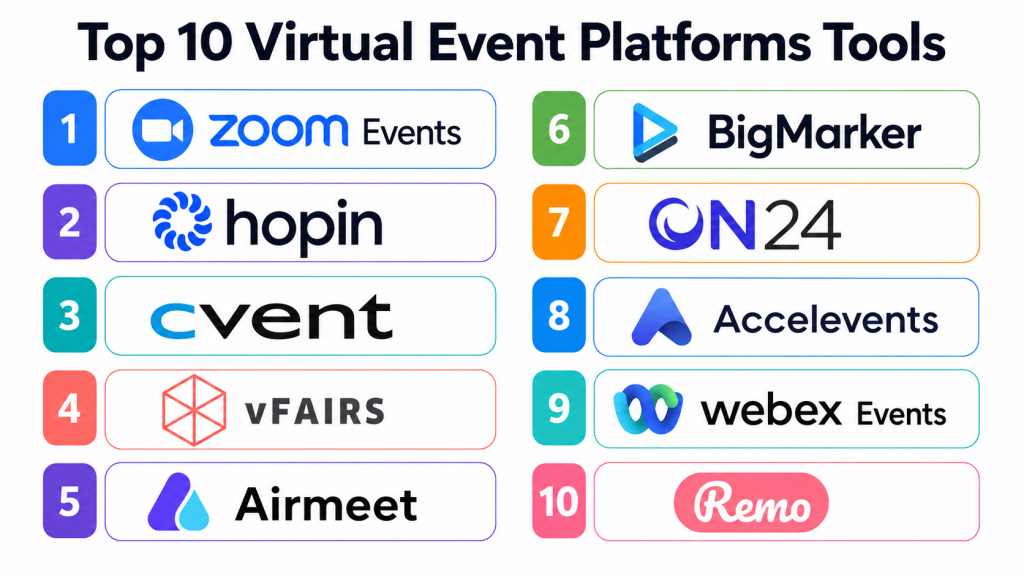
Top 10 Virtual Event Platforms Tools
#1 — Zoom Events
Short description:
Zoom Events is a virtual and hybrid event platform built on the familiar Zoom meeting and webinar ecosystem. It helps organizations host webinars, multi-session events, conferences, internal events, and customer-facing programs. The platform is useful for teams already comfortable with Zoom who need more event structure than a standard meeting. It supports registration, event hubs, sessions, networking, and attendee management. Zoom Events is a strong choice for organizations that want reliable video delivery with event management features.
Key Features
- Multi-session virtual events.
- Webinar and meeting support.
- Event registration.
- Attendee networking tools.
- Event lobby and agenda.
- Analytics and reporting.
- Integration with Zoom ecosystem.
Pros
- Familiar experience for many users.
- Strong video reliability and meeting tools.
- Good for webinars, internal events, and conferences.
Cons
- Advanced event branding may be limited compared with specialist platforms.
- Sponsor and expo depth may not fit every large event.
- Best value is stronger for teams already using Zoom.
Platforms / Deployment
Web / Windows / macOS / iOS / Android; Cloud deployment.
Security & Compliance
SSO/SAML, MFA, encryption, audit logs, RBAC, SOC 2, ISO 27001, GDPR, HIPAA: Not publicly stated.
Integrations & Ecosystem
Zoom Events works well with meeting, webinar, and business workflows.
- CRM tools
- Marketing automation platforms
- Calendar systems
- Webinar workflows
- Event registration tools
- Analytics and reporting tools
Support & Community
Zoom provides documentation, support resources, and a large user community. Community strength is very high due to broad adoption.
#2 — Hopin
Short description:
Hopin is a virtual event platform designed for online conferences, networking events, webinars, and multi-track event experiences. It helps organizers create stages, sessions, expo booths, networking areas, and event registration workflows. Hopin is useful for teams that want a more event-like digital experience instead of a simple webinar. It supports attendee interaction, sponsor visibility, and multi-session programming. The platform is best for marketing, community, and event teams that need a structured online venue.
Key Features
- Virtual stages and sessions.
- Expo booth support.
- Networking features.
- Event registration.
- Attendee chat and engagement.
- Sponsor visibility tools.
- Event analytics.
Pros
- Strong virtual event experience.
- Good for multi-session events and expos.
- Useful networking and attendee engagement options.
Cons
- May be more than needed for simple webinars.
- Pricing and feature availability should be reviewed.
- Event setup requires planning and content structure.
Platforms / Deployment
Web-based platform; Cloud deployment.
Security & Compliance
SSO/SAML, MFA, encryption, audit logs, RBAC, SOC 2, ISO 27001, GDPR, HIPAA: Not publicly stated.
Integrations & Ecosystem
Hopin supports virtual event production and marketing workflows.
- CRM systems
- Email marketing tools
- Registration workflows
- Streaming tools
- Sponsor management
- Analytics dashboards
Support & Community
Support and onboarding resources are available. Community strength is strong among virtual event organizers.
#3 — Cvent
Short description:
Cvent is an enterprise event management platform that supports virtual, hybrid, and in-person events. It helps organizations manage registration, event websites, attendee engagement, mobile apps, webinars, sponsor workflows, analytics, and event marketing. Cvent is especially useful for large companies, associations, universities, and conference teams that need full event lifecycle management. It is more comprehensive than a simple virtual event tool. The platform fits teams that need scale, governance, integrations, and detailed reporting.
Key Features
- Virtual and hybrid event support.
- Registration and ticketing.
- Event websites.
- Attendee engagement tools.
- Mobile event app.
- Sponsor and exhibitor features.
- Enterprise reporting and analytics.
Pros
- Strong enterprise event management depth.
- Good for complex conferences and hybrid events.
- Useful for teams needing CRM and marketing integrations.
Cons
- May be too complex for simple events.
- Setup and implementation require planning.
- Pricing is likely more enterprise-oriented.
Platforms / Deployment
Web / mobile event app support; Cloud deployment.
Security & Compliance
SSO/SAML, MFA, encryption, audit logs, RBAC, SOC 2, ISO 27001, GDPR, HIPAA: Not publicly stated.
Integrations & Ecosystem
Cvent connects event operations with enterprise systems.
- CRM platforms
- Marketing automation tools
- Webinar tools
- Event apps
- Badge and check-in systems
- Analytics platforms
Support & Community
Cvent provides enterprise support, onboarding, training, and implementation resources. Community strength is high among professional event teams.
#4 — vFairs
Short description:
vFairs is a virtual, hybrid, and in-person event platform known for conferences, expos, career fairs, trade shows, and association events. It supports virtual booths, webinars, networking, gamification, attendee engagement, registration, and event analytics. vFairs is useful for organizers that need strong exhibitor and sponsor experiences. It can support large events with multiple sessions, booths, and attendee interaction. The platform is a good fit for trade shows, recruitment events, education fairs, and enterprise events.
Key Features
- Virtual expo halls.
- Webinar and session hosting.
- Sponsor and exhibitor booths.
- Networking tools.
- Gamification features.
- Registration management.
- Event analytics and reports.
Pros
- Strong for virtual expos and fairs.
- Good sponsor and exhibitor experience.
- Useful for large multi-track events.
Cons
- May be more than needed for basic webinars.
- Custom event setup may require onboarding.
- Pricing and event package details should be reviewed.
Platforms / Deployment
Web / mobile event support; Cloud deployment.
Security & Compliance
SSO/SAML, MFA, encryption, audit logs, RBAC, SOC 2, ISO 27001, GDPR, HIPAA: Not publicly stated.
Integrations & Ecosystem
vFairs supports event marketing and attendee engagement workflows.
- CRM systems
- Webinar tools
- Sponsor lead capture
- Event registration
- Email tools
- Analytics dashboards
Support & Community
Support and event success resources are available. Community strength is strong among expo, trade show, and fair organizers.
#5 — Airmeet
Short description:
Airmeet is a virtual and hybrid event platform focused on conferences, webinars, networking, community events, and attendee engagement. It helps organizers run interactive sessions, networking lounges, sponsor booths, and live event experiences. Airmeet is useful for marketing teams, communities, SaaS companies, and education providers that want engaging online events. It supports speaker sessions, audience interaction, virtual tables, and event analytics. The platform is a strong choice for events where networking and participation matter.
Key Features
- Virtual conference hosting.
- Interactive sessions.
- Networking lounges.
- Sponsor booths.
- Webinar support.
- Registration workflows.
- Event analytics.
Pros
- Strong networking and engagement features.
- Good for community and marketing events.
- Useful for webinars and multi-session programs.
Cons
- Complex events require careful setup.
- Some enterprise controls may depend on plan.
- Attendee experience should be tested before large events.
Platforms / Deployment
Web-based platform; Cloud deployment.
Security & Compliance
SSO/SAML, MFA, encryption, audit logs, RBAC, SOC 2, ISO 27001, GDPR, HIPAA: Not publicly stated.
Integrations & Ecosystem
Airmeet connects event engagement with marketing workflows.
- CRM systems
- Marketing automation tools
- Webinar workflows
- Registration tools
- Community platforms
- Analytics dashboards
Support & Community
Support and onboarding resources are available. Community strength is good among community, SaaS, and virtual event teams.
#6 — BigMarker
Short description:
BigMarker is a webinar, virtual event, and video marketing platform used for webinars, summits, online conferences, demos, training, and marketing events. It helps teams run live, automated, and on-demand video events with registration, branding, engagement, and analytics. BigMarker is useful for marketers and educators who need strong webinar and content features. It supports landing pages, email reminders, polls, Q&A, and replay access. The platform fits businesses that treat virtual events as part of demand generation and content marketing.
Key Features
- Live and automated webinars.
- Virtual event hosting.
- Registration pages.
- Polls, Q&A, and chat.
- On-demand video access.
- Email reminders.
- Analytics and engagement tracking.
Pros
- Strong webinar and video marketing features.
- Good for demos, training, and lead generation.
- Useful on-demand content workflows.
Cons
- Expo-style features may not be as deep as specialist event platforms.
- Setup quality affects attendee experience.
- Pricing should be reviewed by event volume.
Platforms / Deployment
Web-based platform; Cloud deployment.
Security & Compliance
SSO/SAML, MFA, encryption, audit logs, RBAC, SOC 2, ISO 27001, GDPR, HIPAA: Not publicly stated.
Integrations & Ecosystem
BigMarker supports webinar marketing and event automation workflows.
- CRM systems
- Marketing automation platforms
- Email tools
- Payment tools
- Landing pages
- Analytics systems
Support & Community
Support and documentation are available. Community strength is good among webinar marketers and training teams.
#7 — ON24
Short description:
ON24 is a webinar and digital engagement platform used by enterprise marketing, sales, and training teams. It helps organizations run webinars, virtual events, content experiences, and audience engagement programs. ON24 is especially useful for B2B companies that need event analytics, engagement scoring, lead intelligence, and marketing integrations. It supports live and on-demand experiences, polls, Q&A, surveys, and content hubs. The platform is a strong fit for enterprise demand generation and thought leadership programs.
Key Features
- Webinar hosting.
- Digital event experiences.
- Audience engagement tools.
- On-demand content hubs.
- Polls, Q&A, and surveys.
- Engagement analytics.
- CRM and marketing integrations.
Pros
- Strong for B2B webinar marketing.
- Good audience engagement analytics.
- Useful for enterprise lead generation.
Cons
- May be too advanced for simple events.
- Pricing is likely enterprise-oriented.
- Best value depends on marketing operations maturity.
Platforms / Deployment
Web-based platform; Cloud deployment.
Security & Compliance
SSO/SAML, MFA, encryption, audit logs, RBAC, SOC 2, ISO 27001, GDPR, HIPAA: Not publicly stated.
Integrations & Ecosystem
ON24 connects webinar engagement with marketing and sales workflows.
- CRM platforms
- Marketing automation tools
- Content hubs
- Sales enablement workflows
- Webinar analytics
- Lead scoring systems
Support & Community
Enterprise support, resources, and onboarding options are available. Community strength is strong among B2B marketing teams.
#8 — Accelevents
Short description:
Accelevents is an event management platform for virtual, hybrid, and in-person events. It supports ticketing, registration, virtual sessions, exhibitor booths, networking, attendee engagement, check-in, and reporting. Accelevents is useful for conferences, trade shows, fundraisers, business events, and association programs. It works well for teams that need ticketing and virtual event tools together. The platform fits mid-market and enterprise event organizers looking for a flexible event suite.
Key Features
- Virtual and hybrid event support.
- Registration and ticketing.
- Sponsor and exhibitor tools.
- Networking features.
- Attendee engagement.
- Event analytics.
- CRM and marketing integrations.
Pros
- Good balance of ticketing and virtual event tools.
- Useful for conferences and hybrid events.
- Strong attendee engagement and reporting features.
Cons
- May be too broad for simple webinars.
- Setup requires event planning.
- Pricing and package details should be reviewed.
Platforms / Deployment
Web / mobile event support; Cloud deployment.
Security & Compliance
SSO/SAML, MFA, encryption, audit logs, RBAC, SOC 2, ISO 27001, GDPR, HIPAA: Not publicly stated.
Integrations & Ecosystem
Accelevents connects event registration, engagement, and reporting.
- CRM tools
- Marketing automation
- Ticketing workflows
- Event apps
- Sponsor lead capture
- Analytics dashboards
Support & Community
Support and onboarding resources are available. Community strength is strong among hybrid and business event teams.
#9 — Webex Events
Short description:
Webex Events is an event platform from Cisco that supports virtual, hybrid, and in-person event experiences. It helps teams manage event registration, attendee engagement, mobile event apps, virtual sessions, networking, and analytics. Webex Events is useful for organizations already invested in Cisco or Webex collaboration tools. It fits conferences, internal events, training programs, and enterprise events. The platform is especially relevant for businesses that prioritize security, scale, and enterprise collaboration workflows.
Key Features
- Virtual event hosting.
- Event registration.
- Mobile event app.
- Attendee engagement.
- Networking features.
- Session management.
- Event analytics.
Pros
- Good fit for enterprise event programs.
- Strong connection with Webex ecosystem.
- Useful for hybrid and internal events.
Cons
- May be more than small teams need.
- Setup and configuration require planning.
- Best value is stronger for organizations using Webex.
Platforms / Deployment
Web / Windows / macOS / iOS / Android; Cloud deployment.
Security & Compliance
SSO/SAML, MFA, encryption, audit logs, RBAC, SOC 2, ISO 27001, GDPR, HIPAA: Not publicly stated.
Integrations & Ecosystem
Webex Events supports enterprise collaboration and event workflows.
- Webex meetings and webinars
- CRM workflows
- Event apps
- Registration tools
- Analytics dashboards
- Enterprise collaboration systems
Support & Community
Cisco and Webex provide documentation, support, and enterprise resources. Community strength is high among enterprise collaboration users.
#10 — Remo
Short description:
Remo is a virtual event platform focused on interactive networking, virtual tables, workshops, and community-style events. It helps organizers create virtual spaces where attendees can move between tables and have live conversations. Remo is useful for networking events, community meetups, education sessions, team events, and smaller interactive conferences. It is less focused on large expo-style events and more focused on human interaction. The platform fits organizers who want attendees to talk, connect, and participate actively.
Key Features
- Virtual table networking.
- Interactive event floor layouts.
- Live video conversations.
- Presentation mode.
- Attendee chat.
- Event registration support.
- Engagement-focused event design.
Pros
- Strong for networking and interactive events.
- Good for workshops and community gatherings.
- More human-feeling than standard webinar tools.
Cons
- Not ideal for large enterprise expos.
- Attendee onboarding may be needed.
- Sponsor and analytics depth may be limited.
Platforms / Deployment
Web-based platform; Cloud deployment.
Security & Compliance
SSO/SAML, MFA, encryption, audit logs, RBAC, SOC 2, ISO 27001, GDPR, HIPAA: Not publicly stated.
Integrations & Ecosystem
Remo supports interactive event and community workflows.
- Registration workflows
- Community events
- Workshop formats
- Networking sessions
- Presentation tools
- Event analytics
Support & Community
Support resources are available. Community strength is good among networking-focused virtual event organizers.
Comparison Table
| Tool Name | Best For | Platform(s) Supported | Deployment | Standout Feature | Public Rating |
|---|---|---|---|---|---|
| Zoom Events | Webinars and familiar virtual events | Web / Windows / macOS / iOS / Android | Cloud | Reliable video with event structure | N/A |
| Hopin | Multi-session virtual conferences | Web | Cloud | Stages, sessions, expo, and networking | N/A |
| Cvent | Enterprise and complex hybrid events | Web / mobile event app | Cloud | Full event lifecycle management | N/A |
| vFairs | Virtual expos and fairs | Web / mobile event support | Cloud | Expo booths and gamification | N/A |
| Airmeet | Networking-focused virtual events | Web | Cloud | Interactive lounges and attendee engagement | N/A |
| BigMarker | Webinars and video marketing | Web | Cloud | Live, automated, and on-demand webinars | N/A |
| ON24 | B2B webinar marketing | Web | Cloud | Engagement analytics and content hubs | N/A |
| Accelevents | Conferences and hybrid events | Web / mobile event support | Cloud | Ticketing plus virtual event tools | N/A |
| Webex Events | Enterprise collaboration events | Web / Windows / macOS / iOS / Android | Cloud | Enterprise event and collaboration workflows | N/A |
| Remo | Interactive networking events | Web | Cloud | Virtual table networking | N/A |
Evaluation & Scoring of Virtual Event Platforms
| Tool Name | Core (25%) | Ease (15%) | Integrations (15%) | Security (10%) | Performance (10%) | Support (10%) | Value (15%) | Weighted Total (0–10) |
|---|---|---|---|---|---|---|---|---|
| Zoom Events | 8 | 9 | 8 | 8 | 9 | 8 | 8 | 8.30 |
| Hopin | 9 | 8 | 8 | 7 | 8 | 8 | 7 | 7.95 |
| Cvent | 10 | 6 | 9 | 8 | 9 | 9 | 6 | 8.20 |
| vFairs | 9 | 7 | 8 | 7 | 8 | 8 | 7 | 7.75 |
| Airmeet | 8 | 8 | 8 | 7 | 8 | 8 | 8 | 7.90 |
| BigMarker | 8 | 8 | 8 | 7 | 8 | 8 | 8 | 7.90 |
| ON24 | 9 | 7 | 9 | 8 | 8 | 8 | 7 | 8.05 |
| Accelevents | 9 | 7 | 9 | 8 | 8 | 8 | 7 | 8.05 |
| Webex Events | 9 | 7 | 8 | 8 | 9 | 8 | 7 | 8.05 |
| Remo | 7 | 8 | 6 | 7 | 7 | 7 | 8 | 7.10 |
These scores are comparative and should not be treated as universal rankings. A small workshop may prefer Zoom Events, BigMarker, Airmeet, or Remo because ease matters most. A large enterprise conference may require Cvent, Webex Events, ON24, or Accelevents. A virtual trade show may fit vFairs or Hopin better. Always evaluate based on audience size, engagement goals, integrations, event format, and budget.
Which Virtual Event Platform Tool Is Right for You?
Solo / Freelancer
Solo creators, coaches, trainers, consultants, and small community hosts should prioritize ease of use, simple registration, reliable streaming, and low setup effort. Zoom Events, BigMarker, Airmeet, or Remo may be practical starting points.
The goal should be to run a smooth event without needing a large production team. Complex sponsor booths, enterprise integrations, and advanced analytics may not be needed early.
SMB
Small and mid-sized businesses need better branding, attendee engagement, registration, follow-up analytics, and marketing integrations. Airmeet, BigMarker, Accelevents, Hopin, and Zoom Events are strong options.
SMBs should focus on attendee experience, replay access, lead capture, email reminders, and easy CRM integration.
Mid-Market
Mid-market teams often need multi-session events, sponsor booths, networking, advanced reporting, and hybrid event support. Hopin, vFairs, Accelevents, ON24, and Webex Events are worth evaluating.
At this stage, virtual events should support marketing, sales, customer education, community building, and sponsor value.
Enterprise
Enterprise event teams need scale, governance, security, CRM integration, custom reporting, account support, SSO, attendee segmentation, and hybrid capabilities. Cvent, ON24, Webex Events, Accelevents, and vFairs are strong enterprise candidates.
Enterprises should validate security controls, data handling, integrations, uptime, event support, and reporting depth before committing.
Budget vs Premium
Budget-friendly platforms work well for webinars, workshops, simple training, and community events. Premium platforms are better for complex events with sponsors, multiple tracks, enterprise registration, attendee networking, and advanced analytics.
Do not compare only subscription cost. Consider production quality, attendee experience, sponsor ROI, staff time saved, and lead conversion value.
Feature Depth vs Ease of Use
Simple platforms are faster to launch and easier for speakers and attendees. Deeper platforms provide better sponsorship, analytics, networking, registration, and hybrid event capabilities.
Choose ease of use when your event is straightforward. Choose feature depth when your event includes many sessions, tracks, sponsors, exhibitors, and attendee segments.
Integrations & Scalability
Virtual event platforms should connect with CRM, marketing automation, email, ticketing, webinar tools, payment systems, community platforms, analytics tools, and sales workflows. Without integrations, teams may struggle with manual exports and poor follow-up.
Before choosing a platform, test registration, attendee sync, event reminders, session attendance tracking, lead capture, and post-event reporting.
Security & Compliance Needs
Virtual event platforms handle attendee names, emails, company details, chat messages, payment data, webinar content, recordings, and engagement data. Security and privacy controls are important.
Ask vendors about SSO, MFA, role-based access, encryption, recording controls, audit logs, data retention, consent management, and privacy settings. If details are not clearly confirmed, treat them as not publicly stated.
Frequently Asked Questions
1. What is a Virtual Event Platform?
A Virtual Event Platform is software that helps organizers host online events such as webinars, conferences, expos, workshops, and networking sessions. It usually includes registration, streaming, chat, engagement, analytics, and attendee management.
2. How is a virtual event platform different from video meeting software?
Video meeting software is mainly for meetings and calls. Virtual event platforms add registration, agendas, sessions, sponsor booths, networking, analytics, attendee management, and branded event experiences.
3. What pricing models are common?
Common pricing models include monthly subscriptions, annual contracts, per-event pricing, attendee-based pricing, host-seat pricing, feature-based plans, and enterprise custom pricing. Some platforms also charge for add-ons or premium support.
4. How long does implementation take?
A simple webinar can be set up quickly. A large conference with sponsors, multiple sessions, networking, registration workflows, branding, integrations, and rehearsals requires more planning and testing.
5. What are common mistakes when choosing a virtual event platform?
Common mistakes include choosing only by price, ignoring attendee experience, not testing speaker workflows, underestimating technical support needs, and failing to connect event data with CRM or marketing tools.
6. Can virtual event platforms support hybrid events?
Yes, many modern platforms support hybrid events. They can help manage online attendees, livestream in-person sessions, collect engagement data, and provide digital networking or replay access.
7. Do these platforms support sponsors and exhibitors?
Many platforms support sponsor booths, exhibitor pages, lead capture, sponsored sessions, downloadable content, and sponsor analytics. Feature depth varies widely, so organizers should test sponsor workflows before purchase.
8. Are virtual event platforms secure?
Security varies by vendor. Organizers should ask about attendee authentication, SSO, MFA, encryption, recording access, role permissions, data retention, and privacy controls before selecting a platform.
9. Can I switch virtual event platforms later?
Yes, but switching requires planning. You may need to migrate registration data, speaker profiles, sponsor assets, session agendas, recordings, integrations, and attendee communication workflows.
10. What are alternatives to Virtual Event Platforms?
Alternatives include basic video conferencing tools, webinar platforms, livestreaming tools, learning management systems, community platforms, or custom event websites. Dedicated virtual event platforms are better when registration, engagement, sponsorship, and analytics matter.
Conclusion
Virtual Event Platforms help organizations host professional online and hybrid events with stronger registration, streaming, engagement, networking, sponsorship, and analytics capabilities. The best platform depends on event size, audience type, budget, branding needs, sponsor requirements, integration needs, and internal event maturity. Small teams may prefer Zoom Events, BigMarker, Airmeet, or Remo for ease of use. Mid-market organizers may choose Hopin, vFairs, Accelevents, or ON24 for deeper engagement and event structure. Enterprises may need Cvent, Webex Events, ON24, or Accelevents for governance, scale, and integrations. There is no single best platform for every event.
