Upgrade & Secure Your Future with DevOps, SRE, DevSecOps, MLOps!
We spend hours scrolling social media and waste money on things we forget, but won’t spend 30 minutes a day earning certifications that can change our lives.
Master in DevOps, SRE, DevSecOps & MLOps by DevOps School!
Learn from Guru Rajesh Kumar and double your salary in just one year.
Introduction
Webinar platforms are online tools that help businesses, educators, creators, and teams host live, recorded, automated, and interactive online sessions. These platforms usually include registration pages, attendee reminders, live video delivery, Q&A, polls, chat, recordings, analytics, and follow-up workflows.
Webinar platforms matter because online events are now part of marketing, sales, customer education, employee training, product demos, community building, and partner communication. A good webinar tool helps teams reach wider audiences, collect leads, educate users, and measure audience engagement without depending only on physical events.
Common use cases include product demos, customer onboarding, expert sessions, online training, lead generation campaigns, employee town halls, partner enablement, and virtual workshops. Buyers should evaluate ease of use, attendee capacity, video quality, engagement tools, registration workflows, CRM integrations, automation, analytics, branding, security, and pricing flexibility.
Best for: Marketing teams, sales teams, SaaS companies, training providers, educators, agencies, HR teams, creators, consultants, and enterprises running regular online sessions.
Not ideal for: Teams that only need casual internal meetings, one-to-one calls, or simple video chats without registration, analytics, replay management, or lead tracking.
Key Trends in Webinar Platforms
- AI-assisted webinar workflows: Webinar platforms are increasingly using AI for session summaries, audience insights, content repurposing, suggested follow-ups, and engagement analysis.
- On-demand webinar growth: Teams want webinars to continue generating value after the live session through replays, gated recordings, evergreen webinars, and automated follow-up journeys.
- Deeper CRM and marketing automation integration: Webinar data is becoming important for lead scoring, sales alerts, nurture campaigns, and customer engagement tracking.
- More interactive experiences: Polls, Q&A, chat, reactions, offers, surveys, handouts, quizzes, and breakout-style engagement are becoming important for keeping attendees active.
- Hybrid and virtual event expansion: Webinar tools are moving beyond simple presentations into multi-session events, product launches, training programs, and digital conferences.
- Stronger security expectations: Buyers are checking access controls, attendee permissions, identity management, data privacy, encryption, and compliance support before choosing platforms.
- Better analytics and attribution: Marketing and sales teams want to understand who attended, how long they stayed, what they clicked, which questions they asked, and what actions they took later.
- Browser-first attendee experience: Many modern platforms are reducing download requirements so attendees can join webinars quickly through a browser.
- Personalized follow-up journeys: Webinar platforms are helping teams segment attendees based on attendance, engagement, replay views, and interest level.
- Flexible pricing models: Buyers are comparing pricing based on hosts, attendees, events, recordings, integrations, automation, and enterprise support before making a final decision.
How We Selected These Tools
The tools in this list were selected based on practical business use cases, product depth, market recognition, and fit across different team sizes. The goal is not to declare one universal winner, but to help buyers compare credible webinar platforms.
- Market adoption and mindshare: Platforms widely used by businesses, marketers, educators, creators, trainers, and enterprises were prioritized.
- Feature completeness: Tools were evaluated for registration, hosting, engagement, automation, replay management, analytics, branding, and attendee management.
- Reliability and performance signals: Platforms suitable for recurring webinars, larger audiences, and professional delivery were given stronger consideration.
- Security posture signals: Admin controls, access permissions, data handling, authentication options, and enterprise readiness were considered where clearly known.
- Integrations and ecosystem: Tools with CRM, marketing automation, calendar, analytics, payment, productivity, and API capabilities were valued higher.
- Customer fit across segments: The list includes options for solo creators, SMBs, mid-market teams, enterprises, training teams, and B2B marketers.
- Ease of onboarding: Platforms that help users launch webinars without heavy technical effort were scored well for smaller teams.
- Engagement features: Polls, Q&A, chat, surveys, handouts, offers, and attendee interaction tools were included in the evaluation.
- Automation depth: Automated webinars, recurring sessions, reminders, replay workflows, and post-event follow-ups were considered important.
- Support and learning resources: Documentation, onboarding, customer support, training material, and community strength were also reviewed.
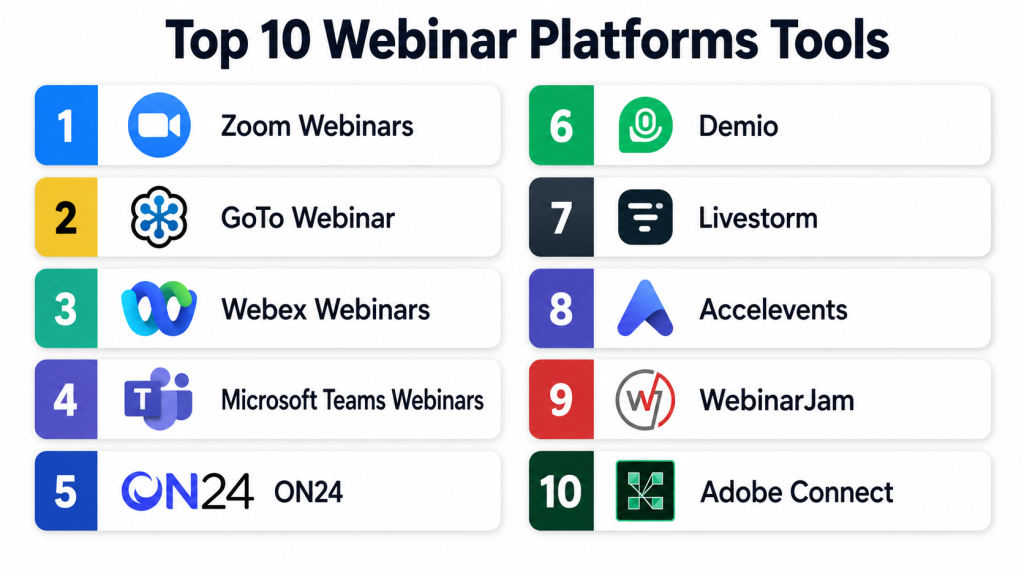
Top 10 Webinar Platforms Tools
#1 — Zoom Webinars
Short description: Zoom Webinars is a widely used webinar solution built on the broader Zoom communication ecosystem. It is useful for businesses, educators, marketers, trainers, and enterprises that need reliable live webinar hosting. The platform supports audience registration, presenter controls, Q&A, polls, recordings, and attendee reporting. It works especially well for teams already using Zoom for meetings and collaboration. Its familiar interface makes it easier for both hosts and attendees to adopt.
Key Features
- Live webinar hosting with presenter and panelist controls
- Registration pages and attendee management
- Q&A, polling, chat, and audience interaction
- Webinar recording and replay options
- Attendee reports and engagement tracking
- Calendar and business tool integrations
- Scalable options for larger webinar audiences
Pros
- Familiar interface for many users and attendees
- Strong fit for live business webinars and training sessions
- Good choice for teams already using Zoom products
Cons
- Advanced marketing automation may require integrations
- Branding options may be limited compared with dedicated webinar marketing tools
- Larger audience plans may increase overall cost
Platforms / Deployment
Web / Windows / macOS / Linux / iOS / Android
Cloud
Security & Compliance
Zoom offers security features such as encryption options, passcodes, waiting rooms, admin controls, and role-based settings. Enterprise options may include SSO and advanced administration depending on plan. Specific compliance requirements should be confirmed directly.
Integrations & Ecosystem
Zoom has a broad ecosystem because many businesses already use it for meetings, webinars, phone, and collaboration.
- CRM integrations
- Calendar integrations
- Marketing automation integrations
- Learning and training tool integrations
- App marketplace ecosystem
- API and developer options
Support & Community
Zoom provides documentation, learning resources, help center content, community support, and paid support options. Enterprise customers may receive stronger onboarding and support depending on plan.
#2 — GoTo Webinar
Short description: GoTo Webinar is a dedicated webinar platform built for professional online events, product demos, lead generation sessions, and training programs. It is commonly used by business teams that need structured registration, attendee communication, live delivery, and reporting. The platform supports polls, surveys, handouts, Q&A, recordings, and follow-up workflows. It is especially useful for recurring webinar programs. Its style is more business-focused than creator-focused.
Key Features
- Webinar registration and attendee tracking
- Automated reminder and follow-up emails
- Polls, surveys, Q&A, and handouts
- Live webinar recording and replay access
- Attendee analytics and reporting
- Presenter controls and audience management
- Support for recurring webinar programs
Pros
- Reliable option for structured business webinars
- Useful engagement and reporting features
- Good fit for recurring webinar programs
Cons
- Interface may feel traditional compared with newer tools
- Design customization may be limited
- Advanced marketing workflows may require integrations
Platforms / Deployment
Web / Windows / macOS / iOS / Android
Cloud
Security & Compliance
GoTo Webinar includes business security and access control features. Details such as SSO, MFA, encryption, audit logs, RBAC, SOC 2, ISO 27001, GDPR, or HIPAA may vary by plan and agreement. Buyers should confirm directly.
Integrations & Ecosystem
GoTo Webinar connects with common sales, marketing, calendar, and productivity tools for promotion and post-webinar follow-up.
- CRM integrations
- Marketing automation integrations
- Calendar integrations
- Email workflow support
- Reporting exports
- API options may vary
Support & Community
GoTo Webinar provides documentation, customer support resources, and learning content. Its long presence in the webinar market makes it easier to find practical usage guidance.
#3 — Webex Webinars
Short description: Webex Webinars is part of the Cisco Webex collaboration ecosystem and is designed for enterprise webinars, formal presentations, customer sessions, and training events. It supports registration, attendee controls, Q&A, polling, recording, and reporting. Webex Webinars is especially useful for organizations already using Cisco collaboration products. It is a strong option when security, admin control, and enterprise readiness matter. It may feel more formal than lightweight webinar tools.
Key Features
- Webinar hosting with host, panelist, and attendee roles
- Registration and attendee management
- Q&A, polling, chat, and engagement options
- Recording and replay support
- Large audience support depending on plan
- Enterprise admin controls
- Attendance and engagement reporting
Pros
- Strong fit for enterprise communication environments
- Good option for formal business webinars
- Useful for teams already using Webex products
Cons
- May feel heavier than simple webinar tools
- Advanced marketing automation may require integrations
- Setup can require admin involvement in larger organizations
Platforms / Deployment
Web / Windows / macOS / Linux / iOS / Android
Cloud
Security & Compliance
Webex provides enterprise security and administration capabilities. Features such as SSO, encryption, admin controls, audit logs, RBAC, and compliance support may depend on plan and configuration. Buyers should confirm details directly.
Integrations & Ecosystem
Webex fits well into enterprise collaboration and productivity ecosystems.
- Calendar integrations
- Collaboration tool integrations
- CRM integrations may vary
- Admin and identity management options
- Reporting exports
- API and developer ecosystem
Support & Community
Webex provides technical documentation, customer resources, community support, and enterprise assistance. Larger organizations may receive stronger account and implementation support.
#4 — Microsoft Teams Webinars
Short description: Microsoft Teams Webinars is a practical option for organizations already using Microsoft Teams and Microsoft 365. It helps teams run internal and external webinars with registration, presenter roles, attendee controls, calendar integration, and reporting. It is useful for HR sessions, customer education, partner training, company updates, and corporate learning programs. Teams Webinars works best when employees already use Microsoft tools every day. It may not provide the same marketing depth as dedicated webinar platforms.
Key Features
- Webinar registration and attendee management
- Presenter and attendee role controls
- Microsoft Teams and calendar integration
- Chat, Q&A, and meeting engagement features
- Attendance reporting
- Recording and replay through Microsoft ecosystem
- Useful for internal and external business webinars
Pros
- Strong fit for Microsoft 365 customers
- Easy adoption for teams already using Teams
- Good for internal training and corporate webinars
Cons
- Advanced webinar marketing features may be limited
- Branding and landing page customization may not match dedicated tools
- External attendee experience depends on configuration
Platforms / Deployment
Web / Windows / macOS / Linux / iOS / Android
Cloud
Security & Compliance
Microsoft Teams includes enterprise security and compliance capabilities through the Microsoft ecosystem. Features such as SSO, MFA, encryption, audit logs, RBAC, and compliance coverage depend on Microsoft 365 configuration and plan.
Integrations & Ecosystem
Teams Webinars is strongest inside Microsoft’s productivity, identity, and collaboration environment.
- Microsoft Outlook and calendar
- Microsoft Teams
- Microsoft 365 admin tools
- SharePoint and OneDrive workflows
- Power Platform options may vary
- CRM and marketing integrations may require additional setup
Support & Community
Microsoft provides documentation, admin guidance, community resources, and enterprise support options. Support depends on Microsoft 365 licensing and service agreement.
#5 — ON24
Short description: ON24 is a webinar and digital engagement platform built for B2B marketing, demand generation, customer engagement, and enterprise webinar programs. It focuses on branded webinar experiences, audience engagement, content hubs, analytics, and lead intelligence. ON24 is useful for teams that want webinars to support pipeline, customer education, and measurable business outcomes. It is often used by enterprise marketing teams and revenue-focused organizations. It may be more advanced than needed for simple webinars.
Key Features
- Live, on-demand, and simulive webinar support
- Branded webinar experiences
- Polls, surveys, Q&A, CTAs, and engagement tools
- Audience analytics and engagement scoring
- Content hub and replay experiences
- CRM and marketing automation integrations
- Enterprise webinar program management
Pros
- Strong for B2B demand generation webinars
- Deep engagement analytics for sales and marketing teams
- Good fit for enterprise webinar programs
Cons
- May be costly for small teams
- Requires planning to get full value from analytics
- More complex than basic webinar tools
Platforms / Deployment
Web
Cloud
Security & Compliance
ON24 provides enterprise-oriented security and data management options. Details such as SSO/SAML, MFA, encryption, audit logs, RBAC, SOC 2, ISO 27001, GDPR, or HIPAA should be confirmed directly.
Integrations & Ecosystem
ON24 is designed to connect webinar engagement data with marketing and sales operations.
- CRM integrations
- Marketing automation integrations
- Analytics and reporting workflows
- Content experience tools
- Lead scoring workflows
- API and enterprise integration options may vary
Support & Community
ON24 provides documentation, customer support, onboarding, and customer success resources. Enterprise customers may receive stronger strategic support depending on plan and contract.
#6 — Demio
Short description: Demio is a modern webinar platform focused on simplicity, clean attendee experience, and marketing-friendly webinar workflows. It is useful for SaaS companies, coaches, agencies, educators, consultants, and small to mid-sized marketing teams. Demio supports live webinars, automated webinars, registration pages, engagement tools, and analytics. The platform is designed to help teams launch webinars without heavy technical setup. It is a strong choice for users who want ease of use and polished delivery.
Key Features
- Live and automated webinar support
- Browser-based attendee experience
- Registration pages and reminder emails
- Polls, handouts, Q&A, and featured actions
- Webinar recordings and replay options
- Attendee analytics and engagement tracking
- Marketing integrations
Pros
- Easy to set up and manage
- Good fit for marketing webinars and online education
- Clean attendee experience without heavy downloads
Cons
- May not have enough depth for complex enterprise programs
- Advanced customization may be limited
- Larger webinar needs may require higher plans
Platforms / Deployment
Web
Cloud
Security & Compliance
Demio includes standard access and webinar management controls. Specific details about SSO/SAML, MFA, audit logs, RBAC, SOC 2, ISO 27001, GDPR, or HIPAA should be confirmed directly. Not publicly stated for all items.
Integrations & Ecosystem
Demio connects with common marketing and business tools to support lead capture, segmentation, and follow-up.
- CRM integrations
- Email marketing integrations
- Marketing automation tools
- Workflow automation support may vary
- Analytics exports
- API availability may depend on plan
Support & Community
Demio provides documentation, support resources, and customer help options. It is generally suitable for smaller teams that need an approachable webinar platform.
#7 — Livestorm
Short description: Livestorm is a browser-based video engagement platform used for webinars, product demos, training sessions, online events, and customer communication. It is useful for marketing, sales, customer success, HR, and education teams that want a clean digital event experience. Livestorm supports registration, reminders, engagement tools, recordings, analytics, and integrations. It is especially practical for recurring online sessions and product-led workflows. Its browser-first experience makes joining easier for attendees.
Key Features
- Browser-based webinars and online events
- Registration pages and automated reminders
- Polls, Q&A, chat, and engagement tools
- Recording and replay support
- Analytics and attendee tracking
- CRM and marketing integrations
- Team collaboration and workspace features
Pros
- Easy attendee access through browser
- Good fit for recurring demos and business webinars
- Balanced mix of usability and professional features
Cons
- Very large enterprise events may require plan review
- Advanced customization may vary by package
- Some deeper automation may require integrations
Platforms / Deployment
Web
Cloud
Security & Compliance
Livestorm provides business security and administrative controls. Specific details such as SSO/SAML, MFA, encryption, audit logs, RBAC, SOC 2, ISO 27001, GDPR, or HIPAA should be verified directly.
Integrations & Ecosystem
Livestorm connects webinar data with marketing, sales, and productivity systems.
- CRM integrations
- Marketing automation integrations
- Calendar integrations
- Analytics and reporting workflows
- Workflow automation tools
- API options may vary by plan
Support & Community
Livestorm provides help documentation, onboarding resources, and support options. It is suitable for teams that want a modern self-service experience with business-friendly support.
#8 — BigMarker
Short description: BigMarker is a webinar and virtual event platform that supports live webinars, automated webinars, on-demand webinars, virtual events, landing pages, and engagement tools. It is useful for businesses that want more than basic video streaming. BigMarker supports product demos, training events, online conferences, marketing campaigns, and recurring webinar programs. It offers flexibility for teams managing multiple event formats. It may require more setup planning when used for advanced campaigns.
Key Features
- Live, automated, and on-demand webinars
- Virtual event and multi-session support
- Registration pages and branded webinar rooms
- Polls, Q&A, chat, offers, and engagement tools
- Recording and replay options
- Analytics and attendee reporting
- CRM and marketing integrations
Pros
- Flexible for both webinars and virtual events
- Strong engagement and marketing features
- Useful for teams running different session formats
Cons
- Advanced workflows may take time to configure
- Interface depth may feel complex for beginners
- Pricing and package details should be reviewed carefully
Platforms / Deployment
Web
Cloud
Security & Compliance
BigMarker includes webinar access and administrative controls. Specific details such as SSO/SAML, MFA, encryption, audit logs, RBAC, SOC 2, ISO 27001, GDPR, or HIPAA should be confirmed directly.
Integrations & Ecosystem
BigMarker fits into marketing and event technology workflows where webinar data supports conversion and follow-up.
- CRM integrations
- Marketing automation tools
- Payment and registration workflows may vary
- Analytics and reporting exports
- API and custom workflow options
- Event and content experience integrations
Support & Community
BigMarker offers documentation, support, and onboarding resources. Larger or more complex use cases may require direct implementation guidance.
#9 — WebinarJam
Short description: WebinarJam is a webinar platform often used by marketers, coaches, consultants, course creators, and small businesses. It focuses on live webinar delivery, registration pages, audience engagement, offers, chat, polls, and replay workflows. WebinarJam is useful for promotional webinars, online workshops, product launches, and creator-led training sessions. It is designed for conversion-focused webinar funnels. It may not be the best fit for highly regulated enterprises or complex governance needs.
Key Features
- Live webinar hosting
- Registration pages and reminder workflows
- Chat, polls, Q&A, and attendee interaction
- Offer and call-to-action features
- Replay and follow-up options
- Presenter controls
- Marketing-oriented webinar workflows
Pros
- Good fit for creator and sales-focused webinars
- Useful for promotional webinar funnels
- Practical for small teams and online educators
Cons
- May not meet advanced enterprise governance needs
- Security and compliance details should be verified
- Less suitable for formal corporate webinar programs
Platforms / Deployment
Web
Cloud
Security & Compliance
WebinarJam provides standard webinar access and account controls. Specific details about SSO/SAML, MFA, audit logs, RBAC, SOC 2, ISO 27001, GDPR, or HIPAA are not publicly stated for all use cases and should be confirmed directly.
Integrations & Ecosystem
WebinarJam is commonly used with marketing, sales, and online course workflows.
- Email marketing integrations
- CRM integrations may vary
- Payment and offer workflows may vary
- Landing page and funnel tools
- Analytics exports
- Workflow automation tools
Support & Community
WebinarJam provides help resources and customer support. It has a strong user base among online marketers, creators, consultants, and small businesses.
#10 — Adobe Connect
Short description: Adobe Connect is a virtual classroom, webinar, and online meeting platform used for structured training, education, enterprise communication, and interactive digital sessions. It is useful for organizations that need persistent rooms, reusable layouts, breakout experiences, content sharing, and controlled learning environments. Adobe Connect is often considered by training teams, government users, education providers, and enterprises. It offers more structure than basic webinar tools. It may require more learning time for simple webinar use cases.
Key Features
- Virtual classrooms and webinar rooms
- Persistent layouts and reusable room setup
- Breakout rooms and interactive learning features
- Polls, chat, Q&A, and content sharing
- Recording and replay support
- Presenter and participant controls
- Training and enterprise communication workflows
Pros
- Strong fit for training and education use cases
- Flexible virtual room layouts
- Useful for structured learning sessions
Cons
- May feel complex for simple marketing webinars
- Setup may require training
- Buyers should confirm integration and pricing needs
Platforms / Deployment
Web / Windows / macOS / iOS / Android
Cloud / Managed deployment options may vary
Security & Compliance
Adobe Connect includes business and enterprise security features. Specific details such as SSO/SAML, MFA, encryption, audit logs, RBAC, SOC 2, ISO 27001, GDPR, or HIPAA should be verified based on deployment and agreement.
Integrations & Ecosystem
Adobe Connect supports learning, training, and enterprise communication workflows.
- Learning management system integrations may vary
- Content sharing workflows
- Calendar and productivity integrations
- Reporting exports
- API or integration options may vary
- Enterprise identity options may vary
Support & Community
Adobe Connect provides documentation, customer support resources, and enterprise assistance. It is especially useful for organizations delivering structured training and virtual classroom programs.
Comparison Table
| Tool Name | Best For | Platform(s) Supported | Deployment | Standout Feature | Public Rating |
|---|---|---|---|---|---|
| Zoom Webinars | Live business webinars and training | Web, Windows, macOS, Linux, iOS, Android | Cloud | Familiar video experience and broad adoption | N/A |
| GoTo Webinar | Professional recurring webinars | Web, Windows, macOS, iOS, Android | Cloud | Structured webinar management and reporting | N/A |
| Webex Webinars | Enterprise webinars and formal events | Web, Windows, macOS, Linux, iOS, Android | Cloud | Enterprise collaboration and admin control | N/A |
| Microsoft Teams Webinars | Microsoft 365-based organizations | Web, Windows, macOS, Linux, iOS, Android | Cloud | Deep Microsoft ecosystem fit | N/A |
| ON24 | B2B marketing and demand generation | Web | Cloud | Engagement analytics and content experience | N/A |
| Demio | SMB marketing webinars and education | Web | Cloud | Simple browser-based webinar setup | N/A |
| Livestorm | Product demos and recurring sessions | Web | Cloud | Clean browser-based video engagement | N/A |
| BigMarker | Webinars and virtual events | Web | Cloud | Flexible webinar and event formats | N/A |
| WebinarJam | Creator and sales-focused webinars | Web | Cloud | Conversion-focused webinar funnels | N/A |
| Adobe Connect | Training and virtual classrooms | Web, Windows, macOS, iOS, Android | Cloud / Varies | Persistent rooms and learning layouts | N/A |
Evaluation & Scoring of Webinar Platforms
| Tool Name | Core (25%) | Ease (15%) | Integrations (15%) | Security (10%) | Performance (10%) | Support (10%) | Value (15%) | Weighted Total (0–10) |
|---|---|---|---|---|---|---|---|---|
| Zoom Webinars | 9 | 9 | 8 | 8 | 9 | 8 | 8 | 8.45 |
| GoTo Webinar | 8 | 8 | 7 | 7 | 8 | 8 | 7 | 7.65 |
| Webex Webinars | 8 | 7 | 8 | 9 | 8 | 8 | 7 | 7.85 |
| Microsoft Teams Webinars | 7 | 8 | 8 | 9 | 8 | 8 | 8 | 7.85 |
| ON24 | 10 | 7 | 9 | 8 | 8 | 8 | 7 | 8.25 |
| Demio | 8 | 9 | 7 | 7 | 8 | 7 | 8 | 7.80 |
| Livestorm | 8 | 9 | 8 | 7 | 8 | 8 | 8 | 8.00 |
| BigMarker | 9 | 8 | 8 | 7 | 8 | 7 | 8 | 8.05 |
| WebinarJam | 8 | 8 | 7 | 6 | 7 | 7 | 8 | 7.35 |
| Adobe Connect | 8 | 6 | 7 | 8 | 8 | 8 | 7 | 7.35 |
These scores are comparative and should be used as a practical shortlist guide, not as a final buying decision. A higher score does not mean the platform is perfect for every team. ON24 may be stronger for B2B marketing, while Microsoft Teams Webinars may be better for companies already using Microsoft 365. Always validate tools through demos, pilot sessions, integration testing, security review, and pricing comparison.
Which Webinar Platform Tool Is Right for You?
Solo / Freelancer
Solo professionals, coaches, consultants, educators, and creators usually need a platform that is simple, affordable, and easy for attendees to join. They may not need enterprise-level controls, complex workflows, or deep admin governance.
Good options include:
- Demio for simple and polished webinar delivery
- WebinarJam for creator and sales-focused webinars
- Zoom Webinars for familiar live sessions
- Livestorm for clean browser-based webinars
For solo users, the best tool is usually the one that helps them focus on content, audience engagement, and follow-up without spending too much time on setup.
SMB
Small and growing businesses often use webinars for product demos, lead generation, onboarding, customer education, partner sessions, and community building. These teams need professional branding, reliable delivery, basic automation, and useful analytics.
Good options include:
- Demio for marketing-friendly webinars
- Livestorm for recurring demos and customer sessions
- BigMarker for flexible webinar formats
- Zoom Webinars for familiar delivery and broad audience comfort
SMBs should check attendee limits, registration pages, email reminders, replay options, integration needs, and monthly cost before choosing.
Mid-Market
Mid-market teams usually need more structure. Marketing, sales, customer success, training, and partner teams may all use webinar data for different goals. At this level, integrations and reporting become more important.
Good options include:
- ON24 for demand generation and engagement analytics
- BigMarker for webinars and virtual events
- Livestorm for product-led sessions and recurring webinars
- GoTo Webinar for dependable business webinar programs
Mid-market teams should evaluate CRM syncing, lead scoring, replay management, team permissions, campaign tracking, and reporting exports.
Enterprise
Enterprise organizations usually need security, scale, admin controls, compliance review, advanced support, and integration with existing systems. They may run global webinars, internal town halls, customer education programs, executive briefings, and training programs.
Good options include:
- Webex Webinars for enterprise collaboration environments
- Microsoft Teams Webinars for Microsoft 365-based organizations
- ON24 for enterprise marketing webinar programs
- Zoom Webinars for large-scale familiar delivery
- Adobe Connect for structured training and virtual classrooms
Enterprise buyers should involve IT, security, legal, marketing operations, and business stakeholders before finalizing a platform.
Budget vs Premium
Budget-focused users should look for a tool that covers their core needs without unnecessary complexity. Demio, WebinarJam, Livestorm, and Zoom Webinars can be practical depending on audience size, frequency, and feature needs.
Premium buyers should consider ON24, Webex Webinars, Adobe Connect, BigMarker, or enterprise Zoom options if they need advanced analytics, support, security controls, branding, and scale.
The cheapest tool is not always the best value. The best value is the platform that reduces manual work, improves attendance, supports follow-up, and fits your webinar goals.
Feature Depth vs Ease of Use
If ease of use matters most, Zoom Webinars, Demio, Livestorm, and Microsoft Teams Webinars are practical choices. These tools are easier for many teams to adopt and manage.
If feature depth matters more, ON24, BigMarker, Adobe Connect, Webex Webinars, and GoTo Webinar may be better options. These platforms offer more structure, analytics, or enterprise readiness.
The right balance depends on your webinar frequency, audience size, business goals, and team experience.
Integrations & Scalability
Integrations are important when webinars support marketing, sales, customer success, training, or revenue workflows. Without integrations, webinar data often remains disconnected from CRM, email campaigns, and reporting dashboards.
Strong options for integration-heavy teams include:
- ON24 for marketing and revenue workflows
- Livestorm for CRM-connected recurring sessions
- BigMarker for webinar and virtual event programs
- Zoom Webinars for broad ecosystem compatibility
- Microsoft Teams Webinars for Microsoft-based organizations
Before buying, confirm whether integrations are native, third-party, API-based, or available only in higher plans.
Security & Compliance Needs
Security is important when webinars include customer data, employee information, financial topics, healthcare discussions, enterprise buyers, or regulated audiences.
Teams should check:
- SSO/SAML support
- MFA availability
- Role-based access control
- Admin permissions
- Encryption options
- Audit logs
- Data retention controls
- Privacy and consent management
- Regional compliance requirements
Do not assume compliance based only on brand reputation. Confirm security documentation, contract terms, and plan-level controls before final selection.
Frequently Asked Questions
1. What is a webinar platform?
A webinar platform is software used to host online presentations, training sessions, product demos, workshops, interviews, and virtual events. It usually includes registration, video hosting, attendee engagement, recording, analytics, and follow-up tools.
2. How is a webinar platform different from a video meeting tool?
A video meeting tool is mainly for conversations and collaboration, while a webinar platform is built for structured online events. Webinar platforms usually offer registration pages, attendee controls, presenter roles, polls, Q&A, analytics, and replay workflows.
3. What pricing model do webinar platforms usually follow?
Pricing varies by platform. Common models include monthly plans, annual plans, host-based pricing, attendee-based pricing, event-based pricing, and custom enterprise pricing. Some platforms charge extra for automation, integrations, larger audiences, or premium support.
4. Which webinar platform is best for lead generation?
ON24, Demio, Livestorm, BigMarker, and Zoom Webinars can be useful for lead generation depending on your workflow. The best choice depends on CRM integration, landing page quality, engagement tracking, follow-up automation, and reporting depth.
5. What is the biggest mistake when choosing webinar software?
The biggest mistake is choosing a tool only because it is popular. Buyers should first define webinar goals, audience size, engagement needs, integration requirements, security expectations, and reporting needs.
6. Do webinar platforms support automated webinars?
Many webinar platforms support automated, recurring, simulated live, or on-demand webinars. These are useful for evergreen lead generation, customer training, product education, and repeatable audience journeys.
7. Are webinar platforms secure?
Most professional webinar platforms include basic security controls, but the depth varies by product and plan. Buyers should confirm SSO, MFA, role permissions, encryption, audit logs, data handling, and compliance documentation before purchase.
8. Can webinar platforms integrate with CRM systems?
Yes, many webinar platforms integrate with CRM and marketing automation systems. This helps teams send attendance data, engagement signals, form responses, and lead activity into sales and marketing workflows.
9. How long does webinar platform onboarding take?
Simple webinar tools can be set up quickly, while enterprise platforms may require planning, branding, integrations, admin setup, security review, and team training. Onboarding time depends on your use case and internal process.
10. Can I switch from one webinar platform to another?
Yes, but switching needs planning. Export attendee data, download recordings, review landing pages, rebuild email workflows, reconnect integrations, and test the new attendee experience before moving important webinars.
Conclusion
Webinar platforms help teams turn online sessions into structured, measurable, and repeatable business experiences. The right platform can improve registration, attendee engagement, content delivery, lead follow-up, customer education, training quality, and post-event reporting. However, there is no single best webinar platform for every team.Zoom Webinars is strong for familiar live webinar delivery. GoTo Webinar is dependable for structured business webinars. Webex Webinars and Microsoft Teams Webinars are practical for enterprise collaboration environments. ON24 is strong for B2B marketing and engagement analytics. Demio and Livestorm are useful for clean, easy webinar experiences. BigMarker is flexible for webinars and virtual events. WebinarJam is practical for creator and sales-focused webinars. Adobe Connect works well for training and structured virtual classrooms.
