Upgrade & Secure Your Future with DevOps, SRE, DevSecOps, MLOps!
We spend hours scrolling social media and waste money on things we forget, but won’t spend 30 minutes a day earning certifications that can change our lives.
Master in DevOps, SRE, DevSecOps & MLOps by DevOps School!
Learn from Guru Rajesh Kumar and double your salary in just one year.
Introduction
Workspace Analytics Tools help organizations understand how offices, meeting rooms, desks, collaboration areas, and hybrid workspaces are being used. In simple terms, these tools turn workplace activity into useful data, such as room occupancy, desk usage, employee attendance patterns, space demand, and office utilization.
They matter now because hybrid work has changed office planning. Companies no longer want to guess how many desks, rooms, floors, or locations they need. They need real data to reduce wasted space, improve employee experience, and support smarter workplace decisions.
Common use cases include:
- Tracking meeting room and desk usage.
- Understanding peak office days and occupancy patterns.
- Planning office space based on actual demand.
- Reducing underused real estate costs.
- Improving hybrid workplace policies.
Buyers should evaluate:
- Occupancy analytics
- Desk and room usage tracking
- Sensor and IoT support
- Calendar and booking integrations
- Employee privacy controls
- Reporting dashboards
- Multi-location support
- Workplace planning insights
- Integration ecosystem
- Security and access controls
Best for: facilities teams, workplace leaders, HR teams, real estate teams, operations managers, IT teams, enterprise office planners, coworking operators, and hybrid workplace managers.
Not ideal for: very small teams with no office complexity, companies with fully remote operations, or businesses that only need a simple calendar-based room booking tool without analytics.
Key Trends in Workspace Analytics Tools
- Hybrid workplace intelligence: Companies are using analytics to understand which days employees come in, which spaces are used, and where collaboration happens.
- Sensor-based occupancy data: Workplace sensors, badge data, Wi-Fi data, and room panels are helping companies measure real space usage.
- AI-assisted space planning: Tools are beginning to recommend space changes, room resizing, desk ratios, and floor planning decisions.
- Privacy-first analytics: Organizations are focusing more on aggregated insights instead of individual employee surveillance.
- Desk and room analytics convergence: Workplace analytics tools increasingly combine desk booking, room booking, attendance, and occupancy data.
- Real estate cost optimization: Businesses are using analytics to reduce unused space, consolidate floors, and improve lease decisions.
- Employee experience insights: Analytics is being used to improve office comfort, collaboration, availability, and workplace satisfaction.
- Integration with workplace systems: Tools now connect with calendars, booking systems, visitor platforms, sensors, HR tools, and building systems.
- Multi-location dashboards: Global companies need consistent workplace data across offices, regions, and business units.
- Sustainability reporting: Space usage data is becoming useful for energy planning, building efficiency, and workplace sustainability decisions.
How We Selected These Tools
The Top 10 tools were selected using practical workplace analytics criteria:
- Recognition in workplace analytics, hybrid workplace, facilities, or workplace experience markets.
- Ability to track room, desk, occupancy, attendance, and workplace utilization data.
- Support for multi-location and enterprise workplace planning.
- Integration with calendar systems, room booking tools, sensors, HR systems, and workplace platforms.
- Quality of dashboards, reporting, and workplace insights.
- Privacy controls and ability to analyze trends without unnecessary individual tracking.
- Fit for SMB, mid-market, and enterprise workplace teams.
- Usefulness for facilities, HR, IT, real estate, and operations teams.
- Scalability across offices, floors, buildings, and regions.
- Overall value for reducing space waste and improving workplace decisions.
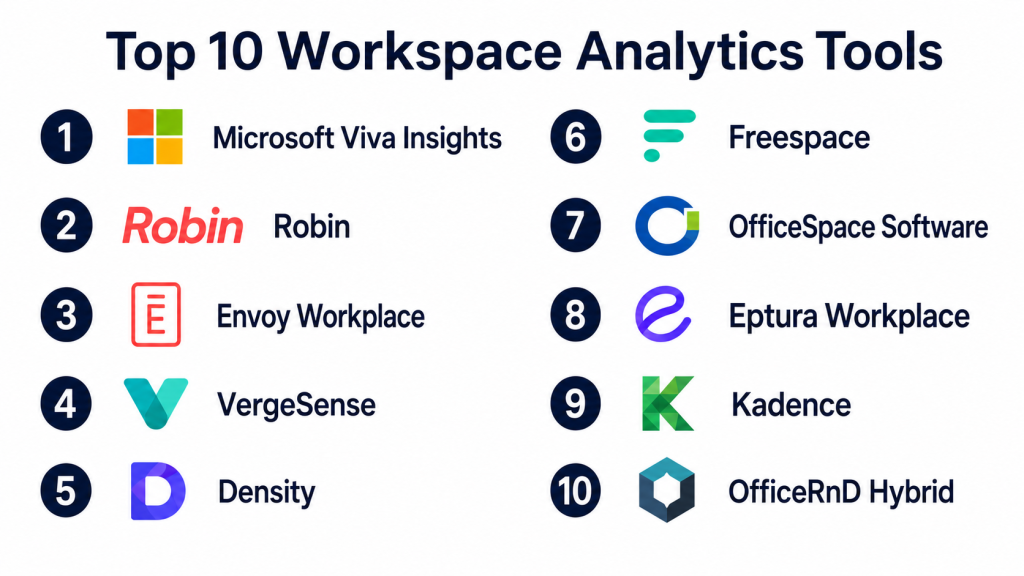
Top 10 Workspace Analytics Tools
#1 — Microsoft Viva Insights
Short description:
Microsoft Viva Insights helps organizations understand work patterns, collaboration habits, meeting culture, focus time, and employee productivity signals within Microsoft 365. It is useful for companies already using Microsoft Teams, Outlook, and Microsoft 365. While it is not only a physical workspace analytics tool, it is highly relevant for understanding digital collaboration and hybrid work patterns. It helps leaders identify meeting overload, collaboration bottlenecks, and employee experience trends. Viva Insights is best for organizations that want workplace analytics connected with Microsoft productivity data.
Key Features
- Collaboration analytics.
- Meeting and focus time insights.
- Microsoft Teams and Outlook data signals.
- Manager and leader dashboards.
- Employee wellbeing insights.
- Organizational network analysis.
- Privacy-focused aggregated reporting.
Pros
- Strong fit for Microsoft 365 users.
- Useful for understanding collaboration and meeting behavior.
- Helps connect workplace productivity with employee experience.
Cons
- Not focused mainly on physical space occupancy.
- Best value depends on Microsoft ecosystem usage.
- Requires careful privacy and communication planning.
Platforms / Deployment
Web / Microsoft Teams / Microsoft 365 environment; Cloud deployment.
Security & Compliance
Microsoft ecosystem security controls may apply depending on configuration. SSO/SAML, MFA, encryption, audit logs, RBAC, SOC 2, ISO 27001, GDPR, HIPAA: Not publicly stated for this specific usage in this blog context.
Integrations & Ecosystem
Viva Insights works best inside Microsoft-based workplaces.
- Microsoft Teams
- Outlook
- Microsoft 365
- Microsoft Viva
- HR workflows where configured
- Power BI and reporting workflows where applicable
Support & Community
Microsoft provides documentation, admin resources, enterprise support options, and a large user community. Community strength is very high among enterprise Microsoft users.
#2 — Robin
Short description:
Robin is a workplace management platform that includes desk booking, room booking, office maps, and workplace analytics. It helps organizations understand how employees use office spaces, which rooms are booked, which desks are popular, and how hybrid work patterns are changing. Robin is useful for companies that want booking data and space analytics in one system. It supports workplace teams looking to improve office planning and employee experience. Robin is a strong fit for hybrid offices and growing companies with shared workspaces.
Key Features
- Desk and room booking analytics.
- Office maps and space visibility.
- Workplace utilization dashboards.
- Employee presence insights.
- Calendar integrations.
- Room display support.
- Multi-location workplace reporting.
Pros
- Strong hybrid workplace analytics.
- Combines booking, presence, and space usage insights.
- Helpful for facilities and workplace experience teams.
Cons
- Requires employee adoption for strong booking data.
- Sensor-level occupancy may require additional systems.
- Small offices may not need the full platform.
Platforms / Deployment
Web / iOS / Android; Cloud deployment.
Security & Compliance
SSO/SAML, MFA, encryption, audit logs, RBAC, SOC 2, ISO 27001, GDPR, HIPAA: Not publicly stated.
Integrations & Ecosystem
Robin connects workplace analytics with collaboration and booking workflows.
- Microsoft 365
- Google Workspace
- Slack
- Microsoft Teams
- Room displays
- Workplace calendar systems
Support & Community
Robin provides onboarding, documentation, and support resources. Community strength is strong among workplace operations and hybrid office teams.
#3 — Envoy Workplace
Short description:
Envoy Workplace helps companies manage visitors, employees, desks, rooms, deliveries, and workplace activity. Its analytics help workplace teams understand office attendance, space usage, visitor patterns, and hybrid workplace behavior. Envoy is useful for organizations that want workplace analytics connected with visitor management and employee office planning. It works well for companies managing hybrid schedules, office access, and workplace operations from one platform. Envoy is especially practical for workplace, security, HR, and operations teams.
Key Features
- Workplace occupancy insights.
- Desk and room usage reporting.
- Visitor analytics.
- Employee sign-in data.
- Hybrid workplace scheduling.
- Multi-location dashboards.
- Workplace policy support.
Pros
- Strong for workplace operations and visitor visibility.
- Useful for hybrid office planning.
- Combines multiple workplace workflows in one platform.
Cons
- May be broader than teams needing only analytics.
- Value depends on employee and visitor process adoption.
- Pricing and modules should be reviewed carefully.
Platforms / Deployment
Web / iOS / Android; Cloud deployment.
Security & Compliance
SSO/SAML, MFA, encryption, audit logs, RBAC, SOC 2, ISO 27001, GDPR, HIPAA: Not publicly stated.
Integrations & Ecosystem
Envoy connects analytics with workplace access and operations.
- Microsoft 365
- Google Workspace
- Slack
- Access control systems
- Visitor management workflows
- HR and workplace tools
Support & Community
Envoy provides onboarding, support, and documentation. Community strength is high among workplace operations, facilities, and office experience teams.
#4 — VergeSense
Short description:
VergeSense is a workplace analytics platform focused on occupancy intelligence using sensor-based data. It helps organizations understand how rooms, desks, collaboration areas, and office floors are actually being used. VergeSense is useful for enterprise real estate, facilities, and workplace teams that need accurate space utilization insights. It can help companies make decisions about office design, consolidation, desk ratios, and hybrid work strategy. The platform is especially strong for sensor-driven workplace analytics.
Key Features
- Occupancy sensor analytics.
- Space utilization dashboards.
- Desk and room usage insights.
- Workplace planning data.
- Real-time and historical occupancy views.
- Multi-location analytics.
- Space optimization recommendations.
Pros
- Strong sensor-based workplace intelligence.
- Useful for real estate and facilities planning.
- Helps reduce guesswork in space decisions.
Cons
- Requires sensor deployment and planning.
- May be too advanced for small offices.
- Hardware and implementation costs should be considered.
Platforms / Deployment
Web-based platform; Cloud deployment with sensor hardware.
Security & Compliance
SSO/SAML, MFA, encryption, audit logs, RBAC, SOC 2, ISO 27001, GDPR, HIPAA: Not publicly stated.
Integrations & Ecosystem
VergeSense supports workplace intelligence and space planning workflows.
- Occupancy sensors
- Building systems
- Workplace analytics dashboards
- Space planning tools
- Facilities workflows
- Enterprise reporting systems
Support & Community
Implementation and support resources are available. Community strength is strong among enterprise workplace and real estate teams.
#5 — Density
Short description:
Density provides occupancy analytics and space utilization data for offices, buildings, workplaces, and physical environments. It helps organizations understand how many people use a space, when occupancy peaks, and how space demand changes over time. Density is useful for workplace teams that need accurate, privacy-conscious occupancy measurement. It can support office planning, building operations, safety, and real estate decisions. The platform is best suited for organizations that want physical space analytics based on occupancy data.
Key Features
- Occupancy measurement.
- Space utilization analytics.
- Real-time people counting.
- Historical occupancy trends.
- Multi-site reporting.
- Privacy-conscious sensing.
- Building and workplace insights.
Pros
- Strong focus on occupancy analytics.
- Useful for space planning and real estate decisions.
- Helps measure actual usage rather than bookings alone.
Cons
- Requires hardware deployment.
- Not a full desk or room booking platform by itself.
- Best value depends on scale and sensor placement.
Platforms / Deployment
Web-based platform; Cloud deployment with hardware sensors.
Security & Compliance
SSO/SAML, MFA, encryption, audit logs, RBAC, SOC 2, ISO 27001, GDPR, HIPAA: Not publicly stated.
Integrations & Ecosystem
Density supports physical workplace and building analytics.
- Occupancy sensors
- Facilities dashboards
- Workplace analytics tools
- Building operations workflows
- Real estate reporting
- Space planning systems
Support & Community
Support and deployment resources are available. Community strength is good among workplace, facilities, and real estate teams.
#6 — Freespace
Short description:
Freespace is a workplace technology platform that provides occupancy analytics, sensors, workplace experience tools, and space utilization insights. It helps organizations understand how offices are used and how to improve workplace planning. Freespace is useful for enterprises managing hybrid work, multi-location offices, and real estate optimization. It can support workplace teams with data from sensors, booking systems, and employee interactions. The platform fits organizations that need both analytics and workplace experience improvements.
Key Features
- Occupancy analytics.
- Sensor-based workplace data.
- Desk and room utilization insights.
- Workplace experience tools.
- Multi-location reporting.
- Space planning dashboards.
- Hybrid workplace insights.
Pros
- Strong workplace analytics and sensor support.
- Useful for enterprise office optimization.
- Helps connect space usage with workplace experience.
Cons
- Implementation can require planning.
- May be more than small teams need.
- Hardware and integration needs should be reviewed.
Platforms / Deployment
Web-based platform; Cloud deployment with sensor and workplace technology options.
Security & Compliance
SSO/SAML, MFA, encryption, audit logs, RBAC, SOC 2, ISO 27001, GDPR, HIPAA: Not publicly stated.
Integrations & Ecosystem
Freespace connects workplace data with facilities and experience workflows.
- Occupancy sensors
- Desk systems
- Room systems
- Workplace dashboards
- Facilities tools
- Building technology systems
Support & Community
Support and implementation resources are available. Community strength is good among enterprise workplace and facilities teams.
#7 — OfficeSpace Software
Short description:
OfficeSpace Software is a workplace management platform that helps organizations manage floor plans, space planning, employee seating, moves, desk booking, and workplace analytics. It is useful for companies that need better visibility into workplace layout and space usage. OfficeSpace helps facilities and real estate teams understand occupancy, seating, and workplace capacity. It is especially relevant for organizations managing hybrid work and office redesign. The platform fits mid-market and enterprise teams that need structured space management.
Key Features
- Space planning.
- Floor plan management.
- Desk booking support.
- Employee seating visibility.
- Occupancy and utilization reporting.
- Move management.
- Workplace analytics dashboards.
Pros
- Strong floor plan and space management features.
- Useful for facilities and workplace planning.
- Helps manage office layout and employee seating.
Cons
- Not purely focused on sensor analytics.
- Setup requires accurate floor plan and employee data.
- Small teams may not need full space management depth.
Platforms / Deployment
Web-based platform; Cloud deployment.
Security & Compliance
SSO/SAML, MFA, encryption, audit logs, RBAC, SOC 2, ISO 27001, GDPR, HIPAA: Not publicly stated.
Integrations & Ecosystem
OfficeSpace connects workplace planning with employee and space data.
- HR systems
- Calendar workflows
- Desk booking tools
- Floor plan systems
- Workplace reporting
- Facilities workflows
Support & Community
Support, onboarding, and documentation are available. Community strength is strong among facilities and workplace management teams.
#8 — Eptura Workplace
Short description:
Eptura Workplace provides workplace, facility, asset, and space management capabilities for organizations managing offices, buildings, and hybrid work environments. It helps teams analyze space usage, manage workplace resources, support desk and room booking, and improve facilities planning. Eptura is useful for organizations that need broader workplace and facility intelligence beyond simple booking analytics. It supports workplace operations, real estate planning, and asset visibility. The platform fits larger organizations with complex workplace needs.
Key Features
- Workplace analytics.
- Space and facility management.
- Desk and room booking support.
- Asset and resource management.
- Occupancy insights.
- Multi-location reporting.
- Facilities workflow support.
Pros
- Broad workplace and facility management coverage.
- Good for larger organizations with complex needs.
- Useful for connecting space, assets, and workplace data.
Cons
- May be too broad for teams needing simple analytics.
- Implementation may require planning.
- Pricing and modules should be reviewed carefully.
Platforms / Deployment
Web-based platform; Cloud deployment; deployment options may vary.
Security & Compliance
SSO/SAML, MFA, encryption, audit logs, RBAC, SOC 2, ISO 27001, GDPR, HIPAA: Not publicly stated.
Integrations & Ecosystem
Eptura connects workplace analytics with facilities and enterprise operations.
- Workplace booking systems
- Facilities management tools
- Asset management workflows
- Building systems
- Real estate dashboards
- Enterprise reporting tools
Support & Community
Support and enterprise onboarding resources are available. Community strength is strong among facilities, real estate, and workplace operations teams.
#9 — Kadence
Short description:
Kadence is a hybrid workplace platform that helps companies manage office attendance, desk booking, room booking, employee coordination, and workplace analytics. It is useful for organizations that want insight into how teams use the office and when people plan to come in. Kadence supports hybrid planning by helping employees coordinate office days and find available spaces. Its analytics help workplace leaders understand attendance patterns and space demand. The platform fits companies focused on employee experience and hybrid collaboration.
Key Features
- Hybrid workplace analytics.
- Desk and room booking insights.
- Employee office attendance planning.
- Team coordination features.
- Calendar integrations.
- Space utilization reporting.
- Mobile app support.
Pros
- Strong hybrid work focus.
- Helps employees coordinate office days.
- Useful for workplace leaders tracking attendance patterns.
Cons
- Analytics depends on employee booking and planning behavior.
- Sensor-level occupancy may require additional tools.
- May not fit companies needing deep facilities analytics only.
Platforms / Deployment
Web / iOS / Android; Cloud deployment.
Security & Compliance
SSO/SAML, MFA, encryption, audit logs, RBAC, SOC 2, ISO 27001, GDPR, HIPAA: Not publicly stated.
Integrations & Ecosystem
Kadence connects workplace analytics with collaboration and scheduling tools.
- Microsoft 365
- Google Workspace
- Slack
- HR workflows
- Desk booking systems
- Workplace reporting
Support & Community
Support and onboarding resources are available. Community strength is growing among hybrid workplace teams.
#10 — OfficeRnD Hybrid
Short description:
OfficeRnD Hybrid is a workplace management platform that supports desk booking, meeting room booking, floor plans, employee scheduling, and workplace analytics. It helps companies understand how office spaces are used and how hybrid teams interact with shared resources. OfficeRnD Hybrid is useful for companies that want practical analytics tied to booking workflows. It can help workplace teams manage space demand, desk usage, and office attendance. The platform fits SMBs, mid-market teams, and flexible workplace operators.
Key Features
- Workplace analytics.
- Desk booking insights.
- Room booking analytics.
- Interactive floor plans.
- Employee scheduling.
- Office attendance visibility.
- Multi-location support.
Pros
- Good balance of booking and analytics.
- Useful for hybrid office planning.
- Helps teams understand desk and room demand.
Cons
- Advanced sensor analytics may require other tools.
- Setup depends on accurate office data.
- Enterprise-grade needs should be reviewed carefully.
Platforms / Deployment
Web / mobile app support; Cloud deployment.
Security & Compliance
SSO/SAML, MFA, encryption, audit logs, RBAC, SOC 2, ISO 27001, GDPR, HIPAA: Not publicly stated.
Integrations & Ecosystem
OfficeRnD Hybrid connects workplace booking with analytics and planning.
- Microsoft 365
- Google Workspace
- Slack
- Floor plan systems
- Desk booking workflows
- Workplace reporting tools
Support & Community
Support and onboarding resources are available. Community strength is good among hybrid workplace and flexible office teams.
Comparison Table
| Tool Name | Best For | Platform(s) Supported | Deployment | Standout Feature | Public Rating |
|---|---|---|---|---|---|
| Microsoft Viva Insights | Microsoft 365 collaboration analytics | Web / Teams / Microsoft 365 | Cloud | Meeting and collaboration insights | N/A |
| Robin | Hybrid workplace analytics | Web / iOS / Android | Cloud | Desk and room booking analytics | N/A |
| Envoy Workplace | Workplace operations and occupancy insights | Web / iOS / Android | Cloud | Visitor, desk, and office analytics | N/A |
| VergeSense | Sensor-based space utilization | Web | Cloud + hardware | Occupancy intelligence | N/A |
| Density | Physical occupancy analytics | Web | Cloud + hardware | Real-time people counting | N/A |
| Freespace | Enterprise workplace sensing | Web | Cloud + sensors | Sensor-driven workplace insights | N/A |
| OfficeSpace Software | Space planning and floor analytics | Web | Cloud | Floor plans and workplace planning | N/A |
| Eptura Workplace | Facility and workplace intelligence | Web | Cloud / Varies | Space, asset, and facility analytics | N/A |
| Kadence | Hybrid team coordination analytics | Web / iOS / Android | Cloud | Office attendance and team planning | N/A |
| OfficeRnD Hybrid | Desk and room usage analytics | Web / mobile app support | Cloud | Booking-based workplace insights | N/A |
Evaluation & Scoring of Workspace Analytics Tools
| Tool Name | Core (25%) | Ease (15%) | Integrations (15%) | Security (10%) | Performance (10%) | Support (10%) | Value (15%) | Weighted Total (0–10) |
|---|---|---|---|---|---|---|---|---|
| Microsoft Viva Insights | 8 | 8 | 9 | 8 | 8 | 8 | 8 | 8.15 |
| Robin | 9 | 8 | 9 | 8 | 8 | 8 | 8 | 8.35 |
| Envoy Workplace | 9 | 8 | 9 | 8 | 8 | 8 | 7 | 8.20 |
| VergeSense | 9 | 7 | 8 | 8 | 9 | 8 | 7 | 8.10 |
| Density | 8 | 7 | 8 | 8 | 9 | 8 | 7 | 7.85 |
| Freespace | 9 | 7 | 8 | 8 | 8 | 8 | 7 | 7.95 |
| OfficeSpace Software | 8 | 8 | 8 | 8 | 8 | 8 | 8 | 8.00 |
| Eptura Workplace | 9 | 7 | 8 | 8 | 8 | 8 | 7 | 7.95 |
| Kadence | 8 | 8 | 8 | 7 | 8 | 8 | 8 | 7.90 |
| OfficeRnD Hybrid | 8 | 8 | 8 | 7 | 8 | 8 | 8 | 7.90 |
These scores are comparative and should not be treated as universal rankings. A company focused on Microsoft collaboration patterns may prefer Microsoft Viva Insights. A hybrid office team may prefer Robin, Envoy, Kadence, or OfficeRnD Hybrid. A real estate or facilities team needing actual occupancy data may prefer VergeSense, Density, or Freespace. Always compare tools against your office size, data sources, privacy requirements, and workplace goals.
Which Workspace Analytics Tool Is Right for You?
Solo / Freelancer
Solo professionals and very small teams usually do not need dedicated workspace analytics tools. A simple calendar, coworking dashboard, or basic office booking report may be enough.
If you manage a small shared studio, training space, or coworking-style office, OfficeRnD Hybrid or a lightweight booking analytics platform can help track usage without heavy enterprise complexity.
SMB
Small and mid-sized businesses should prioritize tools that are easy to launch and provide clear room, desk, and attendance insights. Robin, Kadence, OfficeRnD Hybrid, and Envoy Workplace are strong options.
SMBs should focus on employee adoption, calendar integration, clear dashboards, and simple reports that help improve office planning.
Mid-Market
Mid-market companies often need better workplace visibility across offices, departments, floors, and hybrid schedules. Robin, Envoy Workplace, OfficeSpace Software, Freespace, and Eptura Workplace are worth evaluating.
At this stage, analytics should help teams make real decisions about space allocation, desk ratios, meeting room capacity, and office policies.
Enterprise
Enterprise organizations need multi-location reporting, sensor support, privacy controls, integrations, workplace governance, and real estate planning insights. VergeSense, Density, Freespace, Eptura Workplace, OfficeSpace Software, and Microsoft Viva Insights are strong candidates.
Enterprises should review data governance, privacy, SSO, integration architecture, global reporting, and implementation support before selecting a platform.
Budget vs Premium
Budget-friendly tools are best when companies need booking-based analytics and simple space reports. Premium platforms are better when businesses need sensor-based occupancy, real estate planning, multi-location analytics, and advanced workplace intelligence.
Do not compare only subscription price. Consider real estate cost savings, better space planning, employee experience improvements, and reduced manual reporting.
Feature Depth vs Ease of Use
Simple tools are easier for workplace teams and employees to adopt. Deep analytics platforms provide stronger insights but require better data strategy and implementation planning.
Choose ease of use if your team mainly needs desk and room usage reports. Choose feature depth if your organization is making major office, lease, or workplace strategy decisions.
Integrations & Scalability
Workspace analytics tools should connect with calendars, room booking systems, desk booking platforms, HR systems, visitor management, access control, Wi-Fi data, sensors, and building systems where needed.
Before choosing, confirm which data sources the platform supports and how it protects employee privacy.
Security & Compliance Needs
Workspace analytics tools may process employee names, office attendance, room bookings, visitor activity, location signals, and workplace behavior patterns. Privacy and governance must be handled carefully.
Ask vendors about aggregation, anonymization, encryption, MFA, SSO, role-based access, audit logs, data retention, and privacy controls. If details are not clearly confirmed, treat them as not publicly stated.
Frequently Asked Questions
1. What are Workspace Analytics Tools?
Workspace Analytics Tools help organizations understand how offices, rooms, desks, and collaboration spaces are used. They turn workplace activity into reports that support better space planning and hybrid work decisions.
2. How are workspace analytics different from room booking reports?
Room booking reports show reserved rooms. Workspace analytics can go deeper by showing actual occupancy, desk usage, attendance patterns, space demand, and workplace utilization across locations.
3. What pricing models are common?
Common pricing models include monthly subscriptions, per-user pricing, per-location pricing, per-desk pricing, sensor hardware costs, implementation fees, and enterprise custom pricing. Hardware-based tools may have separate device costs.
4. How long does implementation take?
Booking-based analytics tools can be launched faster if calendar and office data are clean. Sensor-based analytics may take longer because hardware placement, floor plans, calibration, and privacy review are needed.
5. What are common mistakes when choosing workspace analytics software?
Common mistakes include tracking too much personal data, ignoring privacy concerns, choosing tools without integration support, relying only on booking data, and failing to define business questions before implementation.
6. Can workspace analytics reduce office costs?
Yes, workspace analytics can help identify underused rooms, floors, desks, and office locations. This data can support better lease planning, space redesign, and hybrid workplace decisions.
7. Do these tools track individual employees?
Some tools may support individual-level workplace data, while others focus on aggregated insights. Organizations should be careful and choose privacy-first settings that avoid unnecessary employee surveillance.
8. Are workspace analytics tools secure?
Security varies by vendor. Buyers should ask about encryption, SSO, MFA, role-based access, audit logs, data retention, anonymization, and privacy controls before choosing a platform.
9. Can workspace analytics integrate with Microsoft 365 or Google Workspace?
Many tools integrate with Microsoft 365, Outlook, Google Workspace, or calendar systems. These integrations help connect room bookings, meeting data, and workplace schedules with analytics dashboards.
10. What are alternatives to Workspace Analytics Tools?
Alternatives include spreadsheets, badge reports, calendar reports, manual surveys, room booking exports, building management data, or simple occupancy counts. Dedicated tools are better when companies need reliable, ongoing workplace intelligence.
Conclusion
Workspace Analytics Tools help organizations move from guesswork to data-driven workplace planning. They show how desks, rooms, offices, and collaboration spaces are actually used, which helps companies improve hybrid work policies, reduce wasted space, and create better employee experiences. The right tool depends on your workplace size, data sources, privacy expectations, budget, and goals. Companies using Microsoft 365 may start with Viva Insights. Hybrid teams may prefer Robin, Envoy, Kadence, or OfficeRnD Hybrid. Facilities and real estate teams needing physical occupancy data may choose VergeSense, Density, Freespace, Eptura Workplace, or OfficeSpace Software.
