Upgrade & Secure Your Future with DevOps, SRE, DevSecOps, MLOps!
We spend hours scrolling social media and waste money on things we forget, but won’t spend 30 minutes a day earning certifications that can change our lives.
Master in DevOps, SRE, DevSecOps & MLOps by DevOps School!
Learn from Guru Rajesh Kumar and double your salary in just one year.
Introduction
Whiteboard collaboration tools help teams brainstorm, plan, map ideas, run workshops, design workflows, create diagrams, organize sticky notes, and collaborate visually in real time. Instead of relying only on meetings, documents, or chat messages, teams can use a shared digital canvas to explain ideas, solve problems, and make decisions together.
Whiteboard collaboration tools matter now because teams are remote, hybrid, cross-functional, and often spread across different time zones. Modern whiteboards support AI-assisted brainstorming, templates, voting, timers, mind maps, journey maps, product planning, agile ceremonies, workshops, and integration with project management tools.
Common use cases include:
- Brainstorming and ideation sessions
- Product planning and roadmapping
- Agile retrospectives and sprint planning
- Customer journey mapping
- System design and process mapping
Buyers should evaluate:
- Ease of use
- Real-time collaboration
- Template library
- Diagramming and mapping features
- Security and admin controls
- Integrations
- AI features
- Export options
- Performance with large boards
- Pricing and team scalability
Best for: product teams, UX teams, designers, marketers, consultants, educators, agile teams, remote teams, leadership teams, and enterprises that need visual collaboration.
Not ideal for: users who only need simple note-taking, formal document writing, or highly detailed technical drawings. In those cases, document editors, diagramming tools, or CAD-style tools may be better.
Key Trends in Whiteboard Collaboration Tools=
AI-assisted brainstorming is becoming more common, helping teams generate ideas, summarize boards, cluster notes, and create workshop outputs faster.
- Hybrid meeting support is now important because many teams work across office rooms, remote calls, and async collaboration.
- Templates are becoming strategic assets for product planning, design thinking, agile retrospectives, strategy sessions, and customer workshops.
- Security and governance expectations are rising as teams place sensitive strategy, roadmap, architecture, and customer information on shared boards.
- Integration with project tools is more important, especially with task management, documentation, design, meeting, and communication platforms.
- Async collaboration is growing, allowing teams to add comments, vote, review, and contribute without joining the same meeting.
- Visual project management is becoming popular as teams use whiteboards for kanban, roadmaps, planning boards, and workflow tracking.
- Diagramming and whiteboarding are merging, so many platforms now support flowcharts, mind maps, wireframes, process maps, and architecture sketches.
- Enterprise admin controls are becoming a key buying factor, including SSO, permissions, workspace management, and audit capabilities.
- Better export and documentation workflows are needed so workshop outputs can move into PDFs, wikis, documents, slides, and project trackers.
How We Selected These Tools
The tools below were selected using practical evaluation logic:
- Market adoption and mindshare among business, product, design, education, and technical teams
- Strength of real-time whiteboard collaboration
- Template quality and workshop facilitation features
- Support for sticky notes, diagrams, voting, timers, comments, and visual planning
- Ease of use for both technical and non-technical users
- Integrations with project management, documentation, design, and communication tools
- Security posture signals such as SSO, permissions, admin controls, and governance
- Performance and reliability for large boards and active team sessions
- Fit across freelancers, SMBs, mid-market teams, and enterprises
- Overall value compared with collaboration depth and team needs
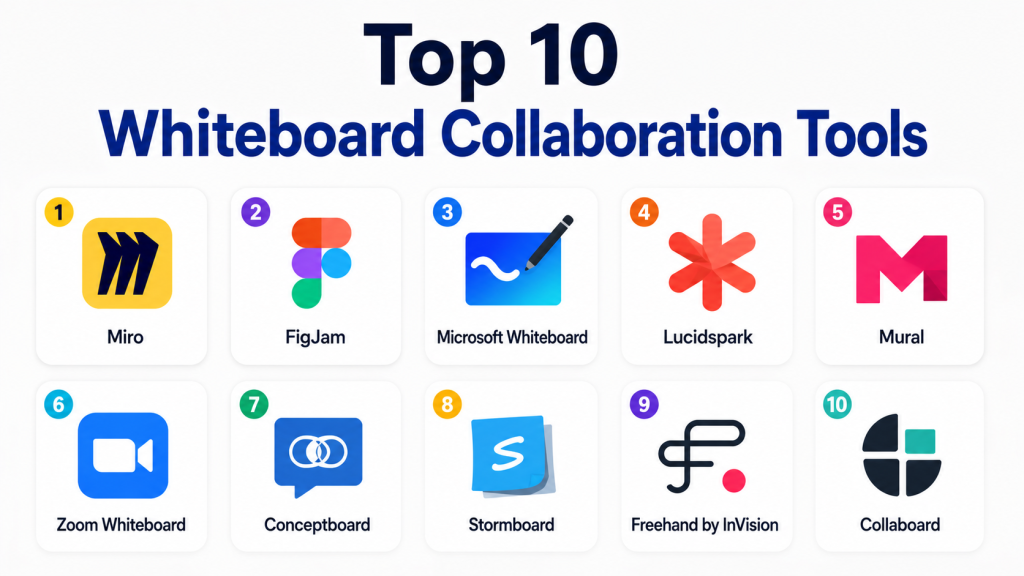
Top 10 Whiteboard Collaboration Tools
#1 — Miro
Short description: Miro is a leading online whiteboard platform for brainstorming, workshops, product planning, agile ceremonies, diagramming, and visual collaboration. It is best for remote, hybrid, product, design, and enterprise teams that need a flexible shared canvas.
Key Features
- Infinite canvas for visual collaboration
- Sticky notes, shapes, diagrams, mind maps, and wireframes
- Templates for workshops, agile, product, and strategy
- Voting, timers, comments, and facilitation tools
- Real-time and async collaboration
- AI-assisted visual workflows where available
- Integrations with project, documentation, and communication tools
Pros
- Very strong for remote and hybrid workshops
- Large template ecosystem for many business use cases
- Works well for both brainstorming and structured planning
Cons
- Large boards can become messy without governance
- Premium features may require paid plans
- New users may need onboarding for complex workshops
Platforms / Deployment
Web / Windows / macOS / iOS / Android
Cloud
Security & Compliance
Miro offers enterprise security features such as SSO, admin controls, access permissions, and governance options. Specific compliance availability depends on plan and configuration.
Integrations & Ecosystem
Miro has a strong ecosystem for product, design, agile, and business teams.
- Project management workflows
- Documentation tools
- Communication tools
- Design workflows
- Cloud storage workflows
- Agile planning workflows
Support & Community
Miro provides documentation, onboarding resources, templates, webinars, and enterprise support options. Its community is strong among product teams, facilitators, agile coaches, and remote teams.
#2 — FigJam
Short description: FigJam is Figma’s collaborative whiteboard tool for brainstorming, workshops, design thinking, product planning, and team collaboration. It is best for design, product, UX, and cross-functional teams already using Figma.
Key Features
- Online whiteboard for brainstorming and planning
- Sticky notes, shapes, connectors, stamps, and comments
- Templates for workshops and design thinking
- Strong connection with Figma design files
- Real-time collaboration
- Voting and facilitation features
- AI-supported workflows where available
Pros
- Excellent fit for product and design teams
- Simple and friendly collaboration experience
- Strong connection with Figma ecosystem
Cons
- Best value is strongest for Figma users
- Less broad for enterprise workshop management than some larger tools
- Advanced diagramming depth may be limited
Platforms / Deployment
Web / Windows / macOS
Cloud
Security & Compliance
Figma enterprise plans include security and admin controls. Specific compliance availability depends on plan and product configuration.
Integrations & Ecosystem
FigJam works naturally with Figma and design-led collaboration workflows.
- Figma design files
- Product planning workflows
- Design thinking workshops
- Team brainstorming
- Commenting and feedback workflows
- Template libraries
Support & Community
FigJam benefits from Figma’s strong documentation, community templates, learning resources, and product design community.
#3 — Microsoft Whiteboard
Short description : Microsoft Whiteboard is a digital whiteboard tool for Microsoft 365 users. It is useful for meetings, brainstorming, classroom collaboration, planning, and visual teamwork inside Microsoft environments.
Key Features
- Digital canvas for team collaboration
- Sticky notes, shapes, ink, templates, and drawings
- Integration with Microsoft Teams
- Cloud saving through Microsoft ecosystem
- Touch and pen support
- Useful for meeting-based collaboration
- Works across several Microsoft-supported devices
Pros
- Good fit for Microsoft 365 users
- Simple for meeting-based brainstorming
- Works well with Teams and Windows devices
Cons
- Less feature-rich than dedicated whiteboard platforms
- Template and facilitation depth may be limited
- Best value depends on Microsoft ecosystem usage
Platforms / Deployment
Web / Windows / iOS / Android
Cloud / Hybrid through Microsoft ecosystem
Security & Compliance
Security depends on Microsoft 365 plan and configuration. Enterprise plans commonly include identity management, MFA, encryption, admin controls, and audit capabilities.
Integrations & Ecosystem
Microsoft Whiteboard fits Microsoft-centered collaboration workflows.
- Microsoft Teams
- Microsoft 365
- OneDrive
- SharePoint
- Windows pen and touch workflows
- Meeting collaboration workflows
Support & Community
Microsoft provides documentation, support, and enterprise help resources. Community support is strong because many organizations already use Microsoft 365.
#4 — Lucidspark
Short description : Lucidspark is a virtual whiteboard platform from the Lucid ecosystem, built for brainstorming, workshops, agile planning, and visual collaboration. It is useful for teams that also need structured diagramming through Lucidchart.
Key Features
- Online whiteboard for ideation and planning
- Sticky notes, voting, timers, and breakout features
- Templates for strategy, agile, and workshops
- Real-time collaboration
- Integration with Lucidchart
- Facilitator tools for meetings
- Useful for moving ideas into structured diagrams
Pros
- Strong connection with Lucidchart
- Good for structured brainstorming and planning
- Useful for teams that need both whiteboarding and diagramming
Cons
- Best value is stronger when used with Lucidchart
- May overlap with other collaboration tools
- Advanced features may require paid plans
Platforms / Deployment
Web
Cloud
Security & Compliance
Lucid offers enterprise security features such as SSO, user management, permissions, and admin controls. Specific compliance availability depends on plan and configuration.
Integrations & Ecosystem
Lucidspark fits visual collaboration and structured documentation workflows.
- Lucidchart
- Productivity tools
- Communication tools
- Documentation workflows
- Agile planning workflows
- Cloud sharing workflows
Support & Community
Lucid provides documentation, templates, learning resources, onboarding, and support options. Its community is strong among business, IT, and process teams.
#5 — Mural
Short description : Mural is a visual collaboration platform designed for workshops, design thinking, innovation sessions, strategy planning, and facilitated teamwork. It is best for consultants, facilitators, design teams, and organizations that run structured collaboration sessions.
Key Features
- Digital whiteboards for workshops
- Facilitation tools such as timers, voting, and private mode
- Templates for design thinking and strategy
- Real-time collaboration and comments
- Visual frameworks for planning and ideation
- Team workspace management
- Useful for structured remote sessions
Pros
- Strong for professional facilitation
- Good workshop and design thinking templates
- Useful for consultants and enterprise teams
Cons
- May feel more structured than lightweight whiteboards
- Pricing may not suit casual users
- Some teams may need training to get full value
Platforms / Deployment
Web / Windows / macOS / iOS / Android
Cloud
Security & Compliance
Mural offers enterprise security and admin features, but exact compliance availability depends on plan and configuration.
Integrations & Ecosystem
Mural supports workshop-heavy collaboration workflows.
- Meeting tools
- Project planning workflows
- Communication tools
- Design thinking frameworks
- Agile collaboration
- Enterprise facilitation workflows
Support & Community
Mural provides templates, documentation, facilitation resources, customer support, and training materials. Its community is strong among facilitators and design-thinking practitioners.
#6 — Zoom Whiteboard
Short description: Zoom Whiteboard is a digital whiteboard experience connected with Zoom meetings and team collaboration. It is best for teams already using Zoom for calls, workshops, education, and remote meetings.
Key Features
- Whiteboarding during and outside meetings
- Sticky notes, shapes, connectors, and drawing tools
- Collaboration across Zoom users
- Meeting-friendly brainstorming
- Templates and visual planning options
- Sharing and access controls
- Works with Zoom communication workflows
Pros
- Convenient for Zoom-based teams
- Useful during live meetings and training sessions
- Reduces need to switch tools during calls
Cons
- Less mature than dedicated whiteboard-first platforms
- Advanced workshop features may be limited
- Best value depends on Zoom usage
Platforms / Deployment
Web / Windows / macOS / iOS / Android
Cloud
Security & Compliance
Security depends on Zoom plan and configuration. Enterprise plans may include admin controls, encryption settings, SSO, and access management. Specific compliance availability varies by plan.
Integrations & Ecosystem
Zoom Whiteboard fits meeting-first collaboration workflows.
- Zoom Meetings
- Zoom Team Chat
- Training sessions
- Webinar planning
- Meeting collaboration
- Remote education workflows
Support & Community
Zoom provides documentation, help resources, customer support, and a broad user community. Whiteboard-specific resources are available but may be less extensive than dedicated whiteboard tools.
#7 — Conceptboard
Short description : Conceptboard is an online whiteboard and visual collaboration platform for remote teams, workshops, feedback sessions, and project planning. It is useful for organizations that need structured visual collaboration with secure sharing.
Key Features
- Online collaborative whiteboards
- Sticky notes, comments, drawing, and visual feedback
- Templates for workshops and planning
- Guest collaboration options
- Document and image review workflows
- Team workspace organization
- Access and sharing controls
Pros
- Good for remote collaboration and visual feedback
- Useful for agencies, consultants, and business teams
- Supports structured boards and review workflows
Cons
- Smaller ecosystem than Miro or Mural
- Advanced integrations may vary
- May not be the first choice for highly technical diagramming
Platforms / Deployment
Web
Cloud
Security & Compliance
Conceptboard offers security-focused features for business use, but specific compliance details should be verified by plan. If unclear, treat as Not publicly stated.
Integrations & Ecosystem
Conceptboard fits visual review and remote collaboration workflows.
- Workshop planning
- Creative review
- Project collaboration
- Document feedback
- Guest collaboration
- Visual planning boards
Support & Community
Conceptboard provides documentation, support resources, and onboarding guidance. Community size is moderate compared with larger collaboration platforms.
#8 — Stormboard
Short description: Stormboard is a collaborative whiteboard and brainstorming platform focused on sticky notes, meeting outputs, reports, and structured collaboration. It is useful for teams that want to turn brainstorming into organized action items.
Key Features
- Sticky-note-based brainstorming
- Templates for meetings and workshops
- Real-time collaboration
- Reporting and export options
- Voting and prioritization features
- Meeting-focused workflows
- Useful for structured decision-making
Pros
- Strong for brainstorming and meeting outputs
- Helps organize ideas into structured results
- Useful for business teams and facilitators
Cons
- Less visual flexibility than some infinite canvas tools
- Interface may feel more structured than creative
- Smaller ecosystem than leading whiteboard platforms
Platforms / Deployment
Web
Cloud
Security & Compliance
Not publicly stated.
Integrations & Ecosystem
Stormboard fits meeting, workshop, and business planning workflows.
- Meeting collaboration
- Brainstorming sessions
- Reporting workflows
- Export workflows
- Team planning
- Decision-making sessions
Support & Community
Stormboard provides help resources, templates, and support. Community strength is more focused around business collaboration and meeting productivity.
#9 — Freehand by InVision
Short description : Freehand is a collaborative whiteboard tool originally associated with design, product, and creative workflows. It is useful for brainstorming, wireframing, planning, and visual feedback.
Key Features
- Online collaborative canvas
- Drawing, notes, shapes, and simple diagrams
- Design and product planning workflows
- Team comments and feedback
- Lightweight wireframing
- Visual collaboration templates
- Useful for creative discussions
Pros
- Good for design and product collaboration
- Simple and approachable interface
- Useful for quick sketches and planning
Cons
- Product availability and roadmap may vary
- Smaller ecosystem than Miro or FigJam
- Not ideal for enterprise-wide structured whiteboarding without careful evaluation
Platforms / Deployment
Web
Cloud
Security & Compliance
Not publicly stated.
Integrations & Ecosystem
Freehand fits lightweight design and product collaboration workflows.
- Product planning
- Design feedback
- Wireframing
- Creative brainstorming
- Team comments
- Visual planning
Support & Community
Support and community resources may vary. Teams should evaluate current availability, support model, and long-term fit before adopting.
#10 — Collaboard
Short description : Collaboard is an online whiteboard platform for remote collaboration, workshops, education, planning, and visual teamwork. It is useful for organizations that need flexible whiteboarding with cloud and deployment considerations.
Key Features
- Online whiteboard collaboration
- Sticky notes, shapes, drawing, and templates
- Real-time teamwork
- Workshop and education workflows
- File and media support
- Access control options
- Deployment options may vary by plan
Pros
- Useful for business, education, and workshops
- Offers flexible visual collaboration features
- May suit teams with specific deployment needs
Cons
- Smaller market awareness than Miro or Mural
- Integrations may be more limited
- Teams should verify security and deployment details before purchase
Platforms / Deployment
Web
Cloud / Hybrid options may vary
Security & Compliance
Not publicly stated.
Integrations & Ecosystem
Collaboard supports general visual collaboration use cases.
- Workshop workflows
- Education collaboration
- Planning boards
- File sharing
- Visual brainstorming
- Team collaboration
Support & Community
Collaboard provides support and learning resources. Community size is smaller than major whiteboard platforms, so evaluation is important for larger teams.
Comparison Table
| Tool Name | Best For | Platform(s) Supported | Deployment | Standout Feature | Public Rating |
|---|---|---|---|---|---|
| Miro | Remote teams and visual collaboration | Web, Windows, macOS, iOS, Android | Cloud | Large template and workshop ecosystem | N/A |
| FigJam | Product and design teams | Web, Windows, macOS | Cloud | Strong Figma ecosystem connection | N/A |
| Microsoft Whiteboard | Microsoft 365 meeting collaboration | Web, Windows, iOS, Android | Hybrid | Teams and Microsoft 365 integration | N/A |
| Lucidspark | Brainstorming plus diagramming workflows | Web | Cloud | Strong Lucidchart connection | N/A |
| Mural | Facilitated workshops and design thinking | Web, Windows, macOS, iOS, Android | Cloud | Professional workshop facilitation | N/A |
| Zoom Whiteboard | Meeting-first whiteboarding | Web, Windows, macOS, iOS, Android | Cloud | Native Zoom meeting workflow | N/A |
| Conceptboard | Remote visual review and feedback | Web | Cloud | Structured visual feedback | N/A |
| Stormboard | Brainstorming and meeting outputs | Web | Cloud | Sticky-note reporting workflow | N/A |
| Freehand by InVision | Design and product collaboration | Web | Cloud | Lightweight creative whiteboarding | N/A |
| Collaboard | Flexible remote whiteboarding | Web | Cloud / Hybrid varies | General visual collaboration | N/A |
Evaluation & Scoring of Whiteboard Collaboration Tools
| Tool Name | Core (25%) | Ease (15%) | Integrations (15%) | Security (10%) | Performance (10%) | Support (10%) | Value (15%) | Weighted Total (0–10) |
|---|---|---|---|---|---|---|---|---|
| Miro | 10 | 8 | 10 | 8 | 8 | 9 | 8 | 8.85 |
| FigJam | 8 | 9 | 9 | 8 | 8 | 8 | 8 | 8.30 |
| Microsoft Whiteboard | 7 | 8 | 9 | 9 | 8 | 9 | 8 | 8.05 |
| Lucidspark | 8 | 8 | 9 | 8 | 8 | 8 | 7 | 8.00 |
| Mural | 9 | 8 | 8 | 8 | 8 | 8 | 7 | 8.10 |
| Zoom Whiteboard | 7 | 8 | 8 | 8 | 7 | 8 | 8 | 7.65 |
| Conceptboard | 7 | 8 | 6 | 7 | 7 | 7 | 7 | 7.00 |
| Stormboard | 7 | 7 | 6 | 6 | 7 | 7 | 7 | 6.75 |
| Freehand by InVision | 6 | 8 | 6 | 5 | 7 | 6 | 7 | 6.50 |
| Collaboard | 7 | 7 | 6 | 6 | 7 | 6 | 7 | 6.70 |
These scores are comparative and should be used as a practical starting point. A higher score does not automatically mean the tool is best for every team. Miro scores high for broad visual collaboration, while FigJam is especially strong for design-led teams. Microsoft Whiteboard may be the better choice for organizations already committed to Microsoft 365. Always test the tools with real workshops, real users, and real security requirements.
Which Whiteboard Collaboration Tool Is Right for You?
Solo / Freelancer
Solo users and freelancers should choose tools that are easy, affordable, and fast to share with clients. FigJam, Miro, and Freehand are useful for brainstorming and presenting ideas. If most clients use Microsoft Teams, Microsoft Whiteboard can be practical.
SMB
Small businesses need simple collaboration, templates, and easy onboarding. Miro is strong for broad use cases. FigJam is useful for design and product work. Zoom Whiteboard is convenient when most meetings already happen in Zoom. Stormboard can help teams convert ideas into structured meeting outputs.
Mid-Market
Mid-market teams usually need reusable templates, team workspaces, integrations, guest access, and reliable workshop facilitation. Miro, Mural, Lucidspark, and FigJam are strong options. The best choice depends on whether the team is more product-focused, workshop-focused, diagram-focused, or design-focused.
Enterprise
Enterprises should focus on security, governance, admin controls, SSO, access permissions, user management, audit needs, and data handling. Miro, Microsoft Whiteboard, Lucidspark, Mural, and FigJam are stronger candidates for larger organizations, depending on the existing ecosystem.
Budget vs Premium
Microsoft Whiteboard may be practical for teams already paying for Microsoft 365. FigJam and Miro can be strong value depending on team size and plan. Premium tools such as Mural, Lucidspark, and Miro are better when facilitation, templates, enterprise features, and integrations matter more than cost.
Feature Depth vs Ease of Use
Miro and Mural provide deep workshop and collaboration features. FigJam is easier for product and design teams. Microsoft Whiteboard is simpler for meeting-based use. Stormboard is useful when structured brainstorming matters more than open-ended visual creativity.
Integrations & Scalability
Miro and Lucidspark are strong when teams need broad integrations. Microsoft Whiteboard scales well inside Microsoft 365. FigJam is best when Figma is already part of the design workflow. Zoom Whiteboard is practical for meeting-first teams.
Security & Compliance Needs
Security-focused teams should confirm SSO, MFA, RBAC, audit logs, guest access controls, encryption, data retention, and admin reporting. Do not assume compliance unless it is clearly available for the exact product and plan. For sensitive strategy, architecture, or customer boards, governance matters as much as usability.
Frequently Asked Questions (FAQs)
What is a whiteboard collaboration tool?
A whiteboard collaboration tool is a shared digital canvas where teams can brainstorm, draw, map ideas, organize sticky notes, create diagrams, and work together in real time or asynchronously.
Which whiteboard tool is best for remote teams?
Miro, Mural, FigJam, and Lucidspark are strong options for remote teams. They support real-time collaboration, comments, templates, and structured workshop features.
Which tool is best for design teams?
FigJam is a strong choice for design teams because it connects naturally with Figma. Miro is also useful when design teams need broader workshops, planning, and stakeholder collaboration.
Which tool is best for Microsoft users?
Microsoft Whiteboard is practical for teams using Microsoft 365 and Microsoft Teams. It works well for meeting-based brainstorming and simple visual collaboration.
Are whiteboard tools secure for business use?
Many business-focused whiteboard tools provide security features such as access controls, admin settings, SSO, and permissions. However, teams should verify exact security and compliance details before using them for sensitive work.
What are common mistakes when choosing a whiteboard tool?
Common mistakes include choosing only by popularity, ignoring security needs, not testing large boards, overlooking guest access, and failing to define how workshop outputs will move into tasks or documentation.
Can whiteboard tools replace diagramming tools?
Sometimes, but not always. Whiteboard tools are great for brainstorming and collaboration. Dedicated diagramming tools may be better for formal system diagrams, process maps, network diagrams, and documentation-ready visuals.
Are AI features useful in whiteboard collaboration?
Yes, AI can help summarize notes, group ideas, generate workshop prompts, create diagrams, and speed up planning. Still, teams should review AI outputs for accuracy and context.
How do whiteboard tools support async work?
Async features usually include comments, mentions, voting, board sharing, recorded context, templates, and version history. These help people contribute without joining the same meeting.
Which tool is best for agile teams?
Miro, Mural, Lucidspark, and FigJam are useful for agile ceremonies such as retrospectives, sprint planning, story mapping, and product discovery workshops.
How should teams compare pricing?
Teams should compare pricing by active users, guest access, templates, integrations, storage limits, admin controls, support, and enterprise governance. The cheapest tool may not be best if it slows down collaboration.
Can I switch from one whiteboard tool to another?
Yes, but switching may require exporting boards, recreating templates, training users, and rebuilding integrations. Test migration with a few real boards before moving fully.
Conclusion
Whiteboard collaboration tools help modern teams think, plan, and solve problems visually. They are especially useful for remote work, hybrid meetings, design thinking, product discovery, agile planning, education, consulting, and business strategy. Miro is strong for broad visual collaboration. FigJam is excellent for product and design teams. Microsoft Whiteboard works well for Microsoft 365 users. Lucidspark is useful when brainstorming needs to connect with structured diagrams, while Mural is strong for facilitated workshops.
