Upgrade & Secure Your Future with DevOps, SRE, DevSecOps, MLOps!
We spend hours scrolling social media and waste money on things we forget, but won’t spend 30 minutes a day earning certifications that can change our lives.
Master in DevOps, SRE, DevSecOps & MLOps by DevOps School!
Learn from Guru Rajesh Kumar and double your salary in just one year.
Introduction
Digital Adoption Platforms help users learn, understand, and use software more effectively. In simple English, these tools guide employees or customers inside an application through walkthroughs, tooltips, pop-ups, checklists, onboarding flows, knowledge prompts, and in-app help. Instead of sending users to long manuals or separate training sessions, a digital adoption platform gives support directly inside the tool they are using.
Digital adoption matters because companies use many software systems, and users often struggle to adopt them properly. Poor adoption leads to low productivity, repeated support tickets, training gaps, data errors, and wasted software spending. Digital adoption platforms help businesses improve onboarding, reduce confusion, increase feature usage, support change management, and guide users through complex workflows.
Common real-world use cases include employee onboarding, SaaS customer onboarding, product feature adoption, CRM training, ERP workflow guidance, support ticket reduction, self-service help, and software change management.
Buyers should evaluate:
- In-app walkthroughs and product tours
- No-code or low-code content creation
- User segmentation and targeting
- Analytics and adoption reporting
- Integration with product, HR, CRM, and support systems
- Employee and customer use cases
- Security and role-based access
- Knowledge base and help center support
- Multi-application guidance
- Ease of maintenance for changing software screens
Best for: product teams, customer success teams, HR teams, IT teams, operations leaders, SaaS companies, enterprise application owners, onboarding teams, and organizations that need users to adopt software faster.
Not ideal for: very small teams with simple tools and limited onboarding needs may not need a full digital adoption platform. In those cases, basic help docs, short videos, live training, or simple onboarding emails may be enough.
Key Trends in Digital Adoption Platforms
- In-app learning over separate training: Companies are moving training directly inside software tools so users can learn while doing real work.
- AI-assisted guidance: Some platforms now support AI-powered help, content suggestions, workflow recommendations, and faster support responses.
- Product-led onboarding: SaaS companies use digital adoption platforms to guide new users, improve activation, and encourage feature discovery.
- Employee software enablement: Enterprises use these tools to help employees adopt CRM, ERP, HRIS, finance, procurement, and internal business applications.
- No-code content creation: Business teams want to build tours, pop-ups, and tooltips without depending fully on engineering teams.
- Deeper usage analytics: Buyers want to understand where users drop off, which features are ignored, and which workflows need better guidance.
- Personalized user journeys: Platforms are becoming more targeted, showing different guidance based on role, department, plan, behavior, location, or lifecycle stage.
- Support deflection: Digital adoption platforms help reduce tickets by providing contextual answers before users contact support.
- Stronger governance: Larger organizations need approval workflows, version control, permissions, audit logs, and content governance.
- Integration with business systems: Digital adoption platforms increasingly connect with analytics, CRM, help desk, HRIS, data platforms, product tools, and identity providers.
How We Selected These Tools
The following digital adoption platforms were selected using practical buyer-focused evaluation logic:
- Market adoption and recognition: Tools widely known in digital adoption, product onboarding, employee enablement, and customer education were prioritized.
- Feature completeness: Platforms with walkthroughs, tooltips, checklists, analytics, segmentation, and in-app guidance were considered stronger.
- Customer fit across segments: The list includes enterprise-grade platforms, SaaS product adoption tools, SMB-friendly tools, and employee enablement solutions.
- Ease of use: No-code or low-code creation, simple editing, and non-technical administration were important factors.
- Analytics depth: Tools with better product usage insights, user behavior tracking, and workflow analytics were rated higher.
- Integration ecosystem: CRM, analytics, help desk, HRIS, product tools, identity providers, and knowledge systems were considered.
- Security posture: Platforms suitable for sensitive enterprise applications and user data received stronger consideration.
- Scalability: Tools that can support multiple applications, teams, user segments, regions, and business units were prioritized.
- Employee and customer use cases: Tools were evaluated for both internal software adoption and external product onboarding.
- Support and onboarding: Documentation, implementation support, customer success, and training resources were considered.
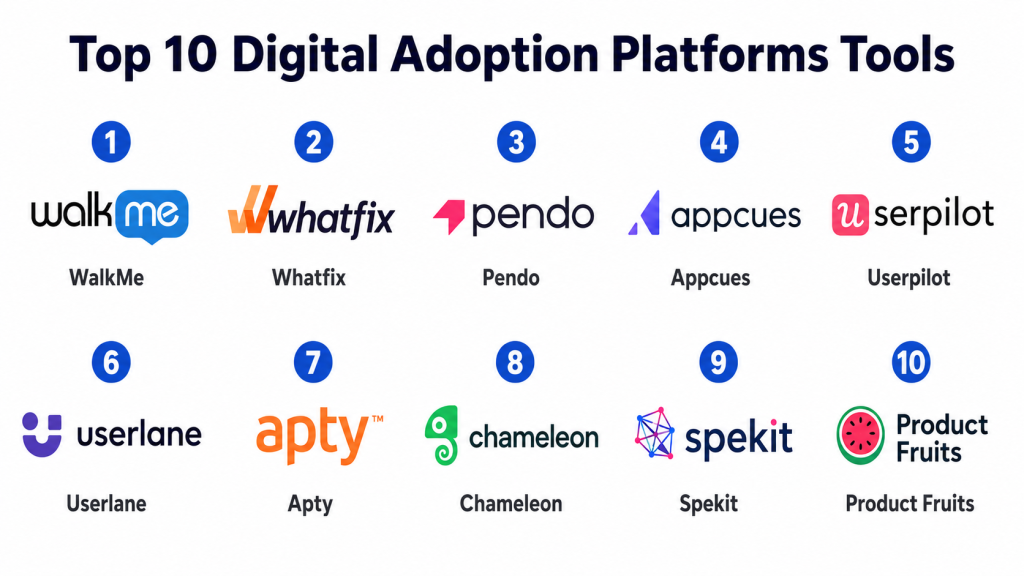
Top 10 Digital Adoption Platforms Tools
#1 — WalkMe
Short description: WalkMe is an enterprise digital adoption platform designed to guide users across business applications. It is commonly used by large organizations for employee software adoption, workflow automation, onboarding, and change management.
Key Features
- In-app walkthroughs and guided workflows
- Cross-application digital adoption support
- User segmentation and targeting
- Workflow automation and task guidance
- Adoption analytics and usage insights
- Employee onboarding and change management support
- Enterprise governance and administration
Pros
- Strong fit for large enterprises with complex software environments.
- Useful for improving adoption of CRM, ERP, HR, and finance systems.
- Deep analytics and workflow guidance capabilities.
Cons
- May be too complex for small teams.
- Implementation can require planning and dedicated ownership.
- Pricing may be better suited for larger organizations.
Platforms / Deployment
Web / Browser-based workflows
Cloud
Security & Compliance
WalkMe supports enterprise digital adoption workflows and access management needs. Specific details such as SSO/SAML, MFA, encryption, audit logs, RBAC, SOC 2, ISO 27001, GDPR, or HIPAA should be confirmed during vendor review.
SOC 2 / ISO 27001 / GDPR / HIPAA: Not publicly stated.
Integrations & Ecosystem
WalkMe is built for enterprise software ecosystems and can support adoption across multiple business applications.
- CRM systems
- ERP platforms
- HRIS tools
- Help desk platforms
- Analytics systems
- Identity providers
Support & Community
WalkMe provides enterprise onboarding, documentation, customer success resources, implementation support, and partner ecosystem options. Support depth may vary by contract and implementation scope.
#2 — Whatfix
Short description: Whatfix is a digital adoption platform that helps organizations create in-app guidance, self-help, onboarding flows, and workflow support. It serves both employee-facing and customer-facing adoption use cases.
Key Features
- Interactive walkthroughs
- Self-help widgets
- Tooltips and pop-ups
- User segmentation
- Product usage analytics
- Multi-format content support
- Enterprise application guidance
Pros
- Strong balance between employee training and customer onboarding.
- Useful for reducing support dependency.
- Good fit for complex enterprise software adoption.
Cons
- Setup may require planning for large applications.
- Content maintenance is important when applications change.
- Smaller teams may not need the full platform depth.
Platforms / Deployment
Web / Browser-based workflows
Cloud
Security & Compliance
Whatfix supports business-grade digital adoption workflows and user access controls. Exact security certifications and compliance details should be confirmed with the vendor.
SOC 2 / ISO 27001 / GDPR / HIPAA: Not publicly stated.
Integrations & Ecosystem
Whatfix integrates with business applications, analytics tools, support systems, and enterprise platforms to help users complete workflows more easily.
- CRM platforms
- HR systems
- ERP systems
- Help desk tools
- Analytics platforms
- Identity providers
Support & Community
Whatfix provides onboarding, documentation, customer success support, and implementation resources. Support experience may vary based on plan and organization size.
#3 — Pendo
Short description: Pendo is a product experience and digital adoption platform used by SaaS companies and product teams. It helps teams analyze product usage, collect feedback, guide users, and improve feature adoption.
Key Features
- Product usage analytics
- In-app guides and walkthroughs
- User feedback collection
- Product roadmapping support
- Feature adoption tracking
- User segmentation
- Customer onboarding support
Pros
- Strong product analytics and adoption insights.
- Useful for SaaS product teams and customer success teams.
- Helps connect user behavior with in-app guidance.
Cons
- More product-focused than employee software adoption-focused.
- May require product and customer success alignment.
- Advanced analytics setup may need careful planning.
Platforms / Deployment
Web / Mobile app support varies
Cloud
Security & Compliance
Pendo supports product usage tracking and user guidance workflows. Specific certifications, encryption, access controls, and compliance coverage should be verified during procurement.
SOC 2 / ISO 27001 / GDPR / HIPAA: Not publicly stated.
Integrations & Ecosystem
Pendo fits well with product, customer success, analytics, support, and feedback ecosystems.
- Product analytics tools
- CRM platforms
- Help desk tools
- Customer success platforms
- Data and analytics systems
- Feedback collection tools
Support & Community
Pendo provides documentation, customer support, learning resources, and product community programs. Support depth depends on plan and customer requirements.
#4 — Appcues
Short description: Appcues is a user onboarding and product adoption platform that helps SaaS teams create in-app flows, checklists, tooltips, banners, and product announcements without heavy engineering work.
Key Features
- No-code onboarding flows
- Product tours and walkthroughs
- Checklists and tooltips
- In-app announcements
- User targeting and segmentation
- Experimentation support
- Product adoption analytics
Pros
- Strong for SaaS onboarding and feature adoption.
- Easy for product and growth teams to use.
- Good for improving activation and user education.
Cons
- Less suited for complex enterprise employee adoption.
- Deep enterprise governance may be limited compared with larger DAP tools.
- Requires clear onboarding strategy for best results.
Platforms / Deployment
Web
Cloud
Security & Compliance
Appcues supports user targeting and in-app content delivery workflows. Specific security certifications and compliance details should be confirmed directly with the vendor.
SOC 2 / ISO 27001 / GDPR / HIPAA: Not publicly stated.
Integrations & Ecosystem
Appcues works well with SaaS product stacks and growth tools where teams need to guide users inside web applications.
- Product analytics tools
- CRM platforms
- Customer success tools
- Email and marketing tools
- Data platforms
- Support systems
Support & Community
Appcues provides documentation, templates, support resources, and product education. It is generally approachable for product, growth, and customer success teams.
#5 — Userpilot
Short description: Userpilot is a product growth and digital adoption platform for SaaS companies. It helps product teams build onboarding flows, feature announcements, surveys, checklists, and product experiences without heavy engineering support.
Key Features
- Product onboarding flows
- Feature adoption experiences
- Checklists and tooltips
- In-app surveys
- User segmentation
- Product usage analytics
- No-code experience builder
Pros
- Strong for SaaS product adoption and user activation.
- Good balance of guidance, analytics, and feedback.
- Useful for product-led growth teams.
Cons
- More suitable for SaaS products than internal enterprise tools.
- Requires clear user segmentation and onboarding strategy.
- Advanced enterprise needs should be validated carefully.
Platforms / Deployment
Web
Cloud
Security & Compliance
Userpilot supports user behavior tracking and in-app experience delivery. Specific certifications, access controls, encryption, and compliance coverage should be confirmed during vendor review.
SOC 2 / ISO 27001 / GDPR / HIPAA: Not publicly stated.
Integrations & Ecosystem
Userpilot connects with product, analytics, customer success, and communication tools used by SaaS teams.
- Product analytics systems
- CRM platforms
- Customer success tools
- Survey tools
- Data warehouses
- Support platforms
Support & Community
Userpilot provides documentation, customer support, onboarding resources, and product education. Support depth may vary by plan and company size.
#6 — Userlane
Short description: Userlane is a digital adoption platform focused on software onboarding, process guidance, and user enablement. It is used by organizations that want to help employees or customers complete workflows inside applications.
Key Features
- Interactive software guides
- In-app process guidance
- User onboarding support
- Adoption analytics
- No-code content creation
- User segmentation
- Enterprise software enablement
Pros
- Good fit for employee software onboarding.
- Helps users complete workflows without separate training.
- Useful for change management and software rollout.
Cons
- Content maintenance is needed when software changes.
- Best value comes with well-defined business processes.
- Smaller teams may not need a dedicated DAP.
Platforms / Deployment
Web / Browser-based workflows
Cloud
Security & Compliance
Userlane supports business software guidance and user access workflows. Specific certifications, audit controls, and compliance claims should be verified with the vendor.
SOC 2 / ISO 27001 / GDPR / HIPAA: Not publicly stated.
Integrations & Ecosystem
Userlane can support software adoption across enterprise tools and business applications.
- CRM platforms
- ERP systems
- HR software
- Learning systems
- Analytics tools
- Identity providers
Support & Community
Userlane provides onboarding support, documentation, and customer success resources. Support experience may vary by customer segment and rollout complexity.
#7 — Apty
Short description: Apty is a digital adoption platform focused on employee onboarding, workflow compliance, process guidance, and enterprise software adoption. It is useful for organizations that need to improve productivity inside complex applications.
Key Features
- Guided workflows
- Employee onboarding support
- Process compliance tracking
- Software usage analytics
- In-app help and tooltips
- Workflow validation
- Enterprise application support
Pros
- Strong fit for internal enterprise software adoption.
- Useful for process compliance and productivity improvement.
- Helps reduce errors in complex workflows.
Cons
- May require implementation planning for enterprise applications.
- Content and workflow rules need ongoing maintenance.
- Less suited for simple SaaS onboarding use cases.
Platforms / Deployment
Web / Browser-based workflows
Cloud
Security & Compliance
Apty supports enterprise software guidance and process tracking. Specific security certifications, compliance details, and access controls should be validated during procurement.
SOC 2 / ISO 27001 / GDPR / HIPAA: Not publicly stated.
Integrations & Ecosystem
Apty is commonly used with enterprise applications where process accuracy and workflow guidance are important.
- ERP systems
- CRM platforms
- HRIS tools
- Finance applications
- Analytics platforms
- Identity systems
Support & Community
Apty provides implementation resources, documentation, onboarding support, and customer success guidance. Support depth depends on the complexity of rollout.
#8 — Chameleon
Short description: Chameleon is a product adoption platform focused on in-app experiences, product tours, onboarding flows, tooltips, launchers, and user feedback. It is useful for SaaS product teams that want flexible in-app communication.
Key Features
- Product tours and walkthroughs
- Tooltips and in-app messages
- Launchers and resource centers
- User segmentation
- Microsurveys and feedback
- A/B testing support
- Product experience analytics
Pros
- Strong for SaaS product teams.
- Flexible in-app messaging and onboarding design.
- Good for feature discovery and user education.
Cons
- More product-focused than enterprise employee adoption-focused.
- May require product analytics alignment for deeper insights.
- Advanced enterprise workflow guidance may be limited.
Platforms / Deployment
Web
Cloud
Security & Compliance
Chameleon supports in-app user engagement and product adoption workflows. Specific security and compliance details should be confirmed with the vendor.
SOC 2 / ISO 27001 / GDPR / HIPAA: Not publicly stated.
Integrations & Ecosystem
Chameleon integrates with product analytics, customer engagement, support, and data tools used by SaaS teams.
- Product analytics platforms
- Customer success tools
- Help desk systems
- CRM platforms
- Data platforms
- Feedback tools
Support & Community
Chameleon provides documentation, support resources, templates, and onboarding help. It is well-suited for product and growth teams that want flexible in-app guidance.
#9 — Spekit
Short description: Spekit is a digital enablement and adoption platform that delivers training, process guidance, and knowledge directly inside daily work tools. It is especially useful for sales, customer success, and revenue teams that need in-workflow support.
Key Features
- In-workflow training and guidance
- Knowledge cards and process support
- Sales enablement content delivery
- Tool adoption support
- Content engagement analytics
- Browser-based guidance
- CRM and productivity workflow support
Pros
- Strong for sales and revenue enablement.
- Helps users access knowledge without leaving their workflow.
- Useful for process updates, product changes, and CRM adoption.
Cons
- Not a traditional broad DAP for every application type.
- Best value depends on daily workflow integrations.
- May be less suited for complex enterprise process automation.
Platforms / Deployment
Web / Browser-based workflows
Cloud
Security & Compliance
Spekit supports business enablement workflows and user access management. Specific compliance certifications and security controls should be validated during vendor review.
SOC 2 / ISO 27001 / GDPR / HIPAA: Not publicly stated.
Integrations & Ecosystem
Spekit works best when embedded into revenue, customer, and business workflows where users need quick guidance.
- CRM systems
- Sales enablement tools
- Communication platforms
- Knowledge management tools
- Browser-based applications
- Reporting systems
Support & Community
Spekit provides onboarding, documentation, support resources, and customer success guidance. Support experience may vary by customer size and package.
#10 — Product Fruits
Short description: Product Fruits is a product adoption and user onboarding platform that helps SaaS teams create tours, hints, checklists, announcements, and feedback experiences. It is practical for teams that want simple digital adoption without heavy setup.
Key Features
- Product tours
- In-app hints and tooltips
- Onboarding checklists
- Announcements and newsfeeds
- Feedback widgets
- Knowledge base support
- User targeting
Pros
- Simple and practical for SaaS onboarding.
- Good value for smaller and growing product teams.
- Easier to implement than many large enterprise DAPs.
Cons
- May not fit complex enterprise employee adoption needs.
- Advanced analytics may be limited compared with larger platforms.
- Enterprise governance should be validated before adoption.
Platforms / Deployment
Web
Cloud
Security & Compliance
Product Fruits supports user onboarding and in-app guidance workflows. Specific security controls, certifications, and compliance details should be confirmed directly.
SOC 2 / ISO 27001 / GDPR / HIPAA: Not publicly stated.
Integrations & Ecosystem
Product Fruits fits well into SaaS product onboarding and user education workflows.
- Product analytics tools
- Customer support systems
- Feedback tools
- Knowledge bases
- CRM systems
- In-app communication workflows
Support & Community
Product Fruits provides documentation, support resources, and onboarding help. It is practical for teams that want lightweight product adoption capabilities.
Comparison Table
| Tool Name | Best For | Platform(s) Supported | Deployment | Standout Feature | Public Rating |
|---|---|---|---|---|---|
| WalkMe | Enterprise software adoption | Web, browser-based workflows | Cloud | Cross-application enterprise guidance | N/A |
| Whatfix | Employee and customer digital adoption | Web, browser-based workflows | Cloud | Interactive guidance and self-help | N/A |
| Pendo | SaaS product analytics and adoption | Web, mobile support varies | Cloud | Product usage analytics with guides | N/A |
| Appcues | SaaS onboarding and feature adoption | Web | Cloud | No-code product onboarding flows | N/A |
| Userpilot | Product-led growth and user activation | Web | Cloud | Segmented onboarding and surveys | N/A |
| Userlane | Employee software onboarding | Web, browser-based workflows | Cloud | Process guidance for business applications | N/A |
| Apty | Enterprise workflow compliance and guidance | Web, browser-based workflows | Cloud | Workflow validation and process support | N/A |
| Chameleon | Flexible SaaS in-app experiences | Web | Cloud | Product tours, launchers, and surveys | N/A |
| Spekit | Sales and revenue enablement | Web, browser-based workflows | Cloud | In-workflow knowledge delivery | N/A |
| Product Fruits | Lightweight SaaS onboarding | Web | Cloud | Simple tours, hints, and checklists | N/A |
Evaluation & Scoring of Digital Adoption Platforms
The scoring below is comparative and based on practical digital adoption platform evaluation criteria. A higher score does not mean one platform is the best for every organization. It means the tool performs strongly against this model for adoption features, usability, integrations, security expectations, reliability, support, and value.
| Tool Name | Core (25%) | Ease (15%) | Integrations (15%) | Security (10%) | Performance (10%) | Support (10%) | Value (15%) | Weighted Total (0–10) |
|---|---|---|---|---|---|---|---|---|
| WalkMe | 9.4 | 7.4 | 9.0 | 8.8 | 8.8 | 8.5 | 7.2 | 8.48 |
| Whatfix | 9.0 | 8.0 | 8.7 | 8.5 | 8.6 | 8.4 | 7.7 | 8.47 |
| Pendo | 8.7 | 8.2 | 8.8 | 8.4 | 8.6 | 8.2 | 7.8 | 8.40 |
| Appcues | 8.1 | 8.8 | 8.0 | 8.0 | 8.3 | 8.0 | 8.3 | 8.22 |
| Userpilot | 8.3 | 8.6 | 8.1 | 8.0 | 8.3 | 8.0 | 8.2 | 8.23 |
| Userlane | 8.2 | 8.2 | 8.0 | 8.1 | 8.3 | 8.0 | 8.0 | 8.13 |
| Apty | 8.4 | 7.8 | 8.1 | 8.2 | 8.4 | 8.0 | 7.8 | 8.12 |
| Chameleon | 8.0 | 8.7 | 8.0 | 7.9 | 8.2 | 7.9 | 8.1 | 8.13 |
| Spekit | 7.9 | 8.4 | 8.3 | 8.0 | 8.2 | 8.0 | 8.0 | 8.11 |
| Product Fruits | 7.5 | 8.8 | 7.4 | 7.7 | 8.0 | 7.8 | 8.6 | 7.96 |
These scores should be used as a comparison guide, not as a final buying decision. WalkMe and Whatfix are strong for enterprise digital adoption. Pendo, Appcues, Userpilot, Chameleon, and Product Fruits are stronger for SaaS product adoption and user onboarding. Userlane and Apty fit employee software guidance and workflow support. Spekit is useful for sales and revenue enablement inside daily work tools. Always validate integrations, security controls, pricing, implementation effort, and user adoption before making the final choice.
Which Digital Adoption Platforms Tool Is Right for You?
Solo / Freelancer
Solo founders, consultants, and small product creators may not need a full enterprise digital adoption platform. If the need is basic user onboarding, simple product tours, or announcements, lightweight tools like Product Fruits, Appcues, Chameleon, or Userpilot may be enough.
For consultants helping clients improve onboarding, a simpler product adoption tool can help create repeatable flows without heavy implementation cost.
SMB
Small and growing companies should focus on ease of use, fast setup, simple product tours, user checklists, announcements, and basic analytics. Appcues, Userpilot, Chameleon, and Product Fruits are often practical for SaaS onboarding and feature adoption.
If the SMB is training employees inside business software, Userlane, Spekit, or Whatfix may be more relevant depending on the systems involved.
Mid-Market
Mid-market companies usually need stronger segmentation, analytics, integrations, team permissions, support workflows, and scalable onboarding. Pendo, Whatfix, Appcues, Userpilot, Chameleon, Userlane, and Spekit can be strong choices depending on whether the audience is employees or customers.
At this stage, digital adoption should connect with product analytics, support tools, CRM, user feedback, and customer success workflows.
Enterprise
Enterprises need governance, scalability, security, multi-application support, role-based targeting, auditability, workflow guidance, and deep analytics. WalkMe, Whatfix, Apty, Userlane, Pendo, and Spekit may be better suited depending on the environment.
Enterprise buyers should involve IT, security, business application owners, HR, operations, product teams, and support leaders before rollout. Governance is important because too many in-app messages can confuse users.
Budget vs Premium
Budget-focused teams should start with must-have use cases such as product tours, checklists, tooltips, or simple onboarding flows. Product Fruits, Appcues, Chameleon, and Userpilot may be practical depending on the product stack.
Premium tools are better when the organization needs enterprise governance, complex workflow guidance, multi-application support, advanced analytics, support deflection, role-based access, and implementation services.
Feature Depth vs Ease of Use
Feature-rich platforms provide workflow automation, analytics, governance, enterprise integrations, and complex targeting. However, they require more setup, administration, and ongoing content maintenance.
Easy-to-use tools are better when product teams want to launch onboarding flows quickly. Choose depth when adoption affects major business applications, compliance workflows, productivity, or support costs.
Integrations & Scalability
Digital adoption platforms should connect with analytics tools, CRM, help desk, HRIS, identity providers, knowledge bases, product data, and communication tools.
Scalability matters when the platform must support many user groups, applications, regions, roles, teams, and workflows. A tool that works for one product tour may not be enough for enterprise-wide adoption.
Security & Compliance Needs
Digital adoption platforms may collect user behavior data, show guidance inside business applications, and connect with sensitive systems. Security review is important before deployment.
Look for role-based access, SSO, MFA, encryption, audit logs, user permissions, data retention options, privacy controls, and clear governance. For enterprise and regulated environments, involve IT, security, legal, and compliance teams early.
Frequently Asked Questions
1. What is a Digital Adoption Platform?
A Digital Adoption Platform is software that helps users learn and use applications through in-app guidance, walkthroughs, tooltips, checklists, pop-ups, and contextual help. It supports better onboarding, training, and software usage.
2. How is a Digital Adoption Platform different from an LMS?
An LMS delivers structured courses and training programs. A Digital Adoption Platform guides users directly inside software applications while they are completing real tasks.
3. Who uses Digital Adoption Platforms?
Product teams, customer success teams, HR teams, IT teams, sales enablement teams, operations teams, and enterprise application owners use digital adoption platforms to improve software usage and reduce confusion.
4. What are common Digital Adoption Platform use cases?
Common use cases include SaaS onboarding, employee software training, CRM adoption, ERP workflow guidance, product feature announcements, support deflection, customer education, and change management.
5. How much does a Digital Adoption Platform cost?
Pricing varies by vendor, number of users, applications supported, feature depth, implementation needs, and support level. Some platforms are designed for smaller SaaS teams, while others use custom enterprise pricing.
6. What is the biggest mistake when choosing a Digital Adoption Platform?
The biggest mistake is choosing a tool before defining adoption goals. Teams should first identify which workflows need guidance, which users need help, and what success metrics will be tracked.
7. Can Digital Adoption Platforms reduce support tickets?
Yes, they can reduce support tickets by providing answers, guidance, and step-by-step help inside the application. However, results depend on content quality, user targeting, and ongoing maintenance.
8. Are Digital Adoption Platforms secure?
Business-grade platforms usually provide access controls and data protection features, but security varies by vendor. Buyers should review SSO, MFA, permissions, encryption, audit logs, and data retention policies.
9. Can these platforms integrate with CRM and help desk tools?
Yes, many digital adoption platforms integrate with CRM, support, analytics, product, identity, and communication tools. Integration depth should be tested before purchase.
10. Do Digital Adoption Platforms require coding?
Many platforms offer no-code or low-code builders for tours, tooltips, and checklists. Some implementations may still require technical support for installation, advanced targeting, analytics, or custom integrations.
Conclusion
Digital Adoption Platforms help organizations improve how users learn and use software. They reduce confusion, guide users inside applications, improve onboarding, increase feature adoption, support change management, and reduce repeated support questions. For SaaS companies, these tools can improve product activation and customer education. For enterprises, they can help employees use complex business systems more accurately and confidently.
There is no single best digital adoption platform for every business. WalkMe and Whatfix are strong for enterprise adoption. Pendo is useful when product analytics and guidance need to work together. Appcues, Userpilot, Chameleon, and Product Fruits are practical for SaaS onboarding and feature adoption. Userlane and Apty are useful for internal software enablement. Spekit fits teams that need knowledge and guidance inside revenue workflows.
