Upgrade & Secure Your Future with DevOps, SRE, DevSecOps, MLOps!
We spend hours scrolling social media and waste money on things we forget, but won’t spend 30 minutes a day earning certifications that can change our lives.
Master in DevOps, SRE, DevSecOps & MLOps by DevOps School!
Learn from Guru Rajesh Kumar and double your salary in just one year.
Introduction
Survey Tools help individuals and organizations collect feedback, opinions, responses, and research data through online forms, questionnaires, polls, feedback widgets, and structured surveys. In simple words, these tools make it easier to ask the right questions, collect answers, analyze responses, and turn feedback into useful decisions.
Survey tools matter because businesses, educators, researchers, HR teams, product teams, and customer experience teams need fast and reliable ways to understand people. Whether it is customer satisfaction, employee engagement, market research, event feedback, product validation, or training evaluation, survey platforms help teams collect data at scale.
Common use cases include customer feedback surveys, employee pulse surveys, market research, academic research, event feedback, product experience surveys, lead qualification forms, and customer satisfaction tracking.
Buyers should evaluate:
- Survey builder flexibility
- Question types and logic rules
- Templates and design options
- Analytics and reporting
- Data export options
- Integrations with CRM, email, and analytics tools
- Security and privacy controls
- Collaboration and approval workflows
- Mobile-friendly survey experience
- Pricing and scalability
Best for: marketers, researchers, HR teams, customer success teams, product managers, educators, consultants, agencies, nonprofits, and businesses that need structured feedback collection.
Not ideal for: teams that only need a very simple contact form or one-time internal poll. In those cases, a basic form builder, spreadsheet, or built-in collaboration tool may be enough.
Key Trends in Survey Tools
- AI-assisted survey creation: Many survey tools are adding AI features to help users write better questions, reduce bias, summarize open-text responses, and generate insights faster.
- Shorter and more focused surveys: Long surveys often reduce response rates. Teams now prefer shorter surveys with clearer questions and better targeting.
- Multi-channel feedback collection: Survey tools are moving beyond email links and now support website popups, in-app surveys, QR codes, SMS, chat widgets, and embedded forms.
- Advanced logic and personalization: Conditional logic, branching, scoring, and personalized question paths help create more relevant survey experiences.
- Real-time analytics: Teams want dashboards that show response trends, satisfaction scores, customer sentiment, completion rates, and key insights without manual spreadsheet work.
- Customer experience measurement: Survey tools are widely used for NPS, CSAT, CES, product feedback, support feedback, and post-purchase experience tracking.
- Employee listening workflows: HR teams are using surveys for employee engagement, pulse feedback, onboarding experience, exit feedback, and workplace culture insights.
- Privacy and compliance awareness: Survey responses can include sensitive personal data, so buyers are paying more attention to consent, anonymity, data retention, access controls, and secure exports.
- Integration with business systems: Survey data becomes more useful when connected with CRM, helpdesk, email marketing, HR systems, product analytics, and business intelligence tools.
- Design-first survey experience: Modern buyers care about clean design, mobile responsiveness, accessibility, branding, and low-friction completion.
How We Selected These Tools
The top Survey Tools in this guide were selected using a practical evaluation model focused on usability, flexibility, analytics, scalability, and business fit. The selection considered:
- Market adoption and visibility among business, research, education, and HR users
- Feature completeness across survey building, logic, templates, analytics, and reporting
- Fit for different use cases such as customer feedback, research, employee surveys, and lead forms
- Ease of use for non-technical users
- Advanced survey logic and question customization
- Integration ecosystem with CRM, email, support, analytics, and productivity tools
- Security posture signals such as permissions, privacy controls, encryption, and access management
- Collaboration options for teams and agencies
- Reporting quality and export flexibility
- Practical trade-offs such as pricing, learning curve, branding limits, and scalability
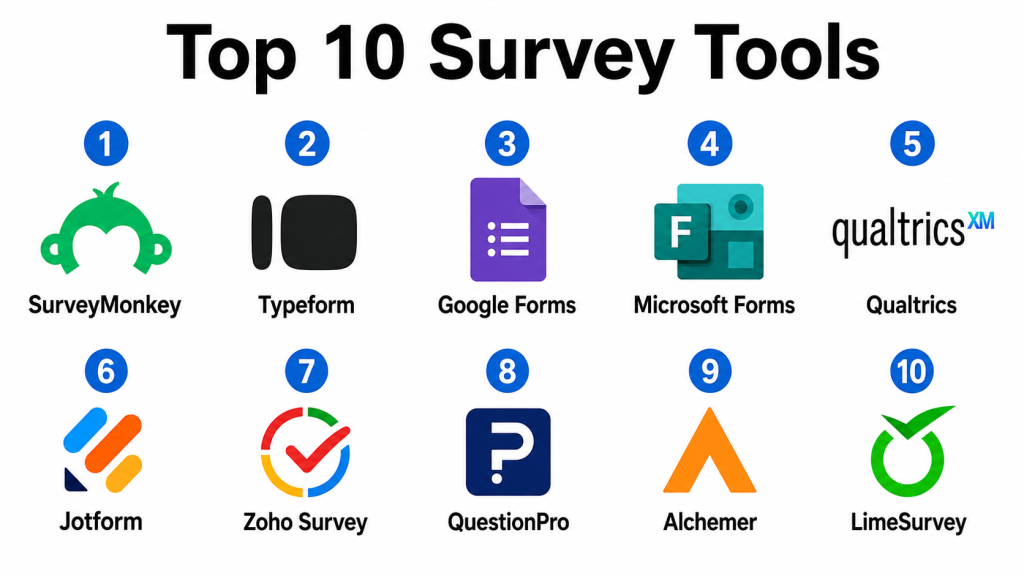
Top 10 Survey Tools
#1 — SurveyMonkey
Short description: SurveyMonkey is a widely recognized survey platform used for customer feedback, market research, employee surveys, academic research, and general data collection. It is suitable for individuals, SMBs, enterprises, nonprofits, and research teams.
Key Features
- Drag-and-drop survey builder
- Large template library
- Multiple question types
- Survey logic and branching
- Response analytics and dashboards
- Audience and panel options
- Integrations with business tools
Pros
- Easy to start for beginners and flexible enough for business teams.
- Strong template library for common survey use cases.
- Good reporting and response analysis features.
Cons
- Advanced features may require higher-tier plans.
- Branding and customization limits may apply on lower plans.
- Complex research needs may require additional setup or expert design.
Platforms / Deployment
Web / iOS / Android
Cloud
Security & Compliance
Supports common security expectations such as account permissions, data protection, and privacy controls. Specific compliance details vary by plan and should be validated during procurement.
Integrations & Ecosystem
SurveyMonkey integrates with many workplace, CRM, marketing, and analytics tools, making it useful for business feedback workflows.
- CRM platforms
- Email marketing tools
- Collaboration platforms
- Analytics systems
- Helpdesk platforms
- Productivity tools
Support & Community
SurveyMonkey provides documentation, help resources, support options, templates, learning materials, and a large user base. It is one of the most familiar tools in the survey category.
#2 — Typeform
Short description: Typeform is a survey and form builder known for conversational, visually engaging survey experiences. It is popular with marketers, creators, product teams, agencies, and businesses that care about design and response experience.
Key Features
- Conversational one-question-at-a-time survey design
- Custom branding and visual layouts
- Logic jumps and branching
- Form and quiz creation
- Lead capture and feedback workflows
- Integrations with marketing and CRM tools
- Response analytics and exports
Pros
- Excellent user experience and modern design.
- Strong for lead forms, quizzes, feedback, and interactive surveys.
- Easy for non-technical users to build polished forms.
Cons
- May not be ideal for long or complex research surveys.
- Higher usage or advanced features can increase cost.
- One-question-at-a-time format may not fit every survey type.
Platforms / Deployment
Web
Cloud
Security & Compliance
Supports common security features such as account access controls and data protection. Specific compliance details should be validated during procurement.
Integrations & Ecosystem
Typeform works well with marketing, sales, automation, and analytics workflows.
- CRM systems
- Email marketing platforms
- Automation tools
- Analytics platforms
- Productivity apps
- Payment and lead capture workflows
Support & Community
Typeform provides documentation, templates, support resources, tutorials, and a strong creator and marketing user community.
#3 — Google Forms
Short description: Google Forms is a simple and widely used survey and form creation tool for collecting responses, quizzes, event registrations, feedback, and basic research data. It is best for users who need a free or simple survey tool connected with Google Workspace.
Key Features
- Simple form and survey builder
- Multiple question types
- Quiz creation
- Response collection in spreadsheets
- Basic charts and summaries
- Collaboration with Google accounts
- Easy sharing and embedding
Pros
- Very easy to use and widely accessible.
- Good for simple internal surveys, classroom use, and quick forms.
- Works smoothly with Google Sheets.
Cons
- Limited advanced survey logic and design control.
- Not ideal for complex market research or enterprise survey programs.
- Reporting depth is basic compared with dedicated survey platforms.
Platforms / Deployment
Web / iOS / Android through browser and Google apps
Cloud
Security & Compliance
Security depends on Google account and workspace configuration. Supports common Google account security features. Specific compliance details should be validated based on the organization’s Google environment.
Integrations & Ecosystem
Google Forms works naturally with Google Workspace and can be extended through connected workflows.
- Google Sheets
- Google Drive
- Google Workspace tools
- Email workflows
- Automation tools
- Basic reporting workflows
Support & Community
Google provides help documentation and product support depending on account type. Community support is broad due to large adoption across education, business, and personal use.
#4 — Microsoft Forms
Short description: Microsoft Forms is a survey, quiz, and form creation tool included in the Microsoft ecosystem. It is useful for teams already using Microsoft workplace tools and needing simple internal surveys, quizzes, polls, and feedback forms.
Key Features
- Form, quiz, and survey creation
- Basic branching logic
- Real-time response summaries
- Export to spreadsheet formats
- Collaboration within Microsoft accounts
- Polls and quick feedback workflows
- Integration with Microsoft workplace tools
Pros
- Good fit for Microsoft-centered organizations.
- Easy to use for internal surveys and quizzes.
- Works well with common workplace workflows.
Cons
- Limited advanced research and survey customization.
- May not be suitable for complex customer feedback programs.
- Design flexibility is more basic than specialized tools.
Platforms / Deployment
Web / Windows / macOS / iOS / Android through Microsoft ecosystem
Cloud
Security & Compliance
Security depends on Microsoft account and organization configuration. Supports Microsoft identity, access controls, and enterprise governance settings where applicable.
Integrations & Ecosystem
Microsoft Forms integrates well with Microsoft workplace and productivity tools.
- Microsoft productivity tools
- Spreadsheet workflows
- Collaboration platforms
- Internal communication tools
- Automation workflows
- Business reporting workflows
Support & Community
Microsoft provides product documentation, enterprise support options, and a large user community. It is practical for internal business and education use cases.
#5 — Qualtrics
Short description: Qualtrics is an advanced experience management and survey platform used for customer experience, employee experience, market research, product research, and enterprise feedback programs. It is best suited for organizations that need deep survey analytics and complex feedback management.
Key Features
- Advanced survey design
- Customer and employee experience surveys
- Complex logic and branching
- Text analytics and sentiment insights
- Dashboards and reporting
- Research panel and feedback workflows
- Enterprise governance features
Pros
- Strong for enterprise research and experience programs.
- Advanced analytics and reporting depth.
- Suitable for complex survey logic and large-scale feedback programs.
Cons
- May be too complex for small teams.
- Implementation can require planning and expertise.
- Pricing may be more suitable for larger organizations.
Platforms / Deployment
Web
Cloud
Security & Compliance
Supports common enterprise security expectations such as SSO, role-based access, data protection, and governance controls. Specific compliance details should be validated during vendor review.
Integrations & Ecosystem
Qualtrics connects with enterprise business systems, analytics platforms, HR systems, and customer experience workflows.
- CRM systems
- HR systems
- Business intelligence tools
- Customer experience platforms
- Employee experience systems
- Data and reporting workflows
Support & Community
Qualtrics provides enterprise support, documentation, professional services, training resources, and customer success support. It has strong adoption among enterprise research and experience teams.
#6 — Jotform
Short description: Jotform is a flexible online form and survey builder used for registrations, feedback, applications, payments, questionnaires, and business forms. It is useful for small businesses, agencies, nonprofits, educators, and teams needing customizable forms quickly.
Key Features
- Drag-and-drop form builder
- Survey and questionnaire templates
- Conditional logic
- Payment collection support
- Approval workflows
- Custom branding and design options
- Integrations with many business tools
Pros
- Very flexible for many form and survey use cases.
- Large template library and easy customization.
- Useful for forms that need payments, approvals, or attachments.
Cons
- Complex forms can become hard to manage without planning.
- Advanced features may depend on paid plans.
- Survey analytics may be less specialized than research-focused tools.
Platforms / Deployment
Web / iOS / Android
Cloud
Security & Compliance
Supports common account security, permissions, and data protection options. Specific compliance details vary by plan and use case and should be validated during procurement.
Integrations & Ecosystem
Jotform integrates with business, payment, storage, CRM, and productivity tools.
- CRM systems
- Payment processors
- Cloud storage tools
- Email marketing tools
- Productivity platforms
- Automation workflows
Support & Community
Jotform provides documentation, support resources, templates, tutorials, and a large community of users across business, education, and nonprofit use cases.
#7 — Zoho Survey
Short description: Zoho Survey is a survey creation tool for customer feedback, employee surveys, market research, event feedback, and business questionnaires. It is especially useful for teams already using the Zoho ecosystem.
Key Features
- Survey builder with templates
- Multiple question types
- Skip logic and branching
- Response analytics
- Custom branding
- Multilingual survey support
- Integration with Zoho apps
Pros
- Good fit for businesses using Zoho products.
- Practical survey features at accessible pricing levels.
- Useful for customer feedback and internal surveys.
Cons
- Advanced research needs may require more specialized platforms.
- Design flexibility may not match visual-first tools.
- Best value is often inside the Zoho ecosystem.
Platforms / Deployment
Web / iOS / Android
Cloud
Security & Compliance
Supports common Zoho account security and data protection features. Specific compliance details should be validated based on plan, region, and business requirements.
Integrations & Ecosystem
Zoho Survey connects well with Zoho’s wider business suite and supports common feedback workflows.
- Zoho CRM
- Zoho Campaigns
- Zoho Analytics
- Zoho Desk
- Email workflows
- Productivity tools
Support & Community
Zoho provides documentation, support resources, onboarding materials, and a large product ecosystem. Community strength is strong among Zoho users and SMB teams.
#8 — QuestionPro
Short description: QuestionPro is a survey and research platform used for customer feedback, employee surveys, market research, academic research, and online communities. It is suitable for businesses and research teams that need flexible survey design and reporting.
Key Features
- Survey builder with advanced question types
- Logic and branching
- Customer and employee feedback tools
- Research and panel options
- Dashboards and analytics
- Multilingual surveys
- Community and panel management options
Pros
- Strong for research and feedback programs.
- Good range of survey logic and analytics features.
- Useful for both business and academic survey needs.
Cons
- Interface depth may require learning for new users.
- Some advanced capabilities may require higher-tier plans.
- Buyers should validate reporting and research features for their use case.
Platforms / Deployment
Web / iOS / Android
Cloud
Security & Compliance
Supports common security and privacy controls such as permissions, access management, and data protection. Specific compliance details should be validated during procurement.
Integrations & Ecosystem
QuestionPro supports integrations with business, research, customer experience, and analytics workflows.
- CRM systems
- Email tools
- Analytics platforms
- Customer experience workflows
- Employee feedback systems
- Data export workflows
Support & Community
QuestionPro provides support, documentation, learning resources, templates, and research-focused guidance. It is useful for teams that need more than basic survey forms.
#9 — Alchemer
Short description: Alchemer is a survey and feedback platform designed for businesses that need customizable surveys, customer feedback workflows, forms, automation, and data collection. It is useful for teams that want more flexibility than basic survey tools.
Key Features
- Advanced survey creation
- Custom logic and workflows
- Customer feedback collection
- Form and data collection features
- Reporting and dashboards
- Automation and integrations
- Enterprise administration options
Pros
- Flexible survey and workflow capabilities.
- Useful for customer feedback and business data collection.
- Good fit for teams needing more customization than basic tools.
Cons
- May require setup time for advanced workflows.
- Some features may be more than small teams need.
- Buyers should validate pricing and integration fit carefully.
Platforms / Deployment
Web
Cloud
Security & Compliance
Supports common enterprise security expectations such as access controls, permissions, and data protection features. Specific compliance details should be confirmed with the vendor.
Integrations & Ecosystem
Alchemer integrates with business systems, analytics tools, and customer feedback workflows.
- CRM platforms
- Marketing tools
- Analytics systems
- Customer support platforms
- Automation workflows
- Data export systems
Support & Community
Alchemer provides documentation, support resources, onboarding options, and customer guidance. It is useful for teams that need survey flexibility and business workflow integration.
#10 — LimeSurvey
Short description: LimeSurvey is an open-source survey tool used for research, education, government, nonprofits, and organizations that want more control over survey hosting and data management. It is useful for teams that prefer self-hosting or open-source flexibility.
Key Features
- Survey creation and management
- Multiple question types
- Conditional logic and branching
- Multilingual survey support
- Anonymous survey options
- Self-hosted deployment option
- Data export and reporting features
Pros
- Strong option for teams wanting open-source flexibility.
- Self-hosting can provide more control over data.
- Useful for academic, research, and public-sector survey needs.
Cons
- Self-hosting requires technical knowledge.
- Interface may feel less polished than modern SaaS tools.
- Support depends on hosting model, plan, or community resources.
Platforms / Deployment
Web
Cloud / Self-hosted / Hybrid
Security & Compliance
Security depends on deployment, hosting configuration, access controls, and administrative setup. Specific compliance details vary and should be validated based on implementation.
Integrations & Ecosystem
LimeSurvey can be used in research and organizational environments where survey control and data ownership matter.
- Self-hosted environments
- Research workflows
- Data export tools
- Internal reporting systems
- Academic systems
- Custom integration workflows
Support & Community
LimeSurvey has community resources, documentation, and support options depending on hosting and plan. It is practical for teams that value control and flexibility.
Comparison Table
| Tool Name | Best For | Platform(s) Supported | Deployment | Standout Feature | Public Rating |
|---|---|---|---|---|---|
| SurveyMonkey | General business surveys and feedback | Web, iOS, Android | Cloud | Broad survey templates and analytics | N/A |
| Typeform | Conversational and design-first surveys | Web | Cloud | Interactive one-question-at-a-time experience | N/A |
| Google Forms | Simple forms and basic surveys | Web, iOS, Android | Cloud | Easy free-form survey creation | N/A |
| Microsoft Forms | Microsoft-centered internal surveys | Web, Windows, macOS, iOS, Android | Cloud | Simple surveys inside Microsoft ecosystem | N/A |
| Qualtrics | Enterprise research and experience programs | Web | Cloud | Advanced experience analytics | N/A |
| Jotform | Flexible forms, surveys, and workflows | Web, iOS, Android | Cloud | Form builder with payments and approvals | N/A |
| Zoho Survey | Zoho users and SMB feedback workflows | Web, iOS, Android | Cloud | Survey workflows inside Zoho ecosystem | N/A |
| QuestionPro | Research, customer, and employee surveys | Web, iOS, Android | Cloud | Research-focused survey and panel features | N/A |
| Alchemer | Custom survey workflows and business feedback | Web | Cloud | Flexible survey logic and workflow automation | N/A |
| LimeSurvey | Open-source and self-hosted survey control | Web | Cloud / Self-hosted / Hybrid | Open-source survey flexibility | N/A |
Evaluation & Scoring of Survey Tools
| Tool Name | Core (25%) | Ease (15%) | Integrations (15%) | Security (10%) | Performance (10%) | Support (10%) | Value (15%) | Weighted Total (0–10) |
|---|---|---|---|---|---|---|---|---|
| SurveyMonkey | 8.8 | 8.8 | 8.5 | 8.3 | 8.7 | 8.5 | 8.0 | 8.55 |
| Typeform | 8.4 | 9.2 | 8.7 | 8.0 | 8.5 | 8.2 | 8.0 | 8.44 |
| Google Forms | 7.2 | 9.5 | 8.0 | 8.0 | 8.5 | 7.8 | 9.5 | 8.25 |
| Microsoft Forms | 7.4 | 9.0 | 8.2 | 8.5 | 8.5 | 8.0 | 8.8 | 8.28 |
| Qualtrics | 9.5 | 7.4 | 9.0 | 9.0 | 9.0 | 8.8 | 7.2 | 8.59 |
| Jotform | 8.5 | 9.0 | 8.8 | 8.2 | 8.5 | 8.4 | 8.5 | 8.58 |
| Zoho Survey | 8.0 | 8.5 | 8.4 | 8.0 | 8.3 | 8.0 | 8.7 | 8.29 |
| QuestionPro | 8.7 | 8.0 | 8.3 | 8.2 | 8.5 | 8.3 | 8.0 | 8.34 |
| Alchemer | 8.6 | 7.8 | 8.5 | 8.4 | 8.5 | 8.2 | 7.8 | 8.31 |
| LimeSurvey | 8.0 | 7.5 | 7.8 | 7.8 | 8.0 | 7.5 | 9.0 | 7.97 |
These scores are comparative and should be used as a shortlisting guide. A higher score does not mean the tool is the best option for every team. For example, Qualtrics is strong for enterprise research, while Google Forms may be enough for simple internal surveys. Buyers should validate survey complexity, integrations, privacy needs, reporting expectations, and budget before making a final decision.
Which Survey Tool Is Right for You?
Solo / Freelancer
Solo professionals usually need a simple, affordable, and easy-to-share survey tool. Google Forms, Microsoft Forms, Typeform, Jotform, and Zoho Survey can be practical depending on the use case.
If the goal is simple feedback collection, Google Forms or Microsoft Forms may be enough. If the goal is client-facing lead capture or branded surveys, Typeform or Jotform may create a better experience.
SMB
Small and medium businesses should focus on ease of use, templates, branding, reporting, integrations, and pricing. SurveyMonkey, Typeform, Jotform, Zoho Survey, and QuestionPro are strong options.
If the business needs customer feedback and quick surveys, SurveyMonkey is practical. If design and user experience matter, Typeform is strong. If forms need payments, approvals, or attachments, Jotform is useful.
Mid-Market
Mid-market organizations usually need stronger reporting, integrations, collaboration, survey logic, permissions, and customer feedback workflows. SurveyMonkey, Alchemer, QuestionPro, Jotform, and Zoho Survey are good options depending on the business stack.
If the organization needs flexible survey workflows, Alchemer can be considered. If research and feedback depth matter, QuestionPro is useful. If the company already uses Zoho, Zoho Survey can be convenient.
Enterprise
Enterprise buyers should focus on governance, advanced analytics, data privacy, access controls, integrations, research methodology, and large-scale feedback programs. Qualtrics, SurveyMonkey, Alchemer, QuestionPro, and LimeSurvey are strong starting points.
Qualtrics is suitable for advanced experience management and research programs. LimeSurvey may be useful where self-hosting and data control are important. Alchemer fits teams needing configurable survey workflows.
Budget vs Premium
Budget-conscious users should consider Google Forms, Microsoft Forms, Zoho Survey, LimeSurvey, or basic plans from other tools. These can work well for simple feedback and internal forms.
Premium buyers should evaluate Qualtrics, SurveyMonkey, Alchemer, QuestionPro, and advanced Jotform or Typeform plans if they need deeper reporting, branding, integrations, logic, governance, or large-scale survey programs.
Feature Depth vs Ease of Use
Google Forms and Microsoft Forms are very easy to use but limited for advanced surveys. Typeform and Jotform balance usability with stronger design and workflow options. Qualtrics, QuestionPro, and Alchemer offer more depth but require more planning.
The right choice depends on the survey goal. A quick internal poll does not need an enterprise research platform. A serious customer experience program should not rely only on a basic form tool.
Integrations & Scalability
Survey tools become more valuable when connected with CRM, email marketing, helpdesk, HR systems, analytics platforms, automation tools, and business intelligence systems. Integrations help teams act on feedback instead of only collecting responses.
Before choosing a tool, map where survey data should go. For example, customer satisfaction scores may need to flow into a CRM, while employee feedback may need HR reporting controls.
Security & Compliance Needs
Survey tools may collect personal data, employee opinions, customer feedback, health information, payment details, or sensitive research responses. Buyers should review access controls, encryption, data retention, export permissions, anonymity settings, and privacy controls.
For regulated organizations, security and legal teams should review the platform before rollout. If anonymity is promised, teams must verify how reporting thresholds, user permissions, and response visibility are handled.
Frequently Asked Questions
1. What are survey tools?
Survey tools are software platforms used to create, distribute, collect, and analyze responses from online surveys, forms, polls, and questionnaires. They help teams gather structured feedback and make better decisions.
2. Who uses survey tools?
Survey tools are used by marketers, HR teams, researchers, educators, product managers, customer success teams, consultants, nonprofits, and business leaders. Any team that needs feedback can use them.
3. What is the difference between a survey tool and a form builder?
A form builder usually focuses on collecting information, such as registrations or contact details. A survey tool often includes more feedback-focused features such as question logic, response analysis, scoring, and reporting.
4. How much do survey tools cost?
Pricing varies by tool, number of users, number of responses, advanced features, branding, integrations, and enterprise support. Some tools offer free or low-cost options, while advanced platforms use custom pricing.
5. What features should I look for in a survey tool?
Important features include question types, logic, templates, branding, analytics, exports, integrations, mobile responsiveness, privacy controls, collaboration, and support for anonymous responses.
6. Are survey tools secure?
Many survey tools offer access controls, data protection features, privacy settings, and secure response handling. However, buyers should validate security details based on their data sensitivity and compliance needs.
7. Can survey tools integrate with CRM systems?
Yes, many survey tools integrate with CRM platforms. This helps teams connect feedback with customer records, sales journeys, support tickets, and marketing campaigns.
8. What are common survey design mistakes?
Common mistakes include asking too many questions, using confusing wording, leading respondents, ignoring mobile design, skipping logic testing, and collecting data without a clear action plan.
9. Which survey tool is best for customer feedback?
SurveyMonkey, Typeform, Qualtrics, Alchemer, QuestionPro, and Jotform can all be useful for customer feedback. The best option depends on survey depth, integrations, reporting needs, and customer experience goals.
10. Which survey tool is best for internal employee surveys?
Microsoft Forms, Google Forms, SurveyMonkey, Qualtrics, Zoho Survey, and QuestionPro can support internal employee surveys. For sensitive employee feedback, anonymity and privacy settings should be reviewed carefully.
Conclusion
Survey Tools help organizations collect feedback, understand people, measure experiences, and make better decisions. The best tool depends on your survey type, audience, budget, security needs, reporting expectations, and integration requirements. SurveyMonkey is a strong general-purpose option, Typeform is excellent for design-first surveys, Google Forms and Microsoft Forms are practical for simple internal use, and Qualtrics is better suited for advanced enterprise research and experience programs. Jotform, Zoho Survey, QuestionPro, Alchemer, and LimeSurvey each serve different needs around flexibility, ecosystem fit, research depth, workflow customization, and data control.
