Upgrade & Secure Your Future with DevOps, SRE, DevSecOps, MLOps!
We spend hours scrolling social media and waste money on things we forget, but won’t spend 30 minutes a day earning certifications that can change our lives.
Master in DevOps, SRE, DevSecOps & MLOps by DevOps School!
Learn from Guru Rajesh Kumar and double your salary in just one year.
Introduction
Accounts Receivable (AR) Automation Tools are software solutions designed to streamline and optimize the accounts receivable process, including invoice generation, payment tracking, collections, and cash application. By automating repetitive financial tasks, these tools help businesses reduce manual errors, improve cash flow, and accelerate the collections process. In , AR automation is increasingly essential as companies handle larger transaction volumes, integrate global payment methods, and face regulatory compliance requirements.
Real-world use cases include:
- Automating invoice creation and delivery to clients
- Streamlining payment tracking and reconciliation
- Sending automated payment reminders and managing overdue accounts
- Integrating AR data with ERP and financial systems
- Providing real-time analytics for cash flow forecasting and collections performance
When evaluating AR automation tools, buyers should consider:
- Invoice automation and delivery options
- Payment tracking and reconciliation features
- Collections management and automated reminders
- Integration with ERP, CRM, and financial systems
- Analytics and reporting dashboards
- Payment gateway support and multi-currency handling
- Compliance with financial regulations
- Ease of use and mobile accessibility
- Security protocols, including encryption and access controls
- Vendor support and community engagement
Best for: Finance teams, accounts receivable managers, CFOs, and mid-market to enterprise companies with high transaction volumes.
Not ideal for: Small businesses with minimal accounts receivable transactions or those using simple manual invoicing processes.
Key Trends in Accounts Receivable Automation Tools
- AI-driven collections: Prioritize overdue accounts using predictive analytics.
- Automated invoice processing: Reduces manual data entry and errors.
- Cloud-based platforms: Enable real-time visibility across multiple locations.
- Mobile accessibility: Approvals, collections, and tracking from smartphones.
- Integration with ERP and CRM: Ensures seamless data flow and reporting.
- Multi-currency and payment method support: Facilitates global transactions.
- Compliance automation: Enforces financial and regulatory policies.
- Self-service portals for customers: Enables quick payment and invoice access.
- Predictive cash flow forecasting: AI-based insights to manage liquidity.
- Subscription and modular pricing: Flexible plans tailored to organizational size.
How We Selected These Tools (Methodology)
- Reviewed market adoption and industry recognition.
- Evaluated feature completeness, including invoicing, payment, and collections automation.
- Assessed reliability, scalability, and performance under high transaction volumes.
- Examined security and compliance features.
- Considered integration with ERP, financial, and CRM systems.
- Evaluated suitability across SMB, mid-market, and enterprise organizations.
- Reviewed vendor support, training, and user communities.
- Balanced enterprise-grade and SMB-friendly solutions to create a top 10 list.
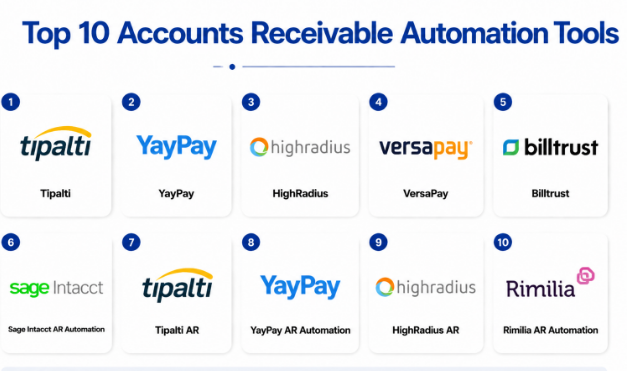
Top 10 Accounts Receivable Automation Tools
#1 — Tipalti
Short description: Tipalti automates global accounts payable and receivable processes, including invoicing, payment processing, and reconciliation. Ideal for mid-market and enterprise companies managing high volumes of international transactions.
Key Features
- Automated invoice generation and approval
- Multi-currency payment processing
- Reconciliation and cash application
- Tax compliance and reporting
- Supplier and customer self-service portals
- Analytics and dashboards
Pros
- Streamlines international payments
- Reduces manual AR work and errors
Cons
- Premium pricing
- Complex initial setup for smaller teams
Platforms / Deployment
- Web / iOS / Android
- Cloud
Security & Compliance
- SOC 2, ISO 27001
- Encryption and MFA
Integrations & Ecosystem
- ERP and financial systems
- Payment gateways
- API for custom integrations
Support & Community
- Vendor support
- Knowledge base and training resources
#2 — YayPay
Short description: YayPay automates accounts receivable management with AI-driven collections, cash application, and reporting, suitable for mid-market and enterprise organizations.
Key Features
- AI-powered collections and dunning
- Invoice automation
- Payment tracking and reconciliation
- Cash application automation
- Analytics dashboards
Pros
- AI improves collections efficiency
- Real-time visibility into cash flow
Cons
- May be costly for small businesses
- Learning curve for advanced features
Platforms / Deployment
- Web / iOS / Android
- Cloud
Security & Compliance
- SOC 2, GDPR
- Encryption and access controls
Integrations & Ecosystem
- ERP and accounting systems
- Payment gateways
- API support
Support & Community
- Vendor support and onboarding
- Online forums
#3 — HighRadius
Short description: HighRadius provides an integrated AR automation platform for invoice-to-cash processes, collections, and cash application. Suitable for enterprises handling high-volume transactions.
Key Features
- Invoice automation
- Cash application and reconciliation
- AI-driven collections management
- Credit management and risk scoring
- Analytics and dashboards
Pros
- Enterprise scalability
- Advanced AI analytics for AR
Cons
- Implementation can be complex
- High pricing for small teams
Platforms / Deployment
- Web / iOS / Android
- Cloud
Security & Compliance
- SOC 2, ISO 27001
- MFA and encryption
Integrations & Ecosystem
- ERP and accounting integration
- Payment gateways
- API support
Support & Community
- Vendor support and training
- Active enterprise community
#4 — VersaPay
Short description: VersaPay streamlines AR automation with invoicing, payment processing, and collections workflows, ideal for mid-market companies seeking improved cash flow visibility.
Key Features
- Invoice automation and e-delivery
- Payment tracking and reconciliation
- Collections workflow automation
- Customer self-service portals
- Analytics and reporting
Pros
- Simplifies invoice-to-cash
- Enhances customer experience
Cons
- Limited enterprise-scale features
- Premium features increase cost
Platforms / Deployment
- Web / iOS / Android
- Cloud
Security & Compliance
- Not publicly stated
Integrations & Ecosystem
- ERP and accounting systems
- Payment gateways
- API access
Support & Community
- Vendor support
- Knowledge base
#5 — Billtrust
Short description: Billtrust automates invoicing, payment collection, and cash application for mid-market and enterprise organizations, improving AR efficiency and cash flow.
Key Features
- Invoice creation and delivery
- Payment processing and reconciliation
- Automated reminders and collections
- Analytics dashboards
- Customer self-service portals
Pros
- Improves cash flow
- Reduces manual AR work
Cons
- Advanced features may require add-ons
- Setup complexity for smaller teams
Platforms / Deployment
- Web / iOS / Android
- Cloud
Security & Compliance
- SOC 2, ISO 27001
- Encryption and MFA
Integrations & Ecosystem
- ERP and accounting systems
- Payment gateways
- API connectivity
Support & Community
- Vendor support
- Training and online resources
#6 — Sage Intacct AR Automation
Short description: Sage Intacct automates accounts receivable workflows including invoicing, payment reconciliation, and collections for SMB and mid-market companies.
Key Features
- Invoice automation
- Payment tracking and cash application
- Collections workflow automation
- Analytics and reporting dashboards
- Multi-currency support
Pros
- Cloud-native and scalable
- Streamlined AR operations
Cons
- May require ERP integration for full benefits
- Limited AI features compared to enterprise solutions
Platforms / Deployment
- Web / iOS / Android
- Cloud
Security & Compliance
- SOC 2, ISO 27001
- Encryption and access control
Integrations & Ecosystem
- ERP and accounting systems
- Payment gateways
- API connectivity
Support & Community
- Vendor support
- Online documentation
#7 — Tipalti AR
Short description: Tipalti AR provides global AR automation including invoice management, multi-currency payments, and collections workflows for enterprise organizations.
Key Features
- Invoice automation and approval
- Multi-currency payment processing
- Collections management
- Analytics dashboards
- Compliance monitoring
Pros
- Reduces manual AR work
- Supports global operations
Cons
- High cost for small teams
- Setup may be complex
Platforms / Deployment
- Web / iOS / Android
- Cloud
Security & Compliance
- SOC 2, ISO 27001
- MFA and encryption
Integrations & Ecosystem
- ERP and financial systems
- Payment gateways
- API access
Support & Community
- Vendor support
- Knowledge base
#8 — YayPay AR Automation
Short description: YayPay streamlines AR processes with AI-driven collections, payment tracking, and analytics, ideal for mid-market and enterprise companies.
Key Features
- AI-powered collections
- Invoice and payment automation
- Cash application automation
- Analytics dashboards
- Customer self-service portals
Pros
- AI improves collections efficiency
- Real-time cash visibility
Cons
- Premium pricing
- Implementation complexity
Platforms / Deployment
- Web / iOS / Android
- Cloud
Security & Compliance
- SOC 2, GDPR
- Encryption and access controls
Integrations & Ecosystem
- ERP and accounting systems
- Payment gateways
- API access
Support & Community
- Vendor support
- Online forums
#9 — HighRadius AR
Short description: HighRadius automates invoice-to-cash processes, collections, and cash application with AI analytics for enterprise organizations managing high-volume transactions.
Key Features
- Invoice automation
- Cash application and reconciliation
- AI-driven collections
- Credit management and risk scoring
- Analytics dashboards
Pros
- Enterprise scalability
- AI analytics enhance efficiency
Cons
- Complex implementation
- Premium pricing
Platforms / Deployment
- Web / iOS / Android
- Cloud
Security & Compliance
- SOC 2, ISO 27001
- Encryption and MFA
Integrations & Ecosystem
- ERP integration
- Payment gateways
- API access
Support & Community
- Vendor support
- Enterprise user forums
#10 — Rimilia AR Automation
Short description: Rimilia automates cash application, collections, and invoice management for mid-market and enterprise companies, focusing on improved cash flow and efficiency.
Key Features
- Invoice processing
- Cash application automation
- Collections workflow management
- Analytics dashboards
- Compliance monitoring
Pros
- Reduces manual AR tasks
- Supports complex AR workflows
Cons
- Premium features add cost
- Implementation may require consulting
Platforms / Deployment
- Web / iOS / Android
- Cloud
Security & Compliance
- Not publicly stated
Integrations & Ecosystem
- ERP and accounting systems
- Payment gateways
- API access
Support & Community
- Vendor support
- Knowledge base
Comparison Table (Top 10)
| Tool Name | Best For | Platform(s) Supported | Deployment | Standout Feature | Public Rating |
|---|---|---|---|---|---|
| Tipalti | Enterprise | Web / iOS / Android | Cloud | Global AR automation | N/A |
| YayPay | Mid-market & Enterprise | Web / iOS / Android | Cloud | AI-powered collections | N/A |
| HighRadius | Enterprise | Web / iOS / Android | Cloud | Invoice-to-cash automation | N/A |
| VersaPay | Mid-market | Web / iOS / Android | Cloud | Invoice & payment workflows | N/A |
| Billtrust | Mid-market & Enterprise | Web / iOS / Android | Cloud | Invoice automation & collections | N/A |
| Sage Intacct | SMB & Mid-market | Web / iOS / Android | Cloud | Cloud-native AR workflows | N/A |
| Tipalti AR | Enterprise | Web / iOS / Android | Cloud | Multi-currency payments | N/A |
| YayPay AR | Mid-market & Enterprise | Web / iOS / Android | Cloud | Real-time cash visibility | N/A |
| HighRadius AR | Enterprise | Web / iOS / Android | Cloud | AI analytics for AR | N/A |
| Rimilia | Mid-market & Enterprise | Web / iOS / Android | Cloud | Cash application automation | N/A |
Evaluation & Scoring of AR Automation Tools
| Tool Name | Core (25%) | Ease (15%) | Integrations (15%) | Security (10%) | Performance (10%) | Support (10%) | Value (15%) | Weighted Total (0–10) |
|---|---|---|---|---|---|---|---|---|
| Tipalti | 9 | 7 | 8 | 8 | 9 | 8 | 8 | 8.3 |
| YayPay | 8 | 8 | 8 | 8 | 8 | 8 | 8 | 8.0 |
| HighRadius | 9 | 7 | 8 | 8 | 9 | 8 | 8 | 8.3 |
| VersaPay | 8 | 8 | 7 | 7 | 8 | 8 | 7 | 7.7 |
| Billtrust | 8 | 7 | 8 | 7 | 8 | 8 | 7 | 7.7 |
| Sage Intacct | 8 | 8 | 7 | 7 | 8 | 8 | 7 | 7.7 |
| Tipalti AR | 9 | 7 | 8 | 8 | 9 | 8 | 8 | 8.3 |
| YayPay AR | 8 | 7 | 8 | 7 | 8 | 8 | 7 | 7.7 |
| HighRadius AR | 9 | 7 | 8 | 8 | 9 | 8 | 8 | 8.3 |
| Rimilia | 8 | 7 | 8 | 7 | 8 | 8 | 7 | 7.7 |
Interpretation: Higher scores indicate stronger automation, integration, and ease of use. Comparative scoring helps businesses select the most suitable AR automation platform based on transaction volume, global payment needs, and enterprise size.
Which AR Automation Tool Is Right for You?
Solo / Freelancer
Proactis or Sage Intacct offer cost-effective AR solutions for small teams with minimal invoices.
SMB
YayPay, VersaPay, or Billtrust provide automation, analytics, and compliance features for growing businesses.
Mid-Market
HighRadius, YayPay, or Rimilia deliver AI-driven collections, cash application automation, and reporting dashboards.
Enterprise
Tipalti, HighRadius, and Tipalti AR provide global AR automation, multi-currency processing, and advanced analytics.
Budget vs Premium
Budget-friendly: Sage Intacct, VersaPay
Premium: Tipalti, HighRadius, Tipalti AR
Feature Depth vs Ease of Use
Advanced AR automation: HighRadius, Tipalti AR
Ease of adoption: VersaPay, Sage Intacct
Integrations & Scalability
Enterprise platforms offer extensive ERP and finance system integrations; SMB-focused platforms are simpler and quicker to deploy.
Security & Compliance Needs
Platforms should offer encryption, SSO/MFA, SOC 2, ISO 27001, and GDPR compliance.
Frequently Asked Questions (FAQs)
1. What pricing models are common?
SaaS subscription, modular feature-based pricing, and enterprise contracts based on transaction volumes and feature usage.
2. How long does onboarding take?
SMB organizations can onboard in days; enterprise-scale deployments may require weeks to months.
3. Can these platforms handle multi-currency transactions?
Yes, enterprise solutions support global payment methods and multi-currency processing.
4. Are these tools suitable for global AR operations?
Yes, leading platforms support international invoices, compliance, and payment processing.
5. How secure are AR automation tools?
Top platforms provide encryption, multi-factor authentication, SOC 2, and ISO 27001 compliance.
6. Can these integrate with ERP or financial systems?
Yes, most have native connectors and APIs for seamless integration.
7. What support is offered?
Documentation, onboarding, training, email/phone support, and enterprise account management.
8. Are these suitable for small businesses?
Yes, Sage Intacct and VersaPay provide cost-effective solutions for small teams.
9. How frequently are updates released?
Cloud-native platforms receive continuous updates; on-premises systems follow scheduled cycles.
10. Is AI necessary for AR automation?
AI enhances collections prioritization, predictive cash flow, and efficiency, particularly for larger enterprises.
Conclusion
Choosing the right AR automation platform depends on company size, transaction volume, and integration needs. Small teams benefit from Sage Intacct or VersaPay, mid-market organizations can leverage YayPay, Billtrust, or Rimilia for automation and analytics, and enterprises should consider Tipalti or HighRadius for global operations, multi-currency support, and AI-driven collections. Organizations should shortlist platforms, run pilot programs, and validate integration, security, and scalability before full deployment.
