Upgrade & Secure Your Future with DevOps, SRE, DevSecOps, MLOps!
We spend hours scrolling social media and waste money on things we forget, but won’t spend 30 minutes a day earning certifications that can change our lives.
Master in DevOps, SRE, DevSecOps & MLOps by DevOps School!
Learn from Guru Rajesh Kumar and double your salary in just one year.
Introduction
Board Management Portals are specialized software platforms designed to help organizations manage board meetings, governance processes, and executive communications efficiently. They consolidate board documents, streamline meeting scheduling, enable secure collaboration, and provide a centralized hub for directors and executives. In simple terms, these tools turn traditionally manual board administration into a modern, digital workflow, reducing errors, improving transparency, and saving valuable time.
In the context, board management portals are becoming essential due to increased regulatory scrutiny, the rise of remote and hybrid work, and the demand for real-time, secure access to sensitive corporate information. They are particularly critical for companies managing complex corporate governance, multinational boards, or heavily regulated industries such as finance, healthcare, and technology.
Real-world use cases:
- Boards scheduling quarterly meetings with preloaded agendas and reading materials.
- Securely sharing sensitive financial reports with executives and directors.
- Tracking voting and resolutions digitally to maintain compliance records.
- Collaborative decision-making among geographically dispersed board members.
- Integrating with corporate email and calendar systems for seamless notifications.
Key evaluation criteria for buyers:
- Security and compliance standards
- Ease of use and intuitive interface
- Integration with existing enterprise software
- Document management and version control
- Mobile accessibility for remote directors
- Support and onboarding services
- Audit trails and reporting features
- Pricing and scalability
- Customization capabilities
- Workflow automation options
Best for: Board members, executives, and corporate secretaries across mid-market to enterprise companies, particularly in regulated industries.
Not ideal for: Small organizations or startups with informal governance structures; spreadsheet-based management may suffice.
Key Trends in Board Management Portals
- AI-powered agenda creation and automated document summarization for faster meeting prep.
- Enhanced security protocols, including end-to-end encryption and multi-factor authentication.
- Integration with enterprise platforms such as CRM, HR, and ERP systems.
- Cloud-first deployment models for remote board members with offline access options.
- Intelligent reminders, voting automation, and real-time collaboration tools.
- Increasing use of mobile-first interfaces for executives on the go.
- Analytics dashboards providing insights into decision-making trends and board activity.
- Customizable workflows and role-based access control for compliance adherence.
- Shift toward subscription-based pricing models with flexible scaling options.
- Interoperability with document storage platforms and digital signature tools.
How We Selected These Tools (Methodology)
- Evaluated market adoption and brand mindshare among enterprise and SMB clients.
- Assessed feature completeness including document management, voting, and analytics.
- Reviewed performance and reliability signals from user feedback and case studies.
- Examined security posture with a focus on encryption, audit trails, and compliance certifications.
- Analyzed integrations and ecosystem support with common enterprise software.
- Considered customer fit for different organization sizes and governance complexity.
- Reviewed product updates and roadmap for future-proofing.
- Verified ease of use and learning curve for board members.
- Checked support channels, training, and community engagement.
- Ensured coverage of both cloud and hybrid deployment options.
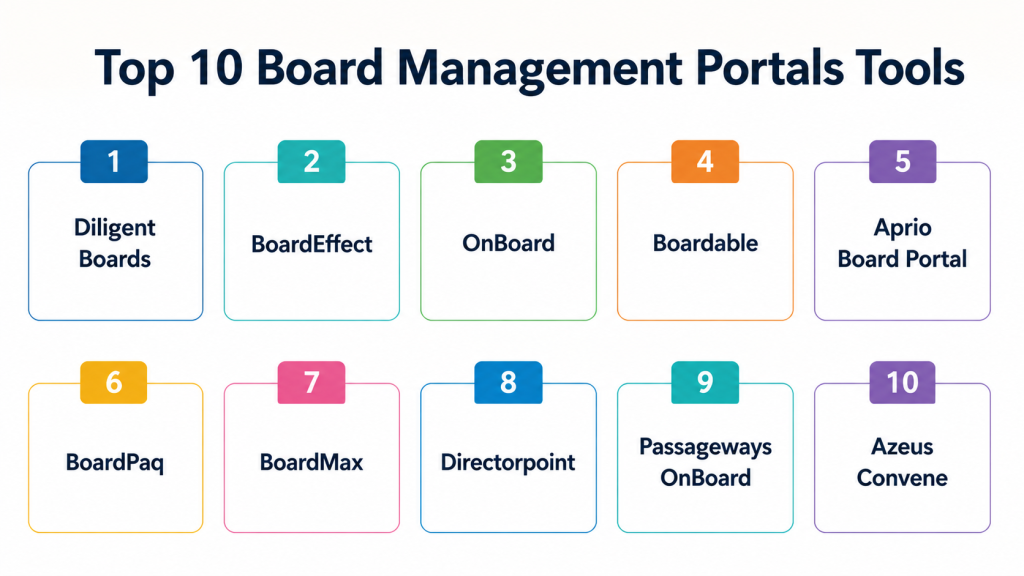
Top 10 Board Management Portals Tools
#1 — Diligent Boards
Short description: Diligent Boards is a leading board management portal designed for secure collaboration and governance. It caters to enterprise boards and facilitates document sharing, meeting scheduling, and voting in a streamlined digital environment.
Key Features
- Secure board document repository
- Real-time voting and e-signatures
- AI-assisted agenda preparation
- Role-based access control
- Mobile app for iOS and Android
- Analytics dashboard for board activity
- Offline access for remote directors
Pros
- High security and regulatory compliance
- Excellent mobile experience for remote board members
Cons
- Premium pricing may be high for smaller organizations
- Slight learning curve for first-time users
Platforms / Deployment
- Web / iOS / Android
- Cloud
Security & Compliance
- SSO/SAML, MFA, encryption, audit logs
- SOC 2, ISO 27001, GDPR
Integrations & Ecosystem
Diligent integrates with enterprise systems and productivity suites.
- Microsoft Office 365
- Google Workspace
- Salesforce CRM
- DocuSign
Support & Community
- Comprehensive documentation
- Onboarding and training support
- 24/7 enterprise support
- Active user community
#2 — BoardEffect
Short description: BoardEffect simplifies board governance by providing a central platform for meeting management, collaboration, and compliance tracking. Ideal for nonprofits, healthcare, and enterprise boards.
Key Features
- Secure digital board books
- Voting and survey tools
- Task and action tracking
- Meeting scheduling and calendar integration
- Audit trail and reporting
- Document version control
Pros
- Intuitive interface with easy onboarding
- Strong compliance and reporting features
Cons
- Limited customization options
- Some integrations require additional setup
Platforms / Deployment
- Web / iOS / Android
- Cloud
Security & Compliance
- SSO/SAML, encryption
- Not publicly stated for certifications
Integrations & Ecosystem
- Microsoft Teams
- SharePoint
- Google Workspace
Support & Community
- Training resources
- Dedicated customer support
- Active online knowledge base
#3 — OnBoard
Short description: OnBoard provides secure board management software focused on collaboration, compliance, and performance analytics, designed for both private and public boards.
Key Features
- Cloud-based board portal
- Voting and consent agenda support
- Analytics and reporting dashboards
- AI-driven agenda recommendations
- Mobile access with offline mode
Pros
- Fast deployment and user-friendly interface
- Strong analytics and engagement insights
Cons
- Advanced features require higher-tier plans
- May have occasional mobile syncing issues
Platforms / Deployment
- Web / iOS / Android
- Cloud
Security & Compliance
- MFA, encryption, RBAC
- SOC 2 compliant
Integrations & Ecosystem
- Slack notifications
- Microsoft Office
- Google Drive
Support & Community
- 24/7 support
- Onboarding assistance
- Webinars and knowledge base
#4 — Boardable
Short description: Boardable targets nonprofits and smaller organizations with a straightforward portal for meeting management, document sharing, and board communications.
Key Features
- Meeting scheduling and reminders
- Document library with versioning
- Voting and polls
- Task and action item tracking
- Email notifications
Pros
- Simple setup and cost-effective
- Easy-to-use interface for smaller boards
Cons
- Limited advanced analytics
- Fewer integrations for enterprise software
Platforms / Deployment
- Web / iOS / Android
- Cloud
Security & Compliance
- Encryption, password protection
- Not publicly stated
Integrations & Ecosystem
- Microsoft 365
- Google Workspace
Support & Community
- Email and phone support
- Knowledge base
- Tutorials and webinars
#5 — Aprio Board Portal
Short description: Aprio focuses on secure document management, audit trails, and workflow automation for mid-market to enterprise boards.
Key Features
- Secure board document repository
- Advanced audit trails
- Task management and tracking
- Voting and electronic approvals
- Automated notifications
Pros
- Strong compliance capabilities
- Efficient workflow management
Cons
- Higher learning curve
- Fewer mobile app features
Platforms / Deployment
- Web
- Cloud
Security & Compliance
- MFA, encryption
- Not publicly stated
Integrations & Ecosystem
- Microsoft Office
- DocuSign
Support & Community
- Dedicated support team
- Online tutorials and documentation
#6 — BoardPaq
Short description: BoardPaq provides digital governance solutions with a focus on board book creation, real-time collaboration, and secure communications.
Key Features
- Digital board books
- Secure messaging
- Voting and surveys
- Offline mobile access
- Task and document management
Pros
- Strong offline mobile support
- Easy collaboration features
Cons
- Limited reporting capabilities
- Less extensive integrations
Platforms / Deployment
- Web / iOS / Android
- Cloud
Security & Compliance
- Encryption, password protection
- Not publicly stated
Integrations & Ecosystem
- Microsoft Teams
- Google Workspace
Support & Community
- Customer support via email
- User tutorials
#7 — BoardMax
Short description: BoardMax targets boards needing efficient document distribution, approvals, and meeting tracking with secure collaboration tools.
Key Features
- Digital board books
- Voting and consent management
- Task and action tracking
- Meeting scheduling
- Notifications and reminders
Pros
- Streamlined approval process
- Intuitive interface for users
Cons
- Limited analytics features
- Cloud-only deployment
Platforms / Deployment
- Web / iOS / Android
- Cloud
Security & Compliance
- Encryption
- Not publicly stated
Integrations & Ecosystem
- Google Workspace
- Microsoft Office
Support & Community
- Email support
- User guides and tutorials
#8 — Directorpoint
Short description: Directorpoint emphasizes secure access, board books, and meeting management for enterprise and mid-market organizations.
Key Features
- Document repository
- Voting and approvals
- Audit trails
- Task management
- Mobile app access
Pros
- Strong security and audit features
- Scalable for large boards
Cons
- Pricing may be high for small boards
- Interface may feel dated
Platforms / Deployment
- Web / iOS / Android
- Cloud
Security & Compliance
- Encryption, MFA
- Not publicly stated
Integrations & Ecosystem
- Microsoft Office
- Google Workspace
Support & Community
- Customer support
- Training resources
#9 — Passageways OnBoard
Short description: OnBoard by Passageways focuses on collaboration, voting, and secure access to board materials for enterprise clients.
Key Features
- Digital board books
- Voting and consent agendas
- Mobile access
- Notifications and reminders
- Analytics dashboards
Pros
- Comprehensive governance features
- Strong mobile app
Cons
- Learning curve for new users
- Premium pricing
Platforms / Deployment
- Web / iOS / Android
- Cloud
Security & Compliance
- MFA, encryption, RBAC
- SOC 2
Integrations & Ecosystem
- Microsoft 365
- Google Workspace
- DocuSign
Support & Community
- Training programs
- Email and phone support
#10 — Azeus Convene
Short description: Azeus Convene is a board management tool providing secure document handling, real-time collaboration, and voting solutions for boards of all sizes.
Key Features
- Board book preparation and distribution
- Voting and decision tracking
- Offline mobile access
- Task management
- Audit trails and compliance reporting
Pros
- High security and compliance
- User-friendly mobile interface
Cons
- May require IT support for setup
- Advanced analytics limited
Platforms / Deployment
- Web / iOS / Android
- Cloud
Security & Compliance
- Encryption, MFA, RBAC
- SOC 2, ISO 27001
Integrations & Ecosystem
- Microsoft Office
- Google Workspace
- DocuSign
Support & Community
- Dedicated support
- Training webinars
- Knowledge base
Comparison Table (Top 10)
| Tool Name | Best For | Platform(s) Supported | Deployment | Standout Feature | Public Rating |
|---|---|---|---|---|---|
| Diligent Boards | Enterprise boards | Web / iOS / Android | Cloud | AI-assisted agenda preparation | N/A |
| BoardEffect | Nonprofits, healthcare, enterprise | Web / iOS / Android | Cloud | Voting and survey tools | N/A |
| OnBoard | Private and public boards | Web / iOS / Android | Cloud | Analytics dashboards | N/A |
| Boardable | Nonprofits, small organizations | Web / iOS / Android | Cloud | Simple onboarding | N/A |
| Aprio Board Portal | Mid-market / Enterprise | Web | Cloud | Workflow automation | N/A |
| BoardPaq | Small to mid-size boards | Web / iOS / Android | Cloud | Offline mobile access | N/A |
| BoardMax | Mid-size boards | Web / iOS / Android | Cloud | Consent management | N/A |
| Directorpoint | Enterprise boards | Web / iOS / Android | Cloud | Scalable for large boards | N/A |
| Passageways OnBoard | Enterprise boards | Web / iOS / Android | Cloud | Voting and consent agendas | N/A |
| Azeus Convene | Boards of all sizes | Web / iOS / Android | Cloud | Audit trails and compliance reporting | N/A |
Evaluation & Scoring of Board Management Portals
| Tool Name | Core (25%) | Ease (15%) | Integrations (15%) | Security (10%) | Performance (10%) | Support (10%) | Value (15%) | Weighted Total (0–10) |
|---|---|---|---|---|---|---|---|---|
| Diligent Boards | 9 | 8 | 8 | 9 | 9 | 8 | 7 | 8.6 |
| BoardEffect | 8 | 9 | 7 | 8 | 8 | 8 | 8 | 8.1 |
| OnBoard | 9 | 8 | 8 | 8 | 9 | 8 | 7 | 8.4 |
| Boardable | 7 | 9 | 6 | 7 | 7 | 7 | 9 | 7.6 |
| Aprio Board Portal | 8 | 7 | 7 | 8 | 8 | 7 | 8 | 7.8 |
| BoardPaq | 7 | 8 | 6 | 7 | 7 | 7 | 8 | 7.4 |
| BoardMax | 7 | 8 | 6 | 7 | 7 | 7 | 7 | 7.2 |
| Directorpoint | 8 | 7 | 7 | 8 | 8 | 7 | 7 | 7.7 |
| Passageways OnBoard | 8 | 8 | 7 | 8 | 8 | 8 | 7 | 7.9 |
| Azeus Convene | 8 | 8 | 7 | 9 | 8 | 8 | 7 | 8.0 |
Interpretation: Scores are comparative. Higher weighted totals indicate stronger overall suitability for board governance needs considering features, usability, integration, security, reliability, support, and value.
Which Board Management Portal Is Right for You?
Solo / Freelancer
Simple platforms like Boardable or BoardPaq are sufficient for small advisory boards or startups with minimal formal governance requirements.
SMB
Mid-market boards benefit from BoardEffect or OnBoard, offering robust compliance features, analytics, and moderate scalability.
Mid-Market
Tools like Aprio Board Portal and Azeus Convene provide automation, audit trails, and mobile access for growing organizations.
Enterprise
Diligent Boards, Directorpoint, and Passageways OnBoard cater to large boards with complex compliance, reporting, and security needs.
Budget vs Premium
Smaller boards may prioritize cost-effective tools like Boardable, whereas enterprise boards should focus on premium tools with full-featured security and governance.
Feature Depth vs Ease of Use
If simplicity and quick adoption are critical, Boardable and BoardPaq excel. For deeper functionality and analytics, Diligent Boards and OnBoard are preferable.
Integrations & Scalability
Enterprise boards with existing software stacks benefit from tools like Diligent Boards and OnBoard due to robust integrations with Microsoft 365, Google Workspace, Salesforce, and DocuSign.
Security & Compliance Needs
Boards handling sensitive financial or regulated information should prioritize Diligent Boards, Azeus Convene, or Passageways OnBoard for SOC 2, ISO 27001, and MFA features.
Frequently Asked Questions (FAQs)
1. How do pricing models work for board management portals?
Pricing varies: many offer per-user monthly subscriptions, tiered plans based on features, or enterprise licensing with custom pricing.
2. What is the typical onboarding process?
Onboarding often includes account setup, role assignment, training sessions, and importing existing board documents for immediate use.
3. Can I switch portals easily?
Data migration is possible but may require export/import of documents, re-setup of permissions, and reconfiguration of workflows.
4. How is security handled?
Most portals use encryption, MFA, SSO/SAML, and audit logs to ensure sensitive information remains protected.
5. Are these tools mobile-friendly?
Yes, most offer iOS and Android apps with offline access to ensure board members can work remotely.
6. What integrations are typically available?
Common integrations include Microsoft 365, Google Workspace, Salesforce, DocuSign, Slack, and calendar apps for scheduling.
7. How scalable are these tools?
Portals like Diligent Boards and OnBoard can accommodate boards of all sizes, from small advisory committees to large corporate boards.
8. Are analytics features included?
Yes, several portals provide dashboards, voting insights, and engagement metrics to help boards track decisions and participation.
9. How are meetings and voting managed?
Portals allow electronic voting, consent agenda approvals, and task assignment with notifications to streamline governance.
10. What common mistakes should organizations avoid?
Avoid skipping security setup, not training board members, underutilizing workflow features, or selecting a tool incompatible with existing systems.
Conclusion
Board management portals streamline governance, improve collaboration, and enhance compliance across organizations of all sizes. The “best” tool depends on your board’s size, industry, budget, and specific workflow needs. Smaller boards may find Boardable or BoardPaq sufficient, while enterprise boards benefit from Diligent Boards or OnBoard. Evaluate features, integrations, security, and mobile access before selecting a platform.
