Upgrade & Secure Your Future with DevOps, SRE, DevSecOps, MLOps!
We spend hours scrolling social media and waste money on things we forget, but won’t spend 30 minutes a day earning certifications that can change our lives.
Master in DevOps, SRE, DevSecOps & MLOps by DevOps School!
Learn from Guru Rajesh Kumar and double your salary in just one year.
Introduction
Food Safety Compliance (HACCP) Software helps food businesses manage food safety procedures, hazard controls, temperature logs, audits, corrective actions, cleaning tasks, staff checks, and compliance records. In simple words, it replaces paper-based food safety records with digital workflows.
It matters now because restaurants, food manufacturers, hotels, cloud kitchens, catering businesses, and grocery operators need faster reporting, cleaner audit trails, better staff accountability, and real-time safety visibility.
Common use cases include:
- Creating and managing HACCP plans.
- Recording fridge, freezer, and cooking temperatures.
- Managing cleaning and sanitation checklists.
- Tracking corrective actions after failed checks.
- Preparing digital audit records for inspections.
Buyers should evaluate:
- HACCP workflow support
- Digital checklist builder
- Temperature monitoring
- Corrective action tracking
- Audit readiness
- Mobile app usability
- Reporting and dashboards
- Multi-site management
- Role-based access
- Pricing and support quality
Best for: restaurants, food manufacturers, catering companies, hotels, cloud kitchens, grocery stores, QSR chains, food safety managers, QA teams, and operations leaders.
Not ideal for: very small food businesses with simple manual logs, businesses without formal food safety requirements, or teams that only need basic task checklists instead of full compliance tracking.
Key Trends in Food Safety Compliance (HACCP) Software
- Digital HACCP records: Food businesses are moving from paper logs to digital records for faster audit preparation.
- Automated temperature monitoring: Sensor-based temperature capture is reducing manual recording errors.
- Mobile-first inspections: Staff can complete checks, upload photos, and record corrective actions from phones or tablets.
- AI-assisted risk alerts: Some tools are adding smarter alerts for missed checks, repeated failures, and high-risk patterns.
- Multi-site compliance dashboards: Chains and food groups need central visibility across branches and production sites.
- Corrective action automation: Failed checks now trigger assigned tasks, deadlines, comments, and follow-up evidence.
- Supplier and traceability workflows: Food safety platforms are connecting more with supplier records, ingredient traceability, and recall readiness.
- Training and accountability: Staff training records, task completion history, and user-level responsibility are becoming important.
- Integration with IoT devices: Fridge sensors, probes, thermometers, and monitoring devices are becoming more common.
- Audit-ready reporting: Businesses want exportable, time-stamped, and searchable compliance records.
How We Selected These Tools
The tools below were selected using practical food safety and compliance criteria:
- Recognition in food safety, HACCP, audit, and quality management markets.
- Support for HACCP plans, checklists, logs, inspections, and corrective actions.
- Fit for restaurants, food manufacturing, catering, retail, and multi-site food operations.
- Mobile usability for frontline staff.
- Reporting quality and audit-readiness.
- Temperature monitoring and sensor support where available.
- Multi-location management capabilities.
- Ease of implementation and staff adoption.
- Integration potential with sensors, operations tools, and reporting workflows.
- Overall value for improving food safety discipline.
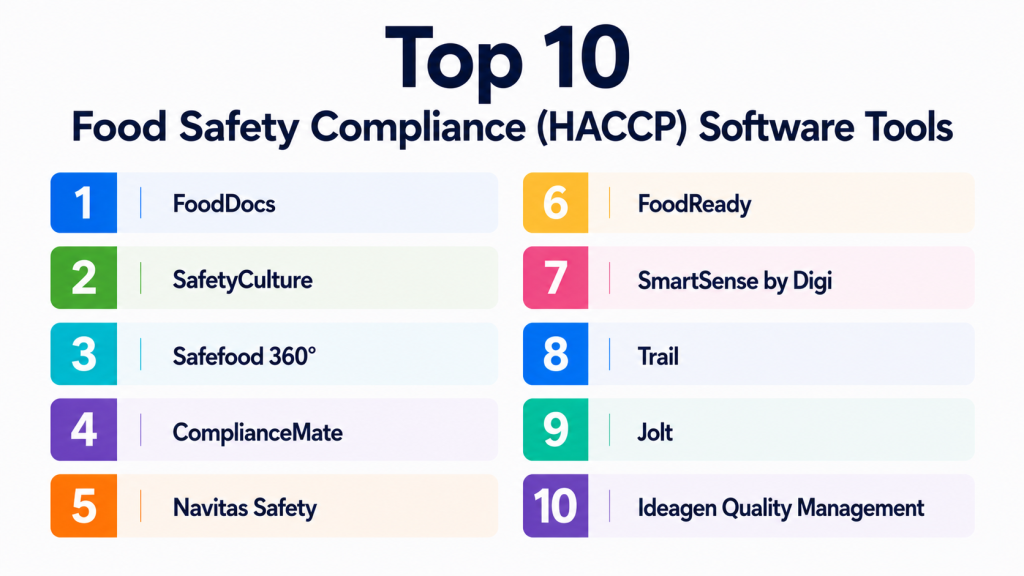
Top 10 Food Safety Compliance (HACCP) Software Tools
#1 — FoodDocs
Short description:
FoodDocs is a food safety management platform designed to help food businesses create HACCP plans, manage digital logs, complete food safety tasks, and stay inspection-ready. It is especially useful for restaurants, cafes, food manufacturers, caterers, and food startups that want a guided HACCP workflow. The platform helps teams move away from paper records and manual compliance tracking. FoodDocs is practical for businesses that need structured food safety documentation without building everything from scratch. It is strong for HACCP plan creation and daily compliance tasks.
Key Features
- HACCP plan creation support.
- Digital food safety checklists.
- Temperature logs.
- Corrective action tracking.
- Task reminders.
- Audit-ready records.
- Mobile-friendly workflows.
Pros
- Good for teams starting or improving HACCP compliance.
- Helps reduce manual paperwork.
- User-friendly for smaller and mid-sized food businesses.
Cons
- Advanced enterprise customization may be limited.
- Requires staff discipline to complete daily checks.
- Sensor integrations should be validated before purchase.
Platforms / Deployment
Web / iOS / Android; Cloud deployment.
Security & Compliance
SSO/SAML, MFA, encryption, audit logs, RBAC, SOC 2, ISO 27001, GDPR, HIPAA: Not publicly stated.
Integrations & Ecosystem
FoodDocs supports food safety documentation and daily operations.
- Digital checklists
- HACCP records
- Temperature logs
- Audit reports
- Staff task workflows
- Food safety documentation
Support & Community
FoodDocs provides onboarding resources, documentation, and support. Community strength is good among restaurants and small food businesses.
#2 — SafetyCulture
Short description:
SafetyCulture is an inspection, checklist, and operations platform used across many industries, including food safety and hospitality. Food businesses use it to create digital checklists, perform inspections, assign corrective actions, track issues, and generate reports. It is useful for restaurants, hotels, retailers, food production teams, and multi-site operators that need flexible inspection workflows. While not only a HACCP tool, it can support HACCP-related checks and food safety processes. It is especially strong for customizable audits and mobile inspections.
Key Features
- Digital inspections and audits.
- Custom checklist builder.
- Corrective action assignment.
- Photo and evidence capture.
- Mobile app workflows.
- Reporting dashboards.
- Multi-site inspection management.
Pros
- Highly flexible checklist and inspection tool.
- Strong mobile experience.
- Useful beyond food safety for broader operations.
Cons
- HACCP structure may require custom setup.
- Not exclusively built for food businesses.
- Advanced reporting and permissions may depend on plan.
Platforms / Deployment
Web / iOS / Android; Cloud deployment.
Security & Compliance
SSO/SAML, MFA, encryption, audit logs, RBAC, SOC 2, ISO 27001, GDPR, HIPAA: Not publicly stated.
Integrations & Ecosystem
SafetyCulture connects inspection workflows with broader business operations.
- Mobile inspections
- Task management
- Reporting dashboards
- Issue tracking
- Team workflows
- Operations documentation
Support & Community
SafetyCulture offers documentation, templates, support, and a large user community across industries.
#3 — Safefood 360°
Short description:
Safefood 360° is a food safety and quality management platform designed for food manufacturers, processors, and complex food operations. It supports HACCP, supplier management, audits, corrective actions, complaints, document control, and quality processes. It is especially useful for businesses that need a structured food safety management system rather than a simple checklist tool. Safefood 360° fits medium and large food companies with formal quality and compliance teams. The platform is strong for organizations managing multiple food safety programs.
Key Features
- HACCP management.
- Supplier quality management.
- Audit management.
- Corrective and preventive actions.
- Document control.
- Complaint management.
- Food safety reporting.
Pros
- Strong fit for food manufacturing and QA teams.
- Covers more than basic HACCP checklists.
- Good for structured food safety management systems.
Cons
- May be too advanced for small restaurants.
- Implementation may require planning and training.
- Pricing and setup should be evaluated carefully.
Platforms / Deployment
Web-based platform; Cloud deployment.
Security & Compliance
SSO/SAML, MFA, encryption, audit logs, RBAC, SOC 2, ISO 27001, GDPR, HIPAA: Not publicly stated.
Integrations & Ecosystem
Safefood 360° supports food safety and quality workflows.
- HACCP records
- Supplier management
- Audit workflows
- Quality management
- Document control
- Corrective action processes
Support & Community
Support and onboarding resources are available. Community strength is strong among food safety and quality professionals.
#4 — ComplianceMate
Short description:
ComplianceMate is a food safety and temperature monitoring platform used by restaurants, grocery stores, convenience stores, and food-service operators. It helps businesses automate temperature monitoring, manage checklists, track corrective actions, and maintain compliance records. The platform is especially useful for businesses that need sensor-based monitoring for refrigeration and food storage. ComplianceMate helps reduce manual temperature logging and improves visibility into food safety risks. It is a good fit for multi-location food-service businesses.
Key Features
- Automated temperature monitoring.
- Wireless sensor support.
- Digital food safety checklists.
- Corrective action tracking.
- Alerts and notifications.
- Multi-location dashboards.
- Audit-ready records.
Pros
- Strong temperature monitoring capability.
- Useful for restaurants, grocery, and food retail.
- Helps reduce manual log errors.
Cons
- Hardware and sensor costs should be considered.
- Setup may require device planning.
- Best value comes when temperature monitoring is a major need.
Platforms / Deployment
Web / iOS / Android; Cloud deployment with sensor hardware.
Security & Compliance
SSO/SAML, MFA, encryption, audit logs, RBAC, SOC 2, ISO 27001, GDPR, HIPAA: Not publicly stated.
Integrations & Ecosystem
ComplianceMate connects food safety tasks with monitoring devices.
- Temperature sensors
- Food safety checklists
- Corrective action workflows
- Alerts and notifications
- Multi-site reporting
- Audit documentation
Support & Community
ComplianceMate provides implementation and support resources. Community strength is good among food-service and retail operators.
#5 — Navitas Safety
Short description:
Navitas Safety is a digital food safety and compliance platform for hospitality, food service, catering, healthcare food operations, and retail food businesses. It supports digital checks, audits, temperature monitoring, compliance records, and task management. The platform is useful for businesses that want to replace paper-based food safety systems with digital processes. Navitas Safety can support multi-site operations and ongoing compliance monitoring. It is a good fit for organizations that need daily operational safety checks and management visibility.
Key Features
- Digital food safety checks.
- HACCP-related workflows.
- Temperature monitoring.
- Audit and inspection tools.
- Corrective action tracking.
- Staff task management.
- Multi-site dashboards.
Pros
- Good for hospitality and food-service compliance.
- Helps digitize paper-based safety records.
- Useful for multi-site visibility.
Cons
- Feature fit should be validated by industry type.
- Sensor and hardware options may affect cost.
- Advanced customization may require setup support.
Platforms / Deployment
Web / iOS / Android; Cloud deployment.
Security & Compliance
SSO/SAML, MFA, encryption, audit logs, RBAC, SOC 2, ISO 27001, GDPR, HIPAA: Not publicly stated.
Integrations & Ecosystem
Navitas Safety supports food safety and operational compliance.
- Digital checklists
- Temperature monitoring
- Audit workflows
- Corrective actions
- Staff task tracking
- Compliance reports
Support & Community
Support and onboarding resources are available. Community strength is good in hospitality and food-service operations.
#6 — FoodReady
Short description:
FoodReady is a food safety and quality management platform built for food and beverage businesses that need HACCP plans, compliance documentation, audit preparation, and operational food safety workflows. It is useful for food manufacturers, processors, co-packers, food startups, and businesses preparing for certification or audits. FoodReady supports food safety documentation, SOPs, hazard analysis, supplier records, and traceability-related workflows. It is a good fit for teams that need structured compliance guidance and food safety planning. The platform can help businesses become more organized and audit-ready.
Key Features
- HACCP plan support.
- Food safety documentation.
- SOP management.
- Supplier records.
- Audit preparation tools.
- Corrective action tracking.
- Traceability support.
Pros
- Good for food manufacturers and startups.
- Helps organize compliance documentation.
- Useful for audit preparation.
Cons
- May be more document-focused than daily restaurant operations.
- Implementation requires accurate process details.
- Pricing and consulting needs should be reviewed.
Platforms / Deployment
Web-based platform; Cloud deployment.
Security & Compliance
SSO/SAML, MFA, encryption, audit logs, RBAC, SOC 2, ISO 27001, GDPR, HIPAA: Not publicly stated.
Integrations & Ecosystem
FoodReady supports food safety planning and documentation.
- HACCP documentation
- SOPs
- Supplier records
- Audit preparation
- Corrective actions
- Traceability workflows
Support & Community
Support and consulting resources may be available. Community strength is good among food manufacturers and compliance-focused teams.
#7 — SmartSense by Digi
Short description:
SmartSense by Digi is an IoT monitoring and compliance platform used in food service, healthcare, retail, and regulated environments. For food safety, it helps businesses monitor temperatures, automate alerts, track compliance, and reduce risk from refrigeration or storage failures. It is especially useful for businesses with many coolers, freezers, storage areas, or locations. SmartSense is best suited for operators that need connected sensors and centralized monitoring. It helps teams act faster when temperature conditions move outside safe ranges.
Key Features
- IoT temperature monitoring.
- Wireless sensor support.
- Automated alerts.
- Compliance reporting.
- Multi-location dashboards.
- Corrective action workflows.
- Equipment monitoring support.
Pros
- Strong for sensor-based monitoring.
- Useful for multi-location food safety visibility.
- Helps reduce manual temperature checks.
Cons
- Hardware planning is required.
- Not a complete HACCP documentation platform by itself.
- Costs depend on sensors, sites, and monitoring needs.
Platforms / Deployment
Web-based platform; Cloud deployment with IoT hardware.
Security & Compliance
SSO/SAML, MFA, encryption, audit logs, RBAC, SOC 2, ISO 27001, GDPR, HIPAA: Not publicly stated.
Integrations & Ecosystem
SmartSense connects food safety monitoring with IoT devices.
- Temperature sensors
- Equipment monitoring
- Alert workflows
- Compliance dashboards
- Multi-site reporting
- Corrective action records
Support & Community
Implementation and support resources are available. Community strength is strong among businesses needing IoT-based monitoring.
#8 — Trail
Short description:
Trail is an operations and compliance checklist platform used by hospitality, food-service, and retail teams. It helps businesses manage daily checks, cleaning tasks, opening and closing routines, food safety logs, and operational accountability. While not only a HACCP system, it can support food safety routines and compliance workflows. Trail is practical for restaurants, cafes, pubs, and hospitality operators that need simple daily task management. It is especially useful for teams that want staff-friendly digital checklists.
Key Features
- Digital task checklists.
- Food safety routines.
- Cleaning and hygiene checks.
- Staff accountability.
- Daily operations workflows.
- Reporting and completion tracking.
- Multi-site task visibility.
Pros
- Easy for frontline teams to use.
- Good for daily restaurant and hospitality routines.
- Helps replace paper checklists.
Cons
- May not provide full HACCP plan generation.
- Advanced food safety documentation may require another tool.
- Best suited for task execution rather than complex QA systems.
Platforms / Deployment
Web / iOS / Android; Cloud deployment.
Security & Compliance
SSO/SAML, MFA, encryption, audit logs, RBAC, SOC 2, ISO 27001, GDPR, HIPAA: Not publicly stated.
Integrations & Ecosystem
Trail supports operational compliance and staff routines.
- Daily checklists
- Cleaning logs
- Opening and closing checks
- Food safety tasks
- Staff workflows
- Multi-site dashboards
Support & Community
Trail provides support and onboarding resources. Community strength is good among hospitality and restaurant operators.
#9 — Jolt
Short description:
Jolt is an operations management platform used by restaurants, food service, retail, and hospitality teams to manage checklists, temperature logs, labeling, audits, and employee accountability. It helps teams digitize routine tasks and keep records organized. Jolt is especially useful for restaurants that need food safety task management and operational consistency. It can support HACCP-related logs, cleaning checks, and corrective action workflows. The platform is practical for businesses that need frontline execution more than complex enterprise quality management.
Key Features
- Digital checklists.
- Temperature logs.
- Food labeling support.
- Audit and inspection workflows.
- Task management.
- Corrective action tracking.
- Staff accountability tools.
Pros
- Strong for daily restaurant operations.
- Helps improve staff accountability.
- Useful for replacing manual logs and checklists.
Cons
- May not cover all advanced HACCP documentation needs.
- Requires team adoption for best results.
- Integration depth should be reviewed.
Platforms / Deployment
Web / iOS / Android; Cloud deployment.
Security & Compliance
SSO/SAML, MFA, encryption, audit logs, RBAC, SOC 2, ISO 27001, GDPR, HIPAA: Not publicly stated.
Integrations & Ecosystem
Jolt supports food safety and restaurant operations.
- Temperature checks
- Food labeling
- Staff task workflows
- Inspection records
- Operations checklists
- Reporting dashboards
Support & Community
Jolt offers support and onboarding resources. Community strength is good among restaurant and retail operators.
#10 — Ideagen Quality Management
Short description:
Ideagen Quality Management is a quality, risk, audit, and compliance management platform used across regulated industries, including food and beverage. It can support food safety teams with audits, document control, corrective actions, risk management, and quality workflows. While not limited to HACCP, it is relevant for food manufacturers and larger organizations needing structured quality management. Ideagen is more suitable for enterprise quality teams than small restaurants. It works best when HACCP is part of a broader quality and compliance system.
Key Features
- Audit management.
- Document control.
- Corrective action management.
- Risk management.
- Quality workflows.
- Compliance reporting.
- Enterprise process control.
Pros
- Strong for enterprise quality management.
- Useful when food safety is part of broader compliance.
- Supports structured audit and corrective action processes.
Cons
- Too advanced for most small food businesses.
- HACCP-specific workflows may require configuration.
- Implementation can be more involved than checklist tools.
Platforms / Deployment
Web-based platform; Cloud deployment; deployment options may vary.
Security & Compliance
SSO/SAML, MFA, encryption, audit logs, RBAC, SOC 2, ISO 27001, GDPR, HIPAA: Not publicly stated.
Integrations & Ecosystem
Ideagen supports quality, risk, and compliance ecosystems.
- Audit workflows
- Document management
- Risk registers
- Corrective actions
- Compliance reporting
- Enterprise quality systems
Support & Community
Enterprise support and onboarding resources are available. Community strength is strong in quality, compliance, and regulated business operations.
Comparison Table
| Tool Name | Best For | Platform(s) Supported | Deployment | Standout Feature | Public Rating |
|---|---|---|---|---|---|
| FoodDocs | HACCP plan creation and food safety logs | Web / iOS / Android | Cloud | Guided HACCP workflows | N/A |
| SafetyCulture | Flexible inspections and audits | Web / iOS / Android | Cloud | Custom checklist and inspection builder | N/A |
| Safefood 360° | Food manufacturers and QA teams | Web | Cloud | Full food safety management system | N/A |
| ComplianceMate | Temperature monitoring and food-service compliance | Web / iOS / Android | Cloud + hardware | Sensor-based temperature monitoring | N/A |
| Navitas Safety | Hospitality and multi-site food safety | Web / iOS / Android | Cloud | Digital checks and compliance visibility | N/A |
| FoodReady | Food safety documentation and audit prep | Web | Cloud | HACCP and SOP documentation | N/A |
| SmartSense by Digi | IoT temperature monitoring | Web | Cloud + IoT hardware | Automated sensor alerts | N/A |
| Trail | Daily hospitality compliance tasks | Web / iOS / Android | Cloud | Staff-friendly operational checklists | N/A |
| Jolt | Restaurant task and food safety execution | Web / iOS / Android | Cloud | Checklists, labels, and temperature logs | N/A |
| Ideagen Quality Management | Enterprise quality and compliance teams | Web | Cloud / Varies | Audit and quality management depth | N/A |
Evaluation & Scoring of Food Safety Compliance (HACCP) Software
| Tool Name | Core (25%) | Ease (15%) | Integrations (15%) | Security (10%) | Performance (10%) | Support (10%) | Value (15%) | Weighted Total (0–10) |
|---|---|---|---|---|---|---|---|---|
| FoodDocs | 9 | 9 | 7 | 7 | 8 | 8 | 8 | 8.15 |
| SafetyCulture | 8 | 9 | 8 | 8 | 8 | 8 | 8 | 8.20 |
| Safefood 360° | 9 | 7 | 8 | 8 | 8 | 8 | 7 | 7.95 |
| ComplianceMate | 8 | 8 | 8 | 7 | 9 | 8 | 7 | 7.90 |
| Navitas Safety | 8 | 8 | 7 | 7 | 8 | 8 | 7 | 7.65 |
| FoodReady | 8 | 7 | 7 | 7 | 8 | 8 | 7 | 7.50 |
| SmartSense by Digi | 8 | 7 | 8 | 8 | 9 | 8 | 7 | 7.95 |
| Trail | 7 | 9 | 7 | 7 | 8 | 7 | 8 | 7.65 |
| Jolt | 8 | 8 | 7 | 7 | 8 | 8 | 8 | 7.75 |
| Ideagen Quality Management | 9 | 6 | 8 | 8 | 8 | 8 | 6 | 7.55 |
These scores are comparative and should not be treated as universal rankings. A restaurant may prefer FoodDocs, Jolt, Trail, or ComplianceMate because daily execution matters most. A food manufacturer may prefer Safefood 360°, FoodReady, or Ideagen because documentation, QA, audits, and corrective actions are deeper. Businesses focused on temperature monitoring may prefer ComplianceMate or SmartSense by Digi. Always validate tools against your compliance needs, site count, audit requirements, and staff workflow.
Which Food Safety Compliance (HACCP) Software Tool Is Right for You?
Solo / Freelancer
Solo food operators, small caterers, home-based food businesses, and pop-up kitchens usually need simple HACCP guidance, digital logs, and basic task reminders. FoodDocs, Trail, or Jolt can be practical options.
The main goal should be to stay organized, record checks consistently, and avoid missing important food safety tasks.
SMB
Small and mid-sized restaurants, cafes, bakeries, and catering teams should look for tools that balance ease of use with reliable records. FoodDocs, SafetyCulture, Jolt, Navitas Safety, and ComplianceMate are strong options depending on whether checklists, HACCP documentation, or temperature monitoring matters most.
SMBs should focus on staff adoption, mobile access, audit records, corrective actions, and daily task completion.
Mid-Market
Mid-market food businesses need multi-site dashboards, better reporting, structured corrective actions, sensor support, and role-based workflows. ComplianceMate, Navitas Safety, SafetyCulture, FoodReady, and Safefood 360° are worth evaluating.
At this level, food safety software should help managers identify patterns, not just store records.
Enterprise
Enterprise food manufacturers, grocery chains, hospitality groups, and regulated food businesses need stronger document control, audit management, quality workflows, traceability, and multi-location governance. Safefood 360°, Ideagen Quality Management, SmartSense by Digi, and ComplianceMate may be more suitable.
Enterprises should review configuration flexibility, data controls, reporting depth, integrations, permissions, and implementation support.
Budget vs Premium
Budget-friendly tools are better for daily checklists, simple logs, and small teams. Premium tools are better when compliance involves audits, sensors, traceability, supplier management, document control, and enterprise reporting.
Do not compare only subscription cost. Consider the cost of failed inspections, spoiled inventory, manual admin time, and food safety incidents.
Feature Depth vs Ease of Use
Simple tools are easier for frontline staff to adopt. Deep platforms provide stronger compliance structure but require more setup and training.
Choose ease of use if your team needs daily completion discipline. Choose feature depth if your business faces audits, supplier controls, corrective action programs, and formal QA requirements.
Integrations & Scalability
Food safety software becomes more powerful when it connects with temperature sensors, equipment monitoring, task systems, supplier records, inventory workflows, and reporting tools. Integration gaps can create duplicate work.
Before choosing a platform, confirm whether it can support current sites and future growth.
Security & Compliance Needs
Food safety tools may store operational records, audit evidence, employee activity, supplier documents, and compliance history. Businesses should review how access and data are protected.
Ask vendors about MFA, role-based access, encryption, audit logs, data export, backup, and retention controls. If details are not clearly confirmed, treat them as not publicly stated.
Frequently Asked Questions
1. What is Food Safety Compliance (HACCP) Software?
Food Safety Compliance (HACCP) Software helps businesses manage food safety plans, logs, checks, corrective actions, audits, and compliance records. It supports safer operations and better inspection readiness.
2. What does HACCP mean?
HACCP means Hazard Analysis and Critical Control Points. It is a structured approach to identifying food safety hazards and controlling them at important points in the food handling process.
3. What pricing models are common?
Common pricing models include monthly subscriptions, per-location pricing, user-based pricing, sensor hardware costs, setup fees, and enterprise custom pricing. Some tools charge more for monitoring devices or advanced reporting.
4. How long does implementation take?
Simple checklist tools can be launched quickly. Full HACCP systems with site setup, sensors, SOPs, corrective actions, staff training, and audit workflows may require more planning and onboarding.
5. What are common mistakes when choosing HACCP software?
Common mistakes include choosing a tool that staff find difficult to use, ignoring mobile access, failing to define corrective actions, not training teams, and choosing software without audit-ready reporting.
6. Can HACCP software replace paper logs?
Yes, many tools can replace paper logs with digital checklists, temperature records, timestamps, photo evidence, and corrective action notes. However, businesses must ensure digital records meet their local compliance needs.
7. Do these tools support temperature monitoring?
Many tools support manual temperature logs, while some support automated sensor-based monitoring. If temperature control is critical, confirm sensor compatibility, alerting, hardware costs, and reporting features.
8. Are food safety compliance tools secure?
Security varies by vendor. Businesses should ask about encryption, user permissions, MFA, audit logs, data backups, and compliance documentation because food safety records can be important during inspections and audits.
9. Can small restaurants use HACCP software?
Yes. Small restaurants can benefit from simple digital logs, food safety checklists, cleaning records, and temperature checks. They may not need enterprise-level quality management systems.
10. What are alternatives to Food Safety Compliance software?
Alternatives include paper logs, spreadsheets, manual binders, basic task apps, thermometer sheets, and consultant-created HACCP documents. Dedicated software is better when consistency, audit history, reminders, and reporting are important.
Conclusion
Food Safety Compliance (HACCP) Software helps food businesses move from scattered paper logs to structured, digital, audit-ready food safety workflows. The best platform depends on business size, food safety risk, audit requirements, number of locations, staff workflow, and whether sensor monitoring is needed. Small restaurants may prefer FoodDocs, Trail, or Jolt for simple daily checks. Multi-site food-service teams may choose SafetyCulture, Navitas Safety, or ComplianceMate. Food manufacturers and enterprise QA teams may need Safefood 360°, FoodReady, SmartSense by Digi, or Ideagen Quality Management.
