Upgrade & Secure Your Future with DevOps, SRE, DevSecOps, MLOps!
We spend hours scrolling social media and waste money on things we forget, but won’t spend 30 minutes a day earning certifications that can change our lives.
Master in DevOps, SRE, DevSecOps & MLOps by DevOps School!
Learn from Guru Rajesh Kumar and double your salary in just one year.
Introduction
Queue Management Software helps businesses manage customer waiting lines, appointments, service counters, walk-ins, token systems, digital signage, and service flow from one central platform. In simple words, it reduces waiting confusion and helps customers know where to go, when to wait, and when they will be served.
It matters now because customers expect faster service, clear communication, mobile check-ins, self-service kiosks, and real-time updates. Businesses also need better staff planning, analytics, and service visibility across branches.
Common use cases include:
- Bank branch queue management
- Hospital and clinic patient flow
- Government office service counters
- Retail customer service queues
- Telecom and utility customer centers
Buyers should evaluate:
- Virtual queue support
- Appointment scheduling
- SMS and mobile notifications
- Self-service kiosk features
- Digital signage support
- Staff dashboard quality
- Reporting and analytics
- Multi-location scalability
- Integrations
- Security and compliance controls
Best for: banks, hospitals, clinics, government offices, retail stores, telecom centers, universities, airports, service centers, and any organization that manages high customer footfall.
Not ideal for: very small teams with only a few visitors per day, fully online businesses with no physical waiting flow, or companies that only need a basic booking calendar.
Key Trends in Queue Management Software
- Virtual queues are becoming more common because customers prefer joining a line from their phone instead of standing physically.
- AI-based wait-time prediction is helping businesses estimate service delays and guide staff planning.
- Self-service kiosks are improving customer check-in and reducing front-desk workload.
- Appointment plus walk-in management is becoming important because many businesses handle both scheduled and unscheduled visitors.
- Digital signage integration helps customers follow token numbers, counter status, and service updates clearly.
- Omnichannel notifications through SMS, email, WhatsApp-style messaging, and mobile apps are improving communication.
- Analytics dashboards are helping managers track average waiting time, service time, staff performance, and peak hours.
- Cloud deployment is becoming popular for multi-branch businesses that need centralized control.
- Privacy and data security are becoming more important, especially for healthcare, finance, government, and education.
- Integration with CRM and appointment systems is helping businesses connect queue data with customer records and service history.
How We Selected These Tools
These Queue Management Software tools were selected using practical buyer-focused evaluation logic:
- Market adoption and recognition in queue management
- Feature completeness for walk-ins, appointments, tokens, and service counters
- Support for virtual queues and mobile check-ins
- Reliability for high-traffic customer environments
- Reporting and analytics quality
- Multi-location management capabilities
- Kiosk, signage, and notification support
- Integrations with CRM, calendars, POS, and service platforms
- Fit for healthcare, banking, retail, government, and education
- Ease of use for both staff and customers
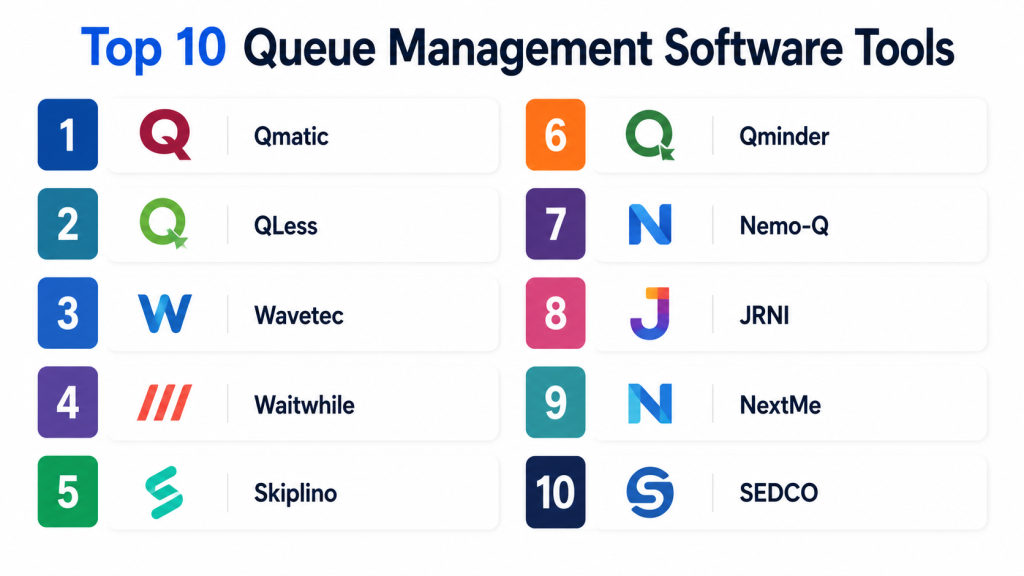
Top 10 Queue Management Software Tools
#1 — Qmatic
Short description:
Qmatic is a widely recognized queue management and customer journey management platform. It helps organizations manage appointments, walk-ins, token systems, digital signage, staff workflows, and customer flow across physical service locations. It is often used by banks, healthcare providers, government offices, retail service centers, and large customer-facing organizations. Qmatic is best for teams that need enterprise-level queue control, service analytics, and multi-location management.
Key Features
- Appointment and walk-in management
- Virtual queue support
- Self-service kiosk options
- Digital signage and token displays
- Staff service dashboards
- Customer journey analytics
- Multi-branch management
Pros
- Strong enterprise queue management capabilities
- Good fit for high-footfall service centers
- Useful analytics for service improvement
Cons
- May be too advanced for very small businesses
- Implementation can require planning
- Pricing and setup may vary by deployment
Platforms / Deployment
Web / Windows / iOS / Android
Cloud / Self-hosted / Hybrid
Security & Compliance
Role-based access, audit logs, and administrative controls may be available depending on deployment. Specific SOC 2, ISO 27001, GDPR, and HIPAA details: Not publicly stated.
Integrations & Ecosystem
Qmatic is designed for complex customer journey environments where queue systems need to connect with service platforms and branch operations.
- CRM systems
- Appointment booking tools
- Digital signage
- Kiosks
- Customer notification systems
- Branch management workflows
Support & Community
Qmatic offers professional support, onboarding, documentation, and partner-led implementation. Community strength is more enterprise and partner focused.
#2 — QLess
Short description:
QLess is a virtual queue management platform designed to help customers join lines remotely and receive updates without waiting physically. It is suitable for government offices, healthcare centers, universities, retail service desks, and customer service departments. The platform focuses on reducing crowding, improving customer communication, and helping staff manage queues from a digital dashboard. It is a strong choice for organizations that want mobile-first queue experiences.
Key Features
- Virtual queue management
- SMS-based customer updates
- Appointment scheduling
- Staff dashboard
- Wait-time management
- Customer flow analytics
- Multi-location support
Pros
- Strong virtual queue experience
- Helps reduce physical crowding
- Useful for public-facing service centers
Cons
- May not fit businesses needing complex kiosk setups
- Feature depth depends on plan and configuration
- Integration requirements should be validated
Platforms / Deployment
Web / iOS / Android
Cloud
Security & Compliance
Administrative controls and user permissions may be available. Specific compliance certifications such as SOC 2, ISO 27001, GDPR, and HIPAA: Not publicly stated.
Integrations & Ecosystem
QLess works well for organizations that need digital waiting lines and communication workflows.
- SMS notifications
- Appointment systems
- Customer service workflows
- Staff dashboards
- Reporting tools
- Location-based service operations
Support & Community
QLess provides vendor support, onboarding resources, and documentation. Community visibility is moderate, with stronger direct support relevance.
#3 — Wavetec
Short description:
Wavetec provides queue management, self-service kiosk, digital signage, and customer experience solutions for service-heavy businesses. It is used by banks, telecom companies, healthcare providers, government offices, retail chains, and public service centers. The platform supports token systems, customer routing, appointment management, feedback collection, and analytics. It is best for organizations that need both software and physical queue hardware.
Key Features
- Token-based queue management
- Self-service kiosks
- Digital signage and display systems
- Customer feedback tools
- Appointment management
- Real-time queue analytics
- Multi-branch support
Pros
- Strong hardware and software combination
- Good for large service centers
- Useful for banks, telecom, and public offices
Cons
- Hardware planning may increase implementation effort
- May be more than small businesses need
- Pricing can vary by setup
Platforms / Deployment
Web / Windows / iOS / Android
Cloud / Self-hosted / Hybrid
Security & Compliance
User permissions and access controls may be available. Specific security certifications and compliance details: Not publicly stated.
Integrations & Ecosystem
Wavetec supports physical and digital service environments where kiosks, displays, and staff systems work together.
- Self-service kiosks
- Digital signage
- Customer feedback systems
- Appointment platforms
- Branch service dashboards
- CRM and service tools
Support & Community
Wavetec offers implementation support, documentation, and hardware-service support. Support quality may depend on region and deployment partner.
#4 — Waitwhile
Short description:
Waitwhile is a cloud-based queue and appointment management platform for businesses that need simple waitlist control, booking, notifications, and customer communication. It is used by retail stores, clinics, service centers, restaurants, salons, government offices, and education teams. The platform helps manage walk-ins, scheduled visits, customer check-ins, and staff visibility. It is best for teams that want a modern and easy-to-use queue solution.
Key Features
- Digital waitlist management
- Appointment scheduling
- Customer notifications
- Online check-in
- Staff dashboard
- Analytics and reporting
- Multi-location support
Pros
- Easy to use and quick to adopt
- Good for SMB and mid-market teams
- Strong digital waitlist experience
Cons
- May not fit complex enterprise workflows
- Hardware kiosk needs may require extra setup
- Advanced integrations may vary
Platforms / Deployment
Web / iOS / Android
Cloud
Security & Compliance
User access controls and privacy-related settings may be available. Specific SOC 2, ISO 27001, GDPR, and HIPAA details: Not publicly stated.
Integrations & Ecosystem
Waitwhile fits customer-facing businesses that need queue, appointment, and communication workflows.
- Calendar tools
- Customer notifications
- Website check-in
- Staff dashboards
- Reporting tools
- Business workflow integrations
Support & Community
Waitwhile provides documentation, help resources, and support options. Community strength is moderate, with strong relevance for SMB users.
#5 — Skiplino
Short description:
Skiplino is a queue management system that helps businesses manage customer queues, tickets, counters, and service flow. It supports mobile booking, ticket generation, staff dashboards, and reporting. It is suitable for banks, clinics, public offices, educational institutions, retail stores, and customer service centers. Skiplino is best for businesses that want a practical cloud-based queue system with mobile-friendly features.
Key Features
- Ticket-based queue management
- Mobile queue booking
- Branch and counter management
- Real-time queue dashboard
- Customer notifications
- Analytics and reporting
- Staff performance visibility
Pros
- Practical for service counters and branches
- Supports mobile queue interaction
- Useful for SMB and mid-sized organizations
Cons
- Enterprise customization may be limited
- Advanced integrations should be checked
- Hardware needs may vary
Platforms / Deployment
Web / iOS / Android
Cloud
Security & Compliance
Administrative controls and user roles may be available. Specific compliance details such as SOC 2, ISO 27001, GDPR, and HIPAA: Not publicly stated.
Integrations & Ecosystem
Skiplino supports common customer service queue workflows and branch operations.
- Mobile apps
- Service counters
- Customer notifications
- Reporting dashboards
- Ticket displays
- Branch management tools
Support & Community
Skiplino provides support and product documentation. Community visibility is moderate, with vendor support being the primary channel.
#6 — Qminder
Short description:
Qminder is a queue management and customer flow platform designed for service teams that want better check-in, waiting experience, and staff visibility. It is used by retail service desks, clinics, universities, government offices, and customer support locations. The platform helps customers check in, staff call the next visitor, and managers track waiting time and service performance. It is best for teams that want a simple and modern queue experience.
Key Features
- Visitor check-in
- Queue and waitlist management
- Staff service dashboard
- SMS notifications
- Customer flow analytics
- Service performance reporting
- Multi-location management
Pros
- Clean and user-friendly experience
- Good for customer service locations
- Helpful analytics for queue improvement
Cons
- May not suit very complex enterprise environments
- Hardware support should be reviewed
- Integration needs should be validated
Platforms / Deployment
Web / iOS / Android
Cloud
Security & Compliance
User permissions and administrative controls may be available. Specific SOC 2, ISO 27001, GDPR, and HIPAA details: Not publicly stated.
Integrations & Ecosystem
Qminder is useful for digital check-in and service flow environments.
- SMS notifications
- Check-in tablets
- Service dashboards
- Analytics tools
- Customer service workflows
- Location management
Support & Community
Qminder provides documentation, onboarding resources, and support options. Community strength is moderate.
#7 — Nemo-Q
Short description:
Nemo-Q provides queue management systems for public service centers, healthcare facilities, government offices, banks, and customer-facing organizations. It supports token systems, appointment scheduling, digital signage, lobby management, and customer routing. It is useful for businesses that need a structured queue process with physical and digital components. Nemo-Q is best for organizations that want a traditional queue management setup with modern software features.
Key Features
- Queue ticket management
- Appointment scheduling
- Digital signage support
- Customer routing
- Lobby management
- Staff dashboards
- Reporting and analytics
Pros
- Good for structured service environments
- Supports physical queue workflows
- Useful for government and healthcare-style settings
Cons
- May require implementation planning
- Interface and features may vary by setup
- Public technical details can be limited
Platforms / Deployment
Web / Windows
Cloud / Self-hosted / Hybrid
Security & Compliance
User permissions and administrative controls may be available. Specific compliance details: Not publicly stated.
Integrations & Ecosystem
Nemo-Q can support branch and service counter queue environments.
- Digital signage
- Ticket printers
- Appointment systems
- Service counters
- Customer routing tools
- Reporting dashboards
Support & Community
Support is generally available through vendor and implementation channels. Community visibility is limited compared with broader SaaS tools.
#8 — JRNI
Short description:
JRNI is a customer engagement platform with appointment scheduling and queue-related capabilities for retail, financial services, and enterprise service environments. It helps businesses manage booked appointments, staff availability, customer visits, and service experiences. While it is often known for appointment scheduling, it can support customer flow where booking and in-person service need to work together. It is best for enterprises that want scheduling-led customer journey management.
Key Features
- Appointment scheduling
- Staff availability management
- Customer booking workflows
- Customer communication
- Branch and location management
- Analytics and reporting
- Enterprise integration support
Pros
- Strong appointment-led service experience
- Good for enterprise retail and finance
- Useful for scheduled customer visits
Cons
- Not a pure token-based queue system
- May require configuration for walk-in-heavy environments
- Pricing and deployment may fit larger teams better
Platforms / Deployment
Web / iOS / Android
Cloud
Security & Compliance
Enterprise access controls and administrative settings may be available. Specific SOC 2, ISO 27001, GDPR, and HIPAA details should be verified. Not publicly stated where uncertain.
Integrations & Ecosystem
JRNI fits businesses where appointment scheduling connects with customer experience and branch operations.
- CRM systems
- Calendar tools
- Customer communication tools
- Staff scheduling
- Analytics platforms
- Enterprise workflows
Support & Community
JRNI offers onboarding, documentation, and enterprise support options. Community strength is more customer and vendor-led than open community based.
#9 — NextMe
Short description:
NextMe is a waitlist and queue management solution designed for businesses that want to manage walk-ins, waiting customers, and customer communication. It is used by restaurants, retail locations, salons, service businesses, and local customer-facing teams. The platform helps staff organize queues, notify customers, and reduce crowding around service areas. It is best for small and medium businesses that need a simple waitlist system.
Key Features
- Digital waitlist management
- Customer notifications
- Staff queue dashboard
- Walk-in customer tracking
- Customer communication
- Simple service flow control
- Reporting features
Pros
- Simple for small businesses
- Good for walk-in queue management
- Helps reduce front-desk confusion
Cons
- May not fit enterprise queue needs
- Limited for complex multi-branch operations
- Advanced integrations may be limited
Platforms / Deployment
Web / iOS
Cloud
Security & Compliance
Basic administrative controls may be available. Specific enterprise security and compliance details: Not publicly stated.
Integrations & Ecosystem
NextMe is focused on simple waitlist and customer notification workflows.
- Customer notifications
- Staff dashboard
- Walk-in tracking
- Service flow tools
- Basic reporting
- Customer communication
Support & Community
Support and help resources are available through vendor channels. Community strength is limited compared with larger enterprise platforms.
#10 — SEDCO
Short description:
SEDCO provides customer experience and queue management solutions for banks, healthcare providers, telecom companies, government offices, and enterprise service centers. Its queue systems can include ticketing, digital signage, self-service kiosks, customer routing, appointment management, and analytics. It is suitable for organizations that need structured customer flow across branches. SEDCO is best for service-heavy organizations that want queue management with physical and digital touchpoints.
Key Features
- Queue ticketing
- Self-service kiosks
- Digital signage
- Appointment management
- Customer routing
- Service analytics
- Multi-branch support
Pros
- Good for large service centers
- Strong physical queue management features
- Useful for banking, telecom, and government use cases
Cons
- May require hardware and implementation planning
- Public technical details may be limited
- Not ideal for very small teams
Platforms / Deployment
Web / Windows / iOS / Android
Cloud / Self-hosted / Hybrid
Security & Compliance
User roles and administrative controls may be available. Specific SOC 2, ISO 27001, GDPR, and HIPAA details: Not publicly stated.
Integrations & Ecosystem
SEDCO supports queue and customer journey environments with software and hardware components.
- Kiosks
- Digital signage
- Ticket printers
- Appointment systems
- Customer feedback tools
- Branch dashboards
Support & Community
SEDCO offers implementation support, documentation, and regional support options. Community strength is mainly vendor and partner based.
Comparison Table
| Tool Name | Best For | Platform(s) Supported | Deployment | Standout Feature | Public Rating |
|---|---|---|---|---|---|
| Qmatic | Enterprise customer journey management | Web, Windows, iOS, Android | Cloud, Self-hosted, Hybrid | Advanced queue and branch flow control | N/A |
| QLess | Virtual queue management | Web, iOS, Android | Cloud | Remote line joining and SMS updates | N/A |
| Wavetec | Hardware plus software queue systems | Web, Windows, iOS, Android | Cloud, Self-hosted, Hybrid | Kiosks, signage, and token systems | N/A |
| Waitwhile | Digital waitlists and appointments | Web, iOS, Android | Cloud | Easy waitlist and booking workflow | N/A |
| Skiplino | Mobile queue booking | Web, iOS, Android | Cloud | Mobile-first ticketing and queue control | N/A |
| Qminder | Customer check-in and service flow | Web, iOS, Android | Cloud | Simple check-in and staff dashboard | N/A |
| Nemo-Q | Public service and healthcare queues | Web, Windows | Cloud, Self-hosted, Hybrid | Structured lobby and counter management | N/A |
| JRNI | Appointment-led customer journeys | Web, iOS, Android | Cloud | Enterprise appointment scheduling | N/A |
| NextMe | SMB waitlist management | Web, iOS | Cloud | Simple walk-in waitlist control | N/A |
| SEDCO | Branch-based queue systems | Web, Windows, iOS, Android | Cloud, Self-hosted, Hybrid | Queue hardware and digital signage | N/A |
Evaluation & Scoring of Queue Management Software
| Tool Name | Core (25%) | Ease (15%) | Integrations (15%) | Security (10%) | Performance (10%) | Support (10%) | Value (15%) | Weighted Total (0–10) |
|---|---|---|---|---|---|---|---|---|
| Qmatic | 9 | 7 | 8 | 7 | 9 | 8 | 7 | 7.95 |
| QLess | 8 | 9 | 7 | 7 | 8 | 8 | 8 | 7.90 |
| Wavetec | 9 | 7 | 8 | 7 | 8 | 8 | 7 | 7.80 |
| Waitwhile | 8 | 9 | 7 | 7 | 8 | 8 | 8 | 7.90 |
| Skiplino | 8 | 8 | 7 | 7 | 8 | 7 | 8 | 7.65 |
| Qminder | 8 | 9 | 7 | 7 | 8 | 7 | 8 | 7.80 |
| Nemo-Q | 8 | 7 | 7 | 7 | 8 | 7 | 7 | 7.35 |
| JRNI | 8 | 8 | 8 | 7 | 8 | 8 | 7 | 7.75 |
| NextMe | 7 | 9 | 6 | 6 | 7 | 7 | 8 | 7.15 |
| SEDCO | 8 | 7 | 7 | 7 | 8 | 7 | 7 | 7.35 |
These scores are comparative and should be used as a starting point. A higher score does not mean the tool is best for every business. A small retail store and a national bank have very different queue needs. Always test the tool with real customer flow, real staff, and real service counters before final selection.
Which Queue Management Software Tool Is Right for You?
Solo / Freelancer
Solo users may not need a full queue management platform. If you only handle a few appointments per day, a simple booking tool or calendar may be enough. If walk-ins are common, NextMe or Waitwhile can be practical starting points.
SMB
Small and medium businesses should focus on ease of use, customer notifications, simple check-in, and affordable pricing. Waitwhile, Qminder, Skiplino, and NextMe are useful options for SMBs that want digital waitlists without heavy setup.
Mid-Market
Mid-market organizations usually need multiple locations, staff dashboards, analytics, appointment support, and stronger reporting. QLess, Waitwhile, Qminder, Skiplino, and JRNI can be good choices depending on whether your queue is walk-in-heavy or appointment-led.
Enterprise
Enterprises should prioritize scalability, branch control, advanced reporting, hardware support, compliance, and integration with CRM or service platforms. Qmatic, Wavetec, SEDCO, JRNI, and Nemo-Q are stronger fits for large service environments.
Budget vs Premium
Budget-focused buyers should check whether they need kiosks, signage, ticket printers, SMS credits, integrations, and advanced reporting. Premium tools often cost more but can improve branch efficiency, reduce crowding, and support complex service journeys.
Feature Depth vs Ease of Use
Simple tools are easier to adopt and work well for SMBs. Enterprise tools provide deeper control, physical queue hardware, analytics, and multi-branch workflows. Choose simplicity for quick deployment and feature depth for complex operations.
Integrations & Scalability
If your queue system must connect with CRM, appointment booking, calendars, customer records, POS, or branch systems, integration strength matters. Qmatic, JRNI, Wavetec, QLess, and Waitwhile are worth evaluating for integration-heavy use cases.
Security & Compliance Needs
Healthcare, finance, government, and education teams should review role-based access, audit logs, data retention, customer privacy, encryption, and compliance documentation. Do not assume compliance unless the vendor clearly confirms it.
Frequently Asked Questions
1. What is Queue Management Software?
Queue Management Software helps businesses manage waiting lines, walk-ins, appointments, token numbers, service counters, and customer flow. It improves waiting experience and helps staff serve customers in a more organized way.
2. How does virtual queue management work?
Virtual queue management allows customers to join a line from a phone, website, kiosk, or SMS system. They receive updates when their turn is approaching, so they do not need to stand in a physical line.
3. What pricing models are common for queue management tools?
Pricing varies by vendor and may depend on number of locations, users, counters, kiosks, SMS usage, appointments, and integrations. Some platforms use subscription pricing, while hardware-heavy systems may include setup and equipment costs.
4. Is Queue Management Software useful for hospitals and clinics?
Yes, it can help hospitals and clinics manage patient check-ins, appointments, departments, waiting rooms, and service counters. For healthcare use, privacy and compliance requirements should be carefully reviewed.
5. What are common implementation mistakes?
Common mistakes include not mapping the customer journey, ignoring staff training, choosing software without checking kiosk needs, underestimating SMS costs, and failing to test peak-hour performance.
6. Can queue software support appointments and walk-ins together?
Yes, many modern tools support both appointments and walk-ins. This is useful for banks, clinics, public offices, and service centers where scheduled and unscheduled visitors arrive throughout the day.
7. Does Queue Management Software need kiosks?
Not always. Some businesses use mobile check-in, web forms, tablets, or staff-assisted entry. Kiosks are useful for high-footfall locations where customers need self-service ticketing or guided check-in.
8. Can queue systems integrate with CRM tools?
Many queue systems can integrate with CRM, appointment systems, customer databases, calendars, and service platforms. Integration depth varies, so buyers should validate APIs and supported connectors before purchase.
9. What security features should buyers check?
Buyers should check user permissions, role-based access, audit logs, encryption, customer data handling, retention settings, and compliance documentation. This is especially important for healthcare, finance, and government use cases.
10. Can I switch from one queue management tool to another?
Yes, but switching requires planning. You should review customer data, location setup, staff workflows, kiosk hardware, signage, integrations, appointment rules, and reporting requirements before migration.
Conclusion
Queue Management Software is important for any organization that deals with waiting customers, service counters, appointments, walk-ins, or branch-based operations. The right platform can reduce crowding, improve staff productivity, give customers clearer updates, and help managers understand waiting time, service time, and peak-hour patterns.Qmatic, Wavetec, SEDCO, and Nemo-Q are strong for structured enterprise and branch-based queue environments. QLess, Waitwhile, Qminder, Skiplino, and NextMe are practical for digital waitlists, virtual queues, and easier customer check-ins. JRNI is useful when appointment-led customer journeys are more important than traditional token-based queues.
