Upgrade & Secure Your Future with DevOps, SRE, DevSecOps, MLOps!
We spend hours scrolling social media and waste money on things we forget, but won’t spend 30 minutes a day earning certifications that can change our lives.
Master in DevOps, SRE, DevSecOps & MLOps by DevOps School!
Learn from Guru Rajesh Kumar and double your salary in just one year.
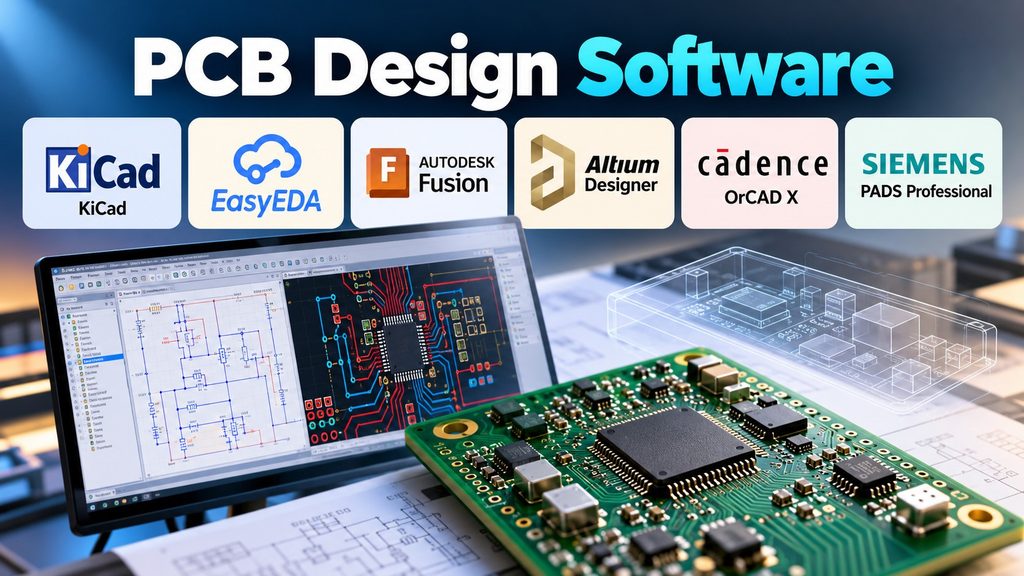
Designing a printed circuit board involves more than placing electronic components on a screen. Engineers must connect circuits correctly, manage board space, control electrical signals, and prepare files for manufacturing.
The software you choose affects every stage of this process. A student building a simple LED circuit has different needs from an engineer designing a high-speed communication board.
Some tools focus on free and open-source design. Others connect PCB layouts with mechanical CAD, advanced simulation, and team workflows. Understanding these differences helps you select software that fits your project without adding unnecessary cost or complexity.
What Is PCB Design Software?
PCB design software helps engineers create printed circuit boards (PCBs). A PCB holds electronic components and connects them through copper tracks.
Most PCB design workflows include several steps:
- Schematic design: Draw the circuit and define how components connect.
- Component selection: Choose parts and assign their symbols and footprints.
- PCB layout: Place components and route copper tracks.
- Design rule checking: Find spacing, connectivity, and manufacturing problems.
- 3D inspection: Check board shape, component placement, and mechanical clearance.
- Manufacturing preparation: Generate files needed to fabricate and assemble the board.
Not every application supports every step in the same way. Some combine schematic design and PCB layout in one environment. Others add simulation, component sourcing, collaboration, or mechanical design.
PCB Design Software Compared
The following tools serve different needs. They are grouped by practical use rather than an unsupported overall ranking.
| Software | Main strength | Suitable users | Main consideration |
|---|---|---|---|
| KiCad | Free, open-source PCB design | Students, makers, engineers, and small teams | Users must learn its design and library workflows |
| EasyEDA | Browser-based design and component sourcing | Beginners, hobbyists, and rapid prototyping teams | Review cloud, library, and manufacturing dependencies |
| Autodesk Fusion Electronics | PCB design connected to mechanical CAD | Product designers and engineering teams | Consider subscription costs and the wider Fusion workflow |
| Altium Designer | Integrated professional electronics design | Professional PCB engineers and product teams | Licensing and advanced features may exceed small-project needs |
| Cadence OrCAD X | PCB development, simulation, and manufacturing workflows | Small and medium engineering teams | Check licensing, modules, and required capabilities |
| Siemens PADS Professional | PCB layout, routing, and engineering analysis | Professional hardware design teams | New buyers should evaluate Siemens’ current product direction |
These descriptions provide a starting point, not a substitute for checking current product documentation and testing your own workflow.
PCB Design Tools Worth Evaluating
1. KiCad: A Practical Starting Point Without License Fees
KiCad is an open-source electronics design application. It includes schematic capture, PCB layout, component libraries, and manufacturing output tools.
Its PCB editor supports interactive routing, design rule checking, and trace-length tuning. It can also work with designs imported from several other PCB applications.
KiCad is a strong starting point when you want to learn electronics design without purchasing a commercial license. It also suits developers who prefer local project files and control over their design environment.
Consider KiCad when:
- You are learning PCB design.
- You want to build prototypes without recurring software license costs.
- You need access to an open-source design workflow.
- You want to inspect or customize parts of your design process.
Before adopting it for an established engineering team, test library management, collaboration, file exchange, and any specialist design requirements.
Official website: https://www.kicad.org/
2. EasyEDA: Convenient Design and Prototyping
EasyEDA offers schematic capture, PCB layout, component libraries, and 2D and 3D board views. Its ecosystem connects design work with component sourcing and PCB manufacturing services.
This connection can reduce manual steps for people who want to move quickly from a circuit idea to a physical prototype.
EasyEDA is particularly worth evaluating for hobby projects, educational work, and small product experiments. Its online workflow can also help people access designs without maintaining a complex local setup.
However, convenience should not replace careful project management. Check which editor edition you need, how projects are stored, and how your team can export and preserve design files.
Consider EasyEDA when:
- You want to build and order prototypes through a connected workflow.
- You need quick access to component libraries.
- You prefer browser-based design or a supported desktop option.
- You want to share projects with other designers.
Official website: https://easyeda.com/
3. Autodesk Fusion Electronics: Connecting Electronics and Mechanical Design
Autodesk Fusion combines PCB design with a broader product development environment. Its electronics workspace supports schematics, two-dimensional PCB layouts, three-dimensional boards, and component libraries.
The key advantage is the connection between electronic and mechanical design. Engineers can examine how a board fits inside a product rather than treating the PCB as an isolated object.
For example, a team designing a handheld device may need to check connector positions, enclosure clearance, mounting holes, and component height. A connected electronics and mechanical workflow can help identify physical conflicts before manufacturing.
Fusion is worth evaluating when PCB design forms part of a larger product engineering process.
Consider Fusion Electronics when:
- Your product has strict enclosure or mechanical constraints.
- Electronics and mechanical engineers share design responsibilities.
- You want connected 2D and 3D design workflows.
- Your organization already uses Autodesk’s product development tools.
Check the available subscription, data management, and collaboration features before committing.
Official website: https://www.autodesk.com/products/fusion-360/overview
4. Altium Designer: An Integrated Professional Design Environment
Altium Designer combines schematic capture, PCB layout, routing, design constraints, simulation, and manufacturing preparation. Its connected ecosystem also supports design collaboration and data management.
It is relevant to teams that manage complex boards, reusable circuit sections, detailed design rules, and coordinated engineering changes.
For example, a team developing a multi-board product may need consistent component data and controlled revisions. An integrated design environment can help reduce the manual work involved in maintaining separate documents.
The trade-off is cost and complexity. Small projects may not need its full range of capabilities, and some features depend on the Altium product or subscription arrangement.
Consider Altium Designer when:
- You design complex or dense PCB layouts.
- Your team needs structured component and revision management.
- You require advanced routing and design constraints.
- Several engineers contribute to a shared electronics project.
Official website: https://www.altium.com/altium-designer
5. Cadence OrCAD X: A Workflow for Professional PCB Development
Cadence OrCAD X supports electronic design workflows that include schematic capture, PCB layout, simulation, and manufacturing handoff.
It is designed for small and medium-sized engineering teams working on practical product development. Its broader ecosystem can support component sourcing information, design constraints, and checks before manufacturing.
OrCAD X should not be confused with PSpice. PSpice is a circuit simulation tool that integrates with the OrCAD X platform.
When evaluating this option, identify the exact simulation, layout, and collaboration capabilities included in your proposed license. Also check compatibility with your existing design files and engineering processes.
Consider OrCAD X when:
- Your team needs a professional schematic-to-PCB workflow.
- Simulation is part of your design process.
- You want to coordinate layout and manufacturing preparation.
- Your engineers already use related Cadence tools.
Official website: https://www.cadence.com/en_US/home/tools/pcb-design-and-analysis.html
6. Siemens PADS Professional: For Structured Engineering Workflows
PADS Professional supports PCB layout, routing, rigid-flex design, electromechanical collaboration, and design analysis.
Its capabilities make it relevant to professional engineering teams that need more than basic board drawing. Teams working with complex layouts may also evaluate its connections with signal integrity and manufacturing checks.
However, Siemens identifies PADS Professional as a legacy product and directs new users toward Xpedition Standard, its next-generation evolution of that product line.
This distinction matters when selecting software for a new organization. Review the current product roadmap, licensing options, support arrangements, and migration path before making a long-term commitment.
Consider evaluating this product family when:
- You need structured PCB design and engineering analysis.
- Your workflow includes mechanical and electrical coordination.
- You have existing PADS projects or related design infrastructure.
- You need to compare legacy compatibility with a newer platform.
Official website: https://www.siemens.com/en-us/products/pcb/pads/professional/
How to Choose PCB Design Software for Your Project
The right choice depends on what you need to design, how your team works, and how you plan to manufacture the board.
Step 1: Define Your Board’s Complexity
Start with the board itself.
A simple sensor circuit may need only schematic capture, component placement, routing, and manufacturing output. A high-speed board may require stricter routing constraints, signal integrity analysis, and careful stack-up planning.
Write down the capabilities your project actually needs. Avoid paying for advanced features that you will not use.
Step 2: Check Your Budget
Software costs can include more than the initial license.
Consider subscription fees, additional modules, collaboration services, training, support, and the time needed to maintain component libraries.
Free software may be sufficient for a small project. A commercial platform may be worthwhile when its collaboration, analysis, and data management features solve important business problems.
Compare the total cost with the value your team expects to receive.
Step 3: Review Component Libraries
A component library contains symbols, footprints, and other information used in circuit and board design.
A missing or incorrect footprint can cause costly problems. Before choosing software, check whether your required components are available and whether you can create and maintain your own library entries.
For production work, also establish how engineers verify footprint dimensions, pin assignments, and manufacturer data.
Step 4: Evaluate Design Rule Checking
Design rule checking (DRC) helps detect problems such as insufficient spacing, clearance violations, and other layout errors.
Electrical rule checking (ERC) helps identify possible issues in a schematic.
These checks reduce the risk of preventable mistakes, but they do not guarantee that a board will work correctly. Engineers must still review circuit behavior, electrical limits, component suitability, and manufacturing requirements.
Step 5: Check Manufacturing Compatibility
Before finalizing your choice, confirm that the software can generate the output files required by your PCB fabricator and assembly partner.
Common deliverables include Gerber files, drill data, bill of materials (BOM), and pick-and-place files. The exact requirements depend on the manufacturer’s process.
Ask your supplier which file formats and documentation it accepts. Then test the export process before you commit to a production workflow.
Step 6: Consider Collaboration and Data Control
For individual projects, saving and backing up design files may be enough. Larger teams may need revision history, shared libraries, access controls, and review workflows.
If you consider a cloud-based platform, check where project data is stored, who can access it, how backups work, and whether you can export your designs.
For confidential or commercially sensitive products, these questions should be part of the initial evaluation.
A Practical Comparison by Use Case
| Your situation | Tools to evaluate first | Why |
|---|---|---|
| Learning electronics design | KiCad, EasyEDA | Accessible ways to begin designing circuits and boards |
| Building hobby prototypes | KiCad, EasyEDA | Useful design tools with different library and manufacturing workflows |
| Designing a product enclosure and PCB together | Autodesk Fusion Electronics | Connects PCB design with mechanical product development |
| Managing complex professional PCB projects | Altium Designer, Cadence OrCAD X | Integrated workflows for layout, constraints, and engineering tasks |
| Maintaining an existing PADS environment | Siemens PADS Professional and its successor options | Helps assess project compatibility and future support |
These are suggested starting points. The best fit still depends on your board complexity, required features, team skills, and budget.
Common PCB Design Software Selection Mistakes
Choosing Based on Price Alone
A free tool can be an excellent choice, but the lowest license cost does not always mean the lowest project cost. Consider training, migration, maintenance, and manufacturing rework.
Ignoring Library Quality
A large library is useful only when its component data is correct. Verify symbols, footprints, pin mappings, and physical dimensions before using a part in a production design.
Assuming DRC Guarantees a Working Board
Design checks identify specific classes of problems. They cannot replace engineering review, simulation where appropriate, prototype testing, or validation against the product’s electrical requirements.
Overlooking File Exchange
Moving a design between different applications can change library links, attributes, or other project details. Test import and export workflows with a representative project before adopting a new tool.
Paying for Features You Do Not Need
A small board may not require enterprise collaboration, advanced signal analysis, or complex lifecycle management. Start with real requirements and add capabilities when the project justifies them.
How to Test a Tool Before Committing
A short pilot can reveal problems that a feature list will not show.
Use the same small circuit in each shortlisted application. Include a schematic, several common components, a connector, and a simple board outline.
Then complete the following checks:
- Create or import the schematic.
- Assign footprints to every component.
- Transfer the design to the PCB editor.
- Place components and route the tracks.
- Run schematic and PCB design checks.
- Inspect the board in 3D if supported.
- Export the manufacturing files.
- Review the files with your intended fabrication or assembly provider.
- Save, reopen, and back up the project.
- Record the time, difficulties, and missing capabilities.
Use the same requirements for every candidate. This makes the comparison more useful than relying on marketing claims or personal impressions alone.
Frequently Asked Questions
Is PCB design software free?
Some PCB design applications, including KiCad, are available as free and open-source software. Other products provide free editions, trials, or paid subscriptions. Check the current license terms and feature limits before choosing.
Which PCB design software is suitable for beginners?
KiCad and EasyEDA are useful starting points. KiCad offers an open-source workflow, while EasyEDA emphasizes accessible online design and connections to component sourcing and manufacturing. Try both with a small circuit to see which fits your learning style.
Can PCB design software create manufacturing files?
Many PCB applications can generate manufacturing outputs, including Gerber and drill files. Some also support BOM and assembly outputs. Confirm the exact formats required by your manufacturer.
Is PCB design software enough to verify a circuit?
No. Design software can check layout rules and may provide circuit simulation or electrical analysis. Engineers still need to verify component ratings, circuit behavior, manufacturing requirements, and real-world performance.
Should I choose cloud-based or desktop PCB software?
Choose based on data control, collaboration, internet access, local storage, and project requirements. Cloud tools can simplify sharing, while desktop tools may suit teams that prefer local project management. Check backup and export options either way.
Making the Final Choice
The best PCB design software is the one that supports your real engineering work without adding unnecessary cost or complexity.
Start with KiCad or EasyEDA if you want to learn, experiment, or build prototypes. Consider Autodesk Fusion Electronics when mechanical design is closely linked to the board. Evaluate Altium Designer or Cadence OrCAD X for professional workflows that need more advanced design and management capabilities.
If your team already uses Siemens PADS Professional, review its current support and successor options before deciding whether to stay or migrate.
Most importantly, test your shortlist with the same circuit, design rules, and manufacturing requirements. A practical trial will show whether the software fits your workflow, protects your design data, and produces the files your manufacturer needs.
