Upgrade & Secure Your Future with DevOps, SRE, DevSecOps, MLOps!
We spend hours scrolling social media and waste money on things we forget, but won’t spend 30 minutes a day earning certifications that can change our lives.
Master in DevOps, SRE, DevSecOps & MLOps by DevOps School!
Learn from Guru Rajesh Kumar and double your salary in just one year.
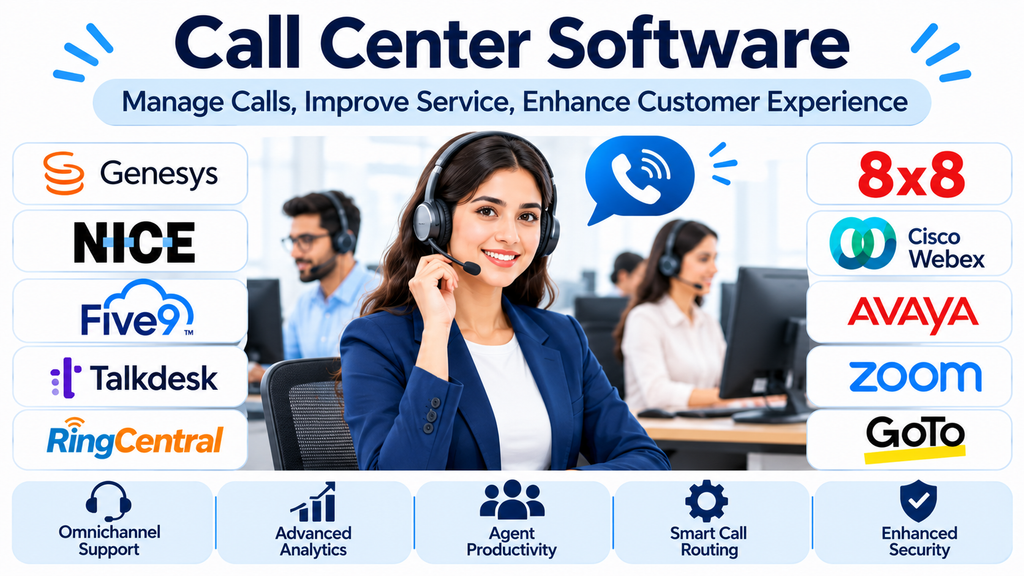
Improving Customer Communication Through Call Center Technology
Telephone communication continues to play an important role in customer service, sales, technical support, and business operations. Even as organizations adopt messaging applications and digital communication channels, customers still rely on phone calls when they need immediate assistance, personalized guidance, or help resolving complicated issues.
Managing a large number of calls manually can create significant operational challenges. Employees may struggle with missed calls, long waiting times, inefficient call transfers, inconsistent customer information, and limited visibility into agent performance.
Call center software helps businesses organize these activities through centralized communication systems. It provides tools for handling incoming and outgoing calls, routing customers to appropriate representatives, monitoring performance, and maintaining interaction records.
Modern solutions also incorporate automation, analytics, and artificial intelligence to help organizations improve communication efficiency and deliver more consistent customer experiences.
What Is Call Center Software?
Call center software is a technology solution that helps organizations manage telephone-based customer interactions.
It provides a centralized environment for handling inbound and outbound calls, distributing conversations among agents, monitoring communication activity, and organizing customer service workflows.
Depending on the platform, capabilities may include:
- Automatic call distribution.
- Interactive voice response.
- Predictive and progressive dialing.
- Call recording and monitoring.
- Call queues and waiting-time management.
- Agent performance reporting.
- Customer information and CRM integration.
- Voicemail and call forwarding.
- Supervisor dashboards.
- AI-powered transcription and conversation analytics.
Some solutions focus on inbound customer support, while others emphasize outbound sales campaigns or combine both functions.
Choosing the right system requires understanding call volumes, agent responsibilities, customer expectations, and the organization’s communication processes.
Leading Call Center Software Platforms to Evaluate
Different providers specialize in different aspects of telephone-based customer engagement. Some focus on enterprise contact center operations, while others emphasize outbound dialing, cloud telephony, or customer service integrations.
1. Five9
Five9 provides cloud-based contact center technology designed for inbound, outbound, and blended calling operations.
Its capabilities support call routing, agent management, dialing workflows, reporting, and customer interaction management.
Organizations can use it to coordinate customer support teams, manage sales calls, and monitor communication performance.
Five9 is particularly relevant to businesses handling substantial call volumes and requiring structured call distribution and automation.
Important evaluation areas include dialing capabilities, CRM integration, workforce management, analytics, and subscription requirements.
2. Genesys Cloud CX
Genesys Cloud CX provides cloud-based contact center capabilities for organizations managing complex customer communication operations.
Its platform supports voice interactions, intelligent routing, agent workflows, analytics, and automation.
Businesses can use it to manage incoming customer calls while maintaining communication context and coordinating support activities.
Its broader capabilities make it relevant to enterprises that need scalable customer service infrastructure.
Organizations should evaluate deployment complexity, integration requirements, workforce management, and the specific licensing needed for advanced functionality.
3. NICE CXone
NICE CXone provides contact center technology with a strong focus on customer experience and operational performance.
Its capabilities include call routing, agent assistance, workforce optimization, interaction recording, and analytics.
Managers can use these tools to monitor service quality, evaluate agent performance, and identify opportunities to improve customer communication.
It is particularly relevant to larger organizations that need advanced reporting and workforce management.
Businesses should examine feature availability, implementation requirements, data management, and the costs associated with additional capabilities.
4. Talkdesk
Talkdesk provides cloud contact center solutions designed to support customer communication and agent productivity.
Its platform includes voice capabilities, intelligent routing, reporting, automation, and AI-assisted workflows.
Organizations can use it to coordinate incoming calls, manage agent activities, and connect telephone interactions with broader customer service processes.
Talkdesk is worth considering for businesses that want a modern cloud contact center environment with configurable workflows.
Buyers should evaluate its integration ecosystem, AI functionality, administrative controls, and pricing structure.
5. RingCentral
RingCentral offers cloud communication and contact center solutions that can support business calling and customer service operations.
Its environment can help organizations manage calls, extensions, routing, and communication workflows across different locations.
It is relevant to businesses that want telephone communication connected with broader workplace communication capabilities.
Organizations should examine inbound and outbound calling features, integration availability, reporting, and the relationship between its business phone and contact center products.
6. Aircall
Aircall focuses on cloud-based business telephony, particularly for sales and customer support teams.
Its platform provides call management, team collaboration, monitoring, and integrations with business applications.
Agents can use connected workflows to manage customer conversations while teams gain visibility into calling activities.
Aircall is particularly relevant to growing businesses that want to connect telephone communication with CRM and help desk systems.
Important considerations include user licensing, supported calling destinations, integrations, and advanced reporting capabilities.
7. Dialpad
Dialpad combines business calling with AI-assisted communication and conversation analytics.
Depending on the selected product, its capabilities may include call transcription, summaries, routing, and performance insights.
These features can help businesses review conversations and identify common customer concerns.
Dialpad is relevant to organizations interested in combining cloud telephony with intelligent communication tools.
Before purchasing, businesses should examine transcription accuracy, language support, data privacy, integration availability, and AI usage limits.
8. CloudTalk
CloudTalk provides cloud-based calling solutions designed for sales and customer support teams.
Its capabilities include inbound and outbound calling, call routing, dialing workflows, call monitoring, and CRM integrations.
It can help organizations manage distributed teams and coordinate customer conversations through a centralized environment.
CloudTalk is particularly worth evaluating for businesses that depend on outbound sales activity or international customer communication.
Organizations should review calling coverage, number availability, integration requirements, and usage-based costs.
9. 3CX
3CX provides business communication and telephone system software that can support call center operations.
Its capabilities include call queues, extensions, routing, reporting, and communication management.
Organizations can evaluate different deployment approaches depending on their infrastructure and technical requirements.
Its flexibility can be useful for businesses that want greater control over their telephone system rather than relying entirely on a conventional cloud subscription.
However, implementation and maintenance may require technical resources, particularly in self-managed environments.
10. Ozonetel
Ozonetel provides cloud-based contact center technology for organizations managing customer communication and sales operations.
Its offerings support calling, routing, agent management, and customer interaction workflows.
It is relevant to businesses that need centralized telephone communication across support and sales departments.
Organizations should evaluate its calling infrastructure, integrations, reporting capabilities, deployment options, and suitability for their regional and operational requirements.
Comparing Call Center Software Platforms
| Platform | Primary focus | Relevant business requirement |
|---|---|---|
| Five9 | Cloud inbound and outbound calling | High-volume call operations |
| Genesys Cloud CX | Enterprise contact center management | Complex customer service environments |
| NICE CXone | Call management and workforce optimization | Large support departments |
| Talkdesk | Cloud calling and AI-assisted workflows | Modern customer service operations |
| RingCentral | Business communications and contact center | Distributed organizations |
| Aircall | Sales and support telephony | Growing customer-facing teams |
| Dialpad | AI-assisted calling | Communication analytics |
| CloudTalk | Cloud sales and support calling | Outbound and international calls |
| 3CX | Business telephony and call management | Flexible deployment environments |
| Ozonetel | Cloud contact center operations | Sales and customer support teams |
These products address overlapping requirements, but their deployment models, feature sets, and licensing structures differ.
Types of Call Center Software
Understanding the different types of call center systems helps organizations select technology that matches their operational needs.
Inbound call center software
Inbound systems manage calls initiated by customers.
They are commonly used by customer support departments, technical assistance teams, billing departments, and service organizations.
Features such as call queues, IVR, automatic call distribution, and customer identification help direct callers to appropriate representatives.
Outbound call center software
Outbound systems support calls initiated by business representatives.
They are commonly used for sales campaigns, appointment scheduling, customer follow-ups, surveys, and account management.
Dialing tools can help agents manage contact lists and organize calling activities.
Blended call center software
Blended systems support both incoming and outgoing calls.
They are useful for businesses whose employees handle customer inquiries while also performing outbound follow-ups or sales activities.
Cloud-based call center software
Cloud-based systems provide calling services through remotely hosted infrastructure.
Organizations can access supported features through internet-connected applications and compatible telephone devices.
This model can reduce dependence on traditional on-premises telephone infrastructure.
On-premises call center software
On-premises solutions are deployed using infrastructure managed by the organization.
They may provide greater direct control over certain technical components, but they also require internal resources for maintenance, security, upgrades, and availability.
Essential Features to Consider
Automatic call distribution
Automatic call distribution routes incoming calls to appropriate agents or departments.
Routing rules may consider agent availability, skill sets, language, priority, or customer requirements.
This helps distribute incoming conversations more systematically and can reduce unnecessary transfers.
Interactive voice response
IVR allows callers to interact with automated menus before speaking with an agent.
For example, customers may select options for billing, technical support, account information, or sales.
A properly configured IVR can help callers reach the correct department more efficiently.
Predictive and progressive dialing
Dialing systems help outbound teams manage large contact lists.
Predictive dialing estimates agent availability and initiates calls accordingly, while progressive dialing places calls based on available agent capacity.
These systems can improve calling efficiency, but organizations must configure them responsibly and follow applicable telemarketing and consent requirements.
Call recording and monitoring
Call recording provides a record of customer interactions.
Managers can review conversations for training, quality assurance, dispute resolution, and service improvement.
Monitoring capabilities may also allow supervisors to evaluate calls and provide guidance to agents.
Recording policies should address customer notification, consent, retention, and access permissions.
CRM integration
CRM integration connects telephone interactions with customer records.
When a customer calls, authorized agents may be able to view relevant contact details, previous interactions, and associated service information.
This reduces repetitive questions and helps representatives understand the context of a conversation.
Supervisor dashboards
Supervisor dashboards provide visibility into live call center operations.
They may display active calls, waiting customers, agent availability, queue performance, and service levels.
These insights help managers respond to operational issues and adjust staffing when necessary.
Analytics and reporting
Reporting tools help businesses evaluate calling performance and identify trends.
Common metrics include:
- Average handling time.
- Average waiting time.
- First call resolution.
- Call abandonment rate.
- Missed call volume.
- Agent occupancy.
- Service level.
- Customer satisfaction.
- Outbound connection rate.
Businesses should select metrics that reflect actual service objectives rather than focusing exclusively on call volume.
Benefits of Implementing Call Center Software
Improved call management: Automated routing and queues help organize incoming customer conversations.
Better agent productivity: Integrated customer information and calling workflows can reduce repetitive tasks.
Greater operational visibility: Supervisors can monitor call volumes, waiting times, and agent performance.
More consistent customer service: Standardized workflows can help representatives handle interactions more systematically.
Flexible business operations: Cloud-based systems can support employees working from different locations.
Improved quality assurance: Recordings and reporting provide information for training and service improvement.
Integration with business applications: Connecting telephony with CRM and support platforms can create more connected customer workflows.
The actual benefits depend on platform configuration, employee training, call center processes, and the organization’s ability to use performance information effectively.
Common Call Center Management Challenges
High call volumes
A sudden increase in incoming calls can overwhelm available agents and create long waiting times.
Organizations should use historical call data, staffing forecasts, and queue management to prepare for changing demand.
Long customer waiting times
Customers may become frustrated when they spend too much time waiting for assistance.
Call routing, callback options, self-service, and appropriate staffing can help reduce unnecessary waiting.
Repetitive customer inquiries
Agents frequently receive similar questions about orders, billing, account access, and product information.
Knowledge bases and automation can help handle routine requests while allowing agents to focus on more complex issues.
Agent burnout
High call volumes, repetitive conversations, and strict performance expectations can create pressure for employees.
Organizations should balance productivity targets with reasonable workloads, coaching, breaks, and employee well-being.
Inconsistent service quality
Different agents may handle similar customer situations differently.
Standardized procedures, training, quality monitoring, and knowledge resources can help improve consistency.
AI and Automation in Call Center Operations
Artificial intelligence is changing how businesses manage telephone communication.
Modern platforms increasingly include AI capabilities that assist agents and automate selected customer interactions.
Common applications include:
Automated voice assistants: These systems can handle supported routine inquiries through conversational interactions.
Speech-to-text transcription: Calls can be converted into searchable text for review and documentation.
Conversation summaries: AI can generate summaries that help agents understand previous interactions.
Sentiment analysis: Supported systems can identify communication patterns that may indicate customer frustration or satisfaction.
Agent assistance: AI tools can suggest information or relevant knowledge resources during conversations.
Call classification: Interactions can be categorized based on their subject or purpose.
These capabilities should be evaluated carefully. Businesses must verify accuracy, establish human escalation procedures, and ensure that customer information is handled appropriately.
Security and Privacy Considerations
Call center systems can process customer identities, contact information, payment-related discussions, and confidential business conversations.
Security should be an essential part of the procurement process.
Organizations should evaluate:
- Secure agent authentication.
- Multi-factor authentication.
- Role-based access permissions.
- Encryption for supported communication and stored information.
- Call recording access restrictions.
- Audit logs and monitoring.
- Data retention and deletion controls.
- Secure CRM integrations.
- Vendor security documentation.
- Applicable privacy and industry regulations.
Organizations should also train agents not to request unnecessary sensitive information and should establish clear policies for handling confidential customer conversations.
How to Choose the Right Call Center Software
Start by identifying the organization’s calling requirements.
A small customer support team may need call queues, basic reporting, and CRM integration. A large enterprise may require advanced routing, workforce management, omnichannel capabilities, and extensive analytics.
Before making a purchase, evaluate:
- Number of agents and expected call volume.
- Inbound and outbound calling requirements.
- Required routing and IVR capabilities.
- CRM and help desk integrations.
- Recording and monitoring functionality.
- Reporting and performance dashboards.
- Cloud or on-premises deployment preferences.
- Security and privacy controls.
- International calling requirements.
- Total implementation and operating costs.
A pilot involving real customer scenarios can help businesses identify technical and operational limitations before committing to a full deployment.
Frequently Asked Questions
What is call center software used for?
It helps organizations manage incoming and outgoing telephone interactions, distribute calls among agents, monitor performance, record conversations, and organize customer service workflows.
What is the difference between call center and contact center software?
Call center software primarily focuses on telephone communication. Contact center software supports multiple customer communication channels, including voice, email, live chat, messaging, and other digital interactions.
Can small businesses use call center software?
Yes. Many providers offer solutions for smaller teams that need professional calling, call routing, customer records, and basic reporting.
What is automatic call distribution?
Automatic call distribution is a system that directs incoming calls to appropriate agents or departments based on configured routing rules.
Does call center software support remote agents?
Many cloud-based platforms provide desktop and mobile applications that allow agents to handle supported business calls remotely.
Which metrics are important for call center performance?
Common metrics include average handling time, first call resolution, service level, call abandonment rate, waiting time, agent occupancy, and customer satisfaction.
Creating More Efficient Telephone-Based Customer Service
Call center software has become an important part of customer communication infrastructure. Businesses need reliable systems that can manage calls, organize agent workloads, and provide the information required to deliver effective service.
Five9, Genesys Cloud CX, NICE CXone, and Talkdesk address broader contact center requirements, while Aircall, CloudTalk, Dialpad, RingCentral, 3CX, and Ozonetel offer different approaches to business calling and customer interaction management.
The right solution depends on the organization’s size, call volume, customer service model, technical environment, and budget.
Rather than choosing software based only on advertised features, businesses should evaluate real calling workflows, test integrations, review security controls, and calculate the complete cost of ownership.
A well-configured call center system can help organizations manage customer conversations more effectively, support agents, and build a more consistent telephone service experience.
