Upgrade & Secure Your Future with DevOps, SRE, DevSecOps, MLOps!
We spend hours scrolling social media and waste money on things we forget, but won’t spend 30 minutes a day earning certifications that can change our lives.
Master in DevOps, SRE, DevSecOps & MLOps by DevOps School!
Learn from Guru Rajesh Kumar and double your salary in just one year.
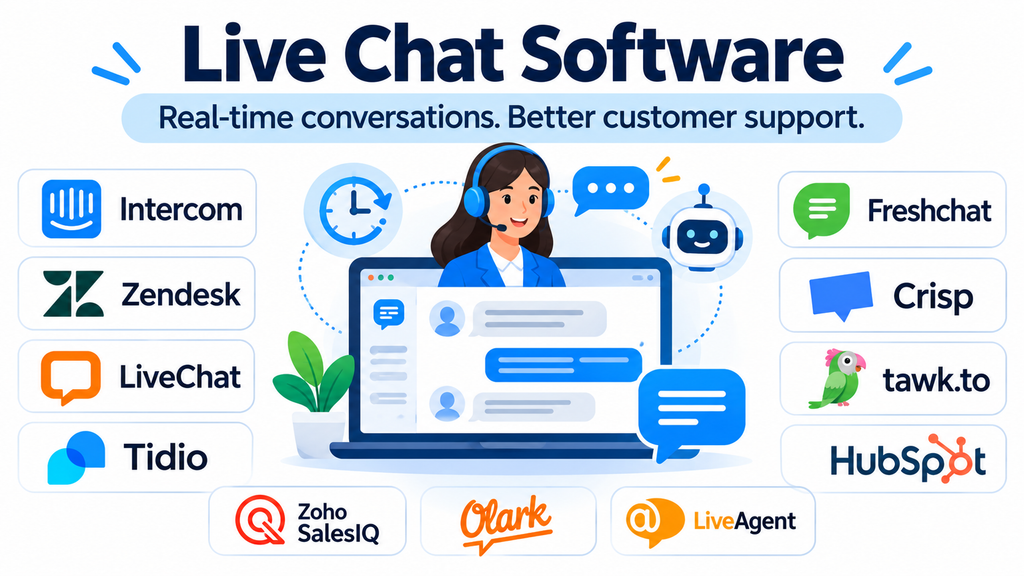
When a potential customer visits a website with a question, the time it takes to receive an answer can influence whether they continue exploring or leave. For existing customers, an unanswered support question can turn a minor inconvenience into a frustrating experience.
Live chat software gives businesses a direct communication channel through their websites and applications. Visitors can ask questions, support agents can respond in real time, and automated systems can handle selected requests when human agents are unavailable.
However, modern live chat is no longer limited to displaying a messaging window. Many platforms combine customer profiles, conversation routing, shared inboxes, chatbots, help desk workflows, analytics, and artificial intelligence.
Choosing the right solution therefore requires understanding whether the primary objective is customer support, sales engagement, ecommerce assistance, or a combination of these activities.
How Live Chat Software Fits into Customer Communication
A typical live chat system consists of a customer-facing widget and an agent workspace.
The widget appears on a website or application, allowing visitors to initiate conversations without making a phone call or composing an email. Messages are transferred to an agent dashboard, where staff can respond, assign conversations, review customer information, and escalate issues when necessary.
A more advanced implementation may also include:
- Automated greetings and visitor engagement.
- Chat routing based on agent availability or department.
- Saved responses for frequently asked questions.
- Chatbots for handling routine requests.
- Visitor tracking and customer context.
- Conversation history and transcripts.
- CRM and help desk integrations.
- Performance reports and customer satisfaction surveys.
These capabilities can improve response management, but they also introduce operational considerations. Automated replies need maintenance, routing rules require configuration, and agents need clear procedures for handling conversations that cannot be resolved through chat.
Live Chat Software Worth Evaluating
Different platforms approach customer messaging in different ways. Some emphasize dedicated website chat, while others position live messaging within a larger customer service or CRM environment.
1. Intercom
Intercom combines customer messaging, support automation, and an AI-powered customer service environment.
Its Messenger provides a communication interface for website and application visitors. Businesses can use it to support customer conversations, organize incoming requests, and connect automated assistance with human support teams.
A notable distinction is its focus on combining AI agents with human customer service. This can be useful for software businesses handling repetitive product questions alongside more complex technical inquiries.
Organizations should examine AI resolution charges, agent seat costs, automation configuration, and the availability of the required integrations before committing.
Intercom is particularly relevant to businesses that want messaging to become part of a broader customer support operation
2. Zendesk
Zendesk approaches live chat as part of a wider customer service platform.
Its messaging capabilities connect digital conversations with support workflows, allowing businesses to manage customer interactions alongside ticketing, self-service, and other communication channels.
This is important for organizations where a conversation may begin through a website widget but require additional investigation, escalation, or follow-up through another support channel.
Zendesk is particularly relevant to established support departments that need structured case management rather than a standalone chat application.
Its broader functionality also means businesses should evaluate implementation complexity, agent licensing, workflow configuration, and the subscription tier required for specific messaging capabilities.
3. LiveChat
LiveChat focuses on website-based customer conversations and agent productivity.
It provides a dedicated chat environment for businesses that want visitors to communicate directly with support or sales representatives.
Features such as chat routing, saved responses, reporting, and visitor information can help teams organize incoming conversations.
LiveChat is worth considering when website chat is a central communication channel and the organization wants a specialized platform rather than a complete enterprise customer service suite.
Its suitability depends on conversation volume, team size, reporting needs, and whether additional ticketing or automation products are required.
4. Tidio
Tidio combines live chat with chatbot automation and customer communication capabilities.
It is relevant to small and medium-sized businesses, particularly ecommerce companies that want to manage visitor questions and automate selected customer interactions.
Its visual automation tools and Lyro AI Agent are designed to support automated assistance alongside human conversations.
For an online store, this can help address routine questions about products, orders, and common customer concerns, subject to the available integrations and configured knowledge sources.
A key consideration is its usage-based structure. Businesses should distinguish between agent access, billable conversations, and AI-specific usage when estimating total costs.
5. Freshchat
Freshchat is part of the Freshworks customer service ecosystem and provides messaging capabilities for customer communication.
It supports website and application messaging, shared inbox workflows, and connections with broader customer support processes.
Its relationship with the Freshworks ecosystem makes it relevant to organizations that already use Freshdesk or other Freshworks products.
The platform is worth considering when businesses want to introduce live messaging while retaining a path toward more structured customer service operations.
Buyers should evaluate the differences between subscription tiers, available channels, agent limits, reporting, and the costs associated with AI functionality.
6. Crisp
Crisp combines live chat with shared inbox and customer communication capabilities.
Its workspace-oriented approach is useful for smaller businesses and growing support teams that want to manage conversations without adopting a large enterprise service platform.
Crisp can bring customer messages into a shared environment and supports features for managing conversations, automating interactions, and organizing customer communication.
One purchasing consideration is its workspace-based pricing approach, which differs from products that primarily charge per individual agent. This can make seat expansion worth evaluating carefully.
Crisp is particularly relevant when a business wants a connected messaging environment with a relatively straightforward administration model.
7. tawk.to
tawk.to is known for offering a free core live chat service.
It provides website messaging capabilities that allow businesses to communicate with visitors and manage incoming conversations through an agent interface.
This makes it relevant to startups, small businesses, independent website owners, and organizations that need basic live chat without immediately committing to a paid subscription.
Businesses should distinguish between its free core functionality and optional paid services or add-ons.
Its simplicity can be an advantage, but organizations requiring advanced customer service workflows, extensive analytics, or sophisticated enterprise administration should assess whether additional functionality is necessary.
8. HubSpot Live Chat
HubSpot Live Chat connects website conversations with HubSpot’s broader CRM environment.
This creates a useful relationship between customer messaging and contact management. Teams can associate conversations with customer records and coordinate communication across relevant sales and service activities.
For businesses already using HubSpot, this integration can reduce the need to manage visitor conversations separately from existing CRM information.
The main consideration is whether the available chat functionality satisfies the organization’s support requirements or whether more advanced Service Hub capabilities are needed.
HubSpot is particularly relevant to sales and marketing teams that want website conversations connected to their existing customer relationship data.
9. Zoho SalesIQ
Zoho SalesIQ combines website visitor engagement, live chat, and visitor intelligence.
It is relevant to organizations that want to understand how visitors interact with their websites while providing a direct communication channel.
The platform can help sales and support teams engage visitors, organize conversations, and connect website interactions with other Zoho applications.
Its relationship with Zoho CRM and other business products can be particularly useful for organizations already operating within that ecosystem.
Buyers should examine visitor tracking requirements, operator permissions, automation capabilities, and the integration features available under their selected plan.
10. Olark
Olark focuses on straightforward website live chat.
It is relevant to businesses that want a direct human communication channel without necessarily adopting a complex omnichannel support environment.
Its approach is useful when the primary objective is allowing website visitors to contact a support or sales representative through a simple chat interface.
Organizations should evaluate whether its available integrations, reporting, customization, and automation features meet their needs.
Olark is worth considering when simplicity and direct human interaction are more important than building a large automated messaging operation.
11. LiveAgent
LiveAgent combines live chat with a broader help desk and customer communication environment.
Its capabilities include chat, ticket management, and other support channels, making it relevant to businesses that want to coordinate multiple types of customer requests.
This approach can be useful when a conversation needs to move beyond real-time messaging. An issue that cannot be resolved immediately can be managed through a ticketing workflow rather than disappearing when the chat ends.
Organizations should assess how its chat functionality, ticket management, call handling, and reporting fit together.
Comparing the Platforms by Their Operating Model
| Platform | Primary approach | Relevant business requirement |
|---|---|---|
| Intercom | Messaging and AI-assisted support | Software and digital businesses |
| Zendesk | Integrated customer service | Structured support departments |
| LiveChat | Dedicated website chat | Sales and support conversations |
| Tidio | Chat and chatbot automation | Small businesses and ecommerce |
| Freshchat | Customer messaging ecosystem | Growing support teams |
| Crisp | Shared messaging workspace | Startups and smaller teams |
| tawk.to | Accessible website chat | Budget-conscious businesses |
| HubSpot Live Chat | CRM-connected messaging | Sales and marketing operations |
| Zoho SalesIQ | Visitor engagement and chat | Website visitor intelligence |
| Olark | Straightforward human chat | Simple website support |
| LiveAgent | Chat and help desk workflows | Multi-channel customer service |
These platforms overlap, but they should not be treated as identical products. The best fit depends on the communication process a business needs to support.
Live Chat, Chatbots, and AI Agents: Understanding the Difference
These technologies are often grouped together, but they serve different purposes.
Live chat allows customers to communicate with human representatives in real time.
Chatbots use predefined rules, decision trees, or configured responses to handle selected interactions automatically.
AI agents use artificial intelligence to interpret customer requests, retrieve relevant information, and perform supported actions within defined boundaries.
For example, a customer visiting an ecommerce website might ask about an order.
A basic chatbot could direct the customer through a set of order-related options. An AI agent could interpret a natural-language question and retrieve relevant information if the necessary integrations and permissions exist. A human agent could investigate a delayed shipment or resolve an exceptional problem.
The most effective implementation does not necessarily automate every conversation. It creates a reliable handoff process so customers can reach a human when automated assistance is insufficient.
What Businesses Should Evaluate Before Selecting Live Chat Software
Conversation routing and team management
Routing determines which agent or department receives an incoming conversation.
A small business may need only a shared inbox. Larger organizations may require routing based on language, product category, department, customer priority, or agent availability.
Evaluate whether the platform supports the actual routing rules your organization needs.
Customer context and conversation history
An agent should ideally understand the customer’s previous interactions before asking them to repeat information.
Check whether the platform can connect conversations with customer records, previous tickets, purchase information, and relevant support history.
The quality of this context often matters more than the appearance of the chat widget.
Mobile and application support
Some businesses need messaging across websites, mobile applications, and customer portals.
Evaluate the available SDKs, mobile support, notification capabilities, and platform-specific integration requirements.
A website widget alone may not satisfy an organization with a substantial mobile customer base.
Reporting and performance measurement
Live chat performance should be evaluated using metrics that reflect customer outcomes.
Useful measurements include:
- First response time.
- Average conversation duration.
- Resolution rate.
- Customer satisfaction.
- Unanswered conversations.
- Agent workload.
- Escalation frequency.
- Conversation abandonment.
A short response time is not necessarily evidence of a successful interaction. Businesses should also consider whether customers receive accurate answers and whether their issues are resolved.
Automation and integration requirements
Automation can help manage routine requests, but it depends on reliable configuration and access to accurate information.
Check whether the platform integrates with the existing CRM, help desk, ecommerce system, knowledge base, and identity infrastructure.
Also examine whether integrations are native, API-based, or dependent on external automation services.
Common Live Chat Implementation Problems
Launching chat without assigning responsibility: Customers may initiate conversations when no one is available to respond. Businesses should define operating hours, staffing, and escalation procedures.
Overusing automated greetings: Repeated pop-ups and unnecessary prompts can interrupt visitors rather than help them.
Building unreliable chatbot workflows: Automated systems can frustrate customers when they cannot understand requests or provide an effective route to human support.
Ignoring conversation quality: Fast responses are useful only when the information provided is accurate and relevant.
Failing to review transcripts: Conversation records can reveal recurring product problems, confusing website content, and gaps in customer documentation.
Not setting expectations: Visitors should understand when an agent is available and what happens when the support team is offline.
Security and Privacy Considerations
Live chat conversations may contain personal information, account details, order information, and confidential business communications.
Organizations should review data encryption, access permissions, authentication controls, retention policies, transcript management, and vendor security documentation.
Where customer information is connected to CRM or payment systems, integration permissions should be restricted to the information necessary for the intended workflow.
Businesses should also establish procedures for handling sensitive information. Agents and automated systems should not encourage customers to share passwords, payment card security codes, or other unnecessary confidential details in chat messages.
For organizations operating across multiple jurisdictions, applicable privacy obligations and data transfer requirements should be assessed before deployment.
Questions to Ask During a Live Chat Software Demonstration
Before purchasing, test the platform against realistic customer scenarios.
- How does the system route conversations when all agents are busy?
- Can agents transfer conversations between departments?
- Does the platform retain customer context across interactions?
- How are chatbot conversations transferred to human representatives?
- Can chat transcripts be exported?
- Which CRM and help desk integrations are available?
- What reporting is included in the selected subscription?
- Are AI interactions billed separately?
- What controls are available for user permissions and data retention?
- What happens when the business changes providers?
A short pilot using real support questions is often more informative than a vendor presentation focused only on product features.
Frequently Asked Questions
What is live chat software used for?
It enables businesses to communicate with website and application visitors through real-time messaging. Common uses include customer support, sales assistance, lead qualification, ecommerce inquiries, and product guidance.
Is live chat software suitable for small businesses?
Yes. Small businesses can use solutions such as tawk.to, Tidio, Crisp, and other lightweight platforms to communicate with visitors without immediately adopting a large enterprise service system.
Can live chat software work without human agents?
Some platforms support chatbots and AI agents that can handle selected interactions automatically. However, businesses should provide a clear human escalation path for complex, sensitive, or unresolved requests.
Does live chat software integrate with CRM systems?
Many platforms offer CRM integrations or APIs. The specific integration capabilities depend on the product, subscription, and technical configuration.
What is the difference between live chat and help desk software?
Live chat focuses on real-time messaging, while help desk software manages customer requests through structured ticketing and support workflows. Many modern products combine both capabilities.
How should businesses measure live chat success?
Businesses should consider response time, resolution rate, customer satisfaction, unanswered conversations, escalation frequency, and agent workload. These metrics provide a more complete picture than chat volume alone.
Making Live Chat a Useful Part of Customer Experience
Live chat software works best when it supports a clear communication strategy. A business that needs simple website messaging may not require an enterprise service platform. An organization handling thousands of customer requests may need integrated ticketing, automation, analytics, and structured agent workflows.
Intercom and Zendesk address broader customer service requirements, while LiveChat and Olark emphasize dedicated website communication. Tidio and Freshchat offer approaches suited to growing teams, and HubSpot Live Chat and Zoho SalesIQ are particularly relevant within their respective business ecosystems.
Before selecting a platform, map the customer journey, identify the conversations that require human assistance, and determine which tasks can be automated safely.
The objective is not simply to make a chat window available. It is to help customers reach the right information or person with less effort, while giving support teams the context and tools needed to resolve issues effectively.
