Upgrade & Secure Your Future with DevOps, SRE, DevSecOps, MLOps!
We spend hours scrolling social media and waste money on things we forget, but won’t spend 30 minutes a day earning certifications that can change our lives.
Master in DevOps, SRE, DevSecOps & MLOps by DevOps School!
Learn from Guru Rajesh Kumar and double your salary in just one year.
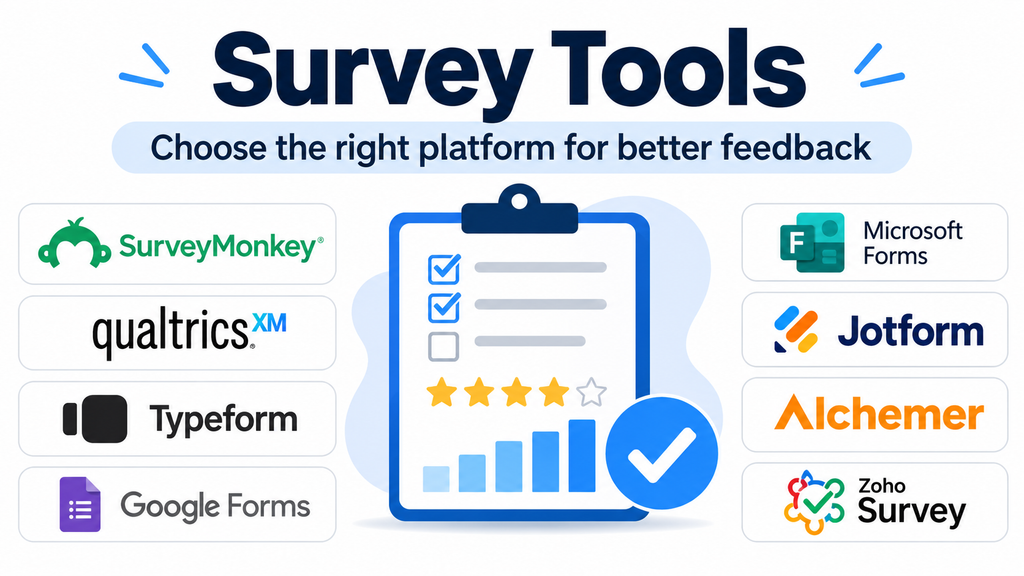
Survey Tools: Choosing the Right Platform for Reliable Feedback and Better Decisions
Collecting feedback is easy. Collecting feedback that leads to better decisions is considerably harder. A customer satisfaction questionnaire, employee engagement survey, academic study, and product research project may all use similar-looking forms, but their requirements are very different.
Survey tools help organizations design questionnaires, distribute them to selected audiences, collect responses, and interpret the resulting information. The right platform can improve response quality, simplify research workflows, and connect feedback with business operations. The wrong one can introduce unnecessary complexity, restrict access to useful data, or produce results that are difficult to interpret.
The important distinction is between a basic form builder and a dedicated survey platform. Both can collect answers, but they do not necessarily offer the same control over question logic, respondent management, sampling, analysis, and research governance.
What Makes a Survey Tool Different from a Form Builder?
A form builder is generally designed to collect information. It might handle registration details, applications, contact requests, or customer inquiries.
Survey software is more focused on structured feedback and research. It supports the process of asking consistent questions, managing respondent journeys, analyzing opinions, and identifying patterns across responses.
Depending on the platform, capabilities may include:
- Multiple question formats, including rating scales, multiple-choice questions, and open-ended responses.
- Conditional logic that changes subsequent questions according to earlier answers.
- Response collection through email, websites, social channels, and shareable links.
- Survey distribution and respondent management.
- Reporting, filtering, cross-tabulation, and data exports.
- Multilingual questionnaires and customized branding.
- Integrations with CRM, analytics, and business applications.
Not every organization needs all these capabilities. A small team collecting occasional feedback may need little more than a straightforward questionnaire. A research department managing complex studies may require advanced logic, sampling controls, and statistical analysis.
Survey Platforms Worth Evaluating
The following platforms represent different approaches to survey creation, customer feedback, research, and data collection. They are not presented as a universal ranking because their suitability depends on the intended research and operational requirements.
1. SurveyMonkey
SurveyMonkey is a widely recognized survey platform designed for organizations that need to create questionnaires, distribute them, and review collected feedback.
Its established survey-building workflow makes it relevant to customer satisfaction research, employee feedback, event evaluations, and general business questionnaires.
The platform is particularly worth considering when teams need a dedicated survey environment rather than a general-purpose data-entry form. Buyers should examine the available question types, response limits, analysis capabilities, and collaboration permissions under their intended subscription.
Official website: https://www.surveymonkey.com/
2. Qualtrics
Qualtrics is oriented toward more sophisticated experience management and research requirements. It supports structured survey programs involving customer experience, employee experience, product research, and academic studies.
Its appeal lies in the depth of its research and experience-management capabilities rather than simply making questionnaires.
Organizations evaluating Qualtrics should consider whether they need advanced research workflows, sophisticated analysis, enterprise administration, and connections between feedback programs. Implementation complexity and licensing requirements deserve careful evaluation, particularly when a project involves multiple departments.
Official website: https://www.qualtrics.com/
3. Typeform
Typeform emphasizes the respondent experience. Its conversational presentation allows questions to appear in a more interactive sequence rather than presenting a conventional long questionnaire.
This approach can be useful for lead qualification, customer discovery, event registration, and short feedback interactions where presentation matters.
However, an engaging interface does not automatically produce better research. Teams should still assess whether the available question formats, reporting capabilities, and response controls are sufficient for their research design.
Typeform is worth considering when the experience of completing a questionnaire is an important part of the interaction.
Official website: https://www.typeform.com/
4. Google Forms
Google Forms is a practical option for individuals, educational institutions, and teams that need straightforward questionnaires without adopting a specialized research platform.
Its integration with Google Sheets makes it convenient to organize and review collected responses. Users familiar with Google Workspace can also benefit from an established working environment.
Its simplicity is an advantage for routine surveys, registrations, classroom questionnaires, and internal feedback. However, organizations conducting complex research should evaluate its limitations around advanced survey management, research-oriented analysis, and administrative requirements.
Google Forms is particularly suitable when ease of deployment matters more than advanced research functionality.
Official website: https://forms.google.com/
5. Microsoft Forms
Microsoft Forms provides questionnaire, poll, and quiz creation within the Microsoft ecosystem.
It is relevant to organizations already using Microsoft 365, particularly when surveys are distributed through existing collaboration and productivity workflows.
Its straightforward approach makes it useful for internal polls, employee feedback, training assessments, and basic customer questionnaires.
Before selecting it for a larger research program, organizations should assess response management, reporting requirements, integration dependencies, and the level of survey customization available under their Microsoft environment.
Official website: https://forms.microsoft.com/
6. Jotform
Jotform combines form creation with a broad range of data-collection workflows. Although it is often used for applications, registrations, and operational forms, it can also support surveys and feedback collection.
Its extensive form-building functionality makes it useful when a questionnaire needs to collect information alongside other submission data.
For example, an organization might combine feedback questions with file uploads, approval workflows, or other structured information.
The main consideration is whether a general-purpose form platform provides enough dedicated survey analysis and research functionality for the intended project.
Official website: https://www.jotform.com/
7. Alchemer
Alchemer focuses on business feedback and survey workflows that extend beyond basic questionnaire creation.
It is worth evaluating for organizations that need survey logic, reporting, integrations, and the ability to connect collected feedback with operational systems.
Its emphasis on business applications makes it relevant to customer experience, employee feedback, and research programs where the information collected needs to trigger further organizational action.
Teams should examine integration requirements, user permissions, reporting flexibility, and the administrative effort involved in maintaining surveys across departments.
Official website: https://www.alchemer.com/
8. Zoho Survey
Zoho Survey offers survey creation, distribution, response collection, and reporting within the wider Zoho ecosystem.
Its capabilities include question types, conditional logic, multilingual support, customization, and integration with other applications.
An important consideration is its distinction from Zoho Forms. Zoho Survey is designed around feedback and opinion collection, while Zoho Forms focuses more broadly on collecting information through forms and connected workflows.
Businesses already using Zoho applications may find the ecosystem connection useful when survey results need to become part of wider business processes.
Official website: https://www.zoho.com/survey/
9. LimeSurvey
LimeSurvey is an option for organizations that want greater control over survey infrastructure and deployment.
Its open-source approach makes it particularly relevant to research institutions, technical teams, and organizations interested in self-hosted survey environments.
Depending on the deployment and configuration, teams can exercise greater control over infrastructure, data handling, and customization.
That flexibility also introduces responsibility. Hosting, updates, backups, security configuration, and technical maintenance need to be managed appropriately when operating a self-hosted installation.
LimeSurvey is worth evaluating when deployment control and customization are more important than having a completely managed service.
Official website: https://www.limesurvey.org/
Comparing Survey Tools by Their Practical Strengths
| Platform | Primary orientation | Particularly relevant for |
|---|---|---|
| SurveyMonkey | Dedicated survey creation | Business and customer feedback |
| Qualtrics | Experience management and research | Enterprise and academic research |
| Typeform | Interactive questionnaire experience | Lead qualification and engaging surveys |
| Google Forms | Simple online questionnaires | Education and basic internal surveys |
| Microsoft Forms | Microsoft ecosystem surveys | Internal business feedback |
| Jotform | Flexible form and data collection | Operational forms and feedback |
| Alchemer | Business feedback workflows | Customer and employee experience |
| Zoho Survey | Survey creation and analysis | Zoho-connected organizations |
| LimeSurvey | Customizable survey infrastructure | Self-hosted and research environments |
The most important distinction is not the number of features advertised. It is how well the platform supports the entire process, from questionnaire design to the decisions made using the collected information.
How to Select Survey Software for a Specific Requirement
Start with the research objective
Before comparing subscriptions, establish what the organization wants to learn.
A customer satisfaction survey might measure satisfaction scores and identify recurring complaints. An employee engagement survey might require anonymity controls and carefully structured questions. An academic study may need advanced branching, consistent measurement scales, and reliable data exports.
The research objective should determine the platform requirements.
Examine question logic and respondent flow
Survey logic can prevent respondents from seeing irrelevant questions.
For example, a product feedback questionnaire might first ask which product a customer purchased. Subsequent questions can then display only the relevant product-specific options.
Check whether the platform supports the required question logic, branching, validation, and page navigation. Complex questionnaires should be tested with multiple response paths before distribution.
Consider the respondent experience
A survey that is difficult to complete can discourage participation.
Evaluate mobile presentation, accessibility, question clarity, progress indicators, and the number of steps required to finish.
Avoid adding unnecessary questions. A shorter questionnaire with a clear purpose is often more practical than a lengthy survey filled with information that the organization will never analyze.
Assess reporting and data ownership
Collecting responses is only the beginning.
Determine whether the platform can provide the required reports, filters, exports, and comparisons. Check whether data can be transferred into spreadsheet applications, analytics systems, or business intelligence platforms.
Organizations should also establish who owns the collected information, who can access it, and how long it will be retained.
Review integrations and automation
Survey responses can become more useful when connected to existing business processes.
For example:
- Customer feedback can be connected to a CRM workflow.
- Employee feedback can inform internal reporting.
- Product research can be shared with product management teams.
- Support satisfaction responses can help identify recurring service problems.
However, integration availability should be verified for the specific product plan and technical environment. Native integrations, APIs, automation connectors, and custom development are not interchangeable.
Survey Design Mistakes That Can Damage Response Quality
Even advanced survey software cannot compensate for poorly designed questions.
Leading questions: Questions that suggest a preferred answer can influence respondents and distort findings.
Double-barrelled questions: Asking about two separate subjects in one question makes the response difficult to interpret.
Unclear rating scales: Respondents need to understand what each end of a rating scale represents.
Excessive questionnaire length: Unnecessary questions increase respondent effort and may contribute to incomplete submissions.
Poor sampling: Collecting many responses does not automatically make a survey representative of the target population.
Insufficient testing: Incorrect branching, confusing wording, and mobile display problems can affect the quality of collected information.
Survey administrators should test questionnaires with representative users before launching a large distribution campaign.
Security, Privacy, and Data Governance
Survey responses may contain personal information, employee opinions, customer details, or other sensitive information. Data protection should therefore be considered during platform selection.
Organizations should examine:
- Access permissions and administrator controls.
- Encryption and data protection documentation.
- Data retention and deletion procedures.
- Available data residency arrangements.
- Single sign-on and identity management where required.
- Vendor agreements and applicable privacy obligations.
- Whether anonymous responses are genuinely anonymous under the chosen configuration.
A platform’s advertised compliance features should not be treated as automatic proof that every survey deployment meets an organization’s legal or regulatory obligations.
For sensitive research, organizations should assess the entire data flow, including survey distribution, third-party integrations, exports, and long-term storage.
When a Basic Survey Tool Is Enough
Not every project requires an enterprise research platform.
A small business collecting occasional customer opinions may be adequately served by Google Forms or Microsoft Forms. A team prioritizing a conversational questionnaire may prefer Typeform. An organization needing a broad form-building environment may evaluate Jotform.
More specialized platforms become relevant when survey programs involve advanced research workflows, multiple departments, complex logic, centralized administration, or extensive analysis.
The objective should be to avoid both extremes: purchasing capabilities that the organization will never use and choosing a basic product that cannot support essential requirements.
Frequently Asked Questions
What is survey software used for?
Survey software is used to create questionnaires, distribute them to respondents, collect answers, and analyze feedback. Common applications include customer satisfaction measurement, employee engagement, academic research, product feedback, and market research.
Are survey tools and online form builders the same?
No. They overlap, but their primary purposes differ. Form builders generally focus on collecting information, while dedicated survey platforms offer more specialized features for questionnaire design, respondent management, feedback analysis, and research workflows.
Can survey software collect anonymous responses?
Many platforms offer anonymity-related settings, but the actual level of anonymity depends on configuration, distribution methods, identity collection, and associated integrations. Organizations should verify how respondent information is handled before promising anonymity.
Are free survey tools suitable for businesses?
Yes, for simple requirements such as internal polls, basic customer feedback, and short questionnaires. Businesses with advanced reporting, branding, integration, security, or administration requirements may need paid plans.
What should organizations check before purchasing survey software?
They should assess questionnaire logic, response limits, reporting, export options, integrations, respondent experience, privacy controls, collaboration, and total operational cost. Testing the platform with a realistic pilot survey is a useful final step.
Making Feedback Useful Beyond the Questionnaire
Survey software should be selected according to the decisions an organization needs to make, not simply the number of questions it can create.
A lightweight tool can be entirely sufficient for routine feedback. More demanding research programs benefit from dedicated platforms with advanced survey logic, administration, and analytical capabilities.
Before committing to a subscription, build a representative questionnaire, test it on mobile devices, examine the reporting output, and verify how the resulting data will reach the people responsible for acting on it.
The real value of survey software is not the number of responses collected. It is the quality of the information and how effectively that information supports better decisions.
