Upgrade & Secure Your Future with DevOps, SRE, DevSecOps, MLOps!
We spend hours scrolling social media and waste money on things we forget, but won’t spend 30 minutes a day earning certifications that can change our lives.
Master in DevOps, SRE, DevSecOps & MLOps by DevOps School!
Learn from Guru Rajesh Kumar and double your salary in just one year.
Introduction
3D printing workflow software helps teams manage the full additive manufacturing process, from file preparation and slicing to nesting, printer monitoring, production scheduling, quality checks, cost estimation, and order tracking. Instead of treating 3D printing as a single-machine task, these platforms help organizations turn additive manufacturing into a repeatable, scalable, and production-ready workflow.
This category matters now because 3D printing is no longer limited to prototyping. Manufacturers, healthcare labs, service bureaus, universities, engineering teams, dental labs, aerospace suppliers, and product companies use additive manufacturing for prototypes, jigs, fixtures, tooling, spare parts, bridge production, and end-use components.
Common real-world use cases include print file repair, build preparation, fleet management, production scheduling, cost quoting, quality control, and customer order management. Buyers should evaluate printer compatibility, material support, automation, slicing quality, file repair, nesting, monitoring, security controls, integrations, reporting, scalability, ease of use, and support.
Best for: additive manufacturing teams, print farms, service bureaus, product engineers, manufacturing teams, dental labs, healthcare labs, education labs, and enterprises managing multiple printers or production requests.
Not ideal for: casual hobby users with one printer, teams that only need very basic slicing, or organizations that do not need job tracking, quoting, fleet management, or production workflow control.
Key Trends in 3D Printing Workflow Software
- End-to-end additive manufacturing platforms are replacing disconnected tools, especially for organizations running multiple printers, materials, and production queues.
- Automation is becoming more important, including auto-orientation, nesting, support generation, build preparation, and print job routing.
- AI-assisted workflow optimization is emerging, especially for defect prediction, print success recommendations, file analysis, and production planning.
- Cloud-based print management is growing, giving distributed teams easier access to print queues, job status, fleet utilization, and production dashboards.
- Security and IP protection are becoming major buyer requirements, especially when 3D files contain proprietary part designs or regulated product information.
- Printer-agnostic workflow platforms are gaining value, because many teams use mixed fleets across FDM, SLA, SLS, MJF, metal, and resin technologies.
- MES-style additive manufacturing workflows are expanding, with quoting, order intake, scheduling, traceability, and reporting becoming more important.
- Quality assurance is moving into the workflow, with teams tracking build data, material data, operator actions, inspection results, and production history.
- Sustainability and material efficiency are becoming practical buying factors, especially for nesting, build packing, failed print reduction, and waste tracking.
- Integration with CAD, PLM, ERP, and manufacturing systems is now a serious requirement, not just a nice-to-have feature.
How We Selected These Tools
The following tools were selected using a practical buyer-focused methodology:
- Market recognition across additive manufacturing, engineering, print farms, service bureaus, and production environments.
- Workflow coverage, including file preparation, slicing, nesting, printer management, quoting, scheduling, and production tracking.
- Fit across different user segments, from hobbyists and small teams to enterprise additive manufacturing operations.
- Printer and material ecosystem support, including compatibility with common 3D printing technologies.
- Ease of use and onboarding, especially for operators, engineers, lab managers, and production teams.
- Automation capabilities, such as support generation, print preparation, job routing, and production queue management.
- Integration potential, including CAD, ERP, PLM, APIs, printer ecosystems, and manufacturing systems.
- Security posture signals, such as user management, permissions, cloud access controls, and enterprise readiness where publicly clear.
- Reliability for production use, including repeatable workflows, job tracking, monitoring, and reporting.
- Value across use cases, including prototyping, production, service bureau operations, education, healthcare, and industrial manufacturing.
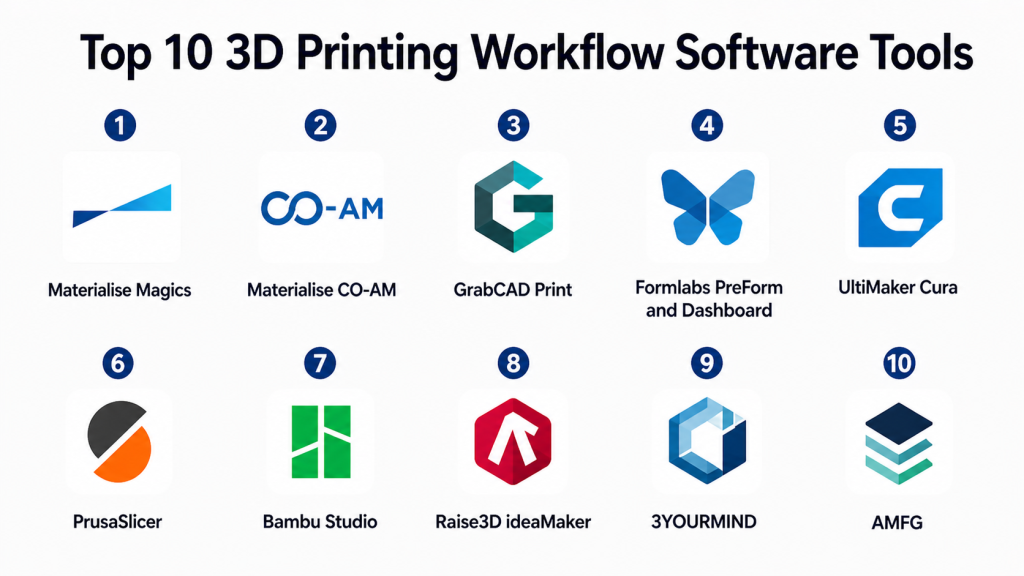
Top 10 3D Printing Workflow Software Tools
#1 — Materialise Magics
Short description: Materialise Magics is a professional 3D print preparation and data repair tool for additive manufacturing teams. It is widely used for file fixing, build preparation, support generation, nesting, and production-ready print workflows.
Key Features
- Advanced STL and 3D file repair for print preparation.
- Build preparation tools for industrial additive manufacturing.
- Support generation for multiple 3D printing processes.
- Part orientation, nesting, and build optimization capabilities.
- Tools for slicing preparation and manufacturing validation.
- Useful for service bureaus, industrial users, and medical manufacturing workflows.
- Strong fit for production-focused additive manufacturing teams.
Pros
- Strong file repair and preparation capabilities.
- Well-suited for professional and industrial 3D printing environments.
- Helps reduce failed prints caused by poor model preparation.
Cons
- May be more advanced than casual users need.
- Learning curve can be higher for new additive manufacturing teams.
- Pricing and packaging may require vendor consultation.
Platforms / Deployment
Windows / Local desktop deployment / Enterprise workflow options may vary.
Security & Compliance
Not publicly stated.
Integrations & Ecosystem
Materialise Magics is commonly used in professional additive manufacturing environments where print preparation quality is critical. It fits well into workflows that require clean data, production preparation, and process-specific print setup.
- CAD file preparation workflows.
- Additive manufacturing machine workflows.
- Support for common 3D printing file formats.
- Production preparation and build planning.
- Integration with broader Materialise software ecosystem.
- Useful in regulated and industrial manufacturing workflows.
Support & Community
Materialise provides professional documentation, training, onboarding, and enterprise support options. Community visibility is strongest among industrial additive manufacturing users, service bureaus, and specialized production teams.
#2 — Materialise CO-AM
Short description: Materialise CO-AM is an additive manufacturing software platform designed to manage production workflows, order handling, automation, and manufacturing operations. It is best suited for organizations that want a connected AM production platform rather than only a file preparation tool.
Key Features
- End-to-end additive manufacturing workflow management.
- Order intake and production tracking.
- Workflow automation for AM operations.
- Connectivity across software and production steps.
- Scalable platform approach for industrial AM teams.
- Data-driven production visibility and process control.
- Designed for organizations managing repeatable additive manufacturing operations.
Pros
- Strong fit for enterprise additive manufacturing workflows.
- Helps connect multiple steps across production operations.
- Useful for scaling beyond isolated print preparation.
Cons
- May be too complex for small hobby or single-printer teams.
- Implementation may require workflow planning.
- Exact security and pricing details depend on deployment and agreement.
Platforms / Deployment
Web / Cloud / Hybrid options may vary by implementation.
Security & Compliance
Not publicly stated.
Integrations & Ecosystem
Materialise CO-AM is designed as a connected AM platform, so its value comes from coordinating workflow steps across teams, software tools, and production systems.
- Integration with Materialise software ecosystem.
- AM production workflow connections.
- Order and production management workflows.
- Potential API and enterprise system integrations.
- Support for industrial additive manufacturing operations.
- Connectivity with production planning and quality processes may vary.
Support & Community
Materialise provides enterprise support, implementation guidance, documentation, and professional services. Support strength is best suited for serious AM operations that need structured onboarding and workflow configuration.
#3 — GrabCAD Print
Short description: GrabCAD Print is a 3D printing workflow tool designed mainly for Stratasys printer users. It simplifies print preparation, scheduling, monitoring, and job management for teams using supported Stratasys additive manufacturing systems.
Key Features
- Print preparation for supported Stratasys printers.
- Direct CAD-to-print workflow support.
- Printer monitoring and job status visibility.
- Build tray management and print queue control.
- Team collaboration features for print operations.
- Material and printer-specific workflow support.
- Useful for engineering labs, product teams, and manufacturing users.
Pros
- Streamlines workflows for supported Stratasys printers.
- Helps reduce manual file conversion steps.
- Good fit for teams already invested in Stratasys hardware.
Cons
- Best value is tied to supported Stratasys ecosystems.
- Not ideal for highly mixed printer fleets.
- Advanced cross-vendor workflow control may require other platforms.
Platforms / Deployment
Windows / Cloud-connected features / Deployment varies by Stratasys environment.
Security & Compliance
Not publicly stated.
Integrations & Ecosystem
GrabCAD Print works best within the Stratasys ecosystem. It is useful when teams want direct workflows between CAD files, supported printers, and job management tools.
- Stratasys printer ecosystem.
- CAD file workflow support.
- Print preparation and job submission.
- Printer monitoring and queue management.
- Team-based print workflow support.
- Integration depth depends on supported hardware and configuration.
Support & Community
GrabCAD has documentation, user resources, and support through the Stratasys ecosystem. Community strength is especially relevant for Stratasys customers and engineering teams using supported printers.
#4 — Formlabs PreForm and Dashboard
Short description: Formlabs PreForm and Dashboard support print preparation, printer monitoring, and workflow management for Formlabs resin and selective laser sintering systems. They are useful for dental, healthcare, product design, education, and professional prototyping teams using Formlabs hardware.
Key Features
- Print preparation for supported Formlabs printers.
- Automatic orientation and support generation.
- Resin and material-specific print settings.
- Printer monitoring through Dashboard.
- Fleet and job visibility for supported devices.
- Useful workflow for dental, medical, engineering, and education users.
- Designed to simplify resin and SLS print preparation.
Pros
- Easy workflow for supported Formlabs printers.
- Strong fit for professional resin printing and dental workflows.
- Automatic preparation tools reduce manual setup time.
Cons
- Primarily valuable within the Formlabs ecosystem.
- Not designed as a universal workflow platform for all printers.
- Enterprise workflow depth may be limited compared with AM MES platforms.
Platforms / Deployment
Windows / macOS / Web dashboard / Cloud-connected workflow.
Security & Compliance
Not publicly stated.
Integrations & Ecosystem
Formlabs PreForm and Dashboard are tightly connected to Formlabs hardware, materials, and print workflows. They are best for teams that want a guided, hardware-specific workflow.
- Formlabs printer ecosystem.
- Resin and material-specific workflows.
- Dental and healthcare-adjacent workflow use cases.
- Print preparation and monitoring.
- Cloud dashboard for supported workflows.
- CAD-to-print preparation through supported file formats.
Support & Community
Formlabs provides documentation, onboarding resources, material guides, support channels, and an active user community. Support is particularly strong for organizations using Formlabs printers in professional environments.
#5 — UltiMaker Cura
Short description: UltiMaker Cura is a popular slicing and print preparation tool for FDM 3D printing. It is widely used by hobbyists, educators, makers, professionals, and teams that need flexible slicing controls with broad printer profile support.
Key Features
- FDM slicing with detailed print parameter controls.
- Broad printer profile support.
- Material profiles and print quality presets.
- Custom supports, infill, shell, speed, and temperature settings.
- Plugin ecosystem for extended functionality.
- Useful for hobby, education, prototyping, and professional workflows.
- Open and accessible slicing environment.
Pros
- Easy to start with but powerful for advanced users.
- Strong community and broad printer compatibility.
- No-cost access makes it attractive for education and prototyping.
Cons
- Mainly focused on slicing, not full production workflow management.
- Advanced fleet operations may require additional tools.
- Best for FDM workflows rather than all additive processes.
Platforms / Deployment
Windows / macOS / Linux / Local desktop deployment.
Security & Compliance
Not publicly stated.
Integrations & Ecosystem
UltiMaker Cura has a broad ecosystem because of its large user base and printer compatibility. It is especially valuable for FDM users who need accessible slicing with flexible settings.
- FDM printer profiles.
- Material profiles.
- Plugin marketplace.
- Common STL, OBJ, and 3MF workflows.
- Integration with UltiMaker ecosystem.
- Community-supported profiles and workflows.
Support & Community
UltiMaker Cura has strong documentation, tutorials, forums, community profiles, and a large global user base. Community support is one of its strongest advantages.
#6 — PrusaSlicer
Short description: PrusaSlicer is a widely used slicing tool for FDM and resin workflows, especially popular among Prusa printer users and advanced makers. It offers strong slicing controls, print profiles, support tools, and reliable output for technical users.
Key Features
- FDM and resin slicing workflows.
- Strong support and infill control.
- Printer, filament, and print profiles.
- Multi-material and advanced print settings.
- Variable layer height and print optimization tools.
- Supports common 3D printing file formats.
- Strong fit for makers, print farms, and technical users.
Pros
- Powerful slicing controls for advanced users.
- Strong community and active development ecosystem.
- Good value for users who want advanced capabilities without enterprise cost.
Cons
- Interface may feel detailed for beginners.
- Production management features are limited compared with AM platforms.
- Best suited to slicing rather than full business workflow management.
Platforms / Deployment
Windows / macOS / Linux / Local desktop deployment.
Security & Compliance
Not publicly stated.
Integrations & Ecosystem
PrusaSlicer works well in maker, education, and professional prototyping environments. Its ecosystem is strongest around Prusa printers, but it also supports many broader slicing workflows.
- Prusa printer ecosystem.
- Community printer profiles.
- FDM and resin workflows.
- Common 3D printing file formats.
- Multi-material workflows.
- Advanced slicing and print preparation controls.
Support & Community
PrusaSlicer has strong documentation, forums, tutorials, and a highly active maker and 3D printing community. Support is strongest for Prusa hardware users, but the broader user base is large.
#7 — Bambu Studio
Short description: Bambu Studio is a slicing and print preparation tool designed for Bambu Lab printers, with modern workflows for multi-color printing, printer monitoring, and connected print management. It is best suited for Bambu Lab users and teams that need fast, streamlined FDM workflows.
Key Features
- Slicing for supported Bambu Lab printers.
- Multi-color and multi-material workflow support.
- Printer monitoring and connected print management.
- Preset profiles for supported printers and materials.
- Plate management and print preparation tools.
- User-friendly workflow for fast setup.
- Strong fit for desktop print farms and modern FDM users.
Pros
- Smooth experience for Bambu Lab printer owners.
- Strong multi-color workflow support.
- Good balance of ease of use and technical control.
Cons
- Best value is tied to Bambu Lab hardware.
- Not a full enterprise AM workflow platform.
- Mixed printer environments may need additional tools.
Platforms / Deployment
Windows / macOS / Linux / Cloud-connected features may vary.
Security & Compliance
Not publicly stated.
Integrations & Ecosystem
Bambu Studio is centered around the Bambu Lab hardware ecosystem. It is useful for teams that want a modern, connected slicer with strong printer-specific workflow support.
- Bambu Lab printer ecosystem.
- Multi-color print workflows.
- Material and printer profiles.
- Print preparation and monitoring.
- Common file format support.
- Community profiles and shared workflow knowledge.
Support & Community
Bambu Studio has documentation, user guides, active community discussion, and strong adoption among Bambu Lab printer users. Support is closely tied to the Bambu Lab ecosystem.
#8 — Raise3D ideaMaker
Short description: Raise3D ideaMaker is a slicing and print preparation software tool for FDM 3D printing. It is designed for users who need detailed slicing controls, print profiles, and workflow support across Raise3D and other compatible printers.
Key Features
- FDM slicing and print preparation.
- Customizable print profiles.
- Support generation and editing tools.
- Texture, modifier, and advanced slicing features.
- Printer and material profile management.
- Useful for professional desktop printing and print farms.
- Integration with Raise3D ecosystem workflows.
Pros
- Strong slicing controls for professional FDM users.
- Useful for Raise3D printer environments.
- Good balance of ease and advanced customization.
Cons
- Not as broad as full production workflow platforms.
- Best experience may be within Raise3D-supported environments.
- Enterprise job tracking and quoting may require separate tools.
Platforms / Deployment
Windows / macOS / Linux / Local desktop deployment.
Security & Compliance
Not publicly stated.
Integrations & Ecosystem
ideaMaker fits best in FDM workflows where users need strong slicing control and reliable print preparation. It works especially well for Raise3D users and professional desktop 3D printing teams.
- Raise3D printer ecosystem.
- FDM print profile management.
- Material and printer settings.
- Common 3D printing file formats.
- Print preparation and slicing workflows.
- Integration with Raise3D workflow tools may vary.
Support & Community
Raise3D provides documentation, learning resources, and support channels for ideaMaker. Community support is strongest among Raise3D users and professional FDM printing groups.
#9 — 3YOURMIND
Short description: 3YOURMIND is an additive manufacturing workflow and production management platform for organizations that need part identification, order management, production planning, and industrial AM process control. It is best suited for enterprise and service bureau environments.
Key Features
- Additive manufacturing order management.
- Part identification and qualification workflows.
- Production planning and workflow automation.
- Digital inventory and spare parts use cases.
- Cost estimation and request management.
- Useful for distributed AM operations.
- Enterprise-focused additive manufacturing workflow control.
Pros
- Strong fit for industrial AM workflow management.
- Helps move additive manufacturing beyond isolated print jobs.
- Useful for service bureaus and distributed production teams.
Cons
- More advanced than small teams may need.
- Implementation requires process planning and stakeholder alignment.
- Pricing and deployment details may vary by customer agreement.
Platforms / Deployment
Web / Cloud / Enterprise deployment options may vary.
Security & Compliance
Not publicly stated.
Integrations & Ecosystem
3YOURMIND is designed to connect additive manufacturing requests, part screening, production planning, and fulfillment. It is useful when additive manufacturing becomes a managed business process.
- Order management workflows.
- Digital inventory use cases.
- Production planning integrations.
- ERP and manufacturing system connectivity may vary.
- Part qualification workflows.
- Distributed AM workflow support.
Support & Community
3YOURMIND offers professional support, onboarding, and implementation resources for enterprise and industrial customers. Community visibility is stronger in industrial additive manufacturing than casual 3D printing.
#10 — AMFG
Short description: AMFG is an additive manufacturing workflow automation and MES-style software platform for service bureaus, manufacturers, and enterprise AM teams. It supports quoting, order management, production scheduling, tracking, and workflow automation.
Key Features
- AM order management and request intake.
- Quoting and cost estimation workflows.
- Production scheduling and job tracking.
- Workflow automation for additive manufacturing operations.
- Reporting and operational visibility.
- Support for service bureau and enterprise production workflows.
- Scalable approach for managing AM operations.
Pros
- Strong fit for service bureaus and production AM teams.
- Helps standardize quoting, scheduling, and job tracking.
- Useful for scaling from ad hoc printing to managed production.
Cons
- May be unnecessary for teams that only need slicing.
- Implementation may require process configuration.
- Exact platform capabilities and pricing may vary by package.
Platforms / Deployment
Web / Cloud / Enterprise deployment options may vary.
Security & Compliance
Not publicly stated.
Integrations & Ecosystem
AMFG is built around additive manufacturing workflow automation. It is especially useful for teams that need to manage customers, orders, parts, production, and reporting in one workflow.
- Order intake and quoting workflows.
- Production scheduling.
- Printer and production tracking.
- ERP or business system integrations may vary.
- Reporting and analytics.
- Service bureau workflow support.
Support & Community
AMFG provides professional onboarding, implementation support, documentation, and customer success resources. It is best suited for teams that need structured workflow setup rather than casual slicing support.
Comparison Table: Top 10 3D Printing Workflow Software
| Tool Name | Best For | Platform(s) Supported | Deployment | Standout Feature | Public Rating |
|---|---|---|---|---|---|
| Materialise Magics | Industrial print preparation and file repair | Windows | Local desktop / Enterprise options | Advanced file repair and build preparation | N/A |
| Materialise CO-AM | Enterprise AM production workflow | Web | Cloud / Hybrid varies | Connected AM production management | N/A |
| GrabCAD Print | Stratasys printer users | Windows | Cloud-connected | Direct Stratasys print workflow | N/A |
| Formlabs PreForm and Dashboard | Formlabs resin and SLS users | Windows, macOS, Web dashboard | Cloud-connected | Guided preparation and printer monitoring | N/A |
| UltiMaker Cura | FDM slicing and broad printer support | Windows, macOS, Linux | Local desktop | Accessible FDM slicing ecosystem | N/A |
| PrusaSlicer | Advanced slicing and Prusa workflows | Windows, macOS, Linux | Local desktop | Powerful open slicing controls | N/A |
| Bambu Studio | Bambu Lab printer workflows | Windows, macOS, Linux | Cloud-connected features vary | Multi-color connected slicing | N/A |
| Raise3D ideaMaker | Professional FDM slicing | Windows, macOS, Linux | Local desktop | Customizable slicing profiles | N/A |
| 3YOURMIND | Industrial AM workflow and digital inventory | Web | Cloud / Enterprise options vary | Part identification and AM order workflow | N/A |
| AMFG | Service bureaus and AM production teams | Web | Cloud / Enterprise options vary | Quoting, scheduling, and MES-style workflow | N/A |
Evaluation & Scoring of 3D Printing Workflow Software
| Tool Name | Core (25%) | Ease (15%) | Integrations (15%) | Security (10%) | Performance (10%) | Support (10%) | Value (15%) | Weighted Total (0–10) |
|---|---|---|---|---|---|---|---|---|
| Materialise Magics | 9.4 | 7.2 | 8.4 | 7.0 | 9.0 | 8.5 | 7.2 | 8.3 |
| Materialise CO-AM | 9.0 | 7.4 | 8.8 | 7.4 | 8.7 | 8.4 | 7.3 | 8.3 |
| GrabCAD Print | 7.8 | 8.4 | 7.6 | 7.0 | 8.2 | 8.0 | 8.0 | 7.9 |
| Formlabs PreForm and Dashboard | 7.9 | 8.8 | 7.4 | 7.0 | 8.4 | 8.2 | 8.1 | 8.0 |
| UltiMaker Cura | 7.8 | 8.5 | 8.0 | 6.4 | 8.2 | 8.8 | 9.4 | 8.2 |
| PrusaSlicer | 8.0 | 8.0 | 7.8 | 6.4 | 8.4 | 8.6 | 9.3 | 8.1 |
| Bambu Studio | 7.8 | 8.6 | 7.4 | 6.8 | 8.5 | 8.0 | 8.8 | 8.0 |
| Raise3D ideaMaker | 7.6 | 8.0 | 7.4 | 6.4 | 8.0 | 7.8 | 8.6 | 7.7 |
| 3YOURMIND | 8.8 | 7.3 | 8.7 | 7.4 | 8.3 | 8.3 | 7.2 | 8.2 |
| AMFG | 8.7 | 7.5 | 8.5 | 7.4 | 8.4 | 8.4 | 7.4 | 8.2 |
The scores are comparative, not universal. A tool with a high production workflow score may not be the best slicer for a desktop printer, and a powerful slicer may not replace a full AM workflow platform. Buyers should use the table to shortlist options, then test real files, real printers, real materials, and real operator workflows before making a decision.
Which 3D Printing Workflow Software Tool Is Right for You?
Solo / Freelancer
Solo users and freelancers usually need affordable, easy-to-use software that helps prepare reliable prints without adding unnecessary workflow complexity. UltiMaker Cura, PrusaSlicer, Bambu Studio, and Raise3D ideaMaker are practical choices depending on the printer ecosystem. If you use Bambu Lab printers, Bambu Studio is the most natural fit. If you want broad FDM slicing flexibility, Cura and PrusaSlicer are strong options.
SMB
Small and mid-sized businesses often need more than slicing but may not need a full enterprise AM platform. A design studio, engineering lab, or print farm should consider Formlabs PreForm and Dashboard for Formlabs hardware, GrabCAD Print for Stratasys hardware, and Materialise Magics when file repair and professional build preparation are important. Cura, PrusaSlicer, Bambu Studio, and ideaMaker may still work well for smaller FDM-heavy environments.
Mid-Market
Mid-market teams usually need repeatability, operator workflows, fleet visibility, production tracking, and better process control. Materialise Magics is strong for print preparation and file repair, while AMFG and 3YOURMIND become more relevant when quoting, order intake, scheduling, part tracking, and production reporting matter. Teams using hardware-specific ecosystems should also evaluate GrabCAD Print or Formlabs tools depending on their printer fleet.
Enterprise
Enterprise additive manufacturing teams should prioritize workflow governance, scalability, integrations, security review, traceability, and production visibility. Materialise CO-AM, 3YOURMIND, and AMFG are strong candidates for enterprise AM workflow management. Materialise Magics remains important for advanced file preparation and production-grade build preparation. Enterprises should test integration with ERP, PLM, CAD, quality systems, and production reporting before selecting a platform.
Budget vs Premium
For budget-conscious teams, UltiMaker Cura, PrusaSlicer, Bambu Studio, and Raise3D ideaMaker provide strong slicing and preparation value. Premium workflow platforms such as Materialise CO-AM, 3YOURMIND, and AMFG are better suited for organizations that need order management, production tracking, quoting, traceability, and workflow automation. Materialise Magics sits in a professional category where file preparation quality can justify the investment for industrial users.
Feature Depth vs Ease of Use
If ease of use is the priority, Formlabs PreForm, Bambu Studio, and GrabCAD Print offer guided workflows inside their hardware ecosystems. If advanced slicing control matters, PrusaSlicer, Cura, and ideaMaker provide more detailed settings. If production workflow depth matters, AMFG, 3YOURMIND, and Materialise CO-AM are more appropriate than standalone slicers.
Integrations & Scalability
For simple print preparation, integrations may not be critical. But once a team manages many users, requests, machines, and materials, integrations become essential. Service bureaus should evaluate quoting, order management, payment, CRM, and ERP-related workflows. Enterprise manufacturers should evaluate CAD, PLM, ERP, MES, quality management, and reporting connections. AMFG, 3YOURMIND, and Materialise CO-AM are stronger candidates when integration and scalability are major requirements.
Security & Compliance Needs
Security matters because 3D files often contain valuable intellectual property, product designs, medical models, or customer-owned part data. Buyers should evaluate user permissions, SSO, MFA, encryption, audit logs, data retention, file access control, and customer data separation. If compliance requirements are strict, verify security details directly during procurement instead of assuming every platform includes enterprise-grade controls.
Frequently Asked Questions
1. What is 3D printing workflow software?
3D printing workflow software manages one or more steps in the additive manufacturing process. This can include slicing, file repair, build preparation, print monitoring, quoting, order tracking, production scheduling, and reporting.
2. Is slicing software the same as workflow software?
Not always. Slicing software mainly converts a 3D model into printer instructions, while workflow software may also manage orders, queues, printers, materials, costs, users, and production tracking.
3. Which tool is best for beginners?
UltiMaker Cura, Bambu Studio, Formlabs PreForm, and PrusaSlicer are beginner-friendly depending on the printer being used. Hardware-specific tools are often easier because profiles and settings are already optimized.
4. Which software is best for service bureaus?
AMFG, 3YOURMIND, and Materialise CO-AM are stronger options for service bureaus because they support workflow management, order handling, quoting, scheduling, and production visibility beyond basic slicing.
5. Which software is best for industrial additive manufacturing?
Materialise Magics, Materialise CO-AM, 3YOURMIND, and AMFG are strong candidates for industrial additive manufacturing. The best choice depends on whether the main need is file preparation, production management, or workflow automation.
6. What pricing models are common?
Common pricing models include free software, subscription plans, enterprise licensing, hardware-bundled software, and custom pricing for production platforms. Buyers should evaluate total cost, not just license price.
7. What common mistakes should buyers avoid?
Common mistakes include choosing only based on price, ignoring printer compatibility, skipping file testing, overlooking operator training, and failing to evaluate production tracking or security requirements early.
8. How important is printer compatibility?
Printer compatibility is critical because slicing profiles, material settings, monitoring features, and print quality depend heavily on hardware support. Always test real printers and materials before standardizing a workflow.
9. Can these tools support multiple printer brands?
Some tools support broad printer ecosystems, while others are tied closely to specific hardware brands. Mixed-fleet environments should carefully evaluate compatibility, APIs, monitoring, and workflow limitations.
10. Is cloud-based 3D printing workflow software safe?
Cloud workflow software can be safe when it includes strong access controls, encryption, permissions, and administrative features. However, buyers should verify security and compliance details before uploading sensitive part files.
11. How long does implementation take?
Simple slicers can be adopted quickly, sometimes within days. Full AM workflow platforms may require process mapping, user setup, integrations, training, and phased rollout across teams or production sites.
12. What are good alternatives to full workflow platforms?
For smaller teams, slicers like Cura, PrusaSlicer, Bambu Studio, or ideaMaker may be enough. For hardware-specific workflows, Formlabs PreForm or GrabCAD Print may be more practical than a full AM production platform.
Conclusion
3D printing workflow software is now an important part of modern additive manufacturing because teams need more than basic slicing. They need reliable file preparation, printer compatibility, production visibility, automation, cost control, and repeatable workflows. Materialise Magics is strong for professional print preparation, Materialise CO-AM, 3YOURMIND, and AMFG are better suited for production workflow management, while Cura, PrusaSlicer, Bambu Studio, and ideaMaker are practical choices for slicing and desktop print preparation.
