Upgrade & Secure Your Future with DevOps, SRE, DevSecOps, MLOps!
We spend hours scrolling social media and waste money on things we forget, but won’t spend 30 minutes a day earning certifications that can change our lives.
Master in DevOps, SRE, DevSecOps & MLOps by DevOps School!
Learn from Guru Rajesh Kumar and double your salary in just one year.
Introduction
Building Information Modeling, or BIM, is a digital process for creating, managing, and sharing building and infrastructure information across the full project lifecycle. Instead of working with disconnected 2D drawings, BIM software allows architects, engineers, contractors, and owners to work with intelligent 3D models that include geometry, materials, quantities, schedules, documentation, and project data.
BIM matters in 2026+ because construction projects are becoming more complex, cost-sensitive, and data-driven. Teams now need better coordination, fewer rework issues, stronger collaboration, sustainability data, digital twin readiness, and smoother handover from design to construction. Tools such as Revit, Archicad, Tekla Structures, Bentley OpenBuildings Designer, and Civil 3D are commonly referenced across current BIM software comparisons and vendor pages for design, structural, infrastructure, and construction workflows.
Common real-world use cases include:
- Architectural design and documentation
- Structural modeling and steel detailing
- MEP coordination and clash detection
- Infrastructure and civil design
- Quantity takeoff and construction planning
- Scan-to-BIM and digital twin preparation
Buyers should evaluate:
- BIM modeling depth
- Multi-discipline coordination
- IFC and openBIM support
- Drawing and documentation quality
- Clash detection and issue tracking
- Cloud collaboration options
- Integrations with CAD, GIS, ERP, and construction tools
- Security, access control, and admin features
- Training needs and learning curve
- Pricing, licensing, and long-term scalability
Best for: architects, BIM managers, structural engineers, MEP teams, contractors, construction managers, infrastructure firms, owners, facility managers, and AEC companies that need model-based project delivery.
Not ideal for: users who only need simple 2D drafting, basic floor plans, quick conceptual sketches, or small non-technical layouts. In those cases, lightweight CAD, sketching, or design tools may be easier and less costly.
Key Trends in Building Information Modeling (BIM) Software for 2026 and Beyond
- Cloud-based collaboration is becoming standard: BIM teams increasingly need shared models, issue tracking, approvals, version history, and remote review workflows.
- OpenBIM and IFC workflows matter more: Firms want better interoperability between Revit, Archicad, Tekla, Bentley, Allplan, Solibri, and other platforms.
- AI-assisted design is growing: BIM platforms are beginning to support automation for model checking, design options, quantity extraction, documentation, and project risk signals.
- Digital twins are influencing BIM decisions: Owners want BIM models that can support operations, maintenance, energy analysis, and long-term asset management.
- Sustainability data is becoming important: Energy performance, embodied carbon, material quantities, and lifecycle analysis are becoming part of BIM evaluation.
- Scan-to-BIM is expanding: LiDAR scans, point clouds, and reality capture data are being used more often for renovation, facility upgrades, and as-built documentation.
- Model coordination is now a core requirement: Clash detection, constructability review, and issue management are no longer optional for larger projects.
- Infrastructure BIM is growing: Roads, bridges, rail, utilities, campuses, and civil projects need connected design data across GIS, CAD, and BIM environments.
- Security expectations are rising: Large firms now ask about SSO, MFA, role-based permissions, audit logs, data residency, and compliance documentation.
- Subscription and platform bundles are common: Buyers must review not only license cost but also cloud storage, collaboration modules, training, support, and implementation effort.
How We Selected These Tools
The tools below were selected using a practical product evaluation approach:
- Strong recognition in BIM authoring, coordination, infrastructure, or model checking
- Fit across architecture, engineering, construction, and owner workflows
- Market adoption and mindshare in professional AEC environments
- Feature depth for modeling, documentation, coordination, or analysis
- Interoperability with IFC, CAD, point clouds, GIS, and construction workflows
- Practical value for small firms, mid-sized firms, enterprise AEC teams, and infrastructure projects
- Availability of documentation, training, community, and support resources
- Deployment flexibility across desktop, cloud, and hybrid workflows
- Long-term relevance for BIM, digital twin, and model-based delivery
- Conservative treatment of security, compliance, and public ratings
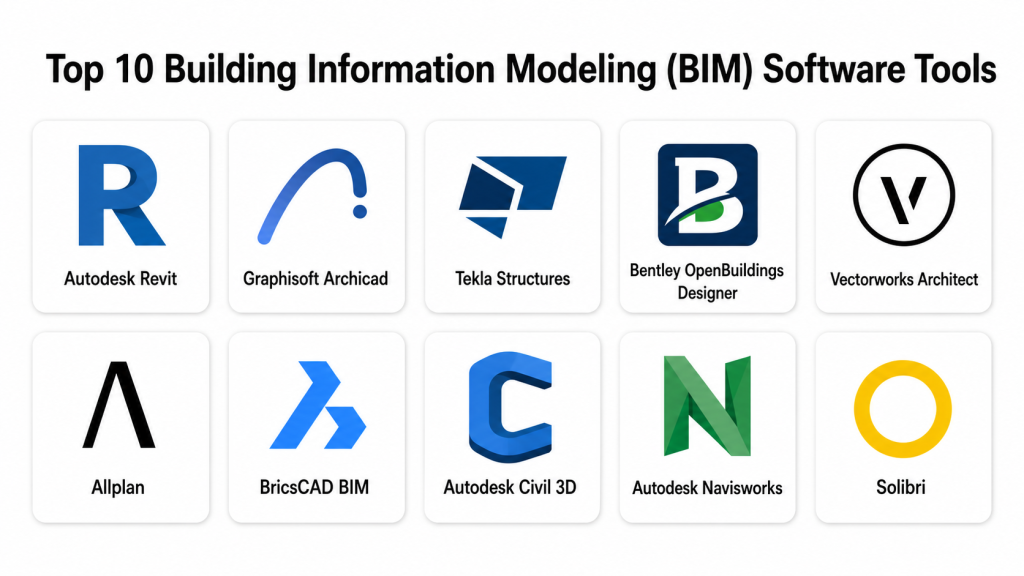
Top 10 Building Information Modeling (BIM) Software Tools
#1 — Autodesk Revit
Short description: Autodesk Revit is one of the most widely used BIM authoring tools for architecture, structure, and MEP design. It helps teams create coordinated 3D models, drawings, schedules, and project documentation from a connected model.
Key Features
- Parametric BIM modeling for buildings
- Architectural, structural, and MEP workflows
- Schedules, sheets, and documentation tools
- Family-based content creation
- Worksharing and model coordination
- Cloud collaboration options through Autodesk ecosystem
- Support for point clouds, CAD imports, and IFC workflows
Pros
- Strong multi-discipline BIM authoring environment
- Large professional ecosystem and training market
- Good fit for firms working in Autodesk-centered workflows
Cons
- Learning curve can be high for beginners
- Licensing and ecosystem cost can be significant
- Performance depends on model size, standards, and hardware
Platforms / Deployment
Windows
Deployment: Desktop / Cloud-connected / Hybrid depending on Autodesk setup
Security & Compliance
Autodesk account and admin features may include enterprise identity, MFA, and permission controls depending on plan. Product-specific SOC 2, ISO 27001, HIPAA, audit logs, SSO, SAML, and RBAC details should be verified directly for the selected plan. If not confirmed, write Not publicly stated.
Integrations & Ecosystem
Revit has one of the strongest BIM ecosystems, especially for firms already using Autodesk tools.
- Autodesk Construction Cloud workflows
- Navisworks coordination workflows
- AutoCAD interoperability
- Dynamo automation
- IFC import and export
- Point cloud and visualization workflows
Support & Community
Revit has extensive documentation, training providers, certified professionals, forums, templates, and enterprise support options. Support depth depends on subscription, region, and enterprise agreement.
#2 — Graphisoft Archicad
Short description: Archicad is a BIM authoring platform focused on architectural design, documentation, collaboration, and openBIM workflows. It is popular with architecture firms that value design-friendly workflows and cross-platform support.
Key Features
- Architectural BIM modeling
- Design documentation and drawing production
- Team collaboration workflows
- OpenBIM and IFC support
- Visualization and presentation features
- Parametric object workflows
- Model-based quantity and schedule support
Pros
- Strong architectural design workflow
- Available for both Windows and macOS
- Good support for openBIM collaboration
Cons
- Less dominant than Revit in some large enterprise markets
- MEP and structural depth may vary by workflow and add-ons
- Teams may need training when switching from Autodesk tools
Platforms / Deployment
Windows / macOS
Deployment: Desktop / Cloud-connected collaboration options / Hybrid
Security & Compliance
Security and compliance details such as SOC 2, ISO 27001, HIPAA, SSO, SAML, RBAC, encryption, and audit logs are Not publicly stated unless confirmed for the exact product plan and collaboration environment.
Integrations & Ecosystem
Archicad works well in architecture-led BIM workflows and openBIM environments.
- IFC workflows
- BIMcloud collaboration
- Visualization integrations
- CAD file exchange
- OpenBIM coordination workflows
- Add-ons and object libraries
Support & Community
Archicad has strong documentation, learning resources, reseller support, and an active architecture-focused community. Support may vary by region and license plan.
#3 — Tekla Structures
Short description: Tekla Structures is structural BIM software used for steel, concrete, rebar, precast, and constructible modeling. It is especially strong for structural engineers, fabricators, detailers, and contractors. Trimble describes Tekla Structures as software for creating, combining, managing, and sharing accurate 3D structural models.
Key Features
- Structural BIM modeling
- Steel and concrete detailing
- Rebar and precast workflows
- Fabrication-ready model data
- Clash and coordination support
- Quantity and constructability information
- Interoperability with engineering and construction workflows
Pros
- Excellent for structural detailing and fabrication
- Strong constructible model workflows
- Useful for complex steel and concrete projects
Cons
- More specialized than general architecture BIM tools
- Learning curve can be high for non-structural users
- May be too advanced for small basic building projects
Platforms / Deployment
Windows
Deployment: Desktop / Cloud-connected collaboration options may vary
Security & Compliance
Security and compliance details such as SOC 2, ISO 27001, HIPAA, SSO, SAML, RBAC, encryption, and audit logs are Not publicly stated unless confirmed directly for the selected Trimble environment and plan.
Integrations & Ecosystem
Tekla Structures is strong in structural engineering and construction workflows.
- Trimble Connect workflows
- Structural analysis integrations
- IFC workflows
- Fabrication data workflows
- CNC and production handoff
- Construction coordination workflows
Support & Community
Tekla has professional documentation, training, certification-style learning resources, reseller support, and a strong structural engineering community.
#4 — Bentley OpenBuildings Designer
Short description: Bentley OpenBuildings Designer is BIM software for building design, infrastructure-connected projects, and multi-discipline workflows. It is often considered for large, complex projects where building, campus, infrastructure, and engineering data need to connect.
Key Features
- Architectural, structural, and building systems modeling
- BIM workflows for large and complex projects
- Integration with Bentley infrastructure ecosystem
- Drawing and documentation production
- Analytical and design coordination workflows
- Support for data-rich project delivery
- Useful for infrastructure-linked building projects
Pros
- Strong fit for large infrastructure and complex building environments
- Good alignment with Bentley’s project delivery ecosystem
- Useful for multidisciplinary engineering teams
Cons
- Can be complex for small firms
- Best value is often within Bentley-centered workflows
- Training and implementation may require planning
Platforms / Deployment
Windows
Deployment: Desktop / Cloud-connected / Hybrid depending on Bentley setup
Security & Compliance
Bentley enterprise platform security may vary by product and subscription. Specific details such as SOC 2, ISO 27001, HIPAA, SSO, SAML, RBAC, audit logs, and encryption should be verified directly. If not confirmed, write Not publicly stated.
Integrations & Ecosystem
OpenBuildings Designer is strongest when used with Bentley’s broader design and infrastructure ecosystem.
- MicroStation workflows
- ProjectWise collaboration
- Infrastructure design workflows
- IFC and CAD exchange
- Analysis workflows
- Digital twin and asset data workflows
Support & Community
Bentley provides documentation, training, professional support, and enterprise services. Support depth may depend on agreement, region, and project scale.
#5 — Vectorworks Architect
Short description: Vectorworks Architect is BIM and design software used by architects, designers, and smaller to mid-sized firms. It combines drafting, modeling, BIM data, presentation, and documentation in one design-focused workflow.
Key Features
- Architectural BIM modeling
- 2D drafting and 3D design workflows
- Drawing and documentation tools
- Site and space planning support
- Visualization and presentation features
- IFC and openBIM workflows
- Design-layer and sheet-layer organization
Pros
- Flexible design and documentation environment
- Good for architecture and design-focused firms
- Useful for teams that want both 2D and BIM workflows
Cons
- May not be the default standard in some large enterprise BIM environments
- Advanced collaboration may require careful setup
- Ecosystem may be smaller than Autodesk in some regions
Platforms / Deployment
Windows / macOS
Deployment: Desktop / Cloud-connected options may vary
Security & Compliance
Security and compliance details such as SOC 2, ISO 27001, HIPAA, SSO, SAML, RBAC, encryption, and audit logs are Not publicly stated unless confirmed for the selected plan.
Integrations & Ecosystem
Vectorworks Architect supports design, documentation, and openBIM exchange workflows.
- IFC support
- DWG exchange
- Visualization tools
- Cloud services depending on plan
- Landscape and entertainment ecosystem connections
- Object libraries and plugins
Support & Community
Vectorworks has documentation, training resources, user forums, and reseller or regional support options. Support quality may vary by region and subscription.
#6 — Allplan
Short description: Allplan is BIM software used for architecture, engineering, infrastructure, and construction workflows. It is particularly known in European AEC markets and supports detailed building and engineering design.
Key Features
- BIM modeling for architecture and engineering
- Reinforcement and structural detailing support
- Drawing and documentation tools
- OpenBIM and IFC workflows
- Quantity and construction data workflows
- Collaboration options depending on setup
- Infrastructure and building design support
Pros
- Strong engineering and construction-oriented BIM capabilities
- Good fit for detailed design and documentation
- Useful for firms focused on openBIM workflows
Cons
- Market adoption varies by region
- Learning curve can be high for teams new to the platform
- Some integrations may depend on local workflows and partners
Platforms / Deployment
Windows
Deployment: Desktop / Cloud-connected collaboration options may vary
Security & Compliance
Security and compliance details such as SOC 2, ISO 27001, HIPAA, SSO, SAML, RBAC, audit logs, and encryption are Not publicly stated unless confirmed directly for the selected plan.
Integrations & Ecosystem
Allplan works well in detailed design, engineering, construction, and openBIM workflows.
- IFC workflows
- Structural design workflows
- Quantity takeoff workflows
- CAD exchange
- Collaboration platforms depending on setup
- Engineering and construction handoff
Support & Community
Allplan has documentation, training, support channels, and regional partner networks. Support strength may vary by country and license arrangement.
#7 — BricsCAD BIM
Short description: BricsCAD BIM combines CAD familiarity with BIM modeling features. It is useful for teams that want a DWG-based workflow with BIM capabilities, especially when moving from traditional CAD toward model-based design.
Key Features
- DWG-based BIM workflow
- 2D drafting and 3D modeling
- BIM classification features
- IFC support
- AI-assisted and automation-oriented modeling features depending on version
- Drawing and documentation support
- CAD-to-BIM transition workflow
Pros
- Familiar for CAD users
- Good value for teams moving toward BIM
- Supports DWG-based workflows
Cons
- May not match Revit or Archicad depth in every BIM workflow
- Enterprise adoption may vary by region
- Advanced BIM collaboration may need additional setup
Platforms / Deployment
Windows / macOS / Linux depending on version
Deployment: Desktop / Self-managed / Cloud-connected options may vary
Security & Compliance
Security and compliance information such as SOC 2, ISO 27001, HIPAA, SSO, SAML, RBAC, encryption, and audit logs is Not publicly stated unless confirmed by the vendor for the selected plan.
Integrations & Ecosystem
BricsCAD BIM is practical for organizations that want to preserve CAD-based workflows while adding BIM capabilities.
- DWG workflows
- IFC import and export
- CAD interoperability
- Third-party plugins
- 3D modeling workflows
- Drawing production workflows
Support & Community
BricsCAD has documentation, training materials, forums, and reseller support options. Community strength may vary by region and user segment.
#8 — Autodesk Civil 3D
Short description: Autodesk Civil 3D is civil engineering design software used for roads, corridors, grading, land development, drainage, and infrastructure projects. While it is not a building-only BIM tool, it plays an important role in civil BIM and infrastructure information modeling.
Key Features
- Civil design and documentation
- Road and corridor modeling
- Surface and grading tools
- Pipe network and drainage workflows
- Survey data support
- Integration with Autodesk infrastructure tools
- Model-based civil project delivery
Pros
- Strong for infrastructure and civil engineering projects
- Useful for road, land, utility, and site design
- Fits well with Autodesk-based workflows
Cons
- Not meant for building architecture or MEP modeling
- Learning curve can be high for non-civil users
- Large projects require standards and performance planning
Platforms / Deployment
Windows
Deployment: Desktop / Cloud-connected options through Autodesk ecosystem
Security & Compliance
Autodesk account and admin features may vary by plan. Product-specific SOC 2, ISO 27001, HIPAA, SSO, SAML, audit logs, RBAC, and encryption should be verified directly. If not confirmed, write Not publicly stated.
Integrations & Ecosystem
Civil 3D is strongest in Autodesk civil and infrastructure workflows.
- AutoCAD workflows
- InfraWorks workflows
- Revit coordination workflows
- GIS and survey data workflows
- Autodesk Construction Cloud workflows
- Corridor, surface, and alignment data exchange
Support & Community
Civil 3D has strong documentation, training resources, professional communities, and Autodesk support options. Support depth depends on subscription and region.
#9 — Autodesk Navisworks
Short description: Autodesk Navisworks is a BIM coordination and review tool used for clash detection, model aggregation, construction simulation, and project review. It is not mainly a BIM authoring tool, but it is widely used in BIM coordination workflows.
Key Features
- Model aggregation from multiple disciplines
- Clash detection and coordination
- 4D construction simulation workflows
- Project review and issue identification
- Quantification support depending on setup
- Integration with Autodesk BIM workflows
- Large model review capabilities
Pros
- Strong coordination tool for multidisciplinary projects
- Useful for clash detection before construction
- Good fit for contractors and BIM coordinators
Cons
- Not a primary modeling or authoring platform
- Best value depends on strong model coordination standards
- Requires disciplined file management and issue workflows
Platforms / Deployment
Windows
Deployment: Desktop / Cloud-connected options may vary
Security & Compliance
Autodesk platform security varies by plan and environment. Specific details such as SOC 2, ISO 27001, HIPAA, SSO, SAML, RBAC, encryption, and audit logs should be verified directly. If not confirmed, write Not publicly stated.
Integrations & Ecosystem
Navisworks is commonly used as a coordination layer across BIM authoring tools.
- Revit workflows
- AutoCAD workflows
- IFC and model exchange
- Clash detection workflows
- 4D scheduling integrations
- Construction coordination handoff
Support & Community
Navisworks has strong documentation, BIM coordination training resources, and an experienced professional community. Autodesk support options vary by plan.
#10 — Solibri
Short description: Solibri is BIM model checking, validation, and quality assurance software. It helps teams check models for rules, compliance, data quality, coordination issues, and openBIM workflows.
Key Features
- BIM model checking
- Rule-based validation
- IFC model review
- Clash and issue detection
- Quality assurance workflows
- Model data checking
- OpenBIM coordination support
Pros
- Strong for model quality control
- Useful for openBIM and IFC-based workflows
- Helps reduce coordination and compliance issues
Cons
- Not a BIM authoring tool
- Requires clear rules and model checking standards
- May be more useful for mature BIM teams than beginners
Platforms / Deployment
Windows / macOS
Deployment: Desktop / Cloud-connected collaboration options may vary
Security & Compliance
Security and compliance information such as SOC 2, ISO 27001, HIPAA, SSO, SAML, RBAC, encryption, and audit logs is Not publicly stated unless confirmed by the vendor for the selected plan.
Integrations & Ecosystem
Solibri is important for openBIM, quality assurance, and model validation workflows.
- IFC workflows
- BCF issue workflows
- Model checking rules
- BIM coordination workflows
- Quality assurance processes
- OpenBIM collaboration
Support & Community
Solibri has documentation, learning resources, support options, and a professional BIM quality-checking user base. Support level may vary by plan and region.
Comparison Table
| Tool Name | Best For | Platform(s) Supported | Deployment | Standout Feature | Public Rating |
|---|---|---|---|---|---|
| Autodesk Revit | Multi-discipline building BIM | Windows | Desktop / Hybrid | Parametric BIM authoring across architecture, structure, and MEP | N/A |
| Graphisoft Archicad | Architecture-focused BIM | Windows, macOS | Desktop / Hybrid | Design-friendly architectural BIM and openBIM workflows | N/A |
| Tekla Structures | Structural BIM and fabrication | Windows | Desktop / Hybrid | Constructible structural models for steel and concrete | N/A |
| Bentley OpenBuildings Designer | Large building and infrastructure projects | Windows | Desktop / Hybrid | Bentley ecosystem integration for complex projects | N/A |
| Vectorworks Architect | Design-led architecture firms | Windows, macOS | Desktop / Hybrid | Flexible design, drafting, and BIM workflow | N/A |
| Allplan | Architecture, engineering, and construction BIM | Windows | Desktop / Hybrid | Detailed engineering and openBIM workflows | N/A |
| BricsCAD BIM | CAD-to-BIM transition teams | Windows, macOS, Linux depending on version | Desktop / Self-managed | DWG-based BIM workflow | N/A |
| Autodesk Civil 3D | Civil and infrastructure BIM | Windows | Desktop / Hybrid | Civil design, corridors, surfaces, and infrastructure modeling | N/A |
| Autodesk Navisworks | BIM coordination and clash detection | Windows | Desktop / Hybrid | Model aggregation and clash detection | N/A |
| Solibri | BIM quality checking and validation | Windows, macOS | Desktop / Hybrid | Rule-based IFC model checking | N/A |
Evaluation & Scoring of Building Information Modeling (BIM) Software
| Tool Name | Core (25%) | Ease (15%) | Integrations (15%) | Security (10%) | Performance (10%) | Support (10%) | Value (15%) | Weighted Total (0–10) |
|---|---|---|---|---|---|---|---|---|
| Autodesk Revit | 10 | 7 | 10 | 7 | 8 | 9 | 7 | 8.45 |
| Graphisoft Archicad | 9 | 8 | 8 | 6 | 8 | 8 | 7 | 7.95 |
| Tekla Structures | 10 | 6 | 9 | 6 | 8 | 8 | 7 | 8.00 |
| Bentley OpenBuildings Designer | 9 | 6 | 9 | 7 | 8 | 8 | 6 | 7.75 |
| Vectorworks Architect | 8 | 8 | 7 | 6 | 7 | 8 | 8 | 7.50 |
| Allplan | 8 | 7 | 8 | 6 | 8 | 8 | 7 | 7.55 |
| BricsCAD BIM | 7 | 8 | 7 | 5 | 7 | 7 | 9 | 7.25 |
| Autodesk Civil 3D | 9 | 6 | 9 | 7 | 8 | 8 | 7 | 7.95 |
| Autodesk Navisworks | 8 | 7 | 9 | 7 | 8 | 8 | 7 | 7.80 |
| Solibri | 8 | 7 | 8 | 6 | 8 | 8 | 7 | 7.55 |
The scores are comparative and should be used as a decision-support model, not a universal ranking. Revit may be the strongest choice for multi-discipline building authoring, while Tekla may be better for structural fabrication. Civil 3D is stronger for infrastructure, and Navisworks or Solibri may be better for coordination and model checking. Always test tools against your real project type, file standards, collaboration needs, and team skill level.
Which Building Information Modeling (BIM) Software Tool Is Right for You?
Solo / Freelancer
Solo architects, BIM consultants, and freelance designers usually need a balance of cost, usability, and deliverable quality.
Good choices:
- Vectorworks Architect for design-led architecture work
- Archicad for architectural BIM and macOS-friendly workflows
- BricsCAD BIM for CAD users moving into BIM
- Revit if clients expect Autodesk-based deliverables
Freelancers should choose based on client requirements. If most clients use Revit, compatibility may matter more than personal preference. If design flexibility matters more, Archicad or Vectorworks may be attractive.
SMB
Small and mid-sized AEC firms need tools that support reliable delivery without creating too much training burden.
Good choices:
- Revit for architecture, structure, and MEP coordination
- Archicad for architecture-focused firms
- Vectorworks Architect for design studios
- BricsCAD BIM for cost-sensitive CAD-to-BIM migration
- Allplan for engineering and construction-oriented workflows
SMBs should avoid adopting too many tools at once. A clear BIM standard, template library, naming system, and training plan are more important than buying every platform.
Mid-Market
Mid-market firms usually need stronger collaboration, coordination, and project controls.
Recommended options:
- Revit for multi-discipline building projects
- Tekla Structures for structural engineering and fabrication
- Navisworks for coordination and clash detection
- Solibri for model validation and quality assurance
- Civil 3D for civil and infrastructure teams
At this level, BIM managers should define model ownership, collaboration rules, exchange formats, naming standards, and issue tracking workflows.
Enterprise
Enterprise AEC firms, contractors, owners, and infrastructure teams need scalability, governance, security, and long-term data strategy.
Strong enterprise-fit options:
- Revit for large multi-discipline building delivery
- Bentley OpenBuildings Designer for complex building and infrastructure projects
- Tekla Structures for structural and fabrication-heavy workflows
- Civil 3D for civil infrastructure design
- Navisworks and Solibri for coordination, validation, and model quality
Enterprise buyers should validate platform administration, SSO, MFA, permissions, auditability, data residency, support SLAs, and integration with document control and construction management systems.
Budget vs Premium
Budget-conscious teams may consider BricsCAD BIM or a focused tool like Vectorworks Architect, depending on workflow and licensing needs. These can be practical for smaller firms that need BIM capabilities without adopting a large enterprise stack immediately.
Premium or enterprise workflows often involve Revit, Tekla Structures, Bentley OpenBuildings Designer, and Autodesk or Bentley collaboration ecosystems. These can cost more, but they may provide stronger multi-discipline coordination and industry compatibility.
Feature Depth vs Ease of Use
If feature depth is the priority, Revit, Tekla Structures, Bentley OpenBuildings Designer, Civil 3D, and Allplan are strong options. They support deeper technical workflows but usually require more training.
If ease of use and design flow matter more, Archicad, Vectorworks Architect, and BricsCAD BIM may feel more approachable depending on the team’s background.
Integrations & Scalability
Integration needs vary by discipline.
- Architecture teams should check Revit, Archicad, Vectorworks, IFC, and visualization workflows.
- Structural teams should check Tekla, Revit, analysis software, fabrication, and IFC workflows.
- Civil teams should check Civil 3D, GIS, survey, corridor, and infrastructure workflows.
- Contractors should check Navisworks, Solibri, issue tracking, scheduling, and construction platforms.
- Owners should check digital twin, asset data, facilities management, and handover workflows.
Scalability is not only about software. It also depends on templates, BIM standards, naming rules, model health, hardware, training, and governance.
Security & Compliance Needs
BIM files often contain sensitive project data, building layouts, infrastructure details, and asset information. Security review is important, especially for government, healthcare, defense, airport, utility, and industrial projects.
Important questions include:
- Does the platform support MFA?
- Is SSO or SAML available?
- Are role-based permissions available?
- Are audit logs available?
- Is data encrypted in transit and at rest?
- Where is cloud project data stored?
- Are SOC 2, ISO 27001, GDPR, or HIPAA details clearly documented?
- Can external consultants be controlled with limited permissions?
- Is there a clear backup, archive, and deletion policy?
If these details are not clearly available, treat them as Not publicly stated and verify with the vendor before enterprise use.
Frequently Asked Questions
What is Building Information Modeling software?
Building Information Modeling software helps teams create and manage intelligent digital models of buildings or infrastructure. These models include geometry, drawings, quantities, schedules, materials, and project information.
What is the difference between BIM and CAD?
CAD is mainly used for drafting and drawing. BIM goes further by connecting 3D geometry with data, schedules, quantities, coordination, and lifecycle information.
Which BIM software is best for architects?
Revit, Archicad, and Vectorworks Architect are strong options for architects. The best choice depends on client requirements, collaboration needs, operating system preference, and project type.
Which BIM software is best for structural engineers?
Tekla Structures is strong for structural modeling, detailing, and fabrication. Revit and Allplan are also useful depending on the structural workflow and project environment.
Which BIM software is best for infrastructure projects?
Autodesk Civil 3D and Bentley OpenBuildings Designer are useful for infrastructure-related workflows. Civil 3D is strong for roads, grading, corridors, and civil design, while Bentley tools fit larger infrastructure environments.
Is Revit the same as BIM?
No. Revit is a BIM software tool, while BIM is a broader process. BIM includes people, standards, workflows, data management, coordination, and lifecycle information.
What are common mistakes when choosing BIM software?
Common mistakes include choosing based only on popularity, ignoring client requirements, underestimating training, skipping BIM standards, not checking integrations, and failing to test real project files.
How long does BIM software onboarding take?
Onboarding time varies by tool, team size, and project complexity. Basic learning may be quick, but professional BIM implementation usually requires templates, standards, training, pilot projects, and quality checks.
Is cloud collaboration necessary for BIM?
Cloud collaboration is not always required, but it is very useful for distributed teams, multi-discipline coordination, external consultants, and real-time project review. Local workflows may still work for smaller or sensitive projects.
What is IFC in BIM?
IFC is an open format used to exchange BIM model information between different software tools. It is important for openBIM workflows and multi-vendor project collaboration.
Can small firms use BIM software?
Yes. Small firms can use BIM software, but they should start with clear goals, simple standards, and one or two trained users. A phased approach is usually better than trying to implement everything at once.
Is BIM software secure?
Security depends on the software, deployment model, cloud setup, access controls, and internal policies. Buyers should verify MFA, SSO, permissions, encryption, audit logs, and vendor security documentation.
Can BIM software help reduce construction rework?
Yes, when used properly. BIM can help identify clashes, improve coordination, manage quantities, and reduce design conflicts before construction starts. Results depend on model quality and team discipline.
What are alternatives to full BIM software?
Alternatives include 2D CAD, 3D modeling tools, construction management platforms, point cloud viewers, and lightweight design tools. These may work for simpler projects but may not replace full BIM coordination.
Conclusion
Building Information Modeling software is now a core part of modern architecture, engineering, construction, and infrastructure delivery. The best BIM tool depends on your role, project type, team size, budget, client requirements, and collaboration model. Autodesk Revit is a strong choice for multi-discipline building BIM. Archicad and Vectorworks Architect are practical for architecture-led workflows. Tekla Structures is excellent for structural and fabrication-heavy projects. Bentley OpenBuildings Designer fits large infrastructure-connected environments. Civil 3D supports civil BIM, while Navisworks and Solibri help with coordination and model checking
