Upgrade & Secure Your Future with DevOps, SRE, DevSecOps, MLOps!
We spend hours scrolling social media and waste money on things we forget, but won’t spend 30 minutes a day earning certifications that can change our lives.
Master in DevOps, SRE, DevSecOps & MLOps by DevOps School!
Learn from Guru Rajesh Kumar and double your salary in just one year.
Introduction
3D rendering and ray tracing tools convert 3D scenes into realistic images, animations, product visuals, architectural walkthroughs, game environments, and cinematic frames. In simple terms, they help turn a digital 3D model into something that looks finished, polished, and visually believable.
These tools matter more in 2026+ because businesses now need high-quality visuals faster. Product teams use rendering before manufacturing. Architects use real-time visualization before construction. Game studios need realistic lighting. Marketing teams need photoreal product images. VFX and animation studios need scalable rendering pipelines. AI-assisted denoising, GPU acceleration, real-time ray tracing, cloud rendering, and better file interoperability are also changing how teams work.
Common use cases include:
- Architectural visualization and interior design
- Product rendering and marketing images
- Film, animation, and visual effects
- Game development and virtual production
- Automotive, industrial, and manufacturing visualization
Buyers should evaluate:
- Rendering quality and realism
- Ray tracing and path tracing depth
- GPU and CPU performance
- Integration with 3D modeling tools
- Real-time vs offline rendering needs
- Material and lighting workflow
- Cloud rendering or render farm options
- Pricing and licensing model
- Team collaboration needs
- Security, admin, and compliance expectations
Best for: 3D artists, architects, visualization studios, game developers, product designers, VFX teams, animation studios, marketing teams, and enterprises that need realistic digital visuals.
Not ideal for: Teams that only need basic screenshots, simple 2D graphics, lightweight social media visuals, or non-realistic concept images. In those cases, image editors, design platforms, or simple presentation tools may be faster and easier.
Key Trends in 3D Rendering & Ray Tracing Tools
- Real-time ray tracing is becoming more practical: More teams now expect fast previews with realistic lighting, reflections, shadows, and global illumination.
- AI denoising is improving render speed: AI-powered denoisers help reduce grain and allow artists to reach usable results with fewer samples.
- GPU rendering is now a major buying factor: Tools that use modern GPUs efficiently can reduce rendering time and improve iteration speed.
- Hybrid workflows are increasing: Many studios combine real-time tools for previews with offline renderers for final high-quality output.
- Cloud rendering and render farms are growing: Teams working on heavy animation, product catalogs, and VFX scenes need scalable compute without buying huge local hardware.
- USD and open pipeline formats are gaining importance: Larger teams want better asset exchange across modeling, animation, layout, lighting, and rendering tools.
- Physically based rendering is now expected: Buyers want accurate materials, camera behavior, lights, shadows, and color workflows.
- Virtual production is changing rendering needs: Real-time engines are now used in film, broadcast, events, and immersive production.
- Security expectations are rising: Enterprises increasingly ask about identity control, encryption, access permissions, cloud storage, and auditability.
- Subscription and usage-based pricing are common: Buyers need to evaluate not only license cost but also render credits, hardware cost, plugin costs, and team scaling.
How We Selected These Tools
The top tools below were selected using a practical SaaS and product evaluation method:
- Strong industry adoption and long-term relevance
- Fit for professional rendering, ray tracing, path tracing, or real-time visualization
- Feature completeness across lighting, materials, camera, animation, and rendering workflows
- Integration strength with popular 3D modeling and content creation tools
- Performance reputation across GPU, CPU, and hybrid rendering use cases
- Suitability for different user segments, including freelancers, SMBs, studios, and enterprises
- Ecosystem strength, including documentation, plugins, materials, assets, and learning resources
- Support for modern rendering needs such as real-time previews, AI denoising, and physically based rendering
- Practical value for design, architecture, product, entertainment, and engineering teams
- Security and compliance signals where publicly clear; otherwise marked conservatively
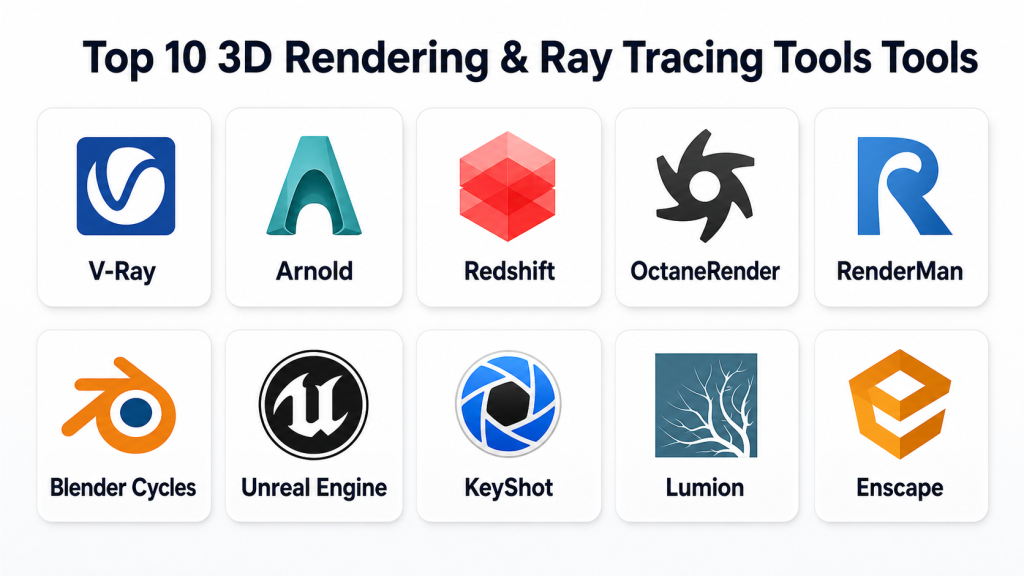
Top 10 3D Rendering & Ray Tracing Tools Tools
#1 — V-Ray
Short description: V-Ray is a professional rendering engine widely used for architecture, product visualization, VFX, animation, and design. It is known for photorealistic output, strong lighting controls, and broad integration with major 3D applications.
Key Features
- Physically based rendering for realistic images
- CPU, GPU, and hybrid rendering workflows depending on setup
- Strong global illumination, lighting, and material controls
- Integration with popular 3D tools such as SketchUp, 3ds Max, Rhino, Maya, Cinema 4D, and others
- V-Ray Frame Buffer for color correction and image adjustments
- Denoising and performance optimization features
- Support for professional visualization pipelines
Pros
- Strong photorealistic rendering quality
- Excellent for architecture, product design, and visual effects
- Mature ecosystem with many tutorials, materials, and workflows
Cons
- Can require learning time for advanced lighting and material control
- Licensing cost may be high for small teams
- Performance depends heavily on hardware and scene optimization
Platforms / Deployment
Windows / macOS / Linux depending on host application
Deployment: Desktop / Hybrid depending on setup and cloud rendering workflow
Security & Compliance
For the rendering engine itself, security and compliance details such as SOC 2, ISO 27001, HIPAA, SSO, SAML, RBAC, encryption, and audit logs are Not publicly stated unless confirmed through the vendor or enterprise agreement.
Integrations & Ecosystem
V-Ray has a strong ecosystem because it connects with many professional modeling and animation platforms. This makes it practical for teams that already use established 3D design tools.
- SketchUp integration
- 3ds Max integration
- Rhino integration
- Maya integration
- Cinema 4D integration
- Material libraries and render assets
Support & Community
V-Ray has strong documentation, professional training content, active community discussions, and vendor support options. Support depth may vary by plan, region, and licensing arrangement.
#2 — Arnold
Short description: Arnold is a high-quality production renderer used in film, animation, VFX, and professional 3D pipelines. It is known for physically based rendering, predictable results, and strong integration with Autodesk and studio workflows.
Key Features
- Physically based ray tracing
- Strong support for complex lighting and shading
- Deep integration with Maya and other 3D applications
- CPU rendering and GPU rendering options depending on workflow
- Good handling of large production scenes
- Support for advanced materials, volumes, and effects
- Suitable for animation and visual effects pipelines
Pros
- Strong production-quality rendering
- Reliable for film, animation, and VFX workflows
- Good integration with Maya-based pipelines
Cons
- May feel heavy for small design teams
- Learning curve can be high for beginners
- Hardware and render time planning are important
Platforms / Deployment
Windows / macOS / Linux depending on host application
Deployment: Desktop / Pipeline-integrated / Hybrid depending on environment
Security & Compliance
Autodesk account and enterprise administration features may vary by plan. Product-specific compliance such as SOC 2, ISO 27001, GDPR, HIPAA, detailed audit logs, and RBAC should be verified directly. If not confirmed, write Not publicly stated.
Integrations & Ecosystem
Arnold is commonly used in professional production pipelines, especially where animation and VFX quality matter.
- Maya integration
- 3ds Max integration
- Cinema 4D integration
- Houdini workflows
- USD and pipeline workflows depending on setup
- Shading and lighting pipeline support
Support & Community
Arnold has strong professional documentation, Autodesk learning resources, and a production-focused user base. Support options depend on the subscription and enterprise arrangement.
#3 — Redshift
Short description: Redshift is a GPU-accelerated renderer used by motion designers, studios, product visualization teams, and 3D artists who need fast rendering with strong visual quality.
Key Features
- GPU-accelerated biased rendering
- Fast rendering for animation and design workflows
- Integration with tools like Cinema 4D, Maya, Houdini, and others
- Strong material, lighting, and shading controls
- Out-of-core rendering support depending on workflow
- Denoising and optimization features
- Useful for motion graphics and commercial production
Pros
- Fast GPU rendering performance
- Strong fit for motion design and animation workflows
- Good balance of speed and quality
Cons
- Requires compatible GPU hardware for best results
- Setup and optimization may require experience
- Not always ideal for teams without GPU investment
Platforms / Deployment
Windows / macOS / Linux depending on host application and GPU support
Deployment: Desktop / Pipeline-integrated
Security & Compliance
Security and compliance details such as SOC 2, ISO 27001, HIPAA, SSO, SAML, audit logs, RBAC, and enterprise encryption are Not publicly stated for standard product usage unless confirmed by the vendor.
Integrations & Ecosystem
Redshift is strong in creative production pipelines, especially with motion graphics and animation tools.
- Cinema 4D integration
- Maya integration
- Houdini integration
- 3ds Max integration depending on availability
- Material and lighting workflows
- GPU render pipeline support
Support & Community
Redshift has strong documentation, active artist communities, tutorials, and professional usage across motion design and 3D production. Support options vary by license and vendor plan.
#4 — OctaneRender
Short description: OctaneRender is a GPU-based unbiased rendering engine used by 3D artists, motion designers, and visualization teams that want physically accurate lighting and fast GPU rendering.
Key Features
- GPU-based unbiased rendering
- Physically accurate lighting and materials
- Real-time viewport-style rendering experience
- Spectral rendering capabilities
- AI denoising and performance-focused workflows
- Integrations with multiple 3D applications
- Useful for product visuals, motion graphics, and creative rendering
Pros
- Strong visual quality with realistic lighting
- Fast feedback when hardware is suitable
- Popular among creative 3D artists and motion designers
Cons
- GPU hardware requirements can be demanding
- Large scenes may need careful optimization
- Workflow depends on host application integration quality
Platforms / Deployment
Windows / macOS / Linux depending on version and host integration
Deployment: Desktop / GPU-based workflow / Cloud options may vary
Security & Compliance
Enterprise security and compliance details such as SOC 2, ISO 27001, HIPAA, SSO, SAML, RBAC, audit logs, and encryption are Not publicly stated unless confirmed directly with the vendor.
Integrations & Ecosystem
OctaneRender supports many creative workflows through plugins and integrations.
- Cinema 4D workflows
- Blender workflows
- Maya workflows
- Houdini workflows
- 3ds Max workflows
- Material and asset ecosystem
Support & Community
OctaneRender has a strong creative community, learning resources, documentation, and active artist usage. Support and onboarding may vary by license type and region.
#5 — RenderMan
Short description: RenderMan is a professional rendering system used in high-end animation, film, and visual effects production. It is known for production-quality rendering and deep studio pipeline usage.
Key Features
- Physically based rendering
- Strong support for animation and cinematic production
- Advanced lighting, shading, and material workflows
- Suitable for complex film-quality scenes
- Deep production pipeline orientation
- Support for high-end visual effects needs
- Strong reputation in professional entertainment workflows
Pros
- Excellent for high-end animation and film production
- Mature renderer for complex production pipelines
- Strong quality for cinematic output
Cons
- More specialized than general design renderers
- Learning curve can be high
- May be unnecessary for simple visualization projects
Platforms / Deployment
Windows / macOS / Linux depending on version and host workflow
Deployment: Desktop / Studio pipeline / Hybrid depending on environment
Security & Compliance
Security and compliance information such as SOC 2, ISO 27001, HIPAA, SSO, SAML, audit logs, RBAC, and encryption is Not publicly stated for standard tool usage unless confirmed directly.
Integrations & Ecosystem
RenderMan fits best in production environments where high-quality rendering, pipeline control, and cinematic output are required.
- Maya workflows
- Houdini workflows
- USD-style production pipelines depending on setup
- Shading and lighting workflows
- Studio asset pipelines
- Animation and VFX workflows
Support & Community
RenderMan has strong professional documentation and a respected production community. Support options depend on licensing, studio needs, and vendor arrangements.
#6 — Blender Cycles
Short description: Blender Cycles is Blender’s path-tracing render engine used for realistic lighting, materials, animation, and product-style rendering. It is a strong choice for users who want professional rendering without separate rendering software costs.
Key Features
- Path tracing for realistic lighting
- CPU and GPU rendering support depending on hardware
- Integrated directly inside Blender
- Good material and shader system
- Denoising support
- Animation and still-image rendering
- Strong community-created workflows and assets
Pros
- Free and built into Blender
- Strong rendering quality for many professional use cases
- Good for freelancers, educators, indie studios, and small teams
Cons
- Advanced scenes may require strong hardware
- Production pipeline features may need add-ons or custom setup
- Not as enterprise-focused as some commercial renderers
Platforms / Deployment
Windows / macOS / Linux
Deployment: Desktop / Self-managed
Security & Compliance
Blender Cycles is part of Blender’s open-source desktop application. Enterprise security features such as SSO, SAML, RBAC, audit logs, SOC 2, ISO 27001, and HIPAA are Not publicly stated for the core tool.
Integrations & Ecosystem
Cycles benefits from Blender’s full ecosystem, including modeling, animation, compositing, scripting, and asset workflows.
- Blender shader nodes
- Python scripting
- Add-ons
- Asset libraries
- Common 3D file formats
- Animation and compositing workflows
Support & Community
Blender Cycles has excellent community support, documentation, tutorials, and educational content. Official enterprise support is limited, but third-party experts and studios are available.
#7 — Unreal Engine
Short description: Unreal Engine is a real-time 3D creation platform used for games, virtual production, architecture visualization, simulation, and immersive experiences. Its real-time rendering and ray tracing capabilities make it important for modern visualization workflows.
Key Features
- Real-time rendering and ray tracing workflows
- Strong lighting, materials, and environment tools
- Game development and interactive visualization support
- Virtual production capabilities
- Large asset marketplace and ecosystem
- Blueprint visual scripting
- Support for large scenes and cinematic workflows
Pros
- Excellent for real-time interactive rendering
- Strong fit for virtual production, games, and immersive projects
- Large ecosystem and learning community
Cons
- Can be complex for users who only need still renders
- Requires strong hardware for advanced real-time visuals
- Project setup may take time for non-game teams
Platforms / Deployment
Windows / macOS / Linux
Deployment: Desktop / Self-managed / Hybrid depending on project workflow
Security & Compliance
Security and compliance details vary by project setup, cloud services, and enterprise arrangements. Product-level SOC 2, ISO 27001, HIPAA, SSO, SAML, RBAC, and audit log details are Not publicly stated unless verified for the specific environment.
Integrations & Ecosystem
Unreal Engine has a broad ecosystem for real-time 3D, game development, production, and visualization.
- DCC tool import workflows
- USD and Datasmith-style workflows depending on setup
- Marketplace assets
- Blueprint scripting
- C++ extensibility
- Virtual production pipelines
Support & Community
Unreal Engine has strong documentation, learning resources, community forums, and broad industry adoption. Enterprise support options may vary by agreement.
#8 — KeyShot
Short description: KeyShot is a rendering and visualization tool focused on product design, industrial design, packaging, and marketing visuals. It is known for a simple workflow and fast product rendering setup.
Key Features
- Real-time rendering workflow
- Product-focused materials and lighting
- Easy drag-and-drop material setup
- CAD file import workflows
- Studio lighting and environment controls
- Animation features for product presentation
- Strong fit for product marketing visuals
Pros
- Easy to learn compared with many advanced renderers
- Strong product visualization workflow
- Good for fast marketing-ready images
Cons
- Less suitable for complex VFX or game pipelines
- Advanced customization may be limited compared with technical renderers
- Licensing cost can matter for small teams
Platforms / Deployment
Windows / macOS
Deployment: Desktop / Cloud-connected options may vary
Security & Compliance
Security features and compliance details such as SOC 2, ISO 27001, HIPAA, SSO, SAML, RBAC, encryption, and audit logs are Not publicly stated unless confirmed for the selected plan or enterprise agreement.
Integrations & Ecosystem
KeyShot is useful for product and industrial design teams that need a fast bridge between CAD models and finished visuals.
- CAD import workflows
- Product material libraries
- Studio lighting environments
- Animation output workflows
- Design review workflows
- Plugin connections depending on CAD tool
Support & Community
KeyShot has professional documentation, training resources, tutorials, and product visualization community support. Support level depends on licensing and vendor plan.
#9 — Lumion
Short description: Lumion is a 3D rendering and visualization tool focused on architecture, landscape design, and built-environment presentations. It helps architects create quick, polished visual walkthroughs and still images.
Key Features
- Architecture-focused real-time visualization
- Large library of materials, vegetation, objects, and environments
- Fast scene setup for buildings and landscapes
- Still image, video, and panorama rendering workflows
- Lighting, weather, and atmosphere controls
- Integration with architectural design tools
- Useful for client presentations
Pros
- Strong for architecture and landscape visualization
- Fast visual output without deep technical rendering setup
- Good for client-friendly presentations
Cons
- Not ideal for VFX, character rendering, or game asset pipelines
- Hardware requirements can be high for complex scenes
- Less flexible than general-purpose render engines
Platforms / Deployment
Windows
Deployment: Desktop
Security & Compliance
Security and compliance details such as SOC 2, ISO 27001, HIPAA, SSO, SAML, encryption, RBAC, and audit logs are Not publicly stated unless confirmed by the vendor.
Integrations & Ecosystem
Lumion is designed around architecture and design workflows, especially where speed and presentation quality matter.
- Architectural model import workflows
- LiveSync-style workflows depending on design tool
- Material and object libraries
- Landscape and environment assets
- Video and panorama output
- Design presentation workflows
Support & Community
Lumion has documentation, tutorials, training content, and an active architecture visualization community. Support availability may vary by license, region, and reseller.
#10 — Enscape
Short description: Enscape is a real-time rendering and virtual reality tool used by architects, interior designers, and AEC teams. It connects directly with design tools to create fast visual previews and client walkthroughs.
Key Features
- Real-time rendering for architecture workflows
- Live design visualization
- VR walkthrough support
- Asset and material libraries
- Lighting and atmosphere controls
- Integration with popular AEC design applications
- Easy review and presentation workflow
Pros
- Very practical for architects and design teams
- Fast feedback during the design process
- Easier learning curve than many advanced renderers
Cons
- Not designed for advanced VFX or cinematic pipelines
- Output quality depends on scene setup and hardware
- Best value is mainly for AEC workflows
Platforms / Deployment
Windows / macOS support may vary by host application and version
Deployment: Desktop / Plugin-based workflow
Security & Compliance
Enterprise security and compliance information such as SOC 2, ISO 27001, HIPAA, SSO, SAML, RBAC, audit logs, and encryption is Not publicly stated unless confirmed by the vendor for the selected plan.
Integrations & Ecosystem
Enscape works well for architecture and design teams because it connects directly with common AEC design platforms.
- Revit workflows
- SketchUp workflows
- Rhino workflows
- Archicad workflows
- Vectorworks workflows
- VR and presentation workflows
Support & Community
Enscape has useful documentation, tutorials, onboarding resources, and an active AEC visualization community. Support level depends on subscription and vendor plan.
Comparison Table
| Tool Name | Best For | Platform(s) Supported | Deployment | Standout Feature | Public Rating |
|---|---|---|---|---|---|
| V-Ray | Architecture, product rendering, VFX, design visualization | Windows, macOS, Linux depending on host | Desktop / Hybrid | Photorealistic rendering with broad integrations | N/A |
| Arnold | Film, animation, VFX, production pipelines | Windows, macOS, Linux depending on host | Desktop / Pipeline-integrated | Production-quality physically based rendering | N/A |
| Redshift | Motion graphics, animation, GPU rendering | Windows, macOS, Linux depending on host | Desktop / Pipeline-integrated | Fast GPU-accelerated rendering | N/A |
| OctaneRender | GPU rendering, creative visuals, motion design | Windows, macOS, Linux depending on version | Desktop / GPU-based | Unbiased GPU rendering | N/A |
| RenderMan | Film, animation, cinematic production | Windows, macOS, Linux depending on workflow | Desktop / Studio pipeline | High-end production rendering | N/A |
| Blender Cycles | Freelancers, indie studios, educators, general creators | Windows, macOS, Linux | Desktop / Self-managed | Free path-tracing inside Blender | N/A |
| Unreal Engine | Real-time rendering, games, virtual production | Windows, macOS, Linux | Desktop / Hybrid | Real-time ray tracing and interactive visuals | N/A |
| KeyShot | Product design and marketing visuals | Windows, macOS | Desktop | Fast product rendering workflow | N/A |
| Lumion | Architecture and landscape visualization | Windows | Desktop | Fast architectural presentation rendering | N/A |
| Enscape | AEC real-time visualization and VR walkthroughs | Windows, macOS support varies | Desktop / Plugin-based | Live design visualization | N/A |
Evaluation & Scoring of 3D Rendering & Ray Tracing Tools
| Tool Name | Core (25%) | Ease (15%) | Integrations (15%) | Security (10%) | Performance (10%) | Support (10%) | Value (15%) | Weighted Total (0–10) |
|---|---|---|---|---|---|---|---|---|
| V-Ray | 10 | 7 | 10 | 6 | 9 | 9 | 7 | 8.50 |
| Arnold | 10 | 6 | 9 | 7 | 8 | 8 | 6 | 8.00 |
| Redshift | 9 | 7 | 9 | 6 | 9 | 8 | 7 | 8.05 |
| OctaneRender | 9 | 7 | 8 | 5 | 9 | 7 | 7 | 7.75 |
| RenderMan | 10 | 5 | 8 | 5 | 9 | 8 | 6 | 7.75 |
| Blender Cycles | 8 | 7 | 8 | 5 | 8 | 9 | 10 | 7.95 |
| Unreal Engine | 9 | 6 | 9 | 6 | 9 | 9 | 8 | 8.15 |
| KeyShot | 8 | 9 | 7 | 5 | 8 | 8 | 7 | 7.60 |
| Lumion | 8 | 9 | 7 | 5 | 8 | 8 | 7 | 7.60 |
| Enscape | 8 | 9 | 8 | 5 | 8 | 8 | 7 | 7.75 |
The scoring is comparative and should be used as a decision support tool, not a final ranking for every business. A VFX studio may value Arnold, RenderMan, or Houdini-connected workflows more than ease of use. An architecture team may prefer Lumion or Enscape because they reduce presentation time. Product teams may rank KeyShot higher because it fits their CAD-to-marketing workflow. Always test tools with real scenes, real hardware, and real team workflows before making a purchase decision.
Which 3D Rendering & Ray Tracing Tools Tool Is Right for You?
Solo / Freelancer
Solo creators usually need a balance of price, learning curve, output quality, and hardware fit.
Best options:
- Blender Cycles for free path-tracing and broad creative use
- KeyShot for product visuals with a simpler workflow
- Enscape for architecture freelancers who need fast client previews
- OctaneRender or Redshift for GPU-focused creative rendering
If budget is limited, Blender Cycles is usually the safest starting point. It gives strong quality without extra renderer licensing. If your work is client-facing product rendering, KeyShot may save time. If your work is architectural presentation, Enscape or Lumion may be faster.
SMB
Small and mid-sized businesses should focus on productivity, team training, and repeatable output.
Good choices by use case:
- V-Ray for professional architecture, product, and visualization teams
- Enscape for architecture teams that need fast design reviews
- Lumion for architecture presentations and landscape scenes
- KeyShot for product marketing visuals
- Redshift for design studios and motion graphics teams
SMBs should avoid overbuying tools that require heavy pipeline management unless the team truly needs them. A practical renderer that your team can use daily is often better than a more advanced tool that slows everyone down.
Mid-Market
Mid-market teams usually need stronger integration, predictable performance, and better workflow control.
Recommended options:
- V-Ray for multi-tool design and visualization pipelines
- Arnold for animation and VFX teams
- Redshift for GPU-powered creative production
- Unreal Engine for real-time experiences and virtual production
- KeyShot for product visualization departments
At this level, the decision should include hardware planning, license management, render farm strategy, file compatibility, and review workflows. Mid-market teams should also test how well each tool works with existing modeling software.
Enterprise
Enterprise teams need governance, standardization, scalability, support, and long-term pipeline reliability.
Strong enterprise-fit options:
- Arnold for film, animation, and VFX pipelines
- RenderMan for high-end cinematic production
- V-Ray for enterprise visualization and design pipelines
- Unreal Engine for real-time production, simulation, and immersive applications
- Redshift for GPU-based production environments
Enterprise buyers should validate admin controls, vendor support, licensing terms, security documentation, cloud rendering policies, and data handling before deployment.
Budget vs Premium
For budget-conscious users, Blender Cycles is the strongest option because it is included with Blender and does not require a separate rendering license. It is suitable for many professional-quality stills and animations.
Premium tools such as V-Ray, Arnold, Redshift, RenderMan, KeyShot, Lumion, and Enscape may justify their cost when they save production time, match industry workflows, or provide better results for a specific use case.
Feature Depth vs Ease of Use
If you need deep rendering control, V-Ray, Arnold, RenderMan, Redshift, and OctaneRender are strong options. They offer detailed control over lighting, materials, sampling, and output.
If ease of use matters more, KeyShot, Lumion, and Enscape are often more approachable. They are especially useful for product designers and architects who want fast results without managing every technical rendering detail.
Integrations & Scalability
For broad integration across 3D applications, V-Ray is one of the strongest choices. Arnold is strong in Maya and production pipelines. Redshift is strong for motion graphics and GPU-based pipelines. Unreal Engine is strong for real-time, interactive, and virtual production workflows.
AEC teams should check integration with Revit, SketchUp, Rhino, Archicad, Vectorworks, and similar tools. Product teams should check CAD imports, material workflows, and export requirements.
Security & Compliance Needs
Security should be evaluated carefully, especially if the tool uses cloud rendering, asset sharing, team accounts, or external collaboration.
Important questions include:
- Does the vendor support MFA?
- Is SSO or SAML available?
- Are role-based permissions available?
- Are audit logs available?
- Where are cloud-rendered assets stored?
- Is data encrypted in transit and at rest?
- Are SOC 2, ISO 27001, GDPR, or HIPAA claims clearly documented?
- Can the vendor support enterprise procurement and security review?
If security information is not clear, treat it as Not publicly stated and ask the vendor directly before purchase.
Frequently Asked Questions
What are 3D rendering and ray tracing tools?
3D rendering tools turn 3D scenes into images or animations. Ray tracing tools simulate how light behaves, including reflections, shadows, refraction, and indirect lighting, to create more realistic results.
What is the difference between real-time rendering and offline rendering?
Real-time rendering shows results quickly, often interactively. Offline rendering usually takes longer but can produce very high-quality final images for film, VFX, product visuals, and advertising.
Which 3D rendering tool is best for beginners?
KeyShot, Enscape, and Lumion are easier for many beginners because they focus on fast setup and visual feedback. Blender Cycles is also beginner-friendly in cost, but it requires more learning.
Which tool is best for photorealistic rendering?
V-Ray, Arnold, RenderMan, Redshift, OctaneRender, and Blender Cycles can all produce photorealistic results. The best option depends on your scene type, hardware, team skill, and required integrations.
Which rendering tool is best for architecture?
V-Ray, Lumion, Enscape, and Unreal Engine are strong options for architecture. V-Ray offers deep realism, while Lumion and Enscape are often faster for client presentations.
Which rendering tool is best for product visualization?
KeyShot, V-Ray, Blender Cycles, Redshift, and OctaneRender are strong choices. KeyShot is especially practical for CAD-to-marketing product visuals.
Are GPU renderers better than CPU renderers?
GPU renderers can be much faster for many workflows, but they depend on compatible hardware and memory limits. CPU renderers may still be preferred in some production environments for stability, scale, or compatibility.
Do these tools support cloud rendering?
Some tools support cloud or render farm workflows directly or through third-party services. Availability varies by vendor, license, and setup, so buyers should confirm before choosing.
What are common mistakes when choosing rendering software?
Common mistakes include ignoring hardware requirements, choosing based only on image quality, not testing real scenes, overlooking licensing costs, and failing to check integration with existing 3D tools.
How important is AI in modern rendering?
AI is becoming useful for denoising, upscaling, material creation, scene assistance, and workflow automation. However, AI should support the rendering process, not replace proper lighting, material setup, and scene optimization.
Can I switch rendering tools later?
Yes, but switching can be difficult if your materials, shaders, lighting setups, render settings, and plugins are tool-specific. Always test migration with sample scenes before moving a full pipeline.
Are rendering tools secure for enterprise use?
Security depends on the tool, cloud features, account controls, and how your organization stores project files. Enterprises should verify SSO, MFA, encryption, permissions, audit logs, and compliance documentation directly.
What is the best free rendering option?
Blender Cycles is one of the strongest free rendering options. It is included in Blender and supports path tracing, materials, lighting, animation, and GPU rendering depending on hardware.
How should a team evaluate rendering performance?
Teams should test real scenes, not demo files only. Check render time, memory use, viewport speed, denoising quality, output consistency, hardware compatibility, and batch rendering workflow.
What alternatives should buyers consider?
Alternatives include built-in renderers inside 3D modeling tools, real-time engines, cloud rendering services, CAD visualization tools, or simpler design platforms depending on the project need.
Conclusion
3D rendering and ray tracing tools are not one-size-fits-all. The right choice depends on your industry, project type, budget, hardware, team skill, and production pipeline. V-Ray is a strong all-round professional renderer for visualization and design. Arnold and RenderMan are better suited for advanced film, animation, and VFX pipelines. Redshift and OctaneRender are strong for GPU-powered creative workflows. Blender Cycles gives excellent value for freelancers and small teams. Unreal Engine is ideal for real-time rendering, virtual production, and interactive experiences. KeyShot, Lumion, and Enscape are practical choices for product, architecture, and client-facing visualizationz
