Upgrade & Secure Your Future with DevOps, SRE, DevSecOps, MLOps!
We spend hours scrolling social media and waste money on things we forget, but won’t spend 30 minutes a day earning certifications that can change our lives.
Master in DevOps, SRE, DevSecOps & MLOps by DevOps School!
Learn from Guru Rajesh Kumar and double your salary in just one year.
Introduction
Appointment Scheduling Software helps businesses, teams, and professionals manage bookings online without back-and-forth messages. It allows customers, clients, students, patients, or prospects to choose available time slots, book meetings, receive reminders, reschedule appointments, and sometimes make payments.
It matters more in and beyond because businesses need faster customer response, automated reminders, online payments, remote meeting links, calendar sync, and better workflow automation. Appointment scheduling is useful for consultants, coaches, clinics, salons, sales teams, support teams, educators, recruiters, and service-based businesses.
Common use cases include client consultations, sales demos, medical appointments, interview scheduling, class bookings, salon appointments, and service reservations.
Buyers should evaluate calendar sync, payment support, reminders, integrations, booking page customization, team scheduling, time-zone handling, security controls, reporting, and pricing.
Best for: Consultants, service businesses, sales teams, HR teams, healthcare clinics, educators, salons, coaches, agencies, SMBs, and enterprises.
Not ideal for: Teams with very few appointments, businesses that only need manual calendar invites, or companies with complex industry-specific scheduling needs that require custom-built systems.
Key Trends in Appointment Scheduling Software
- AI-assisted scheduling is becoming more common for smart availability suggestions, meeting routing, and automated follow-ups.
- Businesses want scheduling tools connected with CRM, email marketing, payments, video meetings, and workflow automation.
- Customer self-service booking is becoming a standard expectation across service industries.
- Team-based scheduling is growing for sales, support, recruitment, healthcare, and education teams.
- No-show reduction features such as reminders, confirmations, deposits, and cancellation rules are becoming more important.
- Hybrid work has increased demand for time-zone-aware scheduling and video meeting integrations.
- Payment-enabled scheduling is growing for consultants, salons, trainers, clinics, and coaching businesses.
- Security expectations are rising, especially for SSO, MFA, access controls, audit logs, and data privacy.
- Embedded scheduling is becoming common inside websites, landing pages, customer portals, and sales workflows.
- Businesses are focusing more on analytics, including appointment volume, conversion rates, no-shows, and team utilization.
How We Selected These Tools
The tools were selected based on:
- Market adoption and recognition in appointment scheduling.
- Feature completeness across booking pages, reminders, calendar sync, payments, and team scheduling.
- Ease of use for both administrators and customers.
- Integration ecosystem with calendars, CRM tools, payments, video meetings, and automation platforms.
- Support for solo users, SMBs, mid-market teams, and enterprises.
- Reliability for recurring appointment workflows.
- Security features such as user access, authentication, and data controls.
- Flexibility for different industries such as services, healthcare, education, recruiting, and sales.
- Customization options for branding, forms, availability, and booking rules.
- Overall value compared with complexity and cost.
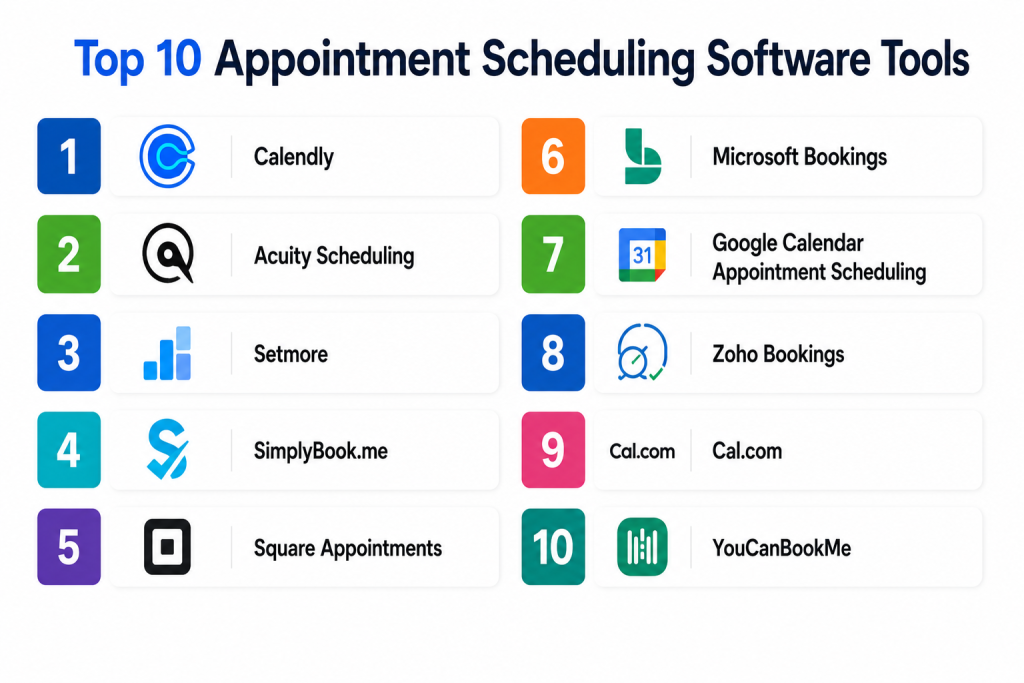
Top 10 Appointment Scheduling Software Tools
1 — Calendly
Short description:
Calendly is one of the most widely recognized appointment scheduling tools for professionals, sales teams, recruiters, consultants, and enterprises. It allows users to share booking links, manage availability, automate reminders, and connect meetings with calendars and video tools. Calendly is especially useful for reducing back-and-forth scheduling emails. It supports individual scheduling, team scheduling, routing forms, and automated workflows. It is a strong choice for businesses that need simple scheduling with strong integrations.
Key Features
- Personal and team booking links
- Calendar sync
- Automated reminders and follow-ups
- Meeting routing options
- Video meeting integrations
- Custom booking rules
- Workflow automation
Pros
- Very easy to use and share
- Strong integrations with business tools
- Good for individuals, teams, and enterprises
Cons
- Advanced routing may require higher plans
- Custom branding options may be limited on lower plans
- Not ideal for highly industry-specific scheduling workflows
Platforms / Deployment
Web / iOS / Android
Cloud
Security & Compliance
Supports SSO/SAML on selected business plans, role-based controls, and admin features. Specific certifications: Not publicly stated.
Integrations & Ecosystem
Calendly has a strong integration ecosystem for sales, recruiting, support, and professional services.
- Google Calendar
- Microsoft Outlook Calendar
- Zoom
- Microsoft Teams
- Salesforce
- Stripe
Support & Community
Calendly provides documentation, help center resources, business support options, and a large user base. Enterprise support may vary by plan.
2 — Acuity Scheduling
Short description:
Acuity Scheduling is a flexible appointment scheduling platform popular with service businesses, consultants, coaches, salons, wellness providers, and small teams. It supports appointment booking, intake forms, payments, packages, subscriptions, and client self-scheduling. Acuity is useful for businesses that want more than a simple meeting link. It works well when appointments require forms, payments, cancellation rules, or customer-facing booking pages. It is a strong option for service-led businesses.
Key Features
- Client self-scheduling
- Custom intake forms
- Payment collection
- Appointment packages
- Calendar sync
- Automated reminders
- Booking page customization
Pros
- Strong for service-based businesses
- Supports payments and forms
- Good customization options
Cons
- Interface may feel detailed for simple users
- Some features may require setup time
- Enterprise-level team scheduling may need careful evaluation
Platforms / Deployment
Web / iOS / Android
Cloud
Security & Compliance
Supports user access controls and secure payment workflows through payment integrations. Specific certifications: Not publicly stated.
Integrations & Ecosystem
Acuity connects well with calendars, payments, websites, and business workflows.
- Google Calendar
- Microsoft Outlook Calendar
- Stripe
- Square
- Zoom
- Website embeds
Support & Community
Documentation and support resources are available. It is widely used among small businesses and service professionals.
3 — Setmore
Short description:
Setmore is an appointment scheduling tool designed for small businesses, service providers, teams, and customer-facing professionals. It helps users create booking pages, accept appointments, send reminders, manage staff calendars, and offer video appointments. Setmore is practical for salons, clinics, consultants, educators, repair services, and local businesses. It is known for simple setup and accessible pricing. It is a good fit for teams that want appointment booking without heavy complexity.
Key Features
- Online booking page
- Staff scheduling
- Appointment reminders
- Calendar sync
- Video meeting support
- Payment integrations
- Customer management features
Pros
- Easy for small businesses to start
- Good free or entry-level value
- Supports team and staff scheduling
Cons
- Advanced automation may be limited
- Customization depth may not match premium tools
- Enterprise features may be limited
Platforms / Deployment
Web / iOS / Android
Cloud
Security & Compliance
Supports account-level security and user management features. Specific certifications: Not publicly stated.
Integrations & Ecosystem
Setmore supports common business workflows for bookings and payments.
- Google Calendar
- Zoom
- Stripe
- Square
- Website booking
- Social media booking options
Support & Community
Setmore provides documentation, support resources, and onboarding help. It is suitable for SMBs and service-led teams.
4 — SimplyBook.me
Short description:
SimplyBook.me is an appointment scheduling platform designed for many service industries, including beauty, healthcare, education, fitness, consulting, and professional services. It supports online booking pages, custom forms, payments, memberships, coupons, and service categories. The platform is useful for businesses that need flexible booking workflows and industry-specific customization. It can support both small businesses and multi-location teams. It is a strong choice when booking rules and service variety matter.
Key Features
- Online booking website
- Service and staff scheduling
- Custom booking forms
- Payment collection
- Membership and package options
- Notifications and reminders
- Multi-location support
Pros
- Flexible for many service industries
- Strong customization options
- Supports payments and booking add-ons
Cons
- Feature setup can take time
- Interface may feel busy for simple needs
- Some capabilities depend on selected add-ons
Platforms / Deployment
Web / iOS / Android
Cloud
Security & Compliance
Supports user permissions and data controls. Specific certifications: Not publicly stated.
Integrations & Ecosystem
SimplyBook.me supports scheduling, payments, communication, and website workflows.
- Google Calendar
- Outlook Calendar
- Stripe
- PayPal
- Zoom
- Website integrations
Support & Community
Documentation, help resources, and support options are available. It is useful for businesses that need guidance during setup.
5 — Square Appointments
Short description:
Square Appointments is an appointment scheduling solution built for businesses that also need payments, point-of-sale, client management, and service booking. It is especially useful for salons, spas, wellness providers, fitness professionals, consultants, and local service businesses. The platform combines scheduling with Square’s payment ecosystem. It helps teams manage appointments, staff calendars, customer records, and payments in one place. It is a strong choice for businesses already using Square.
Key Features
- Online appointment booking
- Staff calendar management
- Payment processing
- Customer profiles
- Automated reminders
- POS ecosystem support
- Service and location management
Pros
- Strong fit for service businesses
- Good connection with payments and POS
- Simple for local businesses
Cons
- Best value comes within Square ecosystem
- Not ideal for complex enterprise scheduling
- Some advanced features may depend on plan or region
Platforms / Deployment
Web / iOS / Android
Cloud
Security & Compliance
Payment security is handled through Square’s payment ecosystem. Other specific certifications: Not publicly stated.
Integrations & Ecosystem
Square Appointments works best with Square’s broader business platform.
- Square Payments
- Square POS
- Customer directory
- Staff management
- Online booking
- Marketing tools
Support & Community
Square provides documentation, business support resources, and help center content. It is widely used by small service businesses.
6 — Microsoft Bookings
Short description:
Microsoft Bookings is an appointment scheduling tool included with selected Microsoft 365 plans. It helps organizations create booking pages, manage staff availability, send confirmations, and schedule customer appointments. It is useful for businesses already using Microsoft Teams, Outlook, and Microsoft 365. Microsoft Bookings works well for internal teams, education, healthcare administration, professional services, and customer appointment workflows. It is a practical option for Microsoft-centered organizations.
Key Features
- Booking pages
- Outlook calendar integration
- Staff availability management
- Customer notifications
- Microsoft Teams meeting support
- Appointment policies
- Admin controls
Pros
- Strong fit for Microsoft 365 users
- Good calendar and Teams integration
- Practical for business and internal scheduling
Cons
- Less flexible than dedicated scheduling platforms
- Custom branding may be limited
- Best suited for Microsoft ecosystem users
Platforms / Deployment
Web / iOS / Android through Microsoft apps
Cloud
Security & Compliance
Benefits from Microsoft 365 security controls such as identity management and admin permissions. Specific certifications depend on Microsoft 365 environment and plan.
Integrations & Ecosystem
Microsoft Bookings integrates naturally with Microsoft workplace tools.
- Outlook Calendar
- Microsoft Teams
- Microsoft 365
- Exchange
- Microsoft admin center
- Staff directories
Support & Community
Microsoft provides documentation, admin guidance, and support through Microsoft 365 channels. Community knowledge is strong due to broad Microsoft adoption.
7 — Google Calendar Appointment Scheduling
Short description:
Google Calendar Appointment Scheduling helps users create appointment schedules directly inside Google Calendar. It is useful for individuals, educators, consultants, small businesses, and teams already using Google Workspace. Users can create booking pages, define availability, collect appointment details, and share booking links. It is simple and convenient for Google-first users. It is best for teams that need basic scheduling without adopting a separate appointment platform.
Key Features
- Appointment booking pages
- Google Calendar sync
- Availability management
- Booking form fields
- Email confirmations
- Google Meet support
- Simple sharing links
Pros
- Easy for Google Workspace users
- No need for a separate scheduling tool in simple cases
- Good for educators, consultants, and small teams
Cons
- Limited advanced workflow automation
- Not ideal for complex service businesses
- Fewer industry-specific features than dedicated tools
Platforms / Deployment
Web / iOS / Android through Google Calendar
Cloud
Security & Compliance
Uses Google account and Workspace security controls. Specific certifications depend on Google Workspace environment and plan.
Integrations & Ecosystem
Google Calendar Appointment Scheduling works within the Google ecosystem.
- Google Calendar
- Google Meet
- Gmail
- Google Workspace
- Booking page sharing
- Basic form collection
Support & Community
Google provides help documentation and workspace support options depending on plan. Community knowledge is broad because many users already use Google Calendar.
8 — Zoho Bookings
Short description:
Zoho Bookings is an appointment scheduling platform designed for businesses using Zoho products or teams that want scheduling connected with CRM and business workflows. It supports booking pages, calendar sync, staff scheduling, reminders, payments, and customer management. It is useful for consultants, sales teams, service businesses, support teams, and SMBs. Zoho Bookings is especially valuable for companies already using Zoho CRM or Zoho Workplace. It provides a good balance of scheduling and business process integration.
Key Features
- Online booking pages
- Staff and team scheduling
- Calendar sync
- Automated reminders
- Payment options
- CRM integration
- Custom booking forms
Pros
- Strong fit for Zoho ecosystem users
- Good for sales and service workflows
- Useful customization options
Cons
- Best value comes with Zoho products
- Interface may require learning for new users
- Some integrations may need configuration
Platforms / Deployment
Web / iOS / Android
Cloud
Security & Compliance
Supports user roles and account security controls. Specific certifications: Not publicly stated.
Integrations & Ecosystem
Zoho Bookings connects scheduling with Zoho’s business ecosystem and external tools.
- Zoho CRM
- Zoho Calendar
- Google Calendar
- Microsoft Outlook Calendar
- Payment tools
- Video meeting tools
Support & Community
Zoho provides documentation, support resources, and community forums. It is suitable for teams already using Zoho products.
9 — Cal.com
Short description:
Cal.com is an appointment scheduling platform known for flexibility, developer-friendly options, and open scheduling workflows. It supports booking links, team scheduling, routing, calendar integrations, and customization. Cal.com is useful for startups, developers, SaaS companies, agencies, sales teams, and teams that want more control over scheduling. It offers cloud usage and self-hosting options for technical teams. It is a strong choice for organizations that need scheduling flexibility and extensibility.
Key Features
- Booking links
- Team scheduling
- Calendar integrations
- Routing forms
- Workflow automation
- API and developer options
- Self-hosting option
Pros
- Flexible and developer-friendly
- Supports cloud and self-hosted deployment
- Good for teams needing customization
Cons
- Self-hosting requires technical skills
- Some users may prefer simpler tools
- Advanced configuration can take time
Platforms / Deployment
Web
Cloud / Self-hosted / Hybrid
Security & Compliance
Supports account security and admin controls. Specific certifications: Not publicly stated.
Integrations & Ecosystem
Cal.com supports modern scheduling workflows and developer extensibility.
- Google Calendar
- Outlook Calendar
- Zoom
- Stripe
- APIs
- Webhooks
Support & Community
Documentation and community resources are available. Developer community strength is stronger than many traditional scheduling tools.
10 — YouCanBookMe
Short description:
YouCanBookMe is an appointment scheduling tool focused on simple booking pages, calendar sync, reminders, and flexible availability rules. It is used by consultants, educators, customer success teams, recruiters, sales professionals, and small businesses. The platform helps users reduce scheduling emails and create a smooth booking process. It is practical for people who want reliable scheduling without too much complexity. It is a good fit for teams that need customizable booking pages and calendar-based availability.
Key Features
- Custom booking pages
- Calendar sync
- Automated reminders
- Time-zone handling
- Team scheduling options
- Booking forms
- Availability rules
Pros
- Simple and practical scheduling experience
- Good booking page customization
- Useful for education, consulting, and sales
Cons
- Less broad ecosystem than some larger platforms
- Advanced automation may be limited
- Enterprise features may vary
Platforms / Deployment
Web
Cloud
Security & Compliance
Supports account controls and scheduling permissions. Specific certifications: Not publicly stated.
Integrations & Ecosystem
YouCanBookMe connects well with calendar and meeting workflows.
- Google Calendar
- Microsoft Outlook Calendar
- Zoom
- Microsoft Teams
- Notifications
- Booking forms
Support & Community
Documentation and support resources are available. It is suitable for individuals, educators, and business teams that need straightforward scheduling.
Comparison Table
| Tool Name | Best For | Platform(s) Supported | Deployment | Standout Feature | Public Rating |
|---|---|---|---|---|---|
| Calendly | Sales, recruiting, and professional scheduling | Web, iOS, Android | Cloud | Easy booking links and automation | N/A |
| Acuity Scheduling | Service businesses and consultants | Web, iOS, Android | Cloud | Forms, payments, and client scheduling | N/A |
| Setmore | Small businesses and local services | Web, iOS, Android | Cloud | Simple team appointment booking | N/A |
| SimplyBook.me | Multi-service businesses | Web, iOS, Android | Cloud | Flexible service booking workflows | N/A |
| Square Appointments | Service businesses using payments | Web, iOS, Android | Cloud | Scheduling with POS and payments | N/A |
| Microsoft Bookings | Microsoft 365 users | Web, iOS, Android through Microsoft apps | Cloud | Outlook and Teams integration | N/A |
| Google Calendar Appointment Scheduling | Google Workspace users | Web, iOS, Android through Google Calendar | Cloud | Native Google Calendar booking | N/A |
| Zoho Bookings | Zoho ecosystem users | Web, iOS, Android | Cloud | CRM-connected scheduling | N/A |
| Cal.com | Developers and customizable scheduling | Web | Cloud / Self-hosted / Hybrid | Flexible and developer-friendly scheduling | N/A |
| YouCanBookMe | Simple booking page workflows | Web | Cloud | Custom booking pages and calendar sync | N/A |
Evaluation & Scoring of Appointment Scheduling Software
| Tool Name | Core (25%) | Ease (15%) | Integrations (15%) | Security (10%) | Performance (10%) | Support (10%) | Value (15%) | Weighted Total |
|---|---|---|---|---|---|---|---|---|
| Calendly | 9 | 9 | 9 | 8 | 9 | 8 | 8 | 8.60 |
| Acuity Scheduling | 8 | 8 | 8 | 7 | 8 | 8 | 8 | 7.90 |
| Setmore | 8 | 9 | 7 | 7 | 8 | 7 | 9 | 7.95 |
| SimplyBook.me | 8 | 7 | 8 | 7 | 8 | 7 | 8 | 7.65 |
| Square Appointments | 8 | 8 | 8 | 8 | 8 | 8 | 8 | 8.00 |
| Microsoft Bookings | 8 | 8 | 8 | 8 | 8 | 8 | 8 | 8.00 |
| Google Calendar Appointment Scheduling | 7 | 9 | 7 | 8 | 8 | 7 | 8 | 7.65 |
| Zoho Bookings | 8 | 8 | 8 | 8 | 8 | 8 | 8 | 8.00 |
| Cal.com | 8 | 7 | 9 | 7 | 8 | 7 | 8 | 7.85 |
| YouCanBookMe | 7 | 8 | 7 | 7 | 8 | 7 | 8 | 7.45 |
These scores are comparative and should be used as a practical guide, not as a final buying decision. A higher score means the tool performs strongly across multiple areas. However, the right tool depends on your scheduling volume, team size, industry, integrations, budget, and security needs. A solo consultant may prefer simplicity, while an enterprise sales team may need routing, automation, and CRM integrations.
Which Appointment Scheduling Software Tool Is Right for You?
Solo / Freelancer
Solo professionals should look for tools that are simple, affordable, and easy to share with clients. Calendly, YouCanBookMe, Google Calendar Appointment Scheduling, and Setmore are practical options.
If you charge for appointments, Acuity Scheduling or Square Appointments may be better because they support service booking and payments.
SMB
Small and medium businesses should consider Setmore, Acuity Scheduling, SimplyBook.me, Square Appointments, and Zoho Bookings. These tools support staff calendars, reminders, booking pages, and customer-facing scheduling.
SMBs should focus on no-show reduction, payment collection, booking rules, customer experience, and simple reporting.
Mid-Market
Mid-market teams often need more integrations, workflow automation, team scheduling, and better admin control. Calendly, Zoho Bookings, Microsoft Bookings, Cal.com, and SimplyBook.me are strong options.
Teams should evaluate CRM integration, calendar sync, permissions, routing, and reporting before making a final choice.
Enterprise
Enterprises should consider Calendly, Microsoft Bookings, Zoho Bookings, and Cal.com depending on ecosystem and technical needs. Large teams may need SSO, routing, admin controls, audit visibility, and CRM-connected scheduling.
Enterprise buyers should involve IT, sales operations, HR, compliance, and procurement teams.
Budget vs Premium
For budget-conscious users, Setmore, Google Calendar Appointment Scheduling, and YouCanBookMe are practical. For premium workflows, Calendly, Acuity Scheduling, SimplyBook.me, and Zoho Bookings provide more depth.
The best value depends on whether you need payments, reminders, team scheduling, or CRM workflows.
Feature Depth vs Ease of Use
For ease of use, Calendly, Google Calendar Appointment Scheduling, Setmore, and YouCanBookMe are strong. For deeper features, Acuity Scheduling, SimplyBook.me, Zoho Bookings, and Cal.com offer more flexibility.
Simple tools are best for quick booking. Deeper tools are better when scheduling is part of a larger business process.
Integrations & Scalability
For integrations, Calendly, Zoho Bookings, Microsoft Bookings, and Cal.com are strong choices. Businesses using Square should consider Square Appointments, while Google Workspace users may prefer Google’s built-in scheduling.
Scalability matters when you have many staff members, locations, appointment types, departments, or routing rules.
Security & Compliance Needs
Security-focused buyers should check SSO, MFA, RBAC, audit logs, encryption, user permissions, and data retention settings. Healthcare, education, and finance teams should validate compliance requirements directly with vendors.
Do not choose appointment software only by appearance. Security, reliability, and integration fit are equally important.
Frequently Asked Questions
1. What is Appointment Scheduling Software?
Appointment Scheduling Software allows customers, clients, or team members to book meetings or services online. It manages availability, confirmations, reminders, cancellations, and calendar syncing.
2. How does Appointment Scheduling Software work?
A business creates a booking page with available time slots. Customers choose a time, enter details, receive confirmation, and the appointment is added to the connected calendar.
3. What are the main benefits of appointment scheduling tools?
The main benefits include less manual scheduling, fewer missed appointments, better customer experience, faster booking, automatic reminders, and improved team productivity.
4. Is appointment scheduling software only for service businesses?
No. It is also useful for sales teams, recruiters, consultants, educators, support teams, healthcare admins, and internal business teams that schedule meetings regularly.
5. What pricing model is common for appointment scheduling tools?
Pricing may be per user, per staff member, per location, per feature, or subscription-based. Some tools offer free plans, while advanced business plans may cost more.
6. Can appointment scheduling software collect payments?
Yes, many tools support payment collection through payment integrations. This is useful for consultants, salons, coaches, trainers, clinics, and service providers.
7. What is the biggest mistake buyers make?
The biggest mistake is choosing a tool only because it looks simple. Buyers should also check calendar sync, reminders, integrations, payment options, security, and cancellation rules.
8. Can scheduling tools integrate with CRM systems?
Yes, many scheduling tools integrate with CRM platforms. This helps sales and customer teams connect booked meetings with leads, contacts, opportunities, and follow-up workflows.
9. Is Appointment Scheduling Software secure?
It can be secure when configured properly. Buyers should look for MFA, SSO, user permissions, encrypted data handling, admin controls, and strong account management.
10. Can these tools reduce no-shows?
Yes. Automated reminders, confirmation emails, SMS alerts, deposits, cancellation rules, and rescheduling options can help reduce no-shows.
Conclusion
Appointment Scheduling Software helps businesses save time, improve customer experience, reduce no-shows, and organize appointments more professionally. Calendly is strong for modern business scheduling, sales, and recruiting. Acuity Scheduling, Square Appointments, and SimplyBook.me are useful for service-based businesses. Microsoft Bookings and Google Calendar Appointment Scheduling are practical for teams already using those ecosystems. Zoho Bookings works well for CRM-connected businesses, while Cal.com is strong for teams that need flexibility and developer-friendly options.There is no single best appointment scheduling tool for everyone. The right choice depends on your team size, appointment volume, industry, payment needs, integrations, and security expectations.
