Upgrade & Secure Your Future with DevOps, SRE, DevSecOps, MLOps!
We spend hours scrolling social media and waste money on things we forget, but won’t spend 30 minutes a day earning certifications that can change our lives.
Master in DevOps, SRE, DevSecOps & MLOps by DevOps School!
Learn from Guru Rajesh Kumar and double your salary in just one year.
Introduction
Computerized Maintenance Management Systems, commonly called CMMS, are software platforms that help organizations manage maintenance work in a structured and digital way. In simple language, a CMMS helps teams create work orders, schedule preventive maintenance, track equipment history, manage spare parts, monitor downtime, and improve technician productivity.
CMMS software matters more in the current business environment because companies are under pressure to reduce equipment failures, control maintenance costs, improve safety, and make better use of limited maintenance staff. Instead of waiting for machines, buildings, vehicles, or assets to break down, businesses can use CMMS tools to plan maintenance before problems become expensive.
Common use cases include preventive maintenance scheduling, work order tracking, asset lifecycle management, spare parts inventory, inspection management, compliance documentation, and maintenance performance reporting.
Buyers should evaluate ease of use, mobile app quality, asset tracking, preventive maintenance depth, reporting, integrations, inventory management, security controls, implementation effort, and total cost.
Best for: Maintenance managers, facility managers, plant managers, operations teams, reliability engineers, manufacturers, healthcare facilities, schools, hotels, warehouses, utilities, property teams, and asset-heavy organizations.
Not ideal for: Very small teams with only a few assets, businesses that only need simple task reminders, or organizations already using a strong enterprise asset management system with no need for a separate CMMS.
Key Trends in Computerized Maintenance Management Systems (CMMS)
- AI-assisted maintenance planning: CMMS platforms are adding smarter recommendations to help teams prioritize work orders, detect patterns, and plan maintenance more effectively.
- Predictive maintenance adoption: More organizations are connecting CMMS platforms with IoT sensors, meters, and condition-monitoring tools to predict failures before they happen.
- Mobile-first technician experience: Maintenance staff now expect mobile apps for work orders, photos, checklists, QR codes, barcode scanning, and offline updates.
- Stronger compliance documentation: Industries such as healthcare, manufacturing, education, food production, and utilities need better audit trails, inspection logs, and approval workflows.
- Cloud-based CMMS growth: Cloud deployment continues to grow because it reduces IT overhead, supports remote teams, and improves access across locations.
- ERP and finance integration: Maintenance data is becoming more connected with purchasing, accounting, asset depreciation, inventory, and operational planning systems.
- Focus on asset lifecycle cost: Buyers are looking beyond repairs and tracking the full cost of ownership for machines, tools, buildings, vehicles, and production assets.
- More configurable workflows: Modern CMMS tools offer customizable forms, approval steps, technician roles, inspection templates, and maintenance categories.
- Data-driven maintenance KPIs: Teams are tracking metrics such as downtime, MTTR, MTBF, backlog, labor utilization, preventive maintenance compliance, and parts consumption.
- User adoption as a buying priority: A powerful CMMS is not useful if technicians do not use it. Buyers are now giving more importance to ease of use and training effort.
How We Selected These Tools
The following CMMS tools were selected using a practical SaaS and maintenance software evaluation approach:
- Market adoption and recognition in the maintenance management category
- Strength of work order, preventive maintenance, and asset management features
- Fit across different company sizes, from SMB to enterprise
- Mobile usability for technicians and field teams
- Inventory, spare parts, inspection, and reporting capabilities
- Flexibility for facilities, manufacturing, healthcare, education, utilities, and operations teams
- Integration potential with ERP, finance, IoT, reporting, and business systems
- Security posture signals such as permissions, roles, audit logs, and admin controls
- Support quality, onboarding resources, training, and implementation guidance
- Practical value for teams moving away from spreadsheets, paper forms, or legacy systems
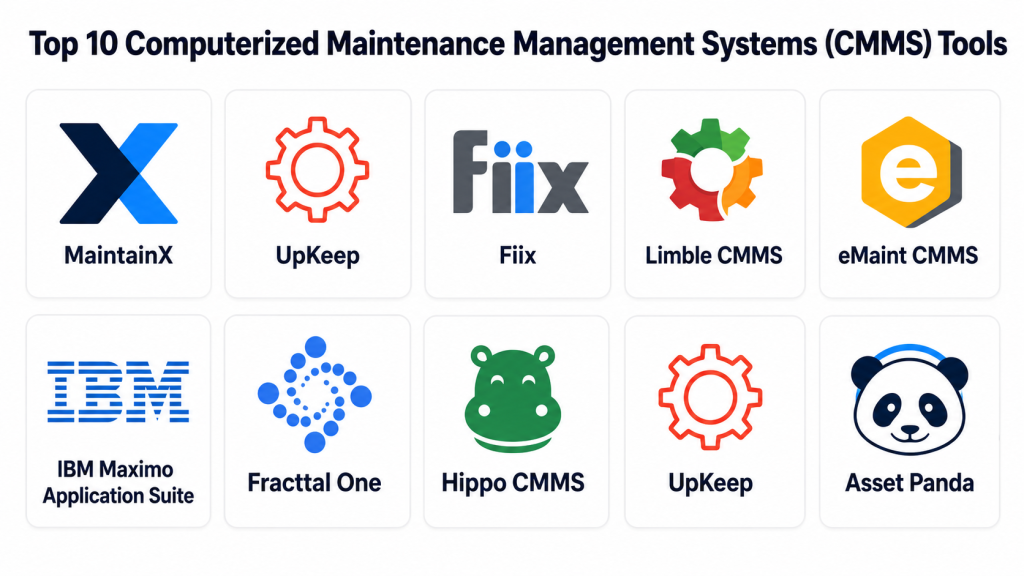
Top 10 Computerized Maintenance Management Systems (CMMS) Tools
#1 — MaintainX
Short description:
MaintainX is a modern CMMS platform built for work orders, preventive maintenance, inspections, procedures, and frontline operations. It is especially useful for teams that want a clean and mobile-friendly maintenance system. The platform supports maintenance teams in manufacturing, facilities, hospitality, food operations, and multi-location environments. MaintainX helps technicians receive tasks, complete checklists, upload photos, and communicate from the field. It is a strong choice for teams moving away from paper forms, spreadsheets, and informal messaging-based maintenance processes.
Key Features
- Work order creation, assignment, and tracking
- Preventive maintenance scheduling
- Digital checklists and inspection forms
- Mobile app for technicians and frontline workers
- Asset history and maintenance records
- Team communication around maintenance tasks
- Reporting dashboards for maintenance activity
Pros
- Easy for technicians to learn and use
- Strong mobile-first experience
- Good fit for teams replacing manual maintenance workflows
Cons
- Advanced enterprise asset management may require deeper evaluation
- Some advanced reporting and integrations may depend on plan level
- Large organizations may need structured implementation planning
Platforms / Deployment
Web / iOS / Android
Cloud
Security & Compliance
Role-based access, admin controls, and security features may be available depending on the plan. Specific certifications such as SOC 2, ISO 27001, GDPR, or HIPAA should be verified directly with the vendor. If not confirmed, treat them as Not publicly stated.
Integrations & Ecosystem
MaintainX can fit well into maintenance environments that need connections with business systems, operational workflows, and reporting tools. Buyers should validate required integrations before purchase.
- API availability may vary by plan
- ERP integration should be checked
- Useful for operations and maintenance workflows
- Supports digital forms and procedures
- Reporting exports may support management review
Support & Community
MaintainX generally provides documentation, onboarding resources, and customer support options. Support depth may vary by subscription level, company size, and implementation needs.
#2 — UpKeep
Short description:
UpKeep is a widely recognized CMMS platform designed for maintenance, facilities, and operations teams. It helps users manage work orders, preventive maintenance, assets, requests, and spare parts from one system. The platform is suitable for organizations that want a practical balance between usability and maintenance depth. UpKeep is commonly considered by businesses moving from spreadsheets or older systems to a cloud-based CMMS. It can serve teams in manufacturing, property management, facilities, education, and general operations.
Key Features
- Work order management
- Preventive maintenance scheduling
- Asset and equipment tracking
- Inventory and parts management
- Maintenance request portal
- Mobile technician app
- Reporting and dashboard capabilities
Pros
- Strong general-purpose CMMS functionality
- Useful for many industries and team sizes
- Mobile access supports distributed maintenance teams
Cons
- Advanced configuration may require planning
- Pricing and feature access may vary by plan
- Complex enterprise environments should review integration depth
Platforms / Deployment
Web / iOS / Android
Cloud
Security & Compliance
Access controls and administrative features may be available. Specific compliance certifications such as SOC 2, ISO 27001, GDPR, or HIPAA should be confirmed with the vendor. If not verified, use Not publicly stated.
Integrations & Ecosystem
UpKeep can support maintenance teams that need to connect work orders and asset records with wider operational systems. Integration planning is important for larger teams.
- API availability may depend on plan
- ERP and finance integrations should be validated
- Maintenance request workflows
- Inventory-related workflows
- Reporting exports for analysis
Support & Community
UpKeep generally offers help resources, onboarding support, documentation, and customer service options. Larger organizations should confirm implementation support, training, and support response expectations.
#3 — Fiix
Short description:
Fiix is a CMMS platform focused on work orders, preventive maintenance, asset tracking, inventory, and maintenance reporting. It is suitable for teams that want better visibility into maintenance performance and equipment history. Fiix is often considered by manufacturing, facilities, and operations teams that want to become more data-driven. The platform can support both growing maintenance departments and more mature maintenance operations. It is useful for organizations that want to reduce downtime, organize assets, and improve preventive maintenance compliance.
Key Features
- Work order tracking and assignment
- Preventive maintenance automation
- Asset and equipment history
- Parts and inventory management
- Maintenance reporting and analytics
- Mobile access for technicians
- Maintenance KPI tracking
Pros
- Strong fit for maintenance analytics and asset tracking
- Useful for teams improving preventive maintenance programs
- Suitable for structured maintenance departments
Cons
- Setup quality depends on clean asset and parts data
- Advanced workflows may need configuration
- Integration needs should be reviewed before purchase
Platforms / Deployment
Web / iOS / Android
Cloud
Security & Compliance
Role-based permissions, user controls, and enterprise security options may be available depending on the plan. Specific certifications should be verified directly with the vendor. If not confirmed, use Not publicly stated.
Integrations & Ecosystem
Fiix can support organizations that need maintenance data connected with operations, reporting, and enterprise systems.
- API availability may vary
- ERP connectivity should be validated
- Useful for reliability reporting
- Supports inventory and asset workflows
- Reporting exports may help maintenance leaders
Support & Community
Fiix provides documentation, training resources, and support options. Organizations with larger rollouts should confirm migration support, onboarding services, and admin training.
#4 — Limble CMMS
Short description:
Limble CMMS is a maintenance management platform designed to simplify work orders, preventive maintenance, asset management, spare parts, and reporting. It is often chosen by teams that want a practical CMMS without heavy complexity. Limble is suitable for manufacturing plants, facilities, schools, warehouses, and multi-location maintenance teams. The platform focuses on making maintenance tasks easy for technicians while still giving managers useful visibility. It works well for teams that want fast adoption and better preventive maintenance control.
Key Features
- Work order and request management
- Preventive maintenance scheduling
- Asset tracking and maintenance history
- Spare parts and inventory tracking
- Mobile app for technicians
- QR code and asset lookup support
- Maintenance dashboards and reporting
Pros
- User-friendly interface
- Good fit for preventive maintenance programs
- Helpful for teams that need faster adoption
Cons
- Enterprise integrations should be checked carefully
- Complex asset hierarchies may require planning
- Some features may depend on subscription level
Platforms / Deployment
Web / iOS / Android
Cloud
Security & Compliance
Administrative controls and access permissions may be available. Specific certifications such as SOC 2, ISO 27001, GDPR, or HIPAA should be confirmed directly with the vendor. If not confirmed, write Not publicly stated.
Integrations & Ecosystem
Limble can support maintenance teams that need to connect asset, work order, and inventory data with other systems.
- API availability may vary
- ERP and accounting integrations should be reviewed
- QR code-based asset workflows
- Reporting exports for maintenance analysis
- Inventory and parts workflow support
Support & Community
Limble generally offers onboarding support, training resources, and customer assistance. Buyers should verify available support tiers, migration help, and admin training.
#5 — eMaint CMMS
Short description:
eMaint CMMS is a mature maintenance management platform used by organizations with structured asset and maintenance needs. It supports work orders, preventive maintenance, asset records, inventory, reporting, and configurable workflows. eMaint is suitable for teams that need more depth than basic maintenance tracking. It is often considered by manufacturing, facilities, and asset-heavy businesses that want to standardize maintenance processes. The platform can support multi-site operations and reliability-focused maintenance programs.
Key Features
- Work order management
- Preventive maintenance planning
- Asset and equipment tracking
- Inventory and parts management
- Configurable workflows
- Reporting and dashboards
- Multi-site maintenance support
Pros
- Mature CMMS with strong maintenance depth
- Good fit for structured maintenance departments
- Useful for reliability and asset-focused teams
Cons
- May require more implementation planning than lightweight tools
- Configuration depth can create a learning curve
- Smaller teams may not need all capabilities
Platforms / Deployment
Web / Mobile support may vary
Cloud / Varies by offering
Security & Compliance
Enterprise access controls and administrative permissions may be available depending on the plan and configuration. Specific compliance certifications should be verified with the vendor. If not confirmed, use Not publicly stated.
Integrations & Ecosystem
eMaint is useful for organizations that need CMMS data to support broader maintenance, operations, and reporting workflows.
- ERP integration requirements should be validated
- API or connector availability may vary
- Inventory and purchasing workflow support
- Multi-site reporting capabilities
- Asset performance reporting
Support & Community
eMaint typically offers implementation resources, training, support, and customer success options. Larger organizations should evaluate onboarding depth, migration support, and administrator training.
#6 — IBM Maximo Application Suite
Short description:
IBM Maximo Application Suite is an enterprise-grade asset management and maintenance platform for large, asset-intensive organizations. It goes beyond basic CMMS by supporting asset lifecycle management, reliability, inspections, monitoring, and enterprise maintenance operations. Maximo is best suited for industries such as utilities, transportation, manufacturing, energy, infrastructure, and large facilities. It is powerful, but it usually requires serious implementation planning and skilled administration. Organizations choose Maximo when maintenance is closely connected with enterprise operations, compliance, and asset performance.
Key Features
- Enterprise asset management
- Work order and maintenance management
- Asset lifecycle tracking
- Inspection and reliability workflows
- Advanced analytics and monitoring capabilities
- Complex asset hierarchy support
- Enterprise integration potential
Pros
- Strong fit for large and complex asset environments
- Deep functionality beyond standard CMMS tools
- Suitable for regulated and asset-intensive industries
Cons
- Implementation can be complex
- May be too heavy for small or simple teams
- Requires proper governance and skilled administration
Platforms / Deployment
Web
Cloud / Hybrid / Enterprise deployment options may vary
Security & Compliance
Enterprise security features may include identity management, access controls, auditability, and administrative governance depending on deployment. Specific certifications and compliance requirements should be validated directly. If not confirmed, use Not publicly stated.
Integrations & Ecosystem
IBM Maximo is built for enterprise environments where asset data connects with operations, finance, monitoring, analytics, and business systems.
- ERP and enterprise system integration
- IoT and asset monitoring use cases
- Analytics and reporting ecosystem
- APIs and extensibility
- Partner implementation ecosystem
- Suitable for complex asset operations
Support & Community
IBM Maximo has enterprise support options, documentation, implementation partners, and a mature user ecosystem. Support experience depends on deployment model, contract, and partner involvement.
#7 — Fracttal One
Short description:
Fracttal One is a cloud-based maintenance management platform focused on work orders, assets, preventive maintenance, analytics, and mobile maintenance workflows. It is designed for teams that want a modern CMMS with better digital visibility. Fracttal can support facilities, manufacturing, services, healthcare, and asset-heavy operations. The platform is useful for businesses that want to modernize maintenance processes and reduce manual tracking. It can help teams manage maintenance across assets, technicians, and locations.
Key Features
- Work order management
- Preventive maintenance planning
- Asset and equipment records
- Mobile maintenance workflows
- Maintenance dashboards and analytics
- Inventory and spare parts tracking
- Multi-location maintenance support
Pros
- Modern cloud-based maintenance experience
- Useful for mobile technician workflows
- Good visibility into maintenance activity
Cons
- Advanced integrations should be validated
- Regional support availability may vary
- Enterprise requirements should be reviewed carefully
Platforms / Deployment
Web / iOS / Android
Cloud
Security & Compliance
Security features may include user roles, permissions, and administrative controls depending on plan. Specific compliance certifications should be verified directly with the vendor. If not confirmed, use Not publicly stated.
Integrations & Ecosystem
Fracttal One can support connected maintenance workflows, but buyers should confirm ecosystem fit with their internal systems.
- API availability may vary
- ERP integration should be reviewed
- Asset and inventory workflow support
- Reporting and analytics exports
- Mobile maintenance data capture
Support & Community
Fracttal provides customer support and onboarding resources. Buyers should confirm implementation help, training availability, support channels, and response expectations.
#8 — Hippo CMMS
Short description:
Hippo CMMS is a maintenance management platform focused on making work orders, preventive maintenance, asset tracking, and maintenance requests easier to manage. It is often used by facilities, schools, healthcare sites, hospitality teams, and small to mid-sized maintenance departments. Hippo is a good option for teams that want a simple CMMS without too much complexity. It helps organizations centralize maintenance requests, schedule recurring work, and keep maintenance records organized. It is especially useful for teams moving from paper, email, or spreadsheets.
Key Features
- Work order management
- Preventive maintenance scheduling
- Equipment and asset tracking
- Maintenance request management
- Inventory and parts tracking
- Maintenance calendar
- Reporting and maintenance history
Pros
- Simple and practical for facility teams
- Easier learning curve for non-technical users
- Helpful for organizing maintenance requests
Cons
- May not be as deep as enterprise EAM platforms
- Advanced analytics may be limited compared with larger systems
- Integration needs should be validated before purchase
Platforms / Deployment
Web / Mobile support may vary
Cloud
Security & Compliance
Basic access controls may be available depending on the plan. Specific certifications and compliance details should be verified with the vendor. If not verified, write Not publicly stated.
Integrations & Ecosystem
Hippo CMMS works well for teams that need practical maintenance organization. Buyers should confirm integrations if they need ERP, accounting, or enterprise workflow connections.
- Maintenance request workflows
- Work order and asset data exports
- Inventory process support
- Reporting options may vary
- ERP integration should be validated
Support & Community
Hippo generally offers support and onboarding assistance. Buyers should confirm training options, migration help, admin setup support, and support response expectations.
#9 — Brightly Asset Essentials
Short description:
Brightly Asset Essentials is a maintenance and asset management platform often used by facilities, education, government, healthcare, and public-sector organizations. It helps teams manage work orders, preventive maintenance, inspections, assets, and facility operations. Brightly is useful for organizations that need better visibility across buildings, teams, and assets. The platform can support structured maintenance programs across multiple sites. It is especially suitable for organizations where facility condition, maintenance planning, and asset accountability are important.
Key Features
- Work order and request management
- Preventive maintenance scheduling
- Asset and facility tracking
- Inspection workflows
- Reporting and dashboards
- Multi-site maintenance visibility
- Facility operations support
Pros
- Strong fit for facilities and public-sector maintenance teams
- Useful for multi-location operations
- Supports structured asset and facility workflows
Cons
- May require implementation planning
- Smaller teams may find it more than they need
- Integration and reporting depth should be validated
Platforms / Deployment
Web / Mobile support may vary
Cloud
Security & Compliance
Role-based access, administrative controls, and auditability may be available depending on plan and configuration. Specific certifications should be confirmed with the vendor. If not confirmed, use Not publicly stated.
Integrations & Ecosystem
Brightly Asset Essentials can support organizations where facilities, assets, and operational data need to work together.
- Facility and asset data workflows
- Reporting and dashboard capabilities
- Integration requirements should be reviewed
- Multi-location maintenance support
- Useful for public-sector and education environments
Support & Community
Brightly provides support, onboarding, and implementation resources. Organizations with complex facility networks should evaluate training, migration help, and customer success options.
#10 — Asset Panda
Short description:
Asset Panda is an asset tracking and management platform that can support maintenance-related workflows for teams that need flexible asset records and service history tracking. It is not always positioned as a traditional CMMS-only product, but it can be useful for businesses that need asset visibility along with maintenance tracking. Asset Panda supports organizations managing equipment, tools, IT assets, facilities, and operational assets. It is best for teams that want configurable asset workflows and mobile access. It can be a strong fit when asset tracking flexibility is more important than deep maintenance complexity.
Key Features
- Asset tracking and lifecycle records
- Mobile asset lookup and updates
- Custom fields and configurable workflows
- Maintenance and service history tracking
- Barcode and QR code support
- Reporting and asset visibility
- User permissions and admin controls
Pros
- Strong asset tracking flexibility
- Useful for many asset types
- Mobile-friendly for field updates and verification
Cons
- May not replace a full CMMS for complex maintenance teams
- Preventive maintenance depth should be evaluated carefully
- Best fit depends on asset workflow requirements
Platforms / Deployment
Web / iOS / Android
Cloud
Security & Compliance
User permissions and administrative controls may be available. Specific certifications such as SOC 2, ISO 27001, GDPR, or HIPAA should be verified directly with the vendor. If not confirmed, mark as Not publicly stated.
Integrations & Ecosystem
Asset Panda can support teams that need asset data connected with reporting, operational workflows, and field updates.
- API availability may vary
- Barcode and QR workflows
- Asset lifecycle data management
- Reporting exports
- Integration needs should be validated before purchase
Support & Community
Asset Panda provides support and onboarding resources. Buyers should confirm training options, implementation guidance, and support availability based on company needs and plan level.
Comparison Table
| Tool Name | Best For | Platform(s) Supported | Deployment | Standout Feature | Public Rating |
|---|---|---|---|---|---|
| MaintainX | Frontline maintenance teams | Web, iOS, Android | Cloud | Mobile-first work orders and procedures | N/A |
| UpKeep | General maintenance and facility teams | Web, iOS, Android | Cloud | Balanced CMMS for work orders, assets, and requests | N/A |
| Fiix | Data-driven maintenance teams | Web, iOS, Android | Cloud | Maintenance analytics and asset tracking | N/A |
| Limble CMMS | Teams needing fast adoption | Web, iOS, Android | Cloud | User-friendly preventive maintenance workflows | N/A |
| eMaint CMMS | Structured maintenance departments | Web, mobile support may vary | Cloud / Varies | Configurable maintenance management | N/A |
| IBM Maximo Application Suite | Large enterprise asset operations | Web | Cloud / Hybrid / Varies | Enterprise asset management depth | N/A |
| Fracttal One | Cloud-first maintenance teams | Web, iOS, Android | Cloud | Connected maintenance and analytics | N/A |
| Hippo CMMS | Facility maintenance teams | Web, mobile support may vary | Cloud | Simple maintenance request and PM management | N/A |
| Brightly Asset Essentials | Facilities, education, and public sector | Web, mobile support may vary | Cloud | Facility and asset operations management | N/A |
| Asset Panda | Flexible asset tracking with maintenance needs | Web, iOS, Android | Cloud | Configurable asset tracking workflows | N/A |
Evaluation & Scoring of Computerized Maintenance Management Systems
| Tool Name | Core (25%) | Ease (15%) | Integrations (15%) | Security (10%) | Performance (10%) | Support (10%) | Value (15%) | Weighted Total (0–10) |
|---|---|---|---|---|---|---|---|---|
| MaintainX | 8.5 | 9.0 | 7.5 | 7.5 | 8.5 | 8.0 | 8.5 | 8.25 |
| UpKeep | 8.5 | 8.5 | 7.5 | 7.5 | 8.0 | 8.0 | 8.0 | 8.05 |
| Fiix | 8.5 | 8.0 | 8.0 | 7.5 | 8.5 | 8.0 | 8.0 | 8.15 |
| Limble CMMS | 8.0 | 8.8 | 7.2 | 7.3 | 8.0 | 8.0 | 8.3 | 8.02 |
| eMaint CMMS | 9.0 | 7.5 | 8.0 | 7.8 | 8.5 | 8.2 | 7.5 | 8.16 |
| IBM Maximo Application Suite | 9.8 | 6.8 | 9.3 | 8.5 | 9.0 | 8.5 | 7.0 | 8.57 |
| Fracttal One | 8.0 | 8.3 | 7.5 | 7.3 | 8.0 | 7.8 | 8.0 | 7.90 |
| Hippo CMMS | 7.5 | 8.5 | 6.8 | 7.0 | 7.8 | 7.8 | 8.0 | 7.62 |
| Brightly Asset Essentials | 8.5 | 7.8 | 7.8 | 7.8 | 8.3 | 8.2 | 7.5 | 8.05 |
| Asset Panda | 7.2 | 8.2 | 7.2 | 7.3 | 8.0 | 7.8 | 8.0 | 7.59 |
These scores are comparative and should not be treated as public ratings. They are designed to help buyers compare tools across core maintenance features, usability, integrations, security, reliability, support, and value. A higher score does not always mean the tool is the best fit for every organization. For example, IBM Maximo may be stronger for complex enterprise asset environments, while MaintainX or Limble may be better for fast technician adoption.
Which CMMS Tool Is Right for You?
Solo / Freelancer
Solo operators, independent facility managers, and very small maintenance teams should choose a simple CMMS that is easy to set up and does not require complex administration. For this segment, the goal is to organize work orders, track assets, and avoid missed maintenance tasks.
Good options include:
- MaintainX for simple mobile work orders
- UpKeep for general maintenance tracking
- Hippo CMMS for basic facility maintenance
- Asset Panda for flexible asset tracking
Avoid choosing a heavy enterprise platform unless you have complex assets, strict compliance, or advanced integration requirements.
SMB
Small and mid-sized businesses usually need a balance of usability, preventive maintenance, asset records, inventory, and reporting. They need more structure than spreadsheets but may not need enterprise-grade asset management.
Good options include:
- Limble CMMS for easy preventive maintenance adoption
- MaintainX for frontline maintenance teams
- UpKeep for balanced CMMS functionality
- Fiix for stronger reporting and maintenance visibility
SMBs should focus on mobile usability, quick onboarding, pricing clarity, and support quality.
Mid-Market
Mid-market organizations often manage multiple locations, larger technician teams, spare parts inventory, and more formal reporting requirements. They may also need integrations with ERP, purchasing, or finance systems.
Good options include:
- Fiix for analytics and asset tracking
- eMaint CMMS for configurable workflows
- Brightly Asset Essentials for facilities and public-sector operations
- Limble CMMS for growing maintenance teams that value ease of use
Mid-market buyers should test workflows, validate integrations, and check data migration support before implementation.
Enterprise
Enterprise organizations need governance, scalability, security controls, compliance support, multi-site reporting, and strong integration potential. They often manage large asset networks and complex maintenance processes.
Good options include:
- IBM Maximo Application Suite for enterprise asset management
- eMaint CMMS for structured maintenance operations
- Brightly Asset Essentials for facility-heavy enterprises
- Fiix for maintenance teams needing modern CMMS capabilities
Enterprise buyers should run a formal pilot, involve IT and security teams, and create a clear change management plan.
Budget vs Premium
Budget-conscious teams should look for tools that provide core work order management, preventive maintenance, asset records, and mobile access without unnecessary modules.
Budget-friendly starting points may include:
- MaintainX
- UpKeep
- Hippo CMMS
- Limble CMMS
Premium buyers needing enterprise control, advanced workflows, integrations, and multi-site governance may prefer:
- IBM Maximo Application Suite
- eMaint CMMS
- Brightly Asset Essentials
- Fiix
Feature Depth vs Ease of Use
If technician adoption is your biggest concern, choose a tool with a simple mobile app and clean workflow.
Best for ease of use:
- MaintainX
- Limble CMMS
- UpKeep
- Hippo CMMS
Best for deeper maintenance and asset management:
- IBM Maximo Application Suite
- eMaint CMMS
- Fiix
- Brightly Asset Essentials
Integrations & Scalability
If your CMMS must connect with ERP, finance, inventory, procurement, IoT sensors, or reporting tools, integration planning is very important. Do not assume every vendor supports your required systems.
Strong candidates for integration-heavy environments include:
- IBM Maximo Application Suite
- eMaint CMMS
- Fiix
- Brightly Asset Essentials
For lighter integration needs, MaintainX, UpKeep, Limble CMMS, Fracttal One, and Asset Panda may be suitable, but buyers should still confirm API and connector availability.
Security & Compliance Needs
Security matters when maintenance data includes sensitive facilities, regulated assets, safety inspections, healthcare equipment, production systems, or critical infrastructure.
Buyers should ask vendors about:
- SSO and SAML
- MFA
- RBAC
- Audit logs
- Data encryption
- Backups and disaster recovery
- Data residency
- Compliance certifications
- User activity tracking
- Admin controls
For high-security and regulated environments, enterprise-focused platforms may be stronger starting points, but every security claim should be verified directly during procurement.
Frequently Asked Questions (FAQs)
1. What is a CMMS?
A CMMS is software that helps organizations manage maintenance work, equipment, technicians, spare parts, and preventive maintenance schedules. It centralizes maintenance activity so teams can reduce downtime and improve visibility.
2. How does CMMS software help reduce downtime?
CMMS software helps teams plan preventive maintenance, track asset history, and respond faster to repair requests. When used correctly, it helps prevent small problems from becoming major equipment failures.
3. What is the difference between CMMS and EAM?
CMMS focuses mainly on maintenance activities such as work orders, repairs, preventive maintenance, and asset history. EAM is broader and covers the full asset lifecycle, including planning, performance, risk, cost, and enterprise governance.
4. How much does CMMS software cost?
CMMS pricing varies by vendor, number of users, assets, locations, and feature modules. Some tools offer tiered plans, while enterprise platforms often use custom pricing based on business needs.
5. How long does it take to implement a CMMS?
Implementation depends on asset count, data quality, team size, integrations, and workflow complexity. A small team may start quickly, while a large organization may need a phased rollout with training and migration support.
6. What are common mistakes when choosing a CMMS?
Common mistakes include choosing a tool that technicians find hard to use, ignoring mobile experience, underestimating data cleanup, skipping integration checks, and buying too many features before defining real maintenance needs.
7. Is CMMS software secure?
Most serious CMMS platforms include user permissions and admin controls, but security depth varies. Buyers should verify MFA, SSO, encryption, audit logs, backups, and compliance details before purchase.
8. Can CMMS software integrate with ERP systems?
Many CMMS tools support integrations with ERP, finance, procurement, inventory, and reporting systems. However, integration depth varies, so buyers should confirm APIs, connectors, data sync options, and implementation support.
9. Is CMMS useful for small businesses?
Yes, small businesses can benefit from CMMS software if they manage equipment, vehicles, buildings, tools, or recurring maintenance tasks. However, they should choose a simple tool that does not require heavy setup.
10. What features should every CMMS have?
Every CMMS should include work orders, preventive maintenance, asset records, maintenance history, mobile access, basic reporting, and technician assignment. Inventory, inspections, integrations, and analytics are important for more advanced teams.
Conclusion
Computerized Maintenance Management Systems help organizations bring structure, visibility, and control to maintenance operations. The right CMMS can improve work order tracking, preventive maintenance, asset history, spare parts planning, technician productivity, and compliance documentation. However, there is no single best tool for every company. MaintainX, UpKeep, Limble CMMS, and Hippo CMMS are strong options for teams that value usability and quick adoption. Fiix, eMaint CMMS, Brightly Asset Essentials, and Fracttal One are useful for growing and structured maintenance teams. IBM Maximo Application Suite is better suited for large enterprise asset environments, while Asset Panda is useful when flexible asset tracking is a major requirement.
