Upgrade & Secure Your Future with DevOps, SRE, DevSecOps, MLOps!
We spend hours scrolling social media and waste money on things we forget, but won’t spend 30 minutes a day earning certifications that can change our lives.
Master in DevOps, SRE, DevSecOps & MLOps by DevOps School!
Learn from Guru Rajesh Kumar and double your salary in just one year.
Introduction
Court docket management tools help law firms, legal departments, courts, paralegals, docketing teams, and litigation professionals track court dates, filing deadlines, hearing schedules, rules-based deadlines, case updates, and legal calendar events. In simple words, these tools help legal teams avoid missed deadlines and manage court-related work in one organized system.
Court docket management matters because litigation work is deadline-heavy, document-heavy, and risk-sensitive. A missed filing date or hearing deadline can create serious legal, financial, and reputational problems. Modern docketing tools help automate calendar entries, calculate court deadlines, monitor case updates, centralize matter schedules, and improve team visibility.
Common use cases include litigation calendaring, rules-based deadline calculation, court date tracking, case docket monitoring, hearing reminders, filing deadline management, team task coordination, and court update alerts.
Buyers should evaluate rules coverage, deadline accuracy, court integration, calendar sync, workflow automation, alerts, reporting, ease of use, security, integrations, scalability, and support quality.
Best for: Law firms, litigation teams, paralegals, docketing departments, in-house legal teams, government legal teams, court administrators, and legal operations teams managing many court deadlines.
Not ideal for: Very small teams with only a few non-litigation matters, businesses that only need a basic calendar, or legal teams that do not manage court filings, hearings, or litigation deadlines.
Key Trends in Court Docket Management Tools
- Rules-based deadline automation: Legal teams increasingly want docketing tools that calculate court deadlines automatically based on jurisdiction, case type, filing date, service date, and procedural rules.
- AI-assisted docket review: Modern tools are beginning to support smarter document review, deadline identification, case event classification, and alert prioritization.
- Calendar-first legal workflows: Docketing tools are becoming more deeply connected with Outlook, Google Calendar, Microsoft Teams, practice management systems, and matter management platforms.
- Court docket monitoring: Legal teams want automated alerts when new case filings, orders, notices, or docket changes appear in court systems.
- Centralized litigation visibility: Firms and legal departments need one view of all active matters, upcoming deadlines, responsible attorneys, filings, hearings, and risk items.
- Cloud and hybrid deployment: Cloud-based docketing is growing because teams need remote access, shared calendars, mobile visibility, and easier updates.
- Integration with matter management: Docketing is no longer isolated. It is increasingly connected with matters, documents, billing, legal spend, e-filing, and client communication.
- Risk and compliance reporting: Legal leaders want audit trails, deadline history, missed-deadline prevention, user activity logs, and reporting for professional responsibility and internal governance.
- Automated court rule updates: Docketing teams need tools that keep court rules current so deadline calculations remain accurate.
- Security-first legal operations: Since docketing systems hold sensitive litigation data, role-based access, encryption, audit logs, and secure integrations are major buying factors.
How We Selected These Tools
The court docket management market includes legal calendaring tools, litigation docketing platforms, case monitoring systems, practice management tools, and enterprise legal management systems. The tools below were selected using practical legal technology evaluation criteria.
- Market recognition in legal calendaring, docketing, litigation, and matter management
- Rules-based deadline calculation and court calendar support
- Ability to track court dates, hearings, filings, reminders, and case events
- Fit for solo firms, small firms, mid-sized firms, large firms, and legal departments
- Integration readiness with Outlook, Google Calendar, Microsoft 365, practice management, and matter systems
- Support for court docket monitoring, alerts, and case update workflows
- Reliability and accuracy expectations for legal deadline management
- Security posture signals and access-control expectations
- Ease of use for attorneys, paralegals, docket clerks, and legal operations teams
- Support quality, onboarding resources, and implementation maturity
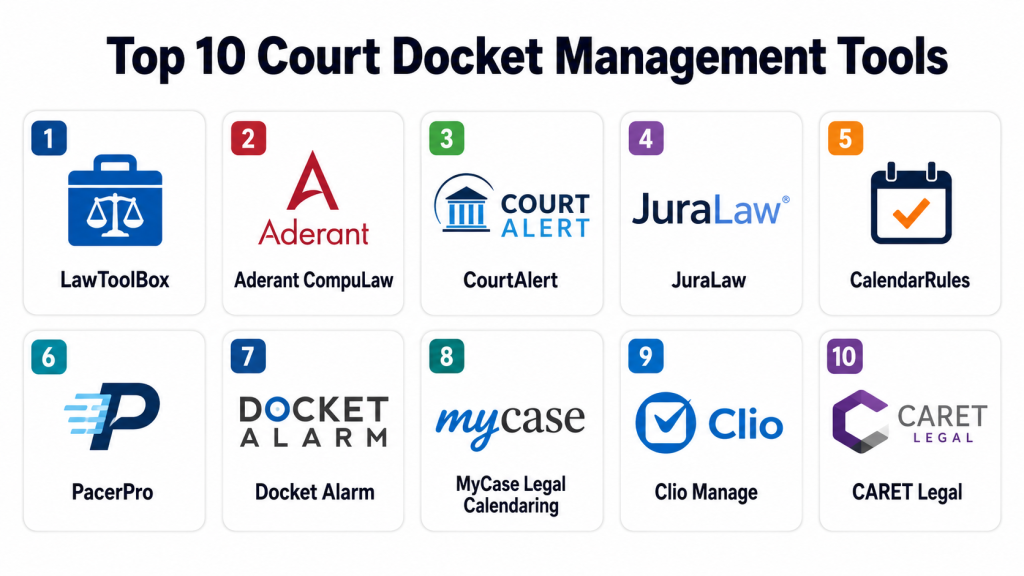
Top 10 Court Docket Management Tools
#1 — LawToolBox
Short description:
LawToolBox is a legal calendaring and docketing platform designed to help law firms and legal teams calculate rules-based deadlines, manage litigation calendars, and work inside Microsoft 365 environments. It is especially useful for teams that depend heavily on Outlook, Teams, SharePoint, and Microsoft collaboration tools. The platform helps automate court deadline calculation and matter-based calendaring. It is best suited for legal teams that want docketing integrated directly into daily productivity workflows.
Key Features
- Rules-based deadline calculation
- Outlook and Microsoft 365 calendar integration
- Matter-based legal calendaring
- Deadline reminders and alerts
- Team collaboration through Microsoft tools
- Court rules and litigation deadline support
- Integration with legal matter and document systems
Pros
- Strong fit for Microsoft 365-centered legal teams
- Helps reduce manual deadline calculation work
- Useful for litigation teams that need calendar automation
Cons
- Best value depends on Microsoft ecosystem usage
- Rules coverage should be validated by jurisdiction and practice area
- Pricing is not publicly stated for every use case
Platforms / Deployment
Web / Cloud / Microsoft Outlook / Microsoft Teams / Microsoft 365
Security & Compliance
Security details should be confirmed directly with the vendor. Buyers should ask about Microsoft 365 security alignment, SSO, MFA, RBAC, encryption, audit logs, and compliance documentation.
SOC 2, ISO 27001, GDPR, HIPAA: Not publicly stated.
Integrations & Ecosystem
LawToolBox works best in Microsoft-first legal environments where lawyers and staff already manage calendars, documents, and collaboration inside Microsoft tools.
- Microsoft Outlook
- Microsoft Teams
- Microsoft SharePoint
- Microsoft 365
- Legal practice management systems
- Document management platforms
Support & Community
LawToolBox provides product support, onboarding guidance, help resources, and legal calendaring expertise. Support quality should be evaluated based on firm size, rules coverage, and Microsoft integration needs.
#2 — Aderant CompuLaw
Short description:
Aderant CompuLaw is a legal docketing and calendaring system designed for firms that need rules-based calendaring, court deadline calculation, matter deadline tracking, and centralized docket control. It is commonly considered by larger firms and litigation-heavy legal teams that require strong deadline governance. The platform helps docketing departments manage critical dates, rule updates, and calendar workflows. It is best suited for firms with formal docketing teams and high litigation volume.
Key Features
- Rules-based court deadline calculation
- Centralized docketing and calendaring
- Critical date tracking
- Matter deadline management
- Court rule update support
- Calendar integration workflows
- Reporting and docket control
Pros
- Strong fit for litigation-heavy firms
- Useful for centralized docketing departments
- Helps improve deadline governance and consistency
Cons
- May be too advanced for very small firms
- Implementation may require process planning
- Pricing is not publicly stated
Platforms / Deployment
Web / Cloud / Hybrid / Varies by implementation
Security & Compliance
Security details should be confirmed directly with the vendor. Buyers should ask about SSO, MFA, RBAC, encryption, audit logs, backup, and compliance documentation.
SOC 2, ISO 27001, GDPR, HIPAA: Not publicly stated.
Integrations & Ecosystem
Aderant CompuLaw is suited for firms that need docketing integrated with matter, calendar, and firm management workflows.
- Practice management systems
- Matter management platforms
- Calendar tools
- Document management systems
- Reporting platforms
- Firm finance or billing systems
Support & Community
Aderant provides enterprise support, implementation services, documentation, training, and legal technology assistance. Support depth depends on firm size and selected deployment model.
#3 — CourtAlert
Short description:
CourtAlert provides docketing, case monitoring, and legal calendaring tools for law firms and legal departments that manage heavy litigation workloads. It helps teams track incoming filings, monitor court activity, manage deadlines, and coordinate case-related events. CourtAlert is especially useful for mid-sized and large firms that need reliable docket monitoring and centralized calendaring. It is best suited for organizations handling many active court matters across multiple jurisdictions.
Key Features
- Court docket monitoring
- Docketing and deadline tracking
- Filing and case update alerts
- Calendar and reminder workflows
- Case management support
- Customizable legal workflow options
- Reporting and docket visibility
Pros
- Strong fit for heavy litigation environments
- Useful for monitoring court filings and updates
- Supports docketing teams with centralized visibility
Cons
- May be more than smaller firms require
- Setup may require workflow customization
- Pricing is not publicly stated
Platforms / Deployment
Web / Cloud / Varies by implementation
Security & Compliance
Security details should be validated directly with the vendor. Buyers should ask about authentication, access controls, encryption, audit logs, user roles, and compliance documentation.
SOC 2, ISO 27001, GDPR, HIPAA: Not publicly stated.
Integrations & Ecosystem
CourtAlert supports legal teams that need docket alerts and matter updates connected to internal workflows.
- Calendar tools
- Matter management systems
- Court filing data sources
- Document management systems
- Email systems
- Reporting tools
Support & Community
CourtAlert provides legal docketing support, onboarding help, and customer assistance. Support should be evaluated based on court coverage, workflow complexity, and docketing team needs.
#4 — JuraLaw
Short description:
JuraLaw is a docketing and calendaring platform built for law firms and legal teams that need rules-based deadline management, court calendar control, and docketing workflow support. It helps teams calculate court deadlines, track events, manage case calendars, and reduce risk from missed dates. JuraLaw is especially useful for firms with litigation-heavy workloads and dedicated docketing staff. It is best suited for organizations that want structured court calendaring and docket management.
Key Features
- Rules-based deadline calculation
- Legal docketing and calendaring
- Court date and hearing tracking
- Matter-based calendar management
- Deadline alerts and reminders
- Centralized docket control
- Reporting and deadline visibility
Pros
- Useful for litigation deadline management
- Supports centralized legal calendaring workflows
- Helps reduce manual docketing risk
Cons
- User experience and setup should be evaluated carefully
- May require training for docketing teams
- Pricing is not publicly stated
Platforms / Deployment
Web / Cloud / Varies by implementation
Security & Compliance
Security details should be confirmed directly with the vendor. Buyers should request information about MFA, access control, encryption, audit logs, backup, and compliance documentation.
SOC 2, ISO 27001, GDPR, HIPAA: Not publicly stated.
Integrations & Ecosystem
JuraLaw can support docketing teams when connected with calendars, matters, and firm workflow systems.
- Calendar platforms
- Matter management systems
- Practice management tools
- Document repositories
- Email systems
- Reporting tools
Support & Community
JuraLaw provides vendor-led support and onboarding assistance. Buyers should review training resources, rules coverage, support responsiveness, and implementation guidance.
#5 — CalendarRules
Short description:
CalendarRules is a legal deadline calculation platform that provides rules-based court calendaring and deadline automation. It is often used through integrations with other legal practice management and case management systems. The platform helps legal professionals calculate court deadlines based on procedural rules and case events. It is best suited for firms and legal software providers that want reliable deadline calculation capabilities embedded into existing workflows.
Key Features
- Court rules-based deadline calculation
- Deadline automation support
- Integration with legal software platforms
- Jurisdiction-specific calendaring logic
- Litigation event deadline tracking
- Calendar entry support
- Rules update support
Pros
- Useful for adding deadline calculation to existing systems
- Strong focus on court rule logic
- Helps reduce manual calendaring errors
Cons
- Often works best through partner integrations
- May not be a full standalone matter management platform
- Pricing and feature availability may vary by integration
Platforms / Deployment
Web / Cloud / API or integration-based platform
Security & Compliance
Security details should be confirmed directly with the vendor and integration provider. Buyers should validate API security, access control, encryption, audit logs, and data protection.
SOC 2, ISO 27001, GDPR, HIPAA: Not publicly stated.
Integrations & Ecosystem
CalendarRules is valuable when embedded into existing legal workflows and practice management systems.
- Practice management platforms
- Case management tools
- Calendar systems
- Matter management tools
- Legal workflow platforms
- Docketing systems
Support & Community
Support may depend on whether the tool is used directly or through a partner platform. Buyers should confirm support responsibility, rule update processes, and integration assistance.
#6 — PacerPro
Short description:
PacerPro is a litigation workflow and court docket platform that helps legal teams access, manage, and distribute federal court documents and docket information. It is especially useful for firms that need better workflows around PACER-related docket activity, filings, notifications, and document distribution. PacerPro helps reduce manual court document handling and improves matter-level litigation visibility. It is best suited for litigation teams and law firms that frequently monitor federal court dockets.
Key Features
- Federal court docket access support
- Litigation document workflow management
- Docket alerts and notifications
- Matter-level document organization
- Court filing and update visibility
- Team distribution workflows
- Integration with document and matter systems
Pros
- Strong fit for federal litigation workflows
- Helps reduce manual docket checking and document routing
- Useful for litigation teams managing court documents
Cons
- More focused on docket access and workflow than full deadline calendaring
- Coverage should be validated by court and use case
- Pricing is not publicly stated
Platforms / Deployment
Web / Cloud
Security & Compliance
Security details should be reviewed directly with the vendor. Buyers should ask about authentication, encryption, access control, audit logs, data handling, and compliance documentation.
SOC 2, ISO 27001, GDPR, HIPAA: Not publicly stated.
Integrations & Ecosystem
PacerPro is useful when court docket data and litigation documents need to connect with legal team workflows.
- Document management systems
- Matter management platforms
- Email systems
- Litigation workflow tools
- Court document repositories
- Reporting tools
Support & Community
PacerPro provides vendor support, onboarding help, and litigation workflow assistance. Support should be evaluated based on docket volume and document workflow complexity.
#7 — Docket Alarm
Short description:
Docket Alarm is a legal research, litigation analytics, and docket tracking tool that helps users monitor cases, search court records, receive alerts, and analyze litigation activity. It is useful for attorneys, researchers, litigation teams, and legal professionals who need docket intelligence and case monitoring. The platform is especially valuable when users need searchable litigation data and alerts across court records. It is best suited for teams that want docket tracking combined with legal research and analytics.
Key Features
- Court docket tracking
- Case alerts and monitoring
- Full-text search across court records
- Litigation analytics
- Deadline and docket notifications
- Research workflow support
- Case document access support
Pros
- Useful for legal research and docket monitoring
- Helps teams track case activity and litigation updates
- Good fit for docket intelligence and court record analysis
Cons
- Not a full law firm practice management system
- Deadline management depth should be validated by use case
- Pricing varies by usage and plan
Platforms / Deployment
Web / Cloud
Security & Compliance
Security details should be confirmed directly with the vendor. Buyers should ask about authentication, access control, encryption, audit logs, and data protection policies.
SOC 2, ISO 27001, GDPR, HIPAA: Not publicly stated.
Integrations & Ecosystem
Docket Alarm supports legal research and docket intelligence workflows that can complement matter and litigation management systems.
- Legal research workflows
- Court record systems
- Email alert tools
- Matter tracking systems
- Litigation analytics workflows
- Document review processes
Support & Community
Docket Alarm provides support resources and product guidance. Buyers should review support coverage, alert accuracy, court coverage, and research workflow fit.
#8 — MyCase Legal Calendaring
Short description:
MyCase Legal Calendaring is part of the MyCase practice management platform and helps law firms track court dates, deadlines, appointments, tasks, and case events. It is especially useful for small and mid-sized law firms that want docket-related calendar visibility inside a broader matter management system. MyCase supports shared calendars, reminders, workflow organization, and integrations with common calendar tools. It is best suited for firms that need everyday legal calendaring combined with matters, clients, documents, billing, and communication.
Key Features
- Legal calendaring and event tracking
- Shared firm calendars
- Deadline and appointment reminders
- Matter-based calendar organization
- Task and workflow support
- Google Calendar and Outlook-style calendar workflows
- Integration with broader MyCase practice management
Pros
- Good fit for small and mid-sized law firms
- Useful all-in-one platform for matters and calendars
- Easier to adopt than specialized enterprise docketing tools
Cons
- Rules-based docketing may depend on selected features or integrations
- Not ideal for large centralized docketing departments
- Advanced court monitoring may be limited
Platforms / Deployment
Web / Cloud / iOS / Android
Security & Compliance
Security details should be reviewed directly with the vendor. Buyers should confirm MFA, encryption, access controls, audit logs, backup, and compliance documentation.
SOC 2, ISO 27001, GDPR, HIPAA: Not publicly stated.
Integrations & Ecosystem
MyCase Legal Calendaring works best for law firms that want calendaring connected with their broader practice management workflow.
- Google Calendar
- Outlook-style calendar workflows
- Matter management
- Billing systems
- Client communication tools
- Document management tools
Support & Community
MyCase provides customer support, onboarding resources, training content, and help documentation. Support quality depends on plan, firm size, and selected features.
#9 — Clio Manage
Short description:
Clio Manage is a cloud-based law practice management platform that includes matter management, calendar tracking, tasks, documents, client communication, billing, and integrations. For docket management, it helps firms organize legal deadlines, court dates, matter events, and team calendars in one system. Clio is especially useful for solo, small, and growing law firms that need practical matter and calendar control. It is best suited for firms that want docket-related visibility within a broader practice management platform.
Key Features
- Matter and calendar management
- Task and deadline tracking
- Client and case organization
- Document management
- Billing and payment support
- Calendar integrations
- Legal app ecosystem support
Pros
- Easy to use for small and growing firms
- Strong legal practice management ecosystem
- Good option for combining matters, calendars, and billing
Cons
- Not a dedicated enterprise docketing platform
- Rules-based court deadline support may require integrations
- May not fit complex docketing department needs
Platforms / Deployment
Web / Cloud / iOS / Android
Security & Compliance
Security details should be confirmed directly with the vendor. Buyers should ask about MFA, encryption, role-based permissions, audit logs, backup, and compliance documentation.
SOC 2, ISO 27001, GDPR, HIPAA: Not publicly stated.
Integrations & Ecosystem
Clio Manage has a strong legal app ecosystem and can connect with calendar, document, accounting, communication, and legal workflow tools.
- Google Calendar
- Microsoft Outlook
- Document management tools
- Accounting systems
- E-signature tools
- Legal calendaring integrations
Support & Community
Clio provides support resources, documentation, training, onboarding, and a large legal user community. Support depends on plan and firm needs.
#10 — CARET Legal
Short description:
CARET Legal is a legal practice management platform that helps firms manage matters, calendars, documents, billing, accounting, workflows, and client communication. For docket management, it supports legal calendar visibility, deadline tracking, matter-based organization, and team coordination. It is especially useful for small and mid-sized law firms that want an integrated legal operations platform. CARET Legal is best suited for firms that want matter, calendar, billing, and document workflows in one place.
Key Features
- Matter and case management
- Legal calendar and deadline tracking
- Document management
- Workflow automation
- Billing and accounting support
- Client communication tools
- Reporting and productivity dashboards
Pros
- Good fit for law firms wanting integrated practice management
- Useful for matters, calendars, billing, and documents in one platform
- Helps improve daily legal workflow organization
Cons
- Not as specialized as dedicated court docketing tools
- Rules-based deadline calculation should be validated
- Pricing varies by plan and features
Platforms / Deployment
Web / Cloud / Mobile access may vary
Security & Compliance
Security information should be confirmed directly with the vendor. Buyers should ask about MFA, access control, encryption, audit logs, backup, and compliance documentation.
SOC 2, ISO 27001, GDPR, HIPAA: Not publicly stated.
Integrations & Ecosystem
CARET Legal connects legal matter workflows with documents, calendars, billing, and firm operations.
- Calendar tools
- Document systems
- Accounting workflows
- Client communication tools
- Billing systems
- Reporting tools
Support & Community
CARET Legal provides vendor support, onboarding help, documentation, and training resources. Support quality depends on selected plan and implementation needs.
Comparison Table
| Tool Name | Best For | Platform(s) Supported | Deployment | Standout Feature | Public Rating |
|---|---|---|---|---|---|
| LawToolBox | Microsoft 365-based legal teams | Web / Microsoft 365 / Outlook / Teams | Cloud | Rules-based calendaring inside Microsoft workflows | N/A |
| Aderant CompuLaw | Large firms and docketing departments | Web / Varies | Cloud / Hybrid / Varies | Enterprise legal docketing and court deadline control | N/A |
| CourtAlert | Litigation-heavy firms and legal departments | Web | Cloud / Varies | Court monitoring and docket alert workflows | N/A |
| JuraLaw | Firms needing structured legal docketing | Web | Cloud / Varies | Rules-based docketing and centralized calendaring | N/A |
| CalendarRules | Deadline calculation through legal integrations | Web / API varies | Cloud / Integration-based | Court rules-based deadline calculation engine | N/A |
| PacerPro | Federal litigation docket workflows | Web | Cloud | Federal court docket access and document workflow | N/A |
| Docket Alarm | Docket research, tracking, and alerts | Web | Cloud | Court record search and docket intelligence | N/A |
| MyCase Legal Calendaring | Small and mid-sized law firms | Web / iOS / Android | Cloud | Legal calendar inside practice management | N/A |
| Clio Manage | Solo and growing law firms | Web / iOS / Android | Cloud | Matter and calendar management with app ecosystem | N/A |
| CARET Legal | Integrated firm operations and calendars | Web / Mobile varies | Cloud | Matter, calendar, billing, and document workflows | N/A |
Evaluation & Scoring of Court Docket Management Tools
| Tool Name | Core (25%) | Ease (15%) | Integrations (15%) | Security (10%) | Performance (10%) | Support (10%) | Value (15%) | Weighted Total (0–10) |
|---|---|---|---|---|---|---|---|---|
| LawToolBox | 9 | 8 | 9 | 8 | 8 | 8 | 8 | 8.35 |
| Aderant CompuLaw | 9 | 7 | 8 | 8 | 9 | 8 | 7 | 8.10 |
| CourtAlert | 9 | 7 | 8 | 7 | 8 | 8 | 7 | 7.85 |
| JuraLaw | 8 | 7 | 7 | 7 | 8 | 7 | 7 | 7.45 |
| CalendarRules | 8 | 8 | 8 | 7 | 8 | 7 | 8 | 7.75 |
| PacerPro | 8 | 8 | 8 | 7 | 8 | 8 | 8 | 7.90 |
| Docket Alarm | 8 | 8 | 7 | 7 | 8 | 7 | 8 | 7.65 |
| MyCase Legal Calendaring | 7 | 9 | 7 | 7 | 8 | 8 | 8 | 7.65 |
| Clio Manage | 7 | 9 | 8 | 7 | 8 | 8 | 8 | 7.80 |
| CARET Legal | 7 | 8 | 7 | 7 | 8 | 7 | 8 | 7.45 |
These scores are comparative and should be used as a shortlist guide. A litigation-heavy firm may value rules-based docketing and court monitoring more than general practice management. A small firm may value ease of use, calendar visibility, and matter integration more than enterprise docketing depth. Buyers should validate jurisdiction coverage, rule update process, calendar integrations, security documentation, and workflow fit before selecting a platform.
Which Court Docket Management Tool Is Right for You?
Solo / Freelancer
Solo lawyers and independent legal professionals usually need simple but reliable calendar control. Clio Manage, MyCase Legal Calendaring, CARET Legal, and LawToolBox can be practical options depending on whether the lawyer wants a full practice management system or dedicated docketing support.
For solo users, the main priority is avoiding missed deadlines without adding unnecessary complexity. A tool should provide clear reminders, calendar sync, matter-based organization, and easy access from daily work tools.
SMB
Small and mid-sized firms need docketing that supports attorneys, paralegals, assistants, and billing or operations teams. MyCase, Clio, CARET Legal, Practice-focused platforms, LawToolBox, and CalendarRules integrations can be useful depending on workflow needs.
SMBs should avoid relying only on manual calendar entries when litigation deadlines are frequent. A rules-based calendaring tool can reduce risk, but the firm must still define review, approval, and responsibility workflows.
Mid-Market
Mid-market law firms and legal departments usually need stronger docketing controls, shared calendars, court alerts, matter integrations, document workflows, and reporting. LawToolBox, CourtAlert, JuraLaw, PacerPro, CalendarRules, and Aderant CompuLaw can be strong candidates.
This segment should focus on centralized docket ownership. Without a clear process, even strong software cannot prevent confusion around who enters, reviews, and confirms deadlines.
Enterprise
Large law firms and enterprise legal departments need scalable docketing with audit trails, centralized governance, court monitoring, rules-based deadline calculation, reporting, and integrations with document management, matter management, and finance systems.
Aderant CompuLaw, CourtAlert, LawToolBox, JuraLaw, PacerPro, and CalendarRules-based workflows are stronger enterprise options. Enterprise buyers should evaluate rules coverage, implementation support, permission structures, reporting, and court update reliability.
Budget vs Premium
Budget-conscious teams should start with core needs: calendar tracking, deadline reminders, matter organization, and basic court date visibility. Clio, MyCase, CARET Legal, or a focused calendaring integration may be enough for smaller teams.
Premium buyers should invest in rules-based deadline calculation, docket monitoring, court alerts, enterprise audit logs, centralized docket workflows, and integration with document and matter systems. These features matter when missed deadlines carry high risk.
Feature Depth vs Ease of Use
Feature-rich tools like Aderant CompuLaw, CourtAlert, LawToolBox, and JuraLaw offer deeper docketing control, but they may require training, setup, and formal docketing procedures.
Ease-focused teams may prefer Clio, MyCase, CARET Legal, Docket Alarm, or PacerPro depending on whether the need is calendar management, case tracking, docket research, or document monitoring.
Integrations & Scalability
Court docket management tools should connect with Outlook, Google Calendar, Microsoft 365, Teams, document management systems, case management platforms, matter management systems, e-filing tools, and reporting platforms.
For scalability, buyers should evaluate user permissions, multi-office support, jurisdiction coverage, deadline calculation rules, audit trails, shared calendars, API availability, matter templates, and support for high-volume docket activity.
Security & Compliance Needs
Docketing systems may contain sensitive litigation data, client names, matter details, court filings, deadlines, privileged notes, and internal legal strategy. Security should be reviewed carefully before migration.
Buyers should ask vendors about MFA, SSO, RBAC, encryption, audit logs, access history, data backup, disaster recovery, data retention, data residency, API security, and incident response. If certifications are not publicly stated, request official documentation during procurement.
Frequently Asked Questions
1. What is a court docket management tool?
A court docket management tool is software that helps legal teams track court dates, filing deadlines, hearings, case updates, reminders, and litigation-related calendar events. It helps reduce the risk of missed deadlines and improves visibility across active matters.
2. How is docket management different from basic calendaring?
Basic calendaring stores events manually, while docket management may calculate deadlines based on court rules, track case events, monitor filings, and create matter-specific reminders. It is built for legal deadlines, not just general scheduling.
3. How much does docket management software cost?
Pricing varies based on users, jurisdictions, court rules, integrations, case volume, support level, and deployment model. Many specialized vendors do not publish fixed pricing, so buyers usually need a custom quote.
4. What features are most important in docketing software?
Important features include rules-based deadline calculation, court date tracking, reminders, shared calendars, docket alerts, matter integration, audit logs, document links, calendar sync, reporting, and user permissions.
5. Can docketing software prevent missed deadlines?
It can significantly reduce deadline risk, but it cannot replace legal review and human responsibility. Teams still need clear procedures for deadline entry, verification, ownership, and updates.
6. What are rules-based deadlines?
Rules-based deadlines are dates calculated using court rules, procedural rules, filing dates, hearing dates, service dates, or case events. A docketing tool can automate these calculations to reduce manual errors.
7. Can small firms use court docket management tools?
Yes, small firms can use docketing tools, especially if they handle litigation. They should choose a tool that is easy to use, supports their jurisdictions, integrates with calendars, and does not create unnecessary complexity.
8. What mistakes should buyers avoid?
Common mistakes include relying only on manual calendar entry, skipping rule coverage validation, failing to train staff, not assigning docket ownership, ignoring audit trails, and choosing software that does not match firm workflows.
9. Are docket management tools secure?
They can be secure when vendors provide authentication, encryption, role-based permissions, audit logs, backups, and access controls. Buyers should request security documentation because docket systems may contain sensitive legal data.
10. Can docketing tools integrate with Outlook or Google Calendar?
Many tools integrate with Outlook, Microsoft 365, Google Calendar, or practice management calendars. Buyers should test calendar sync carefully because duplicate entries, time zones, and permission settings can create problems.
Conclusion
Court docket management tools are essential for legal teams that manage litigation deadlines, court dates, filing schedules, hearings, and case updates. The best tool depends on firm size, practice area, court coverage, deadline complexity, workflow maturity, and integration needs. Solo and small firms may prefer Clio, MyCase, CARET Legal, or LawToolBox for practical calendar and matter visibility. Litigation-heavy firms may need specialized platforms such as Aderant CompuLaw, CourtAlert, JuraLaw, CalendarRules, PacerPro, or Docket Alarm. The right next step is to shortlist two or three tools, test them against real deadlines and jurisdictions, validate calendar integrations, review security documentation, and run a controlled pilot before full adoption.
