Upgrade & Secure Your Future with DevOps, SRE, DevSecOps, MLOps!
We spend hours scrolling social media and waste money on things we forget, but won’t spend 30 minutes a day earning certifications that can change our lives.
Master in DevOps, SRE, DevSecOps & MLOps by DevOps School!
Learn from Guru Rajesh Kumar and double your salary in just one year.
Introduction
Heatmap Tools are software platforms that visualize user interactions on websites, apps, or digital products. In plain English, these tools show where users click, scroll, and focus their attention, helping businesses understand engagement and behavior.
In today’s competitive digital environment, user experience is critical for conversions, retention, and customer satisfaction. Heatmaps provide actionable insights that guide design, content placement, and marketing strategies. By identifying hotspots and friction points, companies can optimize interfaces and improve overall performance.
Real-world use cases include:
- Analyzing website clicks and navigation patterns
- Optimizing landing pages for higher conversion rates
- Monitoring scroll depth and content engagement
- Identifying underperforming CTAs and banners
- Informing A/B testing and UX redesigns
Key buyer evaluation criteria:
- Click, scroll, and attention heatmaps
- Session replay and user recordings
- Integration with analytics and marketing tools
- Real-time data capture and reporting
- Mobile and desktop tracking
- AI-driven insights and recommendations
- User segmentation and filtering
- Customizable dashboards and reports
- Data privacy and GDPR compliance
- Support and onboarding resources
Best for: UX designers, digital marketers, product managers, and website owners aiming to improve conversions and optimize user experience.
Not ideal for: Small static websites or simple blogs where advanced analytics may be unnecessary.
Key Trends in Heatmap Tools
- AI-driven predictions of user behavior and engagement hotspots
- Automated insights suggesting layout and content optimizations
- Integration with A/B testing platforms for conversion analysis
- Cloud-native tools with real-time data visualization
- Cross-device tracking (desktop, mobile, tablet)
- Session replay combined with heatmaps for deeper insights
- GDPR and data privacy compliance built-in
- Collaborative dashboards for marketing and UX teams
- Flexible subscription and enterprise pricing models
- Embedded analytics for SaaS and app platforms
How We Selected These Tools (Methodology)
- Market adoption and recognition among UX and digital marketing teams
- Feature completeness including click, scroll, and attention tracking
- Reliability and data accuracy signals
- Security posture, including GDPR and privacy compliance
- Integration capabilities with analytics, A/B testing, and CRM tools
- Customer fit across SMBs, mid-market, and enterprise companies
- Ease of use, onboarding, and collaborative features
- Reporting capabilities for UX, marketing, and product teams
- Support quality and community engagement
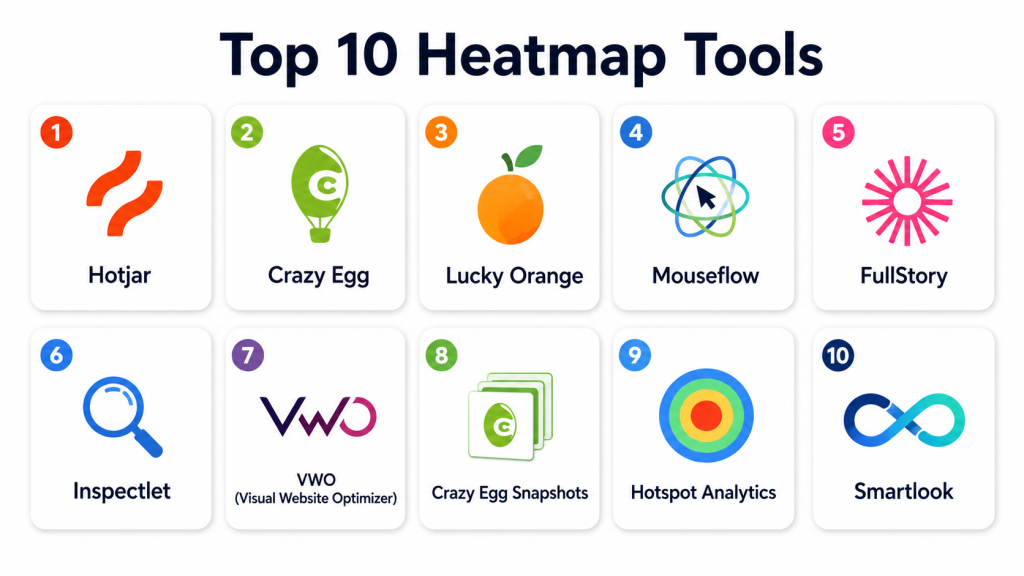
Top 10 Heatmap Tools
#1 — Hotjar
Short description: Hotjar provides heatmaps, session recordings, and conversion analytics for websites. Best suited for UX and marketing teams aiming to optimize user experience.
Key Features
- Click, scroll, and move heatmaps
- Session replay and recordings
- Conversion funnel analysis
- Feedback polls and surveys
- Segmentation of visitors
- Mobile and desktop tracking
- Customizable dashboards
Pros
- Easy to implement and use
- Comprehensive user insights
Cons
- Limited advanced analytics
- Premium features require subscription
Platforms / Deployment
- Web
- Cloud
Security & Compliance
- GDPR compliance, encryption
- Not publicly stated
Integrations & Ecosystem
- Google Analytics
- CRM and marketing tools
- API for custom workflows
Support & Community
- Tutorials and knowledge base
- Email support
- Online community
#2 — Crazy Egg
Short description: Crazy Egg provides heatmaps, scrollmaps, and A/B testing analytics. Ideal for marketing teams seeking detailed user behavior insights.
Key Features
- Click and scroll heatmaps
- Overlay and confetti reports
- A/B testing support
- Visitor segmentation
- Session tracking
- Exportable reports
Pros
- Visual and actionable insights
- Supports experimentation
Cons
- Limited session replay features
- Learning curve for advanced tools
Platforms / Deployment
- Web
- Cloud
Security & Compliance
- Not publicly stated
Integrations & Ecosystem
- Analytics and A/B testing platforms
- API for custom reporting
Support & Community
- Knowledge base and tutorials
- Email support
#3 — Lucky Orange
Short description: Lucky Orange combines heatmaps, session recordings, and real-time analytics. Suitable for UX teams and conversion optimization specialists.
Key Features
- Click, scroll, and move heatmaps
- Session replay and live chat
- Conversion funnels and form analytics
- Visitor polls and surveys
- Dashboard metrics and filtering
Pros
- Real-time data and insights
- Integrated chat and feedback
Cons
- Limited advanced analytics
- Can be overwhelming for beginners
Platforms / Deployment
- Web
- Cloud
Security & Compliance
- Not publicly stated
Integrations & Ecosystem
- CRM and marketing tools
- Analytics integrations
- API support
Support & Community
- Tutorials and guides
- Email support
#4 — Mouseflow
Short description: Mouseflow tracks user interactions with heatmaps, session replay, and funnel analytics. Ideal for product teams optimizing user journeys.
Key Features
- Click, scroll, and attention heatmaps
- Session replay and live analytics
- Funnel tracking and form analytics
- Visitor segmentation
- Custom dashboards
Pros
- Detailed behavioral insights
- Multi-device tracking
Cons
- Advanced analytics require higher plans
- Setup may be technical
Platforms / Deployment
- Web / iOS / Android
- Cloud
Security & Compliance
- Not publicly stated
Integrations & Ecosystem
- CRM, Google Analytics, and marketing tools
- API for custom workflows
Support & Community
- Knowledge base
- Email support
#5 — FullStory
Short description: FullStory provides session replay, heatmaps, and customer experience analytics. Best for product and UX teams focused on improving digital interactions.
Key Features
- Heatmaps for clicks, scrolls, and attention
- Session replay and insights
- Conversion analytics and funnels
- Segmentation of visitors
- AI-driven behavior analysis
Pros
- Comprehensive session tracking
- Powerful analytics insights
Cons
- Premium pricing
- Complex setup for beginners
Platforms / Deployment
- Web / iOS / Android
- Cloud
Security & Compliance
- SOC 2 compliance
- Encryption
Integrations & Ecosystem
- Analytics and CRM connectors
- API for custom integration
- Marketing platform support
Support & Community
- Tutorials and knowledge base
- Dedicated support
#6 — Inspectlet
Short description: Inspectlet tracks heatmaps, session recordings, and form analytics. Ideal for small to mid-size teams seeking insight into user behavior.
Key Features
- Click, scroll, and attention heatmaps
- Session recordings
- Funnel analysis
- Form analytics
- Visitor segmentation
- Exportable reports
Pros
- Affordable for small teams
- Easy to use
Cons
- Limited AI insights
- Fewer integrations
Platforms / Deployment
- Web
- Cloud
Security & Compliance
- Not publicly stated
Integrations & Ecosystem
- Analytics and CRM integration
- API for reporting
Support & Community
- Email support
- Tutorials
#7 — VWO (Visual Website Optimizer)
Short description: VWO combines heatmaps with A/B testing and conversion optimization. Ideal for marketing teams optimizing landing pages.
Key Features
- Heatmaps for clicks and scrolls
- Session recordings
- A/B testing support
- Funnel analysis
- Conversion tracking
Pros
- Integrated testing and analytics
- Visual insights for marketing
Cons
- Pricing can be high for small teams
- Learning curve for advanced features
Platforms / Deployment
- Web
- Cloud
Security & Compliance
- Not publicly stated
Integrations & Ecosystem
- CRM and marketing platforms
- API for reporting
Support & Community
- Knowledge base
- Email support
#8 — Crazy Egg Snapshots
Short description: Crazy Egg Snapshots offers visual reports of user engagement and click patterns. Best for marketers and UX designers optimizing digital interfaces.
Key Features
- Heatmaps and scrollmaps
- Click tracking
- A/B testing overlays
- Snapshot reports
- Visitor segmentation
Pros
- Easy to implement
- Quick visual insights
Cons
- Limited session replay
- Fewer advanced analytics
Platforms / Deployment
- Web
- Cloud
Security & Compliance
- Not publicly stated
Integrations & Ecosystem
- CRM and analytics tools
- API support
Support & Community
- Email support
- Tutorials
#9 — Hotspot Analytics
Short description: Hotspot Analytics provides heatmaps and behavior analytics for digital products. Ideal for UX and product teams.
Key Features
- Click and scroll heatmaps
- Session recordings
- Conversion tracking
- Funnel analysis
- Segmentation
Pros
- Detailed heatmaps
- Easy visualization
Cons
- Limited integrations
- Advanced features require premium plan
Platforms / Deployment
- Web
- Cloud
Security & Compliance
- Not publicly stated
Integrations & Ecosystem
- Analytics and CRM connectors
- API support
Support & Community
- Email support
- Knowledge base
#10 — Smartlook
Short description: Smartlook provides heatmaps, session recordings, and funnel analytics. Best for teams seeking real-time insights into user behavior.
Key Features
- Click, scroll, and move heatmaps
- Session replay
- Funnel analytics
- Event tracking
- Real-time dashboards
Pros
- Real-time analytics
- Multi-device tracking
Cons
- Premium features require subscription
- Setup may require technical expertise
Platforms / Deployment
- Web / iOS / Android
- Cloud
Security & Compliance
- Not publicly stated
Integrations & Ecosystem
- Analytics and CRM integration
- API support
Support & Community
- Tutorials and guides
- Email support
Comparison Table (Top 10)
| Tool Name | Best For | Platform(s) Supported | Deployment | Standout Feature | Public Rating |
|---|---|---|---|---|---|
| Hotjar | UX & Marketing | Web | Cloud | Click & scroll heatmaps | N/A |
| Crazy Egg | Marketing teams | Web | Cloud | Confetti & overlay reports | N/A |
| Lucky Orange | UX & Conversion | Web | Cloud | Session replay & live chat | N/A |
| Mouseflow | Product teams | Web / iOS / Android | Cloud | Funnel & form analytics | N/A |
| FullStory | UX & Product | Web / iOS / Android | Cloud | AI-driven insights | N/A |
| Inspectlet | SMB UX teams | Web | Cloud | Affordable heatmaps & replay | N/A |
| VWO | Marketing & Optimization | Web | Cloud | A/B testing + heatmaps | N/A |
| Crazy Egg Snapshots | Marketers | Web | Cloud | Quick snapshots & click maps | N/A |
| Hotspot Analytics | UX/Product | Web | Cloud | Detailed heatmaps | N/A |
| Smartlook | Teams & Product | Web / iOS / Android | Cloud | Real-time dashboards | N/A |
Evaluation & Scoring of Heatmap Tools
| Tool Name | Core (25%) | Ease (15%) | Integrations (15%) | Security (10%) | Performance (10%) | Support (10%) | Value (15%) | Weighted Total (0–10) |
|---|---|---|---|---|---|---|---|---|
| Hotjar | 9 | 8 | 7 | 7 | 8 | 7 | 7 | 7.9 |
| Crazy Egg | 8 | 8 | 7 | 7 | 8 | 7 | 7 | 7.6 |
| Lucky Orange | 8 | 8 | 7 | 7 | 8 | 7 | 7 | 7.6 |
| Mouseflow | 8 | 7 | 7 | 7 | 8 | 7 | 7 | 7.5 |
| FullStory | 9 | 7 | 8 | 8 | 8 | 7 | 7 | 7.8 |
| Inspectlet | 7 | 8 | 6 | 7 | 7 | 6 | 7 | 7.0 |
| VWO | 8 | 7 | 7 | 7 | 7 | 7 | 7 | 7.3 |
| Crazy Egg Snapshots | 7 | 8 | 6 | 7 | 7 | 6 | 7 | 7.0 |
| Hotspot Analytics | 7 | 8 | 6 | 7 | 7 | 6 | 7 | 7.0 |
| Smartlook | 8 | 7 | 7 | 7 | 8 | 7 | 7 | 7.5 |
Interpretation: Scores compare feature depth, usability, integrations, security, performance, support, and value. Higher weighted totals indicate stronger suitability for analyzing user behavior and optimizing UX.
Which Heatmap Tool Is Right for You?
Solo / Freelancer
- Crazy Egg Snapshots, Inspectlet, or Whimsical for small projects
SMB
- Hotjar, Lucky Orange, or Mouseflow for structured insights and collaboration
Mid-Market
- FullStory, VWO, or Smartlook for detailed analytics and conversion optimization
Enterprise
- FullStory, Hotjar, or Mouseflow for large-scale UX and product teams
Budget vs Premium
- Small teams: Inspectlet or Crazy Egg Snapshots
- Enterprises: FullStory or VWO for advanced analytics
Feature Depth vs Ease of Use
- Hotjar and Lucky Orange balance simplicity and robust analytics
Integrations & Scalability
- Prioritize tools with CRM, analytics, and A/B testing platform connectors
Security & Compliance Needs
- Ensure GDPR compliance, encryption, and secure cloud deployment
Frequently Asked Questions (FAQs)
1. What pricing models do heatmap tools offer?
Most platforms use subscription tiers, often based on pageviews or team members.
2. How quickly can heatmaps be implemented?
Implementation typically takes minutes; full insights may require several days of tracking.
3. Are these tools suitable for small websites?
Yes, tools like Inspectlet and Crazy Egg Snapshots are ideal for small websites.
4. Can heatmaps track mobile devices?
Most leading tools provide mobile and tablet tracking alongside desktop.
5. Do these tools integrate with analytics platforms?
Yes, integration with Google Analytics, CRM, and marketing tools is common.
6. Can teams collaborate on insights?
Cloud-based platforms allow multi-user dashboards, annotations, and sharing.
7. How secure is user data?
Top platforms provide encryption, access controls, and compliance with GDPR.
8. Can heatmaps improve conversions?
Yes, by identifying hotspots and friction points, teams can optimize UX for better engagement.
9. Do these tools offer predictive insights?
Some tools, like FullStory, provide AI-driven insights to anticipate user behavior.
10. Are heatmaps compatible with dynamic websites?
Most modern tools support dynamic content, single-page applications, and responsive layouts.
Conclusion
Choosing the right heatmap tool depends on team size, website complexity, and UX goals. Freelancers and small teams may benefit from Inspectlet or Crazy Egg Snapshots for quick insights, while SMBs and enterprises should consider Hotjar, Lucky Orange, FullStory, or VWO for advanced analytics and collaboration. A practical next step is to shortlist, run a pilot, and validate insights, integration, and usability before full deployment.
