Upgrade & Secure Your Future with DevOps, SRE, DevSecOps, MLOps!
We spend hours scrolling social media and waste money on things we forget, but won’t spend 30 minutes a day earning certifications that can change our lives.
Master in DevOps, SRE, DevSecOps & MLOps by DevOps School!
Learn from Guru Rajesh Kumar and double your salary in just one year.
Introduction
Home Security Monitoring Apps are mobile or web-based applications that help users watch, manage, and respond to security activity from cameras, doorbells, sensors, locks, alarms, and smart home devices. In simple language, these apps let homeowners see live video, receive motion alerts, arm or disarm alarms, check recorded footage, control smart locks, and monitor their property remotely.
Home security monitoring matters more now because homes are more connected, package theft is common in many areas, remote work has changed daily routines, and families want better visibility when they are away. Modern apps also use AI-based alerts, person detection, package detection, vehicle detection, and smart automation to reduce false alarms.
Common use cases include monitoring front doors, checking indoor or outdoor cameras, receiving break-in alerts, managing family access, watching pets, controlling alarms, and reviewing recorded events.
Buyers should evaluate camera compatibility, alert accuracy, professional monitoring options, cloud storage, local storage, mobile app reliability, smart home integrations, privacy controls, subscription cost, and emergency response features.
Best for: Homeowners, renters, families, landlords, small offices, property managers, elderly care setups, remote workers, and users who want better visibility and control over home safety.
Not ideal for: Users who do not want connected cameras or cloud-based monitoring, people with very basic security needs, or businesses that require commercial-grade physical security systems with dedicated security teams.
Key Trends in Home Security Monitoring Apps
- AI-based alert filtering is becoming standard: Apps are improving person, vehicle, package, pet, and motion detection to reduce unnecessary alerts.
- Video doorbells remain a major entry point: Many users start with a smart doorbell before expanding into cameras, locks, sensors, and full alarm systems.
- Professional monitoring is becoming more flexible: Some platforms offer optional paid monitoring instead of forcing every user into a long contract.
- Privacy controls are now a buying factor: Users are more careful about cloud video storage, camera sharing, face recognition, audio recording, and account access.
- Local storage is gaining attention: Some buyers prefer devices that can save footage locally instead of depending only on cloud subscriptions.
- Smart home integration is more important: Users want security apps to work with lights, locks, voice assistants, sensors, thermostats, and routines.
- Subscription models are expanding: Many apps offer basic free controls, but advanced alerts, cloud recording, emergency response, and AI features often require paid plans.
- Multi-property monitoring is growing: Landlords, property managers, and families managing more than one home need apps that can support multiple locations.
- Battery-powered security devices are improving: Wireless cameras, doorbells, and sensors are becoming easier to install without professional wiring.
- Security plus automation is merging: Apps are no longer only for alerts. They now help automate lights, locks, sirens, cameras, and routines based on security events.
How We Selected These Tools
The following home security monitoring apps were selected using a practical product and ecosystem evaluation approach:
- Market recognition and adoption in home security, smart camera, alarm, or smart home categories
- Strength of core monitoring features such as alerts, live view, recordings, alarm control, and event history
- Fit for different users, including renters, homeowners, families, DIY users, and professionally monitored homes
- Compatibility with cameras, doorbells, sensors, locks, alarms, sirens, and smart home devices
- Quality of mobile app experience for alerts, controls, video review, and device management
- Availability of professional monitoring, cloud storage, local storage, or hybrid options
- Security posture signals such as MFA, account protection, user permissions, and privacy settings
- Integration options with smart home platforms, voice assistants, and connected devices
- Support resources, onboarding, installation guidance, documentation, and customer service
- Practical value for users replacing basic cameras, standalone alarms, or disconnected security devices
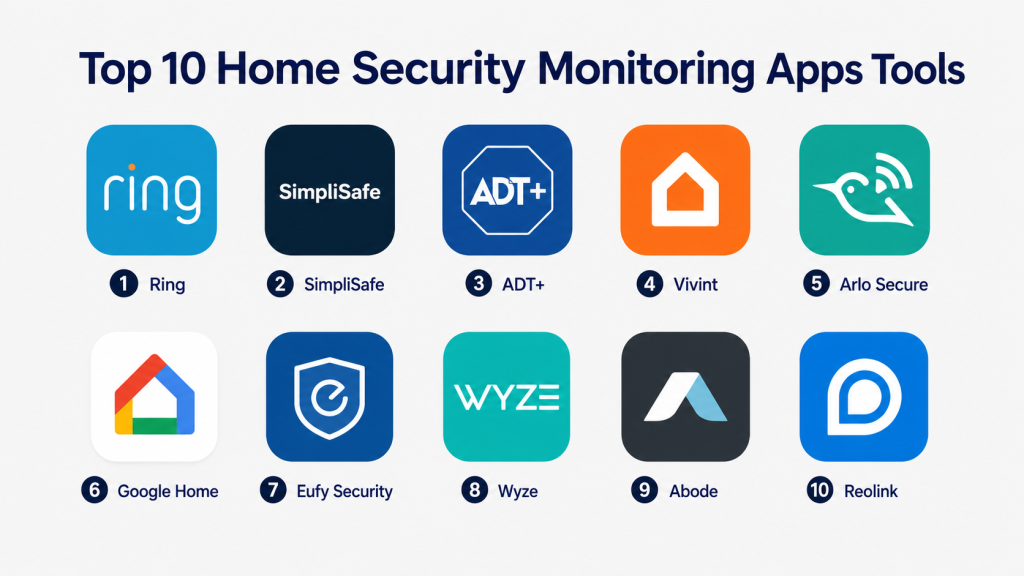
Top 10 Home Security Monitoring Apps Tools
#1 — Ring
Short description:
Ring is a widely used home security monitoring app built around video doorbells, outdoor cameras, indoor cameras, alarms, sensors, and smart lighting products. It is best suited for users who want an easy-to-use security ecosystem with strong doorbell and camera monitoring. The app helps users receive motion alerts, view live video, review recorded events, manage alarm settings, and monitor multiple devices from one place. Ring is popular among homeowners, renters, families, and small property owners who want practical security visibility. It works well for users who want a simple entry into smart home security.
Key Features
- Video doorbell and camera monitoring
- Motion alerts and live video view
- Alarm system control
- Event history and video recording options
- Smart lighting and siren support
- Shared user access
- Voice assistant and smart home integrations
Pros
- Strong video doorbell ecosystem
- Easy to set up and use for everyday users
- Good fit for homes, apartments, and small properties
Cons
- Many advanced features require a subscription
- Privacy settings should be reviewed carefully
- Best experience is within the Ring ecosystem
Platforms / Deployment
iOS / Android / Web support may vary
Cloud / Local support varies by device
Security & Compliance
Account protection features such as MFA may be available. Specific certifications such as SOC 2, ISO 27001, GDPR, or HIPAA for the home security monitoring app should be verified directly. If not confirmed, use Not publicly stated.
Integrations & Ecosystem
Ring works best as part of its own security ecosystem, but it can also connect with selected smart home devices and voice assistant workflows.
- Ring cameras and doorbells
- Ring Alarm and sensors
- Ring smart lighting
- Amazon Alexa integration
- Selected smart lock integrations may vary
- Shared household access
Support & Community
Ring provides setup guides, help articles, customer support, and a large user community. Support experience may vary depending on device type, region, and subscription level.
#2 — SimpliSafe
Short description:
SimpliSafe is a home security app and alarm ecosystem designed for users who want DIY installation with optional professional monitoring. It supports security sensors, indoor and outdoor cameras, video doorbells, smoke detectors, water sensors, panic buttons, keypads, and base station control. The app allows users to arm or disarm the system, receive alerts, view cameras, and manage security settings. SimpliSafe is a good fit for homeowners and renters who want a more complete alarm system without heavy installation complexity. It is especially useful for users who want flexible monitoring options.
Key Features
- Alarm system arming and disarming
- Entry, motion, glassbreak, smoke, and water sensor support
- Indoor and outdoor camera monitoring
- Video doorbell support
- Optional professional monitoring
- Mobile alerts and event history
- User and device management
Pros
- Good balance of DIY setup and monitoring options
- Strong fit for full-home alarm coverage
- Useful for renters and homeowners
Cons
- Some app and monitoring features may require paid plans
- Smart home integrations may be more limited than broader platforms
- Hardware ecosystem is strongest within SimpliSafe devices
Platforms / Deployment
iOS / Android
Cloud / Device-based system with cloud services
Security & Compliance
Security features may include account controls and system-level protections. Specific certifications such as SOC 2, ISO 27001, GDPR, or HIPAA should be verified directly with the vendor. If not confirmed, use Not publicly stated.
Integrations & Ecosystem
SimpliSafe works best as a dedicated home security ecosystem with alarms, sensors, cameras, and monitoring services.
- SimpliSafe alarm sensors
- SimpliSafe cameras and doorbells
- Smart lock compatibility may vary
- Voice assistant support may vary
- Monitoring service integration
- Emergency response workflows
Support & Community
SimpliSafe provides setup guidance, customer support, help resources, and monitoring-related assistance. Support quality may depend on plan level and region.
#3 — ADT+
Short description:
ADT+ is a home security monitoring app designed for users who want professional security services, connected devices, and mobile control from a long-established security provider. It is suited for homeowners who prefer professionally supported systems, monitoring services, and a structured security setup. The app helps users manage alarms, cameras, sensors, smart locks, and connected security events. ADT+ is especially useful for users who want professional monitoring rather than only self-monitoring. It can be a strong choice for families, larger homes, and users who value established security service support.
Key Features
- Alarm system monitoring and control
- Camera and video monitoring support
- Sensor and device management
- Professional monitoring options
- Smart home device support may vary
- Event alerts and activity history
- Mobile-based security controls
Pros
- Strong fit for professional monitoring needs
- Suitable for larger homes and structured security setups
- Backed by an established security provider
Cons
- May cost more than DIY-only options
- Contract and plan details should be reviewed carefully
- Device compatibility can depend on selected package
Platforms / Deployment
iOS / Android
Cloud / Professionally monitored system options
Security & Compliance
Security controls and account protection may be available. Specific compliance certifications should be verified directly with ADT for the chosen service and deployment. If not confirmed, write Not publicly stated.
Integrations & Ecosystem
ADT+ is designed around professional security monitoring and connected home devices.
- ADT security systems
- Cameras and video devices
- Door, window, and motion sensors
- Smart lock and smart home support may vary
- Professional monitoring workflows
- Mobile alert and emergency response features
Support & Community
ADT provides customer support, installation assistance, monitoring service support, and security system guidance. Support experience may depend on service plan, equipment package, and location.
#4 — Vivint
Short description:
Vivint is a smart home security monitoring app and professionally installed security ecosystem for users who want cameras, alarms, sensors, smart locks, thermostats, lighting, and automation in one system. It is best suited for homeowners who want a managed smart security experience rather than a fully DIY setup. The app allows users to monitor cameras, control security devices, receive alerts, manage automation, and access connected home controls. Vivint is useful for larger homes, families, and users who want security and smart home automation together. It is a strong fit when professional setup and integrated control are important.
Key Features
- Professional smart security system control
- Indoor, outdoor, and doorbell camera monitoring
- Alarm and sensor management
- Smart lock and thermostat integration
- Mobile alerts and video event review
- Home automation support
- Professional installation and monitoring options
Pros
- Strong smart home and security combination
- Good fit for professionally installed systems
- Useful for larger homes and families
Cons
- May be expensive compared with DIY apps
- Contract and service details should be reviewed carefully
- Less ideal for users who prefer fully self-managed systems
Platforms / Deployment
iOS / Android
Cloud / Professionally installed system
Security & Compliance
Security features may include account controls and system-level protections. Specific certifications such as SOC 2, ISO 27001, GDPR, or HIPAA should be verified directly. If not confirmed, use Not publicly stated.
Integrations & Ecosystem
Vivint works best inside its own professionally installed security and smart home ecosystem.
- Vivint cameras and sensors
- Smart locks and thermostats
- Alarm and monitoring workflows
- Smart home automation
- Voice assistant support may vary
- Professional service ecosystem
Support & Community
Vivint provides installation, support, monitoring assistance, and customer service resources. The support experience depends on plan, region, hardware package, and service agreement.
#5 — Arlo Secure
Short description:
Arlo Secure is a home security monitoring app for Arlo cameras, video doorbells, floodlight cameras, and security devices. It is best suited for users who want high-quality camera monitoring, flexible wireless devices, motion alerts, video recording, and smart notifications. The app supports live view, event history, object detection features, cloud recording options, and security controls. Arlo is useful for homeowners, renters, small offices, and users who want camera-first security monitoring. It works well for people who prioritize video quality and flexible camera placement.
Key Features
- Camera and video doorbell monitoring
- Live view and recorded event access
- Motion and object detection features may vary by plan
- Wireless camera support
- Cloud video storage options
- Activity zones and smart notifications
- Emergency response features may vary by region and plan
Pros
- Strong camera-focused security experience
- Flexible wireless camera options
- Good fit for indoor, outdoor, and doorbell monitoring
Cons
- Many advanced features require a subscription
- Full ecosystem costs can add up
- Alarm system depth may be limited compared with full security providers
Platforms / Deployment
iOS / Android / Web support may vary
Cloud / Local support may vary by device and hub
Security & Compliance
Account security features may be available. Specific certifications such as SOC 2, ISO 27001, GDPR, or HIPAA should be verified directly. If not confirmed, write Not publicly stated.
Integrations & Ecosystem
Arlo Secure works best with Arlo cameras and security hardware, while also supporting selected smart home integrations.
- Arlo cameras and doorbells
- Arlo floodlight cameras
- Smart notifications
- Voice assistant integrations may vary
- Cloud recording plans
- Selected smart home integrations
Support & Community
Arlo provides product documentation, customer support, app help, and community resources. Support level may vary by product, plan, and region.
#6 — Google Home
Short description:
Google Home is a smart home app that also works as a home security monitoring app for compatible Nest cameras, doorbells, speakers, displays, locks, and sensors. It is best suited for users already using Google services, Android devices, Nest products, and Google Assistant. The app helps users view live camera feeds, receive alerts, control devices, manage routines, and monitor connected home activity. Google Home is useful for households that want security monitoring combined with broader smart home control. It is a practical option for users who want cameras, doorbells, voice control, and automation in one app.
Key Features
- Nest camera and doorbell monitoring
- Live view and event alerts
- Google Assistant voice control
- Smart home device control
- Routines and automation
- Smart display support
- Compatible lock, lighting, and sensor integrations may vary
Pros
- Good fit for Google and Nest ecosystem users
- Simple smart home and security control in one app
- Strong voice assistant and display experience
Cons
- Best experience depends on compatible Nest and Google devices
- Advanced recording features may require subscriptions
- Privacy settings should be reviewed carefully
Platforms / Deployment
iOS / Android
Cloud / Local support varies by device
Security & Compliance
Google account security features such as MFA may be available. Specific compliance certifications for the home monitoring use case should be verified directly. If not confirmed, use Not publicly stated.
Integrations & Ecosystem
Google Home is useful when home security monitoring is part of a broader Google smart home setup.
- Nest cameras and doorbells
- Google Assistant
- Google smart displays and speakers
- Smart lights, locks, and thermostats
- Matter-compatible devices may vary
- Routines and automation
Support & Community
Google provides help resources, setup guides, product support, and community forums. Support may vary depending on whether the issue relates to Google hardware or third-party devices.
#7 — Eufy Security
Short description:
Eufy Security is a home security monitoring app for Eufy cameras, video doorbells, smart locks, sensors, alarms, and related security devices. It is often chosen by users who want camera monitoring with local storage options on selected devices. The app supports live view, motion alerts, video review, device control, and security mode management. Eufy is useful for homeowners and renters who want camera-first monitoring without depending only on cloud recording. It is a practical option for users who value local storage, smart detection features, and flexible security hardware.
Key Features
- Camera and video doorbell monitoring
- Local storage support on selected devices
- Motion alerts and video event review
- Smart lock and sensor support
- Security modes and device management
- AI-based detection features may vary by device
- Multi-device home monitoring
Pros
- Local storage options on selected products
- Good value for camera-based home security
- Useful for users who want reduced cloud dependency
Cons
- Feature availability varies by device model
- Advanced ecosystem needs should be evaluated carefully
- Smart home integration depth may vary
Platforms / Deployment
iOS / Android
Cloud / Local storage support may vary by device
Security & Compliance
Account controls and device security features may be available. Specific certifications such as SOC 2, ISO 27001, GDPR, or HIPAA should be verified directly. If not confirmed, use Not publicly stated.
Integrations & Ecosystem
Eufy Security works best within the Eufy device ecosystem and selected smart home integrations.
- Eufy cameras and doorbells
- Eufy smart locks and sensors
- Local storage on selected devices
- Voice assistant support may vary
- Security modes and schedules
- Multi-device monitoring
Support & Community
Eufy provides product documentation, app support, customer service, and user community resources. Support quality may vary by device model and region.
#8 — Wyze
Short description:
Wyze is a home security monitoring app for affordable cameras, video doorbells, sensors, locks, plugs, lights, and smart home devices. It is best suited for budget-conscious users who want practical security monitoring without high upfront costs. The app supports live view, alerts, event recording, device control, automation, and smart home management. Wyze is popular among renters, small homes, apartments, and users who want to start with basic camera monitoring. It is a good option when affordability and simple setup are the main priorities.
Key Features
- Camera and doorbell monitoring
- Live view and motion alerts
- Event recording options
- Smart lock, sensor, and plug support
- Basic automation and rules
- Affordable smart home device ecosystem
- Subscription features may vary
Pros
- Budget-friendly security monitoring
- Easy entry point for smart cameras and sensors
- Useful for apartments and small homes
Cons
- Advanced features may require subscriptions
- Enterprise-grade security needs are not the target fit
- Device reliability and support experience may vary
Platforms / Deployment
iOS / Android
Cloud / Local support may vary by device
Security & Compliance
Account security features may be available. Specific certifications such as SOC 2, ISO 27001, GDPR, or HIPAA should be verified directly. If not confirmed, write Not publicly stated.
Integrations & Ecosystem
Wyze works best for affordable smart home security and simple connected device control.
- Wyze cameras and doorbells
- Wyze sensors and locks
- Smart plugs and lighting
- Voice assistant integrations may vary
- Cloud recording options
- Basic automation workflows
Support & Community
Wyze provides help articles, customer support, and a large user community. Support expectations should be reviewed for critical security needs.
#9 — Abode
Short description:
Abode is a smart home security monitoring app and security system platform designed for users who want DIY security with optional professional monitoring and strong smart home integration options. It supports security sensors, cameras, sirens, keypads, smart devices, and automation workflows. Abode is suitable for homeowners, renters, and smart home users who want flexible monitoring without fully committing to a traditional security provider. The app helps users manage alarm modes, receive alerts, view activity, and connect security with automation. It is a good fit for users who want security plus smart home flexibility.
Key Features
- DIY alarm system control
- Security sensor and device management
- Optional professional monitoring
- Camera support may vary by device
- Automation and smart home integrations
- Mobile alerts and activity timeline
- Home and away security modes
Pros
- Flexible DIY security platform
- Good smart home integration potential
- Optional monitoring choices are useful for different budgets
Cons
- Some features may require paid plans
- Hardware ecosystem should be reviewed before purchase
- Advanced setup may require more planning than basic camera apps
Platforms / Deployment
iOS / Android / Web support may vary
Cloud / Hub-based system
Security & Compliance
Account security and system controls may be available. Specific certifications such as SOC 2, ISO 27001, GDPR, or HIPAA should be verified directly. If not confirmed, use Not publicly stated.
Integrations & Ecosystem
Abode can work well for users who want a security system connected with broader smart home automation.
- Abode sensors and alarm devices
- Optional professional monitoring
- Smart home integrations may vary
- Voice assistant support may vary
- Automation workflows
- Hub-based security setup
Support & Community
Abode provides documentation, customer support, and setup resources. Community knowledge may also help users with automation and integrations.
#10 — Reolink
Short description:
Reolink is a security camera app and ecosystem focused on camera monitoring, video recording, live view, local storage, and property surveillance. It is best suited for users who want camera-first monitoring for homes, farms, small offices, driveways, garages, and outdoor areas. The app supports wired cameras, wireless cameras, PoE cameras, battery cameras, and NVR-based setups depending on hardware. Reolink is useful for users who prefer local recording options and flexible camera deployment. It is a strong option when video monitoring is more important than a full alarm ecosystem.
Key Features
- Live camera monitoring
- Local recording and NVR support may vary by device
- Motion alerts and event playback
- Wired, wireless, battery, and PoE camera options
- Multi-camera management
- Outdoor and indoor camera support
- Smart detection features may vary by model
Pros
- Strong camera-first monitoring option
- Local recording options on selected setups
- Good for outdoor, property, and multi-camera coverage
Cons
- Less focused on full alarm system management
- Smart home integrations may be limited compared with broader platforms
- Setup complexity varies by camera type and recording method
Platforms / Deployment
iOS / Android / Windows / macOS support may vary
Cloud / Local / NVR-based support may vary
Security & Compliance
Security depends on account setup, device configuration, network settings, and recording method. Specific certifications such as SOC 2, ISO 27001, GDPR, or HIPAA should be verified directly. If not confirmed, use Not publicly stated.
Integrations & Ecosystem
Reolink is best for users who want dedicated camera monitoring and flexible recording options.
- Reolink cameras and NVRs
- Local storage and recording options may vary
- Mobile and desktop viewing
- Multi-camera setups
- Smart detection features may vary
- Voice assistant support may vary
Support & Community
Reolink provides product documentation, setup guides, support resources, and user community help. Support experience may vary by camera model and region.
Comparison Table
| Tool Name | Best For | Platform(s) Supported | Deployment | Standout Feature | Public Rating |
|---|---|---|---|---|---|
| Ring | Doorbells and easy home monitoring | iOS, Android, web support may vary | Cloud / Local varies | Strong video doorbell ecosystem | N/A |
| SimpliSafe | DIY alarm with optional monitoring | iOS, Android | Cloud / Device-based | Flexible alarm monitoring | N/A |
| ADT+ | Professional security monitoring | iOS, Android | Cloud / Professional monitoring | Established monitored security support | N/A |
| Vivint | Professionally installed smart security | iOS, Android | Cloud / Professional installation | Smart home plus security system | N/A |
| Arlo Secure | Camera-first home security | iOS, Android, web support may vary | Cloud / Local varies | Flexible wireless camera monitoring | N/A |
| Google Home | Nest and Google smart home users | iOS, Android | Cloud / Local varies | Security plus smart home control | N/A |
| Eufy Security | Local-storage camera users | iOS, Android | Cloud / Local varies | Local recording options on selected devices | N/A |
| Wyze | Budget home security monitoring | iOS, Android | Cloud / Local varies | Affordable cameras and sensors | N/A |
| Abode | DIY security with smart home flexibility | iOS, Android, web support may vary | Cloud / Hub-based | Optional monitoring and automation | N/A |
| Reolink | Camera and NVR-based monitoring | iOS, Android, Windows, macOS support varies | Cloud / Local / NVR varies | Camera-first local recording options | N/A |
Evaluation & Scoring of Home Security Monitoring Apps
| Tool Name | Core (25%) | Ease (15%) | Integrations (15%) | Security (10%) | Performance (10%) | Support (10%) | Value (15%) | Weighted Total (0–10) |
|---|---|---|---|---|---|---|---|---|
| Ring | 8.7 | 8.8 | 8.2 | 7.8 | 8.5 | 8.2 | 8.0 | 8.35 |
| SimpliSafe | 8.6 | 8.5 | 7.5 | 7.8 | 8.4 | 8.3 | 8.0 | 8.22 |
| ADT+ | 8.8 | 7.8 | 7.8 | 8.0 | 8.7 | 8.6 | 7.2 | 8.18 |
| Vivint | 9.0 | 8.0 | 8.2 | 8.0 | 8.8 | 8.5 | 7.0 | 8.28 |
| Arlo Secure | 8.5 | 8.4 | 7.8 | 7.7 | 8.6 | 8.0 | 7.8 | 8.16 |
| Google Home | 8.0 | 8.7 | 8.5 | 7.8 | 8.2 | 8.0 | 8.2 | 8.20 |
| Eufy Security | 8.2 | 8.3 | 7.5 | 7.6 | 8.2 | 7.8 | 8.5 | 8.06 |
| Wyze | 7.6 | 8.5 | 7.3 | 7.2 | 7.6 | 7.5 | 9.0 | 7.88 |
| Abode | 8.2 | 8.0 | 8.3 | 7.7 | 8.0 | 7.8 | 8.0 | 8.02 |
| Reolink | 8.0 | 7.8 | 7.0 | 7.5 | 8.5 | 7.6 | 8.5 | 7.90 |
These scores are comparative and should not be treated as public ratings. They compare each app across monitoring features, ease of use, integrations, security posture, performance, support, and value. A higher score does not mean the app is best for every household. For example, ADT+ and Vivint may fit users who want professional monitoring, while Eufy, Wyze, and Reolink may fit users who want camera-focused or budget-friendly security.
Which Home Security Monitoring App Tool Is Right for You?
Solo / Freelancer
Solo users, renters, students, and people living in apartments usually need simple setup, mobile alerts, camera access, and affordable pricing. They may not need a professionally installed system unless they want emergency monitoring.
Good options include:
- Ring for doorbell and entryway monitoring
- Wyze for affordable indoor and outdoor cameras
- Eufy Security for local storage options on selected devices
- Google Home for Nest users
- Reolink for camera-first monitoring
For this segment, ease of installation and subscription cost are often more important than advanced alarm depth.
SMB
Small offices, shops, cafes, clinics, studios, and service businesses may need cameras, entry monitoring, remote access, shared users, and alert history. They should focus on reliability, multi-user access, recording options, and support.
Good options include:
- Ring for simple camera and doorbell monitoring
- Arlo Secure for wireless camera coverage
- Reolink for local recording and multi-camera setups
- Google Home for smart office environments
- Eufy Security for camera monitoring with local options
SMBs should check whether consumer-grade systems meet their security expectations before using them for critical business protection.
Mid-Market
Mid-market users may include larger homes, rental operators, multi-location property owners, small warehouses, and managed residential properties. They need better device management, multiple users, recording control, and emergency response planning.
Good options include:
- SimpliSafe for DIY alarm plus monitoring
- Abode for flexible security and automation
- Arlo Secure for camera-heavy properties
- Reolink for larger camera networks
- Ring for simple multi-device monitoring
Mid-market buyers should test alerts, permissions, recording access, and device reliability before expanding across locations.
Enterprise
Enterprise-style needs appear in luxury homes, managed residential communities, senior living spaces, serviced apartments, and high-value properties. These environments need stronger monitoring, service support, maintenance planning, and user control.
Good options include:
- ADT+ for professional monitoring
- Vivint for professionally installed smart security
- SimpliSafe for flexible monitored security
- Reolink for camera-focused surveillance setups
- Arlo Secure for premium wireless camera monitoring
Enterprise buyers should evaluate service contracts, response procedures, privacy controls, and professional support carefully.
Budget vs Premium
Budget-focused users should look for affordable cameras, basic alerts, simple installation, and low subscription dependency.
Budget-friendly options include:
- Wyze
- Eufy Security
- Reolink
- Ring starter setups
Premium users may prefer:
- Vivint
- ADT+
- Arlo Secure
- SimpliSafe
- Larger Ring ecosystems
The best choice depends on whether the user wants self-monitoring, professional monitoring, or a hybrid approach.
Feature Depth vs Ease of Use
If ease of use is the top priority, choose an app with simple device setup, clear alerts, and reliable mobile controls.
Best for ease of use:
- Ring
- Google Home
- SimpliSafe
- Wyze
- Eufy Security
Best for feature depth:
- Vivint
- ADT+
- Abode
- Arlo Secure
- Reolink
Advanced systems may provide more control, but they can also involve higher costs, more hardware, or more setup planning.
Integrations & Scalability
Security apps become more useful when they connect with locks, lights, sensors, voice assistants, thermostats, and automation routines.
Strong integration-focused options include:
- Google Home
- Ring
- Abode
- Vivint
- Arlo Secure
- Eufy Security
Before selecting an app, buyers should confirm compatibility with existing cameras, locks, lights, speakers, smart displays, and preferred voice assistants.
Security & Compliance Needs
Security monitoring apps can access live video, audio, door locks, motion events, family routines, and property data. Privacy and account protection are critical.
Buyers should check:
- MFA availability
- Account sharing controls
- Camera privacy settings
- Video storage options
- Local vs cloud recording
- User permissions
- Device update process
- Activity history
- Encryption details
- Data retention settings
Privacy-conscious users may prefer systems with local storage options, careful permission controls, and strong account protection.
Frequently Asked Questions (FAQs)
1. What is a home security monitoring app?
A home security monitoring app lets users control and monitor cameras, doorbells, alarms, sensors, locks, and other security devices from a phone or web interface. It helps users receive alerts, view live video, and respond to security events.
2. Do home security apps require monthly fees?
Many apps offer basic free controls, but advanced features often require paid plans. Common paid features include cloud video recording, smart alerts, professional monitoring, emergency response, and extended event history.
3. What is the difference between self-monitoring and professional monitoring?
Self-monitoring means the user receives alerts and decides what to do. Professional monitoring means a monitoring center may respond to alarms and contact emergency services depending on the plan and situation.
4. Which home security app is best for renters?
Renters usually benefit from wireless cameras, video doorbells, and simple sensors that do not require major installation. Ring, Wyze, Eufy Security, SimpliSafe, and Arlo Secure can be practical choices depending on budget and monitoring needs.
5. Are home security monitoring apps secure?
They can be secure when users enable MFA, use strong passwords, update devices, manage permissions, and review privacy settings. Buyers should also check how video is stored, who can access footage, and whether local storage is available.
6. Can home security apps work without internet?
Some cameras and systems can record locally during internet outages, but many app features need internet access for alerts, live view, remote access, and cloud recording. Buyers should check offline and local storage behavior before purchase.
7. What are common mistakes when choosing a security app?
Common mistakes include ignoring subscription costs, buying incompatible devices, placing cameras poorly, skipping privacy settings, using weak passwords, and choosing a system without enough coverage for entry points.
8. Can I use multiple security apps together?
Yes, but it can become difficult to manage alerts, recordings, users, and device settings across multiple apps. A unified ecosystem is usually easier, especially for families or multi-property users.
9. Do security monitoring apps support smart locks?
Many apps support smart locks directly or through integrations, but compatibility varies. Buyers should confirm whether the app supports their lock brand, access codes, lock history, remote locking, and automation features.
10. Which app is best for camera monitoring?
Arlo Secure, Ring, Eufy Security, Wyze, and Reolink are strong camera-focused options. The best choice depends on whether the user wants cloud recording, local storage, wireless cameras, doorbells, or NVR-based setups.
Conclusion
Home Security Monitoring Apps help users protect homes, apartments, offices, and properties by connecting cameras, alarms, sensors, locks, doorbells, and alerts into one manageable system. The best app depends on the user’s budget, property size, privacy expectations, device preferences, and whether they want self-monitoring or professional monitoring. Ring is strong for video doorbells and simple security, SimpliSafe and Abode are useful for DIY alarm systems, ADT+ and Vivint are better for professional monitoring, and Arlo Secure is strong for camera-focused homes. Google Home fits Nest users, while Eufy Security, Wyze, and Reolink are practical choices for budget-conscious or local-storage-focused users. .
