Upgrade & Secure Your Future with DevOps, SRE, DevSecOps, MLOps!
We spend hours scrolling social media and waste money on things we forget, but won’t spend 30 minutes a day earning certifications that can change our lives.
Master in DevOps, SRE, DevSecOps & MLOps by DevOps School!
Learn from Guru Rajesh Kumar and double your salary in just one year.
Introduction
On-call scheduling tools are platforms that streamline the management of on-call rotations, alerting, and incident response across teams. In simple terms, these tools help organizations ensure that the right personnel are available at the right time, reducing delays in addressing critical issues and minimizing operational downtime.
In , as organizations increasingly rely on 24/7 services, distributed teams, and complex cloud infrastructure, effective on-call management has become a critical part of operational excellence. These tools not only schedule shifts but also provide automated notifications, escalation policies, and analytics to optimize staffing and response times.
Common use cases include:
- Automating on-call rotations for IT and DevOps teams
- Managing alerts and incident escalations for 24/7 services
- Ensuring compliance with labor laws and company policies
- Tracking team workloads and response times for optimization
- Coordinating global teams across time zones
Buyers should evaluate:
- Ease of shift creation and rotation management
- Automated notifications and escalation rules
- Multi-channel alert delivery (SMS, email, push)
- Integration with incident management and ITSM tools
- Analytics and reporting on response times and workloads
- Time zone and calendar management
- Support for multiple teams and roles
- Security and compliance features
- Mobile access and push notifications
- Cost and scalability
Best for: IT operations, DevOps, SREs, customer support, healthcare, telecom, and enterprises running critical 24/7 services.
Not ideal for: small teams without critical uptime requirements or organizations relying on manual scheduling and ad-hoc communication.
Key Trends in On-call Scheduling Tools
AI-driven shift optimization to reduce fatigue and ensure equitable workload distribution
- Integration with observability and incident management platforms to streamline alert response
- Global team scheduling with automatic time zone adjustments
- Mobile-first notifications and real-time escalation
- Predictive alerting using historical response metrics
- Automated policy enforcement for labor laws and compliance
- Integration with collaboration tools like Slack, Teams, and email
- Self-service and schedule swapping for team flexibility
- Advanced analytics and dashboards for performance tracking
- Cloud-native and SaaS-first deployment for easy adoption
How We Selected These Tools
The top 10 on-call scheduling platforms were chosen based on:
- Market adoption and industry recognition
- Feature completeness for scheduling, alerts, and escalation
- Reliability and uptime of the platform
- Security and compliance posture
- Integration with observability, monitoring, and ITSM tools
- Scalability for enterprise, SMB, and multi-team deployments
- Analytics and reporting capabilities
- Mobile accessibility and notifications
- Ease of setup and usability
- Customer support and community resources
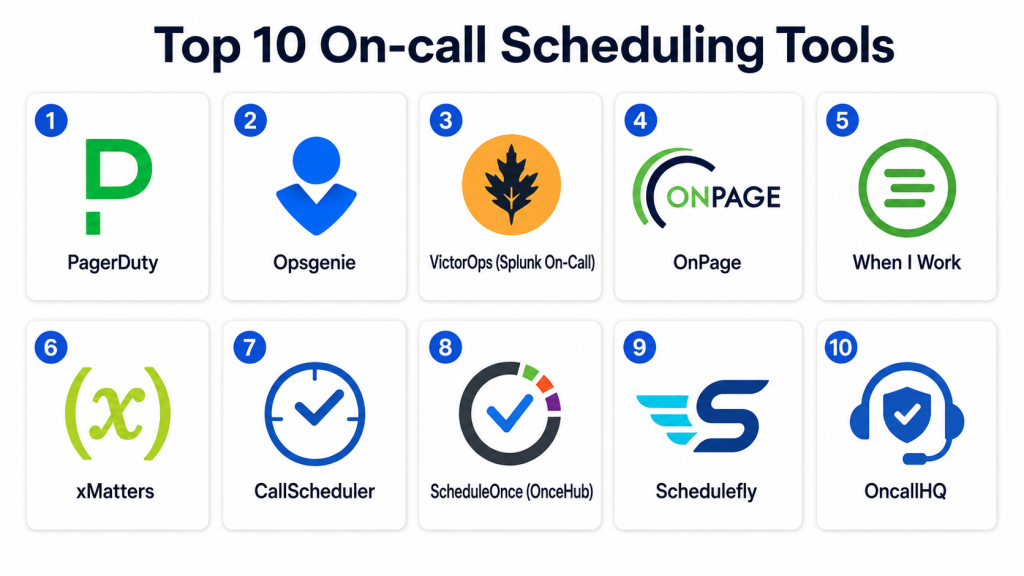
Top 10 On-call Scheduling Tools
#1 — PagerDuty
Short description: PagerDuty automates on-call scheduling, incident response, and alert management for IT and DevOps teams of all sizes.
Key Features
- Intelligent on-call rotations and escalation policies
- Multi-channel alert delivery
- Real-time incident dashboards
- AI-assisted alert correlation
- Integration with monitoring and ITSM tools
- Mobile notifications and acknowledgment
- Analytics and performance reporting
Pros
- Enterprise-grade scalability
- Strong integration ecosystem
- AI-driven incident prioritization
Cons
- Premium pricing for advanced features
- Learning curve for complex workflows
- Configuration may require technical expertise
Platforms / Deployment
Web / iOS / Android
Cloud
Security & Compliance
SSO, MFA, RBAC, encryption; SOC 2 and ISO 27001 supported.
Integrations & Ecosystem
- Slack, Teams
- Jira, ServiceNow
- Monitoring tools (Datadog, Dynatrace)
- REST API for automation
Support & Community
Documentation, enterprise support, onboarding guides, community forums.
#2 — Opsgenie
Short description: Opsgenie offers advanced on-call scheduling, alerting, and incident management for distributed teams.
Key Features
- Flexible rotation schedules
- Automated escalation policies
- Multi-channel alerts
- Mobile app with push notifications
- Reporting and analytics
- Integration with monitoring and ITSM platforms
- Global team support
Pros
- Strong mobile experience
- Flexible and configurable workflows
- Integration with DevOps and observability tools
Cons
- Setup can be complex for large organizations
- Pricing scales with features and user count
- Advanced reporting may require premium plan
Platforms / Deployment
Web / iOS / Android
Cloud
Security & Compliance
SSO, MFA, encryption, RBAC; SOC 2 and GDPR support.
Integrations & Ecosystem
- Slack, Teams
- Jira, ServiceNow
- Cloud monitoring tools
- API for custom integrations
Support & Community
Professional support, knowledge base, and community forums.
#3 — VictorOps (Splunk On-Call)
Short description: VictorOps automates on-call scheduling, incident routing, and alert management, now part of Splunk’s observability suite.
Key Features
- Smart on-call rotations
- Real-time alerting
- Mobile notifications
- Incident timelines and postmortems
- Integration with observability tools
- Analytics for response times and workload
- Collaboration features
Pros
- Integration with Splunk ecosystem
- AI-assisted incident management
- Mobile and real-time notifications
Cons
- Premium cost for enterprise features
- Requires configuration for complex schedules
- Limited offline functionality
Platforms / Deployment
Web / iOS / Android
Cloud
Security & Compliance
SSO, MFA, RBAC, encryption; SOC 2 compliance supported.
Integrations & Ecosystem
- Slack, Teams
- Jira, ServiceNow
- Monitoring platforms
- APIs for automation
Support & Community
Documentation, enterprise support, tutorials, and community forums.
#4 — OnPage
Short description: OnPage provides secure, encrypted on-call notifications, escalation, and alerting for IT, healthcare, and critical operations.
Key Features
- Encrypted alert delivery
- On-call scheduling and rotations
- Mobile push notifications
- Escalation policies and reminders
- Incident tracking and reporting
- Compliance-focused workflow
- Analytics and audit logs
Pros
- HIPAA and GDPR-compliant
- Secure mobile alerts
- Suitable for critical operations
Cons
- Focused on healthcare and IT; less suitable for general DevOps
- Mobile-centric; web interface limited
- Advanced analytics require configuration
Platforms / Deployment
Web / iOS / Android
Cloud
Security & Compliance
End-to-end encryption, SSO, RBAC; HIPAA, GDPR supported.
Integrations & Ecosystem
- PagerDuty and monitoring tools
- Slack, Teams
- API for workflow automation
Support & Community
Documentation, support plans, and customer success resources.
#5 — When I Work
Short description: When I Work provides simple scheduling for on-call rotations, team management, and mobile alerts.
Key Features
- Easy shift scheduling
- On-call rotation management
- Mobile push notifications
- Time-off and swap requests
- Dashboard reporting
- Multi-team support
- Calendar integrations
Pros
- User-friendly interface
- Mobile-first design
- Cost-effective for SMBs
Cons
- Limited advanced analytics
- Less suitable for enterprise-scale automation
- Basic escalation workflows
Platforms / Deployment
Web / iOS / Android
Cloud
Security & Compliance
SSO, encryption, RBAC; SOC 2 Not publicly stated.
Integrations & Ecosystem
- Google Calendar, Outlook
- Slack notifications
- API for custom integrations
Support & Community
Documentation, tutorials, and support resources.
#6 — xMatters
Short description: xMatters automates on-call scheduling, notifications, and incident routing across IT and DevOps teams.
Key Features
- Smart rotation schedules
- Multi-channel alerts
- Automated escalations
- Mobile notifications
- Integration with incident management tools
- Analytics and reporting
- Workflow automation
Pros
- Enterprise-scale support
- Strong integration capabilities
- Predictive alert routing
Cons
- Complex setup for smaller teams
- Pricing can be high
- Learning curve for advanced workflows
Platforms / Deployment
Web / iOS / Android
Cloud
Security & Compliance
SSO, MFA, RBAC, encryption; SOC 2 and ISO 27001 supported.
Integrations & Ecosystem
- Slack, Teams
- ServiceNow, Jira
- Monitoring tools
- API access for automation
Support & Community
Documentation, enterprise support, tutorials, and community forums.
#7 — CallScheduler
Short description: CallScheduler provides automated on-call scheduling with alerts and notifications for IT teams and service organizations.
Key Features
- Shift scheduling and rotations
- SMS, email, and push alerts
- Escalation rules
- Dashboard reporting
- Multi-team support
- Analytics and notifications
- Calendar integration
Pros
- Simple interface
- Cost-effective for SMBs
- Automated alerts reduce manual follow-ups
Cons
- Limited advanced analytics
- Less suitable for enterprise-scale operations
- Mobile notifications only partially featured
Platforms / Deployment
Web / iOS / Android
Cloud
Security & Compliance
Encryption, RBAC; GDPR Not publicly stated.
Integrations & Ecosystem
- Google Calendar, Outlook
- Slack notifications
- API for custom workflows
Support & Community
Documentation and email support.
#8 — ScheduleOnce (OnceHub)
Short description: ScheduleOnce provides automated on-call scheduling and booking with multi-channel alerts and calendar integration.
Key Features
- Shift scheduling
- Automated notifications
- Escalation policies
- Mobile alerts
- Calendar integrations
- Reporting and analytics
- Multi-team support
Pros
- Easy calendar integration
- User-friendly interface
- Automated notifications
Cons
- Limited DevOps-specific features
- Not designed for enterprise alert management
- Analytics are basic
Platforms / Deployment
Web / iOS / Android
Cloud
Security & Compliance
SSO, encryption; GDPR Not publicly stated.
Integrations & Ecosystem
- Google Calendar, Outlook
- Slack and Teams
- API for workflow automation
Support & Community
Documentation, tutorials, and customer support.
#9 — Schedulefly
Short description: Schedulefly focuses on shift and on-call scheduling for small teams, automating alerts and shift management.
Key Features
- Shift and rotation scheduling
- Email and push notifications
- Swap and shift request management
- Dashboard reporting
- Analytics on team workload
- Calendar integration
Pros
- Simple and affordable
- Easy-to-use for SMBs
- Email-based notifications
Cons
- Limited enterprise features
- Not built for IT incident workflows
- No AI-assisted routing
Platforms / Deployment
Web / iOS / Android
Cloud
Security & Compliance
Encryption; SOC 2 Not publicly stated.
Integrations & Ecosystem
- Google Calendar
- Email alerts
- API access
Support & Community
Documentation and support resources.
#10 — OncallHQ
Short description: OncallHQ automates scheduling, notifications, and incident tracking for on-call teams in IT and DevOps.
Key Features
- Smart rotation scheduling
- SMS, email, and push alerts
- Escalation policies
- Analytics and reporting
- Multi-team support
- Mobile notifications
- Integration with monitoring tools
Pros
- Flexible scheduling
- Multi-channel alerting
- Mobile-friendly
Cons
- Limited advanced analytics
- Enterprise integrations require configuration
- Small user community
Platforms / Deployment
Web / iOS / Android
Cloud
Security & Compliance
SSO, encryption; GDPR Not publicly stated.
Integrations & Ecosystem
- Slack, Teams
- Monitoring tools
- Calendar integrations
- APIs for custom workflows
Support & Community
Documentation, support plans, and tutorials.
Comparison Table
| Tool Name | Best For | Platform(s) Supported | Deployment | Standout Feature | Public Rating |
|---|---|---|---|---|---|
| PagerDuty | Enterprise IT & DevOps | Web / iOS / Android | Cloud | AI-driven incident prioritization | N/A |
| Opsgenie | Distributed teams | Web / iOS / Android | Cloud | Flexible escalation policies | N/A |
| VictorOps | Splunk ecosystem | Web / iOS / Android | Cloud | Integrated incident timelines | N/A |
| OnPage | Healthcare & IT | Web / iOS / Android | Cloud | Encrypted mobile alerts | N/A |
| When I Work | SMB teams | Web / iOS / Android | Cloud | Easy shift scheduling | N/A |
| xMatters | Enterprise & DevOps | Web / iOS / Android | Cloud | Predictive alert routing | N/A |
| CallScheduler | SMB IT teams | Web / iOS / Android | Cloud | Simple automated alerts | N/A |
| ScheduleOnce | Calendar-based scheduling | Web / iOS / Android | Cloud | Automated booking integration | N/A |
| Schedulefly | Small teams | Web / iOS / Android | Cloud | Simple shift management | N/A |
| OncallHQ | IT & DevOps | Web / iOS / Android | Cloud | Flexible on-call automation | N/A |
Evaluation & Scoring of On-call Scheduling Tools
| Tool Name | Core (25%) | Ease (15%) | Integrations (15%) | Security (10%) | Performance (10%) | Support (10%) | Value (15%) | Weighted Total (0–10) |
|---|---|---|---|---|---|---|---|---|
| PagerDuty | 9 | 8 | 9 | 9 | 9 | 8 | 7 | 8.45 |
| Opsgenie | 8 | 8 | 8 | 8 | 8 | 8 | 7 | 8.00 |
| VictorOps | 9 | 7 | 8 | 8 | 8 | 8 | 7 | 8.10 |
| OnPage | 8 | 8 | 7 | 9 | 8 | 7 | 7 | 7.90 |
| When I Work | 7 | 9 | 7 | 7 | 7 | 7 | 8 | 7.75 |
| xMatters | 9 | 7 | 8 | 8 | 9 | 8 | 7 | 8.25 |
| CallScheduler | 7 | 8 | 7 | 7 | 7 | 7 | 7 | 7.30 |
| ScheduleOnce | 7 | 8 | 7 | 7 | 7 | 7 | 7 | 7.30 |
| Schedulefly | 6 | 8 | 6 | 6 | 6 | 6 | 7 | 6.65 |
| OncallHQ | 7 | 7 | 7 | 7 | 7 | 7 | 7 | 7.00 |
These scores illustrate comparative strengths across scheduling, integrations, security, ease of use, and value.
Which On-call Scheduling Tool Is Right for You?
Solo / Freelancer
When I Work, CallScheduler, and Schedulefly provide simple, affordable, and mobile-friendly scheduling for small teams.
SMB
Opsgenie, PagerDuty, and ScheduleOnce offer flexible shifts, alerts, and calendar integration for small to mid-size organizations.
Mid-Market
xMatters, VictorOps, and PagerDuty scale well for distributed teams and DevOps operations requiring advanced alert routing and analytics.
Enterprise
PagerDuty, Opsgenie, VictorOps, and OnPage provide enterprise-grade AI alerting, global scheduling, and compliance support for mission-critical operations.
Budget vs Premium
Budget-conscious teams can use When I Work, CallScheduler, and Schedulefly. Premium teams benefit from PagerDuty, Opsgenie, xMatters, and VictorOps for AI-driven and large-scale operations.
Feature Depth vs Ease of Use
For ease, Schedulefly, When I Work, and CallScheduler are practical. For depth and integrations, PagerDuty, Opsgenie, xMatters, and VictorOps are stronger.
Integrations & Scalability
Enterprises should prioritize tools with deep DevOps, monitoring, and ITSM integrations. PagerDuty, xMatters, and Opsgenie excel in this area.
Security & Compliance Needs
Organizations with HIPAA, SOC 2, or GDPR requirements should focus on PagerDuty, OnPage, and Opsgenie for enterprise-grade compliance.
Frequently Asked Questions
What is an on-call scheduling tool?
An on-call scheduling tool automates shift rotations, alerts, and escalations for teams responsible for 24/7 operations.
Why is on-call scheduling important?
It ensures critical incidents are addressed promptly, prevents burnout, and maintains service reliability.
Can these tools integrate with monitoring platforms?
Yes. Most tools integrate with observability, alerting, and ITSM platforms to automate incident workflows.
Do they support mobile notifications?
Yes. All top tools provide push notifications, SMS, and email alerts for mobile accessibility.
How do escalation policies work?
Escalation policies automatically notify backup personnel if the primary on-call individual does not acknowledge an alert.
Are these tools suitable for SMBs?
Yes. Tools like When I Work, Schedulefly, and CallScheduler are designed for small to mid-size teams.
Can synthetic alerts be tested?
Most tools allow test alerts to verify schedules, notification channels, and escalation rules.
How do tools handle time zones?
Enterprise-grade tools automatically adjust shifts and notifications across global teams.
Are analytics and reporting included?
Yes. Top tools provide dashboards, SLA reports, and response-time analytics for performance tracking.
How should a team choose the right tool?
Consider team size, workflow complexity, alerting needs, integration requirements, and budget before selection.
Conclusion
On-call scheduling tools are essential for 24/7 operations, ensuring timely incident response, optimized staffing, and reduced operational risk. PagerDuty, Opsgenie, VictorOps, and xMatters offer enterprise-grade AI-driven scheduling, alerting, and analytics. SMBs benefit from When I Work, CallScheduler, ScheduleOnce, and Schedulefly for ease of use and cost-effectiveness.Teams should shortlist two or three tools, pilot them with live schedules, validate mobile alerts and escalation workflows, ensure integrations with monitoring and ITSM platforms, and review reporting dashboards to ensure operational readiness. This approach guarantees reliable operations, proactive incident management, and optimized on-call efficiency.
