Upgrade & Secure Your Future with DevOps, SRE, DevSecOps, MLOps!
We spend hours scrolling social media and waste money on things we forget, but won’t spend 30 minutes a day earning certifications that can change our lives.
Master in DevOps, SRE, DevSecOps & MLOps by DevOps School!
Learn from Guru Rajesh Kumar and double your salary in just one year.
Introduction
Requirements Management Tools are software platforms that help organizations capture, track, and manage project requirements throughout the development lifecycle. In plain English, these tools ensure that business needs and technical specifications are clearly documented, prioritized, and traced from conception to delivery.
In today’s complex project environments, managing requirements effectively is essential for delivering quality products on time and within budget. Requirements management tools improve collaboration between stakeholders, reduce miscommunication, and provide audit trails for compliance and accountability.
Real-world use cases include:
- Capturing and tracking functional and non-functional requirements
- Linking requirements to tasks, test cases, and deliverables
- Managing changes and version control of requirements
- Supporting compliance and audit needs in regulated industries
- Aligning cross-functional teams on project objectives
Key buyer evaluation criteria:
- Requirement capture and traceability
- Change management and version control
- Collaboration and commenting features
- Integration with project management, testing, and development tools
- Real-time dashboards and reporting
- Workflow customization
- Security and access control
- Scalability for small to enterprise teams
- Template and framework support (e.g., Agile, Waterfall)
- Customer support and training resources
Best for: Business analysts, project managers, product owners, and development teams in IT, engineering, and regulated industries.
Not ideal for: Simple projects or teams with minimal documentation needs; lightweight task trackers may suffice.
Key Trends in Requirements Management Tools
- AI-assisted requirement generation and validation
- Real-time collaborative editing across distributed teams
- Cloud-native platforms with mobile and web access
- Integration with DevOps, ALM, and testing platforms
- Predictive analytics to identify requirement conflicts or gaps
- Automation of traceability links and change notifications
- Support for hybrid methodologies (Agile, Waterfall, Scrum)
- Security features including encryption, MFA, and audit trails
- Configurable dashboards and reporting tools
- Flexible pricing and subscription models for SMBs and enterprises
How We Selected These Tools (Methodology)
- Market adoption and recognition among business analysts and project teams
- Feature completeness including capture, traceability, and change management
- Reliability and performance metrics
- Security posture and compliance capabilities
- Integration with project management, ALM, and testing tools
- Fit across different organization sizes and industries
- Usability and learning curve for technical and non-technical users
- Reporting and analytics capabilities
- Support and community engagement
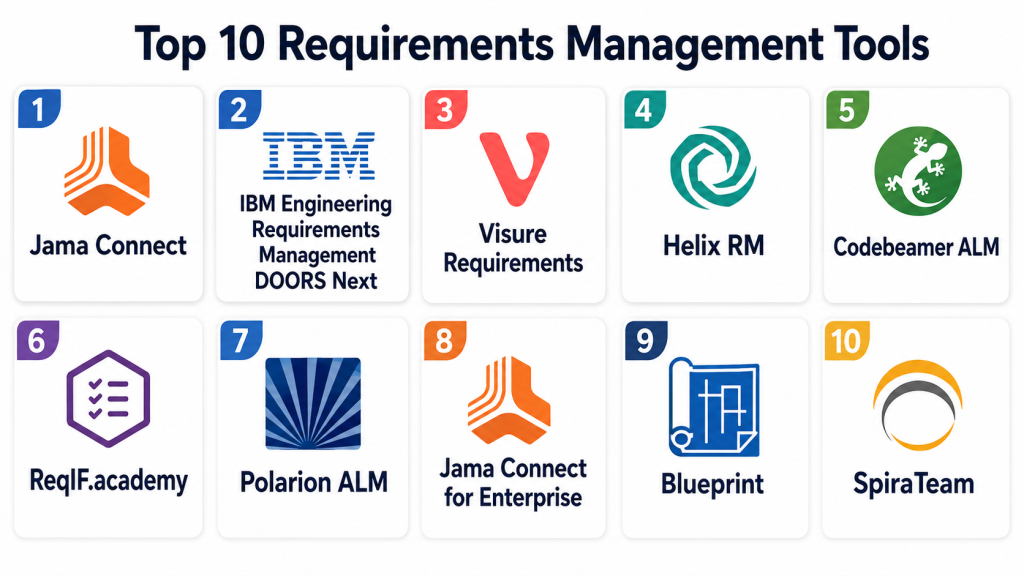
Top 10 Requirements Management Tools
#1 — Jama Connect
Short description: Jama Connect provides end-to-end requirements management, risk analysis, and traceability. Best for large teams needing structured requirements workflows.
Key Features
- Requirement capture and traceability
- Change management and versioning
- Risk analysis and impact assessment
- Workflow customization
- Collaboration and commenting
- Reporting and dashboards
- Integration with ALM and testing tools
Pros
- Enterprise-grade traceability
- Supports compliance in regulated industries
Cons
- Premium pricing
- Steep learning curve
Platforms / Deployment
- Web
- Cloud / On-premise
Security & Compliance
- SSO, MFA, encryption
- SOC 2, ISO 27001, GDPR
Integrations & Ecosystem
- Jira, GitHub, GitLab
- Test management tools
- API for custom integrations
Support & Community
- Tutorials and documentation
- Dedicated support
- Online community
#2 — IBM Engineering Requirements Management DOORS Next
Short description: DOORS Next is a robust platform for capturing and managing complex project requirements. Ideal for large-scale engineering projects.
Key Features
- Requirement documentation and traceability
- Change management and version control
- Collaboration tools for stakeholders
- Reporting and dashboards
- Integration with ALM and testing tools
- Customizable templates
Pros
- Strong compliance features
- Suitable for regulated industries
Cons
- Complex interface
- High cost for smaller teams
Platforms / Deployment
- Web
- Cloud / On-premise
Security & Compliance
- SOC 2, ISO 27001
- Encryption and access control
Integrations & Ecosystem
- ALM, Jira, Git integration
- API for custom workflows
Support & Community
- Knowledge base
- Customer support teams
- Community forums
#3 — Visure Requirements
Short description: Visure Requirements offers requirements capture, traceability, and risk analysis. Suitable for engineering, medical, and software development teams.
Key Features
- Requirement capture and traceability
- Risk management and impact analysis
- Workflow automation
- Reporting and dashboards
- Collaboration and commenting
- Versioning and audit logs
Pros
- Compliance-ready
- Supports complex project structures
Cons
- Can be expensive for SMBs
- Learning curve for advanced features
Platforms / Deployment
- Web / Windows
- Cloud / On-premise
Security & Compliance
- Not publicly stated
Integrations & Ecosystem
- Jira, ALM, test management tools
- API for automation
Support & Community
- Documentation and tutorials
- Email support
- Community forum
#4 — Helix RM
Short description: Helix RM provides requirement management, traceability, and collaboration features. Ideal for software development and engineering teams.
Key Features
- Requirement capture and version control
- Traceability and change management
- Workflow customization
- Reporting dashboards
- Collaboration and commenting
- Integration with ALM and DevOps
Pros
- Flexible for agile and traditional workflows
- Strong traceability features
Cons
- Interface may feel outdated
- Premium pricing for enterprise features
Platforms / Deployment
- Web
- Cloud / On-premise
Security & Compliance
- Not publicly stated
Integrations & Ecosystem
- ALM, Jira, Git integration
- API support
Support & Community
- Documentation
- Email support
- Tutorials
#5 — Codebeamer ALM
Short description: Codebeamer ALM combines requirements management, risk analysis, and workflow automation. Suitable for mid-market to enterprise organizations.
Key Features
- Requirement traceability
- Risk and impact analysis
- Workflow automation
- Reporting dashboards
- Collaboration tools
- Integration with DevOps pipelines
Pros
- Enterprise-grade ALM support
- Strong risk management
Cons
- Complex configuration
- Higher cost
Platforms / Deployment
- Web
- Cloud / On-premise
Security & Compliance
- SSO, encryption
- Not publicly stated
Integrations & Ecosystem
- Jira, Git, CI/CD tools
- API for automation
Support & Community
- Tutorials and documentation
- Customer support
- Online forums
#6 — ReqIF.academy
Short description: ReqIF.academy provides open-standard requirements management using ReqIF. Ideal for teams seeking interoperability and standards compliance.
Key Features
- ReqIF standard support
- Requirement capture and traceability
- Collaboration and commenting
- Workflow management
- Versioning and audit logs
- Exportable reports
Pros
- Open-standard compliance
- Supports interoperability
Cons
- Limited advanced analytics
- Smaller community
Platforms / Deployment
- Web
- Cloud / On-premise
Security & Compliance
- Not publicly stated
Integrations & Ecosystem
- ALM and test management tools
- API support
Support & Community
- Documentation
- Email support
#7 — Polarion ALM
Short description: Polarion ALM provides requirements, test, and project management in one platform. Suitable for regulated industries like automotive and medical.
Key Features
- Requirement traceability
- Test and project management
- Workflow automation
- Reporting dashboards
- Collaboration and commenting
- Integration with DevOps pipelines
Pros
- Compliance-ready
- All-in-one ALM platform
Cons
- Premium pricing
- Steep learning curve
Platforms / Deployment
- Web / Windows
- Cloud / On-premise
Security & Compliance
- ISO 27001, SOC 2
- SSO, encryption
Integrations & Ecosystem
- Jira, Git, CI/CD integration
- API for custom workflows
Support & Community
- Documentation
- Dedicated support
- Community forums
#8 — Jama Connect for Enterprise
Short description: Enterprise-focused version of Jama Connect with advanced reporting and governance features. Best for large teams managing complex projects.
Key Features
- Requirement capture and traceability
- Governance and audit features
- Advanced reporting dashboards
- Collaboration and commenting
- Workflow customization
- Risk and impact analysis
Pros
- Enterprise scalability
- Strong compliance features
Cons
- High pricing
- Complexity for small teams
Platforms / Deployment
- Web
- Cloud / On-premise
Security & Compliance
- SOC 2, ISO 27001, GDPR
- SSO, encryption
Integrations & Ecosystem
- Jira, Git, test management tools
- API for automation
Support & Community
- Tutorials and documentation
- Dedicated enterprise support
#9 — Blueprint
Short description: Blueprint provides requirements, process mapping, and traceability. Suitable for regulated software and enterprise projects.
Key Features
- Requirement capture and version control
- Process and workflow mapping
- Traceability and impact analysis
- Reporting dashboards
- Collaboration tools
Pros
- Supports compliance and audit
- Enterprise-ready
Cons
- Premium pricing
- Limited support for small teams
Platforms / Deployment
- Web
- Cloud / On-premise
Security & Compliance
- Not publicly stated
Integrations & Ecosystem
- Jira, ALM, DevOps integrations
- API support
Support & Community
- Documentation
- Customer support
#10 — SpiraTeam
Short description: SpiraTeam combines requirements, test, and defect management. Best for software development teams seeking integrated project tracking.
Key Features
- Requirement capture and traceability
- Test and defect management
- Workflow automation
- Reporting dashboards
- Collaboration tools
- Integration with development tools
Pros
- All-in-one solution
- Agile and traditional methodology support
Cons
- Premium pricing
- Learning curve for new users
Platforms / Deployment
- Web / Windows
- Cloud / On-premise
Security & Compliance
- Not publicly stated
Integrations & Ecosystem
- Jira, Git, CI/CD tools
- API support
Support & Community
- Documentation
- Email support
- Online tutorials
Comparison Table (Top 10)
| Tool Name | Best For | Platform(s) Supported | Deployment | Standout Feature | Public Rating |
|---|---|---|---|---|---|
| Jama Connect | Large teams | Web | Cloud / On-prem | End-to-end traceability | N/A |
| DOORS Next | Enterprise | Web | Cloud / On-prem | Complex requirement management | N/A |
| Visure | Engineering & software | Web / Windows | Cloud / On-prem | Risk & impact analysis | N/A |
| Helix RM | Dev & engineering teams | Web | Cloud / On-prem | Flexible workflows | N/A |
| Codebeamer | Mid-market/enterprise | Web | Cloud / On-prem | ALM & risk management | N/A |
| ReqIF.academy | Standards compliance | Web | Cloud / On-prem | ReqIF standard | N/A |
| Polarion | Regulated industries | Web / Windows | Cloud / On-prem | All-in-one ALM | N/A |
| Jama Connect Enterprise | Large enterprise | Web | Cloud / On-prem | Governance & reporting | N/A |
| Blueprint | Enterprise & regulated | Web | Cloud / On-prem | Process mapping & traceability | N/A |
| SpiraTeam | Dev & QA teams | Web / Windows | Cloud / On-prem | Integrated requirement/test/defect | N/A |
Evaluation & Scoring of Requirements Management Tools
| Tool Name | Core (25%) | Ease (15%) | Integrations (15%) | Security (10%) | Performance (10%) | Support (10%) | Value (15%) | Weighted Total (0–10) |
|---|---|---|---|---|---|---|---|---|
| Jama Connect | 9 | 7 | 8 | 8 | 8 | 8 | 7 | 8.0 |
| DOORS Next | 9 | 6 | 8 | 8 | 8 | 7 | 7 | 7.8 |
| Visure | 8 | 7 | 7 | 7 | 8 | 7 | 7 | 7.4 |
| Helix RM | 8 | 7 | 7 | 7 | 7 | 7 | 7 | 7.3 |
| Codebeamer | 9 | 7 | 8 | 8 | 8 | 7 | 7 | 7.9 |
| ReqIF.academy | 7 | 7 | 6 | 7 | 7 | 6 | 7 | 6.9 |
| Polarion | 9 | 6 | 8 | 8 | 8 | 7 | 7 | 7.7 |
| Jama Connect Enterprise | 9 | 6 | 8 | 8 | 8 | 7 | 7 | 7.7 |
| Blueprint | 8 | 6 | 7 | 7 | 7 | 7 | 7 | 7.1 |
| SpiraTeam | 8 | 7 | 7 | 7 | 7 | 7 | 7 | 7.3 |
Interpretation: Higher weighted totals indicate stronger overall suitability for capturing, managing, and tracing project requirements. Scores are comparative across core features, usability, integrations, security, performance, support, and value.
Which Requirements Management Tool Is Right for You?
Solo / Freelancer
- ReqIF.academy or MantisBT for lightweight or standards-compliant requirements tracking
SMB
- Helix RM, Visure, or SpiraTeam for structured cloud-based requirements management
Mid-Market
- Codebeamer or Jama Connect for traceability, risk, and workflow automation
Enterprise
- DOORS Next, Polarion, or Jama Connect Enterprise for complex, regulated environments
Budget vs Premium
- SMBs and small teams: ReqIF.academy, SpiraTeam
- Enterprises: Jama Connect, DOORS Next, Polarion
Feature Depth vs Ease of Use
- Helix RM and Codebeamer balance robust functionality with usability
Integrations & Scalability
- Ensure integration with ALM, testing, and development platforms
Security & Compliance Needs
- Choose tools with encryption, SSO/MFA, audit trails, and regulatory compliance
Frequently Asked Questions (FAQs)
1. What pricing models do requirements management tools offer?
Most use subscription tiers; open-source options are free with self-hosting.
2. How quickly can requirements be captured and traced?
Templates allow rapid setup, but full traceability may take several days to configure.
3. Are these tools suitable for small projects?
Yes, tools like ReqIF.academy or SpiraTeam work well for smaller teams.
4. Can they integrate with ALM and DevOps pipelines?
Yes, most top tools integrate with Jira, Git, GitLab, and CI/CD pipelines.
5. Do these tools support collaboration?
Yes, cloud-native platforms allow multiple stakeholders to comment and track changes in real time.
6. Are mobile apps available?
Some platforms provide mobile apps for reviewing requirements on the go.
7. Can custom workflows be configured?
Yes, Jira, Jama Connect, and Helix RM allow extensive workflow customization.
8. Do these tools offer reporting and analytics?
Yes, dashboards and reporting features allow stakeholders to track requirement progress and risk.
9. How secure is requirement data?
Leading platforms offer encryption, role-based access, and audit trails for sensitive project data.
10. Can open-source tools scale for larger projects?
Some, like ReqIF.academy, can scale with appropriate infrastructure and configuration.
Conclusion
Selecting the right requirements management tool depends on project complexity, team size, and compliance needs. Freelancers or small teams may prefer ReqIF.academy or SpiraTeam for lightweight setups, while mid-market and enterprise organizations benefit from Jama Connect, DOORS Next, or Polarion for advanced traceability, risk analysis, and workflow automation.
