Upgrade & Secure Your Future with DevOps, SRE, DevSecOps, MLOps!
We spend hours scrolling social media and waste money on things we forget, but won’t spend 30 minutes a day earning certifications that can change our lives.
Master in DevOps, SRE, DevSecOps & MLOps by DevOps School!
Learn from Guru Rajesh Kumar and double your salary in just one year.
Introduction
Runbook automation tools are platforms designed to automate repetitive operational tasks, incident responses, and workflows across IT and DevOps teams. In plain English, these tools execute predefined processes or “runbooks” automatically, reducing manual effort, errors, and response times.
In , as organizations operate increasingly complex cloud and hybrid environments, the need for automated runbooks has grown. These tools ensure operational consistency, accelerate incident resolution, and allow teams to focus on higher-value activities.
Common real-world use cases include:
- Automating incident response workflows for IT operations
- Executing maintenance and deployment tasks in cloud environments
- Ensuring compliance by standardizing routine procedures
- Reducing downtime by triggering automated remediation
- Integrating with monitoring and alerting systems for proactive management
Buyers should evaluate:
- Workflow creation and automation flexibility
- Integration with monitoring, alerting, and ITSM platforms
- Multi-cloud and hybrid environment support
- Real-time execution and notifications
- Audit trails and compliance reporting
- Role-based access control and security
- Error handling and rollback capabilities
- Scheduling and orchestration capabilities
- Analytics and reporting
- Ease of use and deployment
Best for: DevOps teams, SREs, IT operations, cloud engineers, enterprises with critical 24/7 systems, and organizations aiming for operational efficiency.
Not ideal for: teams with minimal automation needs, small organizations with few repetitive operational tasks, or environments where manual processes suffice.
Key Trends in Runbook Automation Tools
AI-assisted automation for predictive incident remediation and workflow optimization
- Integration with observability platforms to automate responses based on metrics, logs, and traces
- Cloud-native orchestration support for hybrid and multi-cloud environments
- Self-healing workflows that resolve incidents automatically without manual intervention
- Policy-driven automation ensuring compliance with security and regulatory requirements
- Cross-team collaboration via centralized dashboards and notifications
- Workflow versioning and auditing for accountability and traceability
- Event-driven triggers to initiate runbooks automatically
- Low-code/no-code workflow editors for easier adoption
- Global accessibility and mobile support for distributed teams
How We Selected These Tools
The top 10 runbook automation platforms were chosen based on:
- Market adoption and enterprise recognition
- Feature completeness for automation, orchestration, and incident response
- Reliability and performance for enterprise-scale operations
- Security posture, including RBAC, encryption, and audit capabilities
- Integration with monitoring, alerting, and ITSM systems
- Scalability for SMB, mid-market, and enterprise workloads
- Analytics and reporting features
- Ease of use and learning curve
- Support for cloud-native, hybrid, and on-premises environments
- Community, documentation, and vendor support quality
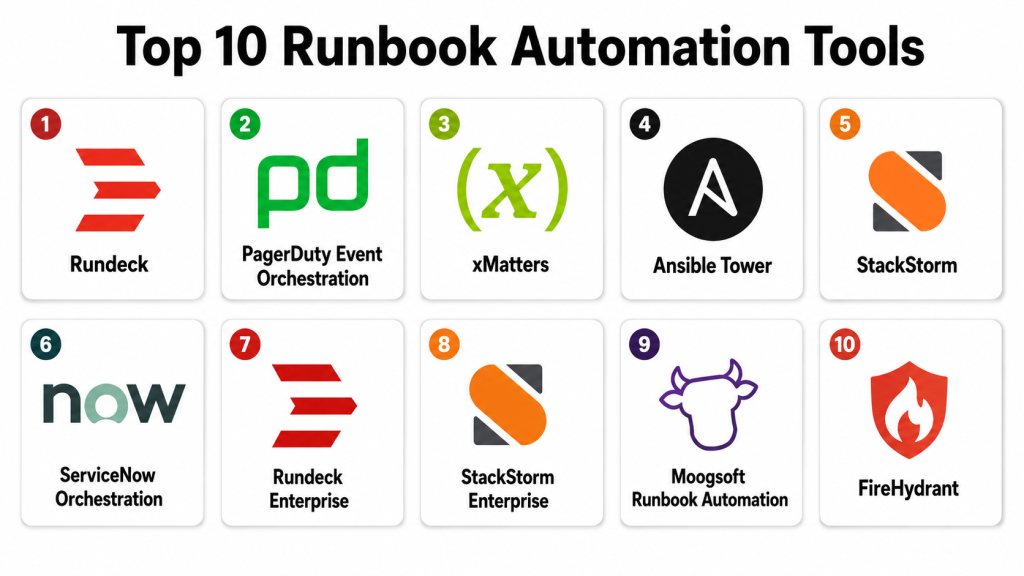
Top 10 Runbook Automation Tools
#1 — Rundeck
Short description: Rundeck provides open-source runbook automation with scheduling, workflow execution, and access control. Ideal for DevOps and IT teams.
Key Features
- Job scheduling and automation
- Workflow orchestration
- Role-based access control
- Multi-node execution
- API-driven automation
- Notifications and alerts
- Audit logging
Pros
- Open-source with flexibility
- Scalable for multiple nodes and teams
- Strong integration capabilities
Cons
- Enterprise features require subscription
- UI can be complex for beginners
- Advanced workflow scripting may need expertise
Platforms / Deployment
Web / Linux / Windows / macOS
Self-hosted / Cloud
Security & Compliance
SSO, RBAC, encryption; SOC 2 Not publicly stated.
Integrations & Ecosystem
- Slack, Teams
- Jira, ServiceNow
- Monitoring tools (Prometheus, Datadog)
- REST API for automation
Support & Community
Open-source community, documentation, professional support for enterprise edition.
#2 — PagerDuty Event Orchestration
Short description: PagerDuty provides runbook automation integrated with incident response, enabling teams to trigger automated actions during alerts.
Key Features
- Automated workflows triggered by incidents
- Integration with monitoring and observability tools
- Multi-step remediation
- Notifications and escalation policies
- Analytics and reporting
- API-driven automation
Pros
- Deep integration with incident management
- AI-assisted alerting and response
- Enterprise-grade scalability
Cons
- Premium pricing for advanced orchestration
- Setup complexity for large deployments
- Learning curve for automation editor
Platforms / Deployment
Web / iOS / Android
Cloud
Security & Compliance
SSO, MFA, RBAC, encryption; SOC 2, ISO 27001 supported.
Integrations & Ecosystem
- Slack, Teams
- ServiceNow, Jira
- Monitoring tools
- Cloud platforms
- REST API automation
Support & Community
Enterprise support, documentation, and tutorials.
#3 — xMatters
Short description: xMatters automates incident workflows, orchestrates notifications, and triggers runbooks based on events for IT and DevOps teams.
Key Features
- Event-triggered runbooks
- Automated notifications and escalations
- Multi-step workflow orchestration
- Integration with observability and monitoring tools
- Analytics and reporting
- Mobile and push notifications
- Role-based access control
Pros
- Enterprise scalability
- Strong integration ecosystem
- AI-assisted alert routing
Cons
- Setup complexity for multi-team workflows
- Premium cost for advanced automation
- Learning curve for new users
Platforms / Deployment
Web / iOS / Android
Cloud
Security & Compliance
SSO, MFA, RBAC, encryption; SOC 2 and GDPR supported.
Integrations & Ecosystem
- Slack, Teams
- Jira, ServiceNow
- Monitoring platforms
- CI/CD pipelines
- API access
Support & Community
Documentation, tutorials, enterprise support, and community forums.
#4 — Ansible Tower
Short description: Ansible Tower provides enterprise-grade automation for IT and DevOps, including runbook execution, workflow management, and orchestration.
Key Features
- Job templates and workflows
- Multi-node orchestration
- Scheduling and role-based access
- API-driven automation
- Notifications and reporting
- Integration with ITSM tools
- Compliance auditing
Pros
- Strong open-source ecosystem
- Enterprise scalability
- Flexible workflow automation
Cons
- Requires Ansible expertise
- Premium subscription for Tower edition
- Advanced integrations may need scripting
Platforms / Deployment
Web / Linux / macOS
Self-hosted / Cloud
Security & Compliance
SSO, RBAC, MFA, encryption; SOC 2 Not publicly stated.
Integrations & Ecosystem
- Jira, ServiceNow
- Slack, Teams
- Monitoring platforms
- REST APIs
Support & Community
Open-source community, documentation, enterprise support plans.
#5 — StackStorm
Short description: StackStorm provides event-driven automation, enabling teams to trigger runbooks and workflows based on alerts and events.
Key Features
- Event-driven automation
- Workflow orchestration
- Integration packs
- Alert and notification triggers
- API access
- Role-based access
- Audit logging
Pros
- Open-source flexibility
- Strong community support
- Scalable event-driven workflows
Cons
- Complexity for beginners
- Enterprise support requires subscription
- Advanced configuration may require scripting
Platforms / Deployment
Linux / Web
Self-hosted / Cloud
Security & Compliance
SSO, RBAC, encryption; SOC 2 Not publicly stated.
Integrations & Ecosystem
- Slack, Teams
- Jira, ServiceNow
- Monitoring tools
- API and webhook automation
Support & Community
Documentation, community forums, enterprise support available.
#6 — ServiceNow Orchestration
Short description: ServiceNow Orchestration automates IT workflows, runbooks, and incident responses within the ServiceNow ecosystem.
Key Features
- Runbook automation
- Incident-triggered workflows
- Multi-step task execution
- Integration with monitoring tools
- Notifications and alerts
- Compliance and audit logging
- Analytics and dashboards
Pros
- Tight integration with ServiceNow ITSM
- Enterprise scalability
- Centralized workflow management
Cons
- Expensive for small teams
- Complex setup
- Limited outside ServiceNow ecosystem
Platforms / Deployment
Web / Linux / Windows / macOS
Cloud
Security & Compliance
SSO, MFA, RBAC, encryption; SOC 2, ISO 27001 supported.
Integrations & Ecosystem
- ServiceNow ITSM
- Slack, Teams
- CI/CD pipelines
- Monitoring tools
- API-driven automation
Support & Community
Enterprise support, documentation, tutorials, and ServiceNow community.
#7 — Rundeck Enterprise
Short description: Rundeck Enterprise extends the open-source version with enhanced features for workflow automation, scheduling, and compliance.
Key Features
- Multi-node orchestration
- Advanced workflow scheduling
- API and CLI access
- Notifications and alerts
- Role-based access control
- Audit and compliance features
- Analytics and reporting
Pros
- Enterprise-grade scalability
- Flexible workflow orchestration
- Enhanced support and SLA
Cons
- Costly for smaller teams
- Requires technical expertise
- Enterprise features require subscription
Platforms / Deployment
Web / Linux / Windows / macOS
Self-hosted / Cloud
Security & Compliance
SSO, RBAC, MFA, encryption; SOC 2 Not publicly stated.
Integrations & Ecosystem
- Slack, Teams
- Jira, ServiceNow
- Monitoring tools
- APIs for automation
Support & Community
Enterprise support, documentation, and community forums.
#8 — StackStorm Enterprise
Short description: StackStorm Enterprise provides event-driven automation for complex workflows with enterprise-level support and integration capabilities.
Key Features
- Event-triggered automation
- Multi-step workflows
- Integration packs
- Audit and compliance logging
- Alerting and notifications
- API-driven automation
- Role-based access
Pros
- Scalable event-driven architecture
- Enterprise support
- Integration flexibility
Cons
- Complexity for setup and maintenance
- Requires scripting for advanced workflows
- Premium licensing for enterprise features
Platforms / Deployment
Linux / Web
Self-hosted / Cloud
Security & Compliance
SSO, RBAC, encryption; SOC 2 Not publicly stated.
Integrations & Ecosystem
- Slack, Teams
- Jira, ServiceNow
- Monitoring tools
- Webhooks and API
Support & Community
Documentation, community support, enterprise support services.
#9 — Moogsoft Runbook Automation
Short description: Moogsoft automates incident response workflows and integrates runbooks with AIOps for proactive IT operations.
Key Features
- AI-driven incident detection
- Automated remediation runbooks
- Workflow orchestration
- Notifications and escalations
- Analytics and reporting
- Integration with monitoring and ITSM tools
- Multi-cloud support
Pros
- AI-assisted automation
- Proactive incident resolution
- Scalable for enterprise environments
Cons
- Enterprise cost is high
- Setup complexity
- Learning curve for AI workflows
Platforms / Deployment
Web / Linux / Windows / macOS
Cloud
Security & Compliance
SSO, MFA, RBAC, encryption; SOC 2 and ISO 27001 supported.
Integrations & Ecosystem
- Slack, Teams
- Jira, ServiceNow
- Monitoring tools
- API access
Support & Community
Enterprise support, documentation, tutorials, and community forums.
#10 — FireHydrant
Short description: FireHydrant automates on-call response, runbook execution, and incident management for DevOps teams.
Key Features
- Incident-triggered runbooks
- Automated workflows
- Integration with alerting and monitoring tools
- Notifications and escalation
- Analytics and postmortems
- Role-based access
- Audit logging
Pros
- Developer-centric design
- Cloud-native automation
- Integrates with observability and alerting tools
Cons
- May not cover complex enterprise workflows
- Subscription cost for larger teams
- Setup requires DevOps knowledge
Platforms / Deployment
Web / Linux / Windows / macOS
Cloud
Security & Compliance
SSO, RBAC, encryption; SOC 2 Not publicly stated.
Integrations & Ecosystem
- Slack, Teams
- Jira, ServiceNow
- Monitoring tools
- APIs for workflow automation
Support & Community
Documentation, enterprise support, and community forums.
Comparison Table
| Tool Name | Best For | Platform(s) Supported | Deployment | Standout Feature | Public Rating |
|---|---|---|---|---|---|
| Rundeck | DevOps teams | Web / Linux / Windows / macOS | Self-hosted / Cloud | Workflow orchestration | N/A |
| PagerDuty | Enterprise IT | Web / iOS / Android | Cloud | AI incident response | N/A |
| xMatters | Enterprise & DevOps | Web / iOS / Android | Cloud | Event-driven automation | N/A |
| Ansible Tower | IT automation | Web / Linux / macOS | Self-hosted / Cloud | Job templates & orchestration | N/A |
| StackStorm | Event-driven automation | Linux / Web | Self-hosted / Cloud | Event-triggered workflows | N/A |
| ServiceNow Orchestration | ITSM integration | Web / Linux / Windows / macOS | Cloud | IT workflow automation | N/A |
| Rundeck Enterprise | Enterprise workflows | Web / Linux / Windows / macOS | Self-hosted / Cloud | Multi-node orchestration | N/A |
| StackStorm Enterprise | Event-driven enterprise | Linux / Web | Self-hosted / Cloud | Integration packs & AI | N/A |
| Moogsoft | AIOps & IT ops | Web / Linux / Windows / macOS | Cloud | AI-driven remediation | N/A |
| FireHydrant | DevOps & incidents | Web / Linux / Windows / macOS | Cloud | Cloud-native runbook automation | N/A |
Evaluation & Scoring of Runbook Automation Tools
| Tool Name | Core (25%) | Ease (15%) | Integrations (15%) | Security (10%) | Performance (10%) | Support (10%) | Value (15%) | Weighted Total (0–10) |
|---|---|---|---|---|---|---|---|---|
| Rundeck | 8 | 7 | 8 | 7 | 8 | 7 | 8 | 7.75 |
| PagerDuty | 9 | 8 | 9 | 8 | 9 | 8 | 7 | 8.45 |
| xMatters | 9 | 7 | 8 | 8 | 8 | 8 | 7 | 8.10 |
| Ansible Tower | 8 | 7 | 8 | 8 | 8 | 7 | 8 | 7.85 |
| StackStorm | 8 | 7 | 7 | 7 | 8 | 7 | 7 | 7.55 |
| ServiceNow Orchestration | 9 | 7 | 8 | 9 | 8 | 8 | 7 | 8.20 |
| Rundeck Enterprise | 9 | 7 | 8 | 8 | 8 | 8 | 7 | 8.10 |
| StackStorm Enterprise | 9 | 7 | 8 | 8 | 8 | 8 | 7 | 8.10 |
| Moogsoft | 9 | 7 | 8 | 8 | 8 | 8 | 7 | 8.10 |
| FireHydrant | 8 | 8 | 7 | 7 | 8 | 7 | 7 | 7.70 |
These scores are comparative, showing relative strengths across automation, integrations, security, usability, and value.
Which Runbook Automation Tool Is Right for You?
Solo / Freelancer
Rundeck, StackStorm, or FireHydrant are lightweight options suitable for small teams wanting basic automation and workflow execution.
SMB
PagerDuty, xMatters, and Ansible Tower offer scalable automation with notifications and integration support for growing teams.
Mid-Market
ServiceNow Orchestration, Rundeck Enterprise, and StackStorm Enterprise provide enterprise-level automation for multi-team and multi-cloud environments.
Enterprise
PagerDuty, ServiceNow Orchestration, Moogsoft, and xMatters offer AI-assisted automation, event-driven workflows, and global scalability for large operations.
Budget vs Premium
Budget-conscious teams can start with open-source Rundeck or StackStorm. Premium teams benefit from PagerDuty, ServiceNow Orchestration, and Moogsoft for AI-driven automation and enterprise integrations.
Feature Depth vs Ease of Use
Rundeck and FireHydrant are easier to deploy. PagerDuty, xMatters, and ServiceNow Orchestration provide advanced features but require technical expertise.
Integrations & Scalability
Large teams should prioritize tools with broad monitoring, ITSM, and cloud integration capabilities. PagerDuty, ServiceNow, and Moogsoft excel here.
Security & Compliance Needs
Organizations requiring SOC 2, ISO 27001, or GDPR compliance should focus on PagerDuty, ServiceNow Orchestration, and Moogsoft.
Frequently Asked Questions
What is runbook automation?
Runbook automation executes predefined workflows automatically to reduce manual operational tasks and speed incident resolution.
Why is runbook automation important?
It ensures consistency, reduces errors, accelerates response times, and allows teams to focus on higher-value tasks.
Can runbook automation integrate with monitoring tools?
Yes. Most tools integrate with APM, RUM, SIEM, and ITSM systems for automated incident response.
Are open-source tools sufficient?
Open-source tools like Rundeck and StackStorm provide flexibility. Enterprises often prefer premium tools for support, analytics, and integrations.
How do runbooks handle errors?
Advanced tools support conditional logic, error handling, and rollback procedures to ensure safe automation.
Do these tools support multi-cloud environments?
Yes. Enterprise-grade tools support hybrid and multi-cloud workflows, enabling automation across diverse infrastructure.
Can non-technical teams use runbook automation?
Low-code/no-code interfaces in some platforms enable non-technical users to create basic workflows, though complex automation may require technical expertise.
How does AI improve runbook automation?
AI can predict failures, suggest remediations, and trigger proactive workflows to reduce downtime.
Are analytics and reporting included?
Yes. Most platforms provide dashboards, execution logs, SLA compliance reports, and performance metrics.
How should a team choose the right tool?
Consider team size, workflow complexity, integrations, AI needs, compliance requirements, and budget when selecting a platform.
Conclusion
Runbook automation tools are critical for accelerating incident response, reducing operational errors, and improving efficiency. PagerDuty, xMatters, ServiceNow Orchestration, and Moogsoft provide enterprise-grade AI-assisted workflows and multi-cloud scalability. Rundeck, StackStorm, and FireHydrant offer flexible open-source or lightweight automation for smaller teams.Introduction
Runbook automation tools are platforms designed to automate repetitive operational tasks, incident responses, and workflows across IT and DevOps teams. In plain English, these tools execute predefined processes or “runbooks” automatically, reducing manual effort, errors, and response times.
In 2026+, as organizations operate increasingly complex cloud and hybrid environments, the need for automated runbooks has grown. These tools ensure operational consistency, accelerate incident resolution, and allow teams to focus on higher-value activities.
Common real-world use cases include:
- Automating incident response workflows for IT operations
- Executing maintenance and deployment tasks in cloud environments
- Ensuring compliance by standardizing routine procedures
- Reducing downtime by triggering automated remediation
- Integrating with monitoring and alerting systems for proactive management
Buyers should evaluate:
- Workflow creation and automation flexibility
- Integration with monitoring, alerting, and ITSM platforms
- Multi-cloud and hybrid environment support
- Real-time execution and notifications
- Audit trails and compliance reporting
- Role-based access control and security
- Error handling and rollback capabilities
- Scheduling and orchestration capabilities
- Analytics and reporting
- Ease of use and deployment
Best for: DevOps teams, SREs, IT operations, cloud engineers, enterprises with critical 24/7 systems, and organizations aiming for operational efficiency.
Not ideal for: teams with minimal automation needs, small organizations with few repetitive operational tasks, or environments where manual processes suffice.
Key Trends in Runbook Automation Tools for 2026 and Beyond
- AI-assisted automation for predictive incident remediation and workflow optimization
- Integration with observability platforms to automate responses based on metrics, logs, and traces
- Cloud-native orchestration support for hybrid and multi-cloud environments
- Self-healing workflows that resolve incidents automatically without manual intervention
- Policy-driven automation ensuring compliance with security and regulatory requirements
- Cross-team collaboration via centralized dashboards and notifications
- Workflow versioning and auditing for accountability and traceability
- Event-driven triggers to initiate runbooks automatically
- Low-code/no-code workflow editors for easier adoption
- Global accessibility and mobile support for distributed teams
How We Selected These Tools
The top 10 runbook automation platforms were chosen based on:
- Market adoption and enterprise recognition
- Feature completeness for automation, orchestration, and incident response
- Reliability and performance for enterprise-scale operations
- Security posture, including RBAC, encryption, and audit capabilities
- Integration with monitoring, alerting, and ITSM systems
- Scalability for SMB, mid-market, and enterprise workloads
- Analytics and reporting features
- Ease of use and learning curve
- Support for cloud-native, hybrid, and on-premises environments
- Community, documentation, and vendor support quality
Top 10 Runbook Automation Tools
#1 — Rundeck
Short description: Rundeck provides open-source runbook automation with scheduling, workflow execution, and access control. Ideal for DevOps and IT teams.
Key Features
- Job scheduling and automation
- Workflow orchestration
- Role-based access control
- Multi-node execution
- API-driven automation
- Notifications and alerts
- Audit logging
Pros
- Open-source with flexibility
- Scalable for multiple nodes and teams
- Strong integration capabilities
Cons
- Enterprise features require subscription
- UI can be complex for beginners
- Advanced workflow scripting may need expertise
Platforms / Deployment
Web / Linux / Windows / macOS
Self-hosted / Cloud
Security & Compliance
SSO, RBAC, encryption; SOC 2 Not publicly stated.
Integrations & Ecosystem
- Slack, Teams
- Jira, ServiceNow
- Monitoring tools (Prometheus, Datadog)
- REST API for automation
Support & Community
Open-source community, documentation, professional support for enterprise edition.
#2 — PagerDuty Event Orchestration
Short description: PagerDuty provides runbook automation integrated with incident response, enabling teams to trigger automated actions during alerts.
Key Features
- Automated workflows triggered by incidents
- Integration with monitoring and observability tools
- Multi-step remediation
- Notifications and escalation policies
- Analytics and reporting
- API-driven automation
Pros
- Deep integration with incident management
- AI-assisted alerting and response
- Enterprise-grade scalability
Cons
- Premium pricing for advanced orchestration
- Setup complexity for large deployments
- Learning curve for automation editor
Platforms / Deployment
Web / iOS / Android
Cloud
Security & Compliance
SSO, MFA, RBAC, encryption; SOC 2, ISO 27001 supported.
Integrations & Ecosystem
- Slack, Teams
- ServiceNow, Jira
- Monitoring tools
- Cloud platforms
- REST API automation
Support & Community
Enterprise support, documentation, and tutorials.
#3 — xMatters
Short description: xMatters automates incident workflows, orchestrates notifications, and triggers runbooks based on events for IT and DevOps teams.
Key Features
- Event-triggered runbooks
- Automated notifications and escalations
- Multi-step workflow orchestration
- Integration with observability and monitoring tools
- Analytics and reporting
- Mobile and push notifications
- Role-based access control
Pros
- Enterprise scalability
- Strong integration ecosystem
- AI-assisted alert routing
Cons
- Setup complexity for multi-team workflows
- Premium cost for advanced automation
- Learning curve for new users
Platforms / Deployment
Web / iOS / Android
Cloud
Security & Compliance
SSO, MFA, RBAC, encryption; SOC 2 and GDPR supported.
Integrations & Ecosystem
- Slack, Teams
- Jira, ServiceNow
- Monitoring platforms
- CI/CD pipelines
- API access
Support & Community
Documentation, tutorials, enterprise support, and community forums.
#4 — Ansible Tower
Short description: Ansible Tower provides enterprise-grade automation for IT and DevOps, including runbook execution, workflow management, and orchestration.
Key Features
- Job templates and workflows
- Multi-node orchestration
- Scheduling and role-based access
- API-driven automation
- Notifications and reporting
- Integration with ITSM tools
- Compliance auditing
Pros
- Strong open-source ecosystem
- Enterprise scalability
- Flexible workflow automation
Cons
- Requires Ansible expertise
- Premium subscription for Tower edition
- Advanced integrations may need scripting
Platforms / Deployment
Web / Linux / macOS
Self-hosted / Cloud
Security & Compliance
SSO, RBAC, MFA, encryption; SOC 2 Not publicly stated.
Integrations & Ecosystem
- Jira, ServiceNow
- Slack, Teams
- Monitoring platforms
- REST APIs
Support & Community
Open-source community, documentation, enterprise support plans.
#5 — StackStorm
Short description: StackStorm provides event-driven automation, enabling teams to trigger runbooks and workflows based on alerts and events.
Key Features
- Event-driven automation
- Workflow orchestration
- Integration packs
- Alert and notification triggers
- API access
- Role-based access
- Audit logging
Pros
- Open-source flexibility
- Strong community support
- Scalable event-driven workflows
Cons
- Complexity for beginners
- Enterprise support requires subscription
- Advanced configuration may require scripting
Platforms / Deployment
Linux / Web
Self-hosted / Cloud
Security & Compliance
SSO, RBAC, encryption; SOC 2 Not publicly stated.
Integrations & Ecosystem
- Slack, Teams
- Jira, ServiceNow
- Monitoring tools
- API and webhook automation
Support & Community
Documentation, community forums, enterprise support available.
#6 — ServiceNow Orchestration
Short description: ServiceNow Orchestration automates IT workflows, runbooks, and incident responses within the ServiceNow ecosystem.
Key Features
- Runbook automation
- Incident-triggered workflows
- Multi-step task execution
- Integration with monitoring tools
- Notifications and alerts
- Compliance and audit logging
- Analytics and dashboards
Pros
- Tight integration with ServiceNow ITSM
- Enterprise scalability
- Centralized workflow management
Cons
- Expensive for small teams
- Complex setup
- Limited outside ServiceNow ecosystem
Platforms / Deployment
Web / Linux / Windows / macOS
Cloud
Security & Compliance
SSO, MFA, RBAC, encryption; SOC 2, ISO 27001 supported.
Integrations & Ecosystem
- ServiceNow ITSM
- Slack, Teams
- CI/CD pipelines
- Monitoring tools
- API-driven automation
Support & Community
Enterprise support, documentation, tutorials, and ServiceNow community.
#7 — Rundeck Enterprise
Short description: Rundeck Enterprise extends the open-source version with enhanced features for workflow automation, scheduling, and compliance.
Key Features
- Multi-node orchestration
- Advanced workflow scheduling
- API and CLI access
- Notifications and alerts
- Role-based access control
- Audit and compliance features
- Analytics and reporting
Pros
- Enterprise-grade scalability
- Flexible workflow orchestration
- Enhanced support and SLA
Cons
- Costly for smaller teams
- Requires technical expertise
- Enterprise features require subscription
Platforms / Deployment
Web / Linux / Windows / macOS
Self-hosted / Cloud
Security & Compliance
SSO, RBAC, MFA, encryption; SOC 2 Not publicly stated.
Integrations & Ecosystem
- Slack, Teams
- Jira, ServiceNow
- Monitoring tools
- APIs for automation
Support & Community
Enterprise support, documentation, and community forums.
#8 — StackStorm Enterprise
Short description: StackStorm Enterprise provides event-driven automation for complex workflows with enterprise-level support and integration capabilities.
Key Features
- Event-triggered automation
- Multi-step workflows
- Integration packs
- Audit and compliance logging
- Alerting and notifications
- API-driven automation
- Role-based access
Pros
- Scalable event-driven architecture
- Enterprise support
- Integration flexibility
Cons
- Complexity for setup and maintenance
- Requires scripting for advanced workflows
- Premium licensing for enterprise features
Platforms / Deployment
Linux / Web
Self-hosted / Cloud
Security & Compliance
SSO, RBAC, encryption; SOC 2 Not publicly stated.
Integrations & Ecosystem
- Slack, Teams
- Jira, ServiceNow
- Monitoring tools
- Webhooks and API
Support & Community
Documentation, community support, enterprise support services.
#9 — Moogsoft Runbook Automation
Short description: Moogsoft automates incident response workflows and integrates runbooks with AIOps for proactive IT operations.
Key Features
- AI-driven incident detection
- Automated remediation runbooks
- Workflow orchestration
- Notifications and escalations
- Analytics and reporting
- Integration with monitoring and ITSM tools
- Multi-cloud support
Pros
- AI-assisted automation
- Proactive incident resolution
- Scalable for enterprise environments
Cons
- Enterprise cost is high
- Setup complexity
- Learning curve for AI workflows
Platforms / Deployment
Web / Linux / Windows / macOS
Cloud
Security & Compliance
SSO, MFA, RBAC, encryption; SOC 2 and ISO 27001 supported.
Integrations & Ecosystem
- Slack, Teams
- Jira, ServiceNow
- Monitoring tools
- API access
Support & Community
Enterprise support, documentation, tutorials, and community forums.
#10 — FireHydrant
Short description: FireHydrant automates on-call response, runbook execution, and incident management for DevOps teams.
Key Features
- Incident-triggered runbooks
- Automated workflows
- Integration with alerting and monitoring tools
- Notifications and escalation
- Analytics and postmortems
- Role-based access
- Audit logging
Pros
- Developer-centric design
- Cloud-native automation
- Integrates with observability and alerting tools
Cons
- May not cover complex enterprise workflows
- Subscription cost for larger teams
- Setup requires DevOps knowledge
Platforms / Deployment
Web / Linux / Windows / macOS
Cloud
Security & Compliance
SSO, RBAC, encryption; SOC 2 Not publicly stated.
Integrations & Ecosystem
- Slack, Teams
- Jira, ServiceNow
- Monitoring tools
- APIs for workflow automation
Support & Community
Documentation, enterprise support, and community forums.
Comparison Table
| Tool Name | Best For | Platform(s) Supported | Deployment | Standout Feature | Public Rating |
|---|---|---|---|---|---|
| Rundeck | DevOps teams | Web / Linux / Windows / macOS | Self-hosted / Cloud | Workflow orchestration | N/A |
| PagerDuty | Enterprise IT | Web / iOS / Android | Cloud | AI incident response | N/A |
| xMatters | Enterprise & DevOps | Web / iOS / Android | Cloud | Event-driven automation | N/A |
| Ansible Tower | IT automation | Web / Linux / macOS | Self-hosted / Cloud | Job templates & orchestration | N/A |
| StackStorm | Event-driven automation | Linux / Web | Self-hosted / Cloud | Event-triggered workflows | N/A |
| ServiceNow Orchestration | ITSM integration | Web / Linux / Windows / macOS | Cloud | IT workflow automation | N/A |
| Rundeck Enterprise | Enterprise workflows | Web / Linux / Windows / macOS | Self-hosted / Cloud | Multi-node orchestration | N/A |
| StackStorm Enterprise | Event-driven enterprise | Linux / Web | Self-hosted / Cloud | Integration packs & AI | N/A |
| Moogsoft | AIOps & IT ops | Web / Linux / Windows / macOS | Cloud | AI-driven remediation | N/A |
| FireHydrant | DevOps & incidents | Web / Linux / Windows / macOS | Cloud | Cloud-native runbook automation | N/A |
Evaluation & Scoring of Runbook Automation Tools
| Tool Name | Core (25%) | Ease (15%) | Integrations (15%) | Security (10%) | Performance (10%) | Support (10%) | Value (15%) | Weighted Total (0–10) |
|---|---|---|---|---|---|---|---|---|
| Rundeck | 8 | 7 | 8 | 7 | 8 | 7 | 8 | 7.75 |
| PagerDuty | 9 | 8 | 9 | 8 | 9 | 8 | 7 | 8.45 |
| xMatters | 9 | 7 | 8 | 8 | 8 | 8 | 7 | 8.10 |
| Ansible Tower | 8 | 7 | 8 | 8 | 8 | 7 | 8 | 7.85 |
| StackStorm | 8 | 7 | 7 | 7 | 8 | 7 | 7 | 7.55 |
| ServiceNow Orchestration | 9 | 7 | 8 | 9 | 8 | 8 | 7 | 8.20 |
| Rundeck Enterprise | 9 | 7 | 8 | 8 | 8 | 8 | 7 | 8.10 |
| StackStorm Enterprise | 9 | 7 | 8 | 8 | 8 | 8 | 7 | 8.10 |
| Moogsoft | 9 | 7 | 8 | 8 | 8 | 8 | 7 | 8.10 |
| FireHydrant | 8 | 8 | 7 | 7 | 8 | 7 | 7 | 7.70 |
These scores are comparative, showing relative strengths across automation, integrations, security, usability, and value.
Which Runbook Automation Tool Is Right for You?
Solo / Freelancer
Rundeck, StackStorm, or FireHydrant are lightweight options suitable for small teams wanting basic automation and workflow execution.
SMB
PagerDuty, xMatters, and Ansible Tower offer scalable automation with notifications and integration support for growing teams.
Mid-Market
ServiceNow Orchestration, Rundeck Enterprise, and StackStorm Enterprise provide enterprise-level automation for multi-team and multi-cloud environments.
Enterprise
PagerDuty, ServiceNow Orchestration, Moogsoft, and xMatters offer AI-assisted automation, event-driven workflows, and global scalability for large operations.
Budget vs Premium
Budget-conscious teams can start with open-source Rundeck or StackStorm. Premium teams benefit from PagerDuty, ServiceNow Orchestration, and Moogsoft for AI-driven automation and enterprise integrations.
Feature Depth vs Ease of Use
Rundeck and FireHydrant are easier to deploy. PagerDuty, xMatters, and ServiceNow Orchestration provide advanced features but require technical expertise.
Integrations & Scalability
Large teams should prioritize tools with broad monitoring, ITSM, and cloud integration capabilities. PagerDuty, ServiceNow, and Moogsoft excel here.
Security & Compliance Needs
Organizations requiring SOC 2, ISO 27001, or GDPR compliance should focus on PagerDuty, ServiceNow Orchestration, and Moogsoft.
Frequently Asked Questions
What is runbook automation?
Runbook automation executes predefined workflows automatically to reduce manual operational tasks and speed incident resolution.
Why is runbook automation important?
It ensures consistency, reduces errors, accelerates response times, and allows teams to focus on higher-value tasks.
Can runbook automation integrate with monitoring tools?
Yes. Most tools integrate with APM, RUM, SIEM, and ITSM systems for automated incident response.
Are open-source tools sufficient?
Open-source tools like Rundeck and StackStorm provide flexibility. Enterprises often prefer premium tools for support, analytics, and integrations.
How do runbooks handle errors?
Advanced tools support conditional logic, error handling, and rollback procedures to ensure safe automation.
Do these tools support multi-cloud environments?
Yes. Enterprise-grade tools support hybrid and multi-cloud workflows, enabling automation across diverse infrastructure.
Can non-technical teams use runbook automation?
Low-code/no-code interfaces in some platforms enable non-technical users to create basic workflows, though complex automation may require technical expertise.
How does AI improve runbook automation?
AI can predict failures, suggest remediations, and trigger proactive workflows to reduce downtime.
Are analytics and reporting included?
Yes. Most platforms provide dashboards, execution logs, SLA compliance reports, and performance metrics.
How should a team choose the right tool?
Consider team size, workflow complexity, integrations, AI needs, compliance requirements, and budget when selecting a platform.
Conclusion
Runbook automation tools are critical for accelerating incident response, reducing operational errors, and improving efficiency. PagerDuty, xMatters, ServiceNow Orchestration, and Moogsoft provide enterprise-grade AI-assisted workflows and multi-cloud scalability. Rundeck, StackStorm, and FireHydrant offer flexible open-source or lightweight automation for smaller teams.
