Upgrade & Secure Your Future with DevOps, SRE, DevSecOps, MLOps!
We spend hours scrolling social media and waste money on things we forget, but won’t spend 30 minutes a day earning certifications that can change our lives.
Master in DevOps, SRE, DevSecOps & MLOps by DevOps School!
Learn from Guru Rajesh Kumar and double your salary in just one year.
Introduction
Status Page Tools are platforms that allow organizations to communicate system health and service availability to customers, stakeholders, and internal teams. They provide real-time visibility into outages, maintenance, and incidents, ensuring transparency and trust between service providers and users.
These tools have become essential as businesses increasingly rely on cloud infrastructure, distributed systems, and SaaS products. Maintaining a reliable status page helps minimize user frustration, reduce support ticket volume, and enhance credibility during incidents.
Common use cases include publicly sharing system uptime, notifying customers of planned maintenance, providing real-time incident updates, tracking historical downtime, and integrating incident response workflows. Buyers should evaluate features such as real-time updates, customizable dashboards, multi-channel notifications, integration with monitoring and incident management tools, automation, user access control, analytics, branding options, and security compliance.
Best for: SaaS providers, IT operations teams, DevOps teams, enterprises with customer-facing services, and companies aiming to improve transparency.
Not ideal for: small internal-only applications, teams without a customer-facing audience, or projects with minimal uptime monitoring requirements.
Key Trends in Status Page Tools
- Real-time automated updates from monitoring and incident management systems.
- Integration with DevOps and incident response tools to streamline updates.
- Multi-channel communication via email, SMS, push notifications, and social media.
- Custom branding to match corporate identity and enhance user trust.
- Analytics on page views and user engagement to optimize communication.
- API access and webhooks for automation and third-party integrations.
- Historical uptime tracking for transparency and SLA reporting.
- Mobile-friendly pages for on-the-go access.
- AI-assisted incident summarization for rapid status updates.
- Compliance and security features including encryption, RBAC, and audit logs.
How We Selected These Tools
- Evaluated market adoption and reputation among SaaS providers and IT teams.
- Reviewed completeness of real-time updates, analytics, and branding options.
- Assessed reliability, scalability, and performance under high traffic.
- Examined security posture including encryption and access control.
- Considered integrations with monitoring, incident management, and DevOps tools.
- Evaluated dashboards, automation, and notification workflows.
- Checked support for multi-channel notifications and mobile accessibility.
- Reviewed vendor support, documentation, and community engagement.
- Balanced feature depth with usability for different organization sizes.
- Focused on practical business value and user trust enhancement.
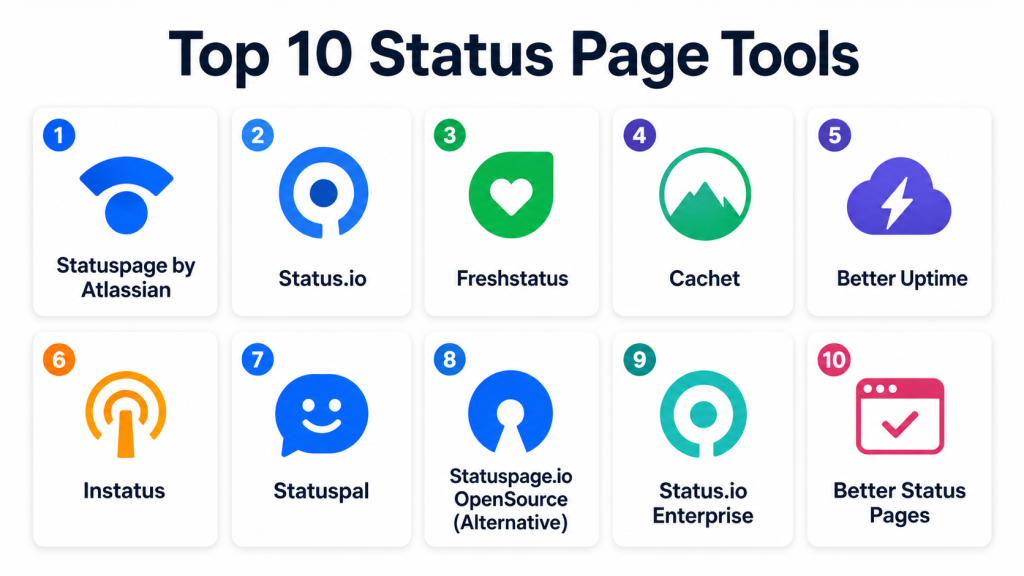
Top 10 Status Page Tools
#1 — Statuspage by Atlassian
Short description: Statuspage allows organizations to communicate system status and incidents to customers and internal teams. Ideal for SaaS and enterprise applications.
Key Features
- Real-time status updates.
- Multi-channel notifications (email, SMS, RSS, Slack).
- Customizable branding and page design.
- Integration with Jira, Opsgenie, and monitoring tools.
- Historical uptime reports.
- Subscriber management and analytics.
- Automated incident updates via API.
Pros
- Trusted by enterprises and SaaS providers.
- Strong integration with Atlassian ecosystem.
- Reliable multi-channel notifications.
Cons
- Pricing may be high for small teams.
- Customization options limited without higher-tier plans.
- Learning curve for advanced workflows.
Platforms / Deployment
Web
Cloud
Security & Compliance
Supports RBAC, encrypted communication, and audit logs. SOC 2 and GDPR compliant.
Integrations & Ecosystem
- Jira, Opsgenie
- Slack, Microsoft Teams
- Monitoring tools like Datadog, New Relic
- Webhooks for automation
- CI/CD pipelines
Support & Community
Vendor support with extensive documentation and active Atlassian community.
#2 — Status.io
Short description: Status.io provides real-time status communication and incident management for SaaS, eCommerce, and internal services.
Key Features
- Customizable status pages.
- Multi-channel notifications.
- Integration with monitoring tools.
- Subscriber analytics.
- Scheduled maintenance updates.
- Historical uptime tracking.
- API access for automation.
Pros
- Flexible branding options.
- Easy setup for SMBs and enterprises.
- Supports multiple notification channels.
Cons
- Premium pricing for advanced analytics.
- UI can be complex for beginners.
- Some integrations require configuration.
Platforms / Deployment
Web
Cloud
Security & Compliance
Supports encryption, RBAC, and audit logs. Certifications vary by plan.
Integrations & Ecosystem
- Slack, Teams
- PagerDuty, Opsgenie
- Monitoring tools
- CI/CD pipelines
- Webhooks
Support & Community
Documentation and vendor support available; community moderate.
#3 — Freshstatus
Short description: Freshstatus offers status page management for SaaS providers and IT teams, emphasizing transparency and communication.
Key Features
- Real-time incident updates.
- Custom branding and domain mapping.
- Multi-channel notifications.
- Uptime monitoring and analytics.
- Maintenance announcements.
- Subscriber management.
- API for automation.
Pros
- Affordable for SMBs.
- Simple and intuitive UI.
- Quick setup and deployment.
Cons
- Limited advanced analytics.
- Not enterprise-focused.
- Fewer integrations than competitors.
Platforms / Deployment
Web
Cloud
Security & Compliance
Supports RBAC, encrypted communication, and audit logs. Certifications vary.
Integrations & Ecosystem
- Slack, Teams
- Monitoring tools
- Webhooks
- CI/CD pipelines
Support & Community
Vendor support and documentation available; growing user community.
#4 — Cachet
Short description: Cachet is an open-source status page system for SMBs and internal services, providing transparent incident communication.
Key Features
- Self-hosted status pages.
- Incident logging and updates.
- Subscriber notifications via email.
- Uptime metrics and historical logs.
- Customizable branding.
- API for automation.
- Multi-language support.
Pros
- Free and open-source.
- Customizable for internal deployments.
- Lightweight and flexible.
Cons
- Requires hosting and maintenance.
- Limited multi-channel notifications.
- Community support only.
Platforms / Deployment
Web
Self-hosted / Cloud
Security & Compliance
Depends on hosting configuration; supports SSL and basic access control.
Integrations & Ecosystem
- Webhooks for automation
- Email notifications
- Monitoring scripts
- API integrations
Support & Community
Community-driven support; documentation available.
#5 — Better Uptime
Short description: Better Uptime combines status page management with uptime monitoring and incident escalation for SMBs and startups.
Key Features
- Custom status pages.
- Real-time incident alerts.
- Multi-channel notifications (email, SMS, phone).
- Uptime monitoring.
- On-call scheduling.
- Maintenance notifications.
- Analytics dashboards.
Pros
- All-in-one uptime and status page solution.
- Easy to set up and use.
- Affordable for small teams.
Cons
- Less enterprise-grade features.
- Limited API functionality.
- Some advanced reporting requires premium plans.
Platforms / Deployment
Web / iOS / Android
Cloud
Security & Compliance
Supports encryption, RBAC, and audit logging. Certifications vary.
Integrations & Ecosystem
- Slack, Teams
- Monitoring tools
- CI/CD pipelines
- Webhooks
Support & Community
Vendor support with documentation and active customer community.
#6 — Instatus
Short description: Instatus provides simple, elegant status pages for SaaS and IT teams with automated incident communication.
Key Features
- Customizable branding.
- Real-time status updates.
- Subscriber notifications.
- Analytics and page views.
- Maintenance messages.
- API access for automation.
- Multi-page support.
Pros
- Easy to use and visually appealing.
- Quick setup.
- Affordable for SMBs.
Cons
- Limited enterprise integrations.
- Less suitable for multi-service environments.
- Analytics capabilities basic.
Platforms / Deployment
Web
Cloud
Security & Compliance
Supports encryption and basic access control. Certifications not publicly stated.
Integrations & Ecosystem
- Slack, Teams
- Monitoring tools
- Webhooks
- CI/CD pipelines
Support & Community
Vendor documentation and support available; small but growing community.
#7 — Statuspal
Short description: Statuspal is a status page tool focused on transparency for SaaS and IT teams, offering subscriber management and multi-channel alerts.
Key Features
- Real-time incident updates.
- Custom branding.
- Subscriber management.
- Multi-channel notifications.
- Analytics dashboards.
- Maintenance announcements.
- API for automation.
Pros
- Flexible notifications.
- Multi-language support.
- Affordable for SMBs.
Cons
- Advanced analytics limited.
- Enterprise integrations fewer.
- UI requires some learning.
Platforms / Deployment
Web
Cloud
Security & Compliance
Supports encrypted communication and role-based access. Certifications vary.
Integrations & Ecosystem
- Slack, Teams
- Monitoring tools
- Webhooks
- CI/CD pipelines
Support & Community
Vendor support available; active user forums.
#8 — Statuspage.io OpenSource (Alternative)
Short description: Open-source alternative to Statuspage for internal and public status pages with API support.
Key Features
- Incident management.
- Status tracking.
- Subscriber notifications.
- Uptime history.
- API for automation.
- Custom branding.
- Multi-language support.
Pros
- Free and flexible.
- Customizable for internal deployments.
- Open-source community support.
Cons
- Requires self-hosting and maintenance.
- Limited multi-channel notifications.
- Enterprise features not included.
Platforms / Deployment
Web
Self-hosted / Cloud
Security & Compliance
Depends on hosting; supports SSL and basic access controls.
Integrations & Ecosystem
- Email notifications
- Webhooks
- Monitoring scripts
- API integration
Support & Community
Community-driven support; documentation available.
#9 — Status.io Enterprise
Short description: Status.io Enterprise is designed for large SaaS and enterprise companies requiring robust status communication and analytics.
Key Features
- Real-time status updates.
- Multi-channel notifications.
- Advanced analytics and reporting.
- SLA tracking.
- Maintenance notifications.
- Subscriber management.
- API and automation workflows.
Pros
- Enterprise-grade analytics.
- Supports multi-cloud and multi-service environments.
- Flexible notifications and automation.
Cons
- Premium pricing.
- Complexity for small teams.
- Requires configuration for multi-service setups.
Platforms / Deployment
Web
Cloud
Security & Compliance
Supports encryption, RBAC, and audit logs. Enterprise certifications vary.
Integrations & Ecosystem
- Slack, Teams
- Monitoring tools
- CI/CD pipelines
- Webhooks
- Incident management tools
Support & Community
Enterprise support with documentation and onboarding resources.
#10 — Better Status Pages
Short description: Better Status Pages offers simple and effective status communication for SMBs, with subscriber notifications and analytics.
Key Features
- Real-time status updates.
- Subscriber email notifications.
- Custom branding.
- Maintenance messages.
- Analytics and page views.
- Multi-page support.
- API access for automation.
Pros
- Simple and user-friendly.
- Quick setup for small teams.
- Affordable for SMBs.
Cons
- Limited integrations.
- Analytics basic.
- Not suitable for large enterprises.
Platforms / Deployment
Web
Cloud
Security & Compliance
Supports encryption and basic access control. Certifications not publicly stated.
Integrations & Ecosystem
- Slack, Teams
- Monitoring tools
- Webhooks
- CI/CD pipelines
Support & Community
Vendor support and documentation available.
Comparison Table
| Tool Name | Best For | Platform(s) Supported | Deployment | Standout Feature | Public Rating |
|---|---|---|---|---|---|
| Statuspage | SaaS & Enterprise | Web | Cloud | Trusted Atlassian status page | N/A |
| Status.io | SaaS & IT teams | Web | Cloud | Multi-channel notifications | N/A |
| Freshstatus | SMB & SaaS | Web | Cloud | Affordable & intuitive | N/A |
| Cachet | Open-source SMB | Web | Self-hosted / Cloud | Free & customizable | N/A |
| Better Uptime | SMB & startups | Web, iOS, Android | Cloud | Integrated uptime & status | N/A |
| Instatus | SMB & IT teams | Web | Cloud | Elegant, easy-to-use pages | N/A |
| Statuspal | SaaS & SMB | Web | Cloud | Subscriber management & alerts | N/A |
| Statuspage.io OpenSource | SMB / internal | Web | Self-hosted / Cloud | Open-source flexible solution | N/A |
| Status.io Enterprise | Enterprise | Web | Cloud | Advanced analytics & SLA | N/A |
| Better Status Pages | SMB | Web | Cloud | Simple, fast setup | N/A |
Evaluation & Scoring of Status Page Tools
| Tool Name | Core (25%) | Ease (15%) | Integrations (15%) | Security (10%) | Performance (10%) | Support (10%) | Value (15%) | Weighted Total |
|---|---|---|---|---|---|---|---|---|
| Statuspage | 10 | 8 | 9 | 9 | 9 | 8 | 8 | 8.80 |
| Status.io | 9 | 8 | 8 | 8 | 8 | 8 | 8 | 8.15 |
| Freshstatus | 8 | 9 | 7 | 8 | 8 | 7 | 9 | 8.05 |
| Cachet | 7 | 7 | 6 | 7 | 7 | 6 | 10 | 7.25 |
| Better Uptime | 8 | 9 | 7 | 8 | 8 | 7 | 8 | 8.00 |
| Instatus | 7 | 9 | 6 | 7 | 7 | 7 | 8 | 7.45 |
| Statuspal | 8 | 8 | 7 | 7 | 7 | 7 | 8 | 7.70 |
| Statuspage.io OpenSource | 7 | 7 | 6 | 7 | 7 | 6 | 9 | 7.15 |
| Status.io Enterprise | 10 | 7 | 9 | 9 | 9 | 8 | 7 | 8.35 |
| Better Status Pages | 7 | 9 | 6 | 7 | 7 | 7 | 8 | 7.45 |
Scores provide comparative insight into core functionality, usability, integrations, and value.
Which Status Page Tool Is Right for You?
Solo / Freelancer
Freshstatus, Instatus, or Better Status Pages provide affordable, simple status communication for small teams.
SMB
Better Uptime, Statuspal, and Status.io offer multi-channel notifications, subscriber management, and simple automation.
Mid-Market
Statuspage, Status.io, and Better Uptime deliver robust status pages with analytics, branding, and workflow integrations.
Enterprise
Statuspage by Atlassian, Status.io Enterprise, and Statuspal Enterprise provide advanced analytics, SLA tracking, multi-service visibility, and enterprise support.
Budget vs Premium
Budget-conscious teams can use Freshstatus, Instatus, or Better Status Pages. Premium plans offer analytics, SLA tracking, and multi-channel automation.
Feature Depth vs Ease of Use
Enterprise tools offer deeper functionality but require configuration. SMB-focused tools prioritize ease of use and quick deployment.
Integrations & Scalability
Ensure integration with monitoring, incident management, and CI/CD tools. Evaluate subscriber capacity and page load performance.
Security & Compliance Needs
Check encryption, RBAC, audit logs, and compliance certifications for regulated environments.
Frequently Asked Questions
What is a status page tool?
It is a platform that communicates service health, incidents, and maintenance to users and internal teams.
Why do organizations need status pages?
Status pages increase transparency, reduce support tickets, and maintain customer trust during outages.
Can these tools integrate with monitoring platforms?
Yes. Most status page tools integrate with incident management, monitoring, and DevOps tools.
Are status pages customizable?
Yes. Many tools offer branding, domain mapping, and layout customization.
Can status pages send notifications?
Yes. Multi-channel notifications include email, SMS, push notifications, and Slack/Teams integration.
Are open-source status pages reliable?
Yes. Tools like Cachet and Statuspage.io OpenSource are widely adopted, though they require hosting and maintenance.
How do enterprise status pages differ?
Enterprise tools provide analytics, SLA tracking, automation, and multi-service dashboards.
Can status pages track historical uptime?
Yes. Most tools log past incidents, uptime, and performance metrics for transparency and reporting.
Are mobile-friendly pages available?
Yes. Many modern tools provide responsive design and mobile apps for on-the-go access.
How to choose the right status page tool?
Consider team size, deployment complexity, integration needs, branding requirements, and budget.
Conclusion
Status Page Tools are essential for transparent communication of service health and incidents. SMBs can benefit from Freshstatus, Instatus, or Better Status Pages for simple, cost-effective deployment. Mid-market teams may prefer Statuspage, Status.io, or Better Uptime for analytics and workflow integration. Enterprises require Statuspage by Atlassian, Status.io Enterprise, or Statuspal Enterprise for multi-service visibility, SLA tracking, and advanced automation. Teams should shortlist two to three tools, validate integrations with monitoring and incident management platforms, and ensure security and compliance before deployment to enhance transparency and customer trust.
