Upgrade & Secure Your Future with DevOps, SRE, DevSecOps, MLOps!
We spend hours scrolling social media and waste money on things we forget, but won’t spend 30 minutes a day earning certifications that can change our lives.
Master in DevOps, SRE, DevSecOps & MLOps by DevOps School!
Learn from Guru Rajesh Kumar and double your salary in just one year.
Introduction
Virtual Machine Management tools help IT teams create, monitor, control, optimize, secure, and automate virtual machines across data centers, private clouds, public clouds, and hybrid environments. In simple words, these tools help administrators manage many virtual servers from one place instead of handling every machine manually.
Virtual machine management matters because businesses now run many workloads across mixed infrastructure. Without proper management, teams may face VM sprawl, wasted resources, poor performance, security gaps, failed backups, and higher operational costs.
Common use cases include VM provisioning, resource monitoring, lifecycle management, backup coordination, workload migration, capacity planning, access control, compliance reporting, and automation of repetitive admin tasks.
Buyers should evaluate hypervisor support, cloud support, automation, monitoring depth, cost visibility, security controls, integration options, backup compatibility, scalability, performance analytics, reporting, and support quality.
Best for: IT infrastructure teams, system administrators, virtualization engineers, cloud teams, DevOps teams, managed service providers, enterprises, data centers, education labs, and organizations running many virtual workloads.
Not ideal for: very small teams with only a few virtual machines, users who only need desktop virtualization, or companies that rely fully on managed cloud services and do not directly manage virtual machines.
Key Trends in Virtual Machine Management Tools
- Hybrid VM management is becoming essential: Organizations need one management approach across on-premises virtualization, private cloud, and public cloud workloads.
- Automation is now a core requirement: Teams expect templates, scripts, APIs, policies, auto-remediation, and repeatable provisioning workflows.
- VM sprawl control is a growing priority: Many organizations create too many unused or oversized VMs, which increases cost, risk, and operational complexity.
- Cost visibility is becoming more important: VM management tools are increasingly expected to show resource waste, idle machines, over-provisioned workloads, and capacity trends.
- Security and access control are stronger buying factors: Teams need RBAC, audit logs, identity integration, encryption awareness, secure remote console access, and policy-based controls.
- Kubernetes and VM management are moving closer: Some platforms now manage virtual machines and containers together, especially in modernization and platform engineering environments.
- Performance analytics are improving: Modern tools help identify CPU, memory, disk, network, and storage bottlenecks before they affect business applications.
- Backup and disaster recovery integration is expected: VM management is incomplete without visibility into snapshots, replication, backup status, and recovery readiness.
- Self-service portals are gaining value: Internal teams want controlled self-service provisioning without waiting for manual IT tickets.
- Open-source and alternative platforms are getting more attention: Many organizations want flexible VM management options that reduce lock-in and support mixed environments.
How We Selected These Tools
The tools in this list were selected using practical buyer-focused evaluation criteria:
- Strong recognition in virtual machine management, virtualization operations, cloud management, or infrastructure administration.
- Ability to manage VM lifecycle tasks such as provisioning, monitoring, resource allocation, migration, and decommissioning.
- Support for common hypervisors, cloud platforms, or hybrid infrastructure models.
- Useful automation, templates, policies, APIs, and reporting features.
- Security controls such as RBAC, audit logs, SSO, MFA, encryption awareness, and administrative governance where available.
- Fit for different buyer segments, including SMBs, mid-market companies, enterprises, MSPs, labs, and platform teams.
- Integration with backup, storage, networking, monitoring, ITSM, and automation tools.
- Scalability for growing VM estates and distributed infrastructure.
- Support resources, documentation, community strength, and enterprise service options.
- Overall value based on usability, depth, flexibility, operational efficiency, and long-term fit.
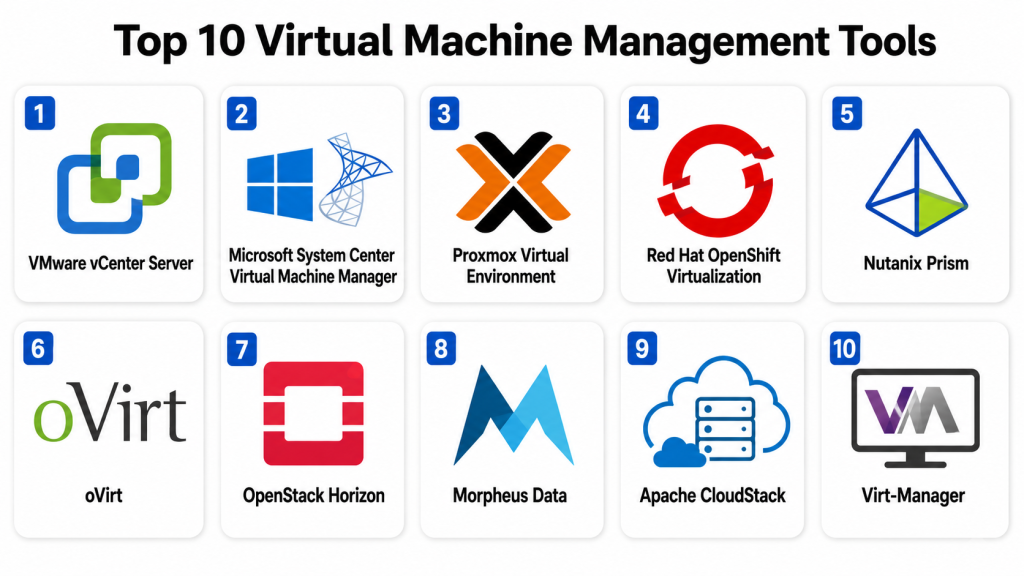
Top 10 Virtual Machine Management Tools
#1 — VMware vCenter Server
Short description: VMware vCenter Server is a centralized management platform for VMware vSphere environments. It helps administrators manage hosts, clusters, virtual machines, templates, permissions, resource allocation, and workload movement from one console.
Key Features
- Centralized management for VMware ESXi hosts and virtual machines.
- VM provisioning, cloning, templates, and lifecycle control.
- Cluster management, resource scheduling, and workload migration.
- Role-based access control and administrative permissions.
- Performance monitoring and event visibility.
- Integration with backup, storage, networking, and automation tools.
- Support for enterprise-scale virtualization operations.
Pros
- Mature and widely used in enterprise virtualization.
- Strong ecosystem with backup, monitoring, storage, and automation vendors.
- Useful for large-scale VM administration and operational control.
Cons
- Best suited for VMware environments only.
- Licensing and support costs can be significant.
- Requires skilled administrators for best results.
Platforms / Deployment
Web / Windows / Linux
Self-hosted / Hybrid
Security & Compliance
Supports RBAC, identity integration, audit logs, permissions management, secure access controls, certificate management, and VM-level security features depending on configuration. Specific compliance details should be validated based on deployment and edition.
Integrations & Ecosystem
VMware vCenter has one of the strongest virtualization ecosystems and fits well into enterprise data center operations.
- VMware vSphere
- Enterprise backup tools
- Storage platforms
- Network virtualization tools
- Monitoring systems
- Automation and infrastructure-as-code workflows
Support & Community
VMware provides documentation, enterprise support, professional services, partner resources, and a large administrator community. It is best for organizations with formal virtualization operations.
#2 — Microsoft System Center Virtual Machine Manager
Short description: Microsoft System Center Virtual Machine Manager helps manage virtualized infrastructure in Microsoft-centered environments. It is useful for organizations that run Hyper-V, Windows Server, private cloud infrastructure, and Microsoft management tools.
Key Features
- Hyper-V host and cluster management.
- Virtual machine creation and lifecycle control.
- Private cloud and fabric management.
- VM templates and service templates.
- Integration with Microsoft infrastructure tools.
- Network and storage resource management.
- PowerShell-based automation support.
Pros
- Strong fit for Microsoft and Hyper-V environments.
- Useful for private cloud-style VM management.
- Works well with Windows Server administration practices.
Cons
- Best suited for Microsoft infrastructure.
- Requires knowledge of System Center and Windows Server.
- Interface and deployment can feel complex for smaller teams.
Platforms / Deployment
Web / Windows
Self-hosted / Hybrid
Security & Compliance
Supports role-based administration, Windows identity integration, controlled administrator permissions, and audit-related operational visibility. Specific compliance details should be validated based on Windows Server, System Center, and deployment configuration.
Integrations & Ecosystem
System Center Virtual Machine Manager fits naturally into Microsoft infrastructure operations.
- Hyper-V
- Windows Server
- Active Directory
- PowerShell
- System Center ecosystem
- Backup and monitoring workflows
Support & Community
Microsoft provides documentation, enterprise support, partner services, and broad Windows Server community knowledge. It is best for organizations with Microsoft infrastructure skills.
#3 — Proxmox Virtual Environment
Short description: Proxmox Virtual Environment is an open-source platform for managing virtual machines and containers from a web interface. It is popular among technical teams, SMBs, service providers, labs, and organizations seeking flexible self-hosted VM management.
Key Features
- KVM-based virtual machine management.
- LXC container management.
- Web-based administration console.
- VM snapshots, backups, and cloning.
- Clustering and high availability options.
- Software-defined storage integration.
- API and command-line automation support.
Pros
- Strong value for self-hosted VM management.
- Supports both VMs and containers.
- Active community and flexible deployment model.
Cons
- Requires technical knowledge for production hardening.
- Enterprise ecosystem may not be as broad as larger commercial platforms.
- Some advanced workflows may need manual configuration.
Platforms / Deployment
Web / Linux
Self-hosted / Hybrid
Security & Compliance
Supports user roles, permissions, two-factor authentication options, cluster access controls, backup encryption options depending on configuration, and Linux-based hardening. Specific certifications are not publicly stated and should be validated for regulated environments.
Integrations & Ecosystem
Proxmox works well with open-source infrastructure, storage, monitoring, and backup workflows.
- KVM
- LXC
- ZFS
- Ceph
- Backup systems
- Monitoring tools
- API-based automation
Support & Community
Proxmox has strong community forums, documentation, user guides, and commercial subscription support options. It is suitable for technical teams comfortable with Linux-based infrastructure.
#4 — Red Hat OpenShift Virtualization
Short description: Red Hat OpenShift Virtualization allows teams to run and manage virtual machines alongside containers on OpenShift. It is useful for organizations modernizing infrastructure while still supporting VM workloads.
Key Features
- VM management inside Kubernetes.
- Unified management for containers and virtual machines.
- OpenShift platform integration.
- Policy-based deployment and operations.
- Storage and network integration through Kubernetes patterns.
- VM migration support for selected scenarios.
- Automation through Kubernetes-native workflows.
Pros
- Strong fit for modernization strategies.
- Helps combine VM and container operations.
- Enterprise support through Red Hat ecosystem.
Cons
- Requires Kubernetes and OpenShift expertise.
- Not ideal for teams that only need traditional VM management.
- Implementation may be complex for small teams.
Platforms / Deployment
Web / Linux
Cloud / Self-hosted / Hybrid
Security & Compliance
Supports OpenShift RBAC, identity integration, audit logging, workload isolation, platform security policies, and controlled access workflows. Specific compliance coverage should be validated based on deployment and configuration.
Integrations & Ecosystem
OpenShift Virtualization fits modern platform engineering and hybrid cloud environments.
- Red Hat OpenShift
- Kubernetes
- Container storage
- CI/CD pipelines
- Monitoring and logging tools
- Hybrid cloud platforms
- Automation workflows
Support & Community
Red Hat provides enterprise documentation, professional support, training, partner resources, and strong open-source community knowledge. It is best for teams aligning VM management with Kubernetes modernization.
#5 — Nutanix Prism
Short description: Nutanix Prism is a management interface for Nutanix hyperconverged infrastructure and Nutanix AHV virtual machines. It helps teams manage compute, storage, virtualization, health, capacity, and operations from a unified console.
Key Features
- Centralized VM and infrastructure management.
- Nutanix AHV virtual machine lifecycle control.
- Capacity planning and performance monitoring.
- Health checks and infrastructure alerts.
- VM migration and resource management.
- Integrated storage and compute visibility.
- Automation and lifecycle management features.
Pros
- Strong fit for Nutanix HCI environments.
- Simplifies infrastructure and VM administration.
- Good operational visibility for compute and storage together.
Cons
- Best value is tied to Nutanix infrastructure.
- Not a vendor-neutral VM management tool.
- Migration planning is important for existing non-Nutanix environments.
Platforms / Deployment
Web / Linux
Self-hosted / Hybrid
Security & Compliance
Supports role-based access, identity integration, encryption options depending on configuration, audit-related controls, and infrastructure security policies. Specific compliance mappings should be validated directly.
Integrations & Ecosystem
Nutanix Prism fits hyperconverged infrastructure, private cloud, and enterprise operations workflows.
- Nutanix AHV
- Nutanix storage services
- Backup and disaster recovery tools
- Monitoring systems
- Automation workflows
- Hybrid cloud operations
Support & Community
Nutanix provides enterprise support, documentation, professional services, customer success resources, and partner assistance. It is best for organizations using or planning Nutanix infrastructure.
#6 — oVirt
Short description: oVirt is an open-source virtualization management platform for KVM-based environments. It is useful for technical teams that want centralized VM management with open-source flexibility.
Key Features
- KVM-based virtual machine management.
- Centralized web administration.
- Host and cluster management.
- VM templates, snapshots, and migration.
- Storage and network management.
- Role-based administration.
- Open-source architecture.
Pros
- Open-source option for KVM management.
- Useful for teams wanting centralized VM operations.
- Flexible for self-hosted infrastructure.
Cons
- Requires technical expertise to deploy and maintain.
- Community and ecosystem momentum should be evaluated.
- Enterprise support options may vary by provider or distribution.
Platforms / Deployment
Web / Linux
Self-hosted / Hybrid
Security & Compliance
Supports role-based access, authentication integration options, VM isolation, administrative permissions, and platform-level security configuration. Specific certifications and compliance mappings are not publicly stated.
Integrations & Ecosystem
oVirt fits Linux virtualization, KVM, storage, and self-hosted infrastructure workflows.
- KVM
- Linux storage systems
- Network virtualization
- Backup tools
- Monitoring tools
- Automation scripts and APIs
Support & Community
oVirt has documentation and open-source community resources. Support depends on internal expertise, service providers, or related enterprise Linux ecosystem choices.
#7 — OpenStack Horizon
Short description: OpenStack Horizon is the web dashboard used to manage OpenStack cloud resources, including virtual machines, networks, storage, images, and projects. It is best for organizations running private cloud or service provider environments.
Key Features
- Web-based OpenStack cloud management.
- Virtual machine instance creation and lifecycle control.
- Project and tenant management.
- Image, volume, and network management.
- User and access administration.
- Cloud resource visibility.
- Integration with OpenStack APIs and services.
Pros
- Useful for private cloud VM management.
- Supports multi-tenant infrastructure environments.
- Strong fit for technical cloud teams and service providers.
Cons
- Requires a working OpenStack environment.
- OpenStack operations can be complex.
- Not suitable for teams needing simple standalone VM management.
Platforms / Deployment
Web / Linux
Self-hosted / Hybrid
Security & Compliance
Supports OpenStack identity controls, project-based access, RBAC, API access controls, and audit-related capabilities depending on deployment. Specific compliance depends on configuration and operating practices.
Integrations & Ecosystem
OpenStack Horizon works within the broader OpenStack ecosystem for cloud infrastructure management.
- OpenStack Nova
- OpenStack Neutron
- OpenStack Cinder
- OpenStack Glance
- Keystone identity
- Ceph and storage backends
- Automation tools
Support & Community
OpenStack has a large open-source community, documentation, vendor distributions, and professional services ecosystem. Horizon is best for teams already committed to OpenStack operations.
#8 — Morpheus Data
Short description: Morpheus Data is a hybrid cloud management and orchestration platform that helps teams manage virtual machines, cloud workloads, automation, self-service, and governance across multiple environments.
Key Features
- Multi-cloud and hybrid VM management.
- Self-service provisioning portals.
- Policy-based governance and automation.
- Cost visibility and resource optimization.
- Integration with hypervisors and cloud platforms.
- Workflow automation and orchestration.
- Role-based access and approval workflows.
Pros
- Strong for hybrid and multi-cloud management.
- Useful self-service and governance capabilities.
- Good fit for platform teams managing mixed infrastructure.
Cons
- May be more platform than small teams need.
- Implementation requires planning across environments.
- Buyers should validate specific hypervisor and cloud support.
Platforms / Deployment
Web / Windows / Linux
Cloud / Self-hosted / Hybrid
Security & Compliance
Supports RBAC, SSO/SAML options, policy controls, approval workflows, audit logs, and governance features. Specific certifications and compliance details should be validated directly.
Integrations & Ecosystem
Morpheus Data fits hybrid infrastructure, automation, DevOps, and platform engineering workflows.
- VMware environments
- Hyper-V environments
- Public cloud platforms
- ITSM tools
- Automation tools
- Configuration management systems
- Cost management workflows
Support & Community
Morpheus Data provides documentation, enterprise support, implementation resources, and professional services options. It is best for organizations needing unified management across mixed environments.
#9 — Apache CloudStack
Short description: Apache CloudStack is an open-source cloud management platform for building and managing infrastructure-as-a-service environments. It helps teams manage virtual machines, networks, storage, users, and service offerings.
Key Features
- Cloud infrastructure management.
- Virtual machine provisioning and lifecycle control.
- Multi-tenant user and account management.
- Network and storage orchestration.
- Service offering and template management.
- API-driven automation.
- Support for multiple hypervisors depending on configuration.
Pros
- Open-source option for private cloud and service providers.
- Useful for multi-tenant VM management.
- API-driven and infrastructure-focused.
Cons
- Requires infrastructure expertise.
- Not as simple as standalone VM tools.
- Support depends on community, vendors, or internal capability.
Platforms / Deployment
Web / Linux
Self-hosted / Hybrid
Security & Compliance
Supports account-based access, role controls, tenant isolation, API permissions, and infrastructure-level security configuration. Specific certifications are not publicly stated and depend on deployment.
Integrations & Ecosystem
Apache CloudStack fits private cloud, service provider, and infrastructure-as-a-service environments.
- KVM
- VMware
- Xen-based environments depending on configuration
- Storage systems
- Network services
- API automation
- Monitoring tools
Support & Community
Apache CloudStack has open-source documentation and community support. Commercial support may be available from service providers or vendors depending on deployment needs.
#10 — Virt-Manager
Short description: Virt-Manager is a desktop-based graphical tool for managing KVM, QEMU, and libvirt virtual machines. It is useful for Linux administrators, developers, labs, and small environments that need direct VM control without a large management platform.
Key Features
- Graphical VM creation and management.
- KVM and QEMU support through libvirt.
- Console access to virtual machines.
- Snapshot and storage configuration options.
- Virtual networking management.
- Local and remote hypervisor connections.
- Lightweight VM administration.
Pros
- Simple and practical for Linux-based VM management.
- Good for labs, development, and small environments.
- Lightweight compared with full cloud management platforms.
Cons
- Not designed for large enterprise VM operations.
- Limited governance, reporting, and automation depth.
- Requires Linux and virtualization knowledge.
Platforms / Deployment
Linux
Self-hosted
Security & Compliance
Security depends on Linux host configuration, libvirt permissions, SSH access, local user controls, and administrative hardening. Enterprise compliance features such as audit dashboards and formal RBAC are limited.
Integrations & Ecosystem
Virt-Manager fits Linux virtualization workflows and small-scale KVM administration.
- KVM
- QEMU
- libvirt
- Linux storage
- Virtual networking
- SSH-based administration
- Developer and lab environments
Support & Community
Virt-Manager has open-source community resources, Linux distribution documentation, and broad technical usage among Linux administrators. It is best for smaller technical environments rather than enterprise-scale VM fleets.
Comparison Table
| Tool Name | Best For | Platform(s) Supported | Deployment | Standout Feature | Public Rating |
|---|---|---|---|---|---|
| VMware vCenter Server | VMware enterprise environments | Web, Windows, Linux | Self-hosted / Hybrid | Centralized vSphere VM management | N/A |
| Microsoft System Center Virtual Machine Manager | Microsoft and Hyper-V infrastructure | Web, Windows | Self-hosted / Hybrid | Hyper-V private cloud management | N/A |
| Proxmox Virtual Environment | Open-source VM and container management | Web, Linux | Self-hosted / Hybrid | VMs and containers in one interface | N/A |
| Red Hat OpenShift Virtualization | VM and container modernization | Web, Linux | Cloud / Self-hosted / Hybrid | VM management inside Kubernetes | N/A |
| Nutanix Prism | Nutanix HCI environments | Web, Linux | Self-hosted / Hybrid | Unified VM and infrastructure management | N/A |
| oVirt | Open-source KVM management | Web, Linux | Self-hosted / Hybrid | Centralized KVM virtualization control | N/A |
| OpenStack Horizon | Private cloud VM management | Web, Linux | Self-hosted / Hybrid | OpenStack cloud dashboard | N/A |
| Morpheus Data | Hybrid cloud VM orchestration | Web, Windows, Linux | Cloud / Self-hosted / Hybrid | Multi-cloud self-service and governance | N/A |
| Apache CloudStack | IaaS and service provider clouds | Web, Linux | Self-hosted / Hybrid | Open-source cloud infrastructure management | N/A |
| Virt-Manager | Small Linux KVM environments | Linux | Self-hosted | Lightweight graphical KVM management | N/A |
Evaluation & Scoring of Virtual Machine Management Tools
The scoring below is comparative and based on VM management depth, ease of use, integrations, security controls, performance, support, and value. These scores should be treated as a starting point. The best tool depends heavily on your hypervisor, cloud strategy, team skills, budget, and operational requirements.
| Tool Name | Core (25%) | Ease (15%) | Integrations (15%) | Security (10%) | Performance (10%) | Support (10%) | Value (15%) | Weighted Total (0–10) |
|---|---|---|---|---|---|---|---|---|
| VMware vCenter Server | 10 | 8 | 10 | 9 | 9 | 9 | 7 | 8.95 |
| Microsoft System Center Virtual Machine Manager | 8 | 7 | 8 | 8 | 8 | 9 | 8 | 8.00 |
| Proxmox Virtual Environment | 8 | 7 | 8 | 7 | 8 | 7 | 10 | 7.95 |
| Red Hat OpenShift Virtualization | 8 | 6 | 9 | 9 | 8 | 9 | 7 | 8.00 |
| Nutanix Prism | 9 | 9 | 8 | 8 | 9 | 9 | 8 | 8.60 |
| oVirt | 7 | 6 | 7 | 7 | 8 | 6 | 9 | 7.15 |
| OpenStack Horizon | 8 | 6 | 9 | 8 | 8 | 8 | 8 | 7.90 |
| Morpheus Data | 9 | 8 | 9 | 9 | 8 | 8 | 7 | 8.35 |
| Apache CloudStack | 8 | 6 | 8 | 7 | 8 | 7 | 9 | 7.65 |
| Virt-Manager | 6 | 8 | 5 | 6 | 7 | 6 | 10 | 6.90 |
VMware vCenter Server scores strongly for enterprise VMware management and ecosystem depth. Nutanix Prism is strong for integrated HCI management. Morpheus Data is valuable for hybrid and multi-cloud orchestration. Proxmox offers strong value for self-hosted teams. OpenStack Horizon and Apache CloudStack fit private cloud use cases, while Virt-Manager is better for small Linux environments and labs.
Which Virtual Machine Management Tool Is Right for You?
Solo / Freelancer
Solo professionals usually need simple VM control for testing, labs, learning, or client work. Virt-Manager, Proxmox Virtual Environment, and desktop virtualization tools can be practical depending on the operating system and skill level.
If the user is managing a small Linux lab, Virt-Manager may be enough. If they want a fuller web-based platform, Proxmox is a stronger option.
SMB
Small and mid-sized businesses should focus on cost, simplicity, backup support, admin visibility, and reliable VM lifecycle management. Proxmox Virtual Environment, Microsoft System Center Virtual Machine Manager, Nutanix Prism, and VMware vCenter Server can be considered depending on budget and infrastructure.
SMBs should avoid choosing a tool only because it is powerful. The right platform should match available skills, support needs, security requirements, and backup strategy.
Mid-Market
Mid-market organizations usually need clustering, role-based access, templates, automation, monitoring, storage integration, backup support, and predictable operations. VMware vCenter Server, Microsoft System Center Virtual Machine Manager, Nutanix Prism, Proxmox, and Morpheus Data are strong options.
If the environment is mixed across cloud and on-premises systems, Morpheus Data may provide better cross-platform control. If the environment is standardized on a single virtualization platform, the native management tool may be simpler.
Enterprise
Enterprises need scalable VM management, strong permissions, audit logs, integration with ITSM, backup compatibility, disaster recovery alignment, automation, and operational reporting. VMware vCenter Server, Nutanix Prism, Red Hat OpenShift Virtualization, Morpheus Data, OpenStack Horizon, and Microsoft System Center Virtual Machine Manager are strong candidates.
Large organizations should test real workflows such as provisioning, migration, backup, policy enforcement, access control, reporting, and incident response before making a final decision.
Budget vs Premium
Budget-conscious teams may prefer Proxmox, oVirt, Apache CloudStack, OpenStack Horizon, or Virt-Manager depending on technical capability. These options can be powerful, but they require stronger internal knowledge.
Premium buyers may prefer VMware vCenter Server, Nutanix Prism, Morpheus Data, Red Hat OpenShift Virtualization, or Microsoft System Center Virtual Machine Manager when support, governance, and ecosystem maturity are important.
Feature Depth vs Ease of Use
Feature-rich tools like VMware vCenter Server, Morpheus Data, OpenStack Horizon, Red Hat OpenShift Virtualization, and Apache CloudStack offer strong control but require planning and skilled teams.
Ease-focused options like Nutanix Prism, Proxmox, and Virt-Manager may be easier to adopt when they match the existing environment and scale.
Integrations & Scalability
If your infrastructure is VMware-based, vCenter Server is the natural management layer. If your environment is Microsoft-based, System Center Virtual Machine Manager may fit better. If you use Nutanix, Prism is the natural choice.
For hybrid and multi-cloud environments, Morpheus Data is worth reviewing. For private cloud platforms, OpenStack Horizon or Apache CloudStack may fit. For Kubernetes modernization, OpenShift Virtualization is more relevant.
Security & Compliance Needs
Security-focused buyers should prioritize RBAC, SSO, MFA, audit logs, workload isolation, encrypted management access, VM encryption support, patching workflows, and administrator role separation.
Compliance-focused organizations should validate activity logs, change history, approval workflows, backup evidence, access reporting, and operational documentation before finalizing a tool.
Frequently Asked Questions
What is a Virtual Machine Management tool?
A Virtual Machine Management tool helps administrators create, monitor, move, secure, and manage virtual machines. It provides a central place to control virtual workloads instead of managing each machine manually.
How is VM management different from virtualization?
Virtualization is the technology that allows virtual machines to run. VM management is the process and tooling used to control, monitor, provision, secure, and optimize those virtual machines.
Why do businesses need VM management tools?
Businesses need VM management tools to reduce manual work, improve visibility, control resource usage, manage access, automate provisioning, and prevent VM sprawl.
What is VM sprawl?
VM sprawl happens when too many virtual machines are created and not properly tracked, used, secured, or retired. It can increase cost, risk, and management complexity.
What pricing models do VM management tools use?
Pricing may depend on hosts, sockets, cores, virtual machines, support subscriptions, editions, managed resources, or platform modules. Open-source tools may still require paid support for production environments.
What are common VM management mistakes?
Common mistakes include over-provisioning resources, not deleting unused VMs, weak access control, poor backup planning, no naming standards, and lack of performance monitoring.
Can VM management tools help reduce cost?
Yes. They can help identify idle VMs, oversized workloads, unused storage, capacity trends, and opportunities to consolidate infrastructure.
Are VM management tools secure?
They can be secure when configured properly. Important controls include RBAC, MFA, audit logs, encrypted access, patching, network isolation, and administrator role separation.
Can VM management tools manage cloud VMs?
Some tools can manage cloud VMs or hybrid environments. Morpheus Data, OpenStack, and cloud-integrated platforms are more relevant when cloud VM management is required.
Should small businesses use VM management tools?
Yes, if they run multiple virtual machines or need reliable infrastructure management. However, they should choose a tool that matches their budget and technical skills.
When should a company switch VM management tools?
A company should consider switching when costs are too high, management is too complex, integrations are weak, scalability is limited, or the tool no longer fits the infrastructure strategy.
What is the best VM management tool for open-source environments?
Proxmox, oVirt, OpenStack Horizon, Apache CloudStack, and Virt-Manager are common open-source-friendly options. The best choice depends on scale, skill level, and private cloud requirements.
Conclusion
Virtual Machine Management tools are essential for keeping virtual infrastructure organized, secure, cost-efficient, and scalable. The best choice depends on your hypervisor, cloud strategy, technical skills, support needs, and business goals. VMware vCenter Server is strong for VMware environments, Microsoft System Center Virtual Machine Manager fits Microsoft-centered infrastructure, Nutanix Prism works well for Nutanix HCI, and Proxmox offers strong self-hosted value. Morpheus Data is useful for hybrid cloud orchestration, while OpenShift Virtualization supports teams combining VMs with Kubernetes. OpenStack Horizon and Apache CloudStack fit private cloud environments, while Virt-Manager is practical for smaller Linux-based setups.
