Upgrade & Secure Your Future with DevOps, SRE, DevSecOps, MLOps!
We spend hours scrolling social media and waste money on things we forget, but won’t spend 30 minutes a day earning certifications that can change our lives.
Master in DevOps, SRE, DevSecOps & MLOps by DevOps School!
Learn from Guru Rajesh Kumar and double your salary in just one year.
Introduction
Mind mapping tools help individuals and teams visually organize ideas, plans, tasks, research, strategies, and workflows. Instead of writing information in long notes or scattered documents, users can create connected diagrams that show relationships between concepts. This makes thinking clearer, planning faster, and collaboration easier.
Mind mapping tools matter more now because teams work across remote, hybrid, and distributed environments. Product teams, marketers, founders, educators, consultants, project managers, and students need simple ways to capture ideas, structure information, and turn brainstorming into action. Modern tools now include AI-assisted idea generation, templates, real-time collaboration, integrations, task management, and export options.
Common use cases include product planning, content strategy, project brainstorming, meeting notes, research mapping, learning paths, customer journey planning, and business process design.
Buyers should evaluate ease of use, collaboration features, templates, export options, AI support, integrations, security controls, pricing, mobile access, and scalability.
Best for: product teams, marketing teams, founders, consultants, educators, students, project managers, business analysts, and remote teams that need visual planning.
Not ideal for: teams that only need simple text notes, advanced project portfolio management, engineering diagrams, or strict enterprise workflow automation.
Key Trends in Mind Mapping Tools =
AI-assisted brainstorming: Many tools are adding AI features to generate ideas, summarize notes, create outlines, and expand topics quickly.
- Collaboration-first design: Real-time editing, comments, sharing, and team workspaces are becoming standard expectations.
- Templates for faster planning: Users now prefer ready-made templates for strategy, product roadmaps, meeting notes, education, and project planning.
- Integration with productivity tools: Mind mapping tools increasingly connect with task managers, calendars, cloud storage, notes, and communication platforms.
- From mind maps to execution: Modern tools are moving beyond brainstorming by adding task tracking, due dates, assignments, and Kanban-style workflows.
- Cross-platform access: Web, desktop, and mobile access are now important because users want to work from anywhere.
- Security expectations: Teams expect SSO, access control, encryption, workspace permissions, and admin controls in business plans.
- Visual knowledge management: Mind maps are being used as lightweight knowledge bases for processes, learning, and internal documentation.
- Better export and presentation features: Users want to turn maps into PDFs, slides, documents, and shareable visuals.
- Flexible pricing: Freemium plans, individual plans, team plans, and enterprise pricing are common across this software category.
How We Selected These Tools
The tools in this list were selected based on practical market relevance and common business usage. The evaluation focused on:
- Recognition and adoption among individuals, teams, and organizations.
- Core mind mapping features such as nodes, branches, layouts, templates, and exports.
- Ease of use for non-technical users.
- Collaboration features for teams and remote work.
- Integration options with productivity and project tools.
- Platform availability across web, desktop, and mobile.
- Business suitability for freelancers, SMBs, mid-market teams, and enterprises.
- Security posture signals such as access control, SSO, and admin features where publicly known.
- Value for money based on feature depth and usability.
- Support quality, documentation, onboarding, and community presence.
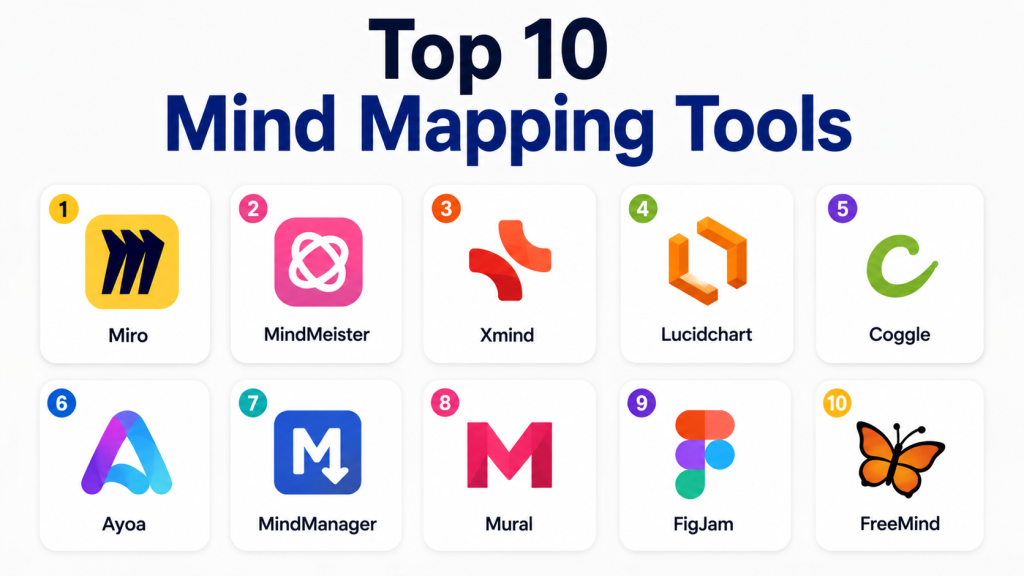
Top 10 Mind Mapping Tools
#1 — Miro
Short description: Miro is a collaborative visual workspace used for brainstorming, mind mapping, workshops, product planning, and team collaboration. It is especially useful for remote teams and cross-functional planning.
Key Features
- Visual whiteboard with mind mapping support.
- Real-time team collaboration.
- Large template library.
- Comments, voting, timers, and facilitation tools.
- Integrations with productivity and project tools.
- Presentation and sharing options.
- Enterprise workspace controls.
Pros
- Strong collaboration experience for distributed teams.
- Useful beyond mind mapping for workshops and planning.
- Large ecosystem of templates and integrations.
Cons
- Can feel too broad for users needing only simple mind maps.
- Large boards may become difficult to manage.
- Premium features may increase cost for growing teams.
Platforms / Deployment
Web / Windows / macOS / iOS / Android
Cloud
Security & Compliance
SSO/SAML, MFA, encryption, admin controls, and enterprise security features are available on higher plans. Specific compliance details vary by plan.
Integrations & Ecosystem
Miro has a strong ecosystem for teams using modern productivity and collaboration platforms.
- Project management tools
- Communication tools
- Cloud storage
- Design tools
- Developer workflow tools
- API and app marketplace options
Support & Community
Miro offers documentation, learning resources, onboarding content, and support options based on plan level. Community and template resources are strong.
#2 — MindMeister
Short description: MindMeister is a dedicated online mind mapping tool designed for brainstorming, planning, and visual note-taking. It is popular among students, educators, individuals, and business teams.
Key Features
- Web-based mind map creation.
- Real-time collaboration.
- Templates for planning and brainstorming.
- Presentation mode.
- Notes, comments, and sharing.
- Task-related workflow options with Meister ecosystem.
- Export options.
Pros
- Simple and focused mind mapping experience.
- Good for education, planning, and team brainstorming.
- Easy to learn for beginners.
Cons
- Less flexible than larger visual workspace tools.
- Advanced workflow features may require related products.
- Some exports and collaboration features may need paid plans.
Platforms / Deployment
Web / iOS / Android
Cloud
Security & Compliance
Encryption and account security features are available. Advanced compliance details are Not publicly stated.
Integrations & Ecosystem
MindMeister works well for users who need clean visual thinking and simple planning.
- MeisterTask ecosystem
- Cloud sharing
- Export tools
- Browser-based collaboration
- Presentation workflows
Support & Community
Documentation and help resources are available. Support options vary by plan.
#3 — Xmind
Short description: Xmind is a well-known mind mapping and brainstorming tool for individuals, professionals, students, and teams. It is strong for structured thinking, clean visuals, and offline-friendly work.
Key Features
- Multiple mind map structures.
- Fishbone, tree, logic chart, and org chart layouts.
- Presentation mode.
- Export to common formats.
- Desktop and mobile apps.
- Templates and themes.
- Focus mode and outline view.
Pros
- Strong visual design and layout options.
- Good for individual knowledge work and planning.
- Works well across desktop and mobile.
Cons
- Collaboration is not as deep as some whiteboard-first tools.
- Some advanced features require paid plans.
- Enterprise administration may be limited compared with large platforms.
Platforms / Deployment
Windows / macOS / Linux / iOS / Android
Cloud / Desktop
Security & Compliance
Not publicly stated for advanced certifications. Basic account security and data protection practices vary by plan and deployment usage.
Integrations & Ecosystem
Xmind is best for structured map creation and export-based workflows.
- Export to document formats
- Image and PDF export
- Local file workflows
- Cloud sync options
- Presentation workflows
Support & Community
Xmind has documentation, learning materials, and a broad user base. Support varies by plan.
#4 — Lucidchart
Short description: Lucidchart is a cloud-based diagramming platform that supports mind maps, flowcharts, org charts, process maps, and technical diagrams. It is useful for business, IT, operations, and product teams.
Key Features
- Mind maps and diagram creation.
- Real-time collaboration.
- Flowcharts, wireframes, and process diagrams.
- Templates and shape libraries.
- Commenting and sharing.
- Enterprise admin features.
- Integrations with business tools.
Pros
- Strong for both mind maps and formal diagrams.
- Good fit for business and technical teams.
- Solid collaboration and sharing features.
Cons
- May feel more diagram-focused than mind mapping-focused.
- Advanced features may require higher plans.
- Beginners may need time to explore the full toolset.
Platforms / Deployment
Web
Cloud
Security & Compliance
SSO/SAML, encryption, access controls, and enterprise admin features are available on business and enterprise plans. Specific compliance details vary by plan.
Integrations & Ecosystem
Lucidchart has a strong integration ecosystem for workplace documentation and planning.
- Productivity suites
- Cloud storage
- Project management tools
- Communication tools
- Developer and IT tools
- API options
Support & Community
Lucidchart provides help documentation, templates, training resources, and business support options.
#5 — Coggle
Short description: Coggle is a lightweight mind mapping tool for simple brainstorming, note structuring, and visual idea mapping. It is popular for quick, clean, and easy-to-share diagrams.
Key Features
- Simple mind map creation.
- Real-time collaboration.
- Branch-based visual structure.
- Image support.
- Sharing and export options.
- Version history.
- Easy browser-based access.
Pros
- Very easy for beginners.
- Clean visual output.
- Good for quick brainstorming and simple maps.
Cons
- Limited advanced project features.
- Not ideal for complex enterprise workflows.
- Customization is lighter than larger platforms.
Platforms / Deployment
Web
Cloud
Security & Compliance
Not publicly stated for advanced compliance certifications.
Integrations & Ecosystem
Coggle is designed more for simplicity than heavy integrations.
- Web sharing
- Image export
- PDF export
- Collaboration links
- Basic workflow support
Support & Community
Support resources are available, but enterprise-level support depth may be limited compared with larger platforms.
#6 — Ayoa
Short description: Ayoa combines mind mapping, task management, whiteboarding, and team planning. It is useful for teams that want to turn ideas into organized action.
Key Features
- Mind maps and organic visual maps.
- Task management features.
- Whiteboard-style collaboration.
- Team workspaces.
- Templates for planning.
- AI-assisted idea support.
- Progress tracking options.
Pros
- Good mix of brainstorming and task execution.
- Useful for teams that want planning and action together.
- Friendly interface for creative teams.
Cons
- May feel more feature-heavy than basic mind mapping tools.
- Some advanced features may require paid plans.
- Users focused only on diagrams may prefer simpler options.
Platforms / Deployment
Web / Windows / macOS / iOS / Android
Cloud
Security & Compliance
Security features are available, but advanced compliance details are Not publicly stated.
Integrations & Ecosystem
Ayoa is useful for teams that want mind maps connected to practical work.
- Task workflows
- Team collaboration
- Calendar-style planning
- File sharing
- Export options
- AI brainstorming support
Support & Community
Ayoa provides help documentation, onboarding content, and support based on plan level.
#7 — MindManager
Short description: MindManager is a professional mind mapping and visual planning tool for business users. It is used for project planning, knowledge organization, process mapping, and strategic planning.
Key Features
- Advanced mind mapping.
- Flowcharts and concept maps.
- Project planning views.
- Gantt-style planning options.
- Templates and business frameworks.
- Export to office formats.
- Enterprise licensing options.
Pros
- Strong feature depth for business users.
- Good for complex planning and documentation.
- Useful for project managers and consultants.
Cons
- Can feel complex for casual users.
- Pricing may be higher than lightweight tools.
- Collaboration experience may depend on product edition.
Platforms / Deployment
Windows / macOS / Web
Cloud / Desktop
Security & Compliance
Enterprise security details vary by edition. Advanced compliance details are Not publicly stated.
Integrations & Ecosystem
MindManager works well in business documentation and planning environments.
- Office productivity tools
- Project planning exports
- Document workflows
- Cloud storage options
- Business templates
- Presentation workflows
Support & Community
MindManager offers documentation, training resources, and business support options.
#8 — Mural
Short description: Mural is a collaborative visual work platform for brainstorming, workshops, design thinking, and planning. It is strong for team facilitation and structured collaboration.
Key Features
- Visual collaboration boards.
- Mind mapping and brainstorming templates.
- Facilitation features.
- Comments, voting, and timers.
- Team spaces and permissions.
- Enterprise admin features.
- Workshop-ready templates.
Pros
- Excellent for workshops and remote collaboration.
- Strong facilitation tools.
- Good for design thinking and team planning.
Cons
- May be more than needed for simple mind maps.
- Larger workspaces can require governance.
- Cost may increase for bigger teams.
Platforms / Deployment
Web / Windows / macOS / iOS
Cloud
Security & Compliance
SSO/SAML, encryption, admin controls, and enterprise security options are available on higher plans. Compliance details vary by plan.
Integrations & Ecosystem
Mural integrates well with team collaboration environments.
- Productivity tools
- Communication platforms
- Project management tools
- Cloud storage
- Facilitation workflows
- Template libraries
Support & Community
Mural provides documentation, learning content, facilitation resources, and enterprise support options.
#9 — FigJam
Short description: FigJam is a collaborative whiteboard from Figma that supports brainstorming, mind mapping, product planning, workshops, and design collaboration. It is especially useful for design and product teams.
Key Features
- Collaborative whiteboard.
- Mind mapping and diagramming support.
- Stickies, connectors, and sections.
- Templates for workshops and planning.
- Real-time comments and reactions.
- Integration with Figma design workflows.
- Team collaboration features.
Pros
- Excellent for design and product teams.
- Simple and modern collaboration experience.
- Works well with Figma users.
Cons
- Less focused on traditional mind mapping than dedicated tools.
- Best value appears when teams already use Figma.
- Advanced enterprise features may require higher plans.
Platforms / Deployment
Web / Windows / macOS / iOS / Android
Cloud
Security & Compliance
SSO, permissions, encryption, and enterprise controls are available on business-oriented plans. Compliance details vary by plan.
Integrations & Ecosystem
FigJam is strong for product, design, and creative collaboration.
- Figma ecosystem
- Design workflows
- Team collaboration tools
- Templates and widgets
- Export options
- Plugin and widget ecosystem
Support & Community
FigJam benefits from Figma’s strong community, templates, learning resources, and support channels.
#10 — FreeMind
Short description: FreeMind is an open-source mind mapping tool used for simple knowledge organization, note structuring, and offline mind mapping. It is useful for users who prefer a free desktop-based option.
Key Features
- Basic mind map creation.
- Lightweight desktop use.
- Open-source availability.
- Offline work support.
- Node-based organization.
- Export options.
- Simple keyboard-driven mapping.
Pros
- Free and open-source.
- Works well for basic offline mind maps.
- Good for users who want a lightweight desktop tool.
Cons
- Interface feels older than modern tools.
- Collaboration features are limited.
- Not ideal for business teams needing cloud workspaces.
Platforms / Deployment
Windows / macOS / Linux
Desktop / Self-hosted style local usage
Security & Compliance
Not publicly stated.
Integrations & Ecosystem
FreeMind is more suitable for local and simple workflows than integrated team ecosystems.
- Local files
- Export formats
- Offline usage
- Open-source community workflows
- Basic document-style mapping
Support & Community
Community support exists through open-source channels. Professional support is Not publicly stated.
Comparison Table
| Tool Name | Best For | Platform(s) Supported | Deployment | Standout Feature | Public Rating |
|---|---|---|---|---|---|
| Miro | Remote teams and collaborative workshops | Web, Windows, macOS, iOS, Android | Cloud | Visual collaboration workspace | N/A |
| MindMeister | Simple online mind mapping | Web, iOS, Android | Cloud | Focused mind mapping experience | N/A |
| Xmind | Individual planning and structured thinking | Windows, macOS, Linux, iOS, Android | Cloud / Desktop | Multiple map structures | N/A |
| Lucidchart | Business diagrams and visual planning | Web | Cloud | Diagramming plus mind mapping | N/A |
| Coggle | Simple brainstorming | Web | Cloud | Easy branch-based maps | N/A |
| Ayoa | Mind maps with task management | Web, Windows, macOS, iOS, Android | Cloud | Ideas-to-action workflow | N/A |
| MindManager | Business planning and complex maps | Windows, macOS, Web | Cloud / Desktop | Advanced professional mapping | N/A |
| Mural | Facilitated workshops | Web, Windows, macOS, iOS | Cloud | Workshop facilitation tools | N/A |
| FigJam | Product and design teams | Web, Windows, macOS, iOS, Android | Cloud | Figma-connected whiteboarding | N/A |
| FreeMind | Free offline mind mapping | Windows, macOS, Linux | Desktop | Open-source local mapping | N/A |
Evaluation & Scoring of Mind Mapping Tools
| Tool Name | Core (25%) | Ease (15%) | Integrations (15%) | Security (10%) | Performance (10%) | Support (10%) | Value (15%) | Weighted Total |
|---|---|---|---|---|---|---|---|---|
| Miro | 9 | 8 | 9 | 8 | 8 | 9 | 8 | 8.45 |
| MindMeister | 8 | 9 | 7 | 7 | 8 | 8 | 8 | 7.95 |
| Xmind | 8 | 8 | 6 | 6 | 9 | 7 | 8 | 7.55 |
| Lucidchart | 8 | 8 | 9 | 8 | 8 | 8 | 7 | 8.05 |
| Coggle | 7 | 9 | 5 | 5 | 8 | 6 | 8 | 6.95 |
| Ayoa | 8 | 8 | 7 | 6 | 8 | 7 | 8 | 7.50 |
| MindManager | 9 | 7 | 7 | 7 | 8 | 8 | 7 | 7.75 |
| Mural | 8 | 8 | 8 | 8 | 8 | 8 | 7 | 7.95 |
| FigJam | 8 | 9 | 8 | 8 | 8 | 8 | 8 | 8.15 |
| FreeMind | 6 | 6 | 4 | 4 | 7 | 5 | 9 | 5.95 |
These scores are comparative, not absolute. A higher score does not always mean the tool is the best choice for every user. For example, FreeMind scores lower overall but may still be a strong fit for users who need a free offline tool. Enterprise teams should pay more attention to security, integrations, and administration. Solo users may care more about ease of use and price value.
Which Mind Mapping Tool Is Right for You?
Solo / Freelancer
Solo professionals usually need speed, simplicity, and low cost. Xmind, MindMeister, Coggle, and FreeMind are strong options. Xmind works well for personal planning and structured thinking. Coggle is good for quick brainstorming. FreeMind is useful if you need a free offline option.
SMB
Small and medium businesses need a balance of collaboration, usability, and pricing. MindMeister, Ayoa, FigJam, and Miro are good choices. Ayoa is useful when teams want to convert ideas into tasks. FigJam is helpful for creative and product teams. Miro is better when collaboration and workshops are frequent.
Mid-Market
Mid-market teams often need integrations, permission controls, templates, and repeatable workflows. Miro, Lucidchart, Mural, and MindManager are strong choices. Lucidchart is useful when teams need both mind maps and formal diagrams. MindManager works well for structured business planning.
Enterprise
Enterprise buyers should focus on admin controls, SSO, access permissions, security reviews, integrations, audit needs, and support quality. Miro, Lucidchart, Mural, and FigJam are usually better suited for large team environments. Enterprises should run pilots before rollout because collaboration tools can grow quickly across departments.
Budget vs Premium
For budget users, FreeMind, Coggle, and Xmind are practical starting points. For premium collaboration, Miro, Mural, Lucidchart, and FigJam provide broader team features. Premium tools are better when collaboration, governance, templates, and integrations are important.
Feature Depth vs Ease of Use
If ease of use matters most, Coggle, MindMeister, and FigJam are friendly options. If feature depth matters more, MindManager, Miro, Lucidchart, and Mural provide broader functionality. Teams should avoid buying a complex platform if they only need basic idea mapping.
Integrations & Scalability
Miro, Lucidchart, FigJam, and Mural are stronger for integration-heavy environments. They fit teams using productivity suites, design platforms, communication tools, and project management systems. Smaller teams may not need this level of ecosystem depth.
Security & Compliance Needs
Security-focused teams should shortlist tools with business or enterprise plans, SSO, access controls, permissions, encryption, and admin features. Miro, Lucidchart, Mural, and FigJam are better options to evaluate for larger organizations. Always verify compliance details directly during procurement because certifications and controls can vary by plan.
Frequently Asked Questions
What is a mind mapping tool?
A mind mapping tool is software that helps users visually organize ideas, notes, tasks, and plans. It uses branches, nodes, and connections to show how information relates.
Are mind mapping tools only for brainstorming?
No. They are also useful for project planning, meeting notes, research, content planning, product strategy, learning, and process mapping.
Which mind mapping tool is best for beginners?
Coggle, MindMeister, and Xmind are good beginner-friendly options. They are easier to learn than large whiteboard or diagramming platforms.
Which tool is best for remote team collaboration?
Miro, Mural, FigJam, and Lucidchart are strong for remote collaboration. They offer shared workspaces, comments, templates, and real-time editing.
Do mind mapping tools support AI features?
Some modern tools include AI-assisted brainstorming, summaries, idea expansion, and content generation. AI availability depends on the product and plan.
Are free mind mapping tools good enough?
Free tools can be enough for personal use, study, and simple brainstorming. Teams may need paid plans for collaboration, permissions, exports, and admin features.
What are common mistakes when choosing a mind mapping tool?
A common mistake is choosing a tool that is too complex for the team. Another mistake is ignoring exports, integrations, security, and long-term scalability.
Can mind mapping tools replace project management software?
Usually, no. Mind mapping tools are great for planning and ideation, but dedicated project management tools are better for tracking tasks, deadlines, workloads, and reporting.
Are mind mapping tools secure for business use?
Many business-focused tools offer security features, but details vary by vendor and plan. Buyers should check SSO, MFA, encryption, permissions, audit logs, and compliance needs.
How hard is it to switch from one mind mapping tool to another?
Switching can be simple for small maps but harder for teams with many boards, templates, comments, and integrations. Always check export formats before committing.
Which mind mapping tool is best for students?
MindMeister, Xmind, Coggle, and FreeMind are practical options for students. They help with study notes, revision plans, research structure, and assignment planning.
What alternatives exist to mind mapping tools?
Alternatives include note-taking apps, whiteboards, project management tools, diagramming software, spreadsheets, and document collaboration platforms.
Conclusion
Mind mapping tools are valuable because they help people turn scattered thoughts into clear visual structures. The best tool depends on your use case, team size, budget, security requirements, and collaboration needs. Miro and Mural are strong for workshops and team collaboration. MindMeister and Coggle are good for simple mind mapping. Xmind is practical for individual planning. Lucidchart and MindManager are better for structured business diagrams and advanced planning. FigJam is a strong choice for product and design teams, while FreeMind remains useful for free offline mapping.
