Upgrade & Secure Your Future with DevOps, SRE, DevSecOps, MLOps!
We spend hours scrolling social media and waste money on things we forget, but won’t spend 30 minutes a day earning certifications that can change our lives.
Master in DevOps, SRE, DevSecOps & MLOps by DevOps School!
Learn from Guru Rajesh Kumar and double your salary in just one year.
Introduction
Records Management & Retention Tools help organizations control how business records are stored, protected, retained, archived, searched, and disposed of. These tools are used to manage contracts, emails, policies, HR records, legal files, finance documents, customer records, audit evidence, and regulated business information.
Records management matters because companies now deal with larger data volumes, stricter privacy expectations, remote work, cloud storage sprawl, and legal discovery risks. Without a clear retention system, organizations may keep records too long, delete records too early, lose audit evidence, or expose sensitive information.
Common use cases include retention schedule management, legal holds, eDiscovery preparation, audit readiness, policy enforcement, records classification, secure archiving, and defensible deletion.
Buyers should evaluate retention policy controls, legal hold support, audit logs, access permissions, search, classification, integrations, automation, deployment model, security, reporting, scalability, and compliance support.
Best for: legal teams, compliance teams, records managers, IT leaders, finance teams, HR teams, government agencies, healthcare organizations, banks, insurance firms, and regulated enterprises.
Not ideal for: individuals, very small teams, or businesses that only need simple cloud storage without retention rules, legal holds, audit trails, or governance workflows.
Key Trends in Records Management & Retention Tools
- AI-based records classification: Modern tools are increasingly using AI to identify, classify, tag, and organize records automatically.
- Defensible deletion: Organizations want clear, policy-based deletion workflows to reduce legal, storage, and privacy risks.
- Cloud records governance: Retention policies now need to work across email, cloud drives, collaboration tools, and enterprise apps.
- Legal hold automation: Legal teams need faster ways to preserve relevant records during litigation, investigations, and audits.
- Privacy and compliance alignment: Retention tools are becoming more connected to data privacy, data minimization, and regulatory reporting.
- Centralized policy management: Enterprises want one place to manage retention schedules across departments and repositories.
- Integration with eDiscovery tools: Records management is becoming more closely connected with legal discovery and investigation workflows.
- Stronger auditability: Audit logs, chain of custody, access tracking, and retention proof are now important buying criteria.
- Hybrid deployment needs: Some regulated organizations still need hybrid or self-hosted options for sensitive records.
- Business-user-friendly governance: Vendors are improving dashboards, workflows, and reporting so legal and compliance teams can manage policies without full IT dependency.
How We Selected These Tools
The tools below were selected using practical enterprise evaluation logic:
- Strong relevance to records management, retention, archiving, compliance, or enterprise content governance.
- Recognition across legal, compliance, records, public sector, finance, and enterprise content management teams.
- Retention policy management capabilities.
- Support for legal holds, audit logs, permissions, and records lifecycle workflows.
- Integration with document repositories, email systems, cloud storage, and enterprise applications.
- Ability to support regulated and high-volume environments.
- Security posture signals such as RBAC, encryption, SSO, audit trails, and admin controls.
- Suitability across SMB, mid-market, and enterprise buyers.
- Workflow automation and reporting capabilities.
- Long-term scalability and support ecosystem.
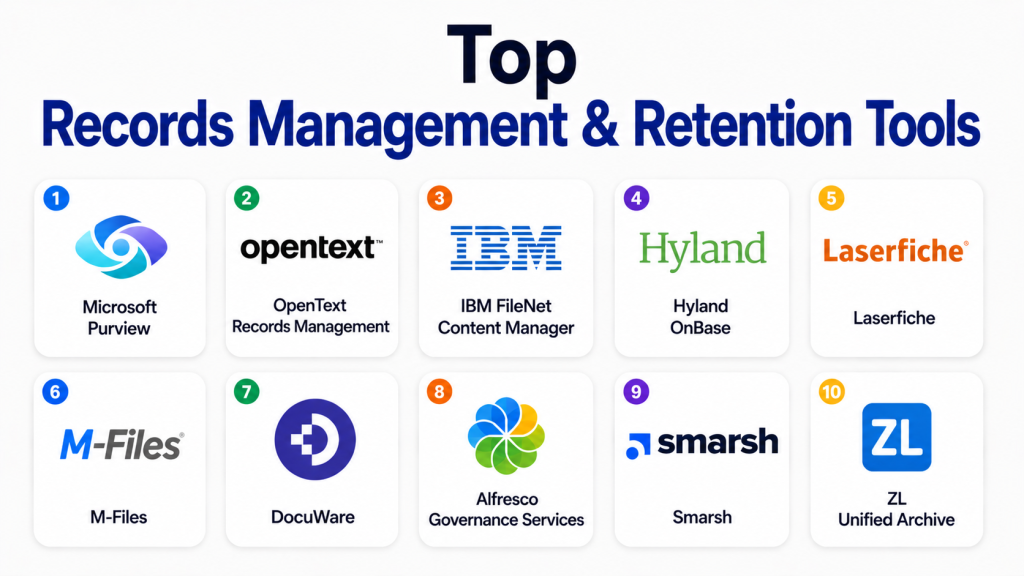
Top Records Management & Retention Tools
#1 — Microsoft Purview
Short description: Microsoft Purview is a governance, compliance, data protection, and records management platform for organizations using Microsoft 365 and Microsoft cloud services. It is useful for legal, compliance, IT, and security teams that need retention labels, data lifecycle controls, eDiscovery, and information governance.
Key Features
- Retention labels and retention policies.
- Records management for Microsoft 365 content.
- eDiscovery and legal hold support.
- Data lifecycle management.
- Audit and compliance tools.
- Sensitivity labels and information protection.
- Integration with Microsoft 365 workloads.
Pros
- Strong fit for Microsoft-based enterprises.
- Useful for retention, legal hold, and compliance workflows.
- Centralized governance across Microsoft content.
Cons
- Best value is inside the Microsoft ecosystem.
- Setup can be complex without governance planning.
- Advanced features may require higher-level plans.
Platforms / Deployment
Web
Cloud
Security & Compliance
SSO, MFA, RBAC, audit logs, encryption, retention policies, legal hold, and compliance controls are available through Microsoft business and enterprise environments. Exact capabilities vary by plan and configuration.
Integrations & Ecosystem
Microsoft Purview works deeply across Microsoft productivity and security environments.
- Microsoft 365
- Exchange
- SharePoint
- OneDrive
- Microsoft Teams
- Microsoft compliance and security tools
Support & Community
Microsoft provides extensive documentation, enterprise support, admin training, partner services, and a large professional community.
#2 — OpenText Records Management
Short description: OpenText Records Management is an enterprise-grade records and information governance solution used by large organizations to manage retention, classification, legal holds, disposition, and compliance-heavy records programs.
Key Features
- Records classification and retention schedules.
- Legal hold support.
- Disposition workflows.
- Audit trails and governance controls.
- Physical and electronic records support.
- Integration with enterprise repositories.
- Policy-driven lifecycle management.
Pros
- Strong enterprise records governance depth.
- Suitable for regulated and public sector environments.
- Supports complex retention and disposition workflows.
Cons
- Implementation can be complex.
- May require specialist administration.
- Not ideal for small teams with simple records needs.
Platforms / Deployment
Web / Windows / Mobile access varies
Cloud / Self-hosted / Hybrid
Security & Compliance
Access controls, audit trails, retention controls, records governance, and administrative controls are available. Specific certifications and compliance details vary by product, deployment, and plan.
Integrations & Ecosystem
OpenText supports large enterprise content and records environments.
- Enterprise content repositories
- ERP systems
- Microsoft ecosystem
- Legal workflows
- Archival systems
- Custom enterprise applications
Support & Community
OpenText offers enterprise support, partner services, implementation assistance, documentation, and training resources.
#3 — IBM FileNet Content Manager
Short description: IBM FileNet Content Manager supports large-scale enterprise content and records management use cases. It is suited for regulated organizations that need secure repositories, metadata, retention, workflow, and governance controls.
Key Features
- Enterprise content repositories.
- Records and lifecycle management support.
- Metadata-based organization.
- Workflow and case management support.
- Search and audit capabilities.
- Access controls and security settings.
- Integration with enterprise systems.
Pros
- Strong fit for large enterprise environments.
- Good for high-volume records and content operations.
- Suitable for regulated industries.
Cons
- Can be complex to deploy and maintain.
- Requires experienced administrators.
- May be too heavy for smaller organizations.
Platforms / Deployment
Web / Windows / Mobile access varies
Cloud / Self-hosted / Hybrid
Security & Compliance
Enterprise access controls, audit trails, encryption, governance, and records-related features are available. Specific compliance details vary by deployment and configuration.
Integrations & Ecosystem
IBM FileNet fits complex enterprise information environments.
- Enterprise business systems
- Case management tools
- Records management workflows
- Analytics and automation tools
- Custom applications
- Enterprise repositories
Support & Community
IBM provides enterprise support, technical documentation, professional services, partner resources, and training options.
#4 — Hyland OnBase
Short description: Hyland OnBase is an enterprise information platform that supports document management, records management, workflow automation, case management, and content-enabled business processes. It is used by healthcare, government, finance, education, and insurance organizations.
Key Features
- Records management.
- Document capture and storage.
- Workflow automation.
- Case management.
- Retention and disposition support.
- Audit trails and permissions.
- Enterprise system integrations.
Pros
- Strong for process-heavy and regulated industries.
- Combines records, documents, and workflow automation.
- Useful for complex department-level content operations.
Cons
- Implementation requires planning.
- May need trained administrators.
- Can be too advanced for basic records storage.
Platforms / Deployment
Web / Windows / Mobile access varies
Cloud / Self-hosted / Hybrid
Security & Compliance
Access controls, audit trails, encryption, permissions, and governance features are available. Specific compliance details vary by deployment and configuration.
Integrations & Ecosystem
Hyland OnBase connects records and documents with business processes.
- ERP systems
- HR systems
- Healthcare systems
- Finance systems
- Workflow automation
- Case management processes
Support & Community
Hyland provides documentation, training, implementation services, partner support, and customer support options.
#5 — Laserfiche
Short description: Laserfiche is a document management, records management, and process automation platform used by public sector, education, finance, and operations teams. It is useful for organizations moving from paper-based records to digital governance workflows.
Key Features
- Records management.
- Retention schedule support.
- Document capture and scanning.
- Workflow automation.
- Forms and approvals.
- Search and indexing.
- Audit and access tracking.
Pros
- Strong for paper-to-digital records programs.
- Good workflow automation and records control.
- Useful for public sector and operational teams.
Cons
- Implementation needs process planning.
- Advanced use may require training.
- Pricing and deployment details vary.
Platforms / Deployment
Web / Windows / iOS / Android
Cloud / Self-hosted / Hybrid
Security & Compliance
Role-based access, audit trails, encryption, records management, and admin controls are available. Specific compliance details should be verified directly.
Integrations & Ecosystem
Laserfiche supports structured records and document workflows.
- Scanning tools
- Forms
- Workflow automation
- ERP systems
- Email capture
- Records management workflows
Support & Community
Laserfiche provides documentation, training resources, partner support, implementation assistance, and customer learning programs.
#6 — M-Files
Short description: M-Files is an intelligent information management platform that uses metadata to organize documents and records. It helps teams manage retention, permissions, workflows, and governance without relying only on folder structures.
Key Features
- Metadata-driven records organization.
- Version control.
- Workflow automation.
- Retention and governance support.
- Permissions and access control.
- Search and discovery.
- Integration with existing repositories.
Pros
- Strong metadata-first records approach.
- Helpful when content is spread across systems.
- Good for regulated document workflows.
Cons
- Metadata model requires planning.
- Users may need training.
- May be too structured for simple storage needs.
Platforms / Deployment
Web / Windows / iOS / Android
Cloud / Self-hosted / Hybrid
Security & Compliance
SSO, access controls, audit features, encryption, and governance capabilities are available. Specific compliance details vary by plan and deployment.
Integrations & Ecosystem
M-Files connects records with business context across repositories.
- Microsoft 365
- CRM systems
- ERP systems
- Network folders
- Workflow tools
- Business application connectors
Support & Community
M-Files provides documentation, partner support, enterprise support options, and implementation resources.
#7 — DocuWare
Short description: DocuWare is a document management and workflow automation platform that supports archiving, approval processes, records control, and compliance-friendly document storage. It is useful for finance, HR, administration, and back-office records.
Key Features
- Document archiving.
- Searchable records storage.
- Workflow automation.
- Invoice and approval processing.
- Access permissions.
- Version control.
- Cloud and on-premises options.
Pros
- Good for structured business records.
- Useful for finance and HR document workflows.
- Strong for approval and archiving use cases.
Cons
- May not cover every deep enterprise records scenario.
- Requires process planning.
- Pricing and deployment details vary.
Platforms / Deployment
Web / Windows / iOS / Android
Cloud / Self-hosted / Hybrid
Security & Compliance
Access controls, encryption, audit trails, and admin controls are available. Specific certifications and compliance details should be validated directly.
Integrations & Ecosystem
DocuWare focuses on document automation and archive workflows.
- ERP systems
- Finance systems
- Email capture
- Scanning workflows
- Approval workflows
- Business process automation
Support & Community
DocuWare provides documentation, onboarding resources, partner support, and customer support options. Availability may vary by plan and region.
#8 — Alfresco Governance Services
Short description: Alfresco Governance Services supports records management and information governance for organizations using Alfresco content services. It is suited for technical teams that need flexible content governance and records lifecycle control.
Key Features
- Records declaration and classification.
- Retention and disposition support.
- Audit and governance controls.
- Metadata management.
- Search and discovery.
- Workflow integration.
- API-friendly architecture.
Pros
- Good for technical and customizable environments.
- Useful for organizations already using Alfresco.
- Supports flexible content governance workflows.
Cons
- Requires technical expertise.
- Not ideal for simple records teams.
- Setup and administration need planning.
Platforms / Deployment
Web / Mobile access varies
Cloud / Self-hosted / Hybrid
Security & Compliance
Access controls, encryption, audit features, and governance capabilities are available. Specific compliance details vary by deployment and edition.
Integrations & Ecosystem
Alfresco works well for API-first records and content governance use cases.
- Alfresco content repositories
- Workflow engines
- APIs
- Enterprise applications
- Records repositories
- Custom integrations
Support & Community
Alfresco provides documentation, enterprise support options, partner support, and technical community resources.
#9 — Smarsh
Short description: Smarsh provides archiving, supervision, and compliance solutions for regulated communications. It is especially relevant for financial services, legal, government, and organizations that need to retain and monitor communications records.
Key Features
- Communications archiving.
- Retention policy support.
- Search and supervision workflows.
- Legal hold support.
- Compliance review tools.
- Audit and reporting features.
- Support for many communication channels.
Pros
- Strong for regulated communications retention.
- Useful for financial services and legal review.
- Helps manage email, chat, and collaboration records.
Cons
- Focused more on communications compliance than general ECM.
- May be too specialized for basic document retention.
- Pricing and deployment details vary.
Platforms / Deployment
Web
Cloud
Security & Compliance
Access controls, audit logs, retention controls, and compliance workflow features are available. Specific compliance details vary by plan and configuration.
Integrations & Ecosystem
Smarsh connects with communication and collaboration channels for archiving and supervision.
- Email systems
- Messaging platforms
- Collaboration tools
- Social and digital channels
- Legal review workflows
- Compliance supervision workflows
Support & Community
Smarsh provides documentation, customer support, onboarding resources, and compliance-focused services.
#10 — ZL Unified Archive
Short description: ZL Unified Archive is an enterprise archiving, eDiscovery, records management, and information governance platform. It is suited for large organizations needing centralized control over email, files, communications, and enterprise data retention.
Key Features
- Enterprise archiving.
- Retention management.
- Legal hold and eDiscovery support.
- Information governance.
- Search and analytics.
- Policy-based controls.
- Support for large-scale data environments.
Pros
- Strong for enterprise archiving and governance.
- Useful for legal, compliance, and records teams.
- Helps manage retention across multiple information sources.
Cons
- May require enterprise-level implementation.
- Not ideal for small businesses.
- Administration and policy design require planning.
Platforms / Deployment
Web / Mobile access varies
Cloud / Self-hosted / Hybrid
Security & Compliance
Access controls, audit logs, encryption, retention policies, and legal hold capabilities are available. Specific compliance details vary by deployment and configuration.
Integrations & Ecosystem
ZL Unified Archive supports broad enterprise information governance use cases.
- Email platforms
- File repositories
- Collaboration systems
- eDiscovery workflows
- Legal hold workflows
- Enterprise archives
Support & Community
ZL provides enterprise support, documentation, implementation assistance, and compliance-focused customer resources.
Comparison Table
| Tool Name | Best For | Platform(s) Supported | Deployment | Standout Feature | Public Rating |
|---|---|---|---|---|---|
| Microsoft Purview | Microsoft 365 records governance | Web | Cloud | Retention labels and compliance controls | N/A |
| OpenText Records Management | Large enterprise records programs | Web, Windows, mobile access varies | Cloud / Self-hosted / Hybrid | Deep retention and disposition governance | N/A |
| IBM FileNet Content Manager | High-volume enterprise records | Web, Windows, mobile access varies | Cloud / Self-hosted / Hybrid | Enterprise content repositories | N/A |
| Hyland OnBase | Regulated process-heavy records | Web, Windows, mobile access varies | Cloud / Self-hosted / Hybrid | Records plus workflow automation | N/A |
| Laserfiche | Public sector and records workflows | Web, Windows, iOS, Android | Cloud / Self-hosted / Hybrid | Digital records and process automation | N/A |
| M-Files | Metadata-driven records control | Web, Windows, iOS, Android | Cloud / Self-hosted / Hybrid | Metadata-based records organization | N/A |
| DocuWare | Back-office records and archives | Web, Windows, iOS, Android | Cloud / Self-hosted / Hybrid | Approval and archive workflows | N/A |
| Alfresco Governance Services | API-first governance workflows | Web, mobile access varies | Cloud / Self-hosted / Hybrid | Flexible records governance | N/A |
| Smarsh | Communications retention compliance | Web | Cloud | Communication archiving and supervision | N/A |
| ZL Unified Archive | Enterprise archiving and legal hold | Web, mobile access varies | Cloud / Self-hosted / Hybrid | Unified archive and retention control | N/A |
Evaluation & Scoring of Records Management & Retention Tools
| Tool Name | Core (25%) | Ease (15%) | Integrations (15%) | Security (10%) | Performance (10%) | Support (10%) | Value (15%) | Weighted Total |
|---|---|---|---|---|---|---|---|---|
| Microsoft Purview | 9 | 7 | 10 | 9 | 8 | 9 | 8 | 8.60 |
| OpenText Records Management | 10 | 6 | 9 | 9 | 8 | 9 | 6 | 8.15 |
| IBM FileNet Content Manager | 9 | 5 | 9 | 9 | 8 | 9 | 6 | 7.70 |
| Hyland OnBase | 9 | 7 | 8 | 8 | 8 | 8 | 7 | 7.95 |
| Laserfiche | 9 | 7 | 8 | 8 | 8 | 8 | 7 | 7.95 |
| M-Files | 9 | 7 | 8 | 8 | 8 | 8 | 7 | 7.95 |
| DocuWare | 8 | 7 | 8 | 8 | 8 | 8 | 7 | 7.70 |
| Alfresco Governance Services | 8 | 6 | 9 | 8 | 8 | 7 | 7 | 7.55 |
| Smarsh | 8 | 7 | 8 | 8 | 8 | 8 | 7 | 7.70 |
| ZL Unified Archive | 9 | 6 | 8 | 8 | 8 | 8 | 7 | 7.75 |
These scores are comparative and should be read based on your organization’s real needs. A communication archive tool may score well for regulated messaging but may not replace a full records management system. A strong enterprise platform may be too complex for smaller teams. Legal, compliance, and IT teams should evaluate retention policies, legal hold, auditability, integrations, and implementation effort before choosing.
Which Records Management & Retention Tool Is Right for You?
Solo / Freelancer
Solo users usually do not need dedicated records management software. Basic cloud storage, secure folders, and simple backup practices may be enough. However, freelancers handling legal, finance, healthcare, or client-sensitive records should still use clear folder structures, secure access, and retention discipline.
SMB
SMBs should choose tools based on complexity. If the business already uses Microsoft 365, Microsoft Purview may be a practical option to evaluate. DocuWare and Laserfiche can work well for document-heavy back-office records. Smaller regulated firms may also consider Smarsh if communication archiving is the main need.
Mid-Market
Mid-market companies usually need stronger retention rules, audit trails, legal hold, and workflow automation. M-Files, Laserfiche, DocuWare, Microsoft Purview, and Hyland OnBase are strong options to evaluate. The right choice depends on whether records are mostly documents, emails, communication data, or business process records.
Enterprise
Large enterprises should evaluate Microsoft Purview, OpenText Records Management, IBM FileNet Content Manager, Hyland OnBase, ZL Unified Archive, and Alfresco Governance Services. Enterprises should focus on retention schedule complexity, legal hold, eDiscovery, data sources, repository coverage, policy automation, and compliance reporting.
Budget vs Premium
Budget-focused teams should first check whether their existing Microsoft, Google, or content platform already includes retention features. Premium tools are better when records governance is complex, regulated, multi-repository, or legally sensitive. The cost of poor records management can be higher than the cost of a stronger tool.
Feature Depth vs Ease of Use
Microsoft Purview is strong for Microsoft users but requires configuration knowledge. OpenText, IBM FileNet, ZL, and Alfresco are deeper but more complex. DocuWare, Laserfiche, M-Files, and Hyland OnBase provide a practical balance between workflow depth and business usability. Smarsh is easier to justify when communications compliance is the main priority.
Integrations & Scalability
Microsoft Purview is best for Microsoft 365 content governance. Smarsh is strong for communications platforms. ZL Unified Archive is suitable for enterprise archiving across large information sources. OpenText, IBM FileNet, Hyland, Alfresco, M-Files, Laserfiche, and DocuWare should be evaluated based on repository coverage, APIs, and business system integrations.
Security & Compliance Needs
Security-focused buyers should review SSO, MFA, RBAC, encryption, audit trails, legal hold, retention policy enforcement, chain of custody, disposition approvals, and reporting. Regulated teams should also validate data residency, supervision workflows, privacy requirements, and vendor support for internal compliance processes.
Frequently Asked Questions (FAQs)
What are Records Management & Retention Tools?
Records Management & Retention Tools help organizations classify, store, retain, protect, search, and dispose of records according to business, legal, and compliance rules.
How are retention tools different from document storage?
Document storage keeps files in folders. Retention tools add policy-based rules, legal holds, audit trails, disposition workflows, records classification, and governance reporting.
What is a retention schedule?
A retention schedule defines how long specific records must be kept and when they can be archived or deleted. It helps organizations manage legal, compliance, and operational risk.
What is legal hold?
Legal hold is a process that preserves relevant records when litigation, investigation, or audit activity is expected. It prevents records from being deleted while they may be needed as evidence.
Which tool is best for Microsoft 365 records?
Microsoft Purview is a strong option for Microsoft 365 environments because it supports retention labels, data lifecycle management, eDiscovery, and compliance workflows.
Which tools are best for enterprise records management?
OpenText Records Management, IBM FileNet Content Manager, Hyland OnBase, Microsoft Purview, ZL Unified Archive, and Laserfiche are commonly evaluated for enterprise records needs.
Do small businesses need records management tools?
Small businesses may not need a full enterprise platform, but they still need basic retention discipline. Regulated SMBs or businesses handling sensitive records may need stronger tools.
What are common mistakes in records retention?
Common mistakes include keeping records forever, deleting records too early, using unclear ownership, failing to apply legal holds, and not documenting retention rules.
Can records management tools support compliance audits?
Yes. They can support audits through access logs, retention proof, classification, disposition history, and policy reporting. The tool must be configured correctly to be useful.
Do records management tools use AI?
Many modern tools are adding AI for classification, search, metadata extraction, risk detection, and content review. AI features vary by vendor and plan.
How difficult is implementation?
Implementation depends on record volume, repositories, retention schedules, integrations, and legal requirements. Large enterprises often need phased rollout and stakeholder alignment.
What are alternatives to records management tools?
Alternatives include ECM platforms, document management systems, cloud storage with retention settings, eDiscovery tools, archiving systems, and compliance management platforms.
Conclusion
Records Management & Retention Tools are essential for organizations that need to manage information responsibly, reduce legal risk, support audits, and control content lifecycle. The best tool depends on the type of records you manage, your existing systems, your legal exposure, and your compliance requirements. Microsoft Purview is strong for Microsoft 365 environments. OpenText, IBM FileNet, Hyland OnBase, and Laserfiche are better for enterprise records programs. M-Files and DocuWare are useful for structured document workflows. Smarsh is strong for communications retention, while ZL Unified Archive is suitable for large-scale archiving and legal hold needs.
