Upgrade & Secure Your Future with DevOps, SRE, DevSecOps, MLOps!
We spend hours scrolling social media and waste money on things we forget, but won’t spend 30 minutes a day earning certifications that can change our lives.
Master in DevOps, SRE, DevSecOps & MLOps by DevOps School!
Learn from Guru Rajesh Kumar and double your salary in just one year.
Introduction
Live streaming studio software helps creators, brands, educators, event teams, and businesses produce professional live video. It allows users to manage cameras, microphones, overlays, guests, scenes, screen sharing, recordings, and streaming destinations from one place.
In simple words, it turns a laptop, desktop, or browser into a live production studio.
Live streaming matters more now because companies use video for webinars, product launches, training, online events, podcasts, gaming, community building, shopping, and hybrid conferences. Buyers should evaluate ease of use, video quality, guest handling, multistreaming, branding, recording quality, platform support, integrations, reliability, pricing, and security controls.
Best for: content creators, marketing teams, educators, coaches, churches, event teams, gaming streamers, podcasters, and businesses running live shows or online events.
Not ideal for: teams that only need basic video meetings, private internal calls, or simple screen recording without live production needs.
Key Trends in Live Streaming Studio Software
- AI-assisted production is becoming common for captions, transcripts, clips, titles, summaries, and repurposed social content.
- Browser-based studios are growing because they reduce setup time and allow guests to join without downloads.
- Vertical and horizontal streaming is now important for YouTube, LinkedIn, Instagram, TikTok-style content, and short-form repurposing.
- Multistreaming is becoming a standard need for creators and brands that want to reach multiple audiences at once.
- Local recording quality matters because creators want clean audio and video even when internet quality drops.
- Remote guest production is now a core requirement for interviews, webinars, podcasts, and panel discussions.
- Branding tools such as overlays, lower thirds, intro videos, and custom layouts are expected by business users.
- Security expectations are rising, especially for webinars, private events, and enterprise live streams.
- Cloud workflows are replacing heavy desktop-only setups for many marketing and education teams.
- Integrations with social platforms, video tools, chat tools, and editing workflows are becoming key buying factors.
How We Selected These Tools
- We focused on tools with strong recognition in live streaming and video production.
- We included a mix of desktop, browser-based, cloud, creator-focused, and professional production tools.
- We considered core features such as scene switching, overlays, guest support, multistreaming, and recording.
- We looked at platform fit for solo creators, SMBs, agencies, educators, and enterprises.
- We prioritized tools with practical use cases across webinars, podcasts, events, gaming, and branded shows.
- We considered ease of onboarding for non-technical users.
- We included tools with strong ecosystems, templates, plugins, integrations, or community support.
- We avoided unsupported claims around certifications, ratings, or compliance when not clearly known.
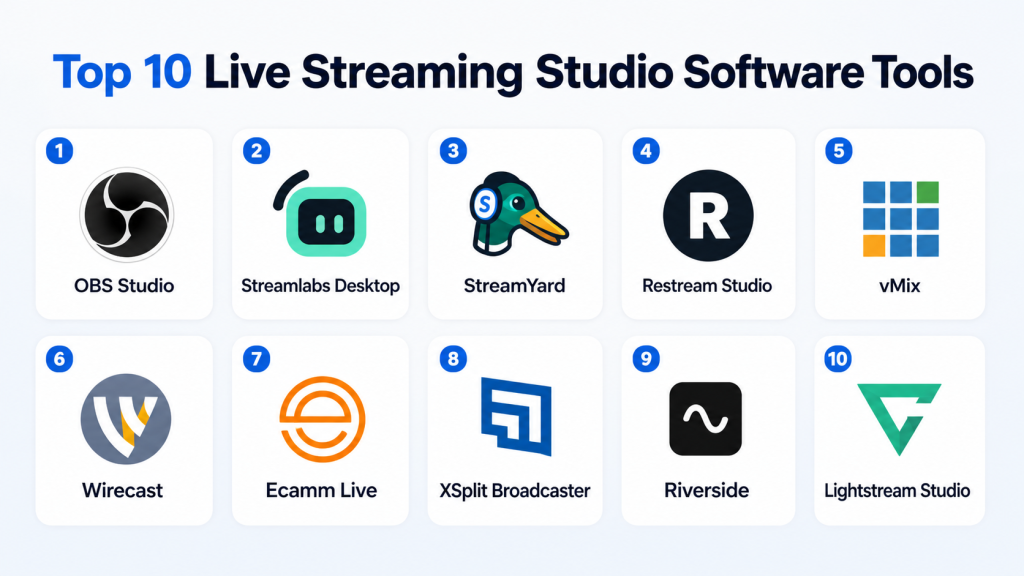
Top 10 Live Streaming Studio Software Tools
#1 — OBS Studio
Short description: OBS Studio is a free, open-source live streaming and recording tool used by creators, gamers, educators, and technical production teams. It is powerful, flexible, and highly customizable, but it requires more setup knowledge than many browser-based tools.
Key Features
- Scene-based live production workflow
- Multiple video and audio source support
- Screen capture, window capture, camera capture, and browser sources
- Recording and live streaming in one application
- Plugin ecosystem for advanced workflows
- Custom transitions, filters, and audio controls
- Support for many streaming destinations through stream keys
Pros
- Free and open source with no forced subscription.
- Very flexible for technical users and advanced productions.
- Strong community, plugin support, and learning resources.
Cons
- Can feel difficult for beginners.
- Guest management is not native like browser-based studio tools.
- Advanced setups may require plugins and manual configuration.
Platforms / Deployment
Windows / macOS / Linux
Self-hosted desktop software
Security & Compliance
Not publicly stated for SOC 2, ISO 27001, HIPAA, or enterprise compliance. Security depends heavily on local system setup, plugins used, and streaming destination configuration.
Integrations & Ecosystem
OBS Studio has one of the strongest ecosystems in live streaming. Its open plugin model makes it useful for creators, developers, and technical production teams.
- YouTube
- Twitch
- Facebook Live
- RTMP destinations
- Browser sources
- Audio plugins
- Stream overlays
- Virtual camera workflows
Support & Community
OBS has strong community support, documentation, forums, plugins, and tutorials. Direct enterprise-style support is not the main model, so businesses may need internal technical knowledge or outside production support.
#2 — Streamlabs Desktop
Short description: Streamlabs Desktop is a creator-focused live streaming studio built around streaming, recording, alerts, overlays, monetization, and audience engagement. It is especially popular with gamers and individual creators.
Key Features
- Stream setup for popular platforms
- Built-in alerts and widgets
- Overlays and themes
- Recording and live streaming
- Chat and engagement tools
- Creator monetization features
- Scene management and source controls
Pros
- Easier setup than raw OBS for many creators.
- Strong creator monetization and engagement features.
- Good fit for Twitch, YouTube, and Facebook streamers.
Cons
- Less flexible than advanced OBS plugin workflows.
- Some advanced features may require paid plans or add-ons.
- More creator-focused than enterprise-focused.
Platforms / Deployment
Windows / macOS
Desktop software
Security & Compliance
Not publicly stated for SOC 2, ISO 27001, or HIPAA. Users should review account security, login controls, and platform permissions before using it for business-sensitive streaming.
Integrations & Ecosystem
Streamlabs has a creator-first ecosystem built around live engagement and monetization.
- Twitch
- YouTube
- Alerts
- Donations/tipping
- Chat widgets
- Overlays
- Creator store features
Support & Community
Streamlabs has strong creator community adoption, documentation, and support resources. It is easier for beginners than OBS, but advanced users may still need time to configure scenes and performance settings.
#3 — StreamYard
Short description: StreamYard is a browser-based live streaming studio designed for interviews, webinars, panels, podcasts, and branded live shows. It is popular with marketers, educators, coaches, and business creators who want simple production without complex setup.
Key Features
- Browser-based live studio
- Remote guest invitations
- Multistreaming
- Branding with logos, overlays, banners, and colors
- Screen sharing
- Recording options
- Comment display from supported platforms
Pros
- Very easy for non-technical users.
- Great for guest interviews and panel discussions.
- Fast setup for branded business live streams.
Cons
- Less advanced control than professional desktop switchers.
- Browser and internet quality can affect production experience.
- Deep broadcast workflows may need stronger tools.
Platforms / Deployment
Web
Cloud
Security & Compliance
Security and compliance details vary by plan and use case. SOC 2, ISO 27001, HIPAA, and detailed enterprise controls are not publicly stated here.
Integrations & Ecosystem
StreamYard works well for creators and businesses that stream to social platforms and need simple guest workflows.
- YouTube
- Twitch
- RTMP destinations
- Guest invite links
- Brand assets
- Webinar-style workflows
Support & Community
StreamYard has strong onboarding resources, templates, help content, and a large creator user base. It is one of the easier tools for teams that do not have a technical producer.
#4 — Restream Studio
Short description: Restream Studio is a cloud-based live streaming studio focused on multistreaming, guest interviews, chat management, and simple branded production. It is useful for teams that want to broadcast to multiple platforms from one browser.
Key Features
- Browser-based studio
- Multistreaming to multiple channels
- Guest invitations
- Chat aggregation
- Branding and overlays
- Recording support
- Stream scheduling and destination management
Pros
- Strong multistreaming workflow.
- Good for creators and teams managing many channels.
- Browser-based setup reduces technical barriers.
Cons
- Advanced production control is not as deep as vMix or Wirecast.
- Some features depend on subscription level.
- Browser-based workflows may not suit every high-end broadcast need.
Platforms / Deployment
Web
Cloud
Security & Compliance
Not publicly stated for detailed compliance such as SOC 2, ISO 27001, or HIPAA in this context. Buyers should validate security controls directly before enterprise use.
Integrations & Ecosystem
Restream is strong for distribution and audience reach.
- YouTube
- Twitch
- RTMP destinations
- Chat tools
- Guest links
- Scheduling workflows
Support & Community
Restream has documentation, onboarding content, and support resources. It is especially helpful for users whose main challenge is reaching several platforms at the same time.
#5 — vMix
Short description: vMix is a professional live video production software for Windows. It is designed for serious production workflows such as multi-camera events, sports, churches, corporate broadcasts, and hybrid events.
Key Features
- Multi-camera live switching
- Recording and streaming
- NDI, SRT, and video input workflows
- Virtual sets and chroma key
- Instant replay options
- Titles, overlays, and graphics
- Remote guest support through vMix Call
Pros
- Very strong for professional production.
- Excellent control over inputs, outputs, and broadcast workflows.
- Good fit for events, churches, and production teams.
Cons
- Windows-only.
- Learning curve is higher than browser-based tools.
- Requires suitable hardware for heavy productions.
Platforms / Deployment
Windows
Desktop software
Security & Compliance
Not publicly stated for SOC 2, ISO 27001, HIPAA, or similar compliance. Security depends on system configuration, network setup, and production environment.
Integrations & Ecosystem
vMix fits advanced live production environments and integrates with many production technologies.
- Cameras
- NDI
- SRT
- RTMP destinations
- Zoom meeting inputs
- Audio mixers
- Replay workflows
- External controllers
Support & Community
vMix has documentation, tutorials, community forums, and professional users across event production. Teams using it for mission-critical events should train operators before live use.
#6 — Wirecast
Short description: Wirecast is professional live production and streaming software for Windows and macOS. It is built for users who need layered production, multi-camera workflows, graphics, virtual camera output, and polished live broadcasts.
Key Features
- Layer-based compositing
- Multi-camera production
- ISO recording options
- Virtual camera and microphone output
- Built-in titles and graphics
- Multistreaming support
- Professional production controls
Pros
- Strong production feature set.
- Supports both Windows and macOS.
- Good for professional shows, events, webinars, and broadcast teams.
Cons
- More expensive than free or basic tools.
- Requires learning and production planning.
- Heavy workflows need strong hardware.
Platforms / Deployment
Windows / macOS
Desktop software
Security & Compliance
Not publicly stated for SOC 2, ISO 27001, HIPAA, or similar compliance in this context. Buyers should validate security needs based on deployment and workflow.
Integrations & Ecosystem
Wirecast works well in professional production environments.
- Cameras
- Capture devices
- Social streaming platforms
- RTMP destinations
- Virtual camera workflows
- Graphics and media assets
- Audio sources
- Remote guest workflows
Support & Community
Wirecast provides documentation and professional support options. It is better suited for users who want a serious production tool and are ready to learn a more advanced workflow.
#7 — Ecamm Live
Short description: Ecamm Live is a Mac-focused live streaming and video production tool for creators, podcasters, educators, and business presenters. It combines ease of use with strong production features for Apple users.
Key Features
- Mac-based live streaming studio
- Scene switching
- Guest interviews
- Screen sharing
- Overlays and branding
- Virtual camera support
- Recording and podcast workflows
Pros
- Strong choice for Mac users.
- Friendly interface for creators and presenters.
- Good balance between simplicity and production quality.
Cons
- Mac-only.
- Not suitable for Windows or Linux teams.
- Some advanced broadcast needs may require other tools.
Platforms / Deployment
macOS
Desktop software
Security & Compliance
Not publicly stated for SOC 2, ISO 27001, HIPAA, or detailed enterprise compliance. Users should review account settings and connected platform permissions.
Integrations & Ecosystem
Ecamm Live is useful for Mac-based creator and business workflows.
- YouTube
- Twitch
- RTMP destinations
- Interview workflows
- Virtual camera tools
- Podcast production workflows
Support & Community
Ecamm has a strong creator community, tutorials, and onboarding content. It is especially friendly for coaches, podcasters, educators, and small teams using Mac.
#8 — XSplit Broadcaster
Short description: XSplit Broadcaster is a live streaming and recording studio used by creators, gamers, presenters, and online video producers. It offers scene controls, recording, streaming, and creator-friendly workflows.
Key Features
- Live streaming and recording
- Scene and source management
- Multistreaming with supported plans
- Overlays and layouts
- Virtual camera workflows
- Presentation and gaming use cases
- Support for major streaming platforms
Pros
- Easier than many technical broadcast tools.
- Good for gaming, presentations, and creator streams.
- Useful recording and streaming combination.
Cons
- Windows-first reputation, with platform availability depending on product.
- Some features may require premium licensing.
- Smaller ecosystem than OBS in some advanced areas.
Platforms / Deployment
Windows
Desktop software
Varies / N/A for broader platform availability
Security & Compliance
Not publicly stated for SOC 2, ISO 27001, HIPAA, or detailed enterprise compliance. Buyers should validate security controls before using it for sensitive business streams.
Integrations & Ecosystem
XSplit works well with popular creator and streaming platforms.
- YouTube
- Twitch
- Vimeo
- Camera sources
- Screen capture
- Virtual camera
- Overlays and alerts
Support & Community
XSplit offers documentation, support resources, and creator-focused guides. It is easier for many users than advanced professional tools, but production teams should still test workflows before major events.
#9 — Riverside
Short description: Riverside is a browser-based recording and live streaming platform built for high-quality interviews, podcasts, webinars, and content repurposing. It is strong for teams that care about clean recordings, remote guests, and AI-assisted post-production.
Key Features
- Browser-based live streaming
- High-quality remote recording
- Separate audio and video tracks
- AI transcripts and clips
- Guest invitations
- Live layouts
- Repurposing workflows for social content
Pros
- Strong for podcasts, interviews, and content teams.
- Good recording quality for remote guests.
- Useful AI features for editing and repurposing.
Cons
- Not a full broadcast switcher like vMix or Wirecast.
- Best value is for recording plus live content workflows.
- Advanced live graphics may be limited compared to dedicated production tools.
Platforms / Deployment
Web
Cloud
Security & Compliance
Not publicly stated here for SOC 2, ISO 27001, HIPAA, or detailed compliance. Teams should validate workspace permissions, data storage, and privacy requirements before adoption.
Integrations & Ecosystem
Riverside is strong for content creation workflows after the live session.
- YouTube
- Guest links
- Transcripts
- AI clips
- Editing workflows
- Podcast workflows
Support & Community
Riverside provides onboarding resources and support. It is best for teams that want live streaming, high-quality recordings, and repurposed content from the same workflow.
#10 — Lightstream Studio
Short description: Lightstream Studio is a cloud-based live streaming tool focused on simple browser production, console streaming, overlays, guests, and creator workflows. It is useful for users who want a lightweight setup without a powerful streaming PC.
Key Features
- Cloud-based live streaming studio
- Browser-based setup
- Overlays and alerts
- Guest support
- Console streaming workflows
- Cloud project storage
- No heavy local production setup required
Pros
- Good for console streamers and lightweight creator setups.
- Reduces need for powerful local hardware.
- Simple interface for overlays and guest workflows.
Cons
- Less suitable for complex broadcast production.
- Cloud dependency may not fit all reliability needs.
- Advanced customization may be more limited than OBS or vMix.
Platforms / Deployment
Web
Cloud
Security & Compliance
Not publicly stated for SOC 2, ISO 27001, HIPAA, or detailed enterprise compliance. Users should review login security and platform permissions before business use.
Integrations & Ecosystem
Lightstream is useful for creators who want simple cloud-based production.
- Twitch
- YouTube
- Console streaming workflows
- Overlays
- Alerts
- Remote guests
- Browser-based production
- Cloud projects
Support & Community
Lightstream provides help resources and support for creators. It is especially useful for console gamers and creators who want professional-looking streams without building a complex desktop setup.
Comparison Table
| Tool Name | Best For | Platform(s) Supported | Deployment | Standout Feature | Public Rating |
|---|---|---|---|---|---|
| OBS Studio | Technical creators and custom streaming setups | Windows, macOS, Linux | Self-hosted desktop | Free open-source flexibility | N/A |
| Streamlabs Desktop | Gamers and creator monetization | Windows, macOS | Desktop | Built-in alerts, overlays, and creator tools | N/A |
| StreamYard | Webinars, interviews, and business live shows | Web | Cloud | Simple browser-based guest production | N/A |
| Restream Studio | Multistreaming across many platforms | Web | Cloud | Strong multi-destination streaming | N/A |
| vMix | Professional live production teams | Windows | Desktop | Advanced multi-camera production | N/A |
| Wirecast | Professional broadcast-style streaming | Windows, macOS | Desktop | Layer-based production and ISO recording | N/A |
| Ecamm Live | Mac creators and presenters | macOS | Desktop | Mac-friendly live production workflow | N/A |
| XSplit Broadcaster | Gaming, presentations, and creator streaming | Windows | Desktop | Creator-friendly streaming and recording | N/A |
| Riverside | Podcasts, interviews, and repurposed content | Web | Cloud | High-quality remote recording and AI editing | N/A |
| Lightstream Studio | Console streamers and simple cloud production | Web | Cloud | Cloud-based streaming without heavy hardware | N/A |
Evaluation & Scoring of Live Streaming Studio Software
| Tool Name | Core (25%) | Ease (15%) | Integrations (15%) | Security (10%) | Performance (10%) | Support (10%) | Value (15%) | Weighted Total |
|---|---|---|---|---|---|---|---|---|
| OBS Studio | 9 | 6 | 9 | 6 | 8 | 8 | 10 | 8.15 |
| Streamlabs Desktop | 8 | 8 | 8 | 6 | 7 | 7 | 8 | 7.55 |
| StreamYard | 8 | 10 | 8 | 7 | 8 | 8 | 8 | 8.10 |
| Restream Studio | 8 | 9 | 9 | 7 | 8 | 8 | 8 | 8.20 |
| vMix | 10 | 6 | 9 | 6 | 9 | 8 | 8 | 8.35 |
| Wirecast | 9 | 7 | 8 | 6 | 8 | 8 | 7 | 7.85 |
| Ecamm Live | 8 | 9 | 8 | 6 | 8 | 8 | 8 | 7.95 |
| XSplit Broadcaster | 8 | 8 | 7 | 6 | 7 | 7 | 7 | 7.30 |
| Riverside | 8 | 9 | 8 | 7 | 8 | 8 | 8 | 8.05 |
| Lightstream Studio | 7 | 9 | 7 | 6 | 7 | 7 | 7 | 7.25 |
These scores are comparative, not absolute. A higher score does not always mean the tool is the best for every user. For example, vMix scores high for professional production, while StreamYard scores high for ease of use. OBS Studio gives excellent value, but it needs more setup skill. Buyers should shortlist tools based on workflow, team skill level, streaming destinations, recording needs, and budget.
Which Live Streaming Studio Software Tool Is Right for You?
Solo / Freelancer
Solo creators should focus on ease, cost, and speed. OBS Studio is excellent if you are technical and want full control without subscription cost. StreamYard, Riverside, and Ecamm Live are better if you want quick setup, clean branding, guest interviews, and less technical work.
For gamers, Streamlabs Desktop and Lightstream Studio are strong choices. Streamlabs is better for alerts and creator engagement. Lightstream is useful when you want cloud production without heavy hardware.
SMB
Small and mid-sized businesses usually need reliability, guest handling, branding, recordings, and simple onboarding. StreamYard and Restream Studio are strong options for marketing teams, webinars, interviews, and LinkedIn-style shows.
If the SMB has a technical video person, OBS Studio can reduce costs and allow custom production. If the team needs polished remote interviews and content repurposing, Riverside is a strong fit.
Mid-Market
Mid-market teams often need repeatable workflows, multiple speakers, brand consistency, and better production quality. Wirecast, vMix, StreamYard, and Restream Studio are worth shortlisting.
Use vMix when production complexity is high. Use Wirecast when you want professional controls across Windows and macOS. Use StreamYard or Restream Studio when the team wants browser simplicity and fast remote collaboration.
Enterprise
Enterprise teams should focus on workflow control, security review, support, permissions, recording policies, and reliability. vMix and Wirecast are better for controlled production teams. StreamYard, Restream Studio, and Riverside may fit marketing, webinar, and communication teams if their security and compliance requirements are validated.
Enterprises should not select only based on features. They should review data handling, admin controls, user access, recording storage, vendor support, and approval workflows.
Budget vs Premium
If budget is the top priority, OBS Studio is the best starting point because it is free and powerful. Streamlabs Desktop also works well for creators who want built-in alerts and monetization tools.
Premium tools such as vMix, Wirecast, StreamYard, Restream Studio, and Riverside make sense when saving time, improving production quality, or reducing technical friction is more important than lowest cost.
Feature Depth vs Ease of Use
For feature depth, choose vMix, Wirecast, or OBS Studio. These tools give more control over inputs, scenes, graphics, audio, and production logic.
For ease of use, choose StreamYard, Restream Studio, Riverside, or Ecamm Live. These are better for users who want a professional result without building a complex production environment.
Integrations & Scalability
For social distribution and multistreaming, Restream Studio is a strong option. For plugin-based custom workflows, OBS Studio is excellent. For professional production hardware and video workflows, vMix and Wirecast are better.
For content teams that need editing, transcripts, and repurposing, Riverside is worth shortlisting.
Security & Compliance Needs
For sensitive business streams, do not choose based on marketing pages alone. Validate security directly with the vendor. Ask about MFA, SSO, RBAC, data storage, encryption, audit logs, recording retention, and compliance documentation.
If compliance is strict, enterprise buyers should run a security review before using any cloud-based live studio.
Frequently Asked Questions
What is live streaming studio software?
Live streaming studio software helps you produce live video with cameras, microphones, scenes, overlays, guests, recordings, and streaming destinations. It works like a digital control room for online video.
Is OBS Studio better than paid live streaming software?
OBS Studio is excellent for flexibility and cost, but it is not always easier. Paid tools often save time with built-in guests, templates, branding, support, and cloud workflows.
Which tool is best for beginners?
StreamYard, Restream Studio, Riverside, and Ecamm Live are easier for beginners. OBS Studio and vMix are powerful but require more setup and learning.
Which live streaming software is best for professional events?
vMix and Wirecast are strong choices for professional events, multi-camera production, and advanced live workflows. OBS Studio can also work well when managed by an experienced operator.
Can I stream to multiple platforms at once?
Yes, many tools support multistreaming. Restream Studio, StreamYard, XSplit Broadcaster, and other tools can help distribute streams to multiple platforms depending on plan and setup.
What is the biggest mistake buyers make?
The biggest mistake is choosing based only on features. Teams should test real workflows, internet quality, guest experience, recording needs, branding, and support before making a final choice.
Do these tools support AI features?
Some tools include AI-assisted features such as transcripts, clips, editing support, summaries, or content repurposing. AI depth varies by product and plan.
Is browser-based live streaming reliable?
Browser-based streaming can be reliable for webinars, interviews, and branded shows. For complex multi-camera events, desktop production tools may offer more control and stability.
What should enterprises check before buying?
Enterprises should check SSO, MFA, RBAC, audit logs, encryption, data retention, compliance documents, recording storage, vendor support, and admin controls.
Can I switch from one live streaming tool to another?
Yes, but switching requires planning. You may need to rebuild scenes, overlays, brand assets, guest workflows, integrations, and streaming destination settings.
What is the best alternative to live streaming studio software?
For basic needs, video meeting tools or webinar platforms may be enough. For advanced production, hardware switchers and professional broadcast systems may be better.
How much does live streaming studio software cost?
Pricing varies widely. Some tools are free, some use monthly subscriptions, and professional tools may use paid licenses. Always compare price against production needs and team skill level.
Conclusion
Live streaming studio software is no longer only for gamers or large production teams. It is now a practical business tool for webinars, podcasts, product launches, online classes, live shopping, community events, and professional brand communication. The best tool depends on your workflow. OBS Studio is excellent for flexibility and value. StreamYard and Restream Studio are strong for simple browser-based shows and multistreaming. vMix and Wirecast are better for serious production teams. Riverside is useful when recording quality and repurposing matter. The right next step is to shortlist two or three tools, run a real pilot stream, test guest experience, check integrations, review security needs, and choose the tool that fits your team’s actual production style
