Upgrade & Secure Your Future with DevOps, SRE, DevSecOps, MLOps!
We spend hours scrolling social media and waste money on things we forget, but won’t spend 30 minutes a day earning certifications that can change our lives.
Master in DevOps, SRE, DevSecOps & MLOps by DevOps School!
Learn from Guru Rajesh Kumar and double your salary in just one year.
Introduction
Music Notation Software helps composers, arrangers, teachers, students, publishers, and musicians write music in standard staff notation. In simple words, it lets users create sheet music digitally instead of writing notes by hand. Users can add notes, rests, chords, lyrics, dynamics, articulations, tablature, orchestration, playback, and printed parts.
Music notation matters because music creation is now more digital, collaborative, and multi-format. Composers need clean scores. Teachers need worksheets. Bands need parts. Publishers need professional engraving. Film composers need DAW integration. Students need playback and learning tools.
Common use cases include:
- Composing original music
- Arranging songs for bands, choirs, and orchestras
- Creating lesson sheets and exercises
- Preparing professional scores and parts
- Writing guitar tabs and lead sheets
- Exporting MIDI or MusicXML
- Sharing scores online with students or collaborators
Buyers should evaluate:
- Ease of note entry
- Quality of engraving and score layout
- Playback realism
- MusicXML and MIDI support
- Collaboration features
- Support for orchestral, choral, jazz, guitar, and percussion notation
- Printing and part extraction
- Learning curve
- Platform support
- Pricing and licensing
Best for: Composers, arrangers, music teachers, students, conductors, publishers, music schools, choirs, bands, orchestras, worship teams, film composers, and independent musicians.
Not ideal for: Users who only need beat making, audio recording, mixing, or loop-based music production. In those cases, a DAW may be better than notation software.
Key Trends in Music Notation Software
- Cloud collaboration is becoming more important: Teachers, students, composers, and ensembles want to share scores, comment, edit, and review work remotely.
- MusicXML interoperability matters more: Users often move scores between notation tools, DAWs, publishing tools, and learning platforms, so clean import/export is important.
- Playback quality is improving: Modern notation tools are adding better instrument sounds, humanized playback, expression control, and sound library integrations.
- Education workflows are growing: Teachers need fast worksheet creation, classroom sharing, online assignments, and easy score feedback.
- Mobile and tablet notation is expanding: Musicians increasingly use iPad, tablets, and touch devices for score creation, rehearsal, annotation, and practice.
- AI-assisted composition is emerging: Some tools and companion platforms are starting to help with harmony ideas, arrangement suggestions, transcription, and score cleanup.
- DAW and notation workflows are getting closer: Composers want to move between MIDI production, scoring, mockups, and printed parts without rebuilding work.
- Guitar, percussion, and contemporary notation support is more important: Modern creators need tabs, chord symbols, drum notation, lead sheets, slash notation, and custom symbols.
- Publishing quality remains a key differentiator: Professional users still need precise engraving, page layout, part extraction, spacing, and print-ready output.
- Security and rights management matter for institutions: Schools, publishers, and music organizations need to protect copyrighted scores, student work, and licensed arrangements.
How We Selected These Tools
The tools below were selected using practical evaluation logic:
- Strong recognition in music notation, score writing, education, publishing, or composition workflows
- Feature depth for note entry, engraving, playback, layout, parts, and export
- Fit for different users, including beginners, teachers, students, professionals, publishers, and institutions
- Support for modern workflows such as cloud sharing, MusicXML, MIDI, tablets, and DAW handoff
- Reliability and performance with real scores, large ensembles, and complex layouts
- Ecosystem strength, including templates, sound libraries, communities, plugins, and learning resources
- Pricing value across free, subscription, perpetual, and professional editions
- Platform coverage across desktop, web, and mobile where relevant
- Support for specialized notation such as guitar tabs, percussion, jazz charts, choral music, and orchestral scores
- Balanced inclusion of professional, educational, cloud-based, open-source, and beginner-friendly tools
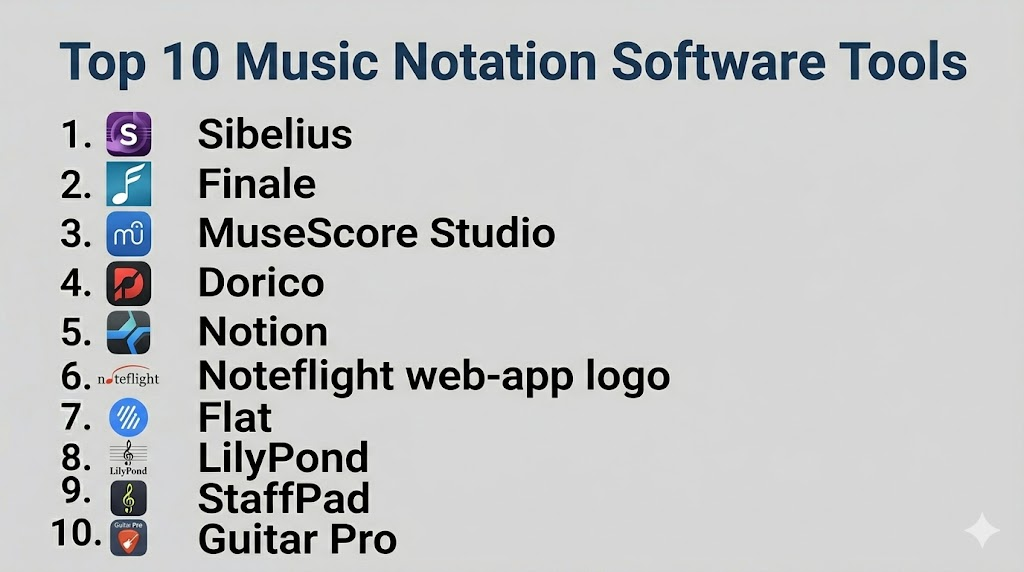
Top 10 Music Notation Software Tools
#1 — Sibelius
Short description: Sibelius is a professional music notation platform used by composers, arrangers, educators, publishers, and institutions. It is best for users who need polished scores, professional engraving tools, flexible notation, and strong publishing workflows.
Key Features
- Professional score creation and engraving
- Fast note entry workflows
- Dynamic parts and score layout tools
- MIDI and MusicXML support
- Playback and sound library options
- Education and institutional workflows
- Support for orchestral, choral, jazz, and contemporary notation
Pros
- Strong professional notation depth
- Good for large scores and publishing workflows
- Widely recognized in education and professional scoring
Cons
- Learning curve can be high for beginners
- Pricing and plan options should be reviewed carefully
- Some users may prefer newer interface styles
Platforms / Deployment
Windows / macOS / iPad options vary
Self-hosted desktop / cloud-connected account workflows vary by plan
Security & Compliance
SSO/SAML, MFA, encryption, audit logs, RBAC: Varies by Avid account and institutional setup.
SOC 2, ISO 27001, GDPR, HIPAA: Not publicly stated.
Integrations & Ecosystem
Sibelius fits professional and educational music workflows where notation, publishing, and collaboration matter.
- MIDI workflows
- MusicXML import/export
- Avid ecosystem
- Sound libraries
- Education workflows
- Print and PDF publishing pipelines
Support & Community
Avid provides documentation, learning resources, support options, and training materials. Sibelius has a strong user community among composers, educators, publishers, and arrangers.
#2 — Finale
Short description: Finale is a long-established music notation software known for deep control over score layout and engraving. It is best for advanced users, publishers, composers, and arrangers who need detailed control over printed music.
Key Features
- Detailed score engraving tools
- Flexible layout customization
- MusicXML and MIDI support
- Large score and part preparation
- Chord symbols, lyrics, and articulations
- Custom notation support
- Strong print-focused workflows
Pros
- Deep control over score appearance
- Strong for complex engraving needs
- Useful for experienced notation professionals
Cons
- Learning curve can be high
- Interface may feel complex for new users
- Long-term product direction should be reviewed before adoption
Platforms / Deployment
Windows / macOS
Self-hosted desktop
Security & Compliance
SSO/SAML, MFA, encryption, audit logs, RBAC: Not publicly stated.
SOC 2, ISO 27001, GDPR, HIPAA: Not publicly stated.
Integrations & Ecosystem
Finale is used in professional engraving, education, and publishing workflows where layout control matters.
- MusicXML workflows
- MIDI workflows
- Print and PDF publishing
- Choral and orchestral scoring
- Educational notation workflows
- Custom notation workflows
Support & Community
Finale has long-standing documentation, tutorials, community knowledge, and experienced users. Support availability and future roadmap should be reviewed based on current licensing and vendor direction.
#3 — MuseScore Studio
Short description: MuseScore Studio is a free and open-source music notation software used by students, teachers, composers, hobbyists, and independent musicians. It is best for users who want strong notation features without high software cost.
Key Features
- Free score creation
- MusicXML and MIDI support
- Playback with sound options
- Guitar tablature support
- Chord symbols and lyrics
- Part extraction
- Large online community and score-sharing ecosystem
Pros
- Free and open-source
- Good for students, teachers, and independent creators
- Strong community and learning resources
Cons
- Advanced engraving control may not match premium tools
- Professional publishing workflows may need extra checking
- Large complex scores may require careful layout work
Platforms / Deployment
Windows / macOS / Linux
Self-hosted desktop / cloud-connected score-sharing workflows vary
Security & Compliance
SSO/SAML, MFA, encryption, audit logs, RBAC: Not publicly stated.
SOC 2, ISO 27001, GDPR, HIPAA: Not publicly stated.
Integrations & Ecosystem
MuseScore Studio works well for open, educational, and independent music notation workflows.
- MusicXML workflows
- MIDI export
- Online score sharing
- Sound libraries
- Guitar tab workflows
- Education and classroom use
Support & Community
MuseScore has a large community, documentation, tutorials, forums, and user-shared scores. Formal enterprise support is more limited than premium commercial tools.
#4 — Dorico
Short description: Dorico is a modern professional notation software built for composers, arrangers, engravers, educators, and publishers. It is best for users who want high-quality engraving, smart workflows, and modern score preparation.
Key Features
- High-quality engraving
- Flexible note input
- Flow-based project structure
- Automatic layout intelligence
- Playback and MIDI support
- MusicXML import/export
- Strong orchestral and contemporary notation support
Pros
- Modern workflow and strong engraving quality
- Good for complex scores and professional layout
- Useful for composers and publishers
Cons
- Learning curve for users moving from older notation tools
- Advanced features may require higher editions
- Some workflows need adjustment for new users
Platforms / Deployment
Windows / macOS / iPad options vary
Self-hosted desktop / app-based workflows
Security & Compliance
SSO/SAML, MFA, encryption, audit logs, RBAC: Not publicly stated.
SOC 2, ISO 27001, GDPR, HIPAA: Not publicly stated.
Integrations & Ecosystem
Dorico fits professional scoring and publishing workflows with strong support for notation accuracy and clean layout.
- MusicXML workflows
- MIDI workflows
- VST instrument support
- Steinberg ecosystem
- Print and PDF workflows
- iPad-based notation workflows
Support & Community
Steinberg provides documentation, support resources, tutorials, and forums. Dorico has an active professional user community among composers, engravers, and educators.
#5 — Notion
Short description: Notion is a music notation and composition software focused on score writing, playback, and easy composition workflows. It is best for songwriters, students, educators, composers, and users who want notation with strong playback support.
Key Features
- Score writing tools
- Playback-focused workflow
- MIDI and MusicXML support
- Guitar and tablature support
- Handwriting support on selected devices
- Integration with PreSonus ecosystem
- Useful for composition and education
Pros
- Good for composing and playback
- Friendly for students and songwriters
- Useful integration with Studio One workflows
Cons
- Not as deep as some premium engraving tools
- Professional publishing may require additional review
- Advanced notation users may need more control
Platforms / Deployment
Windows / macOS / iOS options vary
Self-hosted desktop / mobile app workflows
Security & Compliance
SSO/SAML, MFA, encryption, audit logs, RBAC: Varies by account and device setup.
SOC 2, ISO 27001, GDPR, HIPAA: Not publicly stated.
Integrations & Ecosystem
Notion fits composition, education, and PreSonus-related music workflows.
- Studio One workflows
- MIDI import/export
- MusicXML support
- iOS workflows
- Guitar tab workflows
- Playback and sound libraries
Support & Community
PreSonus provides documentation, tutorials, and support resources. Community strength is moderate and strongest among Studio One and Notion users.
#6 — Noteflight
Short description: Noteflight is a web-based music notation platform designed for online score creation, sharing, collaboration, and education. It is best for teachers, students, classrooms, remote learning, and simple collaborative notation workflows.
Key Features
- Browser-based score writing
- Online sharing and collaboration
- Education-focused workflows
- MusicXML and MIDI support depending on plan
- Classroom assignment support
- Score embedding and publishing options
- Easy access from multiple devices
Pros
- Good for classrooms and remote learning
- Easy web-based access
- Useful for collaboration and score sharing
Cons
- Not as deep as professional desktop engraving tools
- Internet access may be needed for best use
- Advanced composers may need more control
Platforms / Deployment
Web
Cloud
Security & Compliance
SSO/SAML, MFA, encryption, audit logs, RBAC: Varies by education or organization plan.
SOC 2, ISO 27001, GDPR, HIPAA: Not publicly stated.
Integrations & Ecosystem
Noteflight fits online education and collaborative notation workflows.
- Web browser access
- Classroom workflows
- Score sharing
- MusicXML workflows depending on plan
- LMS-style education use
- Online publishing workflows
Support & Community
Noteflight provides help resources, education-focused support, and user learning materials. It is especially useful for music teachers and students.
#7 — Flat
Short description: Flat is a collaborative online music notation platform for creating, editing, and sharing scores in the browser. It is best for students, teachers, remote teams, classroom use, and simple collaborative composition.
Key Features
- Browser-based notation
- Real-time collaboration
- Score sharing
- Education features
- MusicXML and MIDI support depending on plan
- Google Classroom-style education workflow support where available
- Easy device access
Pros
- Strong for collaboration
- Easy for classrooms and teams
- No complex installation needed
Cons
- Less advanced than professional engraving tools
- Cloud workflow may not suit every institution
- Advanced publishing control may be limited
Platforms / Deployment
Web
Cloud
Security & Compliance
SSO/SAML, MFA, encryption, audit logs, RBAC: Varies by plan and education setup.
SOC 2, ISO 27001, GDPR, HIPAA: Not publicly stated.
Integrations & Ecosystem
Flat works well for online education and collaborative music writing.
- Browser-based workflow
- Classroom tools
- Score sharing
- MusicXML workflows depending on plan
- MIDI workflows depending on plan
- Collaboration features
Support & Community
Flat provides help resources, learning materials, and education support. Community strength is strongest in classrooms and online learning environments.
#8 — LilyPond
Short description: LilyPond is a text-based music engraving system focused on producing high-quality sheet music through code-like input. It is best for advanced users, engravers, programmers, publishers, and users who want precise automated engraving.
Key Features
- Text-based notation input
- High-quality engraving output
- Version-control friendly files
- Custom layout control
- Scriptable workflows
- Good for publishing automation
- Open-source workflow
Pros
- Excellent engraving quality
- Strong for version-controlled publishing
- Free and open-source
Cons
- Not beginner-friendly
- No traditional visual editor workflow by default
- Requires comfort with text-based input
Platforms / Deployment
Windows / macOS / Linux
Self-hosted
Security & Compliance
SSO/SAML, MFA, encryption, audit logs, RBAC: Not publicly stated.
SOC 2, ISO 27001, GDPR, HIPAA: Not publicly stated.
Integrations & Ecosystem
LilyPond fits technical engraving and publishing workflows where source files can be managed like code.
- Version control systems
- Text editors
- Publishing pipelines
- LaTeX-style workflows
- Open-source tools
- Automated score generation
Support & Community
LilyPond has documentation, community support, examples, and open-source contributors. It is strongest among advanced users and engraving-focused communities.
#9 — StaffPad
Short description: StaffPad is a handwriting-based music notation app designed for tablet users who want to write music naturally with a stylus. It is best for composers, arrangers, students, and creators who prefer handwriting over keyboard entry.
Key Features
- Handwriting-based notation
- Tablet-first workflow
- Playback support
- Score editing and arrangement tools
- MusicXML support depending on workflow
- Touch and stylus interaction
- Useful for quick composition sketches
Pros
- Natural handwriting workflow
- Good for composers who like writing by hand
- Strong tablet-based experience
Cons
- Best value requires compatible tablet hardware
- Not as broad as desktop publishing tools
- Handwriting recognition may need correction
Platforms / Deployment
iPadOS / Windows tablet options vary
Self-hosted app / device-based workflow
Security & Compliance
SSO/SAML, MFA, encryption, audit logs, RBAC: Not publicly stated.
SOC 2, ISO 27001, GDPR, HIPAA: Not publicly stated.
Integrations & Ecosystem
StaffPad fits tablet-based composing and notation workflows.
- Stylus-based input
- MusicXML workflows depending on export
- Playback sound libraries
- Tablet score review
- Composition sketching
- Score sharing workflows
Support & Community
StaffPad provides user resources and support materials. Community strength is strong among composers who prefer handwriting and tablet workflows.
#10 — Guitar Pro
Short description: Guitar Pro is a notation and tablature tool focused on guitar, bass, drums, and band arrangements. It is best for guitarists, bassists, teachers, bands, songwriters, and musicians who work heavily with tabs and chord-based music.
Key Features
- Guitar tablature
- Standard notation support
- Chord diagrams
- Playback and practice tools
- Multi-track band arrangements
- MIDI and MusicXML workflows depending on version
- Useful learning and practice features
Pros
- Excellent for guitar and bass players
- Good for practice, teaching, and tabs
- Easier for band-focused notation than many classical tools
Cons
- Not ideal for full orchestral publishing
- Less suited for advanced engraving needs
- Best for guitar-centric workflows
Platforms / Deployment
Windows / macOS / iOS / Android options vary
Self-hosted desktop / mobile app workflows
Security & Compliance
SSO/SAML, MFA, encryption, audit logs, RBAC: Not publicly stated.
SOC 2, ISO 27001, GDPR, HIPAA: Not publicly stated.
Integrations & Ecosystem
Guitar Pro fits guitar, bass, band, and teaching workflows.
- Guitar tab workflows
- Chord diagrams
- MIDI workflows
- Practice playback
- Band arrangement tools
- MusicXML workflows depending on version
Support & Community
Guitar Pro provides documentation, support resources, and learning materials. It has a strong community among guitarists, teachers, students, and bands.
Comparison Table
| Tool Name | Best For | Platform(s) Supported | Deployment (Cloud/Self-hosted/Hybrid) | Standout Feature | Public Rating |
|---|---|---|---|---|---|
| Sibelius | Professional scoring and education | Windows, macOS, iPad options vary | Self-hosted / cloud-connected options vary | Professional notation and publishing workflow | N/A |
| Finale | Detailed engraving control | Windows, macOS | Self-hosted | Deep layout and engraving customization | N/A |
| MuseScore Studio | Free notation and education | Windows, macOS, Linux | Self-hosted / cloud-connected sharing varies | Free open-source score creation | N/A |
| Dorico | Modern professional engraving | Windows, macOS, iPad options vary | Self-hosted / app-based workflows | Smart engraving and flow-based projects | N/A |
| Notion | Composition and playback | Windows, macOS, iOS options vary | Self-hosted / mobile workflows | Playback-friendly composition workflow | N/A |
| Noteflight | Online music education | Web | Cloud | Browser-based classroom notation | N/A |
| Flat | Collaborative online notation | Web | Cloud | Real-time score collaboration | N/A |
| LilyPond | Text-based engraving and publishing | Windows, macOS, Linux | Self-hosted | Code-like high-quality engraving | N/A |
| StaffPad | Handwritten tablet notation | iPadOS, Windows tablet options vary | Self-hosted app | Stylus-based music handwriting | N/A |
| Guitar Pro | Guitar tabs and band notation | Windows, macOS, iOS, Android options vary | Self-hosted / mobile app workflows | Guitar tablature and practice tools | N/A |
Evaluation & Scoring of Music Notation Software
The scoring below is comparative. It reflects notation depth, ease of use, ecosystem strength, security signals, performance, support, and price/value. It is not a public rating.
| Tool Name | Core (25%) | Ease (15%) | Integrations (15%) | Security (10%) | Performance (10%) | Support (10%) | Value (15%) | Weighted Total (0–10) |
|---|---|---|---|---|---|---|---|---|
| Sibelius | 9 | 6 | 8 | 6 | 8 | 8 | 6 | 7.45 |
| Finale | 9 | 5 | 7 | 4 | 7 | 7 | 5 | 6.75 |
| MuseScore Studio | 7 | 8 | 7 | 4 | 7 | 8 | 10 | 7.25 |
| Dorico | 9 | 7 | 8 | 5 | 8 | 8 | 7 | 7.80 |
| Notion | 7 | 8 | 7 | 5 | 7 | 7 | 7 | 6.95 |
| Noteflight | 6 | 9 | 7 | 6 | 7 | 7 | 7 | 7.00 |
| Flat | 6 | 9 | 7 | 6 | 7 | 7 | 8 | 7.15 |
| LilyPond | 8 | 3 | 7 | 4 | 8 | 6 | 10 | 6.80 |
| StaffPad | 7 | 8 | 6 | 4 | 7 | 6 | 6 | 6.45 |
| Guitar Pro | 7 | 8 | 7 | 4 | 7 | 7 | 8 | 6.95 |
How to interpret the scores:
- Higher scores show stronger overall fit across the listed criteria, not a universal winner.
- Dorico, Sibelius, and Finale are stronger for professional notation and publishing workflows.
- MuseScore Studio offers strong value for education and independent creators.
- Noteflight and Flat are strong for online collaboration and classrooms.
- LilyPond is powerful for technical engraving users but has a harder learning curve.
Which Music Notation Software Tool Is Right for You?
Solo / Freelancer
Solo composers, arrangers, teachers, and musicians should choose based on budget, notation style, and output quality.
Good choices include:
- MuseScore Studio for free notation and learning
- Dorico for modern professional scoring
- Sibelius for professional notation and education workflows
- Guitar Pro for guitar and band arrangements
- StaffPad for tablet handwriting
- LilyPond for technical engraving and publishing control
Freelancers should consider what clients expect. Some clients may request files from specific tools, while others only need clean PDF, MusicXML, or MIDI output.
SMB
Small music schools, churches, publishers, bands, and production teams need reliable notation, sharing, and part preparation.
Good choices include:
- Sibelius for education and professional score preparation
- Dorico for clean engraving and modern workflows
- MuseScore Studio for cost-sensitive teams
- Noteflight for classroom and web-based use
- Flat for collaborative online notation
- Guitar Pro for guitar-focused teaching and band work
SMBs should compare licensing, classroom access, export options, collaboration, and ease of training.
Mid-Market
Mid-market organizations may include music academies, publishers, production houses, churches, universities, and ensemble organizations.
Good choices include:
- Dorico for professional engraving and publishing
- Sibelius for institutional notation workflows
- MuseScore Studio for scalable education and independent use
- Noteflight or Flat for online teaching and assignments
- Finale for experienced engraving teams with existing workflows
- Guitar Pro for guitar curriculum and modern band programs
Mid-market teams should evaluate file compatibility, teaching workflow, print quality, export reliability, and long-term software direction.
Enterprise
Enterprise users may include large publishers, universities, orchestras, production houses, and music education platforms.
Good choices include:
- Sibelius for professional and educational institution workflows
- Dorico for advanced engraving and modern scoring
- LilyPond for automated publishing and technical engraving pipelines
- Noteflight or Flat for cloud-based classroom collaboration
- MuseScore Studio for open-source-friendly institutions
- Finale where legacy workflows are already established
Enterprise buyers should involve music directors, IT, educators, publishers, legal, and procurement teams before standardizing.
Budget vs Premium
For budget-focused users, MuseScore Studio, LilyPond, and selected free or education-focused versions of cloud tools are practical choices.
For premium workflows, Sibelius, Dorico, Finale, StaffPad, and Guitar Pro may provide stronger control, usability, and professional workflow support.
Budget tools can produce strong results, but premium tools may save time through better layout control, playback, support, and publishing features.
Feature Depth vs Ease of Use
If ease of use matters most, consider Flat, Noteflight, MuseScore Studio, Notion, StaffPad, or Guitar Pro.
If feature depth matters most, consider Dorico, Sibelius, Finale, or LilyPond.
For professional publishing, engraving depth matters. For classrooms, ease of access and collaboration may matter more.
Integrations & Scalability
Music notation software must fit into a larger creative or educational workflow. A good tool should support export, sharing, printing, playback, and collaboration.
Important integration areas include:
- MusicXML
- MIDI
- PDF export
- Audio playback
- DAWs
- Classroom tools
- Cloud storage
- Printing and publishing workflows
- Tablet workflows
- Score-sharing platforms
Scalability depends on user count, score complexity, classroom size, publishing needs, collaboration, and file compatibility.
Security & Compliance Needs
Music notation files may include copyrighted arrangements, student work, unpublished compositions, school assignments, licensed sheet music, and publisher-owned content.
Important checks include:
- User access controls
- Copyright and license tracking
- Student data protection
- Cloud sharing permissions
- Score privacy settings
- Backup and version history
- Institution account controls
- Contractor access permissions
- Export control for sensitive projects
- Archive and ownership policies
For schools and publishers, cloud-based notation tools should be reviewed for privacy, account controls, and content ownership rules.
Frequently Asked Questions (FAQs)
What is music notation software?
Music notation software helps users write, edit, play back, print, and share sheet music digitally. It replaces manual score writing with digital tools.
Is music notation software different from a DAW?
Yes. Notation software focuses on sheet music and score layout. A DAW focuses on recording, editing, mixing, and producing audio.
Which music notation software is best for beginners?
MuseScore Studio, Noteflight, Flat, Notion, StaffPad, and Guitar Pro are beginner-friendly options depending on the user’s needs.
Which tool is best for professional composers?
Dorico, Sibelius, and Finale are strong choices for professional composers and arrangers. The best option depends on workflow and engraving preferences.
Which tool is best for teachers?
Noteflight, Flat, MuseScore Studio, Sibelius, and Dorico can work well for teachers. Cloud tools are especially useful for classroom assignments and remote learning.
Which software is best for guitar tabs?
Guitar Pro is a strong choice for guitar and bass tablature. MuseScore Studio and Sibelius also support tablature workflows.
What pricing models are common?
Pricing may include free open-source tools, one-time purchases, subscriptions, education plans, mobile app purchases, and institutional licensing.
What are common mistakes when choosing notation software?
Common mistakes include ignoring MusicXML support, choosing only by price, not testing part extraction, overlooking print quality, and ignoring classroom or collaboration needs.
Can I export scores to PDF?
Yes, most music notation tools support PDF export. Print quality and layout control vary by software.
Can I move scores between notation tools?
Usually yes, through MusicXML, but conversion may not be perfect. Layout, symbols, articulations, and formatting may need manual cleanup.
Is open-source notation software good enough?
Yes, MuseScore Studio and LilyPond can be very useful. MuseScore is easier for general users, while LilyPond is stronger for technical engraving workflows.
Do notation tools support playback?
Most modern notation tools include playback. Playback quality varies based on built-in sounds, external libraries, and expression handling.
Which tool is best for orchestral scores?
Dorico, Sibelius, Finale, and MuseScore Studio can handle orchestral scores. Professional users may prefer Dorico, Sibelius, or Finale for advanced layout control.
Is cloud notation safe for schools?
It can be safe when account permissions, student privacy, sharing controls, and data policies are reviewed properly. Schools should check vendor settings before adoption.
Conclusion
Music Notation Software is essential for creating clean, readable, and professional sheet music. The best tool depends on your role, budget, notation style, collaboration needs, and publishing standards. Sibelius, Dorico, and Finale are strong for professional scoring and engraving. MuseScore Studio offers excellent value for students, teachers, and independent musicians. Noteflight and Flat are useful for cloud-based classrooms and collaboration. LilyPond is powerful for technical engraving and automated publishing. StaffPad is ideal for handwriting-based tablet composition, while Guitar Pro is a strong choice for guitarists, bassists, teachers, and bands.
