Upgrade & Secure Your Future with DevOps, SRE, DevSecOps, MLOps!
We spend hours scrolling social media and waste money on things we forget, but won’t spend 30 minutes a day earning certifications that can change our lives.
Master in DevOps, SRE, DevSecOps & MLOps by DevOps School!
Learn from Guru Rajesh Kumar and double your salary in just one year.
Introduction
Level Design Tools help game designers, world builders, environment artists, and development teams create playable spaces inside games, simulations, training apps, and virtual environments. In simple words, these tools help teams design maps, missions, stages, rooms, terrain, navigation paths, lighting, encounters, puzzles, and interactive environments.
Level design matters because modern games and real-time experiences need larger worlds, better player flow, stronger visual quality, faster iteration, and smooth collaboration between designers, artists, programmers, and QA teams. Today, level design is not only about placing objects. It also includes gameplay testing, lighting, AI navigation, procedural generation, multiplayer balance, performance optimization, and live content updates.
Common use cases include:
- Game map and mission creation
- Open-world terrain and environment design
- VR training spaces and simulation levels
- Multiplayer arena and shooter map design
- Puzzle, platformer, and adventure game layouts
- Procedural world generation
- Architectural and interactive 3D walkthroughs
Buyers should evaluate:
- Ease of level blocking and layout design
- Terrain and world-building tools
- Asset placement and scene management
- Lighting and visual workflow
- AI navigation and pathfinding support
- Procedural generation options
- Collaboration and version control
- Performance profiling
- Engine and platform compatibility
- Pricing, licensing, and learning curve
Best for: Game studios, indie developers, level designers, environment artists, technical artists, simulation teams, VR/AR developers, education teams, and interactive media agencies.
Not ideal for: Teams that only need static 3D models, simple mockups, non-interactive renders, or basic architectural drawings. In those cases, 3D modeling tools, CAD software, or simple design visualization tools may be better.
Key Trends in Level Design Tools
- AI-assisted world building is becoming more practical: Designers are using AI to speed up terrain ideas, asset variations, layout suggestions, texture generation, and concept exploration.
- Procedural generation is moving into everyday workflows: More teams use procedural tools to create terrains, cities, dungeons, foliage, roads, and repeatable environment systems.
- Real-time collaboration is becoming important: Large teams need shared scenes, source control, review workflows, comments, and better handoff between design, art, engineering, and QA.
- Open-world workflows are growing: Designers need better tools for streaming, world partitioning, terrain editing, large scene optimization, and content organization.
- Level design is becoming more data-driven: Teams increasingly study player behavior, heatmaps, path choices, mission completion, difficulty spikes, and engagement data.
- VR and spatial design are influencing level design: Designers now think about scale, motion comfort, physical movement, hand interaction, and spatial storytelling.
- Performance optimization starts earlier: Modern level design tools must help teams manage draw calls, lighting cost, physics load, asset density, and platform limits.
- Visual scripting is helping non-programmers: Designers can create triggers, puzzles, enemy logic, doors, events, and mission flows without writing full code.
- Asset pipelines are becoming more connected: Level design workflows now depend on smooth import from Blender, Maya, Houdini, Substance, Quixel, CAD, GIS, and photogrammetry tools.
- Security and project governance matter for studios: Larger teams need role permissions, repository control, asset access rules, cloud security, and build pipeline governance.
How We Selected These Tools
The tools below were selected using a practical buyer-focused evaluation approach:
- Strong adoption in game development, real-time 3D, simulation, or world-building workflows
- Feature depth for level blocking, terrain creation, asset placement, lighting, scripting, and testing
- Fit for different users, including solo developers, indie studios, SMBs, mid-market teams, and enterprises
- Support for modern workflows such as procedural generation, multiplayer testing, open-world development, and XR
- Ecosystem strength, including plugins, asset stores, documentation, integrations, and community support
- Performance and reliability for real-time interactive environments
- Collaboration and version control support
- Flexibility across 2D, 3D, mobile, PC, console, VR, and web projects
- Practical learning curve and onboarding resources
- Balanced inclusion of professional engines, open-source tools, modding tools, and specialized level editors
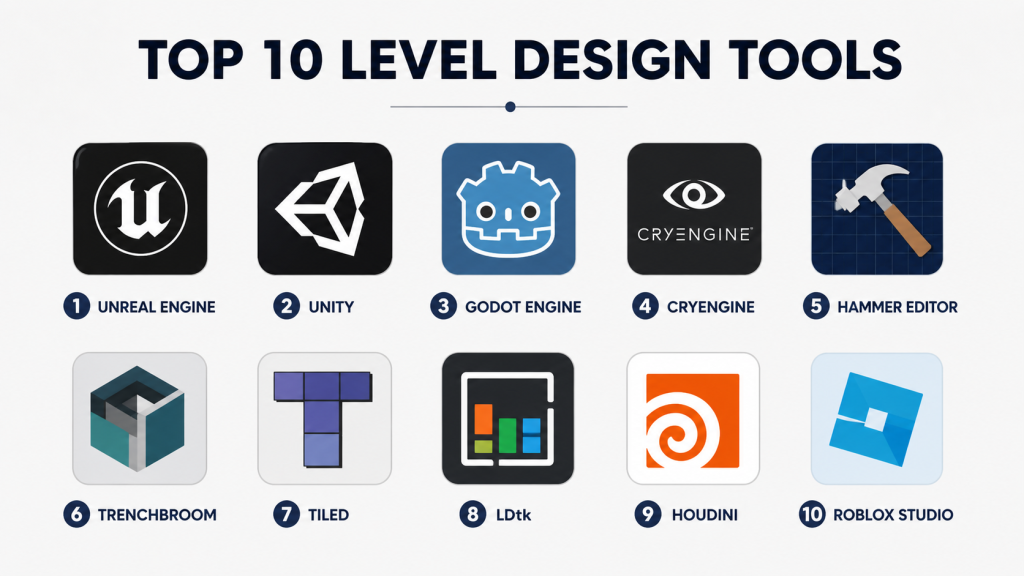
Top 10 Level Design Tools
#1 — Unreal Engine
Short description : Unreal Engine is a real-time 3D engine widely used for games, cinematic worlds, simulation, virtual production, and immersive environments. It is best for teams that need high-quality visuals, large-scale worlds, advanced lighting, and professional level design workflows.
Key Features
- Advanced 3D level design tools
- World Partition for large environments
- Landscape and terrain editing
- Blueprint visual scripting
- Nanite and Lumen visual workflows
- Sequencer for cinematic level events
- Strong marketplace and plugin ecosystem
Pros
- Excellent visual quality for modern 3D environments
- Strong tools for large worlds and cinematic scenes
- Useful for games, simulation, architecture, and virtual production
Cons
- Can be heavy for small projects
- Requires optimization knowledge for performance
- Learning curve can be high for beginners
Platforms / Deployment
Windows / macOS / Linux
Cloud / Self-hosted / Hybrid: Self-hosted editor with cloud and source control workflows depending on setup
Security & Compliance
SSO/SAML, MFA, encryption, audit logs, RBAC: Varies by Epic services and enterprise configuration.
SOC 2, ISO 27001, GDPR, HIPAA: Not publicly stated.
Integrations & Ecosystem
Unreal Engine has a strong ecosystem for professional game and real-time environment production.
- Quixel Megascans
- Marketplace plugins
- Perforce and Git workflows
- Blender, Maya, and Houdini pipelines
- OpenXR and VR workflows
- Build and CI/CD integrations
Support & Community
Unreal Engine has strong documentation, sample projects, learning resources, marketplace assets, forums, and a large professional development community. Enterprise support options vary.
#2 — Unity
Short description : Unity is a widely used real-time development platform for 2D, 3D, mobile, VR, AR, simulation, and indie game development. It is best for teams that need cross-platform publishing, fast iteration, and a large plugin ecosystem.
Key Features
- 2D and 3D level design workflows
- Terrain tools and scene editing
- Prefab system for reusable level elements
- ProBuilder for in-editor level blocking
- Visual scripting support
- Strong mobile and XR support
- Large Asset Store ecosystem
Pros
- Good balance of usability and flexibility
- Strong for indie, mobile, and cross-platform projects
- Large developer and learning community
Cons
- Large projects require strong architecture discipline
- Visual quality depends on pipeline and team skill
- Licensing and pricing should be reviewed carefully
Platforms / Deployment
Windows / macOS / Linux editor support varies
Deployment to Web, Windows, macOS, Linux, iOS, Android, consoles, AR, and VR platforms varies by project and license
Security & Compliance
SSO/SAML, MFA, encryption, audit logs, RBAC: Varies by Unity services and enterprise configuration.
SOC 2, ISO 27001, GDPR, HIPAA: Not publicly stated.
Integrations & Ecosystem
Unity has one of the broadest ecosystems for real-time level design and interactive development.
- Asset Store
- ProBuilder
- Cinemachine
- Timeline
- AR Foundation
- Version control and CI/CD tools
Support & Community
Unity provides documentation, tutorials, forums, learning paths, certification-style resources, and enterprise support options. Community strength is very high across indie and professional developers.
#3 — Godot Engine
Short description: Godot Engine is a free and open-source game engine for 2D and 3D development. It is best for indie developers, educators, small studios, and teams that want an open-source level design workflow.
Key Features
- 2D and 3D scene editor
- Node-based scene structure
- TileMap and grid-based level tools
- GDScript and visual-friendly workflows
- Open-source engine access
- Lightweight editor
- Cross-platform export support
Pros
- Free and open-source
- Easy to start for many small projects
- Strong for 2D and lightweight 3D games
Cons
- Smaller ecosystem than Unity or Unreal
- Advanced 3D workflows may need more manual setup
- Enterprise support is limited compared with commercial engines
Platforms / Deployment
Windows / macOS / Linux
Deployment to desktop, mobile, and web varies by version and export setup
Security & Compliance
SSO/SAML, MFA, encryption, audit logs, RBAC: Not publicly stated.
SOC 2, ISO 27001, GDPR, HIPAA: Not publicly stated.
Integrations & Ecosystem
Godot works well with open-source workflows and external asset creation tools.
- Blender asset workflows
- Git-based version control
- Community plugins
- TileMap workflows
- Script-based automation
- Open-source extensions
Support & Community
Godot has active documentation, tutorials, forums, community examples, and open-source contributors. Formal enterprise support is limited, but community support is strong.
#4 — CryEngine
Short description : CryEngine is a real-time game engine known for high-quality visuals, terrain, lighting, and immersive environments. It is useful for teams that want realistic worlds, first-person experiences, and advanced 3D scene creation.
Key Features
- Real-time 3D level editor
- Terrain and vegetation tools
- Advanced lighting and rendering
- Visual scripting tools
- Physics and animation support
- Sandbox-style editing workflow
- Support for large outdoor environments
Pros
- Strong visual quality for realistic environments
- Good for outdoor and first-person game worlds
- Useful built-in level editing tools
Cons
- Smaller community than Unity or Unreal
- Fewer third-party assets and plugins
- Learning resources may be more limited
Platforms / Deployment
Windows editor focus / platform support varies
Cloud / Self-hosted / Hybrid: Self-hosted editor workflow
Security & Compliance
SSO/SAML, MFA, encryption, audit logs, RBAC: Not publicly stated.
SOC 2, ISO 27001, GDPR, HIPAA: Not publicly stated.
Integrations & Ecosystem
CryEngine supports professional 3D game development workflows, though its ecosystem is smaller than the biggest engines.
- Visual scripting workflows
- 3D asset imports
- Source control workflows
- Physics and animation systems
- Audio middleware options
- Custom engine extensions
Support & Community
CryEngine has documentation, learning resources, forums, and community support. The community is more specialized compared with Unity and Unreal.
#5 — Hammer Editor
Short description : Hammer Editor is a level design tool associated with Source engine workflows and Valve game modding. It is best for designers creating maps for Source-based games, modding projects, multiplayer arenas, and classic FPS-style level design.
Key Features
- Brush-based level design
- Entity placement and scripting
- Lighting and visibility workflows
- Multiplayer map creation
- Source engine integration
- Modding-focused workflows
- Strong classic FPS mapping approach
Pros
- Good for Source engine map creation
- Strong for FPS-style layout design
- Useful learning tool for classic level design principles
Cons
- Limited outside Source-based workflows
- Older workflow compared with modern engines
- Not ideal for broad commercial multi-platform projects
Platforms / Deployment
Windows
Self-hosted editor workflow
Security & Compliance
SSO/SAML, MFA, encryption, audit logs, RBAC: Not publicly stated.
SOC 2, ISO 27001, GDPR, HIPAA: Not publicly stated.
Integrations & Ecosystem
Hammer works best inside Source engine and modding workflows.
- Source engine tools
- Steam-based modding workflows
- Custom assets
- Map compilation tools
- Community tutorials
- FPS map design workflows
Support & Community
Hammer has strong historical community knowledge, tutorials, modding forums, and map-making resources. Formal enterprise support is limited.
#6 — TrenchBroom
Short description: TrenchBroom is a modern, open-source level editor focused on brush-based map creation for classic FPS engines and related workflows. It is useful for indie developers, retro shooter creators, modders, and level designers who prefer precise brush editing.
Key Features
- Brush-based map editing
- Cross-platform editor
- Support for classic FPS workflows
- Fast layout blocking
- Entity placement
- Custom game configuration support
- Open-source development
Pros
- Lightweight and focused
- Great for retro FPS and brush-based design
- Free and open-source
Cons
- Not a full game engine
- Best suited for specific map-making workflows
- Requires external engine or game pipeline
Platforms / Deployment
Windows / macOS / Linux
Self-hosted desktop
Security & Compliance
SSO/SAML, MFA, encryption, audit logs, RBAC: Not publicly stated.
SOC 2, ISO 27001, GDPR, HIPAA: Not publicly stated.
Integrations & Ecosystem
TrenchBroom fits well into classic FPS, indie, and modding pipelines.
- Quake-style workflows
- Custom game configurations
- External compilers
- Git workflows
- Community mapping tools
- Modding ecosystems
Support & Community
TrenchBroom has documentation, community tutorials, open-source support, and active users in retro shooter and modding communities.
#7 — Tiled
Short description: Tiled is a free and open-source map editor for 2D games, tile-based worlds, platformers, RPGs, and puzzle games. It is best for indie developers, 2D game teams, educators, and studios building grid-based levels.
Key Features
- Tilemap editing
- Object layers
- Custom properties
- Orthogonal, isometric, and hexagonal map support
- Export to common formats
- External tileset support
- Open-source workflow
Pros
- Excellent for 2D level design
- Free and lightweight
- Works with many game engines and frameworks
Cons
- Not suitable for full 3D level design
- Requires integration with a game engine
- Advanced gameplay logic must be handled elsewhere
Platforms / Deployment
Windows / macOS / Linux
Self-hosted desktop
Security & Compliance
SSO/SAML, MFA, encryption, audit logs, RBAC: Not publicly stated.
SOC 2, ISO 27001, GDPR, HIPAA: Not publicly stated.
Integrations & Ecosystem
Tiled is engine-agnostic and works well with many 2D game frameworks.
- Godot workflows
- Unity import workflows through plugins
- Phaser
- LibGDX
- Custom JSON and TMX exports
- Git-friendly map files
Support & Community
Tiled has documentation, community tutorials, plugins, and strong adoption among 2D indie developers. Formal enterprise support is limited.
#8 — LDtk
Short description: LDtk is a modern 2D level editor designed for indie game developers who need clean tilemap, entity, and world layout workflows. It is especially useful for 2D platformers, RPGs, puzzle games, and pixel-art projects.
Key Features
- 2D level and world editing
- Tilemap workflows
- Entity placement
- Layer management
- Project-based world structure
- JSON export
- Developer-friendly workflow
Pros
- Clean and modern 2D level editing experience
- Good for indie game production
- Helpful world organization features
Cons
- Focused on 2D only
- Requires engine integration
- Smaller ecosystem than older 2D tools
Platforms / Deployment
Windows / macOS / Linux
Self-hosted desktop
Security & Compliance
SSO/SAML, MFA, encryption, audit logs, RBAC: Not publicly stated.
SOC 2, ISO 27001, GDPR, HIPAA: Not publicly stated.
Integrations & Ecosystem
LDtk is designed for developer-friendly 2D game pipelines.
- JSON-based export workflows
- Haxe ecosystem alignment
- Unity and Godot community integrations
- Custom engine pipelines
- Git-friendly project files
- Indie game workflows
Support & Community
LDtk has documentation, examples, community integrations, and a growing indie game development community.
#9 — Houdini
Short description: Houdini is a procedural 3D tool used for environment creation, world generation, effects, and technical art workflows. It is best for studios that need procedural levels, terrains, cities, landscapes, destruction, and reusable environment systems.
Key Features
- Procedural modeling
- Terrain and heightfield tools
- Node-based workflows
- Houdini Engine integration
- Environment generation
- Simulation and effects tools
- Strong technical art pipeline support
Pros
- Excellent for procedural level and environment creation
- Strong for large-scale content generation
- Useful for technical artists and advanced studios
Cons
- Steep learning curve
- Not a full level design engine by itself
- Best results require skilled technical artists
Platforms / Deployment
Windows / macOS / Linux
Self-hosted desktop with engine integrations
Security & Compliance
SSO/SAML, MFA, encryption, audit logs, RBAC: Varies by SideFX account and enterprise setup.
SOC 2, ISO 27001, GDPR, HIPAA: Not publicly stated.
Integrations & Ecosystem
Houdini is widely used in game and film pipelines for procedural content generation.
- Unreal Engine integration
- Unity integration
- USD workflows
- Terrain and heightfield pipelines
- VFX and simulation workflows
- Custom procedural asset tools
Support & Community
Houdini has strong documentation, learning resources, tutorials, forums, and a skilled technical artist community. Professional support options vary by license.
#10 — Roblox Studio
Short description: Roblox Studio is a creation platform for building interactive games, levels, social worlds, and user-generated experiences for the Roblox ecosystem. It is best for creators, small teams, educators, and studios targeting the Roblox audience.
Key Features
- Built-in world and level editor
- Terrain and asset placement tools
- Lua scripting
- Multiplayer-ready platform
- Creator marketplace
- Publishing to Roblox ecosystem
- Collaboration features
Pros
- Easy publishing to a large user ecosystem
- Good for creators and education
- Built-in multiplayer and social features
Cons
- Limited to Roblox platform rules and ecosystem
- Not suitable for all commercial game types
- Revenue and distribution depend on platform model
Platforms / Deployment
Windows / macOS
Cloud-connected platform publishing
Security & Compliance
SSO/SAML, MFA, encryption, audit logs, RBAC: Varies by Roblox account and team setup.
SOC 2, ISO 27001, GDPR, HIPAA: Not publicly stated.
Integrations & Ecosystem
Roblox Studio is tightly integrated with Roblox’s creation, scripting, asset, and publishing ecosystem.
- Roblox marketplace
- Lua scripting
- Multiplayer services
- Creator collaboration
- Platform analytics
- User-generated content workflows
Support & Community
Roblox Studio has documentation, creator forums, tutorials, learning resources, and a large creator community. It is especially strong for education and creator-led game development.
Comparison Table
| Tool Name | Best For | Platform(s) Supported | Deployment (Cloud/Self-hosted/Hybrid) | Standout Feature | Public Rating |
|---|---|---|---|---|---|
| Unreal Engine | High-fidelity 3D worlds and simulation | Windows, macOS, Linux | Self-hosted / Hybrid | Advanced visual quality and large-world tools | N/A |
| Unity | Cross-platform 2D, 3D, mobile, and XR levels | Windows, macOS, Linux | Self-hosted / Hybrid | Broad ecosystem and flexible deployment | N/A |
| Godot Engine | Open-source 2D and 3D game development | Windows, macOS, Linux | Self-hosted | Free open-source scene and level workflows | N/A |
| CryEngine | Realistic 3D outdoor environments | Windows | Self-hosted | Strong terrain and visual quality | N/A |
| Hammer Editor | Source engine FPS maps | Windows | Self-hosted | Classic brush-based FPS level design | N/A |
| TrenchBroom | Retro FPS and brush-based maps | Windows, macOS, Linux | Self-hosted | Lightweight open-source brush editing | N/A |
| Tiled | 2D tile-based maps | Windows, macOS, Linux | Self-hosted | Flexible tilemap editing | N/A |
| LDtk | Modern 2D indie game levels | Windows, macOS, Linux | Self-hosted | Clean 2D world and entity workflow | N/A |
| Houdini | Procedural environments and world generation | Windows, macOS, Linux | Self-hosted / Hybrid | Procedural level and terrain generation | N/A |
| Roblox Studio | Roblox games and social worlds | Windows, macOS | Cloud-connected | Built-in publishing to Roblox ecosystem | N/A |
Evaluation & Scoring of Level Design Tools
The scoring below is comparative. It reflects core level design capability, ease of use, ecosystem strength, security signals, performance, support, and price/value. It is not a public review rating.
| Tool Name | Core (25%) | Ease (15%) | Integrations (15%) | Security (10%) | Performance (10%) | Support (10%) | Value (15%) | Weighted Total (0–10) |
|---|---|---|---|---|---|---|---|---|
| Unreal Engine | 10 | 6 | 9 | 7 | 9 | 9 | 8 | 8.45 |
| Unity | 9 | 8 | 9 | 7 | 8 | 9 | 8 | 8.35 |
| Godot Engine | 7 | 8 | 7 | 4 | 7 | 7 | 10 | 7.10 |
| CryEngine | 8 | 5 | 6 | 4 | 8 | 6 | 7 | 6.65 |
| Hammer Editor | 6 | 6 | 5 | 3 | 6 | 6 | 8 | 5.95 |
| TrenchBroom | 6 | 7 | 5 | 3 | 7 | 6 | 9 | 6.30 |
| Tiled | 7 | 9 | 7 | 4 | 8 | 7 | 10 | 7.35 |
| LDtk | 7 | 8 | 7 | 4 | 8 | 7 | 9 | 7.15 |
| Houdini | 9 | 4 | 9 | 6 | 8 | 8 | 6 | 7.35 |
| Roblox Studio | 7 | 8 | 7 | 6 | 7 | 8 | 9 | 7.45 |
How to interpret the scores:
- Higher scores show stronger overall fit across the selected criteria, not a universal winner.
- Unreal Engine and Unity score strongly because they support complete production workflows.
- Tiled and LDtk score well for 2D level design because they are focused, lightweight, and practical.
- Houdini scores high for procedural generation but has a harder learning curve.
- Open-source and free tools may offer strong value but need more self-managed workflows.
Which Level Design Tools Tool Is Right for You?
Solo / Freelancer
Solo developers and freelancers should choose a tool based on project type, budget, and publishing target.
Good choices include:
- Unity for mobile, 2D, 3D, and cross-platform projects
- Godot Engine for open-source indie development
- Tiled for 2D tile-based games
- LDtk for modern 2D indie level workflows
- Unreal Engine for high-quality 3D environments
- TrenchBroom for retro FPS or brush-based map projects
Freelancers should avoid overly complex pipelines unless the client needs them. A simple tool that helps you ship faster is often better than a large engine used only partially.
SMB
Small and mid-sized studios need tools that support team collaboration, asset reuse, fast iteration, and practical publishing.
Good choices include:
- Unity for broad multi-platform production
- Unreal Engine for 3D, VR, and premium visual projects
- Godot Engine for cost-conscious teams
- Tiled or LDtk for 2D projects
- Houdini for procedural content generation in larger pipelines
- Roblox Studio for teams targeting the Roblox ecosystem
SMBs should evaluate source control, asset workflows, build process, platform support, and learning curve before choosing.
Mid-Market
Mid-market game studios and interactive teams usually need better workflows for collaboration, QA, performance, live updates, and multi-discipline production.
Good choices include:
- Unreal Engine for advanced 3D games, simulation, and large environments
- Unity for scalable cross-platform production
- Houdini for procedural environment pipelines
- Roblox Studio for creator-platform development
- Godot Engine for specialized open-source projects
- Tiled or LDtk for focused 2D production pipelines
Mid-market teams should focus on pipeline reliability, version control, content organization, build automation, and design review workflows.
Enterprise
Enterprise teams need scalability, governance, source control, security, support, and integration with larger production systems.
Good choices include:
- Unreal Engine for high-end simulation, training, visualization, and large 3D environments
- Unity for enterprise training, mobile, XR, and cross-platform interactive apps
- Houdini for procedural environment generation
- Roblox Studio for platform-specific brand or creator experiences
- Custom pipelines with Tiled, LDtk, or Godot where open-source control is important
Enterprise buyers should involve engineering, design, IT, security, legal, and production leadership before standardizing on a toolchain.
Budget vs Premium
For budget-focused teams, Godot Engine, Tiled, LDtk, TrenchBroom, and Roblox Studio can be practical options. They are useful for learning, prototyping, indie games, and focused production work.
For premium or advanced production, Unreal Engine, Unity, Houdini, and commercial support options may provide stronger pipelines, visual quality, integrations, and enterprise readiness.
Feature Depth vs Ease of Use
If ease of use matters most, consider Tiled, LDtk, Godot Engine, Roblox Studio, or Unity.
If feature depth matters most, consider Unreal Engine, Unity, Houdini, or CryEngine.
For classic brush-based level design, Hammer Editor and TrenchBroom are focused tools. For procedural world creation, Houdini is much stronger than traditional manual level editors.
Integrations & Scalability
Level design tools must fit into the larger production pipeline. A good tool should work with asset creation, version control, testing, builds, analytics, and deployment.
Important integration areas include:
- 3D modeling tools
- Texture and material tools
- Source control systems
- Build pipelines
- Game analytics
- Asset stores and marketplaces
- AI content tools
- Procedural generation tools
- QA and bug tracking systems
- Multiplayer and backend services
Scalability depends on project size, team size, asset volume, scene complexity, platform targets, and performance needs.
Security & Compliance Needs
Level design files can contain valuable game IP, unreleased content, licensed assets, proprietary environments, and commercial design data. Security becomes more important as teams grow.
Important checks include:
- User access control
- Source control permissions
- Asset repository governance
- MFA for cloud tools
- Role-based project access
- Build pipeline security
- Encrypted storage
- Audit logs where available
- Contractor access control
- License and marketplace asset compliance
For enterprise training, defense simulation, healthcare simulation, and brand-owned virtual environments, security review should happen before production begins.
Frequently Asked Questions (FAQs)
What are level design tools?
Level design tools help designers create playable spaces for games, simulations, virtual environments, and interactive experiences. They support layout, terrain, object placement, lighting, triggers, navigation, and testing.
Are level design tools the same as game engines?
Not always. Some game engines include level design tools, while some level editors are standalone tools used with separate engines or frameworks.
Which level design tool is best for beginners?
Tiled, LDtk, Godot Engine, Roblox Studio, and Unity are good beginner-friendly options. The best choice depends on whether the project is 2D, 3D, mobile, web, or platform-specific.
Which tool is best for professional 3D level design?
Unreal Engine and Unity are strong professional choices. Unreal is often preferred for high-end visuals and large 3D worlds, while Unity is strong for cross-platform and flexible production.
Which tool is best for 2D level design?
Tiled and LDtk are strong choices for 2D level design. Godot also has good built-in 2D scene and tilemap tools.
Which tool is best for procedural level generation?
Houdini is one of the strongest tools for procedural environments, terrains, cities, and reusable generation systems. Unreal and Unity can also support procedural workflows through plugins and scripting.
What pricing models are common?
Pricing may include free open-source licenses, subscriptions, revenue-based terms, marketplace purchases, enterprise contracts, or platform-specific creator models. Buyers should review total project cost carefully.
How long does onboarding take?
Simple 2D tools can be learned quickly. Advanced 3D engines and procedural tools may take longer because they include rendering, scripting, optimization, asset pipelines, and build workflows.
What are common mistakes in level design?
Common mistakes include unclear player flow, poor pacing, weak landmarks, too much visual clutter, bad lighting, poor performance, confusing objectives, and not testing with real players.
Do level design tools support collaboration?
Many professional engines support collaboration through source control, shared assets, cloud services, and team workflows. Smaller tools may rely on Git or external file management.
Can I switch level design tools later?
Switching is possible, but it can be difficult. Scenes, assets, scripts, triggers, lighting, and gameplay logic may not transfer cleanly between tools.
Are free level design tools good enough?
Yes, for many projects. Godot, Tiled, LDtk, and TrenchBroom can be excellent for indie, education, and focused game development. Larger commercial projects may need stronger engine ecosystems.
What tool should I use for VR level design?
Unity and Unreal Engine are strong choices for VR level design. The best choice depends on headset target, team skill, performance needs, and interaction complexity.
Do level design tools need security review?
For small personal projects, security may be simple. For studios and enterprises, source control, cloud access, licensed assets, unreleased content, and contractor permissions should be reviewed carefully.
Conclusion
Level Design Tools are essential for building playable, engaging, and polished interactive spaces. The best tool depends on project type, team size, target platform, visual needs, budget, and workflow maturity. Unreal Engine is strong for high-quality 3D worlds, simulation, and cinematic environments. Unity is a flexible choice for cross-platform games, mobile apps, XR, and training experiences. Godot Engine is valuable for open-source development, while Tiled and LDtk are excellent for 2D level design. Houdini is powerful for procedural environments, and Roblox Studio is practical for creators targeting the Roblox ecosystem. Hammer Editor and TrenchBroom remain useful for classic brush-based workflows.
