Upgrade & Secure Your Future with DevOps, SRE, DevSecOps, MLOps!
We spend hours scrolling social media and waste money on things we forget, but won’t spend 30 minutes a day earning certifications that can change our lives.
Master in DevOps, SRE, DevSecOps & MLOps by DevOps School!
Learn from Guru Rajesh Kumar and double your salary in just one year.
Introduction
AR/VR Development Platforms help teams build immersive digital experiences for augmented reality, virtual reality, mixed reality, and spatial computing devices. In simple words, these platforms provide the tools, engines, SDKs, APIs, 3D workflows, device integrations, testing tools, and deployment pipelines needed to create interactive 3D applications.
AR/VR matters now because immersive technology is moving beyond gaming into training, healthcare, manufacturing, education, retail, architecture, field service, simulation, digital twins, and remote collaboration. Modern platforms now support headsets, mobile AR, web-based 3D, spatial computing, AI-assisted workflows, hand tracking, passthrough mixed reality, and enterprise device management.
Common use cases include:
- VR training and simulation
- AR product visualization
- Mixed reality field service
- Immersive education and learning
- Virtual showrooms and retail experiences
- Medical visualization and therapy apps
- Industrial maintenance and safety training
Buyers should evaluate:
- Supported devices and operating systems
- 3D engine capability
- AR tracking and spatial mapping
- VR interaction support
- AI and automation features
- Asset pipeline and 3D format support
- Performance optimization tools
- Collaboration and version control
- Security and user management
- Pricing and deployment model
Best for: Game studios, XR developers, product teams, training companies, healthcare innovators, industrial enterprises, education providers, simulation teams, digital twin teams, agencies, and startups building immersive applications.
Not ideal for: Teams that only need simple videos, basic 3D viewers, static presentations, or non-interactive product images. In those cases, video tools, 3D model viewers, web design tools, or simple visualization platforms may be better.
Key Trends in AR/VR Development Platforms
- Spatial computing is becoming mainstream for serious apps: Developers are now building for headsets, mobile AR, passthrough mixed reality, and spatial interfaces instead of only traditional VR environments.
- AI-assisted XR development is growing: Platforms are adding AI for content creation, scene generation, coding support, avatars, testing, interaction design, and workflow automation.
- Cross-platform XR support is now a major buying factor: Teams want to build once and deploy across Meta Quest, Apple Vision Pro, Android XR, mobile AR, desktop, web, and OpenXR-compatible devices.
- OpenXR is becoming more important: Open standards help reduce platform lock-in and make it easier to target multiple AR, VR, and mixed reality devices.
- Enterprise training is a strong adoption area: Companies are using VR and mixed reality for safety training, equipment training, onboarding, and high-risk simulation.
- 3D asset pipelines are becoming more advanced: Teams need better support for USD, glTF, FBX, CAD imports, BIM models, textures, physics, lighting, and optimized mobile assets.
- WebXR is becoming useful for lightweight experiences: Browser-based AR/VR is valuable for marketing demos, education, product previews, and easy access without full app installation.
- Performance optimization remains critical: XR apps must maintain stable frame rates, low latency, efficient rendering, and comfortable interaction to avoid poor user experience.
- Security and privacy expectations are increasing: XR applications may capture spatial data, user movement, voice, location, and enterprise training data, so privacy and access controls matter.
- Enterprise deployment is becoming more structured: Buyers now ask about device management, user provisioning, analytics, app distribution, compliance, and support lifecycle.
How We Selected These Tools
The tools below were selected using a practical buyer-focused methodology:
- Strong adoption or mindshare in AR, VR, mixed reality, spatial computing, or immersive 3D development
- Breadth of features across development, rendering, interaction, simulation, tracking, and deployment
- Support for modern platforms such as Meta Quest, Apple Vision Pro, Android XR, WebXR, mobile AR, and OpenXR
- Fit for different customer segments, including solo developers, agencies, startups, enterprises, educators, and simulation teams
- Ecosystem strength, including plugins, SDKs, asset stores, APIs, training resources, and community support
- Reliability and performance signals for real-time 3D applications
- Security and governance signals where enterprise deployment is relevant
- Flexibility for gaming, training, industrial, medical, retail, architecture, and digital twin use cases
- Availability of documentation, onboarding, learning paths, and support resources
- Balanced inclusion of professional engines, device SDKs, web platforms, and open-source options
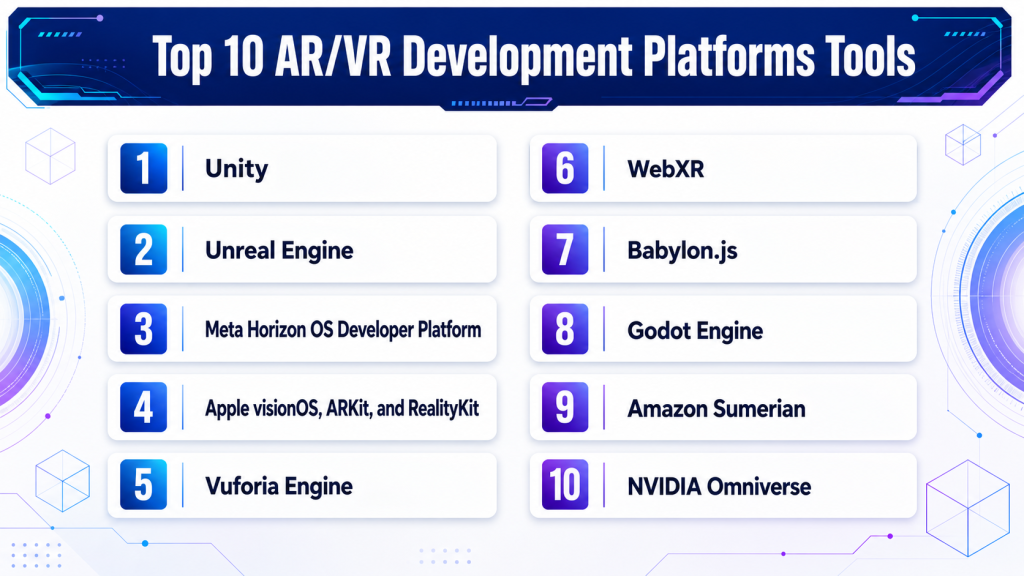
Top 10 AR/VR Development Platforms Tools
#1 — Unity
Short description : Unity is a widely used real-time 3D engine for building AR, VR, MR, mobile, desktop, web, and game experiences. It is popular with XR developers, training companies, startups, agencies, educators, and enterprise simulation teams.
Key Features
- Cross-platform XR development
- Support for AR, VR, MR, and spatial computing workflows
- XR Interaction Toolkit
- Strong asset store and plugin ecosystem
- Mobile AR support
- Real-time 3D rendering and physics
- Large developer community and learning resources
Pros
- Strong fit for cross-platform XR projects
- Large ecosystem of assets, SDKs, and developers
- Easier learning curve than many high-end 3D engines
Cons
- Large projects need careful performance optimization
- Licensing and pricing should be reviewed carefully
- Visual quality may require skilled technical artists for premium experiences
Platforms / Deployment
Windows / macOS / Linux editor support varies by version
Deployment to Web, Windows, macOS, Linux, iOS, Android, Meta Quest, visionOS, Android XR, and OpenXR-compatible devices varies by project and package
Security & Compliance
SSO/SAML, MFA, encryption, audit logs, RBAC: Varies by Unity services and enterprise configuration.
SOC 2, ISO 27001, GDPR, HIPAA: Not publicly stated.
Integrations & Ecosystem
Unity has one of the strongest XR development ecosystems and works with many headset SDKs, 3D tools, analytics services, and cloud workflows.
- Meta XR SDK
- Apple visionOS workflows
- OpenXR
- AR Foundation
- Asset Store plugins
- CI/CD and version control workflows
Support & Community
Unity has extensive documentation, tutorials, certification-style learning resources, forums, asset creators, development agencies, and enterprise support options. Community strength is very high.
#2 — Unreal Engine
Short description : Unreal Engine is a high-end real-time 3D engine used for VR, AR, simulation, games, architecture, virtual production, training, and enterprise visualization. It is best for teams that need strong graphics, realism, advanced rendering, and large immersive environments.
Key Features
- High-fidelity real-time rendering
- VR and mixed reality development support
- OpenXR support
- Blueprint visual scripting
- C++ development flexibility
- Physics, animation, and cinematic tools
- Strong simulation and virtual production workflows
Pros
- Excellent visual quality and real-time rendering
- Strong for simulation, enterprise visualization, and premium XR
- Visual scripting helps non-programmers prototype faster
Cons
- Can be heavier than lighter engines
- Requires strong optimization for standalone headsets
- Learning curve can be high for advanced production workflows
Platforms / Deployment
Windows / macOS / Linux
Deployment to Windows, Android, iOS, VR headsets, OpenXR devices, and supported XR platforms varies by project and SDK
Security & Compliance
SSO/SAML, MFA, encryption, audit logs, RBAC: Varies by Epic services and enterprise setup.
SOC 2, ISO 27001, GDPR, HIPAA: Not publicly stated.
Integrations & Ecosystem
Unreal Engine has a strong ecosystem for 3D content, simulation, visualization, games, virtual production, and enterprise XR.
- OpenXR workflows
- Meta XR support
- Android XR workflows
- Marketplace assets
- CAD and visualization pipelines
- Source control and build systems
Support & Community
Unreal has strong documentation, learning paths, sample projects, marketplace content, forums, and a large professional developer community. Enterprise support options may vary.
#3 — Meta Horizon OS Developer Platform
Short description: Meta Horizon OS Developer Platform helps developers build and distribute immersive VR and MR apps for Meta Quest devices. It is best for teams targeting Quest headsets, consumer VR, enterprise training, fitness, education, and mixed reality experiences.
Key Features
- Meta Quest development tools
- Mixed reality and passthrough support
- Hand tracking and controller interactions
- Meta XR SDK support
- App distribution through Meta ecosystem
- Unity and Unreal workflows
- Device-specific performance tools
Pros
- Strong fit for Meta Quest-first applications
- Mature headset ecosystem and developer resources
- Good support for consumer and enterprise VR apps
Cons
- Mainly focused on Meta hardware ecosystem
- App review and store requirements must be planned
- Platform changes can affect long-term strategy
Platforms / Deployment
Android-based Meta Quest devices / Web developer tools
Cloud / device SDK / app distribution ecosystem
Security & Compliance
SSO/SAML, MFA, encryption, audit logs, RBAC: Varies by Meta account, app, and enterprise setup.
SOC 2, ISO 27001, GDPR, HIPAA: Not publicly stated.
Integrations & Ecosystem
Meta’s developer ecosystem works closely with popular engines and Quest-specific SDKs for immersive app development.
- Unity integration
- Unreal Engine integration
- Meta XR SDK
- Quest device APIs
- Avatar and interaction systems
- App distribution and testing workflows
Support & Community
Meta provides developer documentation, forums, platform guidance, samples, and device-specific resources. Community strength is strong among VR developers building for Quest.
#4 — Apple visionOS, ARKit, and RealityKit
Short description : Apple visionOS, ARKit, and RealityKit provide Apple’s spatial computing and AR development stack for building immersive apps on Apple Vision Pro and Apple platforms. It is best for iOS developers, spatial app teams, enterprise Apple users, and premium consumer app builders.
Key Features
- visionOS spatial app development
- ARKit for world tracking and scene understanding
- RealityKit for 3D rendering and interaction
- Reality Composer Pro workflows
- SwiftUI and Xcode integration
- Support for Apple ecosystem devices
- Spatial interface and immersive app patterns
Pros
- Strong fit for Apple ecosystem developers
- Deep integration with Xcode, Swift, and Apple frameworks
- Good for polished spatial computing experiences
Cons
- Apple ecosystem focus may limit cross-platform reach
- Requires Apple development skills
- Device availability and hardware cost may affect adoption
Platforms / Deployment
macOS development with Xcode
Deployment to visionOS, iOS, iPadOS, and Apple ecosystem platforms depending on app type
Security & Compliance
SSO/SAML, MFA, encryption, audit logs, RBAC: Varies by Apple developer, device, and enterprise configuration.
SOC 2, ISO 27001, GDPR, HIPAA: Not publicly stated.
Integrations & Ecosystem
Apple’s XR stack works best inside the Apple developer ecosystem and supports spatial apps, AR experiences, and native platform workflows.
- Xcode
- SwiftUI
- ARKit
- RealityKit
- Reality Composer Pro
- Unity support for visionOS workflows
Support & Community
Apple provides detailed developer documentation, sample code, WWDC sessions, design guidance, and platform tools. Community strength is growing among spatial computing and iOS developers.
#5 — Vuforia Engine
Short description : Vuforia Engine is an AR development platform focused on computer vision, image tracking, object recognition, model targets, and industrial AR use cases. It is useful for field service, manufacturing, maintenance, training, and product visualization teams.
Key Features
- Image and object tracking
- Model target recognition
- Area target support
- AR overlays for real-world objects
- Unity integration
- Industrial AR use case support
- Mobile and headset AR workflows
Pros
- Strong for marker-based and object-based AR
- Useful for industrial and field service AR
- Works well for guided visual instructions
Cons
- Not a full game engine by itself
- Best used with Unity or related development workflows
- Advanced use cases require good 3D and tracking setup
Platforms / Deployment
Windows / macOS through development tools
Deployment to iOS, Android, and supported AR devices varies by configuration
Security & Compliance
SSO/SAML, MFA, encryption, audit logs, RBAC: Varies by deployment and account setup.
SOC 2, ISO 27001, GDPR, HIPAA: Not publicly stated.
Integrations & Ecosystem
Vuforia is commonly used with Unity and industrial workflows where AR content must align with physical objects.
- Unity integration
- Mobile AR workflows
- Industrial AR applications
- 3D model-based recognition
- Product and equipment visualization
- Training and service workflows
Support & Community
Vuforia provides documentation, developer guides, samples, and support resources. Community strength is strongest in industrial AR and enterprise training use cases.
#6 — WebXR
Short description : WebXR is a browser-based technology standard for building AR and VR experiences that run through compatible web browsers. It is best for lightweight immersive demos, education, marketing, product visualization, and web-first teams.
Key Features
- Browser-based AR and VR experiences
- Works with JavaScript and web technologies
- No traditional app installation for many use cases
- Device API access through supported browsers
- Useful for lightweight immersive content
- Integration with WebGL and 3D web frameworks
- Cross-platform potential depending on browser support
Pros
- Easy distribution through the web
- Good for demos, education, and product previews
- Lower friction than full native app deployment
Cons
- Browser and device support can vary
- Not ideal for every high-performance XR use case
- Advanced hardware features may be limited
Platforms / Deployment
Web / browsers on supported devices
Cloud / web-hosted deployment
Security & Compliance
SSO/SAML, MFA, encryption, audit logs, RBAC: Depends on the web application and hosting architecture.
SOC 2, ISO 27001, GDPR, HIPAA: Not publicly stated.
Integrations & Ecosystem
WebXR works with modern web stacks and 3D JavaScript frameworks, making it suitable for developers who want immersive experiences without app store deployment.
- Three.js
- Babylon.js
- WebGL
- WebGPU where supported
- Web app frameworks
- Cloud hosting and CDN workflows
Support & Community
WebXR has strong developer community support through web development communities, standards documentation, open-source libraries, and browser-focused resources.
#7 — Babylon.js
Short description : Babylon.js is an open-source web 3D engine that supports WebXR, real-time rendering, physics, materials, and browser-based immersive applications. It is best for web developers, interactive product demos, education, and lightweight AR/VR experiences.
Key Features
- Open-source web 3D engine
- WebXR support
- Real-time rendering
- Physics and interaction support
- glTF asset pipeline
- JavaScript and TypeScript development
- Browser-based deployment
Pros
- Strong for web-first 3D and XR apps
- Open-source and developer-friendly
- Good documentation and playground tools
Cons
- Not as full-featured as Unity or Unreal for large native XR apps
- Browser performance depends on device and use case
- Advanced production workflows need web engineering skill
Platforms / Deployment
Web / browser-based
Cloud / web-hosted deployment
Security & Compliance
SSO/SAML, MFA, encryption, audit logs, RBAC: Depends on the application and hosting environment.
SOC 2, ISO 27001, GDPR, HIPAA: Not publicly stated.
Integrations & Ecosystem
Babylon.js fits naturally into web development workflows and supports modern 3D web standards.
- WebXR
- WebGL
- WebGPU support where applicable
- glTF assets
- JavaScript and TypeScript frameworks
- Cloud hosting platforms
Support & Community
Babylon.js has strong documentation, examples, playground tools, GitHub community activity, and developer support through web and open-source communities.
#8 — Godot Engine
Short description : Godot Engine is an open-source game engine that can be used for 2D, 3D, VR, and interactive experiences. It is best for indie developers, educators, small teams, and users who want an open-source development environment.
Key Features
- Open-source game engine
- 2D and 3D development
- Scripting with GDScript and other languages
- VR support through available plugins and extensions
- Lightweight editor
- Export to multiple platforms
- Active open-source community
Pros
- Free and open-source
- Lightweight and approachable
- Good for learning and indie development
Cons
- XR ecosystem is smaller than Unity or Unreal
- Enterprise XR support is limited
- Advanced headset support may require plugins and extra setup
Platforms / Deployment
Windows / macOS / Linux
Deployment to desktop, mobile, web, and supported XR workflows varies by version and plugin support
Security & Compliance
SSO/SAML, MFA, encryption, audit logs, RBAC: Not publicly stated.
SOC 2, ISO 27001, GDPR, HIPAA: Not publicly stated.
Integrations & Ecosystem
Godot is extensible and works well for teams that value open-source control and lightweight development.
- Open-source plugins
- Version control workflows
- 3D asset import pipelines
- Community XR extensions
- Web and desktop deployment
- Custom scripting and tooling
Support & Community
Godot has a large open-source community, documentation, tutorials, forums, and contributor-driven development. Formal enterprise support is limited compared with commercial engines.
#9 — Amazon Sumerian
Short description : Amazon Sumerian is associated with building web-based 3D, AR, and VR experiences using cloud-connected services. It is most relevant for teams already working in AWS-centered immersive or 3D application workflows, though buyers should carefully verify current product availability and fit.
Key Features
- Web-based immersive experience concepts
- Cloud-connected 3D workflows
- AR and VR application use cases
- Integration potential with AWS services
- 3D scene building concepts
- Useful for cloud-first prototypes
- Suitable for experimentation where available
Pros
- Cloud ecosystem alignment for AWS teams
- Useful conceptually for web-based immersive workflows
- Can connect immersive applications with cloud services
Cons
- Current availability and product direction should be verified before adoption
- Not as broadly used as Unity or Unreal
- May not be suitable as a long-term primary XR platform without careful review
Platforms / Deployment
Web / cloud workflows
Cloud / Varies / N/A
Security & Compliance
SSO/SAML, MFA, encryption, audit logs, RBAC: Varies by AWS account and architecture.
SOC 2, ISO 27001, GDPR, HIPAA: Varies / N/A.
Integrations & Ecosystem
Amazon Sumerian-style workflows are most relevant when immersive experiences need to connect with AWS cloud services.
- AWS cloud services
- Web-hosted experiences
- 3D content workflows
- Identity and cloud application services
- APIs and backend services
- Analytics and data pipelines
Support & Community
Varies / Not publicly stated. Buyers should confirm product status, documentation freshness, and AWS-supported alternatives before committing.
#10 — NVIDIA Omniverse
Short description : NVIDIA Omniverse is a platform for connected 3D workflows, simulation, digital twins, industrial visualization, and real-time collaboration. It is best for enterprise XR-adjacent use cases such as simulation, robotics, virtual factories, digital twins, and high-end 3D pipelines.
Key Features
- Real-time 3D collaboration
- USD-based asset workflows
- Physics-based simulation
- Synthetic data generation
- Industrial digital twin support
- Robotics and simulation workflows
- GPU-accelerated visualization
Pros
- Strong for industrial visualization and simulation
- Useful for digital twin and robotics workflows
- Excellent fit for high-end 3D pipeline integration
Cons
- Not a simple consumer VR app development engine
- Requires 3D, simulation, and GPU workflow expertise
- Implementation can be heavy for small teams
Platforms / Deployment
Windows / Linux
Cloud / Self-hosted / Hybrid options vary
Security & Compliance
SSO/SAML, MFA, encryption, audit logs, RBAC: Varies by deployment and enterprise configuration.
SOC 2, ISO 27001, GDPR, HIPAA: Not publicly stated.
Integrations & Ecosystem
Omniverse connects professional 3D, simulation, CAD, robotics, and visualization workflows. It is useful where XR is part of a larger industrial or digital twin strategy.
- USD workflows
- CAD and 3D tool connectors
- Robotics simulation
- Synthetic data pipelines
- GPU rendering
- Industrial digital twin systems
Support & Community
NVIDIA provides documentation, developer resources, enterprise support options, and community programs. Community strength is strong among simulation, AI, robotics, and industrial 3D users.
Comparison Table
| Tool Name | Best For | Platform(s) Supported | Deployment (Cloud/Self-hosted/Hybrid) | Standout Feature | Public Rating |
|---|---|---|---|---|---|
| Unity | Cross-platform XR apps and training | Windows, macOS, Linux, iOS, Android, XR devices | Hybrid | Broad XR ecosystem and device support | N/A |
| Unreal Engine | High-fidelity VR and simulation | Windows, macOS, Linux, XR devices | Self-hosted / Hybrid | Premium real-time 3D rendering | N/A |
| Meta Horizon OS Developer Platform | Meta Quest VR and MR apps | Meta Quest, Web developer tools | Cloud / device SDK | Quest-first VR and MR development | N/A |
| Apple visionOS, ARKit, and RealityKit | Apple spatial computing apps | macOS development, visionOS, iOS, iPadOS | Apple ecosystem deployment | Native Apple spatial app stack | N/A |
| Vuforia Engine | Industrial AR and object tracking | iOS, Android, supported AR devices | Hybrid | Object and model target AR tracking | N/A |
| WebXR | Browser-based AR/VR experiences | Web browsers, supported devices | Cloud / web-hosted | No-install immersive web experiences | N/A |
| Babylon.js | Web-first 3D and WebXR apps | Web browsers | Cloud / web-hosted | Open-source web 3D engine | N/A |
| Godot Engine | Open-source 3D and indie XR projects | Windows, macOS, Linux, web, mobile | Self-hosted | Open-source game engine workflow | N/A |
| Amazon Sumerian | AWS-connected immersive prototypes | Web / Varies / N/A | Cloud / Varies / N/A | Cloud-connected 3D experience workflows | N/A |
| NVIDIA Omniverse | Industrial simulation and digital twins | Windows, Linux | Cloud / Self-hosted / Hybrid options vary | USD-based connected 3D simulation | N/A |
Evaluation & Scoring of AR/VR Development Platforms
The scores below are comparative and based on core XR capability, usability, integrations, security signals, performance, support, and value. They are not public ratings and should not be treated as universal rankings.
| Tool Name | Core (25%) | Ease (15%) | Integrations (15%) | Security (10%) | Performance (10%) | Support (10%) | Value (15%) | Weighted Total (0–10) |
|---|---|---|---|---|---|---|---|---|
| Unity | 9 | 8 | 9 | 7 | 8 | 9 | 8 | 8.35 |
| Unreal Engine | 9 | 6 | 8 | 7 | 9 | 8 | 8 | 8.00 |
| Meta Horizon OS Developer Platform | 8 | 7 | 8 | 7 | 8 | 8 | 8 | 7.75 |
| Apple visionOS, ARKit, and RealityKit | 8 | 7 | 8 | 8 | 8 | 8 | 7 | 7.75 |
| Vuforia Engine | 7 | 7 | 7 | 6 | 7 | 7 | 7 | 6.95 |
| WebXR | 6 | 7 | 7 | 6 | 6 | 7 | 9 | 6.90 |
| Babylon.js | 7 | 8 | 7 | 6 | 7 | 8 | 9 | 7.45 |
| Godot Engine | 6 | 7 | 6 | 4 | 6 | 7 | 10 | 6.60 |
| Amazon Sumerian | 5 | 6 | 6 | 6 | 5 | 5 | 5 | 5.45 |
| NVIDIA Omniverse | 8 | 5 | 8 | 7 | 9 | 8 | 6 | 7.30 |
How to interpret the scores:
- Higher scores show stronger overall fit across the selected criteria, not a universal winner.
- Unity and Unreal score strongly because they support broad, production-grade XR development.
- WebXR and Babylon.js score well for web-first accessibility and value.
- Device-specific platforms score best when the target hardware is already clear.
- Enterprise simulation platforms score well for advanced industrial use but may be too heavy for simple apps.
Which AR/VR Development Platforms Tool Is Right for You?
Solo / Freelancer
Solo developers need a platform that is affordable, well-documented, and flexible enough for client work or prototypes.
Good choices include:
- Unity for broad AR/VR client projects
- Unreal Engine for high-visual-quality VR and simulation
- Babylon.js for web-first immersive experiences
- Godot Engine for open-source and indie development
- WebXR for lightweight no-install demos
Freelancers should choose based on target device and client expectation. If the client wants Quest, Unity is often practical. If the client wants premium visuals, Unreal may be better.
SMB
Small and mid-sized teams need speed, cost control, reusable assets, and a clear deployment path.
Good choices include:
- Unity for training, product visualization, and cross-platform XR
- Unreal Engine for high-quality visualization and simulation
- Meta Horizon OS Developer Platform for Quest-first apps
- Apple visionOS, ARKit, and RealityKit for Apple-focused spatial apps
- Babylon.js for web-based immersive product demos
SMBs should avoid building for too many devices at the start. It is better to pick one main platform, test user comfort, and validate business value.
Mid-Market
Mid-market companies often need better collaboration, analytics, integrations, security review, and multi-device deployment.
Good choices include:
- Unity for broad cross-platform XR applications
- Unreal Engine for simulation-heavy or visually rich workflows
- Vuforia Engine for industrial AR guidance and object tracking
- NVIDIA Omniverse for 3D pipeline and digital twin workflows
- Apple visionOS stack for premium spatial computing use cases
Mid-market teams should evaluate device management, user onboarding, asset pipeline, backend integration, and long-term maintenance.
Enterprise
Enterprise teams need security, scalability, content governance, device management, integration with internal systems, and support for training or operational workflows.
Good choices include:
- Unity for scalable training and cross-platform enterprise XR
- Unreal Engine for simulation, engineering visualization, and advanced 3D
- NVIDIA Omniverse for industrial simulation and digital twins
- Vuforia Engine for field service and industrial AR
- Apple visionOS stack for Apple-first enterprise experiences
- Meta Horizon OS Developer Platform for Quest-based enterprise VR programs
Enterprise buyers should involve IT, security, procurement, training leaders, and business stakeholders early.
Budget vs Premium
For budget-sensitive users, Godot Engine, Babylon.js, WebXR, and selected free tiers of major engines can be practical. These options are good for learning, prototypes, demos, and small production work.
For premium production, Unity, Unreal Engine, NVIDIA Omniverse, Vuforia Engine, and native platform SDKs may provide stronger tooling, performance, device support, and enterprise pathways.
Feature Depth vs Ease of Use
If ease of use matters most, Unity, Babylon.js, WebXR, and Godot Engine may be easier to start with.
If feature depth matters most, Unreal Engine, Unity, NVIDIA Omniverse, and native platform SDKs offer stronger advanced capabilities.
The right choice depends on whether your project needs fast prototyping, strong visuals, device-specific performance, or industrial-grade simulation.
Integrations & Scalability
AR/VR apps often need more than a 3D engine. They may connect with identity systems, LMS platforms, product databases, IoT platforms, CAD tools, analytics, cloud storage, and content management systems.
Important integration areas include:
- 3D asset pipelines
- CAD and BIM imports
- Cloud storage and backend APIs
- User authentication
- Learning management systems
- Device management platforms
- Analytics and telemetry
- Multiplayer and networking systems
- AI and voice services
- Enterprise security systems
Scalability should include user count, device fleet, app updates, content versioning, performance, and support processes.
Security & Compliance Needs
AR/VR applications can capture sensitive information such as spatial maps, voice, hand movements, location, training results, and enterprise procedures. Security should be reviewed early.
Important checks include:
- SSO and MFA
- Role-based access control
- Secure storage of user data
- Encryption
- Audit logs
- Privacy controls for spatial data
- Device management
- App distribution controls
- Data retention policies
- Vendor security documentation
For healthcare, defense, industrial training, and enterprise collaboration, security and privacy reviews are especially important.
Frequently Asked Questions (FAQs)
What is an AR/VR development platform?
An AR/VR development platform provides tools, SDKs, engines, APIs, and deployment workflows for building augmented reality, virtual reality, mixed reality, and spatial computing applications.
What is the difference between AR, VR, MR, and XR?
AR adds digital objects to the real world. VR creates a fully virtual environment. MR blends real and digital spaces with interaction. XR is the broader term that includes AR, VR, and MR.
Which platform is best for beginners?
Unity, Babylon.js, WebXR, and Godot are approachable starting points. Unity is especially common for beginners who want to build practical AR/VR apps for multiple devices.
Which platform is best for high-quality VR?
Unreal Engine is strong for high-fidelity visuals and simulation. Unity can also deliver high-quality VR when optimized well, especially for standalone headsets.
Which platform is best for Meta Quest development?
Unity and Unreal Engine are common choices for Meta Quest development. Meta’s own developer platform and SDKs are important for Quest-specific features and deployment.
Which platform is best for Apple Vision Pro apps?
Apple visionOS with ARKit, RealityKit, SwiftUI, Xcode, and Reality Composer Pro is the native Apple route. Unity can also be useful depending on the project and team skills.
What pricing models are common for AR/VR platforms?
Pricing may include free tiers, subscriptions, revenue-based terms, enterprise licenses, cloud usage, marketplace purchases, SDK licensing, or custom support contracts.
How long does AR/VR onboarding take?
A simple prototype can be built quickly by an experienced developer. Production-ready XR apps may take longer because teams must optimize performance, comfort, interactions, testing, and device deployment.
What are common mistakes in AR/VR development?
Common mistakes include ignoring frame rate, poor user comfort, weak onboarding, overloading scenes with heavy assets, skipping device testing, and building without a clear target use case.
Is WebXR good enough for business use?
WebXR can be good for lightweight demos, education, product previews, and accessible immersive content. For high-performance or device-specific apps, native engines may be stronger.
Do AR/VR apps need backend integration?
Many business apps do. Training apps may connect with LMS systems, retail apps may connect with product catalogs, and enterprise apps may connect with identity, analytics, cloud storage, or IoT systems.
Is AR/VR secure for enterprise use?
It can be secure if designed properly. Teams should review authentication, data storage, spatial data privacy, app distribution, device management, encryption, and user permissions.
Can one AR/VR app run on all devices?
Sometimes, but not perfectly. Cross-platform engines help, but each headset or device may have different performance limits, input systems, store rules, and SDK requirements.
What alternatives exist if full AR/VR is too expensive?
Alternatives include 3D web viewers, interactive videos, product configurators, virtual tours, mobile apps, or simple simulation tools. These may be enough for early validation.
Conclusion
AR/VR Development Platforms are becoming important for training, simulation, product visualization, spatial computing, digital twins, education, healthcare, and enterprise collaboration. However, the best platform depends on the use case, device target, team skills, budget, and performance needs. Unity is a strong cross-platform choice for many XR teams. Unreal Engine is better for high-fidelity simulation and visualization. Meta Horizon OS Developer Platform is useful for Quest-first development, while Apple visionOS, ARKit, and RealityKit are best for Apple spatial apps. Vuforia Engine is practical for industrial AR, while WebXR and Babylon.js are strong for browser-based immersive experiences. Godot Engine is useful for open-source development, and NVIDIA Omniverse is powerful for industrial 3D, simulation, and digital twin workflows.
