Upgrade & Secure Your Future with DevOps, SRE, DevSecOps, MLOps!
We spend hours scrolling social media and waste money on things we forget, but won’t spend 30 minutes a day earning certifications that can change our lives.
Master in DevOps, SRE, DevSecOps & MLOps by DevOps School!
Learn from Guru Rajesh Kumar and double your salary in just one year.
Introduction
Spatial Computing Toolkits help developers build apps that understand and interact with the real world through 3D space, cameras, sensors, hand tracking, eye tracking, object recognition, room mapping, and immersive interfaces. In simple words, these toolkits help digital content behave as if it belongs inside the user’s physical environment.
Spatial computing matters now because AR, VR, MR, and wearable devices are becoming more useful for training, healthcare, field service, education, manufacturing, retail, design, and digital twins. Teams are no longer building only flat-screen apps. They are building experiences where users can walk around objects, use gestures, interact with 3D models, view real-time overlays, and work inside mixed physical-digital spaces.
Common use cases include:
- Mixed reality training and simulation
- AR field service instructions
- Spatial product visualization
- Healthcare and therapy applications
- Immersive design reviews
- Smart building and digital twin visualization
- Retail try-on and product demos
Buyers should evaluate:
- Supported devices and operating systems
- Hand, eye, and gesture tracking
- Scene understanding and spatial mapping
- 3D rendering quality
- Cross-platform support
- Integration with Unity, Unreal, web, or native SDKs
- Performance and latency
- Security and privacy controls
- Developer documentation
- Long-term ecosystem stability
Best for: XR developers, mobile app teams, game studios, enterprise training teams, healthcare innovators, industrial AR teams, digital twin teams, product designers, education companies, and agencies building immersive applications.
Not ideal for: Teams that only need simple 3D images, basic videos, static product renders, or non-interactive presentations. In those cases, standard video tools, 3D viewers, product configurators, or web design tools may be enough.
Key Trends in Spatial Computing Toolkits
- Native spatial app ecosystems are expanding: Apple visionOS, Meta Quest, Android XR, and OpenXR-compatible devices are pushing developers to design apps around space, gestures, passthrough, and mixed reality.
- AI is entering spatial workflows: AI is being used for 3D asset creation, object recognition, scene understanding, natural interaction, voice commands, avatars, and faster prototyping.
- Cross-platform spatial development is becoming more important: Developers want to reduce lock-in and support multiple devices through engines, standards, and abstraction layers.
- Hand tracking and eye tracking are becoming key design inputs: Spatial apps are moving beyond controllers toward natural gestures, gaze-based selection, voice, and body-aware interfaces.
- Web-based spatial computing is growing: WebXR and web 3D frameworks allow easier sharing of lightweight spatial experiences without requiring full app installation.
- Privacy and spatial data protection are now serious concerns: Spatial apps may process room layouts, user movement, camera feeds, voice, and biometric-like interaction data.
- Enterprise spatial computing is becoming more practical: Training, remote assistance, design review, healthcare visualization, and industrial maintenance are stronger use cases than generic “metaverse” ideas.
- 3D asset optimization is still a major challenge: Spatial apps need lightweight, fast, and visually clear assets that run well on headsets and mobile devices.
- Digital twins and spatial computing are merging: Teams are using spatial interfaces to explore buildings, factories, machines, products, and infrastructure models.
- Developer tooling is becoming more specialized: Toolkits now focus on anchors, plane detection, occlusion, passthrough, hand tracking, physics, scene reconstruction, and real-world alignment.
How We Selected These Tools
The tools below were selected using a practical buyer-focused methodology:
- Strong relevance to spatial computing, AR, VR, MR, and immersive application development
- Market recognition and developer adoption
- Support for modern spatial devices and operating systems
- Feature completeness across tracking, rendering, interaction, mapping, and deployment
- Fit for different users, including solo developers, startups, agencies, enterprises, and research teams
- Integration with popular engines, native SDKs, and web development workflows
- Documentation quality and learning support
- Performance and reliability signals for real-time 3D applications
- Security and privacy considerations where enterprise use is relevant
- Balanced coverage of native, cross-platform, open standard, web, and engine-based toolkits
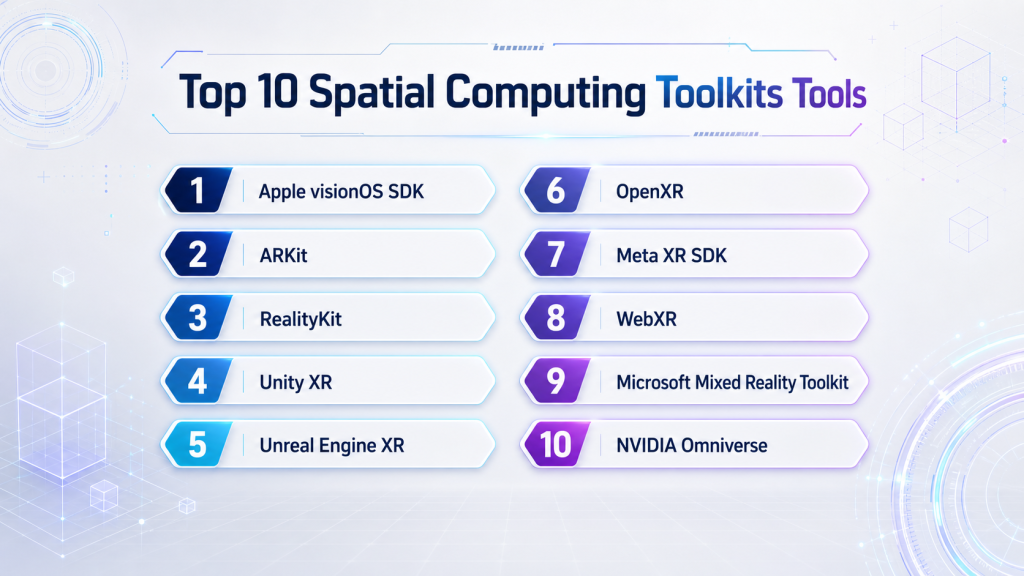
Top 10 Spatial Computing Toolkits Tools
#1 — Apple visionOS SDK
Short description : Apple visionOS SDK helps developers build spatial apps for Apple Vision Pro and Apple’s spatial computing ecosystem. It is best for iOS developers, premium app teams, design-focused product teams, and enterprises invested in Apple platforms.
Key Features
- Native spatial app development
- SwiftUI and RealityKit support
- Immersive spaces and windows
- Hand and eye interaction patterns
- 3D content support
- Xcode development workflow
- Integration with Apple platform services
Pros
- Strong native experience for Apple spatial apps
- Good fit for polished user interfaces
- Deep integration with Apple development tools
Cons
- Apple ecosystem focused
- Requires Apple development skills
- Hardware availability and cost may affect adoption
Platforms / Deployment
macOS for development / visionOS for deployment
Cloud / Self-hosted / Hybrid: Varies / N/A
Security & Compliance
SSO/SAML, MFA, encryption, audit logs, RBAC: Varies by Apple developer and enterprise setup.
SOC 2, ISO 27001, GDPR, HIPAA: Not publicly stated.
Integrations & Ecosystem
Apple visionOS SDK works best inside Apple’s native development ecosystem. It connects with tools and frameworks used by iOS and macOS developers.
- Xcode
- SwiftUI
- RealityKit
- ARKit
- Reality Composer Pro
- Apple platform services
Support & Community
Apple provides strong developer documentation, sample projects, design guidance, and platform sessions. Community strength is growing quickly among iOS, XR, and spatial computing developers.
#2 — ARKit
Short description: ARKit is Apple’s augmented reality framework for building AR experiences on iPhone, iPad, and Apple spatial devices. It is useful for mobile AR, product visualization, measurement apps, education, retail, and spatial interaction experiences.
Key Features
- World tracking
- Plane detection
- Scene understanding
- Image and object tracking
- Face tracking support
- Motion and camera-based AR
- Integration with RealityKit and SceneKit
Pros
- Strong native AR support for Apple devices
- Good for mobile AR and spatial experiences
- Stable ecosystem for iOS developers
Cons
- Apple platform only
- Requires iOS development knowledge
- Cross-platform teams may need additional toolkits
Platforms / Deployment
macOS for development / iOS / iPadOS / visionOS depending on app type
Cloud / Self-hosted / Hybrid: Varies / N/A
Security & Compliance
SSO/SAML, MFA, encryption, audit logs, RBAC: Varies by app architecture and Apple enterprise setup.
SOC 2, ISO 27001, GDPR, HIPAA: Not publicly stated.
Integrations & Ecosystem
ARKit fits naturally into Apple’s spatial computing and mobile app ecosystem.
- RealityKit
- SceneKit
- Swift
- Xcode
- Core ML
- Apple device sensors
Support & Community
ARKit has mature documentation, tutorials, sample code, and a strong iOS developer community. It is one of the best-known native AR frameworks for Apple devices.
#3 — RealityKit
Short description : RealityKit is Apple’s 3D rendering and simulation framework for building AR and spatial experiences. It is best for developers creating realistic 3D content, spatial interactions, and native Apple immersive apps.
Key Features
- 3D rendering for spatial apps
- Physics and animation support
- Entity-component system
- ARKit integration
- Reality Composer Pro workflow
- Spatial audio support
- Native Apple development integration
Pros
- Good for native 3D spatial apps
- Strong Apple ecosystem fit
- Works well with visionOS and ARKit workflows
Cons
- Apple ecosystem focused
- Less suitable for broad cross-platform deployment
- Advanced 3D workflows require technical skill
Platforms / Deployment
macOS for development / iOS / iPadOS / visionOS depending on app type
Cloud / Self-hosted / Hybrid: Varies / N/A
Security & Compliance
SSO/SAML, MFA, encryption, audit logs, RBAC: Varies by app and enterprise configuration.
SOC 2, ISO 27001, GDPR, HIPAA: Not publicly stated.
Integrations & Ecosystem
RealityKit works closely with Apple spatial frameworks and design tools.
- ARKit
- SwiftUI
- Xcode
- Reality Composer Pro
- USDZ content workflows
- Apple platform services
Support & Community
RealityKit has official documentation, developer sessions, examples, and a growing spatial app community. It is especially valuable for Apple-native spatial computing teams.
#4 — Unity XR
Short description : Unity XR provides cross-platform tools for building AR, VR, MR, and spatial computing applications. It is best for teams that want to target multiple headsets, mobile AR platforms, and immersive training or simulation use cases.
Key Features
- Cross-platform XR development
- XR Interaction Toolkit
- AR Foundation
- OpenXR support
- 3D rendering and physics
- Asset Store ecosystem
- Support for many headset SDKs
Pros
- Strong multi-device XR support
- Large developer ecosystem
- Good balance of usability and production capability
Cons
- Performance optimization is still required
- Licensing should be reviewed carefully
- Large projects need strong architecture discipline
Platforms / Deployment
Windows / macOS / Linux editor support varies
Deployment to iOS / Android / Web / Windows / XR headsets depending on project and SDK
Security & Compliance
SSO/SAML, MFA, encryption, audit logs, RBAC: Varies by Unity services and enterprise configuration.
SOC 2, ISO 27001, GDPR, HIPAA: Not publicly stated.
Integrations & Ecosystem
Unity XR has one of the strongest ecosystems for spatial computing development.
- AR Foundation
- OpenXR
- Meta XR SDK
- Apple visionOS workflows
- Asset Store
- Cloud and analytics integrations
Support & Community
Unity has extensive documentation, learning paths, community forums, third-party courses, and enterprise support options. Community strength is very high.
#5 — Unreal Engine XR
Short description: Unreal Engine XR helps teams build high-quality immersive, spatial, and simulation experiences. It is best for realistic visualization, advanced VR training, virtual production, digital twins, and enterprise simulation.
Key Features
- High-fidelity real-time rendering
- VR and MR support
- OpenXR support
- Blueprint visual scripting
- C++ extensibility
- Physics and animation tools
- Large-scale 3D scene support
Pros
- Excellent visual quality
- Strong for simulation and enterprise visualization
- Good visual scripting for rapid prototyping
Cons
- Can be heavy for lightweight spatial apps
- Requires optimization for standalone headsets
- Advanced workflows have a learning curve
Platforms / Deployment
Windows / macOS / Linux
Deployment to desktop, mobile, XR headsets, and OpenXR devices varies by project
Security & Compliance
SSO/SAML, MFA, encryption, audit logs, RBAC: Varies by Epic services and enterprise setup.
SOC 2, ISO 27001, GDPR, HIPAA: Not publicly stated.
Integrations & Ecosystem
Unreal Engine XR supports advanced visual, simulation, and enterprise 3D workflows.
- OpenXR
- Meta XR support
- CAD and visualization pipelines
- Marketplace assets
- C++ plugins
- Source control and build systems
Support & Community
Unreal Engine has strong documentation, sample projects, marketplace content, learning resources, and a large professional developer community.
#6 — OpenXR
Short description : OpenXR is an open standard that helps developers build XR applications across different devices and platforms. It is best for teams that want to reduce device lock-in and support multiple AR, VR, and MR systems.
Key Features
- Cross-platform XR standard
- Device abstraction layer
- Support for VR and AR runtimes
- Works with engines and native applications
- Reduces vendor-specific fragmentation
- Supports controllers, tracking, and interaction profiles
- Useful for long-term platform flexibility
Pros
- Helps reduce platform lock-in
- Useful for multi-device XR strategy
- Supported by major engines and runtime ecosystems
Cons
- Not a full development engine by itself
- Device-specific features may still need vendor SDKs
- Requires technical understanding of XR runtimes
Platforms / Deployment
Windows / Linux / Android / supported XR runtimes
Cloud / Self-hosted / Hybrid: Varies / N/A
Security & Compliance
SSO/SAML, MFA, encryption, audit logs, RBAC: Not publicly stated.
SOC 2, ISO 27001, GDPR, HIPAA: Not publicly stated.
Integrations & Ecosystem
OpenXR is commonly used through game engines, native runtimes, and headset SDKs.
- Unity
- Unreal Engine
- Native XR runtimes
- Meta Quest workflows
- SteamVR-compatible workflows
- Vendor-specific extensions
Support & Community
OpenXR has strong standards-based documentation and broad industry support. Community strength depends on the engine or runtime used with it.
#7 — Meta XR SDK
Short description : Meta XR SDK helps developers build VR and mixed reality apps for Meta Quest devices. It is best for teams focused on Quest-based training, fitness, entertainment, education, collaboration, and passthrough MR apps.
Key Features
- Quest-specific VR and MR support
- Hand tracking
- Controller interaction support
- Passthrough mixed reality
- Spatial anchors
- Unity and Unreal workflows
- Performance guidance for Quest devices
Pros
- Strong for Meta Quest-first development
- Useful mixed reality and interaction features
- Large Quest developer ecosystem
Cons
- Focused mainly on Meta hardware
- Cross-platform apps may need additional abstraction
- Store and platform rules must be considered
Platforms / Deployment
Windows / macOS development depending on engine
Deployment to Meta Quest devices
Security & Compliance
SSO/SAML, MFA, encryption, audit logs, RBAC: Varies by Meta account, app, and enterprise configuration.
SOC 2, ISO 27001, GDPR, HIPAA: Not publicly stated.
Integrations & Ecosystem
Meta XR SDK integrates with popular engines and Quest platform services.
- Unity integration
- Unreal Engine integration
- Quest device APIs
- Avatar systems
- Spatial anchors
- App distribution workflows
Support & Community
Meta provides documentation, samples, developer forums, and platform guidance. Community strength is strong among Quest developers.
#8 — WebXR
Short description : WebXR helps developers build browser-based AR and VR experiences using web technologies. It is best for lightweight spatial demos, education, marketing, product previews, and no-install immersive experiences.
Key Features
- Browser-based XR experiences
- AR and VR device support where available
- JavaScript development workflow
- WebGL and WebGPU ecosystem support
- Easy sharing through web links
- Integration with web frameworks
- Good for lightweight immersive content
Pros
- Low-friction access for users
- Good for demos and product visualization
- Useful for web-first teams
Cons
- Browser and device support can vary
- Not ideal for all high-performance XR apps
- Advanced device features may be limited
Platforms / Deployment
Web / supported browsers / supported XR devices
Cloud / web-hosted deployment
Security & Compliance
SSO/SAML, MFA, encryption, audit logs, RBAC: Depends on application and hosting setup.
SOC 2, ISO 27001, GDPR, HIPAA: Not publicly stated.
Integrations & Ecosystem
WebXR works with modern web development and 3D frameworks.
- Three.js
- Babylon.js
- WebGL
- WebGPU where supported
- JavaScript frameworks
- Cloud hosting platforms
Support & Community
WebXR has strong support from web developer communities, open-source examples, standards documentation, and browser-focused resources.
#9 — Microsoft Mixed Reality Toolkit
Short description: Microsoft Mixed Reality Toolkit is an open-source toolkit for building mixed reality user interfaces and interactions, especially in Unity-based workflows. It is useful for enterprise training, HoloLens-style interactions, hand tracking, and spatial UI prototyping.
Key Features
- Mixed reality UI components
- Hand and controller interaction patterns
- Unity-based development support
- Spatial interaction building blocks
- Input system helpers
- Cross-platform mixed reality concepts
- Open-source toolkit approach
Pros
- Helpful for rapid MR interaction design
- Useful UI and interaction components
- Strong value for Unity-based mixed reality projects
Cons
- Product direction and support status should be reviewed before adoption
- Not a complete engine by itself
- Some workflows may require migration or modernization
Platforms / Deployment
Windows / Unity development workflows
Deployment varies by Unity target and toolkit compatibility
Security & Compliance
SSO/SAML, MFA, encryption, audit logs, RBAC: Not publicly stated.
SOC 2, ISO 27001, GDPR, HIPAA: Not publicly stated.
Integrations & Ecosystem
Microsoft Mixed Reality Toolkit is mainly used with Unity and mixed reality device workflows.
- Unity
- OpenXR workflows
- HoloLens-style interaction patterns
- Hand tracking interfaces
- Spatial UI components
- Enterprise prototype workflows
Support & Community
Community support exists through open-source repositories, documentation, samples, and mixed reality developers. Buyers should verify current maintenance status before using it for a long-term enterprise program.
#10 — NVIDIA Omniverse
Short description: NVIDIA Omniverse is a platform for connected 3D workflows, simulation, digital twins, robotics, and industrial visualization. It is best for teams using spatial computing in factories, simulation labs, digital twins, robotics, and enterprise 3D pipelines.
Key Features
- USD-based 3D workflows
- Real-time collaboration
- Physics-based simulation
- Synthetic data generation
- Robotics simulation support
- Industrial digital twin support
- GPU-accelerated rendering
Pros
- Strong for industrial spatial computing
- Useful for digital twins and simulation
- Excellent for connected 3D workflows
Cons
- Not a lightweight mobile spatial toolkit
- Requires strong 3D and GPU workflow skills
- May be too complex for small projects
Platforms / Deployment
Windows / Linux
Cloud / Self-hosted / Hybrid options vary
Security & Compliance
SSO/SAML, MFA, encryption, audit logs, RBAC: Varies by enterprise deployment.
SOC 2, ISO 27001, GDPR, HIPAA: Not publicly stated.
Integrations & Ecosystem
Omniverse connects professional 3D, simulation, AI, robotics, and digital twin workflows.
- USD pipelines
- CAD and 3D tool connectors
- Robotics simulation
- Synthetic data workflows
- GPU rendering
- Digital twin systems
Support & Community
NVIDIA provides documentation, developer resources, enterprise support options, and a growing community across 3D, AI, robotics, simulation, and industrial visualization.
Comparison Table
| Tool Name | Best For | Platform(s) Supported | Deployment (Cloud/Self-hosted/Hybrid) | Standout Feature | Public Rating |
|---|---|---|---|---|---|
| Apple visionOS SDK | Native Apple spatial apps | macOS, visionOS | Varies / N/A | Native spatial app development for Apple Vision Pro | N/A |
| ARKit | Mobile AR and Apple spatial experiences | iOS, iPadOS, visionOS | Varies / N/A | Apple-native world tracking and AR features | N/A |
| RealityKit | Native 3D rendering for Apple spatial apps | iOS, iPadOS, visionOS | Varies / N/A | 3D rendering and spatial interaction on Apple platforms | N/A |
| Unity XR | Cross-platform XR applications | Windows, macOS, Linux, iOS, Android, XR devices | Hybrid | Broad cross-platform XR development ecosystem | N/A |
| Unreal Engine XR | High-fidelity spatial simulation | Windows, macOS, Linux, XR devices | Self-hosted / Hybrid | Premium real-time rendering and simulation | N/A |
| OpenXR | Multi-device XR compatibility | Windows, Linux, Android, supported XR runtimes | Varies / N/A | Open standard for XR runtime compatibility | N/A |
| Meta XR SDK | Meta Quest VR and MR apps | Meta Quest devices | Hybrid | Quest-specific mixed reality features | N/A |
| WebXR | Browser-based spatial experiences | Web browsers, supported XR devices | Cloud / web-hosted | No-install XR through the browser | N/A |
| Microsoft Mixed Reality Toolkit | Unity-based MR interaction prototypes | Windows, Unity targets vary | Self-hosted / Varies | Ready-made mixed reality UI components | N/A |
| NVIDIA Omniverse | Industrial spatial simulation and digital twins | Windows, Linux | Cloud / Self-hosted / Hybrid options vary | USD-based connected 3D and simulation workflows | N/A |
Evaluation & Scoring of Spatial Computing Toolkits
The scoring below is comparative and based on core capability, ease of use, ecosystem, security signals, performance, support, and value. It is not a public rating.
| Tool Name | Core (25%) | Ease (15%) | Integrations (15%) | Security (10%) | Performance (10%) | Support (10%) | Value (15%) | Weighted Total (0–10) |
|---|---|---|---|---|---|---|---|---|
| Apple visionOS SDK | 9 | 7 | 8 | 8 | 9 | 8 | 7 | 8.10 |
| ARKit | 8 | 8 | 8 | 8 | 8 | 8 | 8 | 8.00 |
| RealityKit | 8 | 7 | 8 | 8 | 8 | 8 | 8 | 7.85 |
| Unity XR | 9 | 8 | 9 | 7 | 8 | 9 | 8 | 8.35 |
| Unreal Engine XR | 9 | 6 | 8 | 7 | 9 | 8 | 8 | 8.00 |
| OpenXR | 8 | 5 | 9 | 6 | 8 | 7 | 9 | 7.55 |
| Meta XR SDK | 8 | 7 | 8 | 7 | 8 | 8 | 8 | 7.75 |
| WebXR | 6 | 7 | 7 | 6 | 6 | 7 | 9 | 6.90 |
| Microsoft Mixed Reality Toolkit | 6 | 7 | 7 | 5 | 6 | 6 | 8 | 6.45 |
| NVIDIA Omniverse | 8 | 5 | 8 | 7 | 9 | 8 | 6 | 7.30 |
How to interpret the scores:
- Higher scores show stronger overall fit across the selected criteria, not a universal winner.
- Native Apple tools score well for Apple-first spatial experiences.
- Unity XR and Unreal Engine XR score highly for broad production workflows.
- WebXR is strong for accessibility and low-friction demos, but not always for heavy apps.
- OpenXR is valuable for interoperability, but it is not a complete app development platform by itself.
Which Spatial Computing Toolkits Tool Is Right for You?
Solo / Freelancer
Solo developers should choose based on target device, budget, and existing skills.
Good choices include:
- Unity XR for broad AR, VR, and mixed reality client work
- ARKit for iPhone, iPad, and Apple-focused AR apps
- WebXR for quick browser-based demos
- Meta XR SDK for Quest-first projects
- Godot or open-source alternatives if budget and source control are priorities
Freelancers should avoid overbuilding. Start with one device target and one clear use case.
SMB
Small and medium businesses need fast delivery, manageable cost, and reliable deployment.
Good choices include:
- Unity XR for multi-device apps and training experiences
- Apple visionOS SDK for Apple spatial apps
- Meta XR SDK for Quest-based training and collaboration
- WebXR for product demos and marketing experiences
- ARKit and RealityKit for native Apple mobile AR
SMBs should test user comfort, device availability, and content update workflows before scaling.
Mid-Market
Mid-market companies often need stronger integrations, analytics, user management, and support for multiple departments.
Good choices include:
- Unity XR for training, simulation, and enterprise app development
- Unreal Engine XR for high-quality visualization and design review
- OpenXR for multi-device strategy
- NVIDIA Omniverse for digital twin and simulation workflows
- Apple visionOS SDK for premium spatial computing pilots
Mid-market teams should check backend integration, identity systems, asset pipelines, device management, and update processes.
Enterprise
Enterprise teams need security, governance, scalability, training analytics, device control, and long-term platform support.
Good choices include:
- Unity XR for scalable enterprise XR programs
- Unreal Engine XR for simulation-heavy workflows
- NVIDIA Omniverse for industrial digital twins and spatial simulation
- Apple visionOS SDK for Apple-first enterprise spatial apps
- OpenXR for reducing device lock-in
- Meta XR SDK for Quest-based enterprise VR or MR deployment
Enterprise buyers should involve IT, cybersecurity, procurement, legal, training, operations, and business stakeholders early.
Budget vs Premium
Budget-focused teams can start with WebXR, ARKit, RealityKit, OpenXR, or free/community tiers of larger engines. These options are suitable for prototypes, learning, and focused pilots.
Premium teams may choose Unity XR, Unreal Engine XR, NVIDIA Omniverse, or enterprise-supported native SDK workflows when the project requires advanced rendering, simulation, large teams, or long-term support.
Feature Depth vs Ease of Use
If ease of use matters most, consider ARKit, RealityKit, Unity XR, or WebXR.
If feature depth matters most, consider Unreal Engine XR, Unity XR, NVIDIA Omniverse, and Apple visionOS SDK.
For interoperability, OpenXR is important, but it usually works alongside an engine or platform rather than replacing one.
Integrations & Scalability
Spatial computing apps usually need more than spatial tracking. They often connect to data platforms, identity systems, content pipelines, analytics, 3D asset management, cloud services, and enterprise applications.
Important integration areas include:
- 3D asset pipelines
- Cloud storage
- APIs and backend systems
- Identity and access management
- Analytics and telemetry
- CAD and BIM models
- Digital twin platforms
- Learning management systems
- Device management platforms
- AI and voice services
Scalability depends on device fleet size, user roles, content updates, spatial data storage, backend performance, and support processes.
Security & Compliance Needs
Spatial computing applications may collect sensitive data such as room scans, hand movement, eye gaze, voice, location, training activity, and workplace procedures. Security and privacy should be reviewed early.
Important checks include:
- SSO and MFA
- Role-based access control
- Spatial data privacy
- Encryption
- Audit logs
- Device management
- Secure app distribution
- Data retention policies
- User consent flows
- Vendor security documentation
Healthcare, defense, industrial training, and enterprise collaboration use cases need extra care because spatial data can reveal sensitive information.
Frequently Asked Questions (FAQs)
What is a spatial computing toolkit?
A spatial computing toolkit helps developers build apps that understand and interact with 3D space. It may include tracking, rendering, hand input, scene understanding, anchors, and device integration.
How is spatial computing different from AR and VR?
Spatial computing is a broader idea. It includes AR, VR, MR, and apps that use space, sensors, and real-world context as part of the interface.
Which spatial computing toolkit is best for beginners?
ARKit, RealityKit, Unity XR, and WebXR are good starting points depending on the target platform. Beginners should start with one device and one simple interaction model.
Which toolkit is best for Apple Vision Pro?
Apple visionOS SDK, RealityKit, ARKit, SwiftUI, and Xcode are the main native choices for Apple Vision Pro development. Unity may also be useful depending on project needs.
Which toolkit is best for Meta Quest?
Meta XR SDK with Unity or Unreal is a strong option for Quest apps. OpenXR can also help if the team wants broader device compatibility.
Is OpenXR a complete development platform?
No. OpenXR is a standard for XR runtime compatibility. Developers usually use it with Unity, Unreal, native engines, or device SDKs.
Is WebXR good for business applications?
WebXR is useful for lightweight demos, education, product previews, and web-accessible spatial content. For advanced performance or device-specific features, native apps may be stronger.
What pricing models are common?
Pricing may include free SDKs, engine subscriptions, enterprise licenses, app store fees, cloud hosting, support plans, or usage-based infrastructure costs.
How long does onboarding take?
A simple prototype can be built quickly by an experienced developer. Production apps take longer because they require 3D assets, interaction design, performance testing, privacy review, and device testing.
What are common mistakes in spatial computing projects?
Common mistakes include unclear use cases, heavy 3D assets, poor comfort design, weak onboarding, ignoring privacy, and testing only on desktop instead of real devices.
Do spatial apps need backend integration?
Many business apps do. Training apps may need LMS integration, retail apps may need product catalogs, and industrial apps may need IoT, CAD, or digital twin data.
Are spatial computing apps secure?
They can be secure when designed properly. Teams should review access control, device management, encryption, spatial data privacy, and backend security.
Can one toolkit support all devices?
Not perfectly. Unity, Unreal, and OpenXR can help with multi-device support, but device-specific features may still require native SDKs.
What alternatives exist if spatial computing is too costly?
Alternatives include 3D web viewers, interactive videos, mobile apps, virtual tours, product configurators, or standard training simulations.
Conclusion
Spatial Computing Toolkits are becoming important for the next generation of apps, where users interact with digital content inside real or simulated spaces. The best toolkit depends on your target device, team skills, budget, and business goal. Apple visionOS SDK, ARKit, and RealityKit are strong for Apple-native spatial apps. Unity XR is a practical cross-platform choice for many teams. Unreal Engine XR is better for high-quality simulation and visualization. OpenXR helps reduce device lock-in, while Meta XR SDK is useful for Quest-first development. WebXR is strong for browser-based access, and NVIDIA Omniverse is powerful for industrial spatial simulation and digital twin workflows.
