Upgrade & Secure Your Future with DevOps, SRE, DevSecOps, MLOps!
We spend hours scrolling social media and waste money on things we forget, but won’t spend 30 minutes a day earning certifications that can change our lives.
Master in DevOps, SRE, DevSecOps & MLOps by DevOps School!
Learn from Guru Rajesh Kumar and double your salary in just one year.
Introduction
Mechanical design software helps engineers, designers, manufacturers, and product teams create accurate 2D drawings, 3D models, assemblies, technical documentation, simulations, and manufacturing-ready designs. In simple words, it turns product ideas into detailed digital models that can be tested, improved, shared, and produced.
This category matters more than ever because engineering teams now need faster design cycles, fewer physical prototypes, better collaboration, stronger data control, and smoother handoff between CAD, CAE, CAM, PLM, and manufacturing systems. Modern mechanical design platforms are also moving toward cloud collaboration, AI-assisted design, generative design, model-based definition, integrated simulation, and digital thread workflows. Autodesk Fusion, for example, positions itself as an integrated CAD, CAM, CAE, electronics, and manufacturing platform, while Onshape focuses on cloud-native CAD and built-in PDM for real-time collaboration.
Common use cases include:
- Product design and prototyping
- Machine component design
- Sheet metal and fabrication design
- Assembly modeling and motion validation
- Technical drawing and manufacturing documentation
- Simulation, stress checks, and design validation
- Design automation and engineering change management
Buyers should evaluate:
- 3D modeling depth
- 2D drafting quality
- Assembly handling
- Simulation and analysis options
- Collaboration and version control
- File compatibility and interoperability
- Learning curve
- CAD data management
- Security and access control
- Pricing and long-term value
Best for: Mechanical engineers, product designers, industrial designers, manufacturing teams, machine builders, automotive teams, aerospace suppliers, hardware startups, and engineering organizations of all sizes.
Not ideal for: Teams that only need basic diagrams, simple visual mockups, lightweight presentation graphics, or casual 3D modeling. In those cases, simpler drawing tools, browser-based modeling tools, or basic 3D design apps may be better.
Key Trends in Mechanical Design Software
- Cloud-native CAD is becoming more serious: Teams want real-time collaboration, automatic version control, browser access, and lower IT overhead. Onshape is a strong example of this cloud-native shift.
- AI-assisted design is becoming practical: Tools are adding AI helpers, design guidance, generative design, automated modeling assistance, and faster design exploration. SOLIDWORKS mentions AI-powered features, while Creo includes generative design capabilities.
- CAD, CAM, CAE, and PLM are moving closer together: Buyers increasingly prefer connected workflows where design, simulation, manufacturing, documentation, and lifecycle management are not separated into isolated tools.
- Simulation-driven design is growing: Engineers want to validate strength, motion, manufacturability, and performance earlier in the design process. SOLIDWORKS Simulation and NX CAD-integrated simulation reflect this direction.
- Model-based definition is gaining attention: More teams want to reduce drawing dependency by using 3D models as the main source of manufacturing and inspection information.
- Interoperability remains a major buying factor: STEP, IGES, Parasolid, STL, DWG, DXF, and native CAD exchange matter because suppliers, vendors, and customers rarely use one single platform.
- Security expectations are rising: Engineering files contain sensitive intellectual property, so buyers now ask about SSO, MFA, RBAC, audit logs, encryption, secure sharing, and cloud compliance.
- Flexible licensing is important: Startups, freelancers, and SMBs often prefer subscription or lower-cost packages, while enterprises need scalable licensing, admin control, and vendor support.
- Additive manufacturing workflows are stronger: Lattice design, lightweighting, print preparation, and direct manufacturing support are becoming more valuable in advanced product design.
- Design automation is no longer only for large enterprises: Rules-based design, templates, configurators, scripting, and API-driven workflows are now useful even for small teams.
How We Selected These Tools
The tools below were selected using a practical buyer-focused evaluation approach:
- Strong market recognition in mechanical design, CAD, engineering, or manufacturing workflows
- Feature completeness across part design, assemblies, drawings, and documentation
- Support for professional engineering use cases rather than casual 3D modeling only
- Availability of simulation, manufacturing, or product lifecycle workflows
- Fit across enterprise, mid-market, SMB, startup, education, and open-source users
- Ecosystem strength, including file exchange, add-ons, APIs, CAM, CAE, and PLM connections
- Reliability signals based on long-term adoption and vendor maturity
- Collaboration and data management capabilities
- Learning resources, community, training, and support availability
- Balanced inclusion of premium, cloud-first, desktop, and open-source options
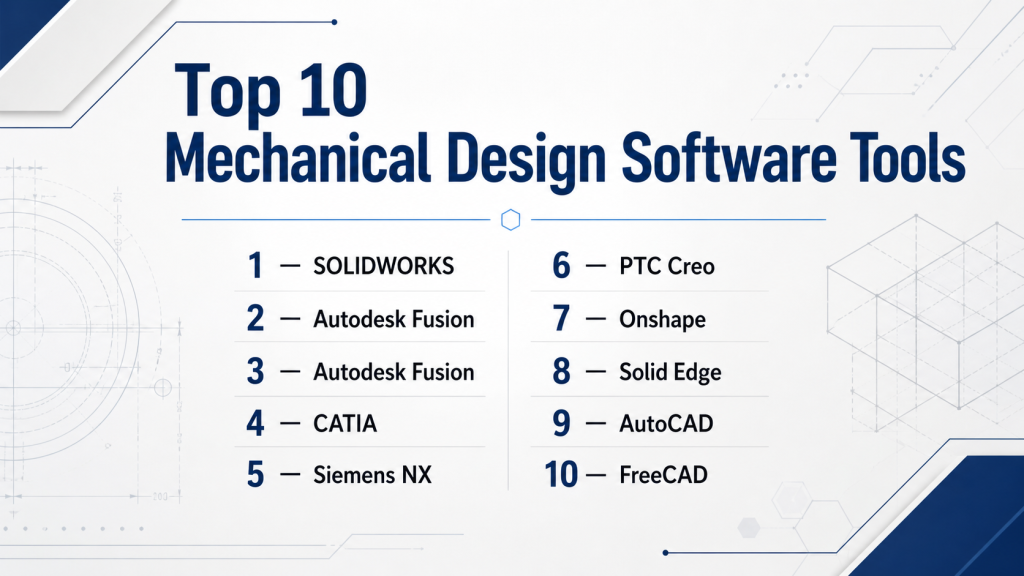
Top 10 Mechanical Design Software Tools
#1 — SOLIDWORKS
Short description (2–3 lines): SOLIDWORKS is one of the most recognized 3D CAD platforms for mechanical design, product development, assemblies, drawings, and engineering workflows. It is widely used by engineers, manufacturers, product designers, and SMB-to-enterprise teams. SOLIDWORKS also offers cloud collaboration and simulation options through its broader ecosystem.
Key Features
- Parametric 3D part and assembly modeling
- 2D manufacturing drawings
- Sheet metal, weldments, molds, and surfacing tools
- Design automation and configuration tools
- Simulation add-ons for stress and motion analysis
- Cloud collaboration and file management options
- Large partner and reseller ecosystem
Pros
- Strong balance of power and usability
- Large learning community and strong industry adoption
- Good fit for manufacturing-focused product teams
Cons
- Premium packages and add-ons can become expensive
- Large assemblies may require strong hardware and careful management
- Some advanced workflows may need extra modules
Platforms / Deployment
Windows; cloud-connected options available. Deployment is mainly desktop with cloud, PDM, and platform-based collaboration options.
Security & Compliance
SSO/SAML, MFA, encryption, RBAC, audit logs: Varies by package and platform configuration.
SOC 2, ISO 27001, GDPR, HIPAA: Not publicly stated.
Integrations & Ecosystem
SOLIDWORKS has one of the strongest ecosystems in mechanical design. It connects with simulation, PDM, CAM, rendering, electrical design, and the broader Dassault Systèmes environment.
- SOLIDWORKS PDM
- SOLIDWORKS Simulation
- 3DEXPERIENCE platform options
- CAM and manufacturing add-ons
- File exchange through common CAD formats
- Large reseller and partner network
Support & Community
SOLIDWORKS has strong documentation, certified training options, reseller support, large forums, user groups, and many third-party learning resources. Enterprise support varies by license and reseller relationship.
#2 — Autodesk Fusion
Short description (2–3 lines): Autodesk Fusion is an integrated product development platform covering CAD, CAM, CAE, PCB, manufacturing, and collaboration. It is especially useful for startups, small manufacturers, product designers, machinists, and teams that want design-to-manufacturing workflows in one platform.
Key Features
- 3D parametric and direct modeling
- Integrated CAD, CAM, CAE, and PCB workflows
- Cloud-based collaboration and project data
- Simulation and generative design options
- Manufacturing and machining workflows
- Electronics and mechanical design connection
- Good fit for rapid prototyping
Pros
- Strong value for small teams and startups
- Useful all-in-one workflow from design to manufacturing
- Easier entry point than many enterprise CAD platforms
Cons
- Cloud dependency may not suit all organizations
- Some advanced features may require paid extensions
- Not always the first choice for very large enterprise assemblies
Platforms / Deployment
Windows / macOS / Web access for some collaboration features. Cloud-connected desktop platform.
Security & Compliance
SSO/SAML, MFA, encryption, RBAC, audit logs: Varies by Autodesk account and plan configuration.
SOC 2, ISO 27001, GDPR, HIPAA: Not publicly stated.
Integrations & Ecosystem
Fusion integrates well with the broader Autodesk environment and supports design, manufacturing, and electronics workflows.
- Autodesk ecosystem
- CAM toolpaths and machining workflows
- PCB design workflows
- Common CAD file imports and exports
- Add-ins and extensions
- Cloud collaboration features
Support & Community
Autodesk provides documentation, learning content, community forums, support plans, and partner resources. Fusion also has a strong maker, startup, and manufacturing community.
#3 — Autodesk Inventor
Short description (2–3 lines): Autodesk Inventor is a professional mechanical design platform focused on 3D modeling, simulation, visualization, and engineering documentation. It is well suited for machine design, equipment design, mechanical product development, and Autodesk-centered engineering teams.
Key Features
- Professional 3D mechanical design tools
- Parametric part and assembly modeling
- Sheet metal, frame, piping, and tube design
- Simulation and motion analysis features
- Drawing and documentation workflows
- Design automation through rules-based technology
- Strong connection with AutoCAD and Autodesk tools
Pros
- Strong choice for mechanical engineering teams
- Good documentation and manufacturing drawing capabilities
- Works well in Autodesk-heavy environments
Cons
- Mostly Windows-focused
- May feel complex for beginners
- Advanced data management may need additional Autodesk tools
Platforms / Deployment
Windows. Deployment is mainly desktop with cloud-connected Autodesk services.
Security & Compliance
SSO/SAML, MFA, encryption, RBAC, audit logs: Varies by Autodesk plan and admin setup.
SOC 2, ISO 27001, GDPR, HIPAA: Not publicly stated.
Integrations & Ecosystem
Inventor fits naturally into the Autodesk product family and supports manufacturing, drafting, and design automation workflows.
- AutoCAD interoperability
- Autodesk Vault
- Fusion workflows
- Common CAD exchange formats
- Automation through iLogic
- Manufacturing and visualization workflows
Support & Community
Inventor has strong official documentation, Autodesk learning content, partner support, forums, and professional training availability. Support level depends on subscription and region.
#4 — CATIA
Short description (2–3 lines): CATIA is a high-end engineering and product design platform used for complex mechanical products, advanced surfaces, large assemblies, systems engineering, and enterprise product development. It is especially strong in aerospace, automotive, industrial equipment, and complex product engineering.
Key Features
- Advanced 3D modeling and mechanical engineering tools
- Complex assembly design
- High-quality surface modeling
- Digital prototyping and simulation workflows
- Systems engineering support
- PLM and enterprise product development integration
- Strong fit for complex, regulated industries
Pros
- Excellent for complex product engineering
- Strong enterprise and PLM alignment
- Suitable for advanced surface and systems design
Cons
- Expensive and complex for smaller teams
- Steeper learning curve than many SMB-focused tools
- Implementation often requires expert support
Platforms / Deployment
Windows / platform-based enterprise deployment. Cloud and platform options vary by package.
Security & Compliance
SSO/SAML, MFA, encryption, RBAC, audit logs: Varies by 3DEXPERIENCE configuration.
SOC 2, ISO 27001, GDPR, HIPAA: Not publicly stated.
Integrations & Ecosystem
CATIA is deeply connected with Dassault Systèmes’ enterprise product development environment and is often used with PLM, simulation, manufacturing, and systems tools.
- 3DEXPERIENCE platform
- ENOVIA PLM ecosystem
- SIMULIA simulation workflows
- DELMIA manufacturing workflows
- Enterprise data management
- CAD exchange formats
Support & Community
CATIA support is generally strong for enterprise customers through Dassault Systèmes, partners, training providers, and implementation consultants. Community resources exist, but the platform is more enterprise-oriented than beginner-friendly.
#5 — Siemens NX
Short description (2–3 lines): Siemens NX is an advanced CAD, CAM, and CAE platform for product engineering, mechanical design, simulation, manufacturing, and complex digital product workflows. It is widely used in demanding industries such as automotive, aerospace, machinery, electronics, and medical devices.
Key Features
- Advanced mechanical product design
- Flexible modeling approaches
- Large assembly handling
- CAD-integrated simulation
- Model-based definition
- Additive manufacturing workflows
- Strong Siemens Xcelerator integration
Pros
- Very strong for enterprise engineering workflows
- Excellent depth across design, simulation, and manufacturing
- Good fit for complex, high-value product development
Cons
- Higher cost and complexity
- Requires skilled users and structured onboarding
- May be too much for simple design needs
Platforms / Deployment
Windows / enterprise platform options. Cloud and SaaS options vary by Siemens offering.
Security & Compliance
SSO/SAML, MFA, encryption, RBAC, audit logs: Varies by Siemens deployment and enterprise configuration.
SOC 2, ISO 27001, GDPR, HIPAA: Not publicly stated.
Integrations & Ecosystem
NX works strongly within Siemens’ broader digital engineering and manufacturing ecosystem.
- Siemens Teamcenter
- Siemens Xcelerator
- NX CAM
- CAD-integrated simulation
- Manufacturing planning workflows
- Common CAD and engineering data exchange
Support & Community
Siemens NX offers enterprise-grade support, documentation, partner services, training, and implementation guidance. It is best supported in structured engineering organizations with clear CAD governance.
#6 — PTC Creo
Short description (2–3 lines): PTC Creo is a professional parametric 3D CAD platform for mechanical design, simulation, generative design, additive manufacturing, and model-based product development. It is a strong fit for manufacturers that need scalable engineering capabilities.
Key Features
- Parametric 3D CAD modeling
- Direct modeling options
- Real-time simulation capabilities
- Generative design
- Additive and subtractive manufacturing workflows
- Composites and advanced design extensions
- Model-based product development
Pros
- Strong engineering depth
- Good support for advanced manufacturing workflows
- Scales well for serious product development teams
Cons
- Learning curve can be significant
- Advanced capabilities may require extensions
- Best value is usually seen in structured engineering environments
Platforms / Deployment
Windows; cloud-connected and enterprise platform options vary by package.
Security & Compliance
SSO/SAML, MFA, encryption, RBAC, audit logs: Varies by PTC deployment and enterprise configuration.
SOC 2, ISO 27001, GDPR, HIPAA: Not publicly stated.
Integrations & Ecosystem
Creo integrates with PTC’s broader product lifecycle, IoT, AR, and engineering ecosystem.
- Windchill PLM
- PTC ThingWorx
- AR and visualization workflows
- Simulation extensions
- Additive manufacturing workflows
- CAD exchange formats
Support & Community
PTC provides official documentation, training, partner support, and enterprise services. Creo also has a mature professional user base, though beginners may need guided onboarding.
#7 — Onshape
Short description (2–3 lines): Onshape is a cloud-native CAD and PDM platform built for real-time collaboration, secure data management, and distributed engineering teams. It is popular among teams that want browser-based CAD, automatic version control, and less desktop IT overhead.
Key Features
- Browser-based 3D CAD
- Built-in PDM
- Real-time collaboration
- Automatic version control
- Secure cloud data management
- Multi-device access
- Custom features and extensibility
Pros
- Excellent for distributed teams
- No traditional file check-in/check-out workflow
- Strong collaboration and version control experience
Cons
- Requires comfort with cloud-first workflows
- Offline-heavy teams may prefer desktop CAD
- Some advanced enterprise workflows may need integration planning
Platforms / Deployment
Web / iOS / Android. Cloud deployment.
Security & Compliance
SSO/SAML, MFA, encryption, RBAC, audit logs: Varies by plan and enterprise configuration.
SOC 2, ISO 27001, GDPR, HIPAA: Not publicly stated.
Integrations & Ecosystem
Onshape focuses on cloud-native CAD, built-in PDM, and connected product development workflows.
- Onshape App Store
- PTC ecosystem
- Arena PLM connection
- APIs and custom features
- CAD import/export workflows
- Cloud collaboration tools
Support & Community
Onshape has documentation, training resources, forums, learning paths, and professional support. Its community is active among cloud-first CAD users, startups, educators, and distributed teams.
#8 — Solid Edge
Short description (2–3 lines): Solid Edge is a Siemens mechanical design portfolio that combines direct modeling and parametric design through synchronous technology. It is often a strong fit for SMBs, manufacturers, machinery designers, and teams looking for capable CAD without always moving to the highest enterprise tier.
Key Features
- 3D part and assembly modeling
- Synchronous technology
- 2D drafting
- Sheet metal design
- Simulation and manufacturing options
- Electrical and wiring design options
- Siemens ecosystem connectivity
Pros
- Good balance of capability and usability
- Strong value for many SMB engineering teams
- Useful synchronous modeling approach
Cons
- Smaller ecosystem than SOLIDWORKS in some regions
- Advanced workflows may need Siemens add-ons
- Mostly Windows-oriented
Platforms / Deployment
Windows. Deployment is mainly desktop with Siemens-connected options.
Security & Compliance
SSO/SAML, MFA, encryption, RBAC, audit logs: Varies by Siemens deployment and license configuration.
SOC 2, ISO 27001, GDPR, HIPAA: Not publicly stated.
Integrations & Ecosystem
Solid Edge connects with Siemens’ wider design and manufacturing ecosystem while also supporting common CAD exchange workflows.
- Siemens Teamcenter options
- Simulation tools
- Manufacturing workflows
- Electrical and wiring design
- CAD file exchange
- Learning and community resources
Support & Community
Solid Edge has official documentation, Siemens learning resources, community editions, webinars, tutorials, and reseller support. Support depth depends on package and region.
#9 — AutoCAD
Short description (2–3 lines): AutoCAD is a widely used CAD platform for precise 2D drafting, 3D design, documentation, and technical drawing workflows. It is not always the deepest mechanical 3D design platform, but it remains important for drafting, layouts, DWG workflows, and mechanical documentation.
Key Features
- 2D drafting and annotation
- 3D modeling with solids, surfaces, and mesh objects
- DWG-based workflows
- Drawing comparison and productivity tools
- Documentation and layout management
- Customization and automation options
- Broad industry compatibility
Pros
- Strong for 2D drafting and documentation
- Familiar to many engineering and design teams
- Excellent DWG ecosystem
Cons
- Not as specialized for advanced mechanical assemblies as Inventor or SOLIDWORKS
- 3D mechanical design depth is limited compared with dedicated MCAD tools
- Better as a drafting platform than full product development software
Platforms / Deployment
Windows / macOS / Web / Mobile. Cloud-connected subscription model.
Security & Compliance
SSO/SAML, MFA, encryption, RBAC, audit logs: Varies by Autodesk account and enterprise plan.
SOC 2, ISO 27001, GDPR, HIPAA: Not publicly stated.
Integrations & Ecosystem
AutoCAD has broad file compatibility and strong integration with Autodesk’s design environment.
- DWG and DXF workflows
- Autodesk ecosystem
- AutoCAD Mechanical toolsets
- Viewer and web access
- APIs and scripting
- Third-party add-ons
Support & Community
AutoCAD has one of the largest CAD user communities, extensive documentation, many training providers, and broad support options. It is easier to find trained users compared with many specialized engineering tools.
#10 — FreeCAD
Short description (2–3 lines): FreeCAD is a free and open-source parametric 3D modeler aimed at designing real-life objects, including mechanical engineering and product design use cases. It is useful for learners, hobbyists, open-source users, and teams that need a no-cost parametric CAD option.
Key Features
- Open-source parametric 3D modeling
- Part and assembly workflows through workbenches
- 2D drawing and technical views
- Addon manager and community modules
- Python extensibility
- 3D printing and CNC-related workflows
- FEM support through available workbenches
Pros
- Free and open-source
- Highly customizable and scriptable
- Good learning tool for parametric modeling concepts
Cons
- Less polished than premium commercial CAD tools
- Support depends heavily on community resources
- Advanced professional workflows may require effort and customization
Platforms / Deployment
Windows / macOS / Linux. Self-managed desktop deployment.
Security & Compliance
SSO/SAML, MFA, encryption, RBAC, audit logs: Not publicly stated.
SOC 2, ISO 27001, GDPR, HIPAA: Not publicly stated.
Integrations & Ecosystem
FreeCAD is modular and extensible, with community workbenches and Python-based customization.
- Addon manager
- Python scripting
- STEP, IGES, STL, and other file workflows
- Community workbenches
- FEM-related workbenches
- Open-source development ecosystem
Support & Community
FreeCAD has an active open-source community, documentation, forums, tutorials, and community-driven development. Formal enterprise support is limited compared with commercial tools.
Comparison Table
| Tool Name | Best For | Platform(s) Supported | Deployment | Standout Feature | Public Rating |
|---|---|---|---|---|---|
| SOLIDWORKS | SMB and professional product design teams | Windows | Desktop + cloud-connected options | Strong 3D CAD with broad ecosystem | N/A |
| Autodesk Fusion | Startups, makers, small manufacturers | Windows, macOS, Web collaboration | Cloud-connected desktop | Integrated CAD, CAM, CAE, PCB | N/A |
| Autodesk Inventor | Mechanical engineering and machine design | Windows | Desktop + cloud-connected options | Professional mechanical design with Autodesk ecosystem | N/A |
| CATIA | Aerospace, automotive, complex enterprise products | Windows / enterprise platform options | Hybrid / enterprise platform | Complex assemblies and advanced surfaces | N/A |
| Siemens NX | Enterprise product engineering and manufacturing | Windows / enterprise options | Hybrid / SaaS options vary | CAD, CAM, CAE, and MBD depth | N/A |
| PTC Creo | Manufacturers needing scalable CAD and simulation | Windows | Desktop + enterprise options | Parametric CAD with generative design | N/A |
| Onshape | Distributed teams and cloud-first CAD users | Web, iOS, Android | Cloud | Real-time CAD collaboration with built-in PDM | N/A |
| Solid Edge | SMB manufacturers and machinery teams | Windows | Desktop + connected options | Synchronous technology | N/A |
| AutoCAD | 2D drafting and technical documentation | Windows, macOS, Web, Mobile | Cloud-connected subscription | DWG-based drafting ecosystem | N/A |
| FreeCAD | Learners, hobbyists, open-source users | Windows, macOS, Linux | Self-managed desktop | Free open-source parametric CAD | N/A |
Evaluation & Scoring of Mechanical Design Software
Scoring is comparative and based on practical buyer fit, feature depth, ecosystem strength, deployment flexibility, and expected real-world usability. It is not a public rating and should not be treated as a universal ranking.
| Tool Name | Core (25%) | Ease (15%) | Integrations (15%) | Security (10%) | Performance (10%) | Support (10%) | Value (15%) | Weighted Total (0–10) |
|---|---|---|---|---|---|---|---|---|
| SOLIDWORKS | 9 | 8 | 9 | 7 | 8 | 9 | 7 | 8.20 |
| Autodesk Fusion | 8 | 8 | 8 | 7 | 7 | 8 | 9 | 8.00 |
| Autodesk Inventor | 8 | 7 | 8 | 7 | 8 | 8 | 7 | 7.65 |
| CATIA | 10 | 5 | 9 | 8 | 9 | 8 | 5 | 8.05 |
| Siemens NX | 10 | 6 | 9 | 8 | 9 | 8 | 6 | 8.30 |
| PTC Creo | 9 | 6 | 8 | 7 | 8 | 8 | 7 | 7.85 |
| Onshape | 8 | 8 | 8 | 8 | 8 | 8 | 8 | 8.00 |
| Solid Edge | 8 | 7 | 7 | 7 | 8 | 7 | 8 | 7.50 |
| AutoCAD | 6 | 8 | 8 | 7 | 8 | 9 | 7 | 7.25 |
| FreeCAD | 6 | 5 | 6 | 4 | 6 | 6 | 10 | 6.10 |
How to interpret these scores:
- A higher score means stronger overall fit across the selected criteria, not that the tool is best for every company.
- Enterprise tools score high in depth but may score lower in ease and value for small teams.
- Cloud-first tools score well for collaboration and deployment simplicity.
- Free and open-source tools can offer excellent value but may require more self-support.
- The final shortlist should be based on your workflow, file requirements, team size, and security needs.
Which Mechanical Design Software Tool Is Right for You?
Solo / Freelancer
Solo designers should focus on cost, learning curve, file compatibility, and how quickly they can produce useful models and drawings.
Good options:
- Autodesk Fusion for product design, prototyping, CAM, and general mechanical work
- FreeCAD for open-source users and budget-conscious learners
- AutoCAD for drafting-heavy freelance work
- Solid Edge Community Edition or trial options where available for mechanical design learning
Avoid buying enterprise-heavy tools too early unless your client work specifically requires CATIA, NX, Creo, or SOLIDWORKS files.
SMB
Small and mid-sized manufacturers need a balance of capability, support, collaboration, and price.
Good options:
- SOLIDWORKS for mainstream mechanical design and manufacturing
- Autodesk Inventor for Autodesk-centered mechanical teams
- Fusion for design-to-manufacturing workflows
- Solid Edge for strong mechanical CAD value
- Onshape for remote teams and cloud-first collaboration
SMBs should evaluate reseller support, license flexibility, training cost, file compatibility, and PDM needs before making a final choice.
Mid-Market
Mid-market companies usually need stronger governance, better CAD data management, standardized templates, and integration with ERP, PLM, CAM, or simulation tools.
Good options:
- SOLIDWORKS with PDM
- Autodesk Inventor with Vault
- Onshape for cloud-native collaboration
- PTC Creo for deeper engineering workflows
- Solid Edge with Siemens ecosystem options
The right choice depends on whether the company values ease, cloud collaboration, manufacturing integration, or advanced engineering depth.
Enterprise
Enterprise buyers need scalability, security, PLM integration, supplier collaboration, complex assembly performance, compliance, and long-term product lifecycle control.
Good options:
- Siemens NX for advanced product engineering and manufacturing integration
- CATIA for aerospace, automotive, and complex systems
- PTC Creo for scalable manufacturing and product lifecycle workflows
- SOLIDWORKS for broad engineering teams with strong adoption
- Onshape Enterprise for cloud-native distributed design teams
Large companies should run structured pilots, test real assembly files, validate PLM integration, and involve IT/security early.
Budget vs Premium
For budget-sensitive users, FreeCAD, Fusion, and selected Solid Edge options may offer practical entry points. For premium engineering depth, CATIA, Siemens NX, PTC Creo, and SOLIDWORKS are stronger choices.
Budget tools are useful when cost is the main constraint. Premium tools make sense when design complexity, supplier requirements, manufacturing accuracy, and lifecycle management justify the investment.
Feature Depth vs Ease of Use
If ease of use matters most, consider Fusion, SOLIDWORKS, Onshape, or Solid Edge. If feature depth matters more than learning curve, consider Siemens NX, CATIA, or PTC Creo.
A tool with more features is not always better. Teams should choose the platform they can adopt, govern, and use consistently.
Integrations & Scalability
If your workflow depends on PLM, simulation, CAM, ERP, or supplier collaboration, integrations matter heavily.
Strong choices include:
- Siemens NX for Siemens ecosystem alignment
- CATIA for Dassault Systèmes enterprise workflows
- PTC Creo for PTC product lifecycle workflows
- SOLIDWORKS for broad partner ecosystem
- Autodesk Inventor and Fusion for Autodesk-centered teams
- Onshape for cloud-native API and collaboration workflows
Security & Compliance Needs
If your designs contain sensitive intellectual property, do not evaluate CAD only from the designer’s view. Involve IT, security, compliance, and legal teams.
Check for:
- SSO and MFA
- Role-based access control
- Audit logs
- Encryption
- Secure supplier sharing
- Data residency expectations
- Backup and recovery controls
- Admin visibility
- Contractual security documentation
For cloud CAD, security review is especially important. For desktop CAD, endpoint security, file storage, PDM, VPN, and access governance matter just as much.
Frequently Asked Questions (FAQs)
What is mechanical design software?
Mechanical design software helps engineers create 2D drawings, 3D models, assemblies, and manufacturing documentation. It is used to design products, machines, parts, tools, and systems before they are built.
Is mechanical design software the same as CAD software?
CAD software is a major part of mechanical design software, but mechanical design tools may also include simulation, CAM, PDM, PLM, rendering, documentation, and design automation.
Which mechanical design software is best for beginners?
Autodesk Fusion, Onshape, FreeCAD, and AutoCAD are often easier entry points depending on the use case. Beginners should start with simple part modeling, drawings, and file export workflows before moving to advanced assemblies.
Which tool is best for professional mechanical engineers?
SOLIDWORKS, Autodesk Inventor, PTC Creo, Siemens NX, CATIA, and Solid Edge are strong professional choices. The best option depends on industry, company standards, file requirements, and project complexity.
Which mechanical design software is best for large enterprises?
Siemens NX, CATIA, PTC Creo, and SOLIDWORKS are common enterprise-level choices. Enterprises should also evaluate PLM integration, supplier workflows, data governance, and security requirements.
Is FreeCAD good enough for professional work?
FreeCAD can be useful for learning, open-source projects, hobby work, and some practical design tasks. For production-heavy enterprise workflows, commercial CAD tools often provide stronger support, stability, documentation, and integration.
What pricing models are common in mechanical design software?
Most commercial tools use subscription licensing, named-user plans, enterprise contracts, or modular add-ons. Some tools offer free trials, education versions, startup programs, or community editions.
What are common mistakes when choosing mechanical design software?
Common mistakes include choosing based only on price, ignoring file compatibility, skipping pilot testing, underestimating training needs, and not checking PDM or data management requirements.
How long does implementation usually take?
Small teams can often start quickly, especially with cloud or simpler desktop tools. Larger teams may need structured onboarding, templates, libraries, permissions, migration planning, and integration setup.
How important are integrations?
Integrations are very important if the design workflow connects with simulation, CAM, PLM, ERP, document control, or supplier collaboration. Poor integration can create duplicate work and version confusion.
Can I switch from one CAD tool to another easily?
Switching is possible, but it can be difficult when teams have years of native CAD files, templates, drawings, libraries, and workflows. Always test file migration and supplier compatibility before switching.
Is cloud CAD safe for mechanical design?
Cloud CAD can be safe when the vendor provides strong security controls and the buyer configures access properly. Always review SSO, MFA, encryption, audit logs, admin controls, and contract terms.
Do I need simulation inside my CAD software?
If you regularly check stress, motion, thermal behavior, or performance, integrated simulation can save time. For highly advanced analysis, dedicated CAE tools may still be needed.
What is the best alternative to expensive CAD tools?
FreeCAD, Fusion, Onshape, and some Solid Edge options can be practical alternatives depending on budget and project complexity. The right choice depends on professional needs, not only license cost.
Conclusion
Mechanical design software is not a one-size-fits-all category. A freelancer creating small product models, a startup building prototypes, a machine shop preparing manufacturing files, and an aerospace enterprise managing complex assemblies all need different levels of capability. SOLIDWORKS, Fusion, Inventor, Onshape, and Solid Edge are strong practical choices for many everyday engineering teams. CATIA, Siemens NX, and PTC Creo are better suited for advanced enterprise engineering, complex products, and lifecycle-driven workflows. AutoCAD remains valuable for drafting and documentation, while FreeCAD gives learners and open-source users a flexible starting point.
