Upgrade & Secure Your Future with DevOps, SRE, DevSecOps, MLOps!
We spend hours scrolling social media and waste money on things we forget, but won’t spend 30 minutes a day earning certifications that can change our lives.
Master in DevOps, SRE, DevSecOps & MLOps by DevOps School!
Learn from Guru Rajesh Kumar and double your salary in just one year.
Introduction
Physics Engines are software tools that help developers simulate real-world physical behavior inside games, simulations, robotics systems, training apps, AR/VR experiences, digital twins, and engineering prototypes. In simple words, a physics engine makes objects fall, collide, bounce, roll, break, slide, float, stack, move, and react in a believable way.
Physics engines matter because modern applications need more realistic and interactive environments. Games need believable movement and collisions. Robotics teams need simulation before real-world testing. AR/VR apps need natural interaction. Training simulations need safety and accuracy. Digital twins need behavior modeling for machines, vehicles, and environments.
Common use cases include:
- Game physics and collision detection
- Vehicle and robotics simulation
- AR/VR interaction physics
- Ragdoll and character movement
- Industrial simulation and digital twins
- 2D platformer and puzzle physics
- Research and reinforcement learning environments
Buyers should evaluate:
- Rigid body simulation quality
- Soft body, cloth, and destruction support
- Collision detection accuracy
- Performance and scalability
- Determinism and replay support
- Engine integration
- Multithreading and GPU support
- Documentation and community
- Licensing and commercial use
- Fit for games, robotics, research, or simulation
Best for: Game developers, simulation engineers, robotics teams, AR/VR developers, technical artists, digital twin teams, physics programmers, research labs, indie studios, and enterprise training teams.
Not ideal for: Teams that only need simple animations, non-interactive visuals, static 3D scenes, or basic UI effects. In those cases, animation tools, game engine defaults, or lightweight motion systems may be enough.
Key Trends in Physics Engines
- Real-time simulation is becoming more demanding: Games, VR, robotics, and digital twins need faster and more stable physics while maintaining smooth frame rates.
- Robotics and AI simulation are growing fast: Physics engines are now important for robot training, reinforcement learning, synthetic data, autonomous systems, and control testing.
- Deterministic physics is becoming more valuable: Multiplayer games, replay systems, esports titles, and networked simulations need predictable physics behavior across machines.
- GPU acceleration is gaining attention: More teams are exploring GPU-based physics for particles, cloth, fluids, destruction, and large-scale simulation workloads.
- Physics and AI are becoming connected: AI agents need simulated environments to learn movement, grasping, balance, navigation, and interaction with physical objects.
- Open-source engines are gaining practical adoption: Tools like Bullet, Box2D, Jolt Physics, MuJoCo, Project Chrono, and ODE are useful for teams that need control, transparency, and cost flexibility.
- AR/VR physics needs comfort-first design: Realistic interaction is important, but physics must also feel stable, responsive, and comfortable for users.
- Large-world simulation is becoming harder: Open-world games and digital twin environments need physics that can scale across big spaces without instability.
- Engine-native physics is improving: Unreal Engine, Unity, and other platforms continue to include stronger built-in physics workflows, reducing the need for custom integration in many projects.
- Security and governance matter in enterprise simulation: Physics engines used in defense, healthcare, robotics, or industrial training may need controlled repositories, IP protection, and safe deployment workflows.
How We Selected These Tools
The tools below were selected using a practical buyer-focused evaluation method:
- Strong recognition in game development, robotics, simulation, or research workflows
- Feature completeness across collision detection, rigid bodies, constraints, joints, and real-time simulation
- Fit for different users, including indie developers, studios, researchers, robotics teams, and enterprises
- Integration with popular engines, frameworks, robotics platforms, and programming languages
- Performance and stability signals for real-time interactive applications
- Availability of documentation, examples, tutorials, and community support
- Licensing practicality for commercial and research projects
- Ability to handle 2D, 3D, robotics, vehicle, character, or scientific simulation use cases
- Long-term ecosystem relevance and active usage
- Balance of commercial, open-source, game-engine-native, and research-focused tools
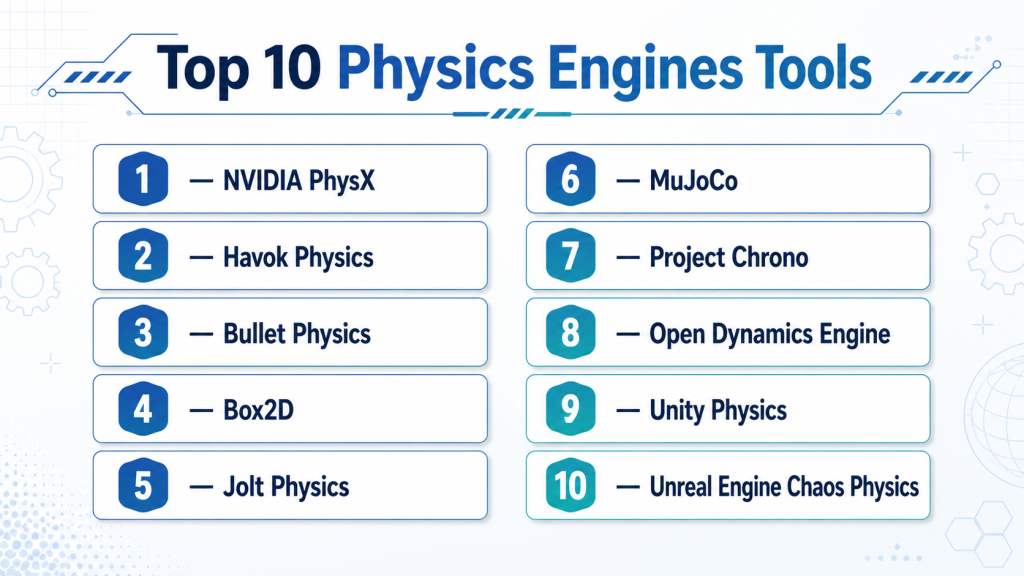
Top 10 Physics Engines Tools
#1 — NVIDIA PhysX
Short description: NVIDIA PhysX is a physics engine used for real-time simulation in games, robotics, visualization, and interactive applications. It is best for teams that need mature 3D physics, rigid body simulation, collision handling, and GPU-aware workflows.
Key Features
- Rigid body dynamics
- Collision detection
- Character controller support
- Vehicle physics support
- Cloth and particle-related workflows depending on integration
- GPU acceleration support in selected workflows
- Integration with major real-time 3D pipelines
Pros
- Mature and widely recognized physics technology
- Strong fit for real-time 3D simulation and games
- Useful where performance and hardware acceleration matter
Cons
- Advanced integration may require physics programming expertise
- GPU-related workflows can depend on platform and setup
- Not always the simplest option for small 2D projects
Platforms / Deployment
Windows / Linux / selected platform support varies by integration
Self-hosted / Hybrid options vary by project setup
Security & Compliance
SSO/SAML, MFA, encryption, audit logs, RBAC: Not publicly stated.
SOC 2, ISO 27001, GDPR, HIPAA: Not publicly stated.
Integrations & Ecosystem
NVIDIA PhysX is commonly used in real-time graphics, simulation, and game development environments. It can fit into custom engines, simulation tools, and selected NVIDIA workflows.
- Real-time 3D engines
- Robotics simulation workflows
- NVIDIA GPU ecosystem
- Custom C++ applications
- Game development pipelines
- Visualization and simulation systems
Support & Community
PhysX has documentation, sample code, community knowledge, and long-term recognition in game and simulation development. Support quality depends on the specific integration and vendor ecosystem.
#2 — Havok Physics
Short description : Havok Physics is a commercial physics engine used in many professional game and simulation workflows. It is best for studios that need production-grade rigid body physics, collision, character interaction, and enterprise-level support.
Key Features
- Rigid body simulation
- Collision detection and response
- Constraint and joint systems
- Character physics workflows
- Performance-focused real-time simulation
- Large-scale game production support
- Integration with professional game pipelines
Pros
- Strong history in professional game development
- Good fit for large commercial projects
- Mature technology for production workflows
Cons
- Commercial licensing may not suit small teams
- Public technical details can be limited
- Best value usually appears in larger studio environments
Platforms / Deployment
Windows / console / selected platforms vary by license and project
Self-hosted / Hybrid options vary
Security & Compliance
SSO/SAML, MFA, encryption, audit logs, RBAC: Not publicly stated.
SOC 2, ISO 27001, GDPR, HIPAA: Not publicly stated.
Integrations & Ecosystem
Havok is commonly associated with professional game engines and large-scale game production environments.
- Commercial game engines
- Custom engine workflows
- Console development pipelines
- Character physics systems
- Collision and constraint workflows
- Studio build pipelines
Support & Community
Havok support is generally more commercial and partner-driven than community-driven. Public community resources are more limited compared with open-source engines.
#3 — Bullet Physics
Short description: Bullet Physics is an open-source physics engine used for games, robotics, simulation, visual effects, and research. It is best for developers who need flexible 3D physics with source-level control and broad adoption.
Key Features
- Rigid body dynamics
- Collision detection
- Soft body simulation
- Constraint solver
- Vehicle simulation support
- C++ API with bindings and integrations
- Open-source licensing
Pros
- Free and open-source
- Strong fit for research, games, and robotics prototypes
- Flexible for custom engine integration
Cons
- Requires technical knowledge for advanced use
- Documentation quality can vary by use case
- May need tuning for high-end production workflows
Platforms / Deployment
Windows / macOS / Linux / Android / iOS support varies by build
Self-hosted
Security & Compliance
SSO/SAML, MFA, encryption, audit logs, RBAC: Not publicly stated.
SOC 2, ISO 27001, GDPR, HIPAA: Not publicly stated.
Integrations & Ecosystem
Bullet has been used across games, robotics, simulation, and visual effects workflows. Its open-source nature makes it flexible for custom use cases.
- Custom C++ engines
- Robotics simulation workflows
- Blender-related workflows
- Python bindings and research use
- Game development pipelines
- Academic and experimental projects
Support & Community
Bullet has community documentation, examples, open-source discussions, and long-term usage in research and development. Formal enterprise support is limited.
#4 — Box2D
Short description: Box2D is a popular open-source 2D physics engine used for games, simulations, puzzle games, platformers, and lightweight interactive applications. It is best for developers who need stable and efficient 2D rigid body physics.
Key Features
- 2D rigid body simulation
- Collision detection
- Joints and constraints
- Continuous collision handling
- Contact callbacks
- Lightweight C++ implementation
- Strong use in 2D games
Pros
- Excellent for 2D game physics
- Lightweight and efficient
- Strong community knowledge and many engine integrations
Cons
- Focused on 2D only
- Not suitable for 3D simulation
- Advanced gameplay behavior still requires custom coding
Platforms / Deployment
Windows / macOS / Linux / Web / mobile support varies by integration
Self-hosted
Security & Compliance
SSO/SAML, MFA, encryption, audit logs, RBAC: Not publicly stated.
SOC 2, ISO 27001, GDPR, HIPAA: Not publicly stated.
Integrations & Ecosystem
Box2D is widely integrated into game engines, frameworks, and educational projects.
- 2D game engines
- Custom C++ projects
- JavaScript and web ports
- Mobile game workflows
- Educational physics projects
- Indie game pipelines
Support & Community
Box2D has strong community support, examples, tutorials, and long-term adoption among 2D game developers. Formal enterprise support is limited.
#5 — Jolt Physics
Short description : Jolt Physics is a modern open-source 3D physics engine designed for games and real-time simulation. It is best for developers who need high-performance rigid body physics, multithreading, and modern C++ workflows.
Key Features
- 3D rigid body simulation
- Collision detection
- Multithreaded architecture
- Character controller support
- Vehicle constraint support
- Modern C++ design
- Open-source availability
Pros
- Modern architecture for real-time physics
- Good performance focus
- Useful for custom engines and game development
Cons
- Smaller ecosystem than older engines
- Requires technical integration effort
- Less suitable for non-programmers
Platforms / Deployment
Windows / macOS / Linux support varies by build
Self-hosted
Security & Compliance
SSO/SAML, MFA, encryption, audit logs, RBAC: Not publicly stated.
SOC 2, ISO 27001, GDPR, HIPAA: Not publicly stated.
Integrations & Ecosystem
Jolt Physics is useful for modern C++ engine development and real-time interactive projects.
- Custom game engines
- C++ development workflows
- Game simulation systems
- Character movement systems
- Vehicle and collision workflows
- Open-source engine integrations
Support & Community
Jolt has growing community support, documentation, examples, and active developer interest. It is newer than some long-established physics engines, so ecosystem size may be smaller.
#6 — MuJoCo
Short description : MuJoCo is a physics engine focused on robotics, biomechanics, control, reinforcement learning, and research-grade simulation. It is best for robotics researchers, AI labs, control engineers, and teams training agents in simulated environments.
Key Features
- Robotics and control simulation
- Articulated body dynamics
- Contact-rich simulation
- Reinforcement learning workflows
- Fast simulation performance
- XML-based model definition
- Python and research ecosystem support
Pros
- Strong for robotics and AI research
- Useful for reinforcement learning and control tasks
- Good fit for articulated systems and contact simulation
Cons
- Not designed as a general game physics engine
- Requires research or robotics knowledge
- Visual environment tools may not match full game engines
Platforms / Deployment
Windows / macOS / Linux
Self-hosted / research and cloud workflows vary
Security & Compliance
SSO/SAML, MFA, encryption, audit logs, RBAC: Not publicly stated.
SOC 2, ISO 27001, GDPR, HIPAA: Not publicly stated.
Integrations & Ecosystem
MuJoCo is common in robotics, AI, and reinforcement learning environments.
- Python workflows
- Reinforcement learning frameworks
- Robotics control systems
- Research environments
- Simulation benchmarks
- Custom robot models
Support & Community
MuJoCo has strong research community usage, documentation, examples, and growing educational resources. Formal enterprise support varies by use case.
#7 — Project Chrono
Short description: Project Chrono is an open-source physics-based simulation engine focused on multibody dynamics, vehicle simulation, robotics, granular dynamics, and scientific computing. It is best for engineering simulation, research, robotics, and mobility studies.
Key Features
- Multibody dynamics
- Vehicle simulation modules
- Granular and terrain interaction support
- Robotics simulation workflows
- Fluid and continuum-related modules depending on setup
- C++ and Python interfaces
- Open-source scientific simulation focus
Pros
- Strong for engineering and research simulation
- Good fit for vehicle and mobility studies
- Open-source and extensible
Cons
- More technical than game-focused engines
- Requires simulation and engineering knowledge
- Not ideal for simple game physics use cases
Platforms / Deployment
Windows / macOS / Linux
Self-hosted / research and HPC workflows vary
Security & Compliance
SSO/SAML, MFA, encryption, audit logs, RBAC: Not publicly stated.
SOC 2, ISO 27001, GDPR, HIPAA: Not publicly stated.
Integrations & Ecosystem
Project Chrono is used in engineering, robotics, mobility, and scientific simulation workflows.
- C++ applications
- Python workflows
- Vehicle simulation pipelines
- Robotics research
- HPC environments
- Scientific visualization tools
Support & Community
Project Chrono has academic and research community support, documentation, examples, and open-source development. Enterprise support is limited unless provided through specialist partners.
#8 — Open Dynamics Engine
Short description : Open Dynamics Engine, often called ODE, is an open-source physics engine for simulating rigid body dynamics and collisions. It is useful for research, robotics prototypes, older game projects, and lightweight custom simulations.
Key Features
- Rigid body dynamics
- Collision detection
- Joint and constraint systems
- Open-source C/C++ workflow
- Lightweight simulation capabilities
- Useful for robotics and research prototypes
- Flexible custom integration
Pros
- Open-source and lightweight
- Useful for custom simulation experiments
- Good historical adoption in robotics and simulation
Cons
- Older ecosystem compared with modern engines
- Documentation and tooling may feel dated
- Less suitable for high-end modern game production
Platforms / Deployment
Windows / macOS / Linux
Self-hosted
Security & Compliance
SSO/SAML, MFA, encryption, audit logs, RBAC: Not publicly stated.
SOC 2, ISO 27001, GDPR, HIPAA: Not publicly stated.
Integrations & Ecosystem
ODE is often used in custom physics, robotics, and academic simulation environments.
- C/C++ projects
- Robotics prototypes
- Research simulations
- Custom engine workflows
- Lightweight physics demos
- Open-source development pipelines
Support & Community
ODE has community-driven resources and historical usage, but active ecosystem strength may be smaller than newer or more popular engines.
#9 — Unity Physics
Short description: Unity Physics is a physics solution within the Unity ecosystem, especially useful for projects built with Unity’s data-oriented technology workflows. It is best for Unity developers who need integrated physics for games, simulations, and interactive apps.
Key Features
- Integrated Unity physics workflow
- Rigid body simulation
- Collision detection
- ECS and data-oriented workflow support
- Cross-platform deployment through Unity
- Visual editor integration
- Works with Unity scene and asset systems
Pros
- Good fit for Unity-based projects
- Easier integration for Unity teams
- Useful for cross-platform games and simulations
Cons
- Mostly relevant inside Unity workflows
- Advanced physics may require tuning
- Not a standalone general-purpose physics engine for all teams
Platforms / Deployment
Windows / macOS / Linux editor support varies
Deployment to Unity-supported platforms varies by project
Security & Compliance
SSO/SAML, MFA, encryption, audit logs, RBAC: Varies by Unity services and enterprise setup.
SOC 2, ISO 27001, GDPR, HIPAA: Not publicly stated.
Integrations & Ecosystem
Unity Physics fits naturally into Unity’s real-time development environment.
- Unity Editor
- Unity ECS workflows
- Unity asset pipeline
- Unity version control options
- XR and mobile workflows
- CI/CD and build pipelines
Support & Community
Unity provides documentation, learning resources, forums, and enterprise support options. Community strength is high because Unity has a large developer base.
#10 — Unreal Engine Chaos Physics
Short description : Chaos Physics is Unreal Engine’s built-in physics and destruction system for real-time simulation. It is best for Unreal developers building games, cinematic scenes, destruction systems, vehicles, and interactive 3D environments.
Key Features
- Rigid body simulation
- Collision detection
- Destruction and fracture workflows
- Vehicle physics support
- Cloth and character-related workflows depending on setup
- Unreal Editor integration
- Real-time game and simulation support
Pros
- Deeply integrated into Unreal Engine
- Strong for destruction and cinematic physics
- Good fit for high-quality 3D games and simulation
Cons
- Mostly useful inside Unreal Engine
- Advanced tuning requires technical skill
- Performance optimization is important for complex scenes
Platforms / Deployment
Windows / macOS / Linux editor support varies
Deployment to Unreal-supported platforms varies by project
Security & Compliance
SSO/SAML, MFA, encryption, audit logs, RBAC: Varies by Epic services and enterprise setup.
SOC 2, ISO 27001, GDPR, HIPAA: Not publicly stated.
Integrations & Ecosystem
Chaos Physics is part of Unreal Engine’s wider real-time 3D ecosystem.
- Unreal Editor
- Blueprint workflows
- C++ gameplay systems
- Sequencer
- Niagara and VFX workflows
- Unreal build and source control pipelines
Support & Community
Unreal Engine has strong documentation, forums, sample projects, learning resources, and professional community support. Enterprise support options vary by agreement.
Comparison Table
| Tool Name | Best For | Platform(s) Supported | Deployment (Cloud/Self-hosted/Hybrid) | Standout Feature | Public Rating |
|---|---|---|---|---|---|
| NVIDIA PhysX | Real-time 3D physics and simulation | Windows, Linux, varies by integration | Self-hosted / Hybrid options vary | Mature 3D physics with GPU-aware workflows | N/A |
| Havok Physics | Professional game studio physics | Windows, console, varies by license | Self-hosted / Hybrid options vary | Production-grade commercial game physics | N/A |
| Bullet Physics | Open-source 3D physics and research | Windows, macOS, Linux, mobile varies | Self-hosted | Flexible open-source 3D physics | N/A |
| Box2D | 2D games and lightweight simulations | Windows, macOS, Linux, Web, mobile varies | Self-hosted | Efficient 2D rigid body physics | N/A |
| Jolt Physics | Modern C++ real-time 3D physics | Windows, macOS, Linux varies | Self-hosted | Multithreaded modern physics architecture | N/A |
| MuJoCo | Robotics, control, and AI research | Windows, macOS, Linux | Self-hosted | Contact-rich robotics simulation | N/A |
| Project Chrono | Engineering and vehicle simulation | Windows, macOS, Linux | Self-hosted | Multibody and vehicle dynamics simulation | N/A |
| Open Dynamics Engine | Lightweight rigid body simulation | Windows, macOS, Linux | Self-hosted | Open-source rigid body dynamics | N/A |
| Unity Physics | Unity-based games and simulations | Unity-supported platforms | Self-hosted / Hybrid | Integrated Unity physics workflow | N/A |
| Unreal Engine Chaos Physics | Unreal games and destruction workflows | Unreal-supported platforms | Self-hosted / Hybrid | Built-in Unreal destruction and physics | N/A |
Evaluation & Scoring of Physics Engines
The scoring below is comparative. It reflects core physics features, ease of use, ecosystem strength, security signals, performance, support, and price/value. It is not a public rating.
| Tool Name | Core (25%) | Ease (15%) | Integrations (15%) | Security (10%) | Performance (10%) | Support (10%) | Value (15%) | Weighted Total (0–10) |
|---|---|---|---|---|---|---|---|---|
| NVIDIA PhysX | 9 | 6 | 8 | 5 | 9 | 7 | 8 | 7.55 |
| Havok Physics | 9 | 5 | 8 | 6 | 9 | 8 | 5 | 7.25 |
| Bullet Physics | 8 | 6 | 8 | 4 | 7 | 7 | 10 | 7.35 |
| Box2D | 8 | 8 | 8 | 4 | 9 | 8 | 10 | 8.05 |
| Jolt Physics | 8 | 6 | 7 | 4 | 9 | 6 | 9 | 7.25 |
| MuJoCo | 9 | 5 | 8 | 5 | 9 | 8 | 8 | 7.65 |
| Project Chrono | 9 | 4 | 7 | 4 | 8 | 7 | 9 | 7.10 |
| Open Dynamics Engine | 6 | 5 | 5 | 3 | 6 | 5 | 8 | 5.45 |
| Unity Physics | 8 | 8 | 9 | 7 | 8 | 9 | 8 | 8.10 |
| Unreal Engine Chaos Physics | 9 | 7 | 9 | 7 | 8 | 9 | 8 | 8.25 |
How to interpret the scores:
- Higher scores indicate stronger overall fit across the selected criteria, not a universal winner.
- Game-engine-native options score well for ease and integration if your project already uses that engine.
- Open-source physics engines score strongly for value and control.
- Robotics-focused engines score high for research and simulation accuracy but may be harder for general game teams.
- Final selection should be based on your project type, platform, performance needs, and team skill.
Which Physics Engines Tool Is Right for You?
Solo / Freelancer
Solo developers should choose a physics engine that matches their project scope and technical skill.
Good choices include:
- Box2D for 2D games and simple simulations
- Bullet Physics for open-source 3D physics
- Jolt Physics for modern 3D custom engine work
- Unity Physics if already building in Unity
- Unreal Engine Chaos Physics if already building in Unreal
- MuJoCo for robotics or AI research projects
Freelancers should avoid complex commercial physics stacks unless a client specifically requires them. For most projects, built-in engine physics or open-source tools are enough.
SMB
Small and mid-sized studios need stability, documentation, affordable licensing, and easy integration with existing tools.
Good choices include:
- Unity Physics for Unity-based games, XR apps, and simulations
- Unreal Engine Chaos Physics for Unreal-based 3D projects
- Bullet Physics for custom open-source 3D workflows
- Box2D for 2D game production
- Jolt Physics for custom real-time engines
- MuJoCo for AI and robotics teams
SMBs should focus on team skill, platform compatibility, performance requirements, and long-term maintainability.
Mid-Market
Mid-market teams often need reliable physics behavior, multiplayer support, simulation testing, source control, CI/CD, and performance profiling.
Good choices include:
- Unreal Engine Chaos Physics for high-quality 3D and destruction workflows
- Unity Physics for scalable Unity-based production
- NVIDIA PhysX for custom 3D simulation and GPU-aware workflows
- Bullet Physics for flexible open-source control
- Havok Physics for professional game production where licensing fits
- MuJoCo or Project Chrono for robotics, vehicle, or scientific simulation
Mid-market teams should test determinism, networking behavior, object counts, collision stability, and target hardware early.
Enterprise
Enterprise users may need physics engines for training simulation, digital twins, robotics, safety testing, defense simulation, autonomous systems, or large-scale game production.
Good choices include:
- Havok Physics for professional game studio workflows
- NVIDIA PhysX for real-time simulation and hardware-aware use cases
- Unreal Engine Chaos Physics for enterprise visualization and simulation
- Unity Physics for cross-platform training and XR applications
- MuJoCo for robotics and AI control systems
- Project Chrono for engineering and vehicle simulation
Enterprise buyers should involve engineering, simulation experts, IT, security, legal, and procurement teams before standardizing on a physics engine.
Budget vs Premium
For budget-focused teams, Box2D, Bullet Physics, Jolt Physics, MuJoCo, Project Chrono, and Open Dynamics Engine are practical options because they are open-source or commonly accessible for research and development workflows.
Premium options such as Havok Physics or commercial-supported engine workflows may make sense when production risk, support needs, platform requirements, or commercial game quality justify the cost.
Feature Depth vs Ease of Use
If ease of use matters most, choose built-in physics from Unity Physics or Unreal Engine Chaos Physics, especially if your team already uses those engines.
If feature depth matters most, consider NVIDIA PhysX, Havok Physics, Bullet Physics, MuJoCo, or Project Chrono, depending on whether the work is game physics, robotics, research, or engineering simulation.
For 2D games, Box2D remains one of the most practical options. For robotics and learning-based control, MuJoCo is more relevant than general-purpose game physics engines.
Integrations & Scalability
Physics engines must fit into the larger production pipeline. A powerful physics engine can still fail if it does not integrate well with rendering, animation, networking, AI, robotics, or build systems.
Important integration areas include:
- Game engines
- Robotics frameworks
- Animation systems
- Character controllers
- Networking systems
- AI and reinforcement learning tools
- Simulation environments
- Build pipelines
- Debugging and profiling tools
- Asset and scene management systems
Scalability depends on object count, simulation step rate, collision complexity, threading model, platform hardware, and determinism requirements.
Security & Compliance Needs
Physics engines are usually not compliance platforms by themselves, but they can be part of sensitive systems. This matters in defense simulation, robotics, healthcare training, autonomous systems, industrial digital twins, and enterprise XR.
Important checks include:
- Source code access rules
- Dependency security
- License compliance
- Contractor access control
- Build pipeline security
- Data protection for simulation logs
- Secure repository management
- Export control needs where relevant
- Cloud compute security for simulation workloads
- IP protection for proprietary models
Teams should also review open-source licenses carefully before embedding a physics engine into a commercial product.
Frequently Asked Questions (FAQs)
What is a physics engine?
A physics engine is software that simulates physical behavior such as motion, gravity, collisions, joints, friction, and constraints. It helps digital objects behave more like real-world objects.
Are physics engines only used in games?
No. Physics engines are also used in robotics, AI training, digital twins, vehicle simulation, AR/VR, industrial training, scientific research, and engineering prototypes.
Which physics engine is best for 2D games?
Box2D is one of the most common choices for 2D game physics. It is lightweight, open-source, and widely used in many 2D game workflows.
Which physics engine is best for 3D games?
Unreal Engine Chaos Physics, Unity Physics, NVIDIA PhysX, Havok Physics, Bullet Physics, and Jolt Physics are all strong options depending on the engine, budget, and production needs.
Which physics engine is best for robotics?
MuJoCo and Project Chrono are strong choices for robotics and engineering simulation. Bullet Physics is also used in some robotics and research workflows.
What pricing models are common for physics engines?
Pricing can include open-source licensing, commercial licensing, engine-bundled licensing, enterprise support contracts, or custom licensing. Always review license terms before commercial use.
What are common mistakes when choosing a physics engine?
Common mistakes include choosing based only on popularity, ignoring platform support, not testing performance, overlooking determinism, and underestimating integration effort.
Do physics engines support multiplayer games?
Some can support multiplayer workflows, but deterministic behavior and network synchronization must be carefully designed. The physics engine alone does not solve multiplayer networking.
Can I switch physics engines later?
Switching is possible but often difficult. Physics behavior, collision shapes, joints, character movement, and gameplay tuning may need major rework.
Are open-source physics engines good enough?
Yes, many open-source engines are strong enough for real projects. Box2D, Bullet Physics, Jolt Physics, MuJoCo, and Project Chrono can be practical depending on the use case.
Do physics engines use GPU acceleration?
Some physics systems support GPU acceleration in selected workflows, especially for particles, cloth, or large-scale simulation. Support depends on the engine and integration.
What is determinism in physics simulation?
Determinism means the same input produces the same simulation result every time. This is important for replays, multiplayer games, testing, and simulation validation.
Is realistic physics always better?
Not always. Games and VR experiences often need believable physics rather than perfectly realistic physics. Fun, comfort, stability, and performance may matter more than strict realism.
Do physics engines need security review?
For small games, security review is usually simple. For enterprise, robotics, defense, or industrial simulation, teams should review licensing, dependencies, source access, and simulation data handling.
Conclusion
Physics Engines are essential for building interactive, believable, and responsive digital environments. The best choice depends on whether the project is a 2D game, 3D game, robotics simulator, AI training environment, engineering simulation, or enterprise XR application. Box2D is excellent for 2D physics. Unity Physics and Unreal Engine Chaos Physics are practical choices for teams already using those engines. NVIDIA PhysX, Havok Physics, Bullet Physics, and Jolt Physics are strong options for real-time 3D simulation and custom engine workflows. MuJoCo and Project Chrono are more suitable for robotics, control, scientific, and engineering simulation, while Open Dynamics Engine remains useful for lightweight open-source experimentation.
